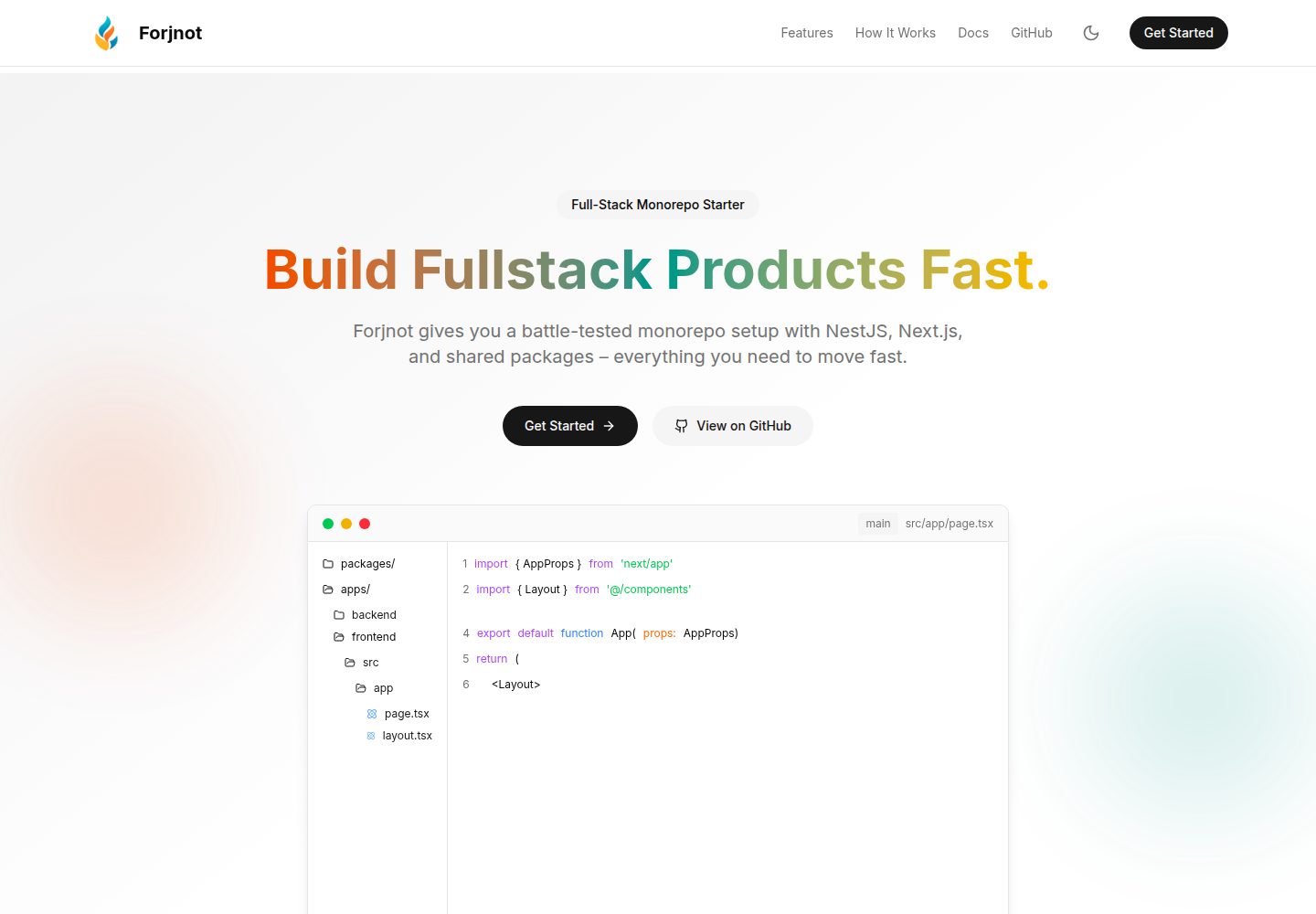
Monorepo structure: apps/ contains the NestJS backend and Next.js frontend, packages/ contains shared packages such as shared-configs, shared-constants, shared-dtos, shared-env, shared-logger, shared-types, and shared-utils
Next.jsReactStarter
forjnot — Next.js Starter Template
By aman-sharma-dev
Forjnot is a monorepo starter template based on pnpm workspace and TurboRepo, containing a NestJS backend and a Next.js frontend, and providing shared packages for configs, constants, DTOs, environment, logging, types, and utilities.
Explore the design
Compare the page layouts and mobile experience. Open any screenshot for a closer look.
Desktop homepage1 / 2
Desktop captureTop of page
Actual screenshot captured by the server browser.
All pages & views 2
Screenshots show visual appearance; interactive behavior may differ.
Recorded 2026-10-14View source
What stands out
A quick read of the recorded project description.
Uses pnpm workspace and TurboRepo to manage the monorepo, with pnpm-workspace.yaml and turbo.json provided at the root
Provides pnpm run doctor to check the workstation for missing tools, dependencies, and environment configuration, and gives subsequent steps
Development scripts include pnpm run client to start the frontend, pnpm run server to start the backend, and pnpm run build:all to build all services
Toolchain includes Biome lint and format, Swagger auto-generated API documentation, Makefile task management, and pnpm check to run the same lint, test, and build checks as CI
Provides basic containerization configuration via docker-compose.yml, and adopts a two-branch template model with main and deployment
Template Details
Forjnot's README positions it as a monorepo starter template for building a project skeleton with separated frontend and backend. The repository structure is divided into apps/ and packages/: apps/backend is a NestJS API, apps/frontend is a Next.js application; packages/ contains shared packages such as shared-configs, shared-constants, shared-dtos, shared-env, shared-logger, shared-types, and shared-utils, used to reuse code and configuration across multiple applications and services. The root directory provides files including .editorconfig, .gitignore, .env.example, .nvmrc, biome.json, docker-compose.yml, Makefile, package.json, pnpm-workspace.yaml, tsconfig, and turbo.json.
The installation process is: first run pnpm run doctor to check the workstation for missing tools, dependencies, and environment configuration, then run pnpm install; afterward, use pnpm run client to start the frontend and pnpm run server to start the backend. For building and deployment, the README states that pnpm run build:all can build all services, and a basic Docker configuration is provided in docker-compose.yml. Development tools include Biome lint and format, Swagger auto-generated API documentation, Makefile task management, and a single command pnpm check that runs the same lint, test, and build checks as CI. The README also mentions a two-branch template model: develop reusable code on main, then sync to the deployment branch responsible for the public frontend, with details pointing to docs/BRANCH_STRATEGY.md.
The README does not provide specific framework version numbers, the actual implementation details of each shared package, the testing framework and test coverage, the specific contents of the Docker configuration, or production deployment requirements and operations practices; these aspects require consulting the repository files themselves.
Next.jsStarter
Is it right for your project?
Use Cases
- Projects that need to develop a NestJS backend and Next.js frontend simultaneously and want both to share types, DTOs, constants, and configuration
- Teams that want to organize multiple applications and shared packages as a monorepo and use TurboRepo and pnpm workspace to manage the build process
- Projects that need an initial engineering standard including lint, format, Swagger documentation, and a unified validation command
- Projects planning to use Docker for containerized deployment and wanting to start from a basic docker-compose configuration
Suitable For
- Developers familiar with pnpm, TurboRepo, and TypeScript who want to quickly set up a frontend-backend separated monorepo skeleton
- Teams that need a NestJS and Next.js combination and want to reuse shared types, DTOs, constants, and configuration
- Project maintainers who want to adopt a two-branch model with main and deployment to manage template code and the public frontend
Getting started & customization
Use these recorded setup notes alongside the repository instructions for your chosen version.
- 1
First run pnpm run doctor to check the workstation for missing tools, dependencies, and environment configuration, then run pnpm install to install dependencies
- 2
Use pnpm run client to start the frontend and pnpm run server to start the backend
- 3
Use pnpm run build:all to build all services, or refer to the basic configuration in docker-compose.yml for containerized deployment
- 4
Use pnpm run lint and pnpm run format to maintain code style, and use pnpm check to run the same lint, test, and build checks as CI
- 5
For details of the two-branch model, see docs/BRANCH_STRATEGY.md; the README does not provide specific framework version numbers or production deployment requirements
License & source material
Usage conditions & limitations
Free to use · keep license noticeThis entry covers the free version under the MIT license in the public repository; the free scope is the code of that version and does not mean external services or third-party assets are free.
Must comply with when using
- Free use, modification, commercial use, and distribution of this version's code are permitted.
- When distributing copies or substantial portions of the code, retain the original author's copyright notice and the complete MIT license notice.
- The code is provided as is; warranties and liability limitations are governed by the original license and applicable law.
Additional costs & items to verify
- Demo images, fonts, icons, and other third-party assets must be checked against their respective licenses and cannot be judged solely by the code's MIT license.
- External services such as domains, hosting, databases, payments, or AI may incur separate charges.
View Original Text Basis
https://github.com/aman-sharma-dev/forjnot/blob/main/LICENSEhttps://github.com/aman-sharma-dev/forjnot/blob/main/README.mdPermission is hereby granted, free of charge
Original License Text
Compiled by DeepSeek based on repository license and README ·2026-10-14. Results only cover the materials read; dependencies, images, fonts, and subsequent term changes are subject to their respective original texts.
Project checks & description sources
Template Information
- Source platforms
- GitHub
- Documentation and maintenance reference score
- More documented · 83 / 100
- Technologies
- Next.js · React
- Website type
- Starter
How this score is calculated
Our heuristic uses license records (up to 30), a demo link (12), a preview (10), stars (15), recorded maintenance (15), description completeness (8), feature records (5) and classification data (5). It is not a code, security or performance test, or a Google score. A link does not establish tested functionality.
What to verify for this project
- Repository update recorded
- 2026-08-27
- Screenshot last checked
- 2026-10-14
A demo link is listed. Check it with your own content and viewport sizes; its presence does not confirm that forms, authentication or payments work.
The catalog identifies Next.js as the primary stack. Check the actual dependency manifest and lockfile for versions and hosting requirements. These notes use recorded metadata, not a code audit or a deployment test.
Use a selection guide →How this description was prepared
AI-assisted description based on catalog records and repository material. Repository authors are not automatically the reviewers of this description.
Review declaration: codex-user-requested-batch-review-20261015 · 2026-10-15
Inspect the recorded source material
SHA-256: a9a0f53f4a10fb7ad6ade8d323f803541a2fe073ac0fb961d9c46f8b73e7bf12
2026-10-14T07:26:53.291Z
Source file / repository# Forjnot: Monorepo Starter for Scalable Projects ## Overview **Forjnot** is a high-performance monorepo starter template, designed to help developers quickly set up scalable, production-ready applications. It integrates **NestJS**, **Next.js**, and **TurboRepo** for a seamless experience in building real-world, microservice-based projects. --- ## Key Features * **Modular & Scalable Backend**: Utilize **NestJS** for building flexible, maintainable backend applications. * **Next.js with SSG**: Leverage **Next.js** for your frontend, with Static Site Generation (SSG) support out of the box. * **TurboRepo Integration**: Build fast, with optimal monorepo management and efficient CI/CD workflows. * **Shared Packages**: Easily manage reusable code and configurations across multiple apps and services within the monorepo. --- ## Why Choose Forjnot? Forjnot is tailored for serious development needs and offers: * A streamlined setup for rapid project initiation. * A clean, efficient architecture for both frontend and backend development. * A modular approach that allows for seamless scaling and microservice integration. * A configuration-free experience—no unnecessary bloat or overhead, just exactly what you need to get started. This is not a generic starter template. Forjnot is meticulously crafted for developers who seek clarity, precision, and real-world scalability. --- ## Project Structure The repository follows a monorepo structure for scalability and modularity. ``` apps/ ├── backend # NestJS API └── frontend # Next.js app packages/ ├── shared-configs/ # Shared configurations ├── shared-constants/ # Shared constants ├── shared-dtos/ # Shared DTOs ├── shared-env/ # Environment configuration ├── shared-logger/ # Shared logger ├── shared-types/ # Shared TypeScript types └── shared-utils/ # Shared utilities Root Files: .editorconfig .gitignore .env.example .nvmrc biome.json docker-compose.yml LICENSE Makefile package.json pnpm-workspace.yaml tsconfig.json / tsconfig.base.json turbo.json ``` --- ## Installation & Setup To get started with Forjnot, follow these steps: ### 0. Check your workstation ```bash pnpm run doctor ``` The doctor identifies missing tools, dependencies, environment configuration, and the active template variant, then gives exact next steps. ### 1. Install Dependencies ```bash pnpm install ``` ### 2. Run the Frontend ```bash pnpm run client ``` ### 3. Run the Backend ```bash pnpm run server ``` --- ## Build and Deployment Forjnot is ready for deployment and offers an initial Docker configuration. The following command builds all necessary services: ```bash pnpm run build:all ``` You can also use Docker for containerized deployment, with basic configurations provided in `docker-compose.yml`. --- ## Development Tools Forjnot is designed to maintain code quality and consistency: * **Linting & Formatting**: Ensure your code meets style standards. ```bash pnpm run lint pnpm run format ``` * **Swagger Docs**: Automatically generated documentation for APIs. * **Makefile**: Manage project tasks, including builds and testing. * **One-command validation**: Run the same lint, test, and build gate used by CI. ```bash pnpm check ``` * **Two-branch template model**: Develop reusable code on `main`, then sync it forward into `deployment`, which owns the public frontend. See [the branch strategy](docs/BRANCH_STRATEGY.md). --- ## Technologies Used * **NestJS**: Backend framework for building scalable and maintainable APIs. * **Next.js**: Frontend framework with support for Static Site Generation (SSG). * **TurboRepo**: Efficient monorepo management tool. * **pnpm**: Fast, disk space-efficient package manager. * **Swagger**: Swagger integration for auto-generated API documentation, simplifying the testing and exploration of your APIs. * **Makefile**: A Makefile is included for simplified task management, such as building, testing, and deployment processes. * **Biome**: Linting and formatting integration. * **Docker**: Basic containerization setup for easy deployment. --- ## License Forjnot is licensed under the MIT License. Feel free to use, modify, and distribute the project according to the terms of the license. --- ## Contribution Forjnot is an open-source project, and contributions are always welcome. You can contribute by: * Reporting bugs or issues * Submitting feature requests or improvements * Reviewing pull requests Forjnot is already a powerful tool, but it can always be improved. We encourage contributions that help enhance its functionality and usability. --- ## Final Thoughts Forjnot is designed to help developers build scalable applications quickly and efficiently, with a focus on performance and maintainability. It provides a clean, modular foundation for both backend and frontend development, eliminating unnecessary complexity. Feel free to use, modify, and extend Forjnot for your projects. Whether you're working on a new startup or a larger-scale enterprise application, Forjnot has you covered.
Explore similar templates
Compare previews and descriptions within the same stack and category.

Next.js SaaS Starter
The official Next.js SaaS starter template, integrating email/password authentication, Stripe Checkout subscriptions, a dashboard with user/team CRUD, basic Owner/Member RBAC, and activity logging.
Next.js · SaaS

Next.js Commerce
Vercel's officially maintained Next.js App Router ecommerce starter with deep Shopify integration, offering a complete product catalog, cart, and checkout flow. Core logic is modular for swapping backends, and community provider versions exist for BigCommerce, Medusa, and Saleor.
Next.js · E-commerce

Next-js-Boilerplate
A developer-first Next.js 16 starter with Tailwind CSS 4 and TypeScript, supporting both App Router and Page Router.
Next.js · Starter

tailwind-nextjs-starter-blog
A Next.js and Tailwind CSS blog starter template using Contentlayer for Markdown/MDX, with built-in SEO, code highlighting, and tags. It targets personal technical blogs and migration from Jekyll/Hugo to React, and supports one-click Vercel deployment.
Next.js · Blog

next-forge
next-forge is a Turborepo-based Next.js template maintained by Vercel, positioned as a starting point for SaaS products.
Next.js · Starter

SaaS-Boilerplate
SaaS-Boilerplate is an open-source SaaS starter template built with Next.js App Router, React 19, TypeScript, Tailwind CSS, and Shadcn UI.
Next.js · SaaS