Registers MCP tools and component resources in app/mcp/route.ts, and associates tools with components via templateUri
Next.jsReactStarter
chatgpt-app-template — Next.js Starter Template
By amxv
A Next.js-based OpenAI Apps SDK starter template with a built-in MCP server, ChatGPT iframe component rendering, and a doctor finder example.
Explore the design
Compare the page layouts and mobile experience. Open any screenshot for a closer look.
Desktop homepage1 / 2
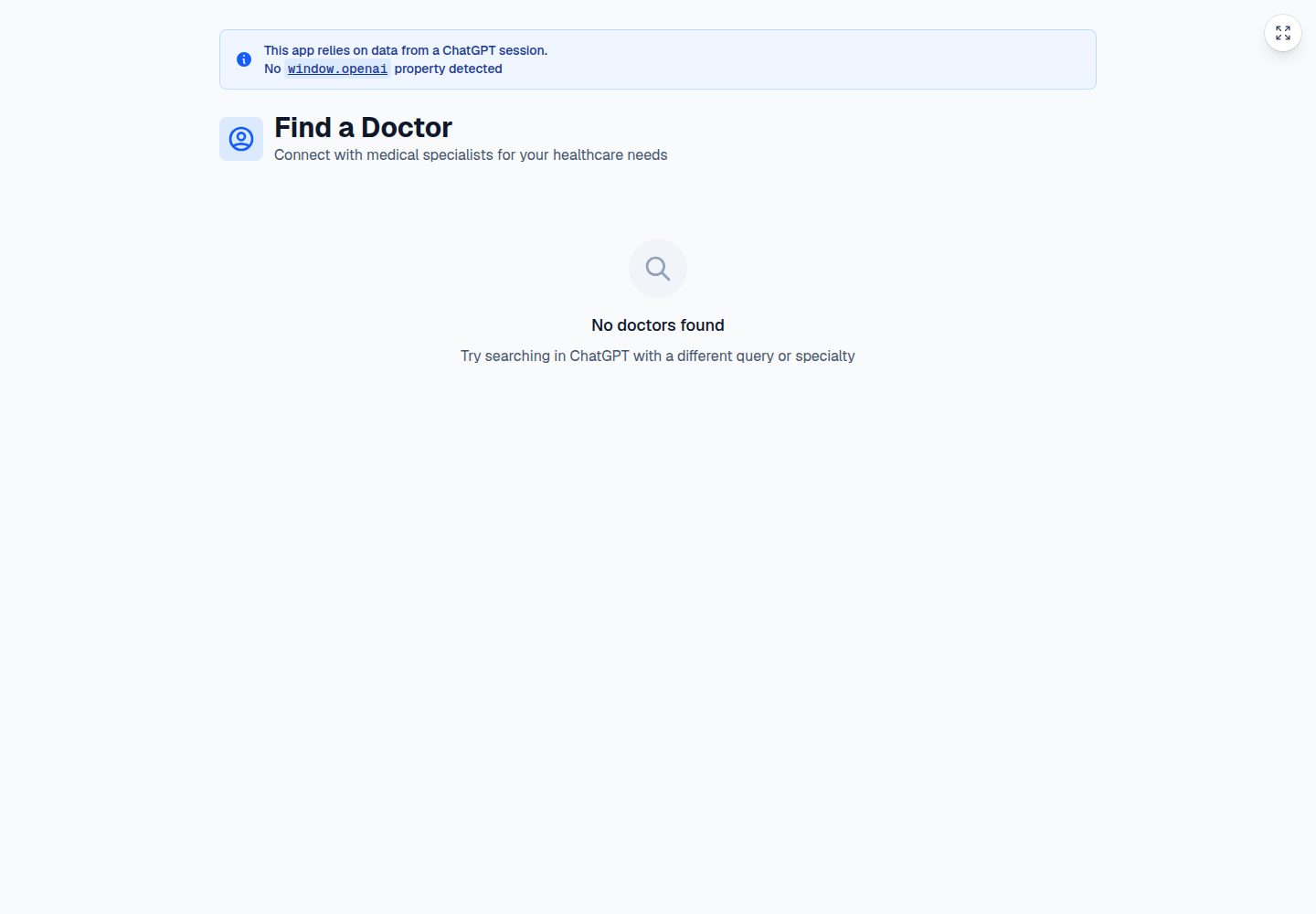
Desktop captureTop of page
Actual screenshot captured by the server browser.
All pages & views 2
Screenshots show visual appearance; interactive behavior may differ.
Recorded 2026-10-14View source
What stands out
A quick read of the recorded project description.
Uses OpenAI-specific metadata (such as openai/outputTemplate and openai/resultCanProduceWidget) to control tool invocation and component rendering
The root page app/page.tsx acts as the component rendered inside ChatGPT, reads structured tool output, and renders doctor cards, with fullscreen mode support
Uses assetPrefix in next.config.ts so /_next/ static assets load from the correct origin, avoiding 404s inside the iframe
middleware.ts handles CORS preflight and response headers required for cross-origin React Server Component requests
NextChatSDKBootstrap in app/layout.tsx patches history, window.fetch, and html attribute changes to adapt to the ChatGPT iframe
Template Details
This is a Next.js starter template for building OpenAI Apps SDK apps. The repository is positioned as a cloneable starting point for developing custom ChatGPT apps. The README states that it includes the code needed to expose MCP tools to ChatGPT, render UI inside the ChatGPT iframe, and handle browser differences related to cross-origin component rendering.
The template includes a Doctor Finder example: it registers a find_doctor MCP tool in app/mcp/route.ts, uses mock doctor data with specialty and symptom matching, and renders doctor results as cards inside ChatGPT. The README suggests using it as a reference and replacing the example domain model and UI to build your own app.
The README does not provide information about performance, production readiness, or business features beyond the example; its content focuses on MCP tool and resource registration, component UI, asset prefix, CORS middleware, and SDK bootstrapping.
Next.jsStarter
Is it right for your project?
Use Cases
- Use as a cloneable starting point to develop custom ChatGPT apps and connect your own MCP tools
- Refer to the doctor finder example and replace the example domain model with scenarios such as e-commerce, scheduling, operations dashboards, or internal assistants
- Debug components and the MCP server locally via http://localhost:3000 and the /mcp endpoint
- After deploying to Vercel, add the MCP server URL in ChatGPT under Settings -> Connectors -> Create
Suitable For
- Developers who need Next.js + MCP starter code to build ChatGPT Apps SDK apps
- Teams that want to understand how to render interactive components inside the ChatGPT iframe and handle cross-origin issues
- Developers who need a replaceable example (doctor finder) as a reference for their own vertical scenario
Getting started & customization
Use these recorded setup notes alongside the repository instructions for your chosen version.
- 1
Install dependencies with bun install, run development with bun run dev, and open http://localhost:3000 locally to view the component
- 2
The MCP server is exposed at http://localhost:3000/mcp
- 3
Before connecting to ChatGPT, deploy the app to a publicly accessible location (such as Vercel), and add the server URL with the /mcp path in ChatGPT under Settings -> Connectors -> Create
- 4
Connecting an MCP server to ChatGPT requires developer mode access; the README points to the OpenAI connection guide
- 5
suppressHydrationWarning must be kept in layout.tsx because ChatGPT modifies the initial HTML before hydration
License & source material
Usage conditions & limitations
Free to use · keep license noticeThis entry covers the free version of the public repository under the Apache-2.0 license; the free scope is the code of that version and does not mean external services or third-party assets are free.
Must comply with when using
- Free use, modification, commercial use, and distribution are permitted; the Apache-2.0 license must be included when distributing.
- Modified files must be prominently marked as changed, and relevant copyright, patent, trademark, and attribution notices must be retained.
- If the original project includes a NOTICE file, applicable attribution notices in it must be retained when distributing derivative works.
- The license includes an applicable contributor patent grant; initiating patent litigation as described in the license terminates that patent grant, and no trademark rights are granted.
- The code is provided as is; warranties and limitations of liability are governed by the original license and applicable law.
Additional costs & items to verify
- Demo images, fonts, icons, and other third-party assets must be checked against their respective licenses; they cannot be judged solely by the code's Apache-2.0 license.
- External services such as domains, hosting, databases, payments, or AI may incur additional charges.
- Connecting an MCP server to ChatGPT requires developer mode access; regular accounts may not be able to use this connection feature.
- Before use, the app must be deployed to a publicly accessible location (such as Vercel); local addresses cannot connect directly to ChatGPT.
- The template is adapted for Vercel deployment, and baseUrl.ts depends on Vercel environment variables; deploying to other platforms requires manual adjustments.
View Original Text Basis
no-charge, royalty-free, irrevocable copyright license
Original License Text
Connecting MCP servers to ChatGPT requires developer mode access. See the [OpenAI connection guide](https://developers.openai.com/apps-sdk/deploy/connect-chatgpt).
Original README
1. Deploy the app somewhere publicly reachable, such as Vercel.
Original README
https://github.com/amxv/chatgpt-app-template/blob/main/LICENSEhttps://github.com/amxv/chatgpt-app-template/blob/main/README.mdThis template is designed to work well on [Vercel](https://vercel.com). `baseUrl.ts` automatically detects Vercel environment variables so the widget can resolve static assets and runtime fetches correctly across production and preview deployments.
Original README
Compiled by DeepSeek based on repository license and README ·2026-10-14. Results only cover the materials read; dependencies, images, fonts, and subsequent term changes are subject to their respective original texts.
Project checks & description sources
Template Information
- Source platforms
- GitHub
- Documentation and maintenance reference score
- More documented · 83 / 100
- Technologies
- Next.js · React
- Website type
- Starter
How this score is calculated
Our heuristic uses license records (up to 30), a demo link (12), a preview (10), stars (15), recorded maintenance (15), description completeness (8), feature records (5) and classification data (5). It is not a code, security or performance test, or a Google score. A link does not establish tested functionality.
What to verify for this project
- Repository update recorded
- 2026-06-25
- Screenshot last checked
- 2026-10-14
A demo link is listed. Check it with your own content and viewport sizes; its presence does not confirm that forms, authentication or payments work.
The catalog identifies Next.js as the primary stack. Check the actual dependency manifest and lockfile for versions and hosting requirements. These notes use recorded metadata, not a code audit or a deployment test.
Use a selection guide →How this description was prepared
AI-assisted description based on catalog records and repository material. Repository authors are not automatically the reviewers of this description.
Review declaration: codex-user-requested-batch-review-20261015 · 2026-10-15
Inspect the recorded source material
SHA-256: 62240ac53f7ee21dedf0bd4c47c1b63697bb92bee867d06f4409760736745308
2026-10-14T13:38:58.901Z
Source file / repository# ChatGPT Apps SDK Template
Next.js starter template for building an [OpenAI Apps SDK](https://developers.openai.com/apps-sdk) app with a Model Context Protocol (MCP) server, ChatGPT widget rendering, and a working end-to-end example.
This repo is meant to be cloned as a starting point for custom ChatGPT apps. It includes the plumbing needed to expose MCP tools to ChatGPT, render a UI inside the ChatGPT iframe, and handle the browser quirks that come with cross-origin widget rendering.
## Included Example: Doctor Finder
The starter ships with a small doctor finder demo so the template is easy to understand in a real workflow instead of just abstract SDK code.
The example includes:
- a `find_doctor` MCP tool registered in `app/mcp/route.ts`
- mock doctor data with specialty and symptom matching
- a widget UI that renders doctor cards inside ChatGPT
- structured tool output passed from ChatGPT into the Next.js widget
Use it as a reference for how to build your own vertical-specific app, then swap the sample domain model and UI for your own tools.
## Overview
This project shows how to integrate a Next.js application with the ChatGPT Apps SDK using MCP. It includes a working MCP server that exposes tools and resources ChatGPT can call, with responses rendered natively in ChatGPT as an interactive widget.
## Key Components
### 1. MCP Server Route (`app/mcp/route.ts`)
The MCP server registers tools and widget resources for ChatGPT.
Key pieces:
- tool registration with OpenAI-specific metadata
- resource registration for iframe rendering
- cross-linking between tools and widgets via `templateUri`
- structured tool output that the widget can read directly
OpenAI-specific metadata:
```typescript
{
"openai/outputTemplate": widget.templateUri,
"openai/toolInvocation/invoking": "Loading...",
"openai/toolInvocation/invoked": "Loaded",
"openai/widgetAccessible": false,
"openai/resultCanProduceWidget": true
}
```
Reference: [OpenAI Apps SDK MCP documentation](https://developers.openai.com/apps-sdk/build/mcp-server)
### 2. Widget UI (`app/page.tsx`)
The root page is the widget rendered inside ChatGPT. In the sample app it:
- reads structured tool output through the Apps SDK hooks
- renders doctor search results as cards
- supports fullscreen mode
- shows a helpful fallback banner when opened outside ChatGPT
### 3. Asset Configuration (`next.config.ts`)
Set `assetPrefix` so `/_next/` static assets load from the correct origin:
```typescript
const nextConfig: NextConfig = {
assetPrefix: baseURL,
};
```
Without this, Next.js will try to load assets from the iframe URL and you will get 404s.
### 4. CORS Middleware (`middleware.ts`)
The middleware handles browser preflight requests needed for cross-origin React Server Component fetching during client-side navigation:
```typescript
export function middleware(request: NextRequest) {
if (request.method === "OPTIONS") {
// Return 204 with CORS headers
}
// Add CORS headers to all responses
}
```
### 5. SDK Bootstrap (`app/layout.tsx`)
`<NextChatSDKBootstrap>` patches browser behavior so the widget works correctly inside the ChatGPT iframe.
It handles:
- `history.pushState` and `history.replaceState`
- `window.fetch` origin rewriting
- `<html>` attribute mutations introduced by the ChatGPT host
Required setup:
```tsx
<html lang="en" suppressHydrationWarning>
<head>
<NextChatSDKBootstrap baseUrl={baseURL} />
</head>
<body>{children}</body>
</html>
```
`suppressHydrationWarning` is currently needed because ChatGPT modifies the initial HTML before hydration.
## Getting Started
### Installation
```bash
bun install
```
### Development
```bash
bun run dev
```
Open `http://localhost:3000` to inspect the widget locally.
### MCP Endpoint
The MCP server is exposed at:
```text
http://localhost:3000/mcp
```
### Connecting From ChatGPT
1. Deploy the app somewhere publicly reachable, such as Vercel.
2. In ChatGPT, go to `Settings -> Connectors -> Create`.
3. Add your MCP server URL with the `/mcp` path, for example `https://your-app.vercel.app/mcp`.
Connecting MCP servers to ChatGPT requires developer mode access. See the [OpenAI connection guide](https://developers.openai.com/apps-sdk/deploy/connect-chatgpt).
## Project Structure
```text
app/
├── components/ # Widget UI components
├── data/ # Sample doctor data
├── hooks/ # Apps SDK widget hooks
├── layout.tsx # Root layout with SDK bootstrap
├── mcp/
│ └── route.ts # MCP server with tool/resource registration
├── page.tsx # ChatGPT widget UI
└── custom-page/ # Example extra route
middleware.ts # CORS handling for RSC
next.config.ts # Asset prefix configuration
```
## How The Doctor Finder Example Works
1. ChatGPT invokes the `find_doctor` tool exposed by `app/mcp/route.ts`.
2. The tool searches mock doctor data by symptom or specialty.
3. The tool response includes structured content plus the widget `templateUri`.
4. ChatGPT renders the widget in an iframe.
5. The Next.js widget reads the tool result and displays doctor cards.
This is the core pattern to reuse when adapting the template for other workflows such as commerce tools, scheduling, operations dashboards, or internal assistants.
## Deployment
This template is designed to work well on [Vercel](https://vercel.com). `baseUrl.ts` automatically detects Vercel environment variables so the widget can resolve static assets and runtime fetches correctly across production and preview deployments.
The configuration handles:
- production URLs via `VERCEL_PROJECT_PRODUCTION_URL`
- preview URLs via `VERCEL_BRANCH_URL`
- asset prefixing for iframe-safe resource loading
## Learn More
- [OpenAI Apps SDK documentation](https://developers.openai.com/apps-sdk)
- [OpenAI Apps SDK MCP server guide](https://developers.openai.com/apps-sdk/build/mcp-server)
- [Model Context Protocol](https://modelcontextprotocol.io)
- [Next.js documentation](https://nextjs.org/docs)
## License
Apache License 2.0
Explore similar templates
Compare previews and descriptions within the same stack and category.

Next.js SaaS Starter
The official Next.js SaaS starter template, integrating email/password authentication, Stripe Checkout subscriptions, a dashboard with user/team CRUD, basic Owner/Member RBAC, and activity logging.
Next.js · SaaS

Next.js Commerce
Vercel's officially maintained Next.js App Router ecommerce starter with deep Shopify integration, offering a complete product catalog, cart, and checkout flow. Core logic is modular for swapping backends, and community provider versions exist for BigCommerce, Medusa, and Saleor.
Next.js · E-commerce

Next-js-Boilerplate
A developer-first Next.js 16 starter with Tailwind CSS 4 and TypeScript, supporting both App Router and Page Router.
Next.js · Starter

tailwind-nextjs-starter-blog
A Next.js and Tailwind CSS blog starter template using Contentlayer for Markdown/MDX, with built-in SEO, code highlighting, and tags. It targets personal technical blogs and migration from Jekyll/Hugo to React, and supports one-click Vercel deployment.
Next.js · Blog

next-forge
next-forge is a Turborepo-based Next.js template maintained by Vercel, positioned as a starting point for SaaS products.
Next.js · Starter

SaaS-Boilerplate
SaaS-Boilerplate is an open-source SaaS starter template built with Next.js App Router, React 19, TypeScript, Tailwind CSS, and Shadcn UI.
Next.js · SaaS