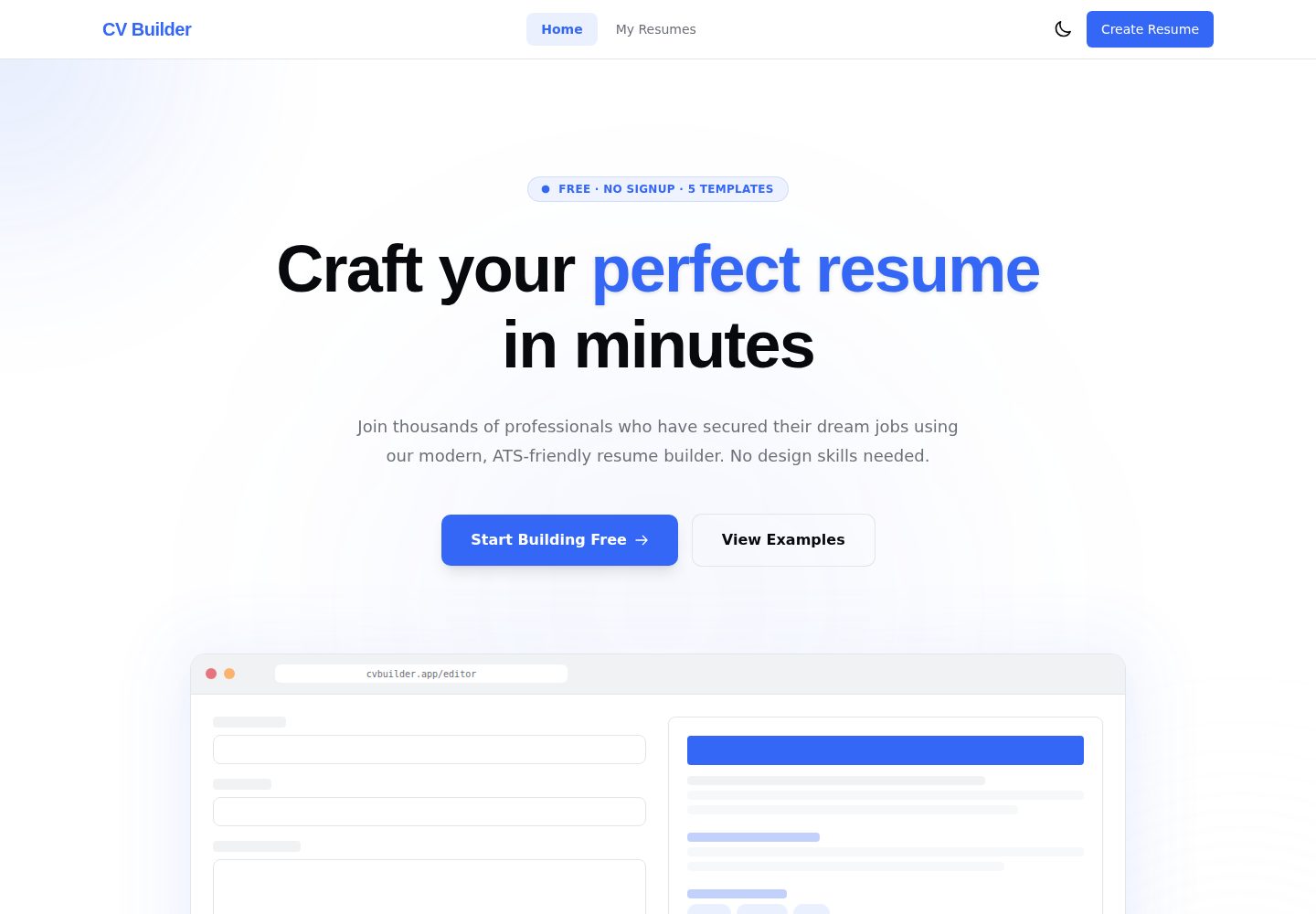
Nine content tabs: personal information, experience, education, skills, projects, certificates, languages, custom sections and templates
AngularVitePortfolio
cv-builder — Angular Portfolio Template
By Andersseen
A browser-based résumé editor built on Angular and AnalogJS, with form entry, live A4 preview, five templates and three PDF export modes; data is stored by default in browser IndexedDB.
Explore the design
Compare the page layouts and mobile experience. Open any screenshot for a closer look.
Desktop homepage1 / 2
Desktop captureTop of page
Actual screenshot captured by the server browser.
All pages & views 2
Screenshots show visual appearance; interactive behavior may differ.
Recorded 2026-10-16View source
What stands out
A quick read of the recorded project description.
Five templates with different layouts: Modern, Classic, Minimal, Creative, Executive
Input is reflected instantly in the A4 preview, based on zoneless signals, with no debounce delay
Three PDF export modes: image PDF, print PDF, Cloud PDF
Résumés are saved in browser IndexedDB, autosave is debounced at 800ms, and undo/redo is supported
Supports JSON import/export of a single résumé, or backup and restore of all data
Template Details
Modern CV Builder is an open-source project for building résumés in the browser, with no account registration required. Users fill in personal information, experience, education, skills, projects, certificates, languages and more in a structured form on the left, while the A4 preview on the right updates instantly as they type. The project provides five templates with different layouts: Modern, Classic, Minimal, Creative and Executive, and supports per-résumé accent color, background color, text color and four print-safe font stacks. Résumés are saved by default in browser IndexedDB, with autosave using an 800ms debounced write, and in-memory undo/redo is supported. Export offers three modes: image PDF, print PDF and optional Cloud PDF; Cloud PDF sends the résumé HTML to the project's own Cloudflare Worker for server-side rendering, while the other two are completed on the client. The README does not document the specific use cases for the templates, differences in export quality or availability limitations of Cloud PDF.
AngularVitePortfolio
Is it right for your project?
Use Cases
- Fill in and lay out a personal résumé in the browser, viewing the A4 preview in real time
- Switch between five templates and adjust accent color, background color, text color and font stack
- Export the résumé as an image PDF or an ATS-friendly print PDF
- Back up, migrate or restore résumé data via JSON files
- Continue editing and export client-side PDFs without a network connection
Suitable For
- Individual users who want to create a résumé without registering an account
- Users who value keeping résumé data in the local browser and do not want it uploaded to third-party servers
- Users who need multiple templates and color schemes to match different job-seeking styles
- Users who need both high visual fidelity and text-parseable PDF output
Getting started & customization
Use these recorded setup notes alongside the repository instructions for your chosen version.
- 1
Requires Node.js 22+ and pnpm 10+; the project uses pnpm rather than npm
- 2
After cloning the repository, run pnpm install, then run pnpm start to launch the development server (default http://localhost:5173)
- 3
No .env, database or API key configuration is required; the project has no backend to point to
- 4
Cloud PDF export depends on the project's own Cloudflare Worker endpoint /api/pdf and requires a network connection
License & source material
Usage conditions & limitations
Free to use · keep license noticeThis listing covers the free version of the public repository under the MIT license; the free scope is the code of that version and does not mean external services or third-party assets are free.
Must comply with when using
- The code of this version may be used, modified, used commercially and distributed free of charge.
- When distributing copies or substantial portions of the code, the original author's copyright notice and the complete MIT license notice must be retained.
- The code is provided as is; warranties and limitations of liability are governed by the original license and applicable law.
Additional costs & items to verify
- Demo images, fonts, icons and other third-party assets must be checked against their respective licenses and cannot be judged solely by the code's MIT license.
- External services such as domains, hosting, databases, payments or AI may incur separate charges.
- Cloud PDF export is an optional feature: when this mode is selected, the résumé HTML is sent to the project's own Cloudflare Worker for server-side rendering; the other two client-side exports do not involve a server.
- The two client-side exports can be used offline; Cloud PDF export requires a network connection.
- Running the project requires Node.js 22+ and pnpm 10+, and pnpm must be used rather than npm.
- In production, the browser directly requests the standalone workers.dev endpoint https://cv-builder-pdf.andriipap01.workers.dev/api/pdf, and CORS is only allowed for the production Pages domain and localhost.
- Continuous deployment requires configuring a Cloudflare API Token repository secret, and that token must have Cloudflare Pages:Edit and Workers Scripts:Edit permissions.
- Continuous deployment also requires configuring a Cloudflare Account ID repository secret.
- Cloud PDF depends on Cloudflare Browser Run, whose free allowance is 10 minutes of browser time per day; beyond that, charges may apply or the service may become unavailable.
- Cloudflare is the only deployment target; the project does not support Vercel; if Vercel still submits GitHub checks, the repository's integration with the Vercel project must be disconnected.
View Original Text Basis
Permission is hereby granted, free of charge
Original License Text
> ¹ The one exception: the opt-in **Cloud PDF** export sends the résumé HTML to the project's
Original README
> ² The two client-side exports work offline; Cloud PDF needs the network.
Original README
> **Requires** Node.js 22+ and [pnpm](https://pnpm.io/) 10+ (pnpm is the package manager here, not npm).
Original README
(`https://cv-builder-pdf.andriipap01.workers.dev/api/pdf`) with CORS restricted to the production
Original README
| `CLOUDFLARE_API_TOKEN` | Cloudflare API token with `Cloudflare Pages:Edit` and `Workers Scripts:Edit` |
Original README
| `CLOUDFLARE_ACCOUNT_ID` | Cloudflare dashboard → Workers & Pages → Account ID |
Original README
> **Browser Run free tier:** 10 minutes of browser time per day at $0 (a PDF takes ~2–4 s).
Original README
https://github.com/Andersseen/cv-builder/blob/main/LICENSEhttps://github.com/Andersseen/cv-builder/blob/main/README.md> **No Vercel:** Cloudflare is the only deployment target. If Vercel still posts GitHub checks,
Original README
Compiled by DeepSeek based on repository license and README ·2026-10-16. Results only cover the materials read; dependencies, images, fonts, and subsequent term changes are subject to their respective original texts.
Project checks & description sources
Template Information
- Source platforms
- GitHub
- Documentation and maintenance reference score
- More documented · 85 / 100
- Technologies
- Angular · Vite
- Website type
- Portfolio
How this score is calculated
Our heuristic uses license records (up to 30), a demo link (12), a preview (10), stars (15), recorded maintenance (15), description completeness (8), feature records (5) and classification data (5). It is not a code, security or performance test, or a Google score. A link does not establish tested functionality.
What to verify for this project
- Repository update recorded
- 2026-08-12
- Screenshot last checked
- 2026-10-16
A demo link is listed. Check it with your own content and viewport sizes; its presence does not confirm that forms, authentication or payments work.
The catalog identifies Angular as the primary stack. Check the actual dependency manifest and lockfile for versions and hosting requirements. These notes use recorded metadata, not a code audit or a deployment test.
Use a selection guide →How this description was prepared
AI-assisted description based on catalog records and repository material. Repository authors are not automatically the reviewers of this description.
Review declaration: codex-user-requested-batch-review-20261017 · 2026-10-16
Inspect the recorded source material
SHA-256: d0a5efec762b799ee6905fd21df4859b157dd5709d119799da1ab849085e7679
2026-10-16T03:46:09.353Z
Source file / repository<div align="center">
<img src="docs/screenshots/02-editor.png" width="840" alt="Modern CV Builder — structured forms on the left, live A4 preview on the right">
# 📄 Modern CV Builder
### Build a professional résumé in your browser. No account, no tracking.
Fill structured forms, watch an A4 preview update as you type, pick one of five distinct
templates, and export a print-ready PDF. Every résumé lives in **your** browser's IndexedDB —
the only thing that ever touches a server is the optional Cloud PDF export, rendered on the
project's own Cloudflare Worker when you explicitly choose it.
<br/>
[](https://cv-builder.andersseen.dev)
[](https://github.com/Andersseen/cv-builder/actions/workflows/ci.yml)
[](https://github.com/Andersseen/cv-builder/actions/workflows/deploy.yml)
[](LICENSE)








**[Live demo](https://cv-builder.andersseen.dev)** ·
[Features](#-features) ·
[Quick start](#-quick-start) ·
[Templates](#-five-genuinely-different-templates) ·
[Architecture](#-architecture) ·
[Docs](#-documentation)
</div>
---
## 🤔 Why another résumé builder?
Most online builders ask you to sign up, keep your employment history on their servers, and put
the PDF export behind a paywall. This one inverts all three.
| | Typical online builder | Modern CV Builder |
| ----------------- | --------------------------- | ----------------------------------- |
| **Account** | Required | None — open the page and start |
| **Your data** | On their servers | IndexedDB in your browser only¹ |
| **PDF export** | Often paywalled/watermarked | Free, unlimited, three export modes |
| **Works offline** | No | Yes, after the first load² |
| **Cost to host** | — | $0 on Cloudflare Workers' free tier |
> ¹ The one exception: the opt-in **Cloud PDF** export sends the résumé HTML to the project's
> own Cloudflare Worker for server-side rendering — nowhere else, only when you pick it.
> ² The two client-side exports work offline; Cloud PDF needs the network.
> **Design principle:** the résumé is the product. Preview fidelity and PDF quality beat every
> app-UI concern — which is why the preview always renders on white, even in dark mode.
---
## ✨ Features
| | Feature | What it does |
| :-: | --------------------------- | --------------------------------------------------------------------------------------------------- |
| 📝 | **Nine content tabs** | Personal, Experience, Education, Skills, Projects, Certifications, Languages, Sections and Template |
| ⚡ | **Instant live preview** | Zoneless signals push every keystroke straight to the A4 preview — no debounce, no lag |
| 🎨 | **Five distinct templates** | Different _layouts_ (sidebar, header-accent, single-column), not recolours of one design |
| 🌈 | **Per-résumé theming** | Accent, background and text colours plus four print-safe font stacks |
| 🧩 | **Flexible sections** | Reorder sections, hide the ones you don't need, add your own custom sections |
| 📊 | **Completeness score** | A live 0–100 score with actionable suggestions that jump straight to the right tab |
| 💾 | **Autosave** | Debounced 800 ms writes to IndexedDB — edits survive a reload or a crashed tab |
| ↩️ | **Undo / redo** | In-memory history with keyboard shortcuts |
| 📤 | **Three PDF modes** | Image PDF (pixel-perfect), print PDF (ATS-friendly text), Cloud PDF (both, server-rendered) |
| 🔁 | **JSON portability** | Export/import a single résumé, or back up and restore everything |
| 🌗 | **Dark mode** | System-preference aware, persisted — the résumé itself stays print-white |
| 🔒 | **No third-party calls** | No analytics, no fonts CDN, no telemetry. The only API is our own Worker's `/api/pdf` |
---
## 🎨 Five genuinely different templates
<div align="center">
<img src="docs/screenshots/templates.png" width="100%" alt="The five résumé templates side by side: Modern, Classic, Minimal, Creative, Executive">
</div>
| Template | Layout |
| ------------- | -------------------------------------------- |
| **Modern** | Gradient header with card-based sections |
| **Classic** | Traditional centred layout with a serif feel |
| **Minimal** | Maximum whitespace, clean typography |
| **Creative** | Dark sidebar with timeline and progress bars |
| **Executive** | Bold dark header with pill badges |
Adding a sixth is a two-file change — see [docs/CONVENTIONS.md](docs/CONVENTIONS.md).
---
## 🚀 Quick start
```bash
git clone https://github.com/Andersseen/cv-builder.git
cd cv-builder
pnpm install
pnpm start # → http://localhost:5173
```
That's it. No `.env`, no database to provision, no API keys — there is no backend to point at.
> **Requires** Node.js 22+ and [pnpm](https://pnpm.io/) 10+ (pnpm is the package manager here, not npm).
---
## 📸 Screenshots
| Landing | Dashboard |
| :-----------------------------------------------------------------------------------------------------------: | :---------------------------------------------------------------------------------: |
| <img src="docs/screenshots/01-landing.png" alt="Landing page"> | <img src="docs/screenshots/04-dashboard.png" alt="Dashboard listing saved résumés"> |
| **Template picker & theming** | **Dark mode** |
| <img src="docs/screenshots/03-templates.png" alt="Template picker with accent, background and font controls"> | <img src="docs/screenshots/05-editor-dark.png" alt="Editor in dark mode"> |
---
## 🧩 Architecture
Four layers, dependencies pointing **downward only**. `domain/` is pure TypeScript — no Angular,
no RxJS, no side effects, ever.
```mermaid
flowchart TD
subgraph F["features/ · UI"]
F1["landing"]
F2["dashboard"]
F3["editor + live preview"]
end
subgraph A["application/ · state and orchestration"]
A1["CvStore (signals)"]
A2["Autosave (800 ms)"]
A3["History (undo/redo)"]
end
subgraph I["infrastructure/ · adapters"]
I1["Dexie repository"]
I2["PDF and print export"]
I3["JSON portability"]
end
subgraph D["domain/ · pure TypeScript"]
D1["Cv models"]
D2["section and completeness helpers"]
end
F --> A
A --> I
A --> D
I --> D
F --> D
```
| Layer | Owns | May depend on |
| ----------------- | -------------------------------------- | ----------------------------------------- |
| `features/` | Pages and components | `application`, `core`, `shared`, `domain` |
| `application/` | `CvStore`, `Autosave`, `History` | `infrastructure`, `domain` |
| `infrastructure/` | Dexie persistence, PDF/print, JSON I/O | `domain` |
| `domain/` | Models and pure helpers | **nothing** |
<details>
<summary><b>How a keystroke reaches the screen and the disk</b></summary>
<br/>
```mermaid
sequenceDiagram
participant U as User
participant Form as Form component
participant Store as CvStore (signal)
participant Preview as Resume preview
participant Save as Autosave
participant DB as IndexedDB
U->>Form: types a character
Form->>Store: patch(partial Cv)
Store-->>Preview: signal change → re-render (same tick)
Store-->>Save: effect() marks dirty
Note over Save: debounce 800 ms
Save->>DB: put(cv) via Dexie
DB-->>Save: ok
Save-->>U: "Saved ✓" indicator
```
Every CV mutation goes through `CvStore`. Components never touch Dexie and never call
`persist()` — `Autosave` owns that. See [docs/ARCHITECTURE.md](docs/ARCHITECTURE.md).
</details>
<details>
<summary><b>Why the initial bundle stays small</b></summary>
<br/>
The two heavy PDF dependencies are dynamically imported the first time you export, so they
never touch the initial load:
| Chunk | Gzipped | Loaded |
| ---------------- | ------- | ------------------- |
| `jspdf` | ~118 kB | on first PDF export |
| `html2canvas` | ~48 kB | on first PDF export |
| `editor.page` | ~30 kB | on route entry |
| `dashboard.page` | ~4 kB | on route entry |
All three routes are lazy — landing visitors never download the editor.
</details>
---
## 🛠️ Tech stack
| Layer | Choice | Why |
| -------------- | ---------------------------------------------------------- | ------------------------------------------------- |
| Framework | **Angular 22**, standalone + signals + Signal Forms | Zoneless change detection, no NgModules anywhere |
| Meta-framework | **AnalogJS 2.7** + **Vite 8** | File-based routing, fast dev server, static build |
| Styling | **Tailwind CSS v4** | CSS-first `@theme` config, semantic HSL tokens |
| Persistence | **Dexie 4** over IndexedDB | The only storage — CVs never leave the browser |
| PDF export | `html-to-image` + `jspdf`, native print, **Browser Run** | Pixel-perfect _and_ ATS-friendly paths |
| Language | **TypeScript 5.9**, all strict flags | Plus `strictTemplates` for Angular templates |
| Tests | **Vitest** (75) + **Playwright** (14) | Unit for pure logic, e2e for the real flow |
| Lint / format | ESLint + angular-eslint, Prettier | Enforced in CI |
| Hosting | **Cloudflare Pages** + **Cloudflare Workers** | Static app on Pages, PDF service on a Worker |
---
## 📜 Scripts
| Command | What it does |
| --------------------- | --------------------------------------------------------------- |
| `pnpm start` | Local app + Cloud PDF Worker (`:5173` + `:8787`) |
| `pnpm dev:pages` | Build + local Cloudflare Pages server |
| `pnpm dev:worker` | Local Cloud PDF Worker server on `http://localhost:8787` |
| `pnpm build` | Production build → `dist/analog/public` |
| `pnpm preview` | Serve the production build locally |
| `pnpm test` | Unit tests (Vitest, single run) |
| `pnpm test:watch` | Unit tests in watch mode |
| `pnpm e2e` | End-to-end tests (Playwright) |
| `pnpm e2e:ui` | Playwright in UI mode |
| `pnpm lint` | ESLint over the repo |
| `pnpm format` | Prettier write |
| `pnpm deploy:prod` | Build and deploy the Pages app + PDF Worker |
| `pnpm deploy:pages` | Deploy `dist/analog/public` to Cloudflare Pages |
| `pnpm deploy:worker` | Deploy the standalone Cloud PDF Worker |
| `pnpm deploy:preview` | Build and upload a Pages preview deployment |
For local Cloud PDF, use `pnpm start`. It starts the Worker first, then Vite. The Vite dev
server intercepts `/api/pdf` before Analog's dev API router and forwards it to the local Worker,
matching the local same-origin `/api/pdf` contract.
---
## ☁️ Deployment
The app and service are split by responsibility:
[Cloudflare Pages](https://developers.cloudflare.com/pages/) serves the static Angular app, and
a standalone [Cloudflare Worker](https://developers.cloudflare.com/workers/) renders PDFs
server-side via [Browser Run](https://developers.cloudflare.com/browser-run/).
```bash
pnpm deploy:prod # build + deploy Pages app + PDF Worker
```
Pages configuration lives in [wrangler.jsonc](wrangler.jsonc), with
`pages_build_output_dir: dist/analog/public`. `public/_redirects` keeps SPA deep links working,
and `public/_headers` sets cache and security headers.
The PDF service configuration lives in [worker/wrangler.jsonc](worker/wrangler.jsonc). In
production, the browser posts directly to the standalone `cv-builder-pdf` workers.dev endpoint
(`https://cv-builder-pdf.andriipap01.workers.dev/api/pdf`) with CORS restricted to the production
Pages domains and localhost. This keeps CI away from zone-level Workers Routes permissions.
**Continuous deployment** — every push to `main` runs
[`ci.yml`](.github/workflows/ci.yml) (lint → test → build) and
[`deploy.yml`](.github/workflows/deploy.yml) (build → deploy). The deploy workflow needs two
repository secrets:
| Secret | Where to get it |
| ----------------------- | -------------------------------------------------------------------------- |
| `CLOUDFLARE_API_TOKEN` | Cloudflare API token with `Cloudflare Pages:Edit` and `Workers Scripts:Edit` |
| `CLOUDFLARE_ACCOUNT_ID` | Cloudflare dashboard → Workers & Pages → Account ID |
> **Browser Run free tier:** 10 minutes of browser time per day at $0 (a PDF takes ~2–4 s).
> **No Vercel:** Cloudflare is the only deployment target. If Vercel still posts GitHub checks,
> disconnect this repository from the Vercel project/integration; there is no Vercel config in
> this repo.
> Usage is visible in the Cloudflare dashboard under Compute → Browser Run.
---
## 🗂️ Project structure
```
src/
├── app/
│ ├── pages/ # file-based routes: (home), dashboard, editor
│ ├── features/
│ │ ├── landing/ # hero, features, CTA
│ │ ├── dashboard/ # résumé cards, empty state, backup/restore
│ │ └── editor/
│ │ ├── components/ # one form per tab, toolbar, preview
│ │ └── resume-templates/# the five templates
│ ├── application/
│ │ ├── state/cv.ts # CvStore — every mutation goes through here
│ │ └── services/ # autosave, history
│ ├── infrastructure/
│ │ ├── persistence/ # Dexie schema + repository
│ │ ├── export/ # image PDF + print PDF + cloud PDF client
│ │ └── portability/ # JSON export / import / backup
│ ├── domain/models/ # pure TS: Cv, defaults, template registry, helpers
│ ├── core/services/ # theme, toast
│ └── shared/ # header, footer, toast UI, utils
├── styles.css # Tailwind v4 @theme + design tokens
└── main.ts # zoneless bootstrap
worker/
├── index.ts # Cloudflare Worker: POST /api/pdf (Browser Run)
└── wrangler.jsonc # Worker service config + workers.dev endpoint
```
---
## 📚 Documentation
This repo is spec-driven: non-trivial features get a spec in `docs/specs/` before any code.
| Document | Read it when you want to know… |
| -------------------------------------------- | --------------------------------------------------- |
| [AGENTS.md](AGENTS.md) | The house rules — start here before contributing |
| [docs/CONTEXT.md](docs/CONTEXT.md) | What the product is, and what it deliberately isn't |
| [docs/ARCHITECTURE.md](docs/ARCHITECTURE.md) | Layers, data flow, and where state lives |
| [docs/CONVENTIONS.md](docs/CONVENTIONS.md) | Code style and recipes (e.g. adding a template) |
| [docs/STATE.md](docs/STATE.md) | Current status, known issues, next steps |
| [docs/ROADMAP.md](docs/ROADMAP.md) | Where this is going |
| [docs/specs/](docs/specs/) | The spec behind each shipped feature |
---
## 🤝 Contributing
Issues and pull requests are welcome. Before you open a PR:
1. Read [AGENTS.md](AGENTS.md) — it documents the non-negotiables (standalone components,
`OnPush` everywhere, signals over decorators, strict layer boundaries).
2. Keep `pnpm lint`, `pnpm test`, `pnpm e2e` and `pnpm build` green. CI runs all four.
3. For anything non-trivial, add a spec in `docs/specs/` first.
---
## 📄 License
[MIT](LICENSE) © [Andersseen](https://github.com/Andersseen)
<div align="center">
<br/>
**[cv-builder.andersseen.dev](https://cv-builder.andersseen.dev)**
<sub>Built with Angular 22, signals and a single Cloudflare Worker.</sub>
</div>
Explore similar templates
Compare previews and descriptions within the same stack and category.
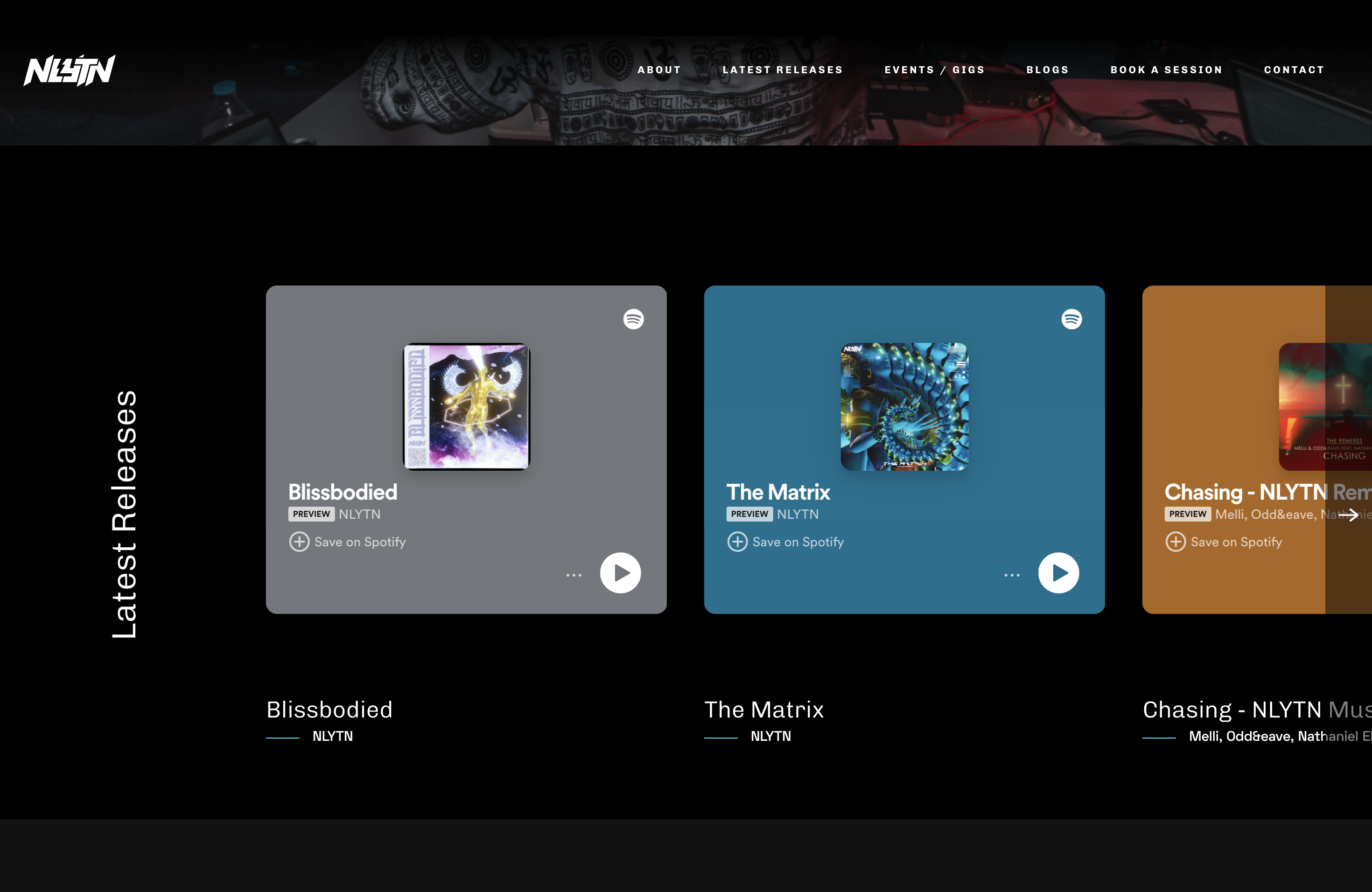
Artist-Studio-Portfolio-Website
A Django-based open-source website template originally built for musician nlytnmusic (Siddhesh Parekh), integrating song and album showcases, performance event announcements and bookings, blog publishing, and music studio rentals.
Angular · Portfolio
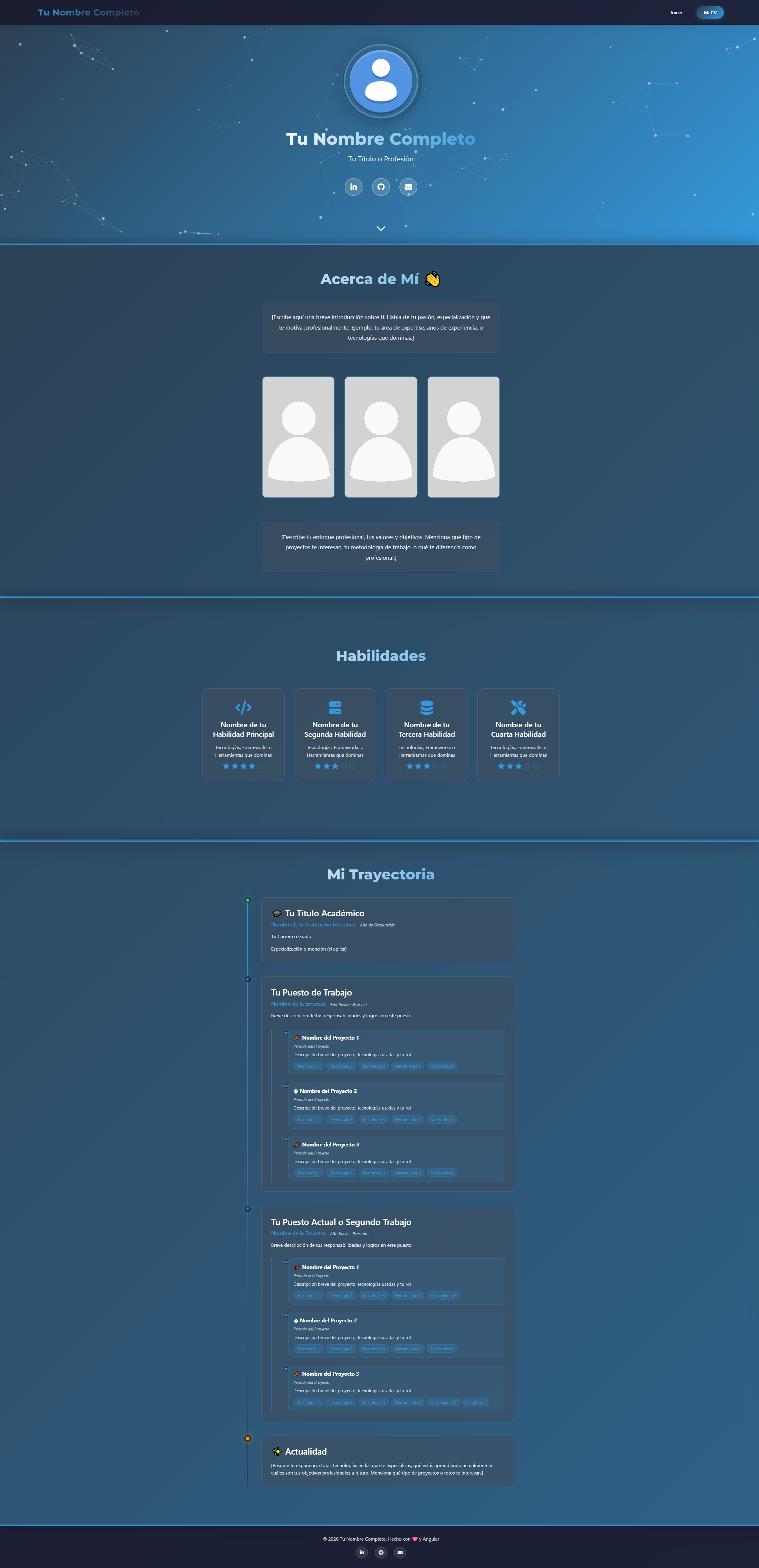
modern-web-cv-angular
A modern CV/portfolio template built with Angular 17, featuring a standalone components architecture, tsparticles particle background, AOS scroll animations, experience timeline, and photo gallery.
Angular · Timeline
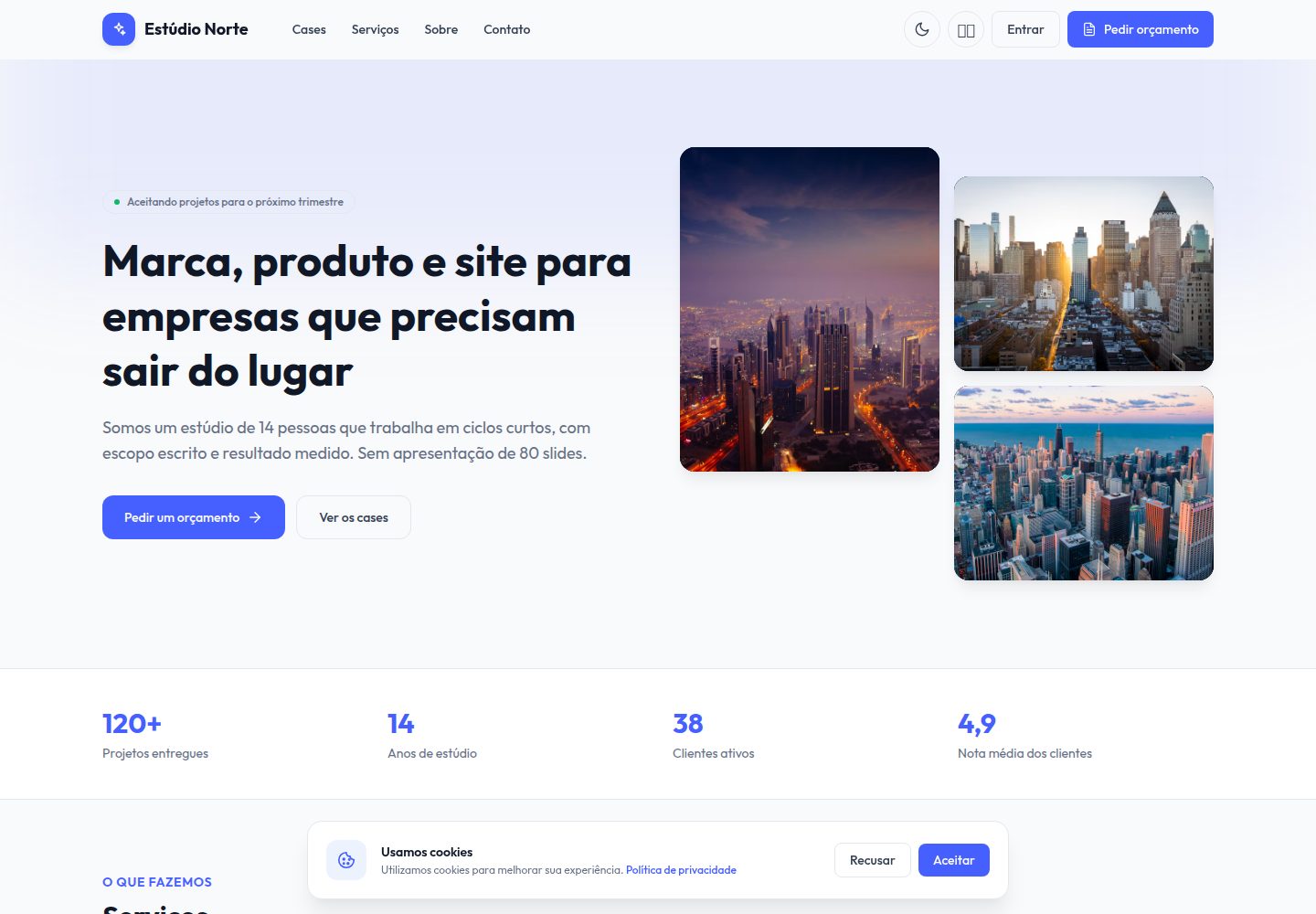
portfolio-angular
A free Angular 19 creative studio portfolio template with a public site and a sales back office. It includes case studies, a service catalog, a four-step requirements brief, a drag-and-drop lead kanban, and proposals with a line-item editor.
Angular · Portfolio
PortfolioPage
An Angular portfolio template for developers whose content is driven by a single public/assets/data.json file, so profile details, skills and projects can be updated without writing Angular code.
Angular · Portfolio

sveltekit-mdsvex-blog-template
A SvelteKit and MDsveX blog starter for Markdown writing with embedded Svelte components, Tailwind CSS typography, tags, dark mode, SEO metadata, and Cloudflare Workers deployment configuration. Requires Node.js 22.12+ and pnpm 11.17.0; third-party demo assets need separate license verification.
Svelte · Portfolio

Resumify
Resumify is a browser-based resume builder built with React, TypeScript, and Vite.
Vite · Portfolio