
Based on Vite and Vue 3, using pnpm as the package manager
VueViteStarter
vitesse — Vue Starter Template
By antfu-collective
Vitesse is an opinionated starter template built on Vite and Vue 3, integrating file-based routing, component auto-import, Pinia, UnoCSS, PWA, i18n, SSG, and testing configuration, suitable for quickly building SPAs or static sites.
Explore the design
Compare the page layouts and mobile experience. Open any screenshot for a closer look.
Desktop homepage1 / 3
Desktop captureTop of page
Actual screenshot captured by the server browser.
All pages & views 3
Screenshots show visual appearance; interactive behavior may differ.
Recorded 2026-10-06View source
What stands out
A quick read of the recorded project description.
File-based routing, component auto-import, API auto-import, and layout system
Built-in Pinia state management, UnoCSS atomic CSS, and icons used by class name
Supports PWA, i18n, Markdown componentization, and vite-ssg static site generation
Integrates TypeScript, Vitest unit testing, and Cypress E2E testing
Provides Netlify zero-configuration deployment and Docker production build instructions
Template Details
Vitesse is a Vite + Vue starter template maintained by antfu-collective, with the repository created during the early transition period of Vue 3 and Vite. The README explicitly states that for a better Vue development experience and more consistent maintenance, the official recommendation is to switch to Nuxt; this template can still serve as a reference, but its update pace is slower.
The template presets a fairly complete set of engineering conventions: file-based routing, component auto-import, Pinia state management, layout system, UnoCSS atomic CSS, icons used by class name, i18n, Markdown support, <script setup> syntax, API auto-import, vite-ssg static site generation, beasties critical CSS, TypeScript, as well as Vitest unit testing and Cypress E2E testing. For deployment, it provides Netlify zero-configuration and Docker production build instructions.
Before use, you need to adjust the author name, title, hostname, and favicon according to the README checklist, and clean up the .github directory and example routes. The repository uses the MIT license, allowing free use, modification, commercial use, and distribution, but third-party assets such as demo images, fonts, and icons need to be checked separately for their licenses.
VueViteStarter
Is it right for your project?
Use Cases
- Quickly building Vue 3 single-page applications or statically generated sites
- Frontend projects that need file-based routing, auto-import, and atomic CSS conventions
- Application prototypes that want built-in PWA, i18n, and Markdown support
- Serving as a reference template for learning Vite + Vue engineering configuration and best practices
Suitable For
- Frontend developers familiar with Vue 3 and Vite
- Individuals or teams who accept strong conventions and want to reduce initial configuration work
- Projects that need SPA or SSG output and plan to deploy to Netlify or Docker
- Developers looking for a referenceable Vue engineering template and entry point to community variants
Getting started & customization
Use these recorded setup notes alongside the repository instructions for your chosen version.
- 1
Requires Node.js 22.22.2+, 24.15.0+, or 26+, and uses pnpm to install dependencies
- 2
You can create a repository via GitHub Template, or clone locally using npx degit antfu-collective/vitesse
- 3
For development, run pnpm dev and visit http://localhost:3333; for building, run pnpm build to output to dist
- 4
Before use, modify the LICENSE author name, App.vue title, hostname in vite.config.ts, and favicon under public according to the README checklist, and remove the .github directory and example routes
- 5
Third-party assets such as demo images, fonts, and icons need to be checked against their respective licenses; external services may charge separately
License & source material
Usage conditions & limitations
Free to use · keep license noticeThis entry covers the free version under the MIT license in the public repository; the free scope is the code of this version and does not mean that external services or third-party assets are free.
Must comply with when using
- Allows free use, modification, commercial use, and distribution of this version's code.
- When distributing copies or substantial portions of the code, retain the original author's copyright notice and the complete MIT license notice.
- The code is provided as is; warranties and limitations of liability are governed by the original license and applicable law.
Additional costs & items to verify
- Demo images, fonts, icons, and other third-party assets need to be checked against their respective licenses and cannot be judged solely by the code's MIT license.
- External services such as domains, hosting, databases, payments, or AI may charge separately.
- The README explicitly states that this template was created during the early transition period of Vue 3 and Vite; for a better Vue development experience and more consistent maintenance, the official recommendation is to switch to Nuxt; this template serves only as a reference and has a slower update pace.
- Using this template requires Node.js version 22.22.2+, 24.15.0+, or 26+; environments below these versions cannot run it.
- When using the template, you need to modify the author name in LICENSE, the App.vue title, the hostname in vite.config.ts, the favicon under public according to the checklist, and remove the .github directory and example routes.
- The zero-configuration deployment method provided in the README relies on the external Netlify service, requires a Netlify account, and may involve that service's terms and fees.
- The Docker production build instructions rely on a local Docker environment; you need to install and run Docker yourself to use this deployment method.
View Original Text Basis
Permission is hereby granted, free of charge
Original License Text
> **Note**: This template is created during the early transition of Vue 3 and Vite. At this moment, if you are seeking for better Vue developer experience and more consistent maintenance, we recommend using [Nuxt](https://nuxt.com) instead (it also works perfectly with SPA or SSG as needed). This template still serves as a reference, but expect slower updates.
Original README
> Vitesse requires Node.js 22.22.2+, 24.15.0+, or 26+
Original README
- [ ] Change the author name in `LICENSE` - [ ] Change the title in `App.vue` - [ ] Change the hostname in `vite.config.ts` - [ ] Change the favicon in `public` - [ ] Remove the `.github` folder which contains the funding info - [ ] Clean up the READMEs and remove routes
Original README
Go to [Netlify](https://app.netlify.com/start) and select your clone, `OK` along the way, and your App will be live in a minute.
Original README
https://github.com/antfu-collective/vitesse/blob/main/LICENSEhttps://github.com/antfu-collective/vitesse/blob/main/README.mddocker buildx build . -t vitesse:latest
Original README
Compiled by DeepSeek based on repository license and README ·2026-10-06. Results only cover the materials read; dependencies, images, fonts, and subsequent term changes are subject to their respective original texts.
Project checks & description sources
Template Information
- Source platforms
- GitHub
- Documentation and maintenance reference score
- More documented · 100 / 100
- Technologies
- Vue · Vite
- Website type
- Starter
How this score is calculated
Our heuristic uses license records (up to 30), a demo link (12), a preview (10), stars (15), recorded maintenance (15), description completeness (8), feature records (5) and classification data (5). It is not a code, security or performance test, or a Google score. A link does not establish tested functionality.
What to verify for this project
- Repository update recorded
- 2026-10-06
- Screenshot last checked
- 2026-10-06
A demo link is listed. Check it with your own content and viewport sizes; its presence does not confirm that forms, authentication or payments work.
The catalog identifies Vue as the primary stack. Check the actual dependency manifest and lockfile for versions and hosting requirements. These notes use recorded metadata, not a code audit or a deployment test.
Use a selection guide →How this description was prepared
AI-assisted description based on catalog records and repository material. Repository authors are not automatically the reviewers of this description.
Review declaration: [email protected] · 2026-10-06
Inspect the recorded source material
SHA-256: 5f813390b0a55c5677c769ae215a39e734abb6fd52e859d5d60fb851cc06c980
2026-10-06T11:29:43.070Z
Source file / repository<p align='center'> <img src='https://user-images.githubusercontent.com/11247099/154486817-f86b8f20-5463-4122-b6e9-930622e757f2.png' alt='Vitesse - Opinionated Vite Starter Template' width='600'/> </p> <p align='center'> Mocking up web app with <b>Vitesse</b><sup><em>(speed)</em></sup><br> </p> <br> <p align='center'> <a href="https://vitesse.netlify.app/">Live Demo</a> </p> <br> > **Note**: This template is created during the early transition of Vue 3 and Vite. At this moment, if you are seeking for better Vue developer experience and more consistent maintenance, we recommend using [Nuxt](https://nuxt.com) instead (it also works perfectly with SPA or SSG as needed). This template still serves as a reference, but expect slower updates. <br> <p align='center'> <b>English</b> | <a href="https://github.com/antfu-collective/vitesse/blob/main/README.zh-CN.md">简体中文</a> <!-- Contributors: Thanks for getting interested, however we DON'T accept new translations to the README, thanks. --> </p> <br> ## Features - ⚡️ [Vue 3](https://github.com/vuejs/core), [Vite](https://github.com/vitejs/vite), [pnpm](https://pnpm.io/), [Rolldown](https://rolldown.rs/) - born with fastness - 🗂 [File based routing](./src/pages) - 📦 [Components auto importing](./src/components) - 🍍 [State Management via Pinia](https://pinia.vuejs.org/) - 📑 [Layout system](./src/layouts) - 📲 [PWA](https://github.com/antfu/vite-plugin-pwa) - 🎨 [UnoCSS](https://github.com/antfu/unocss) - the instant on-demand atomic CSS engine - 😃 [Use icons from any icon sets with classes](https://github.com/antfu/unocss/tree/main/packages/preset-icons) - 🌍 [I18n ready](./locales) - 🔎 [Component Preview](https://github.com/johnsoncodehk/vite-plugin-vue-component-preview) - 🗒 [Markdown Support](https://github.com/unplugin/unplugin-vue-markdown) - 🔥 Use the [new `<script setup>` syntax](https://github.com/vuejs/rfcs/pull/227) - 📥 [APIs auto importing](https://github.com/antfu/unplugin-auto-import) - use Composition API and others directly - 🖨 Static-site generation (SSG) via [vite-ssg](https://github.com/antfu/vite-ssg) - 🦔 Critical CSS via [beasties](https://github.com/danielroe/beasties) - 🦾 TypeScript, of course - ⚙️ Unit Testing with [Vitest](https://github.com/vitest-dev/vitest), E2E Testing with [Cypress](https://cypress.io/) on [GitHub Actions](https://github.com/features/actions) - ☁️ Deploy on Netlify, zero-config <br> ## Pre-packed ### UI Frameworks - [UnoCSS](https://github.com/antfu/unocss) - The instant on-demand atomic CSS engine. ### Icons - [Iconify](https://iconify.design) - use icons from any icon sets [🔍Icônes](https://icones.netlify.app/) - [Pure CSS Icons via UnoCSS](https://github.com/antfu/unocss/tree/main/packages/preset-icons) ### Plugins - [Vue Router](https://github.com/vuejs/router) - [`unplugin-vue-router`](https://github.com/posva/unplugin-vue-router) - file system based routing - [`vite-plugin-vue-layouts`](https://github.com/JohnCampionJr/vite-plugin-vue-layouts) - layouts for pages - [Pinia](https://pinia.vuejs.org) - Intuitive, type safe, light and flexible Store for Vue using the composition api - [`unplugin-vue-components`](https://github.com/antfu/unplugin-vue-components) - components auto import - [`unplugin-auto-import`](https://github.com/antfu/unplugin-auto-import) - Directly use Vue Composition API and others without importing - [`vue-macros`](https://github.com/vue-macros/vue-macros) - Explore and extend more macros and syntax sugar to Vue. - [`vite-plugin-pwa`](https://github.com/antfu/vite-plugin-pwa) - PWA - [`unplugin-vue-markdown`](https://github.com/unplugin/unplugin-vue-markdown) - Markdown as components / components in Markdown - [`@shikijs/markdown-exit`](https://github.com/shikijs/shiki) - [Shiki](https://github.com/shikijs/shiki) for syntax highlighting - [Vue I18n](https://github.com/intlify/vue-i18n-next) - Internationalization - [`unplugin-vue-i18n`](https://github.com/intlify/bundle-tools/tree/main/packages/unplugin-vue-i18n) - unplugin for Vue I18n - [VueUse](https://github.com/antfu/vueuse) - collection of useful composition APIs - [`vite-ssg-sitemap`](https://github.com/jbaubree/vite-ssg-sitemap) - Sitemap generator - [`@unhead/vue v2`](https://github.com/unjs/unhead) - manipulate document head reactively - [`vite-plugin-vue-devtools`](https://github.com/vuejs/devtools-next) - Designed to enhance the Vue developer experience. ### Coding Style - Use Composition API with [`<script setup>` SFC syntax](https://github.com/vuejs/rfcs/pull/227) - [ESLint](https://eslint.org/) with [@antfu/eslint-config](https://github.com/antfu/eslint-config), single quotes, no semi. ### Dev tools - [TypeScript](https://www.typescriptlang.org/) - [Vitest](https://github.com/vitest-dev/vitest) - Unit testing powered by Vite - [Cypress](https://cypress.io/) - E2E testing - [pnpm](https://pnpm.js.org/) - fast, disk space efficient package manager - [`vite-ssg`](https://github.com/antfu/vite-ssg) - Static-site generation - [beasties](https://github.com/danielroe/beasties) - Critical CSS - [Netlify](https://www.netlify.com/) - zero-config deployment - [VS Code Extensions](./.vscode/extensions.json) - [Vite](https://marketplace.visualstudio.com/items?itemName=antfu.vite) - Fire up Vite server automatically - [Volar](https://marketplace.visualstudio.com/items?itemName=Vue.volar) - Vue 3 `<script setup>` IDE support - [Iconify IntelliSense](https://marketplace.visualstudio.com/items?itemName=antfu.iconify) - Icon inline display and autocomplete - [i18n Ally](https://marketplace.visualstudio.com/items?itemName=lokalise.i18n-ally) - All in one i18n support - [ESLint](https://marketplace.visualstudio.com/items?itemName=dbaeumer.vscode-eslint) ## Variations As this template is strongly opinionated, the following provides a curated list for community-maintained variations with different preferences and feature sets. Check them out as well. PR to add yours is also welcome! ###### Official - [vitesse-lite](https://github.com/antfu/vitesse-lite) - Lightweight version of Vitesse - [vitesse-nuxt3](https://github.com/antfu/vitesse-nuxt3) - Vitesse for Nuxt 3 - [vitesse-nuxt-bridge](https://github.com/antfu/vitesse-nuxt-bridge) - Vitesse for Nuxt 2 with Bridge - [vitesse-webext](https://github.com/antfu/vitesse-webext) - WebExtension Vite starter template ###### Community - [vitesse-ssr-template](https://github.com/frandiox/vitesse-ssr-template) by [@frandiox](https://github.com/frandiox) - Vitesse with SSR - [vitailse](https://github.com/zynth17/vitailse) by [@zynth17](https://github.com/zynth17) - Like Vitesse but with TailwindCSS - [vitesse-modernized-chrome-ext](https://github.com/xiaoluoboding/vitesse-modernized-chrome-ext) by [@xiaoluoboding](https://github.com/xiaoluoboding) - ⚡️ Modernized Chrome Extension Manifest V3 Vite Starter Template - [vitesse-stackter-clean-architect](https://github.com/shamscorner/vitesse-stackter-clean-architect) by [@shamscorner](https://github.com/shamscorner) - A modular clean architecture pattern in vitesse template - [vitesse-enterprise](https://github.com/FranciscoKloganB/vitesse-enterprise) by [@FranciscoKloganB](https://github.com/FranciscoKloganB) - Consistent coding styles regardless of team-size. - [vitecamp](https://github.com/nekobc1998923/vitecamp) by [@nekobc1998923](https://github.com/nekobc1998923) - Like Vitesse but without SSG/SSR/File based routing, includes Element Plus - [vitesse-h5](https://github.com/YunYouJun/vitesse-h5) by [@YunYouJun](https://github.com/YunYouJun) - Vitesse for Mobile - [bat](https://github.com/olgam4/bat) by [@olgam4](https://github.com/olgam4) - Vitesse for SolidJS - [vitesse-solid](https://github.com/xbmlz/vitesse-solid) by [@xbmlz](https://github.com/xbmlz) - Vitesse for SolidJS, build with [`SolidStart`](https://start.solidjs.com/), includes [UnoCSS](https://github.com/unocss/unocss). - [vue3-vant-mobile](https://github.com/easy-temps/vue3-vant-mobile) by [CharleeWa](https://github.com/CharleeWa) - Like Vitesse but without SSG/SSR, includes Vant ## Try it now! > Vitesse requires Node.js 22.22.2+, 24.15.0+, or 26+ ### GitHub Template [Create a repo from this template on GitHub](https://github.com/antfu-collective/vitesse/generate). ### Clone to local If you prefer to do it manually with the cleaner git history ```bash npx degit antfu-collective/vitesse my-vitesse-app cd my-vitesse-app pnpm i # If you don't have pnpm installed, run: npm install -g pnpm ``` ## Checklist When you use this template, try follow the checklist to update your info properly - [ ] Change the author name in `LICENSE` - [ ] Change the title in `App.vue` - [ ] Change the hostname in `vite.config.ts` - [ ] Change the favicon in `public` - [ ] Remove the `.github` folder which contains the funding info - [ ] Clean up the READMEs and remove routes And, enjoy :) ## Usage ### Development Just run and visit http://localhost:3333 ```bash pnpm dev ``` ### Build To build the App, run ```bash pnpm build ``` And you will see the generated file in `dist` that ready to be served. ### Deploy on Netlify Go to [Netlify](https://app.netlify.com/start) and select your clone, `OK` along the way, and your App will be live in a minute. ### Docker Production Build First, build the vitesse image by opening the terminal in the project's root directory. ```bash docker buildx build . -t vitesse:latest ``` Run the image and specify port mapping with the `-p` flag. ```bash docker run --rm -it -p 8080:80 vitesse:latest ``` ## Why I have created several Vite apps recently. Setting the configs up is kinda the bottleneck for me to make the ideas simply come true within a very short time. So I made this starter template for myself to create apps more easily, along with some good practices that I have learned from making those apps. It's strongly opinionated, but feel free to tweak it or even maintain your own forks. [(see community maintained variation forks)](#variations)
Explore similar templates
Compare previews and descriptions within the same stack and category.

vitesse-webext
vitesse-webext is a Vite-powered WebExtension starter template using Vue 3 and TypeScript, with built-in popup, options, and content script examples. It targets Chrome and Firefox, integrates webextension-polyfill, webext-bridge, UnoCSS, VueUse, and unplugin tools, and supports hot reload during development.
Vue · Starter

laravel-vue-spa
A Laravel + Vue SPA starter kit for quickly building a decoupled web application skeleton. It includes login, registration, email verification, and password reset flows, uses JWT for authentication, and integrates Laravel Socialite with GitHub as an example provider.
Vue · Starter

vue3-h5-template
A mobile H5 starter template built on Vue3, Vite, and Vant4, with TypeScript by default and JavaScript and i18n branches.
Vue · Starter

tov-template
tov-template is an MIT-licensed Vite + Vue 3 + TypeScript starter maintained by dishait. It bundles file-based routing, layouts, Mock, auto-imports, UnoCSS, Pinia, vue-request, Vitest, i18n, dark mode, Dockerfile, and engineering scripts.
Vue · Starter

shadcn-vue-landing-page
A Vue + Shadcn-Vue + TypeScript + Tailwind landing page template with sections like Navbar, Hero, Pricing, FAQ, Team, and Contact, plus dark mode and responsive layout.
Vue · Corporate Website
vite-ts-tailwind-starter
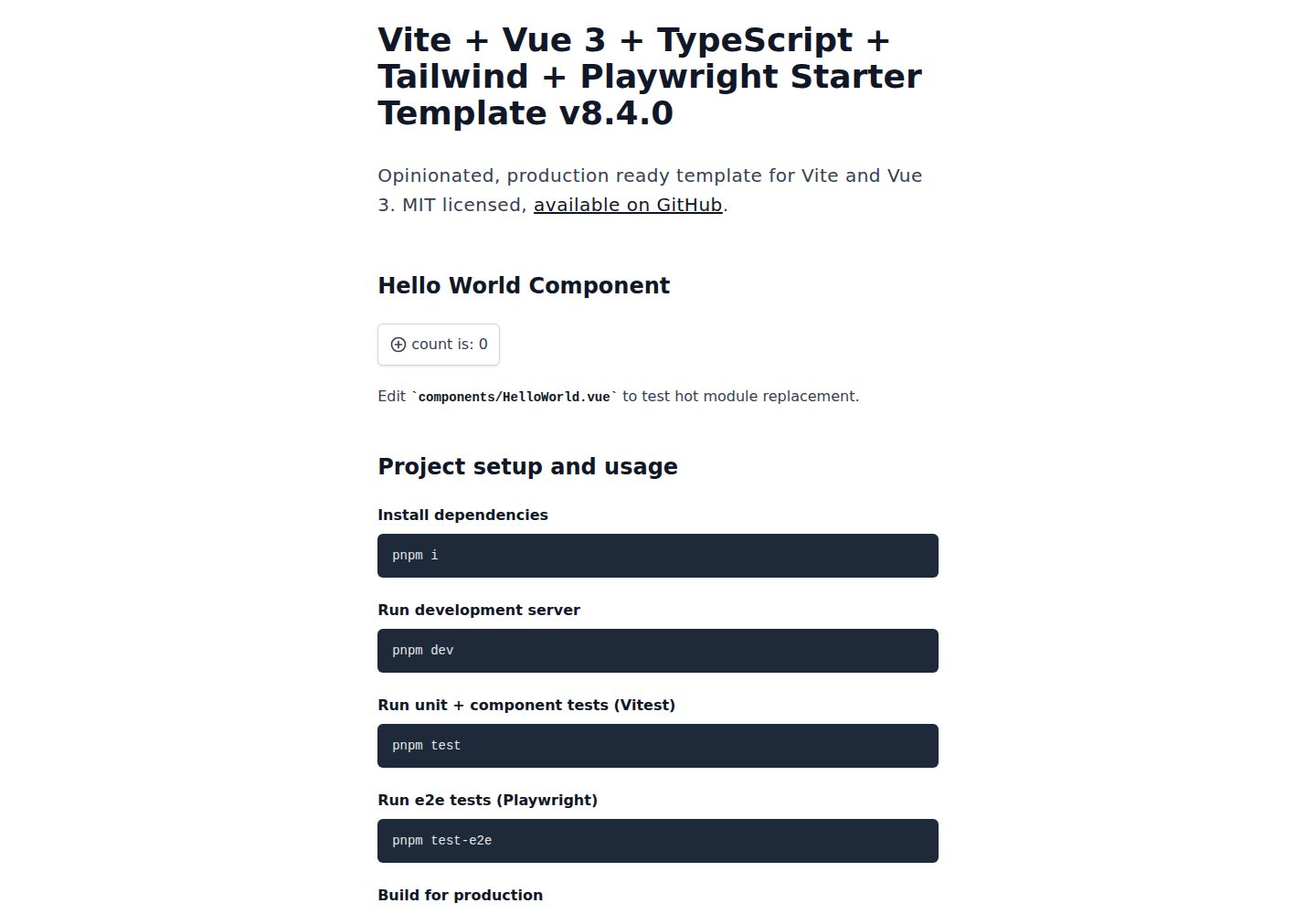
An opinionated Vite + Vue 3 + TypeScript + Tailwind CSS starter maintained by Uninen under the MIT license.
Vue · Starter