
Vite-based development workflow with hot reload during development
VueViteStarter
vitesse-webext — Vue Starter Template
By antfu-collective
vitesse-webext is a Vite-based browser extension starter template using Vue 3 and TypeScript, with built-in examples for popup, options, and content script.
Explore the design
Compare the page layouts and mobile experience. Open any screenshot for a closer look.
Author preview
Author-provided previewTop of page
Preview provided in the project README.
One original preview is available. Open the full image to inspect the design.
Screenshots show visual appearance; interactive behavior may differ.
Recorded 2026-10-08View source
What stands out
A quick read of the recorded project description.
Uses Vue 3 Composition API with <script setup> syntax
Provides examples for popup, options pages, and content script that can inject a Vue app
Integrates webextension-polyfill and webext-bridge for browser API compatibility and context communication
Built-in toolchain including UnoCSS, VueUse, unplugin-auto-import, unplugin-vue-components, unplugin-icons
Uses TypeScript and provides a dynamic manifest.json with type support
Template Details
vitesse-webext is a variant of the Vitesse series, positioned as a WebExtension starter template, powered by Vite, targeting browsers such as Chrome and Firefox. The template uses Vue 3 Composition API with <script setup> syntax and provides type support with TypeScript.
Structurally, source code is placed in the src directory, containing contentScript, background, components, styles, assets, and manifest.ts; the extension directory is the extension package root, where assets stores static resources required by manifest.json, and dist stores build artifacts and serves as Vite's entry during development.
The template pre-includes webextension-polyfill and webext-bridge for browser API compatibility and context communication, and integrates unplugin-auto-import, unplugin-vue-components, unplugin-icons, VueUse, and UnoCSS. During development, start with pnpm dev, then load the extension folder in the browser; for Firefox, use pnpm dev-firefox with web-ext for automatic reload. Build with pnpm build, with output in the extension directory, which can be packaged as crx or xpi for upload to extension stores.
The template was originally made for the volta.net browser extension and is one of the Vitesse variants. The README does not specify exact framework version numbers, nor does it make promises about performance or production readiness.
VueViteStarter
Is it right for your project?
Use Cases
- Building a browser extension project for Chrome or Firefox from scratch
- Reusing Vue 3 components and Composition API in browser extensions to develop popup or options pages
- Extension development requiring injecting a Vue app into a content script and communicating with other extension contexts
- Developing browser extensions with Vite hot reload and TypeScript type checking
Suitable For
- Frontend developers familiar with Vue 3 and TypeScript
- Teams or individuals needing to build extensions for Chrome, Firefox, and other browsers
- Developers who want to quickly start a WebExtension project from a template and extend it themselves
Getting started & customization
Use these recorded setup notes alongside the repository instructions for your chosen version.
- 1
pnpm must be installed first; if not installed, run npm install -g pnpm
- 2
Generate a repository via GitHub template, or clone locally with npx degit antfu/vitesse-webext my-webext and then run pnpm i
- 3
During development, run pnpm dev and load the extension folder in the browser; for Firefox, use pnpm dev-firefox instead
- 4
During build, run pnpm build; output is in the extension directory and can be packaged as crx or xpi for upload to extension stores
- 5
The template is MIT licensed; when distributing copies or substantial portions of the code, retain the copyright notice and license notice; third-party assets must be checked separately for licensing
License & source material
Usage conditions & limitations
Free to use · keep license noticeThis entry covers the free version under the MIT license in the public repository; the free scope is the code of this version and does not imply that external services or third-party assets are free.
Must comply with when using
- Free use, modification, commercial use, and distribution of this version's code are permitted.
- When distributing copies or substantial portions of the code, retain the original author's copyright notice and the full MIT license notice.
- The code is provided as is; warranties and limitations of liability are governed by the original license and applicable law.
Additional costs & items to verify
- Demo images, fonts, icons, and other third-party assets must be checked under their respective licenses; they cannot be judged solely by the code's MIT license.
- External services such as domains, hosting, databases, payments, or AI may incur additional charges.
- Using this template requires the pnpm package manager; if not installed, pnpm must be installed globally via npm first.
- During development and debugging, the extension folder must be manually loaded in the browser as an unpacked extension.
- The Firefox development workflow relies on the web-ext tool for automatic extension reload.
- Publishing the extension requires packaging the files in the extension directory yourself and uploading them to the corresponding browser extension store.
View Original Text Basis
Permission is hereby granted, free of charge
Original License Text
> If you don't have pnpm installed, run: npm install -g pnpm
Original README
Then **load extension in browser with the `extension/` folder**.
Original README
`web-ext` auto reload the extension when `extension/` files changed.
Original README
https://github.com/antfu-collective/vitesse-webext/blob/main/LICENSEhttps://github.com/antfu-collective/vitesse-webext/blob/main/README.mdAnd then pack files under `extension`, you can upload `extension.crx` or `extension.xpi` to appropriate extension store.
Original README
Compiled by DeepSeek based on repository license and README ·2026-10-08. Results only cover the materials read; dependencies, images, fonts, and subsequent term changes are subject to their respective original texts.
Project checks & description sources
Template Information
- Source platforms
- GitHub
- Documentation and maintenance reference score
- More documented · 88 / 100
- Technologies
- Vue · Vite
- Website type
- Starter
How this score is calculated
Our heuristic uses license records (up to 30), a demo link (12), a preview (10), stars (15), recorded maintenance (15), description completeness (8), feature records (5) and classification data (5). It is not a code, security or performance test, or a Google score. A link does not establish tested functionality.
What to verify for this project
- Repository update recorded
- 2026-03-03
- Screenshot last checked
- 2026-10-08
No demo link is recorded. Use the repository instructions to evaluate the project locally; the screenshot alone cannot establish interactive behavior.
The catalog identifies Vue as the primary stack. Check the actual dependency manifest and lockfile for versions and hosting requirements. These notes use recorded metadata, not a code audit or a deployment test.
Use a selection guide →How this description was prepared
AI-assisted description based on catalog records and repository material. Repository authors are not automatically the reviewers of this description.
Review declaration: [email protected] · 2026-10-08
Inspect the recorded source material
SHA-256: 0976b8f9cda1cc6dd8bdc0469c0e3e43a80e2bdabb8fd072bb8076d45d0b208b
2026-10-08T12:34:03.153Z
Source file / repository# WebExtension Vite Starter A [Vite](https://vitejs.dev/) powered WebExtension ([Chrome](https://developer.chrome.com/docs/extensions/reference/), [FireFox](https://addons.mozilla.org/en-US/developers/), etc.) starter template. <p align="center"> <sub>Popup</sub><br/> <img width="655" src="https://user-images.githubusercontent.com/11247099/126741643-813b3773-17ff-4281-9737-f319e00feddc.png"><br/> <sub>Options Page</sub><br/> <img width="655" src="https://user-images.githubusercontent.com/11247099/126741653-43125b62-6578-4452-83a7-bee19be2eaa2.png"><br/> <sub>Inject Vue App into the Content Script</sub><br/> <img src="https://user-images.githubusercontent.com/11247099/130695439-52418cf0-e186-4085-8e19-23fe808a274e.png"> </p> ## Features - ⚡️ **Instant HMR** - use **Vite** on dev (no more refresh!) - 🥝 Vue 3 - Composition API, [`<script setup>` syntax](https://github.com/vuejs/rfcs/blob/master/active-rfcs/0040-script-setup.md) and more! - 💬 Effortless communications - powered by [`webext-bridge`](https://github.com/serversideup/webext-bridge) and [VueUse](https://github.com/antfu/vueuse) storage - 🌈 [UnoCSS](https://github.com/unocss/unocss) - The instant on-demand Atomic CSS engine. - 🦾 [TypeScript](https://www.typescriptlang.org/) - type safe - 📦 [Components auto importing](./src/components) - 🌟 [Icons](./src/components) - Access to icons from any iconset directly - 🖥 Content Script - Use Vue even in content script - 🌍 WebExtension - isomorphic extension for Chrome, Firefox, and others - 📃 Dynamic `manifest.json` with full type support ## Pre-packed ### WebExtension Libraries - [`webextension-polyfill`](https://github.com/mozilla/webextension-polyfill) - WebExtension browser API Polyfill with types - [`webext-bridge`](https://github.com/serversideup/webext-bridge) - effortlessly communication between contexts ### Vite Plugins - [`unplugin-auto-import`](https://github.com/unplugin/unplugin-auto-import) - Directly use `browser` and Vue Composition API without importing - [`unplugin-vue-components`](https://github.com/unplugin/unplugin-vue-components) - components auto import - [`unplugin-icons`](https://github.com/unplugin/unplugin-icons) - icons as components - [Iconify](https://iconify.design) - use icons from any icon sets [🔍Icônes](https://icones.netlify.app/) ### Vue Plugins - [VueUse](https://github.com/antfu/vueuse) - collection of useful composition APIs ### UI Frameworks - [UnoCSS](https://github.com/unocss/unocss) - the instant on-demand Atomic CSS engine ### Coding Style - Use Composition API with [`<script setup>` SFC syntax](https://github.com/vuejs/rfcs/pull/227) - [ESLint](https://eslint.org/) with [@antfu/eslint-config](https://github.com/antfu/eslint-config), single quotes, no semi ### Dev tools - [TypeScript](https://www.typescriptlang.org/) - [pnpm](https://pnpm.js.org/) - fast, disk space efficient package manager - [esno](https://github.com/antfu/esno) - TypeScript / ESNext node runtime powered by esbuild - [npm-run-all](https://github.com/mysticatea/npm-run-all) - Run multiple npm-scripts in parallel or sequential - [web-ext](https://github.com/mozilla/web-ext) - Streamlined experience for developing web extensions ## Use the Template ### GitHub Template [Create a repo from this template on GitHub](https://github.com/antfu/vitesse-webext/generate). ### Clone to local If you prefer to do it manually with the cleaner git history > If you don't have pnpm installed, run: npm install -g pnpm ```bash npx degit antfu/vitesse-webext my-webext cd my-webext pnpm i ``` ## Usage ### Folders - `src` - main source. - `contentScript` - scripts and components to be injected as `content_script` - `background` - scripts for background. - `components` - auto-imported Vue components that are shared in popup and options page. - `styles` - styles shared in popup and options page - `assets` - assets used in Vue components - `manifest.ts` - manifest for the extension. - `extension` - extension package root. - `assets` - static assets (mainly for `manifest.json`). - `dist` - built files, also serve stub entry for Vite on development. - `scripts` - development and bundling helper scripts. ### Development ```bash pnpm dev ``` Then **load extension in browser with the `extension/` folder**. For Firefox developers, you can run the following command instead: ```bash pnpm dev-firefox ``` `web-ext` auto reload the extension when `extension/` files changed. > While Vite handles HMR automatically in the most of the case, [Extensions Reloader](https://chromewebstore.google.com/detail/extensions-reloader/fimgfedafeadlieiabdeeaodndnlbhid) is still recommended for cleaner hard reloading. ## Using Gitpod If you have a web browser, you can get a fully pre-configured development environment with one click: [](https://gitpod.io/#https://github.com/antfu/vitesse-webext) ### Build To build the extension, run ```bash pnpm build ``` And then pack files under `extension`, you can upload `extension.crx` or `extension.xpi` to appropriate extension store. ## Credits [](https://volta.net) This template is originally made for the [volta.net](https://volta.net) browser extension. ## Variations This is a variant of [Vitesse](https://github.com/antfu/vitesse), check out the [full variations list](https://github.com/antfu/vitesse#variations).
Explore similar templates
Compare previews and descriptions within the same stack and category.

vitesse
Vitesse is an opinionated Vite + Vue 3 starter template maintained by antfu-collective, offering file-based routing, component and API auto-import, Pinia, UnoCSS, PWA, i18n, Markdown, vite-ssg, TypeScript, Vitest, and Cypress.
Vue · Starter

laravel-vue-spa
A Laravel + Vue SPA starter kit for quickly building a decoupled web application skeleton. It includes login, registration, email verification, and password reset flows, uses JWT for authentication, and integrates Laravel Socialite with GitHub as an example provider.
Vue · Starter

vue3-h5-template
A mobile H5 starter template built on Vue3, Vite, and Vant4, with TypeScript by default and JavaScript and i18n branches.
Vue · Starter

tov-template
tov-template is an MIT-licensed Vite + Vue 3 + TypeScript starter maintained by dishait. It bundles file-based routing, layouts, Mock, auto-imports, UnoCSS, Pinia, vue-request, Vitest, i18n, dark mode, Dockerfile, and engineering scripts.
Vue · Starter

shadcn-vue-landing-page
A Vue + Shadcn-Vue + TypeScript + Tailwind landing page template with sections like Navbar, Hero, Pricing, FAQ, Team, and Contact, plus dark mode and responsive layout.
Vue · Corporate Website
vite-ts-tailwind-starter
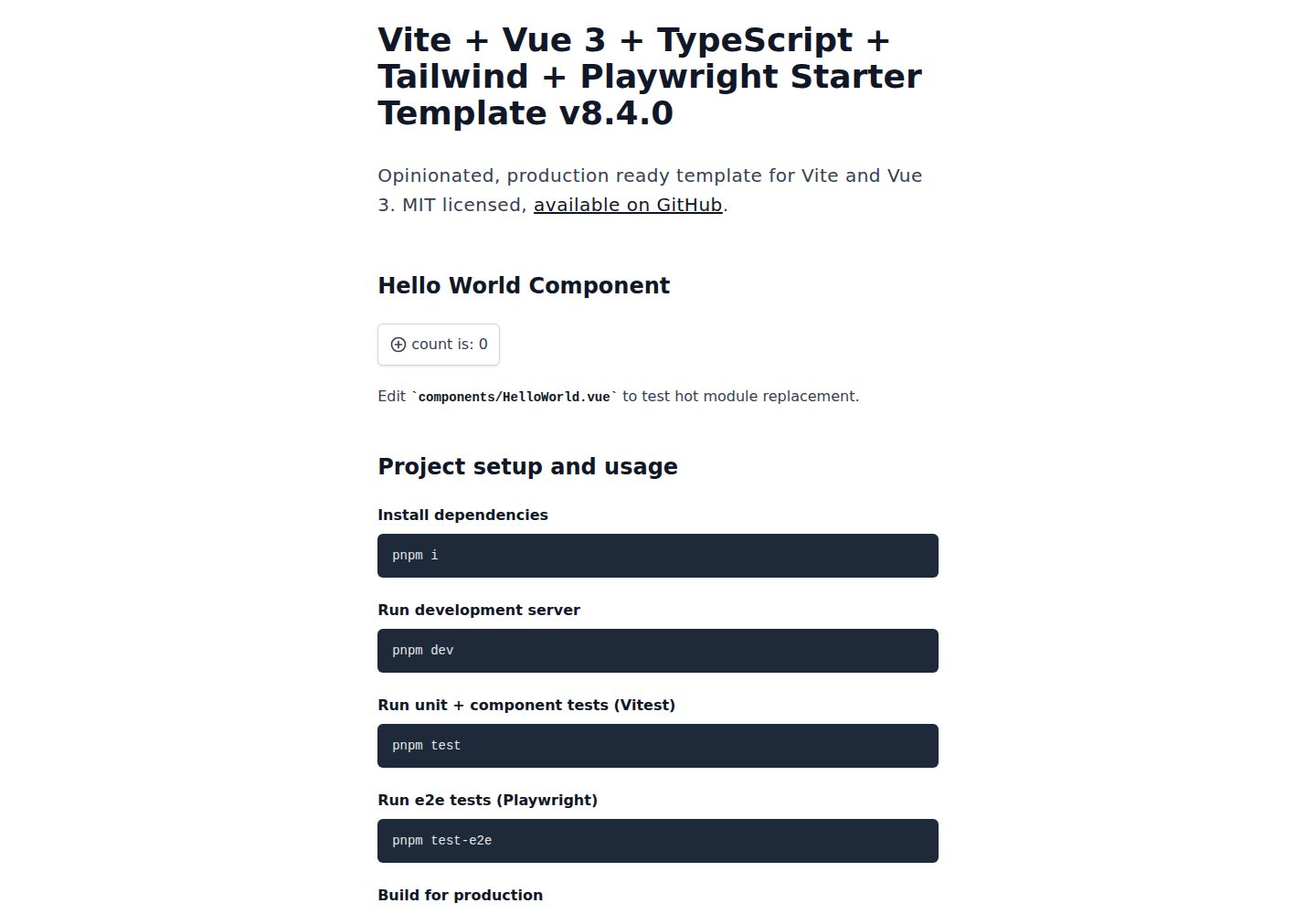
An opinionated Vite + Vue 3 + TypeScript + Tailwind CSS starter maintained by Uninen under the MIT license.
Vue · Starter