
SPA starter structure with a Laravel backend and Vue frontend
VueLaravelStarter
laravel-vue-spa — Vue Starter Template
By cretueusebiu
A single-page application starter built on Laravel and Vue, with built-in JWT authentication, email verification, password reset, and a GitHub social login example.
Explore the design
Compare the page layouts and mobile experience. Open any screenshot for a closer look.
Desktop homepage1 / 2
Desktop captureTop of page
Actual screenshot captured by the server browser.
All pages & views 2
Screenshots show visual appearance; interactive behavior may differ.
Recorded 2026-10-01View source
What stands out
A quick read of the recorded project description.
Integrates VueRouter, Vuex, VueI18n, and ESLint
Built-in login, registration, email verification, and password reset flows
Uses JWT for authentication and integrates Laravel Socialite (GitHub example)
Pages support dynamic imports and custom layouts, with an interface based on Bootstrap 5 and Font Awesome 5
Template Details
This is a Laravel + Vue single-page application (SPA) starter kit for quickly setting up a decoupled frontend-backend web application skeleton. The backend uses Laravel to provide APIs and authentication logic, while the frontend uses Vue with VueRouter, Vuex, VueI18n, and ESLint; pages use dynamic imports and custom layouts, and the interface is based on Bootstrap 5 and Font Awesome 5.
Authentication is the focus of this template: it includes login, registration, email verification, and password reset flows, uses JWT for authentication, and integrates Laravel Socialite with GitHub as an example provider. The README explains that you can create the project via composer create-project, configure the database connection in .env and run migrations, then run npm install to install frontend dependencies; use npm run dev for development and npm run build for production.
Limitations to note: the framework version listed in the README is Laravel 8, the repository was last updated in 2022, and dependency versions may be outdated. To enable email verification, the App\User model must implement the MustVerifyEmail contract; to enable GitHub login, you must create a GitHub application yourself and configure the callback URL and client secret; other providers require modifying config/services.php and OAuthController.php. The licenses for third-party assets such as demo images, fonts, and icons must be checked separately.
VueLaravelStarter
Is it right for your project?
Use Cases
- Quickly setting up a Laravel + Vue single-page application skeleton with authentication
- Preparing basic flows such as login, registration, and password reset for a decoupled project
- Adding JWT authentication and GitHub social login to a Laravel project
- Needing multilingual support (VueI18n) and a frontend structure with per-page dynamic loading
Suitable For
- Developers familiar with Laravel and Vue who want to use an existing authentication skeleton directly
- Decoupled projects that need a JWT + Socialite login solution
- SPA projects based on Bootstrap 5 that require multilingual support
Getting started & customization
Use these recorded setup notes alongside the repository instructions for your chosen version.
- 1
Create the project with composer create-project --prefer-dist cretueusebiu/laravel-vue-spa, and edit .env to configure the database connection
- 2
If installing via git clone or download, run php artisan key:generate and php artisan jwt:secret
- 3
Run php artisan migrate to migrate the database, then run npm install to install frontend dependencies
- 4
Run npm run dev for development and npm run build for production builds
- 5
To enable GitHub login, create a GitHub application, set the callback URL to https://example.com/api/oauth/github/callback, and set GITHUB_CLIENT_ID and GITHUB_CLIENT_SECRET in .env
License & source material
Usage conditions & limitations
Free to use · keep license noticeThis entry covers the free version under the MIT license in the public repository; the free scope is the code of that version and does not mean external services or third-party assets are free.
Must comply with when using
- You may use, modify, commercialize, and distribute the code of this version for free.
- When distributing copies or substantial portions of the code, retain the original author's copyright notice and the full MIT license notice.
- The code is provided as is; warranties and limitations of liability are governed by the original license and applicable law.
Additional costs & items to verify
- To enable GitHub social login, you must create a GitHub application yourself and set the authorization callback URL to https://example.com/api/oauth/github/callback.
- Using GitHub login requires configuring GITHUB_CLIENT_ID and GITHUB_CLIENT_SECRET in .env, with keys from your own GitHub application.
- To integrate social login providers other than GitHub, you must modify the keys in config/services.php and the redirect URL in OAuthController.php yourself.
- To enable email verification, the App\User model must implement the Illuminate\Contracts\Auth\MustVerifyEmail contract.
- You must configure the database connection information in .env before use.
- Demo images, fonts, icons, and other third-party assets must be checked against their respective licenses; they cannot be judged solely by the code's MIT license.
- External services such as domains, hosting, databases, payments, or AI may incur additional charges.
View Original Text Basis
Permission is hereby granted, free of charge
Original License Text
To enable the provider create a new GitHub application and use `https://example.com/api/oauth/github/callback` as the Authorization callback URL.
Original README
Edit `.env` and set `GITHUB_CLIENT_ID` and `GITHUB_CLIENT_SECRET` with the keys form your GitHub application.
Original README
For other providers you may need to set the appropriate keys in `config/services.php` and redirect url in `OAuthController.php`.
Original README
To enable email verification make sure that your `App\User` model implements the `Illuminate\Contracts\Auth\MustVerifyEmail` contract.
Original README
https://github.com/cretueusebiu/laravel-vue-spa/blob/master/LICENSEhttps://github.com/cretueusebiu/laravel-vue-spa/blob/master/README.mdEdit `.env` and set your database connection details
Original README
Compiled by DeepSeek based on repository license and README ·2026-10-01. Results only cover the materials read; dependencies, images, fonts, and subsequent term changes are subject to their respective original texts.
Project checks & description sources
Template Information
- Source platforms
- GitHub
- Documentation and maintenance reference score
- More documented · 85 / 100
- Technologies
- Vue · Laravel
- Website type
- Starter
How this score is calculated
Our heuristic uses license records (up to 30), a demo link (12), a preview (10), stars (15), recorded maintenance (15), description completeness (8), feature records (5) and classification data (5). It is not a code, security or performance test, or a Google score. A link does not establish tested functionality.
What to verify for this project
- Repository update recorded
- 2022-10-19
- Screenshot last checked
- 2026-10-01
A demo link is listed. Check it with your own content and viewport sizes; its presence does not confirm that forms, authentication or payments work.
The catalog identifies Vue as the primary stack. Check the actual dependency manifest and lockfile for versions and hosting requirements. These notes use recorded metadata, not a code audit or a deployment test.
Use a selection guide →How this description was prepared
AI-assisted description based on catalog records and repository material. Repository authors are not automatically the reviewers of this description.
Automatically checked against source and license rules; no manual editorial review.
Inspect the recorded source material
SHA-256: 7ec202a16a4c8787902d75983740b53e786210aa8b380fb74a3a7db9677cc1f5
2026-10-01T02:28:08.004Z
Source file / repository# Laravel-Vue SPA <a href="https://github.com/cretueusebiu/laravel-vue-spa/actions"><img src="https://github.com/cretueusebiu/laravel-vue-spa/workflows/tests/badge.svg" alt="Build Status"></a> <a href="https://packagist.org/packages/cretueusebiu/laravel-vue-spa"><img src="https://poser.pugx.org/cretueusebiu/laravel-vue-spa/d/total.svg" alt="Total Downloads"></a> <a href="https://packagist.org/packages/cretueusebiu/laravel-vue-spa"><img src="https://poser.pugx.org/cretueusebiu/laravel-vue-spa/v/stable.svg" alt="Latest Stable Version"></a> > A Laravel-Vue SPA starter kit. <p align="center"> <img src="https://i.imgur.com/NHFTsGt.png"> </p> ## Features - Laravel 8 - Vue + VueRouter + Vuex + VueI18n + ESlint - Pages with dynamic import and custom layouts - Login, register, email verification and password reset - Authentication with JWT - Socialite integration - Bootstrap 5 + Font Awesome 5 ## Installation - `composer create-project --prefer-dist cretueusebiu/laravel-vue-spa` - Edit `.env` and set your database connection details - (When installed via git clone or download, run `php artisan key:generate` and `php artisan jwt:secret`) - `php artisan migrate` - `npm install` ## Usage #### Development ```bash npm run dev ``` #### Production ```bash npm run build ``` ## Socialite This project comes with GitHub as an example for [Laravel Socialite](https://laravel.com/docs/5.8/socialite). To enable the provider create a new GitHub application and use `https://example.com/api/oauth/github/callback` as the Authorization callback URL. Edit `.env` and set `GITHUB_CLIENT_ID` and `GITHUB_CLIENT_SECRET` with the keys form your GitHub application. For other providers you may need to set the appropriate keys in `config/services.php` and redirect url in `OAuthController.php`. ## Email Verification To enable email verification make sure that your `App\User` model implements the `Illuminate\Contracts\Auth\MustVerifyEmail` contract. ## Testing ```bash # Run unit and feature tests vendor/bin/phpunit # Run Dusk browser tests php artisan dusk ``` ## Changelog Please see [CHANGELOG](CHANGELOG.md) for more information what has changed recently.
Explore similar templates
Compare previews and descriptions within the same stack and category.

vitesse
Vitesse is an opinionated Vite + Vue 3 starter template maintained by antfu-collective, offering file-based routing, component and API auto-import, Pinia, UnoCSS, PWA, i18n, Markdown, vite-ssg, TypeScript, Vitest, and Cypress.
Vue · Starter

vitesse-webext
vitesse-webext is a Vite-powered WebExtension starter template using Vue 3 and TypeScript, with built-in popup, options, and content script examples. It targets Chrome and Firefox, integrates webextension-polyfill, webext-bridge, UnoCSS, VueUse, and unplugin tools, and supports hot reload during development.
Vue · Starter

vue3-h5-template
A mobile H5 starter template built on Vue3, Vite, and Vant4, with TypeScript by default and JavaScript and i18n branches.
Vue · Starter

tov-template
tov-template is an MIT-licensed Vite + Vue 3 + TypeScript starter maintained by dishait. It bundles file-based routing, layouts, Mock, auto-imports, UnoCSS, Pinia, vue-request, Vitest, i18n, dark mode, Dockerfile, and engineering scripts.
Vue · Starter

shadcn-vue-landing-page
A Vue + Shadcn-Vue + TypeScript + Tailwind landing page template with sections like Navbar, Hero, Pricing, FAQ, Team, and Contact, plus dark mode and responsive layout.
Vue · Corporate Website
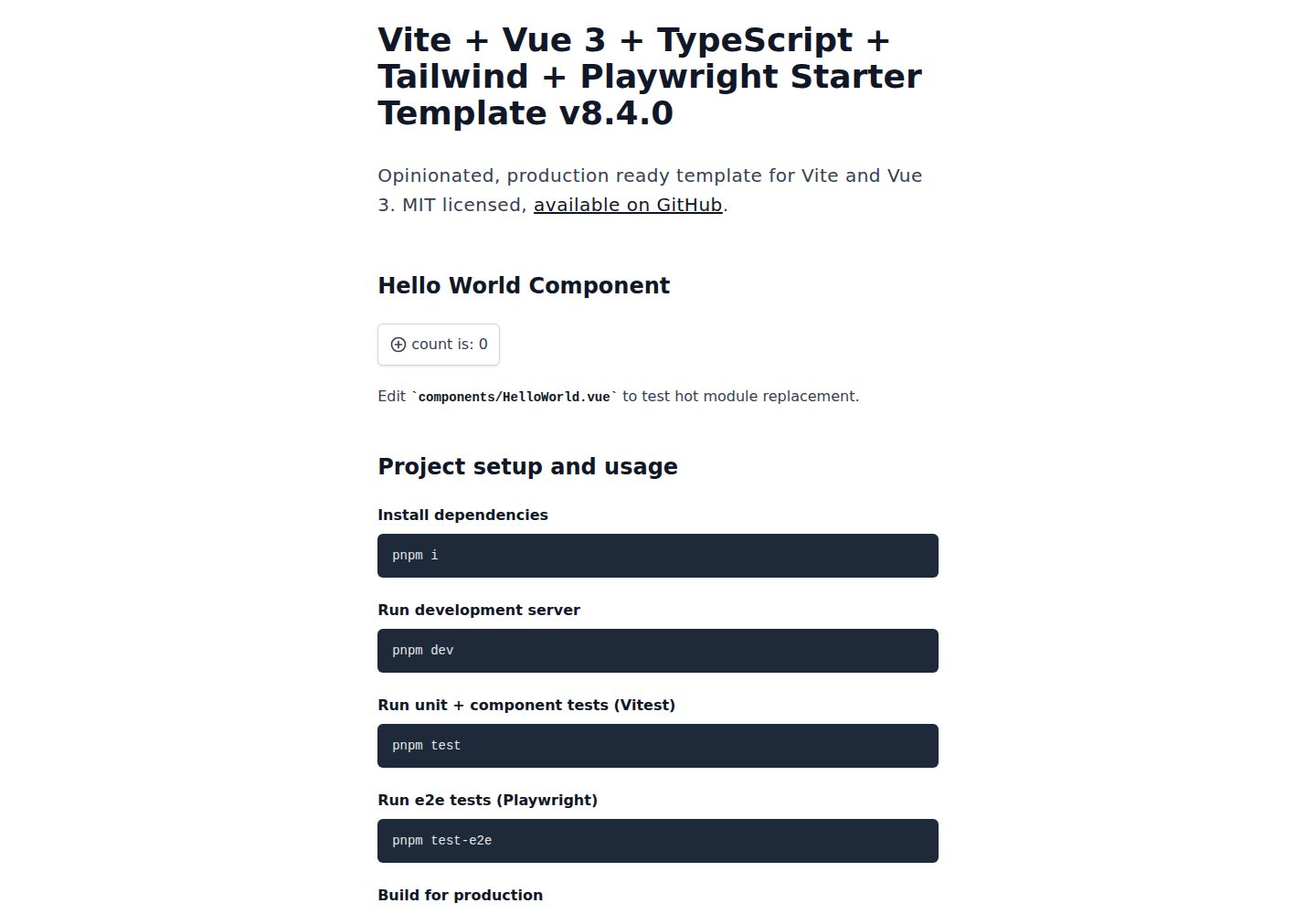
vite-ts-tailwind-starter
An opinionated Vite + Vue 3 + TypeScript + Tailwind CSS starter maintained by Uninen under the MIT license.
Vue · Starter