Based on Nuxt and Vue, with TypeScript type checking integrated
NuxtVueStarter
my-nuxt-starter — Nuxt Starter Template
By Archetipo95
A Nuxt and Vue starter template preconfigured with TypeScript, Tailwind CSS, Nuxt UI, Pinia Colada, i18n, Storybook, Vitest, and Playwright, under the MIT license.
Explore the design
Compare the page layouts and mobile experience. Open any screenshot for a closer look.
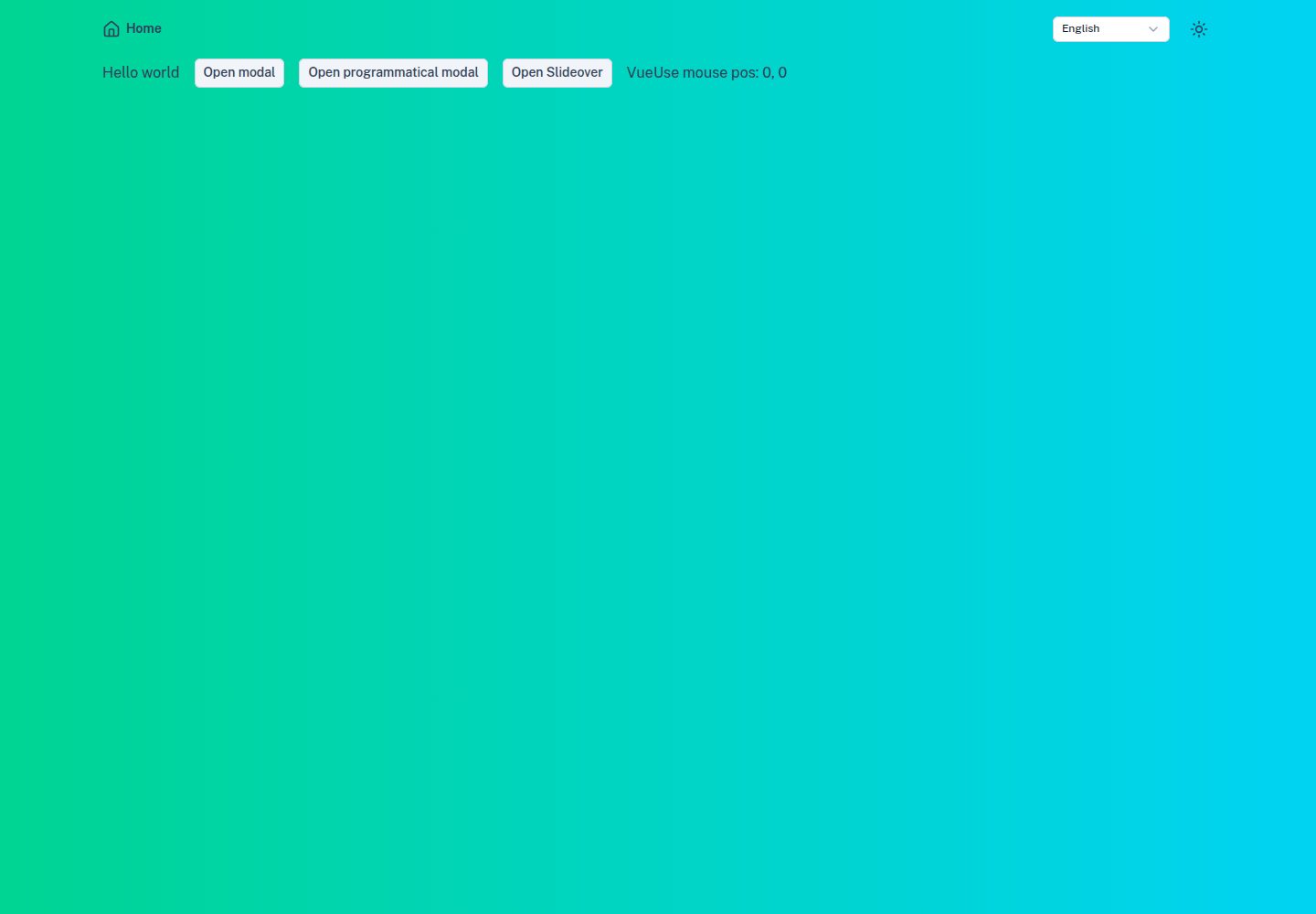
Desktop homepage1 / 2
Desktop captureTop of page
Actual screenshot captured by the server browser.
All pages & views 2
Screenshots show visual appearance; interactive behavior may differ.
Recorded 2026-10-03View source
What stands out
A quick read of the recorded project description.
Preconfigured Tailwind CSS, Nuxt UI, color mode, icons, fonts, and image optimization
Built-in @nuxtjs/i18n internationalization and Pinia Colada asynchronous state management
Includes Storybook, Vitest unit testing, and Playwright end-to-end testing
Provides ESLint, Commitlint, Git Hooks, Lint Staged, and GitHub Actions workflows
Licensed under MIT, allowing free use, modification, commercial use, and distribution
Template Details
This is a starter template for Nuxt 4 projects. The repository is named my-nuxt-starter, authored by Archetipo95, and licensed under MIT. Built on Nuxt and Vue, the template preconfigures a fairly complete development and quality toolchain, aiming to set up common project configurations in advance and reduce the effort of starting from scratch.
On the technical integration side, the template includes TypeScript type checking, Tailwind CSS, the Nuxt UI component library, color mode (dark/light), icons, fonts and image optimization, @nuxtjs/i18n internationalization, Pinia Colada for asynchronous state management and data fetching, and nuxt-security security response headers. For developer experience, it includes ESLint, VueUse, Storybook, Vitest unit testing and Playwright end-to-end testing, as well as Commitlint, Git Hooks, Lint Staged, and GitHub Actions workflows.
Usage involves installing dependencies with pnpm and then running the development server. Scripts cover build, static generation, preview, unit testing (including coverage and UI), E2E testing (including UI and code generation), linting, and type checking. The README states that the Node version is specified in .nvmrc and provides examples of Pinia Colada's useQuery and useMutation.
Limitations to note: the README roadmap indicates that a custom icon library and a coverage GitHub Action are still in progress; Zod, Chromatic, and Lighthouse are planned features and not yet included in the template. ESLint support for Tailwind CSS is marked as beta and may produce false positives; the relevant rules can be disabled by modifying eslint.config.mjs. The repository has few stars, so before adopting it, verify that dependencies and configuration meet your project's needs.
NuxtVueStarter
Is it right for your project?
Use Cases
- Quickly setting up a Nuxt project skeleton while retaining a complete toolchain configuration
- Wanting unit testing and end-to-end testing capabilities from the start
- Needing common UI foundations such as internationalization, dark mode, and a component library
- Teams using conventional commits and CI workflows to manage code quality
Suitable For
- Frontend developers familiar with Vue and Nuxt
- Projects requiring multilingual support and theme switching
- Teams that value testing, linting, and commit conventions
- Users who want to freely modify and commercially use under the MIT license
Getting started & customization
Use these recorded setup notes alongside the repository instructions for your chosen version.
- 1
The Node version is specified in the repository's .nvmrc; using NVM is recommended
- 2
The package manager is pnpm, which must be installed globally first
- 3
Run pnpm install to install dependencies and pnpm dev to start the development server
- 4
Before E2E testing, run pnpm exec playwright install to install browsers
- 5
ESLint support for Tailwind CSS is beta; if false positives occur, modify eslint.config.mjs to disable the relevant rules
License & source material
Usage conditions & limitations
Free to use · keep license noticeThis entry covers the free version from the public repository under the MIT license; the free scope applies to that version's code and does not imply that external services or third-party assets are free.
Must comply with when using
- Free use, modification, commercial use, and distribution of that version's code are permitted.
- When distributing copies or substantial portions of the code, retain the original author's copyright notice and the full MIT license notice.
- The code is provided as is; warranties and limitations of liability are governed by the original license and applicable law.
Additional costs & items to verify
- ESLint support for Tailwind CSS is currently beta and may produce false positives; if issues occur, you must modify eslint.config.mjs or temporarily disable the relevant rules.
- Zod runtime type validation is a planned feature and not yet included in the template; it cannot be used as an existing capability.
- Chromatic visual testing is a planned feature and not yet integrated; you must set it up yourself.
- Lighthouse performance monitoring is a planned feature and not yet included in the template.
- The custom icon library is still in progress; the template does not provide a project-specific icon set.
- The coverage GitHub Action is still in progress; automated coverage reporting is not yet provided.
- Some features may depend on environment variables; configure the appropriate variables as needed before use.
- Demo images, fonts, icons, and other third-party assets must be checked against their respective licenses; they cannot be judged solely by the code's MIT license.
- External services such as domains, hosting, databases, payments, or AI may incur additional charges.
View Original Text Basis
Permission is hereby granted, free of charge
Original License Text
ESLint support for Tailwind CSS is currently in beta due to the ongoing development of Tailwind CSS v4. If you encounter any issues or false positives, you can disable this feature by modifying the `eslint.config.mjs` file or temporarily disabling the specific rules.
Original README
- [ ] **🔍 Zod** - Runtime type validation
Original README
- [ ] **🎨 Chromatic** - Visual testing
Original README
- [ ] **🚦 Lighthouse** - Performance monitoring
Original README
- [ ] **🎨 Custom Icon Library** - Project-specific icons
Original README
- [ ] **📊 Coverage GitHub Action** - Automated coverage reports
Original README
https://github.com/Archetipo95/my-nuxt-starter/blob/main/LICENSEhttps://github.com/Archetipo95/my-nuxt-starter/blob/main/README.mdEnsure all required environment variables are set
Original README
Compiled by DeepSeek based on repository license and README ·2026-10-03. Results only cover the materials read; dependencies, images, fonts, and subsequent term changes are subject to their respective original texts.
Project checks & description sources
Template Information
- Source platforms
- GitHub
- Documentation and maintenance reference score
- More documented · 88 / 100
- Technologies
- Nuxt · Vue
- Website type
- Starter
How this score is calculated
Our heuristic uses license records (up to 30), a demo link (12), a preview (10), stars (15), recorded maintenance (15), description completeness (8), feature records (5) and classification data (5). It is not a code, security or performance test, or a Google score. A link does not establish tested functionality.
What to verify for this project
- Repository update recorded
- 2025-12-11
- Screenshot last checked
- 2026-10-03
A demo link is listed. Check it with your own content and viewport sizes; its presence does not confirm that forms, authentication or payments work.
The catalog identifies Nuxt as the primary stack. Check the actual dependency manifest and lockfile for versions and hosting requirements. These notes use recorded metadata, not a code audit or a deployment test.
Use a selection guide →How this description was prepared
AI-assisted description based on catalog records and repository material. Repository authors are not automatically the reviewers of this description.
Review declaration: [email protected] · 2026-10-04
Inspect the recorded source material
SHA-256: 8e9dfaa9c06ab4242b123b19ae0e367d54bae6898e5a18c7633585f707216de5
2026-10-03T17:52:05.074Z
Source file / repository# 🚀 Martin's Nuxt Starter
> A modern, full-featured Nuxt 4 starter template with TypeScript, Tailwind CSS, and everything you need to build amazing web applications.
[](https://nuxt.com/)
[](https://www.typescriptlang.org/)
[](https://tailwindcss.com/)
[](https://pnpm.io/)
[](https://github.com/Archetipo95/my-nuxt-starter/actions/workflows/code-quality.yaml)
[](https://github.com/Archetipo95/my-nuxt-starter/actions/workflows/unit-tests.yml)
[🌐 **Live Demo**](https://martin-nuxt-starter.netlify.app) • [📖 **Documentation**](#documentation) • [🚀 **Quick Start**](#quick-start)
---
## ✨ Features
### 🎯 **Core Technologies**
- **🔥 Nuxt 4** - The latest version of the Vue.js framework
- **📘 TypeScript** - Full type safety with vue-tsc
- **🍹 Pinia Colada** - Async state management & data fetching
- **🚀 pnpm** - Fast, disk space efficient package manager
- **🎨 Tailwind CSS v4** - Modern utility-first CSS framework
- **⚡ Vite** - Lightning fast build tool
- **🌍 Internationalization** - i18n support with @nuxtjs/i18n
### 🧩 **UI & Components**
- **🎨 Nuxt UI v4** - Beautiful, accessible components
- **🌙 Color Mode** - Dark/light theme support
- **🖼️ Icons** - Comprehensive icon system (@nuxt/icon)
- **🔤 Fonts** - Web font optimization (@nuxt/fonts)
- **🖼️ Images** - Advanced image optimization (nuxt-image)
- **📱 Modals & Toasts** - Ready-to-use overlay components
### 🔧 **Developer Experience**
- **📋 ESLint v9** - Code linting with @nuxt/eslint & @antfu/eslint-config
- **🔄 VueUse v13** - Essential Vue composition utilities
- **📚 Storybook** - Component development and documentation
- **🧪 Vitest** - Fast unit testing with coverage
- **🎭 Playwright** - End-to-end testing
- **🔒 Security** - Built-in security headers (nuxt-security)
### 🚀 **CI/CD & Quality**
- **📝 Commitlint** - Conventional commit messages
- **🪝 Git Hooks** - Pre-commit validation
- **🔍 Lint Staged** - Lint only changed files
- **⚙️ GitHub Actions** - Automated testing and deployment
---
## 🚀 Quick Start
### Prerequisites
- **Node.js** (see `.nvmrc` for version) - Use [NVM](https://github.com/nvm-sh/nvm) for version management
- **pnpm** - Install globally: `npm install -g pnpm`
### Installation
```bash
# Use the correct Node version
nvm use
# Install dependencies
pnpm install
# Start development server
pnpm dev
```
### Available Scripts
| Command | Description |
| ------------------------- | ------------------------------- |
| `pnpm dev` | 🚀 Start development server |
| `pnpm build` | 🏗️ Build for production |
| `pnpm generate` | 📦 Generate static site |
| `pnpm preview` | 👁️ Preview production build |
| `pnpm test:unit` | 🧪 Run unit tests |
| `pnpm test:unit-coverage` | 📊 Run unit tests with coverage |
| `pnpm test:unit-ui` | 🖥️ Run unit tests with UI |
| `pnpm test:e2e` | 🎭 Run E2E tests |
| `pnpm test:e2e-ui` | 🖥️ Run E2E tests with UI |
| `pnpm test:codegen` | 🎬 Generate E2E tests |
| `pnpm lint` | 🔍 Lint code |
| `pnpm lint:fix` | 🔧 Lint and fix code |
| `pnpm typecheck` | 📘 Type checking |
---
## 📁 Project Structure
```
my-nuxt-starter/
├── 📁 app/ # Main application
│ └── 📁 assets/ # Static assets
│ ├── 📁 components/ # Vue components
│ ├── 📁 composables/ # Vue composables
│ ├── 📁 layouts/ # Layout components
│ ├── 📁 pages/ # Page components
├── 📁 tests/ # Test files
│ └── 📁 e2e/ # End-to-end tests
├── 📁 server/ # Server-side code
├── 📁 public/ # Public static files
└── 📄 nuxt.config.ts # Nuxt configuration
```
---
## 🍹 Data Fetching (Pinia Colada)
This project uses [Pinia Colada](https://pinia-colada.esm.dev/) for async state management. It provides caching, deduplication, and invalidation out of the box.
### Basic Usage
Use `useQuery` to fetch data:
```vue
<script setup lang="ts">
const { state, asyncStatus } = useQuery({
key: ['products'],
query: () => fetch('/api/products').then(r => r.json())
})
</script>
<template>
<div v-if="asyncStatus === 'loading'">Loading...</div>
<div v-else-if="state.error">Error: {{ state.error }}</div>
<div v-else>
{{ state.data }}
</div>
</template>
```
### Mutations
Use `useMutation` to modify data:
```vue
<script setup lang="ts">
const { mutate } = useMutation({
mutation: (newProduct) => fetch('/api/products', {
method: 'POST',
body: JSON.stringify(newProduct)
})
})
</script>
```
For more details, check the [Pinia Colada documentation](https://pinia-colada.esm.dev/).
---
## 💻 Development
### Commit Guidelines
Follow the [Conventional Commits](https://www.conventionalcommits.org/) specification:
```
<type>: <description>
Types: feat, fix, docs, style, refactor, test, chore, ci, build, perf, revert
```
**Examples:**
- `feat: add user authentication`
- `fix: resolve navbar responsive issue`
- `docs: update installation guide`
### Unit Test
```bash
# Run unit tests
pnpm test:unit
# Run unit tests with coverage
pnpm test:unit-coverage
# Run unit tests with ui
pnpm test:unit-ui
```
### E2E Test
```bash
# Install Playwright browsers (required for E2E tests)
pnpm exec playwright install
# Run E2E tests
pnpm test:e2e
# Run E2E tests with ui
pnpm test:e2e-ui
# Run codegen for E2E tests
pnpm test:codegen
```
### 🤖 Testing GitHub Actions Locally
## We suggest using [act](https://github.com/nektos/act) to try GitHub Actions locally before pushing to GitHub. This allows you to validate your workflows and save time by running them in a local containerized environment.
## 📋 Roadmap
### 🔄 In Progress
- [ ] **🎨 Custom Icon Library** - Project-specific icons
- [ ] **📊 Coverage GitHub Action** - Automated coverage reports
### 🎯 Planned Features
- [ ] **🔍 Zod** - Runtime type validation
- [ ] **🎨 Chromatic** - Visual testing
- [ ] **🚦 Lighthouse** - Performance monitoring
---
## 🛠️ Troubleshooting
Having issues? Try these steps:
1. **🧹 Clean the project**: `pnpm clean-project`
2. **📋 Check Node version**: Ensure you're using the version specified in `.nvmrc`
3. **📦 Check pnpm version**: Verify it matches the version in `package.json`
4. **🔄 Reinstall dependencies**: `rm -rf node_modules && pnpm install`
5. **🔧 Check environment**: Ensure all required environment variables are set
---
## 🤝 Contributing
We welcome contributions! Please read our [Contributing Guidelines](CONTRIBUTING.md) before submitting a pull request.
1. Fork the repository
2. Create your feature branch (`git checkout -b feat/amazing-feature`)
3. Commit your changes (`git commit -m 'feat: add amazing feature'`)
4. Push to the branch (`git push origin feat/amazing-feature`)
5. Open a Pull Request
---
## 📄 License
This project is licensed under the [MIT License](LICENSE).
---
## 🙏 Acknowledgments
Built with ❤️ using amazing open-source projects:
- [Nuxt](https://nuxt.com/)
- [Vue.js](https://vuejs.org/)
- [Tailwind CSS](https://tailwindcss.com/)
- [TypeScript](https://www.typescriptlang.org/)
- [pnpm](https://pnpm.io/)
---
## ⚠️ Tailwind CSS Linting (Beta)
Please note that ESLint support for Tailwind CSS is currently in beta due to the ongoing development of Tailwind CSS v4. If you encounter any issues or false positives, you can disable this feature by modifying the `eslint.config.mjs` file or temporarily disabling the specific rules.
---
<div align="center">
<strong>🌟 Star this repository if you find it helpful!</strong>
</div>
Explore similar templates
Compare previews and descriptions within the same stack and category.

laravel-nuxt
A Laravel + Nuxt decoupled starter kit with built-in login, registration, email verification, password reset, and Socialite third-party login (GitHub example), switchable between SPA and SSR.
Nuxt · Starter

canvas
Canvas is a Nuxt-based portfolio template that uses Nuxt Content for content management and Nuxt UI with Tailwind CSS for pages.
Nuxt · Portfolio

nuxt3-starter
A Nuxt 3 starter template generated by nuxi, preconfigured with UnoCSS, unplugin-icons, Pinia, and VueUse. It suits developers who need a quick Nuxt 3 project skeleton with atomic CSS and auto-import workflows, and is available under the MIT license.
Nuxt · Starter

starter
The official Nuxt starter template for Nuxt UI, based on Nuxt and Vue. It provides a runnable project skeleton, an online demo, and Nuxt UI installation documentation, with README commands for creating, installing, developing, building, and previewing.
Nuxt · Starter

bloggrify
Bloggrify is a Nuxt layer that turns Markdown files into a blog site, built on Nuxt Content with preconfigured analytics, newsletter, comments, SEO, RSS, and content components.
Nuxt · Blog
vitify-nuxt
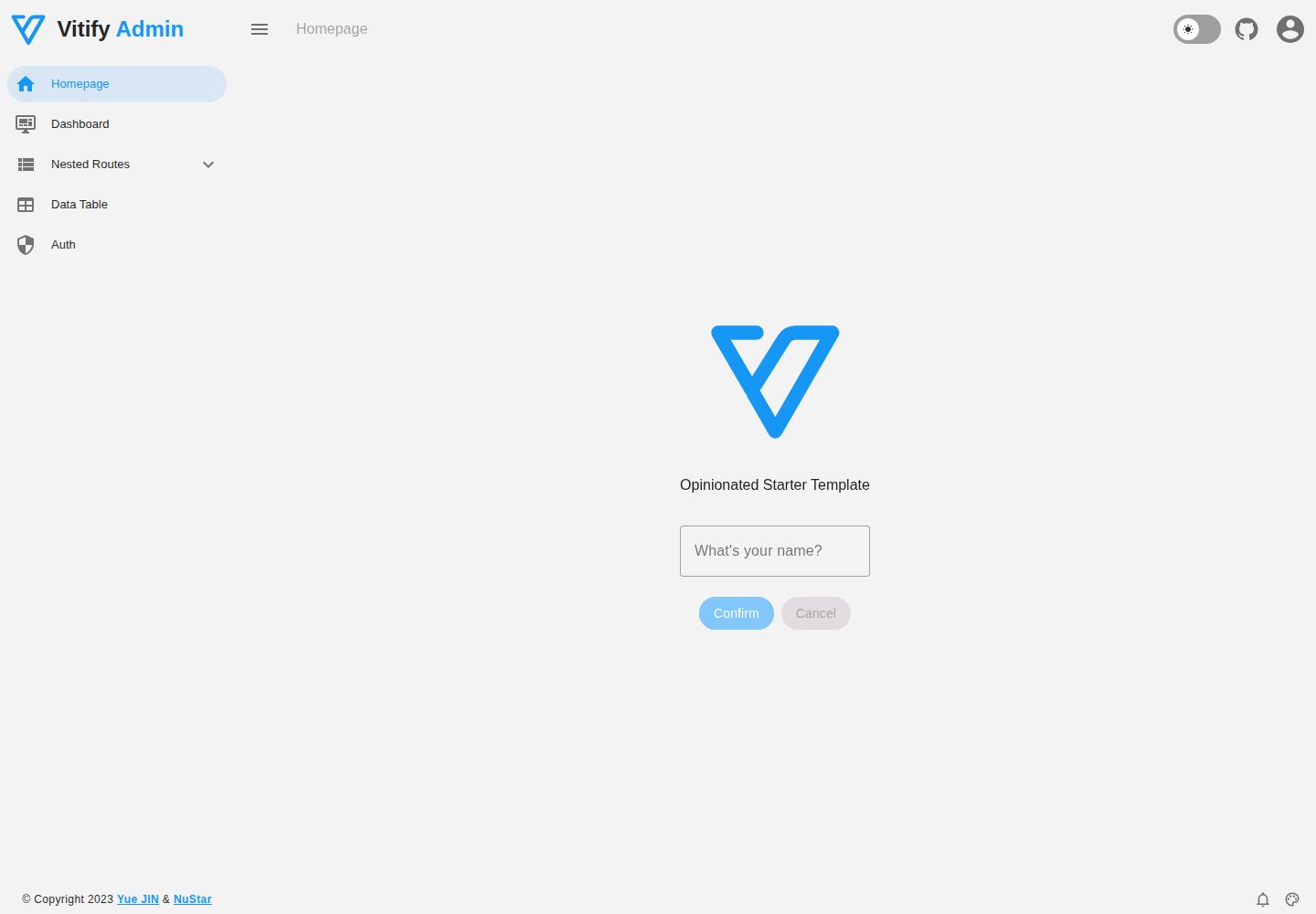
Vitify Nuxt is an admin dashboard starter template built on Nuxt and Vuetify, featuring a drawer layout, automatic navigation and breadcrumbs, notification state, ECharts charts, theming and dark mode, and authentication via nuxt-auth-utils.
Nuxt · Admin dashboard