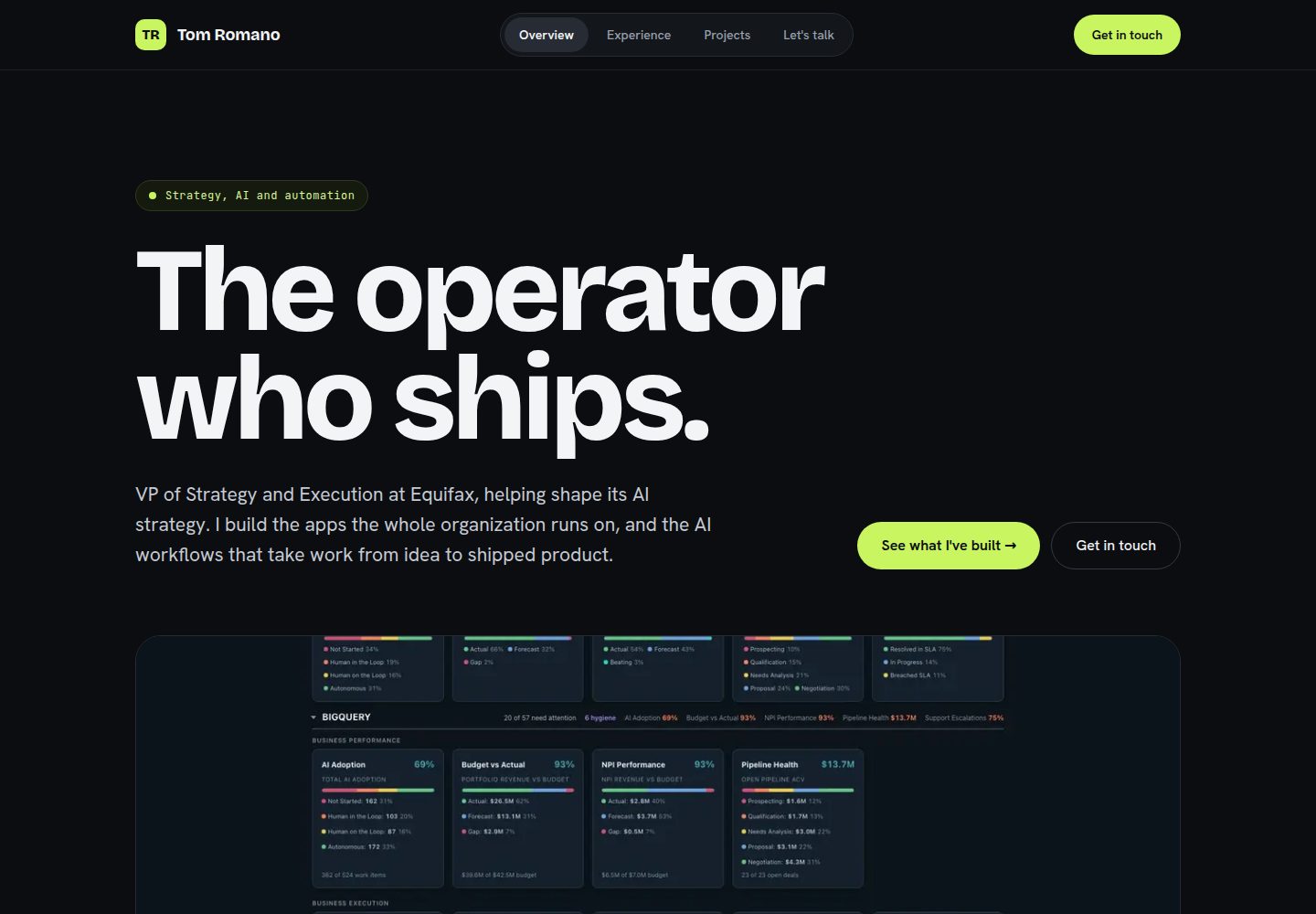
Built with Next.js, includes three pages: home, portfolio, and services
Next.jsReactPortfolio
Website_Template — Next.js Portfolio Template
By Automating-my-Job
This is a Next.js-based personal website and portfolio template that includes three pages: home, work, and services. It has a built-in contact form, SEO basics, and provides complete steps from local running to Vercel deployment.
Explore the design
Compare the page layouts and mobile experience. Open any screenshot for a closer look.
Desktop homepage1 / 3
Desktop captureTop of page
Actual screenshot captured by the server browser.
All pages & views 3
Screenshots show visual appearance; interactive behavior may differ.
Recorded 2026-10-14View source
What stands out
A quick read of the recorded project description.
Built-in contact form sends emails via Resend, requires configuring the RESEND_API_KEY environment variable
Includes SEO basics such as a sitemap, social-share preview images, and structured data
All text content is centralized in lib/content.ts for easy unified editing
Provides complete step-by-step instructions from local running to Vercel deployment
Template Details
This template is a ready-to-deploy personal website and portfolio built with Next.js. The README states that it works out of the box and includes three pages: the home page (`/`) provides two entry points, the portfolio page (`/work`), and the services page (`/services`). The template includes a working contact form that sends emails via Resend, and includes SEO basics such as a sitemap, social-share preview images, and structured data.
The usage flow is: fork the repository, clone it locally, install dependencies and run the development server, then edit files such as `lib/content.ts` to replace text and images, configure the Resend environment variable to enable the contact form, and finally deploy via Vercel. The README provides detailed steps and checkpoints, and states that no Next.js expertise is required to complete it.
The README does not provide information about performance, production readiness, or integrations other than Resend. Deployment of the template depends on GitHub and Vercel, and the contact form depends on a Resend account and a verified sending domain.
Next.jsPortfolio
Is it right for your project?
Use Cases
- Individuals or freelancers quickly building a portfolio website
- Static websites that need a contact form and want emails sent to a specified inbox
- Projects that want free deployment via Vercel and binding a custom domain
- As an example for learning Next.js project structure and deployment workflow
Suitable For
- Users who want a personal website but do not want to build from scratch
- Beginners who can follow numbered steps and copy-paste commands
- Freelancers who need portfolio and services pages
- Developers deploying with GitHub and Vercel
Getting started & customization
Use these recorded setup notes alongside the repository instructions for your chosen version.
- 1
Requires Node.js 20 or higher, plus GitHub and Vercel accounts
- 2
The contact form requires a Resend account, and after verifying the sending domain, configure the RESEND_API_KEY environment variable
- 3
Need to replace image files under the public/ directory; some icons have specific size requirements
- 4
Need to modify the sender address, recipient address, and ALLOWED_ORIGINS in app/api/contact/route.ts
- 5
Before deployment, push changes to GitHub; Vercel will automatically redeploy
License & source material
Usage conditions & limitations
Free to use · keep license noticeThis entry covers the free version under the MIT license in a public repository; the free scope is the code of this version and does not mean external services or third-party assets are free.
Must comply with when using
- Free use, modification, commercial use, and distribution of this version's code are allowed.
- When distributing copies or substantial portions of the code, retain the original author's copyright notice and the full MIT license notice.
- The code is provided as is; warranties and limitations of liability are governed by the original license and applicable law.
Additional costs & items to verify
- Demo images, fonts, icons, and other third-party assets must be checked against their respective licenses; they cannot be judged solely by the code's MIT license.
- External services such as domains, hosting, databases, payments, or AI may incur additional charges.
- The contact form requires a Resend account (free) to send emails; if not configured, the website can run but the form cannot send.
- Deployment online requires a Vercel account (free Hobby plan) and must be linked by logging in with GitHub.
- A GitHub account is required to store a copy of the code and serve as the deployment source.
- Local running requires Node.js 20 or higher.
- The sending domain must be added and verified in Resend; sending will fail before verification is complete, and the free tier may only allow sending to the account email.
- The Resend API key must be stored as an environment variable named RESEND_API_KEY; this is the only environment variable used by the project.
- The sender address in app/api/contact/route.ts must be changed to an address under your own verified sending domain.
- ALLOWED_ORIGINS must be changed to your own domain; otherwise cross-origin requests from the contact form will be rejected.
- The redirect rule in next.config.ts for the original site opsgs.vercel.app to www.opsgs.com must be updated or removed.
- For more durable anti-abuse protection, optionally add a WAF rate limiting rule for /api/contact in the Vercel dashboard Firewall.
- A custom domain is an optional step; you can first use the free *.vercel.app address and add a domain later.
View Original Text Basis
Permission is hereby granted, free of charge
Original License Text
| [Resend](https://resend.com) account (free) | Required for the contact form | Sends the emails from your contact form. The site works without it, but the form will not send until this is done. |
Original README
| [Vercel](https://vercel.com) account (free Hobby plan) | Required | Hosts your live site. Sign up with GitHub to link them. |
Original README
| [GitHub](https://github.com) account | Required | Stores your copy of the code. |
Original README
| [Node.js](https://nodejs.org) version 20 or newer | Required | Runs the site on your computer. |
Original README
3. Add and verify your **sending domain** in Resend. This means adding a few DNS records to your domain so Resend can prove you own it. Resend shows you the exact records to add. Verification can take a few minutes to a few hours while DNS updates. Until your domain shows as verified, sends will fail, and on the free tier Resend may only let you send to your own account email. Do not be alarmed if a test does not arrive before verification finishes.
Original README
5. Store your API key as an environment variable (a named secret your code reads at runtime) named exactly `RESEND_API_KEY`. This is the only environment variable this project uses, and it is read only on the server.
Original README
| `from` address | `OPS GS Website <[email protected]>` | An address at your verified sending domain (see section 4) |
Original README
| `ALLOWED_ORIGINS` | `["https://www.opsgs.com", "https://opsgs.com"]` | Your own domain(s) |
Original README
- [ ] Open `next.config.ts` and update or remove the redirect rule that sends traffic from `opsgs.vercel.app` to `www.opsgs.com`. This was specific to the original site. If you do not need it, delete that redirect.
Original README
- Add a **Vercel WAF** (Web Application Firewall) rate-limit rule on the `/api/contact` path. You set this up in the **Firewall** tab of your Vercel dashboard. It enforces limits at the edge, which the built-in in-memory limit cannot do on its own.
Original README
https://github.com/Automating-my-Job/Website_Template/blob/main/LICENSEhttps://github.com/Automating-my-Job/Website_Template/blob/main/README.md| A domain name | Optional | Use your own web address (for example, `yourname.com`). You can launch on a free `*.vercel.app` address first and add a domain later. |
Original README
Compiled by DeepSeek based on repository license and README ·2026-10-14. Results only cover the materials read; dependencies, images, fonts, and subsequent term changes are subject to their respective original texts.
Project checks & description sources
Template Information
- Source platforms
- GitHub
- Documentation and maintenance reference score
- More documented · 83 / 100
- Technologies
- Next.js · React
- Website type
- Portfolio
How this score is calculated
Our heuristic uses license records (up to 30), a demo link (12), a preview (10), stars (15), recorded maintenance (15), description completeness (8), feature records (5) and classification data (5). It is not a code, security or performance test, or a Google score. A link does not establish tested functionality.
What to verify for this project
- Repository update recorded
- 2026-08-31
- Screenshot last checked
- 2026-10-14
A demo link is listed. Check it with your own content and viewport sizes; its presence does not confirm that forms, authentication or payments work.
The catalog identifies Next.js as the primary stack. Check the actual dependency manifest and lockfile for versions and hosting requirements. These notes use recorded metadata, not a code audit or a deployment test.
Use a selection guide →How this description was prepared
AI-assisted description based on catalog records and repository material. Repository authors are not automatically the reviewers of this description.
Review declaration: codex-user-requested-batch-review-20261015 · 2026-10-15
Inspect the recorded source material
SHA-256: 4c7f3ed68eb54cd7631c8e5caa35ebbadfd0dbedc95e6db393d87cb0230f76da
2026-10-14T19:18:59.225Z
Source file / repository# Website Template A clean, fast personal website and portfolio you can deploy for free, with a working contact form built in. Want to see it live? Check out www.OpsGS.com. ## What this is This is a ready-to-launch website template built with Next.js. You fork it, swap in your own words and images, and put it online. When you are done you will have a live, professional three-page site at your own domain, with a contact form that emails you, plus the basics search engines look for (a sitemap, social-share preview images, and structured data). It is for anyone who wants a polished personal or freelance site without building one from scratch. You do not need to be a Next.js expert. If you can follow numbered steps and copy-paste a command, you can do this. If this is your first website ever, that is fine. This guide assumes exactly that. The template has three pages out of the box: - `/` (home): a "fork" page with two doors (for example, hire me vs. contract with me). - `/work`: a portfolio. - `/services`: an offer page (here, an automated-reporting service). **Honest time estimate:** about 1 to 2 hours start to finish. Roughly 20 minutes to get it running on your computer, 30 to 45 minutes to make the words and images yours, and 20 to 30 minutes to deploy and connect the contact form. Adding your own domain and Google Search Console adds another 20 to 30 minutes, plus waiting time for DNS (Domain Name System, the internet's address book that maps your domain name to a server) to update. --- ## 1. What you'll need Set these up first. The free tiers are enough for everything here. | Tool or account | Required? | Why | | --- | --- | --- | | [GitHub](https://github.com) account | Required | Stores your copy of the code. | | [Vercel](https://vercel.com) account (free Hobby plan) | Required | Hosts your live site. Sign up with GitHub to link them. | | [Resend](https://resend.com) account (free) | Required for the contact form | Sends the emails from your contact form. The site works without it, but the form will not send until this is done. | | [Node.js](https://nodejs.org) version 20 or newer | Required | Runs the site on your computer. | | A code editor (for example, [VS Code](https://code.visualstudio.com)) | Required | Edits the text and files. | | A domain name | Optional | Use your own web address (for example, `yourname.com`). You can launch on a free `*.vercel.app` address first and add a domain later. | | [Google Search Console](https://search.google.com/search-console) | Optional | Helps Google find and index your site. | **Check your work:** open a terminal (on Mac, press Cmd+Space, type `Terminal`, and press Enter; on Windows, open PowerShell from the Start menu; or use the terminal built into VS Code under **View > Terminal**) and run this: ```bash node -v ``` You should see a version number like `v20.0.0`. The number right after the `v` should be 20 or greater (for example, `v20`, `v22`, or `v26` are all fine). If you see "command not found" or a number below 20, install or update Node.js from [nodejs.org](https://nodejs.org) and run the command again. --- ## 2. Get it running on your computer You are about to download the code and run it on your own machine, so you can preview every change before anyone else sees it. This matters because you never have to guess: you see exactly what your visitors will see. ### One-time setup: tell git who you are If this is your first time using git on this computer, set your name and email once. Use the email address on your GitHub account. This prevents a deploy error later (covered in Troubleshooting). ```bash git config --global user.email "[email protected]" git config --global user.name "Your Name" ``` ### Get the code 1. Fork the template repository on GitHub. Open [https://github.com/Automating-my-Job/Website_Template](https://github.com/Automating-my-Job/Website_Template) and click the **Fork** button (top right). This makes your own copy under your GitHub account. 2. On your new fork's page, click the green **Code** button and copy the web address it shows (it looks like `https://github.com/YOUR-USERNAME/Website_Template.git`). 3. Clone your fork to your computer. Paste your copied address in place of the one below. ```bash git clone https://github.com/YOUR-USERNAME/Website_Template.git ``` 4. Move into the project folder. Your folder name matches your repository name. ```bash cd Website_Template ``` 5. Install the dependencies (the supporting code packages the site needs). ```bash npm install ``` You may see lines that start with `npm warn`. Warnings are normal and safe to ignore. Only an `npm error` that stops the process is a real problem (see Troubleshooting). 6. Start the local development server (a private preview that runs only on your computer). ```bash npm run dev ``` 7. Open [http://localhost:3000](http://localhost:3000) in your browser. **Check your work:** you should see the home page with its two doors. As you edit files later, this page updates automatically while `npm run dev` is running. If the page does not load, confirm step 6 is still running in your terminal (it stays running, that is normal) and that nothing else is using port 3000. --- ## 3. Make it yours This is where the template becomes your site. Work through the checklist below. The most important file is `lib/content.ts`: nearly all of the words on the site live there, so editing it updates the whole site in one place. Open the project folder in your code editor (in VS Code, **File > Open Folder**, then pick the folder you cloned). You can keep `npm run dev` running in the terminal while you edit. ### Text and links - [ ] Open `lib/content.ts` and edit the copy. Pay special attention to the `SITE` object near the top. Set these three to your own values: - `SITE.url` (currently `"https://www.opsgs.com"`): your canonical site address. Canonical means the one official address for your site (more on choosing this in section 6). - `SITE.email`: your contact email. Capitalization in an email address does not matter, so `[email protected]` and `[email protected]` are treated the same. - `SITE.linkedin`: your LinkedIn profile URL. ### Images (in the `public/` folder) Replace these with your own files, keeping the same file names. The PWA and icon files need specific square sizes. If you only have a regular photo, a free online image resizer or favicon converter can produce the right dimensions and the `.ico` format. You can also skip the icon files for a first launch and come back to them later. - [ ] `public/logo.png` - [ ] `public/headshot.jpg` - [ ] `public/pwa-192.png` (192 by 192 pixels) - [ ] `public/pwa-512.png` (512 by 512 pixels) - [ ] `public/demo/before-spreadsheet.png` - [ ] `public/demo/after-deck.png` - [ ] `public/demo/ops-gs-sample-report.pdf` - [ ] `public/demo/ops-gs-sample-workbook.xlsx` - [ ] `app/apple-icon.png` - [ ] `app/favicon.ico` (an icon file; use a favicon converter to make one from a PNG) ### Contact form addresses - [ ] Open `app/api/contact/route.ts` and change these three hardcoded values: | What | Current value | Change to | | --- | --- | --- | | `from` address | `OPS GS Website <[email protected]>` | An address at your verified sending domain (see section 4) | | `to` address | `[email protected]` | The inbox where you want to receive messages | | `ALLOWED_ORIGINS` | `["https://www.opsgs.com", "https://opsgs.com"]` | Your own domain(s) | Note: `ALLOWED_ORIGINS` already allows Vercel preview URLs (`*.vercel.app`) automatically, so you do not need to add those. ### Social previews and structured data - [ ] Edit the share-preview text in `app/opengraph-image.tsx`, `app/work/opengraph-image.tsx`, and `app/services/opengraph-image.tsx`. These contain some hardcoded name and tagline text. (These images are what show up when someone shares your link on social media or chat.) - [ ] Confirm `components/JsonLd.tsx` looks right. It builds Person and Organization structured data (machine-readable info for search engines) and reads from `SITE.url` and `SITE.linkedin`, so updating `lib/content.ts` usually covers it. ### The old-domain redirect - [ ] Open `next.config.ts` and update or remove the redirect rule that sends traffic from `opsgs.vercel.app` to `www.opsgs.com`. This was specific to the original site. If you do not need it, delete that redirect. **Good to know:** the SEO files `app/robots.ts`, `app/sitemap.ts`, and `app/manifest.ts` mostly read from `SITE` in `lib/content.ts`, so you usually update `content.ts`, not these files directly. **Check your work:** with `npm run dev` running, refresh [http://localhost:3000](http://localhost:3000). Your text, your headshot, and your logo should all appear. ### Save your changes to GitHub Your edits so far live only on your computer. Vercel deploys from GitHub, so you must send your changes there before they can go live. In the same terminal, in your project folder, run: ```bash git add -A git commit -m "Make it mine" git push ``` Vercel redeploys automatically every time you push. If `git push` complains about your identity, see the one-time git setup at the start of section 2. --- ## 4. Turn on the contact form with Resend Your contact form needs a service to actually send the email. That service is Resend. **Important:** the site works fine without this, but the contact form will not send a message until you finish these steps. 1. Create a free account at [resend.com](https://resend.com). 2. In the Resend dashboard, create an **API key** (a secret token that lets your site send mail through Resend). Copy it somewhere safe. You will not be able to see it again. 3. Add and verify your **sending domain** in Resend. This means adding a few DNS records to your domain so Resend can prove you own it. Resend shows you the exact records to add. Verification can take a few minutes to a few hours while DNS updates. Until your domain shows as verified, sends will fail, and on the free tier Resend may only let you send to your own account email. Do not be alarmed if a test does not arrive before verification finishes. 4. Make sure the `from` address in `app/api/contact/route.ts` (from section 3) uses your verified domain. For example, if you verified `yourdomain.com`, a `from` of `[email protected]` works. 5. Store your API key as an environment variable (a named secret your code reads at runtime) named exactly `RESEND_API_KEY`. This is the only environment variable this project uses, and it is read only on the server. For local testing, create a file named `.env.local` in the project root (the folder containing `package.json`, which is the folder you cloned). The easiest way to create it is from your code editor: make a new file, name it `.env.local`, and add this single line: ```bash RESEND_API_KEY=your_key_here ``` Files matching `.env*` are gitignored, so this secret is never committed to GitHub. Good. **Check your work:** in the same terminal window where the dev server is running, stop it (press Ctrl+C), then start it again with `npm run dev` so it picks up the new file. Submit your own contact form on the local site. If your sending domain is verified, you should receive an email at your `to` address. If nothing arrives, confirm the domain is verified and check Troubleshooting before assuming something is broken. --- ## 5. Put it online with Vercel Now you publish the site so anyone can reach it. Make sure you have pushed your changes to GitHub first (the end of section 3). 1. Go to [vercel.com](https://vercel.com) and sign in with GitHub. 2. Click **Add New** then **Project**, and import your forked GitHub repository. 3. Vercel auto-detects the framework as **Next.js**. You do not need to change the build settings. 4. Before deploying, open the **Environment Variables** section and add: - Name: `RESEND_API_KEY` - Value: your Resend API key from section 4 5. Click **Deploy** and wait for the build to finish. **Check your work:** Vercel gives you a live `*.vercel.app` address. Open it. Your site should load, and the contact form should send a real email (Vercel preview and production URLs are already allowed by the contact route). If the deploy is blocked with "Invalid git email address," see Troubleshooting. --- ## 6. Add your own domain A custom domain makes the site yours. Skip this section if you are happy on the `*.vercel.app` address for now. 1. In your Vercel project, go to **Settings** then **Domains** and add your domain. 2. Vercel shows the DNS records to add at your domain registrar (the company you bought the domain from). Add them there. 3. Pick your **canonical** address: either the `www` version (`https://www.yourdomain.com`) or the apex/bare version (`https://yourdomain.com`). Pick one and use it everywhere. Vercel can redirect the other one to it. 4. Update these to match your canonical choice, then commit and push again (as in the end of section 3) so Vercel redeploys: - `SITE.url` in `lib/content.ts` - `ALLOWED_ORIGINS` in `app/api/contact/route.ts` (include both the `www` and apex forms so the form works no matter which a visitor uses) **Check your work:** visit your domain. It should load over `https://` with a padlock. DNS changes can take from minutes to a day to fully propagate, so if it is not live immediately, wait and check again. --- ## 7. Help people find it on Google This tells Google your site exists and where to find every page. 1. Go to [Google Search Console](https://search.google.com/search-console) and add a **domain property** for your domain. 2. Verify ownership with a **DNS TXT record** (a small text record you add at your registrar; Google gives you the exact value). 3. Submit your sitemap. The address is your domain plus `/sitemap.xml`, for example: ```text https://yourdomain.com/sitemap.xml ``` **Check your work:** open `https://yourdomain.com/sitemap.xml` in a browser. You should see a list of your page URLs. If they show the old `opsgs.com` address, recheck `SITE.url` in `lib/content.ts`, then commit and push so Vercel redeploys. --- ## 8. Optional: extra protection The contact route already has layered protection (an origin allowlist, an in-memory rate limit, a hidden honeypot field, input validation, length caps, and an HTML-escaped email body). For more durable protection against abuse: - Add a **Vercel WAF** (Web Application Firewall) rate-limit rule on the `/api/contact` path. You set this up in the **Firewall** tab of your Vercel dashboard. It enforces limits at the edge, which the built-in in-memory limit cannot do on its own. - See `SECURITY.md` for the project's responsible-disclosure policy. --- ## 9. Project map A quick tour of the files you are most likely to touch. | File or folder | What it's for | | --- | --- | | `lib/content.ts` | Single source of truth for nearly all site copy, plus `SITE.url`, `SITE.email`, `SITE.linkedin`. | | `app/layout.tsx` | Shared chrome (Navbar and Footer) wrapping every page. | | `app/api/contact/route.ts` | The only backend: the contact form handler. Holds the `from`/`to` addresses and `ALLOWED_ORIGINS`. | | `public/` | Static images and downloads (logo, headshot, PWA icons, the `demo/` files). | | `app/opengraph-image.tsx` (+ `work/`, `services/`) | Generated social-share preview images. | | `components/JsonLd.tsx` | Person and Organization structured data for SEO. | | `app/robots.ts`, `app/sitemap.ts`, `app/manifest.ts` | SEO files that read from `SITE` in `lib/content.ts`. | | `next.config.ts` | Security headers, Content-Security-Policy, and the old-host redirect to update or remove. | | `.env.local` | Your local secret (`RESEND_API_KEY`). Not committed. | | `SECURITY.md` | Responsible-disclosure policy. | **Useful commands:** ```bash npm install # install dependencies npm run dev # local dev server at http://localhost:3000 npm run build # production build npm run start # serve the production build npm run lint # check the code for problems ``` (The repo also includes an `AGENTS.md` and `CLAUDE.md` aimed at AI coding assistants. You can ignore them for setup.) --- ## 10. Troubleshooting **The contact form returns an error.** Check, in order: 1. `RESEND_API_KEY` is set (in `.env.local` locally, and in Vercel's Environment Variables for the live site). 2. Your sending domain is verified in Resend. 3. The `from` address in `app/api/contact/route.ts` uses your verified domain. **The deployment is blocked with "Invalid git email address."** This happens when the commit author's email is not linked to your Vercel/GitHub account. Set your git identity to the email on your GitHub account, then commit again: ```bash git config --global user.email "[email protected]" git config --global user.name "Your Name" ``` **Something seems broken locally and you are not sure why.** Confirm you are on Node 20 or newer, then reinstall: ```bash node -v npm install ``` Remember that `npm warn` lines during install are normal. Only an `npm error` that stops the process needs your attention. --- ## Credits This template was open-sourced by OPS GS, LLC. You are free to make it your own. Build something good.
Explore similar templates
Compare previews and descriptions within the same stack and category.

react-resume-template
A personal resume website template for software developers, built with Next.js, React, and TypeScript and styled with Tailwind CSS. Site content is driven by a single data file at /src/data/data.tsx, with types in dataDef.ts and images in src/images/.
Next.js · Portfolio

nxt-lnk
nxt-lnk is a Next.js-based bio link page template that manages personal information and links via BioData.js and LinksData.js, positioned as a self-hosted alternative to Linktree. It groups links by type, supports enabling/disabling individual links, and offers hexagonal or oval avatars.
Next.js · Portfolio

sylph
Sylph is a minimal portfolio and blog template built on Next.js, supporting MDX/Markdown writing, light/dark themes, and automatic OG image generation. It includes sitemap, robots.txt, metadata, and syntax highlighting, with automatic blog timestamps.
Next.js · Portfolio

sleek-portfolio
A modern, responsive portfolio template built with Next.js 15, TypeScript, Tailwind CSS, and Shadcn UI. It includes an MDX blog, project showcase, work experience timeline, and a contact form that receives messages via Telegram Bot.
Next.js · Portfolio

research-website-template
A React + Next.js template for research personal websites, aimed at PhD students and researchers. It centralizes publications, projects, and other content in src/data as arrays of objects, with optional fields automatically generating UI components.
Next.js · Portfolio

shadcn-portfolio
A developer portfolio template built with Next.js 15, shadcn/ui, Tailwind CSS, and Framer Motion, featuring an MDX blog, light and dark modes, responsive design, and SEO meta tags.
Next.js · Portfolio