Minimal Hugo theme for documentation and best practices scenarios
HugoDocumentation
hugo-implementation-details — Hugo Documentation Template
By Boehrsi
A minimal Hugo theme for documentation and best practices websites, organizing content through entry folders and supporting side-by-side good/bad code examples within entries.
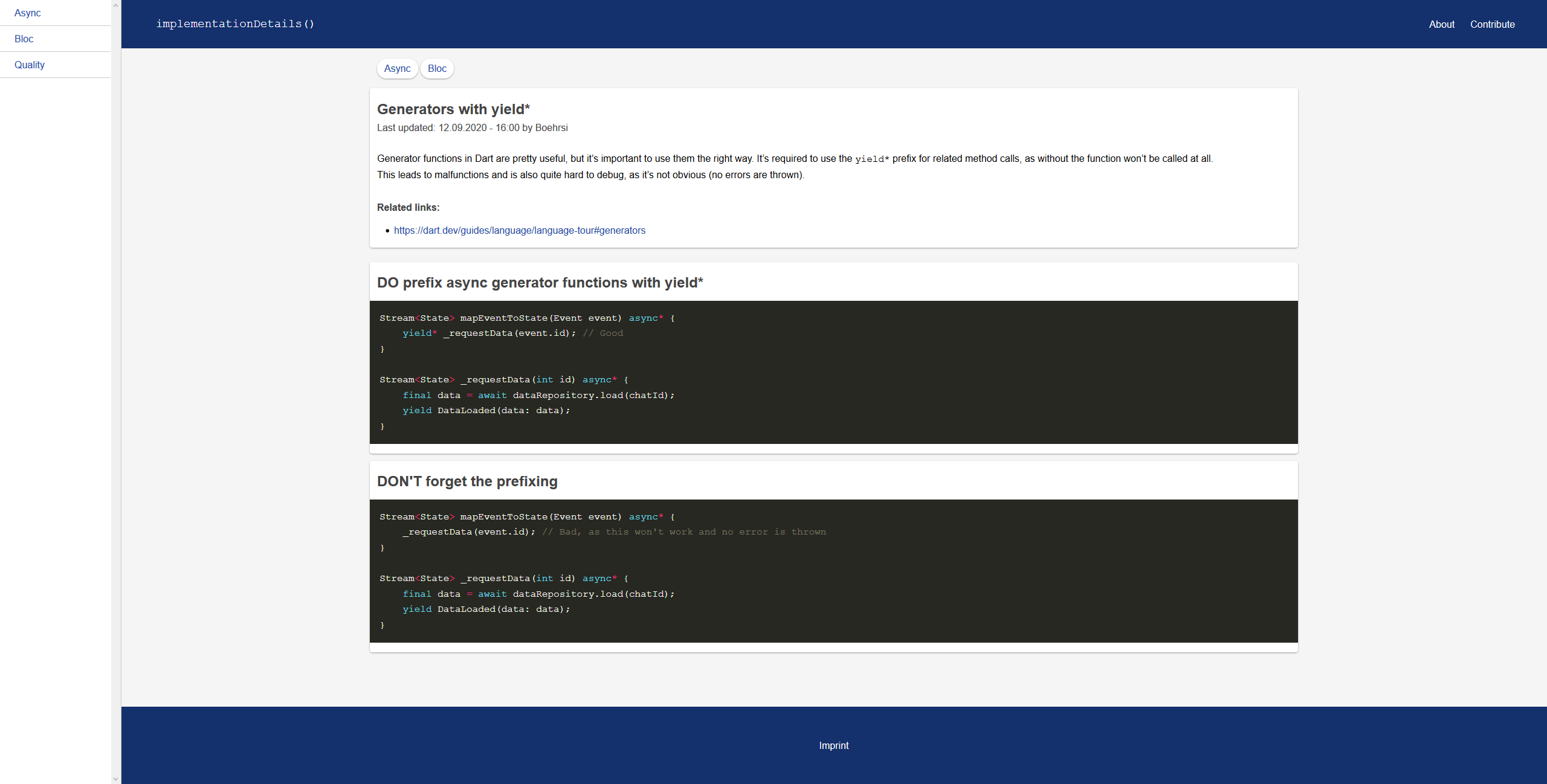
Explore the design
Compare the page layouts and mobile experience. Open any screenshot for a closer look.
Author preview
Author-provided preview
Preview provided in the project README.
One original preview is available. Open the full image to inspect the design.
Screenshots show visual appearance; interactive behavior may differ.
Recorded 2026-10-12View source
What stands out
A quick read of the recorded project description.
Entries organized as folders, with index.md required and bad.md and good.md optional
good.md and bad.md are used to display code examples side by side below the entry body
Supports setting github and imprint links via the configuration file; not displayed when unset
Optional favicon and site.webmanifest configuration, automatically skipped when files are missing
MIT licensed, allowing free use, modification, commercial use, and distribution
Template Details
This theme targets the Hugo static site generator and is used to build documentation or developer best practices websites. It provides a minimal base structure, with content organization centered on "entries": each entry is a folder containing at least index.md, and optionally bad.md and good.md, which are displayed below the content of index.md to show code examples.
The homepage, about page, and contribute page are controlled by content/_index.md, content/about.md, and content/contribute.md respectively. Entries can be created via the Hugo CLI command `hugo new --kind entry entries/my-post`. The theme supports setting github and imprint parameters in the configuration file; when unset, the corresponding entries are not displayed. favicon-related files are optional, and the theme skips them when missing.
Usage requires Hugo extended; clone the repository into the themes directory of a Hugo project and enable it in the configuration file. The theme is MIT licensed and can be used, modified, used commercially, and distributed for free, but third-party assets such as demo images, fonts, and icons require separate license verification.
HugoDocumentation
Is it right for your project?
Use Cases
- Building best practices or coding standards documentation sites for developers
- Organizing technical entries with contrasting good/bad code examples
- Setting up simple internal documentation or knowledge bases
- Serving as a lightweight documentation theme foundation in a Hugo project for further customization
Suitable For
- Developers using Hugo extended
- Technical teams that need to organize documentation content as entries
- Authors who want to display good/bad code examples side by side in documentation
- Hugo users who prefer minimal themes and accept manual configuration
Getting started & customization
Use these recorded setup notes alongside the repository instructions for your chosen version.
- 1
Requires Hugo extended
- 2
Clone the repository into the themes directory of a Hugo project and enable the theme in the configuration file (e.g., config.toml)
- 3
Optional: set github and imprint links in the params of the configuration file; if unset, the corresponding entries are not displayed
- 4
Optional: add favicon and site.webmanifest according to the paths listed in the README; missing files are skipped
- 5
Entries are added by creating a folder containing at least index.md, or by using the `hugo new --kind entry entries/my-post` command
License & source material
Usage conditions & limitations
Free to use · keep license noticeThis listing covers the free version under the MIT license in the public repository; the free scope applies to that version's code and does not imply that external services or third-party assets are free.
Must comply with when using
- Free use, modification, commercial use, and distribution of this version's code are permitted.
- When distributing copies or substantial portions of the code, retain the original author's copyright notice and the full MIT license notice.
- The code is provided as is; warranties and limitations of liability are governed by the original license and applicable law.
Additional costs & items to verify
- Demo images, fonts, icons, and other third-party assets require verification under their respective licenses and cannot be judged solely by the code's MIT license.
- External services such as domains, hosting, databases, payments, or AI may incur additional charges.
- Using this theme requires the Hugo extended version; the regular Hugo version does not meet the requirement.
View Original Text Basis
Permission is hereby granted, free of charge
Original License Text
https://github.com/Boehrsi/hugo-implementation-details/blob/master/LICENSEhttps://github.com/Boehrsi/hugo-implementation-details/blob/master/README.md- Use **Hugo extended**
Original README
Compiled by DeepSeek based on repository license and README ·2026-10-12. Results only cover the materials read; dependencies, images, fonts, and subsequent term changes are subject to their respective original texts.
Project checks & description sources
Template Information
- Source platforms
- GitHub
- Documentation and maintenance reference score
- Less documented · 53 / 100
- Technologies
- Hugo
- Website type
- Documentation
How this score is calculated
Our heuristic uses license records (up to 30), a demo link (12), a preview (10), stars (15), recorded maintenance (15), description completeness (8), feature records (5) and classification data (5). It is not a code, security or performance test, or a Google score. A link does not establish tested functionality.
What to verify for this project
- Repository update recorded
- 2021-01-23
- Screenshot last checked
- 2026-10-12
No demo link is recorded. Use the repository instructions to evaluate the project locally; the screenshot alone cannot establish interactive behavior.
The catalog identifies Hugo as the primary stack. Check the actual dependency manifest and lockfile for versions and hosting requirements. These notes use recorded metadata, not a code audit or a deployment test.
Use a selection guide →How this description was prepared
AI-assisted description based on catalog records and repository material. Repository authors are not automatically the reviewers of this description.
Review declaration: [email protected] · 2026-10-13
Inspect the recorded source material
SHA-256: 464737860130f2a87f7a53c7401403359be9d80f03490b88fa12287cee596243
2026-10-12T19:11:55.890Z
Source file / repository# Implementation Details

A simple theme for documentation and best practices websites for the [Hugo static site generator](https://gohugo.io/). It was created to provide a simple and minimalistic base for documentation or tips for developers.
## Setup
- Use **Hugo extended**
- Clone the repository into your `themes` directory in your Hugo project
- Activate the theme in the config file (e.g. `config.toml`) of your Hugo project
### Configure the theme (optional)
The following variables can be set in the projects config file (`config.[yaml|toml|json]`). If a variable is not set, the given entry won't be shown.
```
[params]
github = "YourGitHubLink"
imprint = "YourImprintLink"
```
### Setup your favicon (optional)
Add the following files to your project. If a file is missing the theme will just skip it.
- static\favicon.ico
- static\icons\android-chrome-192x192.png
- static\icons\android-chrome-512x512.png
- static\icons\apple-touch-icon.png
- static\icons\favicon-16x16.png
- static\icons\favicon-32x32.png
- static\icons\favicon.ico
- static\icons\site.webmanifest
The `site.webmanifest` should be similar to the following snippet.
```
{
"name": "",
"short_name": "",
"icons": [
{
"src": "icons/android-chrome-192x192.png",
"sizes": "192x192",
"type": "image/png"
},
{
"src": "icons/android-chrome-512x512.png",
"sizes": "512x512",
"type": "image/png"
}
],
"theme_color": "#ffffff",
"background_color": "#ffffff",
"display": "standalone"
}
```
## How to use
- `content/_index.md` contains the home page
- `content/about.md` contains the about page
- `content/contribute.md` contains the contribute page
- `content/entries` contains all entries
- An entry is added by creating a **folder**
- Within the entry folder at least the `index.md` file must exist
- Additionally and optionally a `bad.md` and / or `good.md` could exist. If those files exist they are shown below the content of the `index.md` file. Those files are meant to show code examples only
- A new entry can be added via the Hugo CLI `hugo new --kind entry entries/my-post`
## Examples
We create a folder `content/entries/awesome-article/` in our Hugo project, which contains the following three files.
### content/entries/awesome-article/index.md
---
title: "Awesome article*"
date: 2020-09-12T16:00:00+02:00
authors: ["Mr. Author"]
categories: ["Good stuff", "Code"]
links: ["https://dart.dev/"]
---
You shoud do it the right way!
### content/entries/awesome-article/good.md
---
title: "Good is better"
---
```dart
void test() {
// testing is good
}
```
### content/entries/awesome-article/bad.md
---
title: "Bad is not good"
---
```dart
void noTest() {
// bad
}
```
## Resources
- Icons: https://github.com/google/material-design-iconsExplore similar templates
Compare previews and descriptions within the same stack and category.

hugo-book
Hugo Book is a Hugo documentation theme that aims to make documentation sites as simple as a plain book. It emphasizes clean, lightweight, mobile-friendly, and zero initial configuration, and comes with an example site that doubles as documentation.
Hugo · Documentation

docsy
Docsy is a Hugo theme for technical documentation sites, governed by the Linux Foundation and licensed under Apache-2.0. It provides simple navigation and site structure for open source project and product documentation.
Hugo · Documentation

hextra
Hextra is a Hugo theme for documentation and blog sites, built on Hugo and Tailwind CSS with design referencing Nextra.
Hugo · Documentation

doks
Doks is a Hugo documentation theme in the Thulite ecosystem, built for long-form reading with a minimal responsive layout and documentation-optimized typography. It includes FlexSearch-powered configurable search, dark/light mode, code syntax highlighting, i18n, multi-version documentation management, and blog pages.
Hugo · Tool Site

lotusdocs
Lotus Docs is a free, MIT-licensed Hugo documentation theme by Colin Wilson, built on Bootstrap 5. It provides responsive documentation layouts, dark mode, i18n, FlexSearch-based static search, Prism.js highlighting, KaTeX, Mermaid, and landing page templates.
Hugo · Documentation
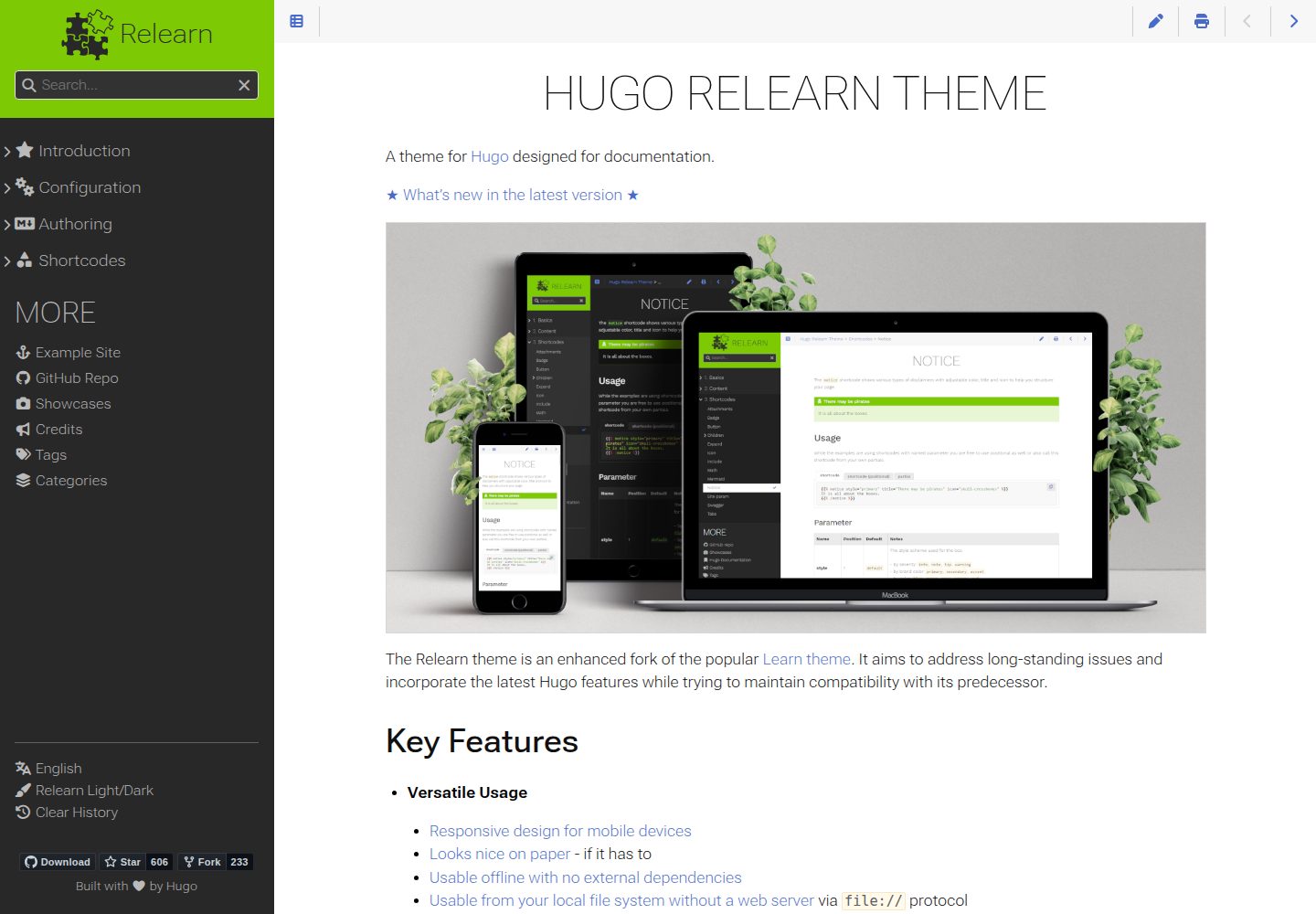
hugo-theme-relearn
Hugo Relearn is an MIT-licensed Hugo theme for documentation sites, forked from the Learn theme and enhanced with newer Hugo features.
Hugo · Documentation