面向文档与最佳实践场景的极简 Hugo 主题
Hugo文档
hugo-implementation-details — Hugo 文档模板
作者 Boehrsi
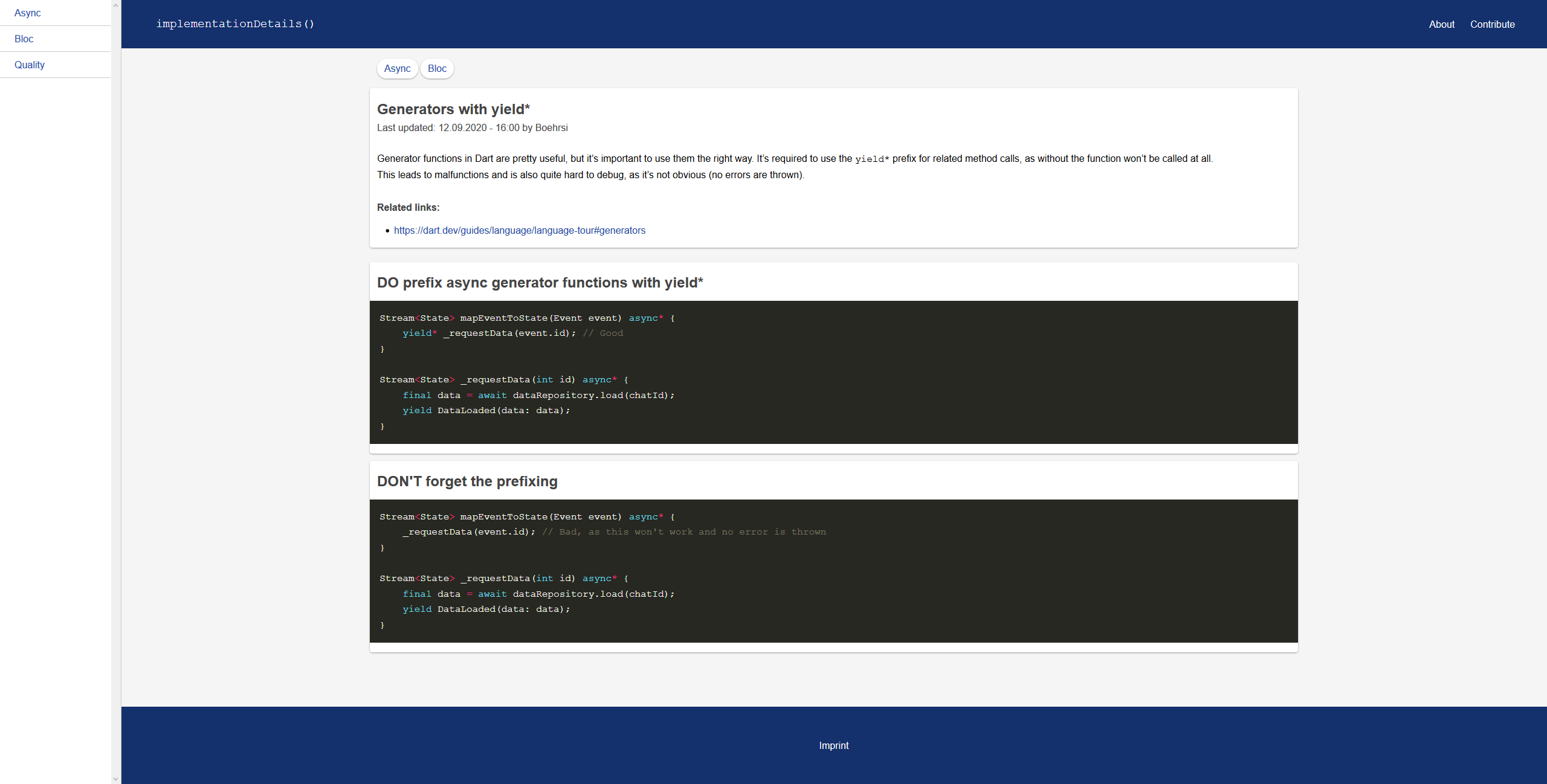
一个面向文档与最佳实践网站的极简 Hugo 主题,通过条目文件夹组织内容,支持在条目内并列展示 good/bad 代码示例。
看看你的网站会是什么样
浏览真实页面截图,比较内容排版与手机效果。点击下方缩略图切换,放大查看整页细节。
目前有 1 张原始预览,可打开完整图片查看设计细节。
截图用于了解视觉与布局,交互效果请以实际项目为准。
采集于 2026-10-12查看来源
值得关注的模板亮点
从已有项目资料中,快速了解它的特点。
条目以文件夹组织,index.md 为必需,bad.md 与 good.md 可选
good.md 与 bad.md 用于在条目正文下方并列展示代码示例
支持通过配置文件设置 github 与 imprint 链接,未设置则不显示
可选 favicon 与 site.webmanifest 配置,缺失文件时自动跳过
采用 MIT 许可,允许免费使用、修改、商用和分发
模板详细介绍
该主题面向 Hugo 静态站点生成器,用于搭建文档或开发者最佳实践类网站。它提供极简的基础结构,内容组织方式围绕“条目(entries)”展开:每个条目是一个文件夹,至少包含 index.md,可选包含 bad.md 与 good.md,后两者会显示在 index.md 内容下方,用于展示代码示例。
首页、关于页和贡献页分别由 content/_index.md、content/about.md 和 content/contribute.md 控制。条目可通过 Hugo CLI 命令 `hugo new --kind entry entries/my-post` 创建。主题支持在配置文件中设置 github 和 imprint 参数,未设置时对应入口不会显示。favicon 相关文件为可选项,缺失时主题会跳过。
使用要求为 Hugo extended,需将仓库克隆到 Hugo 项目的 themes 目录并在配置文件中启用。主题采用 MIT 许可,可免费使用、修改、商用和分发,但演示图片、字体、图标等第三方素材需单独核对许可。
Hugo文档
适合你的项目吗?
适用场景
- 为开发者编写最佳实践或编码规范文档站点
- 整理带有正反代码示例对照的技术条目
- 搭建结构简单的内部文档或知识库
- 作为 Hugo 项目中的轻量文档主题基础进行二次定制
适合人群
- 使用 Hugo extended 的开发者
- 需要以条目形式组织文档内容的技术团队
- 希望在文档中并列展示 good/bad 代码示例的作者
- 偏好极简主题并接受手动配置的 Hugo 用户
上手与定制指南
结合仓库当前版本的说明,按下面的资料检查内容、配置与运行要求。
- 1
需使用 Hugo extended 版本
- 2
将仓库克隆到 Hugo 项目的 themes 目录,并在配置文件(如 config.toml)中启用该主题
- 3
可选:在配置文件的 params 中设置 github 与 imprint 链接,未设置则对应入口不显示
- 4
可选:按 README 列出的路径添加 favicon 与 site.webmanifest,缺失文件会被跳过
- 5
条目通过创建文件夹并至少包含 index.md 来添加,也可使用 `hugo new --kind entry entries/my-post` 命令
授权与来源资料
使用条件与限制
免费使用 · 保留许可声明本次收录的是公开仓库中采用 MIT 许可的免费版本;免费范围为该版本代码,不代表外部服务或第三方素材免费。
使用时需要遵守
- 允许免费使用、修改、商用和分发该版本代码。
- 分发代码副本或实质性部分时,保留原作者版权声明和完整 MIT 许可声明。
- 代码按现状提供;担保与责任限制以原许可证及适用法律为准。
额外费用与待核对事项
- 演示图片、字体、图标及其他第三方素材需按各自许可核对,不能仅凭代码的 MIT 许可判断。
- 域名、托管、数据库、支付或 AI 等外部服务可能另外收费。
- 使用该主题必须采用 Hugo extended 版本,普通版 Hugo 无法满足要求。
查看原文依据
Permission is hereby granted, free of charge
许可证原文
https://github.com/Boehrsi/hugo-implementation-details/blob/master/LICENSEhttps://github.com/Boehrsi/hugo-implementation-details/blob/master/README.md- Use **Hugo extended**
README 原文
DeepSeek 根据仓库许可证和 README 整理 ·2026-10-12。结果仅覆盖已读取资料,依赖、图片、字体及后续条款变更以各自原文为准。
项目核对记录与介绍依据
模板资料
- 来源平台
- GitHub
- 资料与维护参考分
- 资料较少 · 53 / 100
- 技术栈
- Hugo
- 网站类型
- 文档
这个分数如何计算
本站按许可资料(最高30分)、演示链接(12分)、预览图(10分)、Star数(15分)、记录的维护时间(15分)、描述完整度(8分)、功能记录(5分)和分类资料(5分)计算。它不是代码、安全或性能测试,也不是 Google 评分;有链接不代表已实测可用。
这个项目需要核对什么
- 记录的仓库更新时间
- 2021-01-23
- 截图检查日期
- 2026-10-12
目前没有记录演示链接。请依据仓库说明在本地评估;仅凭截图无法确认交互行为。
目录记录的主要技术栈是 Hugo。请通过依赖清单和锁文件核对实际版本与托管要求。这些说明基于收录资料,不代表代码审计或部署实测。
查看具体选型方法 →介绍的制作与核对状态
介绍由 AI 辅助整理目录与仓库资料。仓库作者不等于这篇介绍的审核者。
审核声明: [email protected] · 2026-10-13
查看当时使用的来源资料
SHA-256: 464737860130f2a87f7a53c7401403359be9d80f03490b88fa12287cee596243
2026-10-12T19:11:55.890Z
来源文件 / 仓库# Implementation Details

A simple theme for documentation and best practices websites for the [Hugo static site generator](https://gohugo.io/). It was created to provide a simple and minimalistic base for documentation or tips for developers.
## Setup
- Use **Hugo extended**
- Clone the repository into your `themes` directory in your Hugo project
- Activate the theme in the config file (e.g. `config.toml`) of your Hugo project
### Configure the theme (optional)
The following variables can be set in the projects config file (`config.[yaml|toml|json]`). If a variable is not set, the given entry won't be shown.
```
[params]
github = "YourGitHubLink"
imprint = "YourImprintLink"
```
### Setup your favicon (optional)
Add the following files to your project. If a file is missing the theme will just skip it.
- static\favicon.ico
- static\icons\android-chrome-192x192.png
- static\icons\android-chrome-512x512.png
- static\icons\apple-touch-icon.png
- static\icons\favicon-16x16.png
- static\icons\favicon-32x32.png
- static\icons\favicon.ico
- static\icons\site.webmanifest
The `site.webmanifest` should be similar to the following snippet.
```
{
"name": "",
"short_name": "",
"icons": [
{
"src": "icons/android-chrome-192x192.png",
"sizes": "192x192",
"type": "image/png"
},
{
"src": "icons/android-chrome-512x512.png",
"sizes": "512x512",
"type": "image/png"
}
],
"theme_color": "#ffffff",
"background_color": "#ffffff",
"display": "standalone"
}
```
## How to use
- `content/_index.md` contains the home page
- `content/about.md` contains the about page
- `content/contribute.md` contains the contribute page
- `content/entries` contains all entries
- An entry is added by creating a **folder**
- Within the entry folder at least the `index.md` file must exist
- Additionally and optionally a `bad.md` and / or `good.md` could exist. If those files exist they are shown below the content of the `index.md` file. Those files are meant to show code examples only
- A new entry can be added via the Hugo CLI `hugo new --kind entry entries/my-post`
## Examples
We create a folder `content/entries/awesome-article/` in our Hugo project, which contains the following three files.
### content/entries/awesome-article/index.md
---
title: "Awesome article*"
date: 2020-09-12T16:00:00+02:00
authors: ["Mr. Author"]
categories: ["Good stuff", "Code"]
links: ["https://dart.dev/"]
---
You shoud do it the right way!
### content/entries/awesome-article/good.md
---
title: "Good is better"
---
```dart
void test() {
// testing is good
}
```
### content/entries/awesome-article/bad.md
---
title: "Bad is not good"
---
```dart
void noTest() {
// bad
}
```
## Resources
- Icons: https://github.com/google/material-design-icons看看同类模板
对比同技术栈与用途的模板,找到更适合的视觉与内容结构。

hugo-book
Hugo Book 是一个面向文档场景的 Hugo 主题,定位很直接:把文档站点做得像一本朴素的书。
Hugo · 文档

docsy
Hugo theme for open source documentation
Hugo · 文档

hextra
Hextra 是一个 Hugo 主题,定位在文档站与博客之间:既提供侧边栏导航、目录、面包屑、分页这类文档站结构,也能承载博客内容。
Hugo · 文档

doks
Doks 是 Thulite 生态下的文档主题,底层是 Hugo 静态站点生成器。 它把重点放在长文阅读体验上:极简且响应式的布局、为文档优化的排版,以及代码块语法高亮,整体更接近技术手册的形态,而不是通用营销页模板。
Hugo · 工具站

lotusdocs
📖 A free, lightweight, modern documentation theme for Hugo
Hugo · 文档
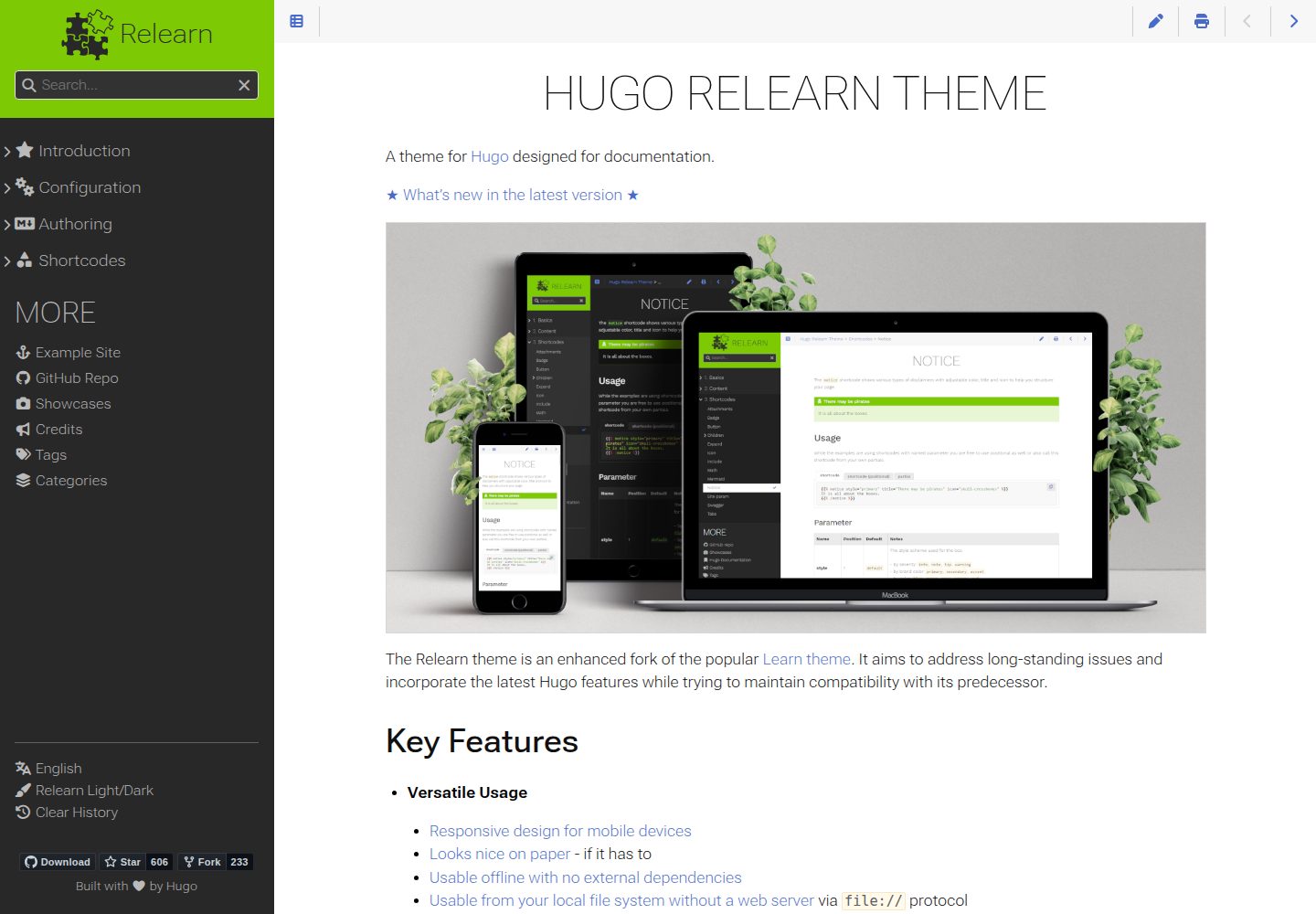
hugo-theme-relearn
A theme for Hugo designed for documentation
Hugo · 文档