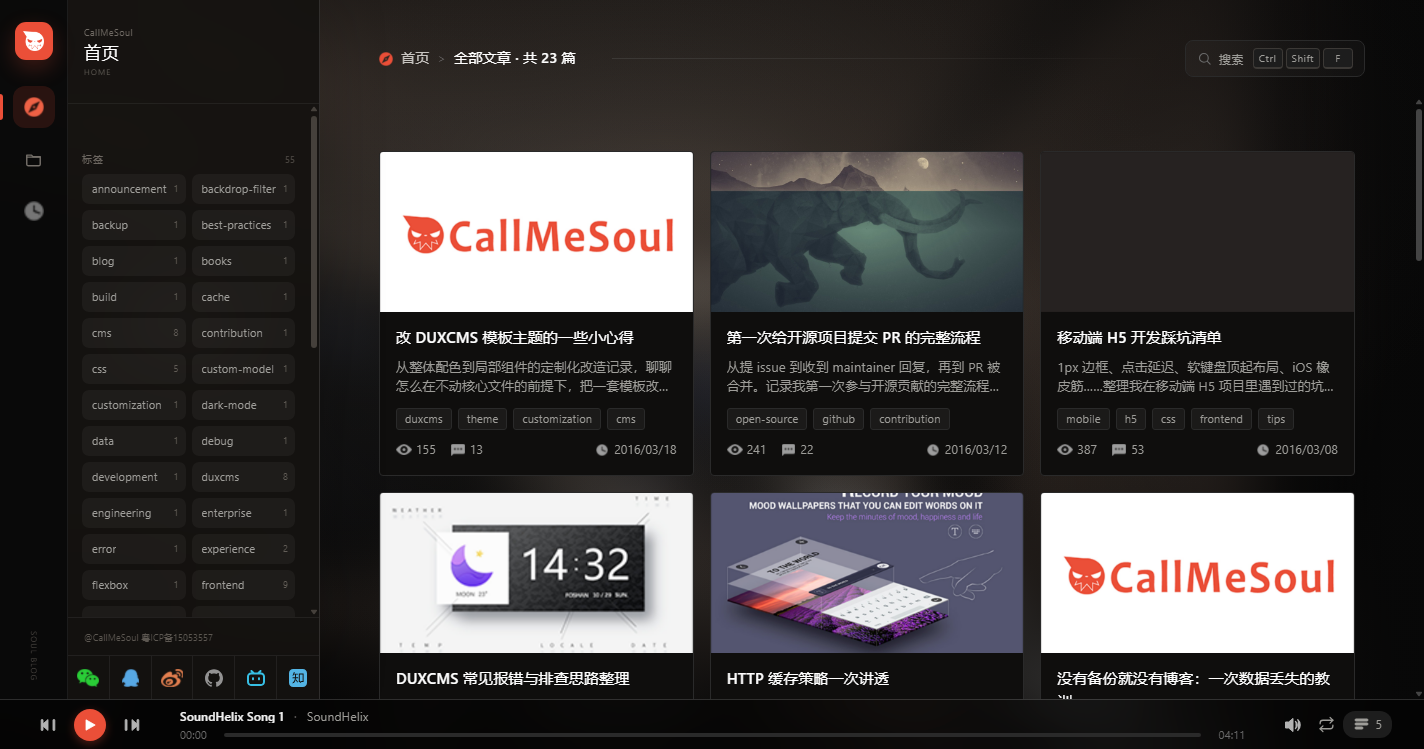
The core library @soul-blog/wc is encapsulated with Shadow DOM and does not depend on a frontend framework; vanilla JS, Vue 3, React 18, and Hexo share the same UI
VueHexoReactBlog
soul-blog-theme — Vue Blog Template
By callmesoul
A cross-framework blog theme monorepo built on Web Components. One UI works with vanilla JS, Vue 3, React 18, and Hexo. The core component library is encapsulated with Shadow DOM.
Explore the design
Compare the page layouts and mobile experience. Open any screenshot for a closer look.
Author preview
Author-provided preview
Preview provided in the project README.
One original preview is available. Open the full image to inspect the design.
Screenshots show visual appearance; interactive behavior may differ.
Recorded 2026-10-01View source
What stands out
A quick read of the recorded project description.
Provides 11 Web Components covering background, sidebar, article list, archive, about me, friend links, reader, search, music player, and login panel
The article reader supports FLIP transition animations, breadcrumbs, Giscus comments, and related recommendations, switching to single-column scrolling on mobile
Full-text fuzzy search supports keywords in titles, tables of contents, and body text, can be invoked as a popup with Ctrl/Cmd + Shift + F, and also has a standalone /search results page
Site brand, theme colors, about me, friend links, and Giscus comments are configured through site-config.json, with runtime hot override support
Hexo is released as a standalone runtime package containing templates, scripts, JS/CSS, default images, and music; personal configuration and assets are placed in a separate site directory
Template Details
soul-blog-theme is a blog theme monorepo centered on Web Components. The core library @soul-blog/wc is encapsulated with Shadow DOM and does not depend on a frontend framework. Each target integrates through a thin wrapper, so vanilla JS, Vue 3, React 18, and Hexo can share the same set of UI components. The repository is organized as a pnpm workspace, containing packages/core and four theme directories: themes/vanilla, themes/vue, themes/react, and themes/hexo. It also includes assets/site-config.json as the configuration entry point for brand information, social links, theme colors, about me, friend links, and Giscus comments, with runtime hot override support.
Functionally, the theme provides a homepage article card grid, category and tag filtering, an archive timeline, about me, a friend links gallery, a standalone search results page, a login page, and an article reader. The reader supports FLIP transition animations, breadcrumbs, Giscus comments, and related recommendations. The bottom music player supports playlists, volume memory, and cross-page state persistence. Search supports fuzzy matching across titles, tables of contents, and body text, and can be invoked as a popup with Ctrl/Cmd + Shift + F. Data integration is constrained by TypeScript type contracts; data sources can be replaced as long as the Article and Category field structures match.
Regarding usage constraints, the project requires Node.js >= 20 and pnpm >= 9. During development, the core component library must be built before starting any theme target. The Hexo theme is released as a standalone runtime package, with personal configuration and assets placed in a separate site directory for easy wholesale replacement and updates. Giscus comments are enabled by default; if the required fields are incomplete, the comment area displays configuration guidance instead of loading the iframe. The code is MIT licensed, but third-party assets such as demo images, fonts, and icons must be checked against their respective licenses.
VueHexoReactBlog
Is it right for your project?
Use Cases
- Maintaining multiple sites in vanilla JS, Vue 3, React 18, and Hexo with the same blog UI
- Replacing the theme of an existing Hexo blog and using the archive timeline, tag filtering, friend links gallery, and Giscus comments
- Integrating Web Components-based blog components into a Vue 3 or React 18 project without introducing an additional UI framework
- A personal blog that needs a music player, dynamic background, and FLIP article transition animations
- Adjusting brand information, theme colors, about me, and friend links through site-config.json after deployment without rebuilding
Suitable For
- Frontend developers using Node.js >= 20 and pnpm >= 9
- Maintainers of multi-target projects who need to reuse blog UI across frameworks
- Bloggers using Hexo who want to install the theme as a standalone runtime package
- Vue 3 or React 18 projects that accept a Web Components and Shadow DOM technical approach
Getting started & customization
Use these recorded setup notes alongside the repository instructions for your chosen version.
- 1
Requires Node.js >= 20 and pnpm >= 9; install dependencies with pnpm install
- 2
First build the core component library with pnpm --filter @soul-blog/wc build, then build or start each theme target
- 3
For local development, run pnpm dev:all to start the Vanilla, Vue, and React preview services in parallel along with the Hexo built-in preview site
- 4
Hexo development uses the built-in configuration and sample articles in fixtures/hexo; after modifying core components, the Core must be rebuilt first
- 5
Giscus comments require enabling Discussions in the target GitHub repository and installing the Giscus App, then filling in repoId and categoryId
License & source material
Usage conditions & limitations
Free to use · keep license noticeThis entry covers the free version in the public repository under the MIT license; the free scope is the code of this version and does not imply that external services or third-party assets are free.
Must comply with when using
- The code of this version may be used, modified, used commercially, and distributed free of charge.
- When distributing copies or substantial portions of the code, retain the original author's copyright notice and the full MIT license notice.
- The code is provided as is; warranties and limitations of liability are governed by the original license and applicable law.
Additional costs & items to verify
- The comment feature depends on the external service Giscus: Discussions must be enabled in the target GitHub repository, the Giscus App installed, and repoId and categoryId filled in; if the fields are incomplete, the comment area only shows configuration guidance and does not load the iframe.
- The runtime requires Node.js 20 or later and pnpm 9 or later; lower versions cannot be installed and built according to the documentation.
- Hexo requires downloading the runtime package from GitHub Releases; Git tag source code does not contain runtime artifacts and cannot replace the runtime package; the older v1.8.0 has no runtime package and requires the source-build compatibility path.
- A Hexo site must place personal configuration and assets in theme/config.yml and the theme/assets/images and theme/assets/audio directories respectively; the theme directory is managed so it can be deleted and recreated as a whole.
- Theme updates rely on npm run theme:update to install and lock the version and SHA256; if download or configuration parsing fails, the old theme is retained.
- After modifying core components, the Core must be rebuilt before starting the Hexo development task, otherwise the changes will not take effect.
- Hexo deployment has root path deployment restrictions and requires the necessary EJS renderer to be installed and site-specific configuration to be used; see the theme installation guide for details.
- Demo images, fonts, icons, and other third-party assets must be checked against their respective licenses and cannot be judged solely by the code's MIT license.
- External services such as domains, hosting, databases, payments, or AI may incur additional charges.
View Original Text Basis
Permission is hereby granted, free of charge
Original License Text
Giscus 默认开启。必要字段未填写完整时,文章评论区会直接展示配置引导,不会加载无效 iframe。请先在目标 GitHub 仓库开启 Discussions、安装 [Giscus App](https://github.com/apps/giscus),再通过 [Giscus 配置页](https://giscus.app/zh-CN) 获取 `repoId` 与 `categoryId`。
Original README
- Node.js >= 20 - pnpm >= 9
Original README
从 v1.9.0 开始,优先使用 GitHub Release 的 `soul-blog-hexo-vX.Y.Z.tar.gz`,它包含 EJS 模板、CommonJS 主题脚本、默认配置、JS/CSS 和完整默认图片/音频;无需在使用站点安装 pnpm 或构建 monorepo。Git tag 源码不包含运行产物,不能用源码压缩包代替运行包。
Original README
使用站点应把 `themes/hexo/` 当作可整体删除并重建的目录:个人配置维护在 `theme/config.yml`,个人资源维护在 `theme/assets/images/`、`theme/assets/audio/`。
Original README
`callmesoul.github.io` 站点已采用此流程:`npm run theme:update -- vX.Y.Z` 安装并锁定版本及 SHA256,`npm run dev` / `npm run build` 自动同步;下载或配置解析失败保留旧主题。
Original README
修改核心组件后先重新构建 Core,再启动 Hexo 开发任务
Original README
https://github.com/callmesoul/soul-blog-theme/blob/main/LICENSEhttps://github.com/callmesoul/soul-blog-theme/blob/main/README.md普通 Hexo 用户可直接按 [Hexo 安装与配置指南](themes/hexo/README.md) 下载、校验并安装运行包;其中说明了必需的 EJS 渲染器、站点独立配置、更新流程以及根路径部署限制。
Original README
Compiled by DeepSeek based on repository license and README ·2026-10-01. Results only cover the materials read; dependencies, images, fonts, and subsequent term changes are subject to their respective original texts.
Project checks & description sources
Template Information
- Source platforms
- GitHub
- Documentation and maintenance reference score
- More documented · 76 / 100
- Technologies
- Vue · Hexo · React
- Website type
- Blog
How this score is calculated
Our heuristic uses license records (up to 30), a demo link (12), a preview (10), stars (15), recorded maintenance (15), description completeness (8), feature records (5) and classification data (5). It is not a code, security or performance test, or a Google score. A link does not establish tested functionality.
What to verify for this project
- Repository update recorded
- 2026-09-16
- Screenshot last checked
- 2026-10-01
No demo link is recorded. Use the repository instructions to evaluate the project locally; the screenshot alone cannot establish interactive behavior.
The catalog identifies Vue as the primary stack. Check the actual dependency manifest and lockfile for versions and hosting requirements. These notes use recorded metadata, not a code audit or a deployment test.
Use a selection guide →How this description was prepared
AI-assisted description based on catalog records and repository material. Repository authors are not automatically the reviewers of this description.
Automatically checked against source and license rules; no manual editorial review.
Inspect the recorded source material
SHA-256: 68c0ab0023377184462ded078d25f52c1fef27a799d6471f397b8cd24401f492
2026-10-01T03:08:45.108Z
Source file / repository# soul-blog-theme
基于 **Web Components** 的跨框架博客主题,一套 UI 同时适配原生 JS、Vue、React、Hexo。
**在线预览:[https://callmesoul.github.io/](https://callmesoul.github.io/)**
核心组件库 `@soul-blog/wc` 使用 Shadow DOM 封装,不依赖任何前端框架,各端通过 thin wrapper 按需集成。
## ✨ 特性
- 🎨 **跨框架一致体验** — 一套核心组件同时支持 Vanilla/Vue/React/Hexo
- 🔍 **全文模糊搜索** — 支持标题、目录、正文关键词模糊搜索,支持键盘导航;既可热键唤起弹出层,也可访问独立 `/search` 结果页
- 🎬 **FLIP 翻转动画** — 从文章卡片到详情页无缝过渡动画
- 🎵 **底部音乐播放器** — 支持播放列表、音量记忆、跨页状态保持、循环 / 单曲 / 随机三种播放模式
- 🌌 **动态背景** — 粒子 / 星尘动效,视觉层次感丰富
- 🗂 **归档时间线** — 按 年 → 月 → 文章 三级倒序归档,年份快捷导航、月份可折叠、滚动触底自动续载(IntersectionObserver)
- 👤 **关于我页面** — 杂志式卡片布局的自我介绍页(Manifesto 卡片、Currently 状态、联系方式),内容由 `site-config.json` 的 `about` 字段驱动,改配置即改页面
- 🤝 **动态友链画廊** — 人物画廊式非对称卡片,支持字符标识或头像;Vanilla、Vue、React 与 Hexo 共用核心组件,内容由站点配置驱动
- 📦 **Hexo 独立运行包** — 发布包包含模板、脚本、JS/CSS、默认图片和音乐;个人配置与资源放在站点独立目录,主题可整体替换更新
- 💬 **Giscus 文章评论** — 基于 GitHub Discussions,按稳定文章键隔离评论;支持 Vanilla、Vue、React 与 Hexo,切换阅读器文章时自动切换 Discussion
- 📖 **沉浸式文章阅读** — 桌面端控制舒适行宽并强化标题、列表、引用、代码块与图片层级;移动端切换为完整单栏滚动,推荐内容自然衔接在正文之后
- 🧭 **面包屑导航** — 文章阅读器、归档页统一展示「首页 > 目录 > 文章」路径
- 🏷 **标签筛选** — 侧栏标签云、文章卡片 tag chip、阅读器内 tag 一键回列表过滤
- 📈 **访问统计** — 四套主题统一接入 Vercount 站点 PV / UV 与单篇文章阅读量,首页文章列表同步展示动态计数
- 📱 **响应式布局** — 适配桌面、平板、移动设备
- 🔐 **登录页** — 带密码验证、记住用户名、自动登录的私有文章入口
- ⚡ **性能优化** — 组件懒加载、图片懒加载、搜索防抖、归档/年份侧栏 IntersectionObserver 续载
## 📸 截图预览
| 首页 | 文章阅读器 |
| :-------------------------------------: | :--------------------------------------: |
|  |  |
| **登录页** | **搜索页** |
|  |  |
| **归档页** | **关于我** |
|  |  |
| **友链** | |
|  | |
## 🗂️ 项目架构
```
soul-blog-theme/
├── packages/
│ └── core/ # @soul-blog/wc — 框架无关的组件库(唯一 UI 真源)
│ └── src/
│ ├── components/ # 11 个 Web Components(Shadow DOM + 自包含样式)
│ ├── helpers/ # 工具函数(wc-base、store、search、escape-html、format-time)
│ ├── styles/ # Tailwind v4 主题变量与设计令牌
│ └── types/ # TypeScript 类型契约(Article / Category / FriendLink 等)
│
├── themes/
│ ├── vanilla/ # 原生 JS 主题(Vite 多页应用)
│ ├── vue/ # Vue 3 主题(Pinia + Vue Router)
│ ├── react/ # React 18 主题(Zustand + React Router)
│ └── hexo/ # Hexo 博客主题(EJS 模板 + Vite 构建)
│
├── assets/
│ ├── site-config.json # 品牌信息 / 社交栏 / 主题色(运行时可热覆盖)
│ ├── screenshots/ # README 引用截图
│ ├── images/ # 站点图片资源
│ └── audio/ # 音乐播放器默认曲目
│
├── fixtures/
│ └── hexo/ # 仓库内置 Hexo 预览配置与示例文章
│
├── design/ # 原始设计稿(PSD / PNG)
│
├── pnpm-workspace.yaml
└── package.json
```
## 组件清单
`@soul-blog/wc` 提供以下 Web Components:
| 组件 | 标签 | 功能 |
| -------------- | ------------------- | ------------------------------------------- |
| SiteBackground | `<site-background>` | 背景粒子 / 星尘动效 |
| SiteSidebar | `<site-sidebar>` | 双轨侧栏:首页 / 目录 / 归档 / 友链 / 关于 + 分类、社交、标签云 |
| ArticleList | `<article-list>` | 文章卡片网格(分类筛选、标签筛选、入场动画、滚动续载) |
| ArchiveList | `<archive-list>` | 归档时间线(年 → 月 → 文章、年份快捷导航、月份折叠、滚动续载) |
| AboutPage | `<about-page>` | 关于我页面(杂志式卡片布局,内容由 site-config 的 `about` 驱动) |
| FriendsPage | `<friends-page>` | 友链人物画廊(动态标题、链接、标识、颜色及可选头像) |
| ArticleViewer | `<article-viewer>` | 响应式文章阅读器(FLIP 动画、富文本排版、Giscus 评论、相关推荐、tag 点击路由) |
| SearchPanel | `<search-panel>` | 搜索弹出层(模糊搜索、键盘导航;Ctrl/Cmd + Shift + F 唤起) |
| SearchResults | `<search-results>` | 搜索结果列表(独立 `/search` 路由,复用 ArticleList 渲染逻辑) |
| MusicPlayer | `<music-player>` | 音乐播放器(进度、音量、播放列表、跨页保持状态、3 种播放模式) |
| LoginPanel | `<login-panel>` | 登录面板(密码显隐、错误提示、记住用户名、自动登录) |
## 技术栈
### 核心层
| 依赖 | 用途 |
| ------------------------------------------- | ------------- |
| [Vite 8](https://vite.dev/) | 构建工具 |
| [Tailwind CSS v4](https://tailwindcss.com/) | 样式实现 |
| Web Components (Shadow DOM) | 组件封装,框架无关 |
| TypeScript | 类型安全 |
### 各端框架
| 主题 | 状态管理 | 路由 | 额外依赖 |
| -------- | ------- | -------------- | -------------------------- |
| Vanilla | 模块级变量 | Hash 路由 | — |
| Vue 3 | Pinia | Vue Router 4 | `@vitejs/plugin-vue` |
| React 18 | Zustand | React Router 6 | `@vitejs/plugin-react` |
| Hexo | — | Hexo 7 路由 | EJS 模板 |
## 快速开始
### 环境要求
- Node.js >= 20
- pnpm >= 9
### 安装依赖
```bash
pnpm install
```
### 构建核心组件库
```bash
pnpm --filter @soul-blog/wc build
```
### 构建各端主题
```bash
# 原生 JS 主题
pnpm build:vanilla
# Vue 3 主题
pnpm build:vue
# React 18 主题
pnpm build:react
# Hexo 主题
pnpm build:hexo
```
### 本地开发
同时启动全部主题的开发任务:
```bash
pnpm dev:all
```
该命令会并行启动 Vanilla、Vue、React 的预览服务、Hexo 主题资源监听构建,以及使用 `fixtures/hexo` 内置开发站点的 `hexo server`。无需提前创建或同步 `/tmp/hexo-test`;需要生成静态产物时,输出目录已指向该路径。
各主题默认端口:
| 主题 | 端口 | 命令 |
| -------- | ---- | ------------------ |
| Vanilla | 5173 | `pnpm dev:vanilla` |
| Vue 3 | 5174 | `pnpm dev:vue` |
| React 18 | 5175 | `pnpm dev:react` |
| Hexo | 4000 | `pnpm dev:hexo` |
```bash
# 构建核心库(watch 模式)
pnpm dev:core
# 原生 JS 主题
pnpm dev:vanilla
# Vue 3 主题
pnpm dev:vue
# React 18 主题
pnpm dev:react
# Hexo 主题资源(watch 模式)+ 内置预览站点
pnpm dev:hexo
```
> 端口被占用时 Vite 会自动顺延(+1),以启动时实际输出的地址为准。
## 路由 & 页面
各端均提供一致的页面结构(具体路由名以各端实现为准):
| 页面 | 用途 | 关键组件 |
| ------------ | ------------------------ | ------------------------------------- |
| `/` | 首页:分类 / 标签筛选 + 文章卡片网格 | `site-sidebar`、`article-list` |
| `/articles/:id` | 文章阅读器(FLIP 翻转打开) | `article-viewer`、面包屑 |
| `/search` | 独立搜索结果页 | `search-results` |
| `/archives` | 归档时间线(年 → 月 → 文章) | `archive-list` |
| `/about` | 关于我(杂志式卡片自我介绍页) | `about-page` |
| `/friends` | 友链(人物画廊式卡片列表) | `friends-page`、`site-sidebar` |
| `/login` | 登录页 | `login-panel` |
> Vanilla 版友链入口为 `friends.html`,Vue 版为 `#/friends`,React 与 Hexo 版为 `/friends`。Hexo 归档对应 `/archives/`(默认 `archive_dir`),正文页在归档 / 首页里通过 FLIP 翻转在原地弹出阅读器,无独立文章页 URL,便于静态托管 SEO。
## 站点配置
品牌信息(logo、主色、社交栏、备案文案)通过 `site-config.json` 配置,运行时生效优先级由高到低:
1. `public/site-config.json` — 部署后直接编辑,无需重新打包
2. `window.__SITE_CONFIG__` — 运行时注入(控制台 / 后台直出)
3. 内置默认值(兜底)
配置字段说明(深合并,数组整体替换、对象逐层覆盖):
```json
{
"site": {
"name": "CallMeSoul",
"icp": "@CallMeSoul 粤ICP备15053557"
},
"logo": {
"home": { "src": "/images/logo-home.png", "width": 60, "height": 55, "alt": "CallMeSoul" },
"login": { "src": "/images/logo-login.png", "width": 201, "height": 35, "alt": "CallMeSoul" },
"loginIcon": { "src": "/images/logo-icon.png", "width": 88, "height": 81, "alt": "" }
},
"theme": {
"primary": "#EB4F38",
"cta": "#EE5B44"
},
"about": {
"kicker": "About · Personal Manifesto",
"title": "代码是工具,",
"titleAccent": "表达才是目的。",
"description": "一句话简介(标题下方段落)",
"cards": [
{ "eyebrow": "01 · About", "title": "卡片大标题,\\n 支持换行", "variant": "wide" },
{ "eyebrow": "Currently", "title": "Build.\\nWrite.\\nRepeat.", "variant": "accent" },
{ "eyebrow": "02 · Believe", "text": "纯文本卡片" },
{ "eyebrow": "04 · Contact", "text": "有好想法?\\[email protected]", "href": "mailto:[email protected]" }
]
},
"friends": {
"kicker": "Friends · Curated People",
"title": "一些值得",
"titleAccent": "反复拜访的人。",
"description": "友链页标题下方的介绍",
"links": [
{
"name": "朋友的站点",
"url": "https://example.com",
"domain": "example.com",
"note": "一句话介绍",
"mark": "E",
"color": "#6D8580",
"avatar": "/images/friends/example.png"
}
]
},
"giscus": {
"enabled": true,
"repo": "owner/repo",
"repoId": "R_...",
"category": "Announcements",
"categoryId": "DIC_...",
"termPrefix": "article:",
"strict": true,
"reactionsEnabled": true,
"inputPosition": "top",
"theme": "dark_dimmed",
"lang": "zh-CN",
"loading": "lazy"
},
"social": [
{ "name": "微信", "icon": "/images/weixin.png", "href": "", "qr": "/images/qr-weixin.svg", "hue": 74, "width": 22, "height": 18 }
],
"archiveUrl": "/archives/",
"homeUrl": "/"
}
```
Giscus 默认开启。必要字段未填写完整时,文章评论区会直接展示配置引导,不会加载无效 iframe。请先在目标 GitHub 仓库开启 Discussions、安装 [Giscus App](https://github.com/apps/giscus),再通过 [Giscus 配置页](https://giscus.app/zh-CN) 获取 `repoId` 与 `categoryId`。主题固定使用 `specific` 映射,并以 `termPrefix + article.commentKey`(缺省回退 `article.id`)作为 Discussion 键,避免 Hash/Query SPA 中多篇文章共用同一个 pathname 而串评论。Hexo 对应字段使用 snake_case(如 `repo_id`、`category_id`);如需恢复内置演示评论区,可设置 `enabled: false`。
> **社交栏交互规则**:`href` 为有效外链 → 新窗口跳转;`href` 为空但有 `qr` → hover 弹二维码;两者皆无 → 纯展示图标。
> **关于我页**:`about.cards` 每项为一张卡片,`variant: "wide" | "accent"` 控制大卡/强调色卡,缺省为普通卡;`href` 存在时整卡可点击。
> **友链页**:`friends.links` 按数组顺序渲染并整体替换默认列表;`url` 为实际跳转地址,`domain` 仅控制展示文案,`avatar` 可选,缺省时依次使用 `mark` 和站名首字符。Hexo 在主题 `_config.yml` 中配置同名 `friends` 节点,并使用 `title_accent` 等 snake_case 字段,另支持 `enabled: false` 关闭 `/friends/` 页面生成、`path` 自定义路由(默认 `friends`,对应 `page_title` 为页面标题)。
## 数据接入
各端数据源通过 `TypeScript` 类型契约约束,字段结构一致即可无缝替换:
### 文章 (`Article`)
```typescript
interface Article {
id: string
statsKey?: string // 访问统计稳定键(缺省回退 id)
commentKey?: string // 评论系统稳定键(缺省回退 id)
cat: string // 所属分类 id
title: string
cover: string
summary: string
date: string // 'YYYY/MM/DD'
views: number
commentCount: number
tags?: string[] // 标签列表(用于筛选 / 卡片 chip)
paragraphs: string[]
comments?: ArticleComment[]
}
```
### 分类 (`Category`)
```typescript
interface Category {
id: string
name: string // 展示名(中文)
en: string // 英文名 / 副标
icon: string // 目录图标 URL
w: number // 图标宽度(px)
h: number // 图标高度(px)
count?: number // 该分类下文章数(可选,用于卡片摘要)
}
```
## 键盘快捷键
| 快捷键 | 功能 |
| ---------------------- | ---------------------------------------- |
| `Ctrl/Cmd + Shift + F` | 打开搜索弹出层(`search-panel`) |
| `↑ / ↓` | 在搜索面板 / 阅读器中切换 |
| `Enter` | 打开当前结果 / 确认操作 |
| `Esc` | 关闭搜索 / 返回列表 / 关闭阅读器 |
## 开发指南
### TypeScript 类型检查
```bash
# 核心库
pnpm --filter @soul-blog/wc typecheck
# Vue 主题
pnpm --filter @soul-blog/vue typecheck
# React 主题(内嵌在 build 流程中)
pnpm --filter @soul-blog/react build
```
### Hexo 主题集成开发工作流
仓库内置 `fixtures/hexo` 预览配置与示例文章,并直接加载当前的 `themes/hexo`,因此不需要再复制主题目录。修改核心组件后先重新构建 Core,再启动 Hexo 开发任务:
```bash
cd /path/to/soul-blog-theme
pnpm build:core
pnpm dev:hexo
```
`pnpm dev:hexo` 会同时监听构建主题资源并启动 `http://localhost:4000/`。也可以用 `pnpm dev:all` 连同另外三套主题一起启动。
### 生产部署 Hexo
普通 Hexo 用户可直接按 [Hexo 安装与配置指南](themes/hexo/README.md) 下载、校验并安装运行包;其中说明了必需的 EJS 渲染器、站点独立配置、更新流程以及根路径部署限制。
从 v1.9.0 开始,优先使用 GitHub Release 的 `soul-blog-hexo-vX.Y.Z.tar.gz`,它包含 EJS 模板、CommonJS 主题脚本、默认配置、JS/CSS 和完整默认图片/音频;无需在使用站点安装 pnpm 或构建 monorepo。Git tag 源码不包含运行产物,不能用源码压缩包代替运行包。
主题维护者本地打包:
```bash
pnpm install --frozen-lockfile
pnpm package:hexo
```
输出在 `dist/hexo/`:版本压缩包、`hexo-release.json`(含版本、提交、包 SHA256)及 `SHA256SUMS`。解压后得到 `hexo/` 主题目录,放在站点 `themes/hexo/`,并在站点 `_config.yml` 设置 `theme: hexo`,再运行 `hexo generate`。发布包里的 `theme.json` 可追溯构建源码;本地未提交的包标记为 `dirty`,仅供预览。
使用站点应把 `themes/hexo/` 当作可整体删除并重建的目录:个人配置维护在 `theme/config.yml`,个人资源维护在 `theme/assets/images/`、`theme/assets/audio/`。安装器先校验发布包并准备完整目录,再将默认配置与个人配置合并(对象逐层覆盖、数组整体替换,`[]` 清空),最后覆盖个人资源并替换主题。未修改的默认资源不要复制进个人覆盖目录,未填写的配置继承新版本默认值。
`callmesoul.github.io` 站点已采用此流程:`npm run theme:update -- vX.Y.Z` 安装并锁定版本及 SHA256,`npm run dev` / `npm run build` 自动同步;下载或配置解析失败保留旧主题。旧版 v1.8.0 无运行包,保留源码构建兼容路径,安装新版发布包后切换到直接下载。
正式发布前按 AGENTS.md 完成统一版本、CHANGELOG、README 后提交,并推送对应 `vX.Y.Z` tag。`.github/workflows/release-hexo.yml` 会重新构建、验证 tag/版本/最新 CHANGELOG 和干净工作区,再创建或使用 GitHub Release 上传三个产物;不会覆盖已有同名资源。
### 添加新组件
1. 在 `packages/core/src/components/` 中创建 Web Component(继承 `WcBase`)
2. 在 `packages/core/src/components/index.ts` 中注册
3. 在各端主题中创建对应的 thin wrapper 组件
4. 重新构建 core 和各端主题
## 🎨 主题定制
设计令牌定义在 `packages/core/src/styles/theme.css`(与 `themes/vanilla/src/css/style.css` 同源,跨端复用):
```css
:root {
/* 品牌色(可在 site-config.theme 中按页面动态覆盖) */
--brand-primary: #EB4F38; /* 主题主色 */
--brand-cta: #EE5B44; /* 按钮强调色 */
/* 中性面板色 */
--color-base: #080808; /* 页面底色 */
--color-card: #0f0e0d; /* 侧栏 / 卡片 / 播放列表面板 */
--color-panel: #141210; /* 音量面板 */
/* 文字色阶 */
--color-ink: #ffffff; /* 一级 */
--color-body: #f2f2f2; /* 二级正文 */
--color-mute: #9e9d99; /* 三级元信息 */
--color-dim: #6b6b6b; /* 四级时间等 */
/* 分隔线 / 边框 */
--color-line: #2a2a2a; /* 常规边框 */
--color-sep: #333333; /* 列表分隔 / 社交栏顶线 */
}
```
修改后重新构建即可生效。
## ☕ 打赏
如果这个项目对你有用,可以请我喝杯奶茶 🧋
<div align="center">
<img src="assets/images/payment.png" alt="打赏二维码" width="200">
</div>
## 📝 许可
MIT,详见 [LICENSE](LICENSE)。运行包也包含许可证与 Hexo 安装指南。
Explore similar templates
Compare previews and descriptions within the same stack and category.
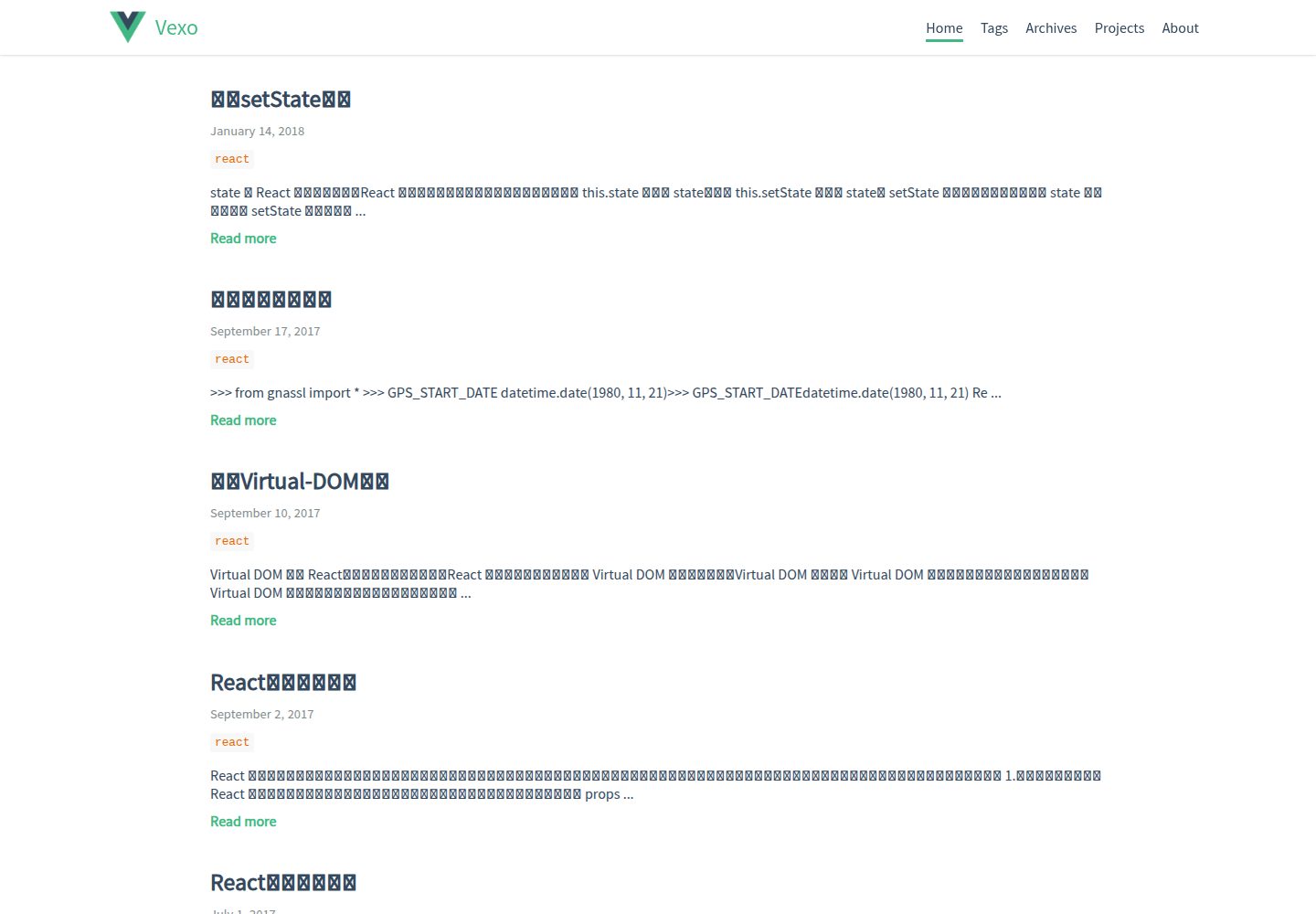
hexo-theme-vexo
Vexo is a Hexo blog theme inspired by the Vue.js official website, offering responsive layout, article table of contents, sharing QR codes, SEO configuration, Baidu Analytics, and switchable comment systems including Gitment, Utterances, Youyan, and Disqus. Local search requires installing hexo-generator-searchdb.
Vue · Blog
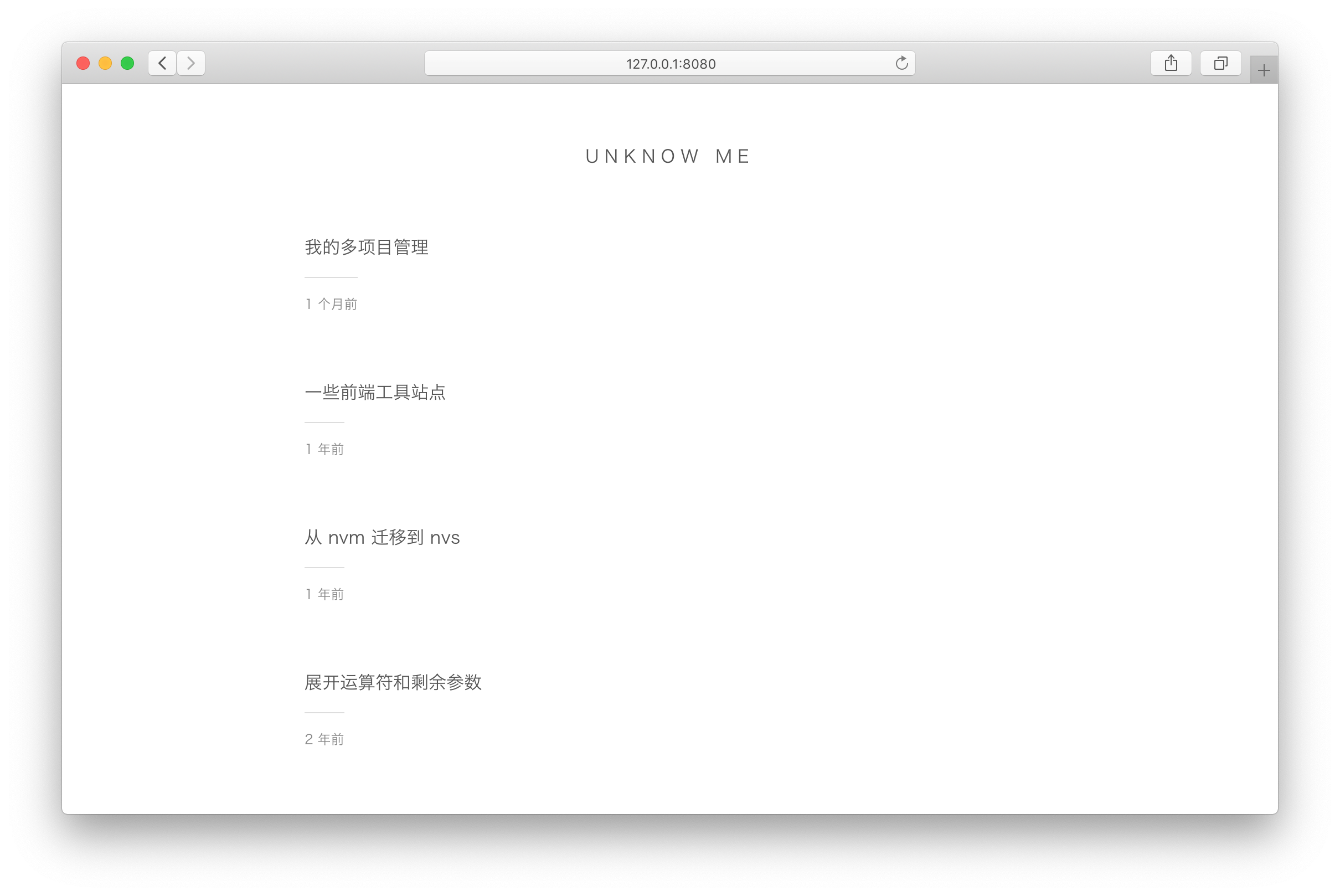
vuepress-theme-simple
A minimalist blog theme for VuePress 1.x that replaces the homepage README with an article list sorted by Git commit time or FrontMatter date.
Vue · Blog
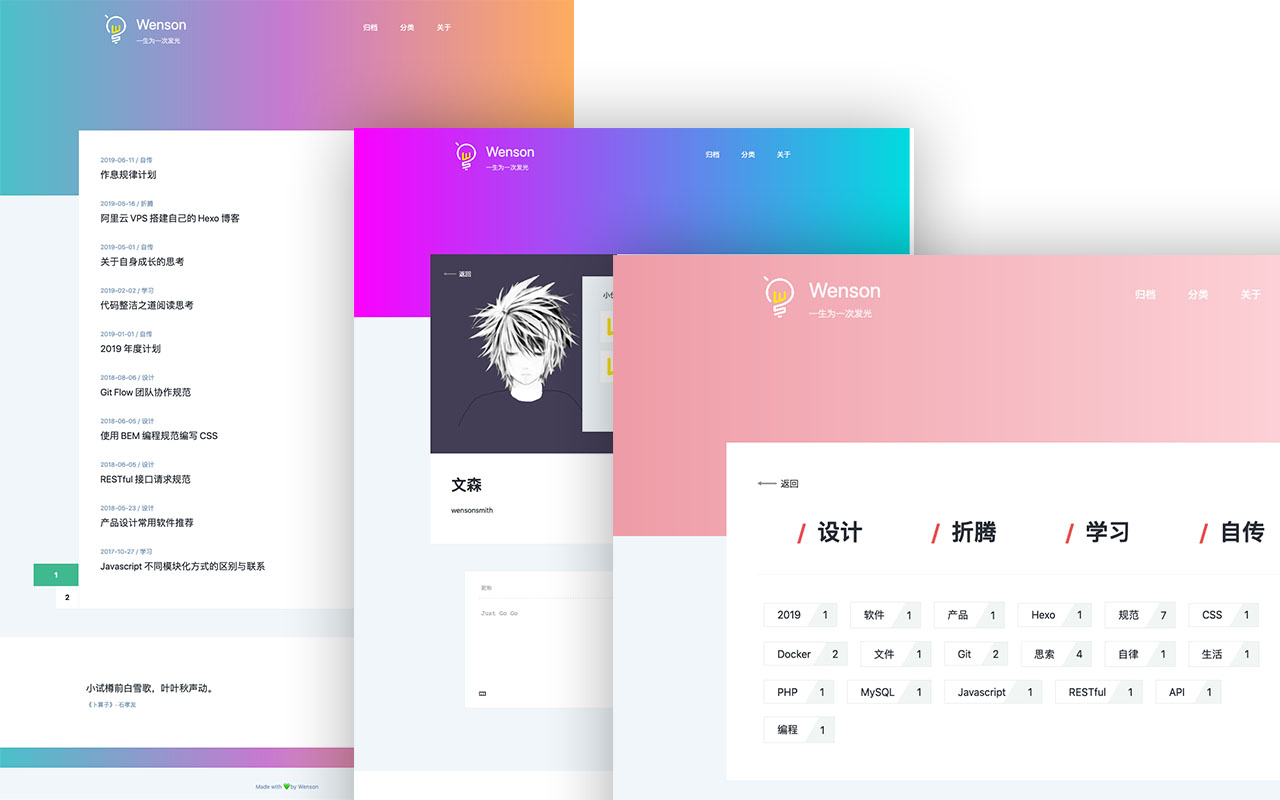
vuepress-theme-seeker
Seeker is a VuePress blog theme built around "colorful minimalism": each refresh randomly generates a color scheme, and the footer randomly shows classical Chinese poetry.
Vue · Blog
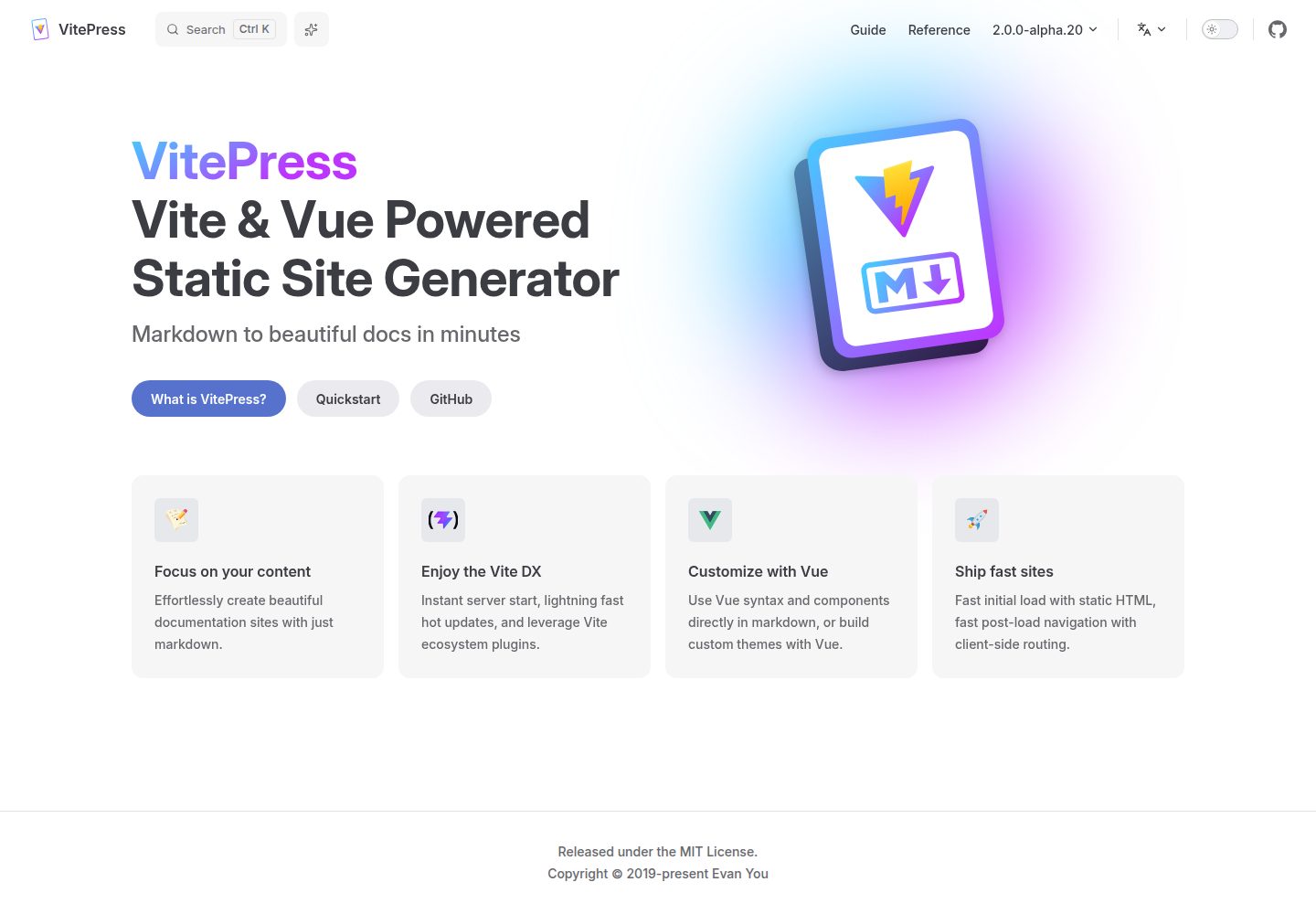
vitepress-template
A VitePress-based template for static sites and blogs, built with Vue and Vite, with pnpm dev/build/serve scripts and support for using Vue components and setup syntax sugar directly in Markdown.
Vue · Blog
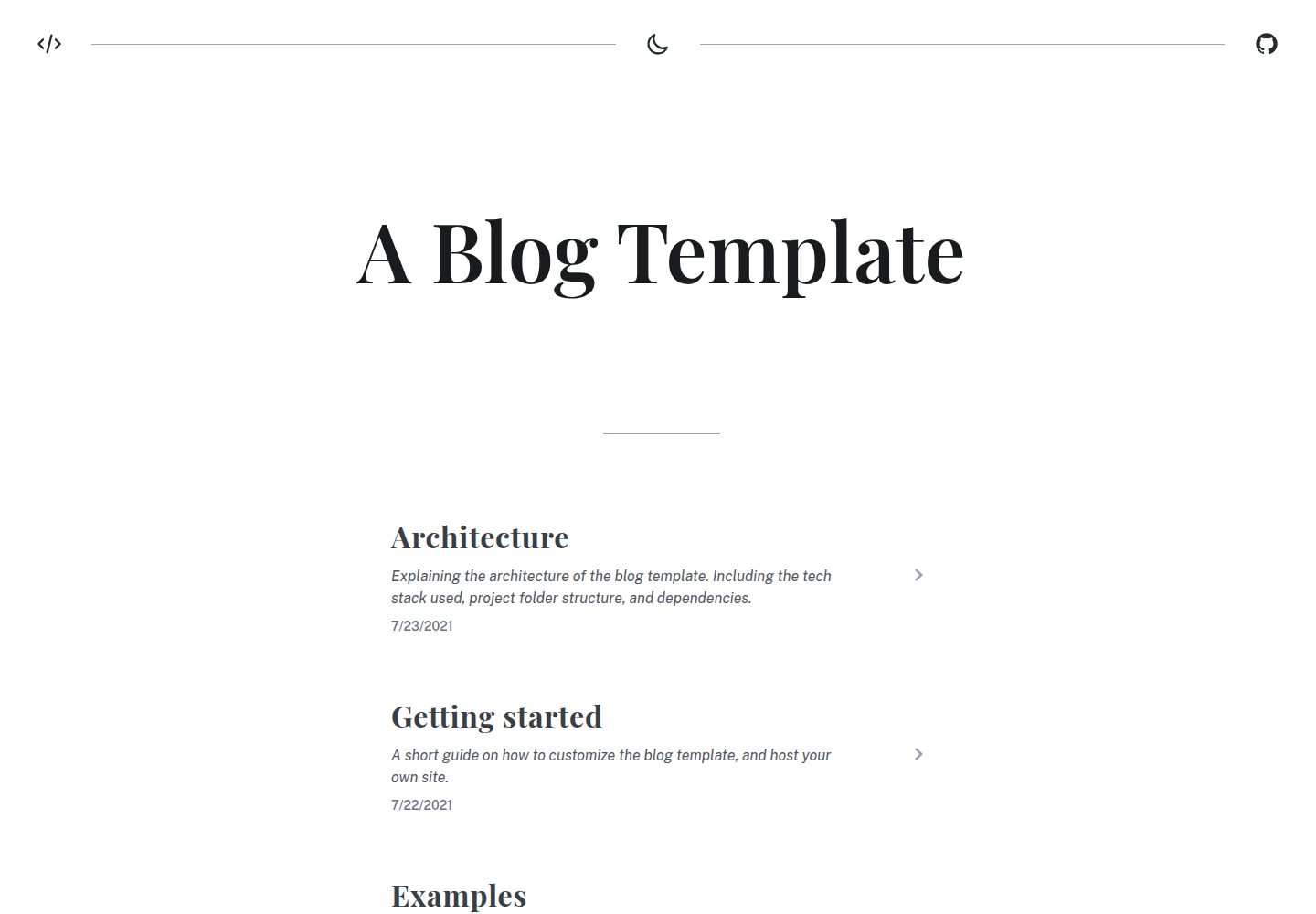
blog
A static blog template built with Vue 3 and Vite, using Markdown for writing with optional Vue components.
Vue · Blog
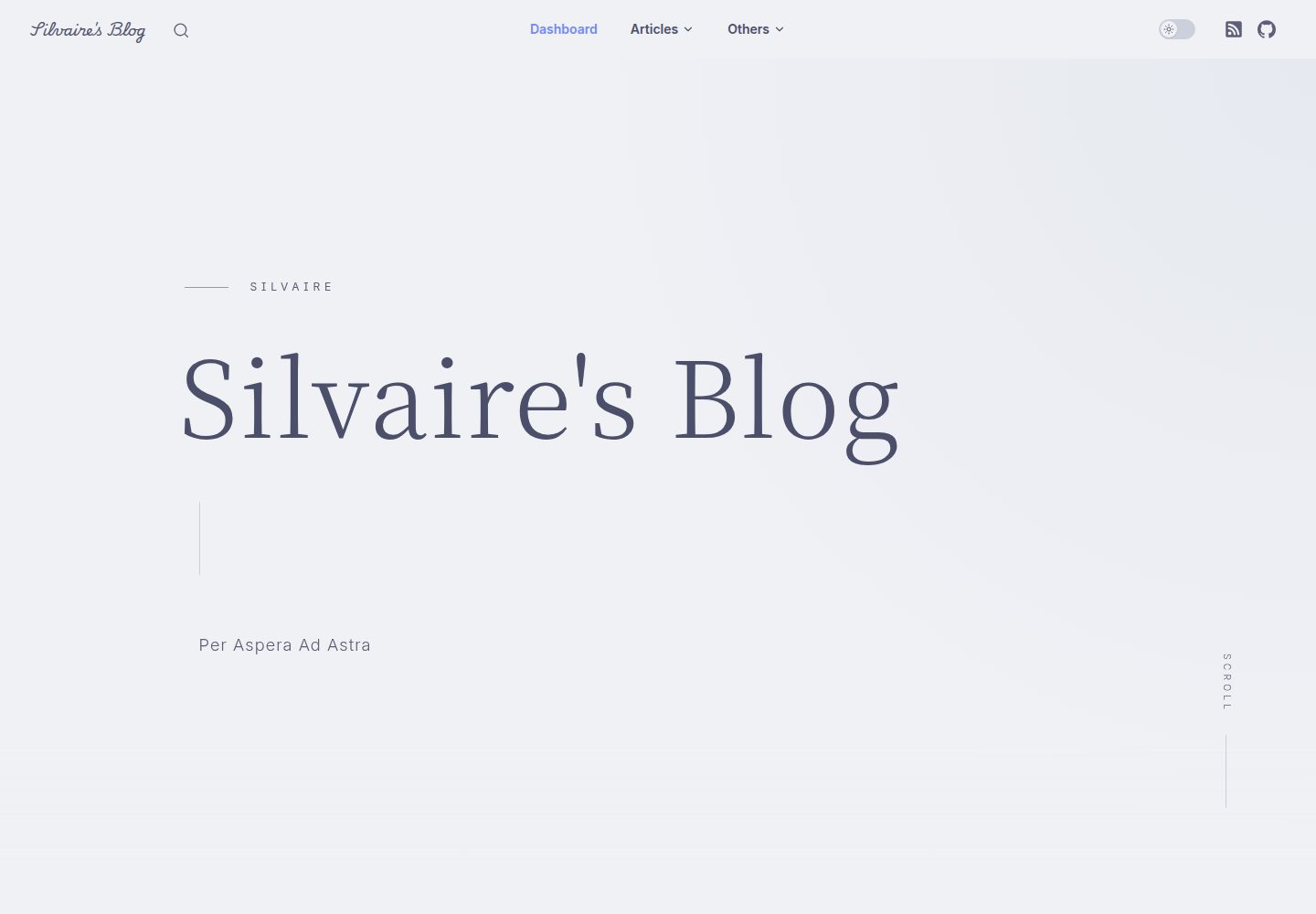
Miracle
Miracle is a Vue blog theme built on VitePress and released under the MIT license. It can be generated from a template repository or forked, cloned locally, and customized through config.ts.
Vue · Blog