A Hugo theme for small organization websites, originally built for the TODO Group site redesign
HugoStarter
dot-org-hugo-theme — Hugo Starter Template
By cncf
A CNCF-maintained Hugo theme for small organization websites, originally built for the TODO Group site redesign, with built-in multilingual support, a mega menu, FAQ accordion, and PageFind search.
Explore the design
Compare the page layouts and mobile experience. Open any screenshot for a closer look.
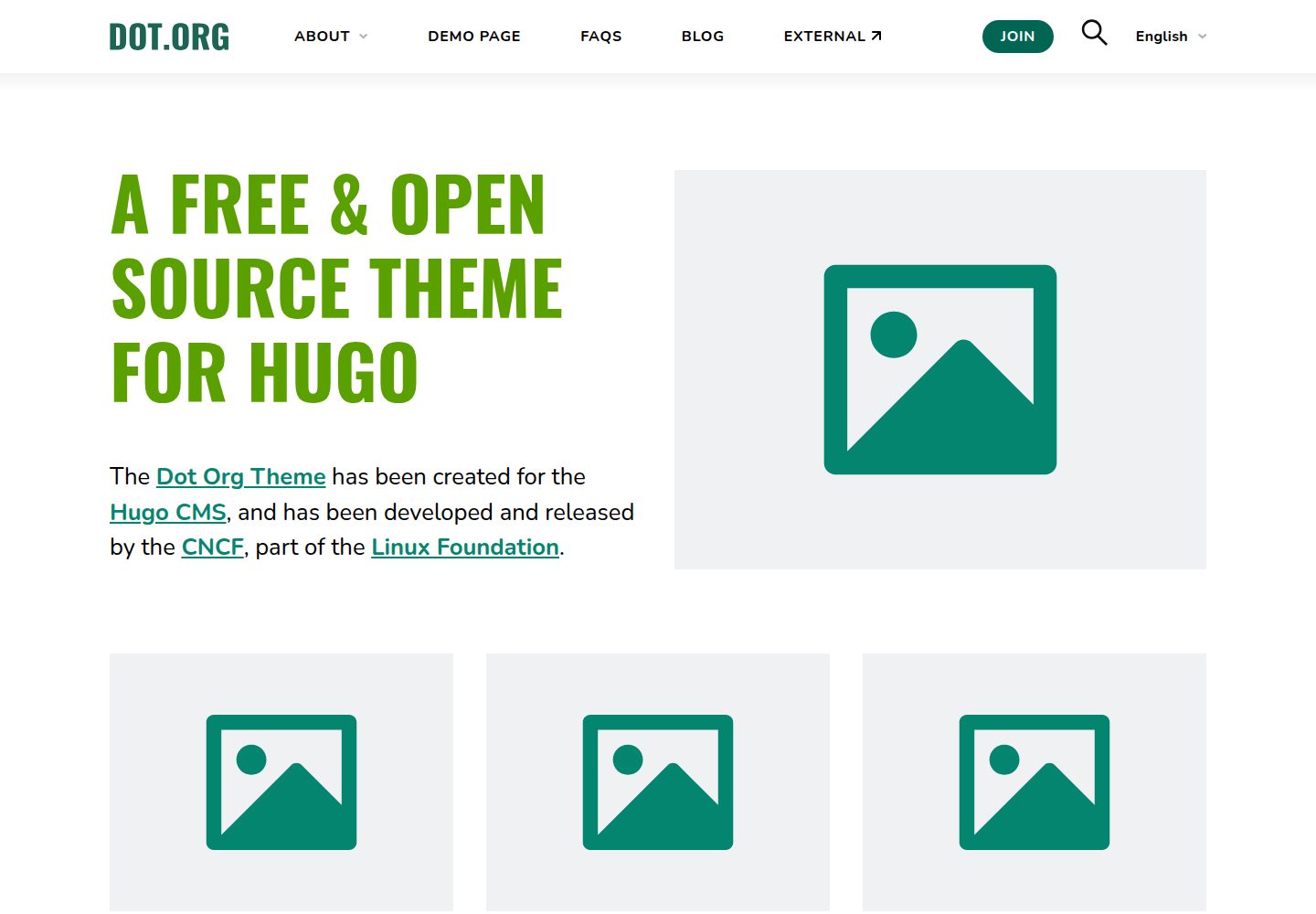
Desktop homepage1 / 3
Desktop captureTop of page
Actual screenshot captured by the server browser.
All pages & views 3
Screenshots show visual appearance; interactive behavior may differ.
Recorded 2026-10-03View source
What stands out
A quick read of the recorded project description.
Supports multilingual content and provides a mega menu with dropdown sections
Integrates PageFind search, with a preconfigured search.html and search form shortcode included in the theme
Provides custom shortcodes for buttons, cards, columns, responsive tables, table of contents, spacing, iFrames, images, and more
The FAQ page uses an accordion structure, and YouTube embeds are privacy-friendly and support playlist parameters
MIT licensed, permitting free use, modification, commercial use, and distribution of this version of the code
Template Details
dot-org-hugo-theme is a Hugo theme intended for building websites for small organizations. It was originally developed for the TODO Group site redesign and is now maintained by CNCF. The theme includes multilingual content support, a mega menu with dropdown sections, an FAQ accordion page, and integrated PageFind search. The README lists several sites using the theme, including TODO Group, ModSecurity, OWASP CRS, and k8up.
The theme extends Markdown formatting through custom shortcodes covering buttons, cards, columns, responsive tables, table of contents, intro paragraphs, spacing, iFrames, images, current year, search forms, and privacy-friendly YouTube embeds. The YouTube embed supports playlists, autoload, and start time parameters; the image shortcode supports alt, width, height, caption, and loading attributes. The README notes that nested shortcodes may not render as expected, in which case render "unsafe" HTML must be enabled in the Goldmark configuration.
There are two installation methods: clone the repository into the site's themes directory, or add it as a git submodule. Before use, copy package.json and postcss.config.js from exampleSite, and it is recommended to copy the config directory as a starting point for configuration. Then install dependencies with npm install, start the local server with npm run start, and build the site with npm run build. The search index must be built separately: first build the site, then run npx -y pagefind --site public. The index must be regenerated after every content update, so this step should be included in the deployment process.
The theme also provides custom front matter: showHeader: false hides the page title or article header, and noindex: true adds noindex to a page. The README does not specify a required Hugo version, nor does it describe runtime dependencies other than PageFind and Node.js.
HugoStarter
Is it right for your project?
Use Cases
- Building a multilingual official website for a small organization or open-source project
- Organization sites that need mega menu navigation and an FAQ accordion page
- Content teams that want to quickly format buttons, cards, columns, and responsive tables in Markdown via shortcodes
- Hugo sites that need on-site search and are willing to add a PageFind indexing step to the deployment process
- Pages that need to embed YouTube videos or playlists in a privacy-friendly way
Suitable For
- Developers building sites with Hugo who need an organization-style official website theme
- Small organizations that need multilingual content and a large navigation menu
- Teams willing to run an additional PageFind indexing command in the build process
- Content maintainers who want to control formatting in Markdown through shortcodes
Getting started & customization
Use these recorded setup notes alongside the repository instructions for your chosen version.
- 1
Clone the repository into the Hugo site's themes directory, or add the theme as a git submodule
- 2
Copy package.json and postcss.config.js from exampleSite to the project root, and copy the config directory as a starting point for configuration
- 3
Run npm install to install dependencies, use npm run start to start the local server, or use npm run build to build the site
- 4
Search requires building the site first, then running npx -y pagefind --site public to generate the index; rerun after content updates
- 5
If nested shortcodes render incorrectly, enable render unsafe HTML for Goldmark in the configuration
License & source material
Usage conditions & limitations
Free to use · keep license noticeThis entry covers the free version in the public repository under the MIT license; the free scope is this version of the code and does not mean external services or third-party assets are free.
Must comply with when using
- Free use, modification, commercial use, and distribution of this version of the code are permitted.
- When distributing copies or substantial portions of the code, retain the original author's copyright notice and the full MIT license notice.
- The code is provided as is; warranties and limitations of liability are governed by the original license and applicable law.
Additional costs & items to verify
- Using this theme requires installing Node.js locally and running npm install to install dependencies; both building and local preview depend on a Node.js environment.
- On-site search depends on Pagefind; you must build the site first and then run the pagefind command to generate the index, otherwise search will not work.
- After every content update, the pagefind command must be rerun to rebuild the search index; this step must be included in the deployment process, otherwise search results will become stale.
- If nested shortcodes render incorrectly, you must enable render unsafe HTML for Goldmark in the Hugo configuration, i.e., allow rendering unsafe HTML.
- Demo images, fonts, icons, and other third-party assets must be checked against their respective licenses; the code's MIT license alone is not sufficient to determine this.
- External services such as domains, hosting, databases, payments, or AI may incur separate charges.
View Original Text Basis
Permission is hereby granted, free of charge
Original License Text
After that, run this command to install dependencies (requires [node.js](https://nodejs.org/)).
Original README
For Pagefind to work, the pagefind index must be built from the files in your `public` directory.
Original README
Every time your content is updated, you need to update the search index by again running `npx -y pagefind --site public`, so this should be part of your deployment process.
Original README
https://github.com/cncf/dot-org-hugo-theme/blob/main/LICENSEhttps://github.com/cncf/dot-org-hugo-theme/blob/main/README.mdthis can often be resolved by allowing Hugo to [render "unsafe" HTML](https://gohugo.io/getting-started/configuration-markup/#goldmark).
Original README
Compiled by DeepSeek based on repository license and README ·2026-10-03. Results only cover the materials read; dependencies, images, fonts, and subsequent term changes are subject to their respective original texts.
Project checks & description sources
Template Information
- Source platforms
- Hugo Themes
- Documentation and maintenance reference score
- More documented · 87 / 100
- Technologies
- Hugo
- Website type
- Starter
How this score is calculated
Our heuristic uses license records (up to 30), a demo link (12), a preview (10), stars (15), recorded maintenance (15), description completeness (8), feature records (5) and classification data (5). It is not a code, security or performance test, or a Google score. A link does not establish tested functionality.
What to verify for this project
- Repository update recorded
- 2026-09-28
- Screenshot last checked
- 2026-10-03
A demo link is listed. Check it with your own content and viewport sizes; its presence does not confirm that forms, authentication or payments work.
The catalog identifies Hugo as the primary stack. Check the actual dependency manifest and lockfile for versions and hosting requirements. These notes use recorded metadata, not a code audit or a deployment test.
Use a selection guide →How this description was prepared
AI-assisted description based on catalog records and repository material. Repository authors are not automatically the reviewers of this description.
Automatically checked against source and license rules; no manual editorial review.
Inspect the recorded source material
SHA-256: 8781f3d0f52aaeb9cb7d9290b44d987e5d6eff5246947f21e0da7197be83c988
2026-10-03T03:40:53.017Z
Source file / repository# Dot-Org theme for Hugo
This Hugo theme is ideal for powering the website of a small organization. It was built initially for the [TODO Group](https://todogroup.org/) and has the following strengths:
- **Modern** - simple yet effective modern design
- **Accessible** - design and markup comply with WCAG 2.1 AA guidelines
- **Performant** - HTML/CSS/JS written from scratch to be as fast as possible without relying on frameworks or libraries
- **Multilingual** - ready to support multiple languages of content
- **Mega Menu** - large menu with dropdown sections
- **FAQ accordion** - FAQ page with accordion structure
- **Search** - PageFind search is integrated
[View demo site](https://dot-org-hugo-theme-demo.netlify.app/)
# Installation
There are two main methods of installing this theme to an existing Hugo site:
## 1) Download it
Inside the folder of your Hugo site, run:
```bash
git clone https://github.com/cncf/dot-org-hugo-theme themes/dot-org-hugo-theme
```
This downloads the repo from GitHub and puts the contents in your themes folder.
To update your theme to future versions:
```bash
cd themes/dot-org-hugo-theme
git pull
```
## 2) Use git submodule
Inside the folder of your Hugo site run:
```bash
git submodule add https://github.com/cncf/dot-org-hugo-theme.git themes/dot-org-hugo-theme
```
This downloads the repo from GitHub and puts the contents in your themes folder as a git sub-module.
To update your theme to future versions:
```bash
git submodule update --remote --merge
```
## Installing dependencies
Copy (at least) the following files from the themes exampleSite to the root folder of your project.
- themes/dot-org-hugo-theme/exampleSite/package.json
- themes/dot-org-hugo-theme/exampleSite/postcss.config.js
For ease you can run from the command line:
```bash
cp themes/dot-org-hugo-theme/exampleSite/package.json .
cp themes/dot-org-hugo-theme/exampleSite/postcss.config.js .
```
We recommend a config directory approach to replace your config.toml or hugo.toml file. To get up and running quickly with the default config, you can copy the following folder to the root of your site:
- themes/dot-org-hugo-theme/exampleSite/config/
From the command line in your project root, you can run the following to copy the themes exampleSite config to your project:
```bash
cp -r themes/dot-org-hugo-theme/exampleSite/config ./config
```
After that, run this command to install dependencies (requires [node.js](https://nodejs.org/)).
```bash
npm install
```
You can then run a local server using:
```bash
npm run start
```
or you can build your site using:
```bash
npm run build
```
## Config files
See /exampleSite/config/ for example configuration files.
You should copy these across or merge them with your existing config.
## Custom front matter
We have created custom front matter to use in your markdown files:
#### Hide the page title / article header
```
showHeader: false
```
#### Add noindex to a page
```
noindex: true
```
## Search index
[Pagefind](https://pagefind.app/) can be used to search the contents of your site. We include a search.html in the theme that is already set up. The search and results UI can also be inserted into any page using the [shortcode](#search-form). For Pagefind to work, the pagefind index must be built from the files in your `public` directory. First, make sure your site it built, and then install pagefind and index the site:
```
npm run build
npx -y pagefind --site public
```
Every time your content is updated, you need to update the search index by again running `npx -y pagefind --site public`, so this should be part of your deployment process.
## Custom shortcodes
You can use our custom shortcodes to quickly style your website in markdown. Due to the way Hugo deals with nested content, particularly nested shortcodes, you may find that shortcodes that are children of other shortcodes do not render as they should. If this happens to your site, this can often be resolved by allowing Hugo to [render "unsafe" HTML](https://gohugo.io/getting-started/configuration-markup/#goldmark). Add the following to your config YAML file:
```yaml
markup:
goldmark:
renderer:
unsafe: true
```
### Button
There is a button ready to be inserted into markdown files:
```md
{{< button link="/path/to/page" text="Default Button" >}}
```
```md
{{< button link="/path/to/page" style="secondary" text="Secondary Button" >}}
```
```md
{{< button link="/path/to/page" style="tertiary" text="Tertiary Button" >}}
```
```md
{{< button link="https://example.com" text="External Button" target="_blank" >}}
```
Options:
- link # (required) the button link
- text # (required) the button text
- style # (optional) secondary, tertiary
- target # (optional) the link target, e.g. _blank to open the link in a new tab.
With target="_blank" the button also gets rel="noopener noreferrer".
### Cards
An outlined box that is useful for highlighting information or using to wrap list elements.
```
{{< cards count=2 >}}
{{< card >}}
## Special Feature 1
Lorem ipsum dolor sit amet consectetuer adipiscing elit aenean commodo
{{< spacer >}}
[Download](#)
{{< /card >}}
{{< card >}}
## Special Feature 2
Lorem ipsum dolor sit amet consectetuer adipiscing elit aenean commodo
{{< spacer >}}
[About us](#)
{{< /card >}}
{{< /cards >}}
```
Options:
- count # (optional) number of columns on desktop; 2,3,4. Default: 3.
### Columns
A responsive column structure.
```
{{< columns >}}
{{< column >}}
Column 1
{{< /column >}}
{{< column >}}
Column 2
{{< /column >}}
{{< /columns >}}
```
Options:
- count # (optional) number of columns on desktop; 2,3,4. Default: 3.
### Current Year
Insert the current year easily with this shortcode:
```
{{< current_year >}}
```
Useful for copyright notices and evergreen blog content.
### iFrame
Insert an iFrame with your desired content.
```
{{< iframe title="My slides" src="https://www.slideshare.net/slideshow/embed_code/key/vTNvkwIXN4pmr8" >}}
```
Options:
- src # (required) the page to display
- width # (optional)
- height # (optional)
- title # (optional) the title of the iframe for accessibility
- loading # (optional) defaults to lazy
### Img
Inserts an image in a more advanced format than standard Hugo syntax.
```
{{< img src="/img/blog/image-name.png" >}}
```
Options:
- src # (required) the image link
- alt # (optional) describing the image, defaults to filename
- width # (optional) recommended
- height # (optional) recommended
- caption # (optional) markdown is accepted
- loading # (optional) defaults to lazy, use eager above the fold
### Intro
Formats a paragraph with larger text as suitable for an introduction paragraph at the top of a page.
```
{{< intro >}}
Paragraph text...
{{< /intro >}}
```
### Linebreak
Sometimes markdown can bunch paragraphs together. You can force a line return using the linebreak shortcode.
```
{{< br >}}
```
### Responsive Table
Wrap your large tables with this shortcode so they overflow on mobile:
```
{{< responsive_table >}}
| Option | Option | Description |
| ------ | ------ | ----------- |
| one | data | path to data files to supply the data that will be passed into templates. |
| two | engine | engine to be used for processing templates. Handlebars is the default. |
| three | ext | extension to be used for dest files. |
{{< /responsive_table >}}
```
### Search form
A search form for querying [the pagefind index](#search-index) and showing results.
```
{{< search_form >}}
```
### Spacer
A spacer is useful for spacing out content on your page. By default our spacer inserts a 50px height space. Our spacer is responsive, so on mobile devices the value is reduced by 50% (i.e. 50px space becomes 25px space).
```
{{< spacer >}}
```
```
{{< spacer 100 >}}
```
### Table of Contents (TOC)
Insert a Table of Contents automatically into your page. Picks up on all H2 elements on the page.
```
{{< toc >}}
```
### YouTube Enhanced
A privacy friendly and fast YouTube embed.
```
{{< youtube_enhanced id="9oVr7rrNZVI" >}}
```
For embedding playlists, a singular video id must be mentioned as playlists do not have a thumbnail.
```
{{< youtube_enhanced id="xPSXtoJNGLs" title="Play Videos from Kubecon" playlistid="PLj6h78yzYM2PyrvCoOii4rAopBswfz1p7" >}}
```
Options:
- id # (required)
- title # (optional) defaults to Play Video
- playlistid # (optional) your playlist ID
- autoload # (optional) defaults to false
- start # (optional) the start time in seconds, default 0
## Setting up a local instance for improving this theme
If you want to create improvements for this theme for everyone, follow these instructions to launch the exampleSite.
```bash
git clone https://github.com/cncf/dot-org-hugo-theme.git
cd dot-org-hugo-theme/exampleSite
npm install
npm run dev:start
```
## Other npm commands for working with a local instance
- `npm run dev:start` - Starts the local dev environment using exampleSite
- `npm run dev:start:with-pagefind` - Starts the local dev environment using exampleSite with working pagefind search
- `npm run dev:build` - Builds the site using exampleSite
## Showcase
Check out some themes that are using the Dot-Org theme for Hugo:
- [TODO Group](https://todogroup.org)
- [DeepCausality](https://deepcausality.com)
- [ModSecurity](https://modsecurity.org)
- [Northeast Collegiate Cyber Defense League](https://neccdl.org)
- [OWASP® CRS](https://coreruleset.org)
- [Hardware City](https://hardwarecity.org)
- [k8up](https://k8up.io)
- [FodyDev](https://www.fodydev.org)
- [Millennium IT](https://millenniumit.net)
- [Starship Factory](https://starship-factory.ch/)
Explore similar templates
Compare previews and descriptions within the same stack and category.

hugo-xmin
hugo-xmin is an extremely minimal Hugo theme written by Yihui Xie for template beginners. HTML and CSS total about 140 lines, with no external dependencies, and it uses the MIT license.
Hugo · Starter

hugo-theme-gallery
A Hugo Extended photo gallery theme that organizes images with Page Bundles, automatically generating album lists and gallery pages with a Justified layout and PhotoSwipe lightbox.
Hugo · Starter

reveal-hugo
reveal-hugo is a Hugo theme that converts Markdown content into Reveal.js-based HTML presentations. It supports slide separation with `---`, shortcodes for fragments, slides, sections, notes, Markdown, and MathJax, and organizes content as root or section presentations with order controlled by weight.
Hugo · Starter

anatole
Anatole is a minimalistic two-column Hugo theme ported from farbox-theme-Anatole, featuring dark mode, multilingual and RTL support, and optional portfolio, comments, analytics, KaTeX, and Mermaid integrations. It suits personal blogs, portfolios, or documentation sites built with Hugo.
Hugo · Starter

hugo-theme-diary
A Hugo diary-style theme ported from the Hexo theme Journal, with a grid homepage for essays and daily notes. It supports six languages, dark mode, table-of-contents scroll positioning, reading time, code highlighting, and configurable sidebar, fonts, and colors.
Hugo · Starter

risotto
risotto is a minimalist, responsive Hugo theme inspired by terminal ricing aesthetics. It uses semantic HTML and pure CSS with no JavaScript, and its layout relies on CSS Grid for native responsiveness without manual breakpoints.
Hugo · Starter