
Content is organized as Page Bundles: Leaf Bundles with images render as galleries, Branch Bundles render as album lists, and pages without images are excluded from the list
HugoStarter
hugo-theme-gallery — Hugo Starter Template
By nicokaiser
A Hugo photo gallery theme that organizes images with Page Bundles, automatically generates album lists and gallery pages, and includes a Justified layout and PhotoSwipe lightbox.
Explore the design
Compare the page layouts and mobile experience. Open any screenshot for a closer look.
Desktop homepage1 / 3
Desktop captureTop of page
Actual screenshot captured by the server browser.
All pages & views 3
Screenshots show visual appearance; interactive behavior may differ.
Recorded 2026-10-02View source
What stands out
A quick read of the recorded project description.
Album covers can be selected automatically (a filename containing feature or the first image), specified via the resource parameter cover, and hidden images can serve only as covers
Image titles and dates can come from EXIF ImageDescription or be set per image in front matter, with sorting by attributes such as Params.weight
Supports private albums (excluded from the overview and RSS) and featured albums (which can appear on the homepage), plus category pages and category covers
Includes an album view using Flickr Justified Layout and a PhotoSwipe lightbox, with responsive layout and a per-page theme color
With build.publishResources: false, only scaled images are published, originals are not, and the download button is disabled
Template Details
This is a photo gallery theme for Hugo, positioned by its author as a simple album solution with clear trade-offs. Content is organized as Page Bundles: pages containing at least one image are listed as albums or galleries, where a Leaf Bundle (with index.md and no child pages) renders as a single-page gallery, and a Branch Bundle (with _index.md and child pages) renders as an album list; pages without images do not appear in the album list. The album cover defaults to the first image in the folder, but can be specified via the resource parameter cover, or an image can be set to hidden to serve only as the cover. Image titles can come from EXIF ImageDescription, or title and date can be set per resource in front matter, with support for custom sorting by attributes such as Params.weight. The theme provides category support; the homepage can display a category list and albums marked as featured, while private albums are excluded from the album overview and RSS.
The theme requires Hugo Extended, and the README requires version 0.123.0 or higher; dependencies are bundled, so Node.js/NPM or PostCSS is not needed. There are two installation methods: as a Hugo Module, or as a Git Submodule placed in themes/gallery. The README explicitly warns against using WebP images because the Go WebP implementation that Hugo relies on has a defect when scaling, causing abnormal color banding and a washed-out appearance.
Configurable options include: per-page theme color (params.theme, defaulting to defaultTheme in the configuration), image sorting within albums (sort_by defaults to Name, can be changed to Date; sort_order defaults to asc), social icons (params.socialIcons), custom CSS (assets/css/custom.css), and custom JavaScript (assets/js/custom.js). With build.publishResources: false, only scaled images are published and originals are not, and the download button is disabled. The homepage by default displays the site title, category links, the latest featured content, and all non-private top-level albums, and can be adjusted by locally overriding layouts/_default/home.html.
HugoStarter
Is it right for your project?
Use Cases
- Personal photography portfolio: create albums by theme or time, and organize browsing entry points with cover images and categories
- Event or travel photo records: store originals in Page Bundles and automatically generate lightbox captions from EXIF titles and dates
- Sites that need to hide some albums: mark non-public albums as private and feature selected ones on the homepage
- Image sites navigated by category: create _index.md for categories to customize titles and descriptions, and generate a category list with covers
Suitable For
- Sites using Hugo Extended that want to manage photos with Markdown and Page Bundles
- Projects that need basic image browsing capabilities such as album lists, single gallery pages, a lightbox, and category browsing
- Hugo users who want to avoid a Node.js/NPM build chain and use bundled dependencies directly
- Album sites that need to control whether originals are published and to set a theme color per page
Getting started & customization
Use these recorded setup notes alongside the repository instructions for your chosen version.
- 1
Requires Hugo Extended, with the README requiring version 0.123.0 or higher; dependencies are bundled, so Node.js/NPM or PostCSS is not needed
- 2
Choose one installation method: as a Hugo Module (requires the Go binary), or as a Git Submodule placed in themes/gallery
- 3
The README explicitly warns against using WebP images because the Go WebP implementation used by Hugo has a defect that causes abnormal color banding after scaling
- 4
The album cover defaults to the first image in the folder and can be specified with the resource parameter cover; hidden images serve only as covers and do not appear in the gallery
- 5
When using categories, ensure that term and taxonomy are not listed in the site configuration's disableKinds, otherwise category pages will not be generated
License & source material
Usage conditions & limitations
Free to use · keep license noticeThis entry covers the free version in a public repository under the MIT license; the free scope is the code of that version and does not mean external services or third-party assets are free.
Must comply with when using
- You may use, modify, commercially use, and distribute the code of this version for free.
- When distributing copies or substantial portions of the code, retain the original author's copyright notice and the full MIT license notice.
- The code is provided as is; warranties and limitations of liability are governed by the original license and applicable law.
Additional costs & items to verify
- Using this theme requires Hugo Extended version 0.123.0 or higher; standard Hugo cannot be used.
- If installing the theme as a Hugo Module, the Go binary must be installed locally; otherwise module fetching and building cannot be completed.
- The README explicitly requires not using WebP images because the Go WebP implementation used by Hugo has a defect when scaling, causing abnormal color banding and a washed-out appearance.
- When using categories, the site configuration's disableKinds must not include term, otherwise category pages will not be generated.
- To enable the category list page, the site configuration's disableKinds must not include taxonomy, otherwise the /categories list cannot be displayed.
- Demo images, fonts, icons, and other third-party assets must be checked against their respective licenses; the code's MIT license alone is not sufficient to determine this.
- External services such as domains, hosting, databases, payments, or AI may incur separate charges.
View Original Text Basis
Permission is hereby granted, free of charge
Original License Text
This theme requires Hugo Extended >= 0.123.0.
Original README
Requires the Go binary installed.
Original README
**Important note: do not try to use WebP images.**
Original README
Make sure `term` is not included in `disableKinds` in the site config.
Original README
https://github.com/nicokaiser/hugo-theme-gallery/blob/main/LICENSEhttps://github.com/nicokaiser/hugo-theme-gallery/blob/main/README.mdAlso, `taxonomy` must _not_ be included in the `disableKinds` in the site config.
Original README
Compiled by DeepSeek based on repository license and README ·2026-10-02. Results only cover the materials read; dependencies, images, fonts, and subsequent term changes are subject to their respective original texts.
Project checks & description sources
Template Information
- Source platforms
- Hugo Themes
- Documentation and maintenance reference score
- More documented · 83 / 100
- Technologies
- Hugo
- Website type
- Starter
How this score is calculated
Our heuristic uses license records (up to 30), a demo link (12), a preview (10), stars (15), recorded maintenance (15), description completeness (8), feature records (5) and classification data (5). It is not a code, security or performance test, or a Google score. A link does not establish tested functionality.
What to verify for this project
- Repository update recorded
- 2026-05-28
- Screenshot last checked
- 2026-10-02
A demo link is listed. Check it with your own content and viewport sizes; its presence does not confirm that forms, authentication or payments work.
The catalog identifies Hugo as the primary stack. Check the actual dependency manifest and lockfile for versions and hosting requirements. These notes use recorded metadata, not a code audit or a deployment test.
Use a selection guide →How this description was prepared
AI-assisted description based on catalog records and repository material. Repository authors are not automatically the reviewers of this description.
Automatically checked against source and license rules; no manual editorial review.
Inspect the recorded source material
SHA-256: 70f0518977625b22646a1ce1be6cc8b31f6bf3279cf94f0f6958f3d31295f843
2026-10-02T09:05:11.295Z
Source file / repository# Hugo Gallery Theme
A very simple and opinionated photo gallery theme for Hugo.
- [Demo](https://nicokaiser.github.io/hugo-theme-gallery/)
- [Example site source](https://github.com/nicokaiser/hugo-theme-gallery/tree/main/exampleSite)
---

---
## Features
- Responsive design
- Dark color scheme (can be set per page)
- Private albums
- Justified album views with [Flickr's Justified Layout](https://github.com/flickr/justified-layout)
- Lightbox with [PhotoSwipe](https://photoswipe.com/)
- SEO with Open Graph tags
- Automatic (or manual) selection of feature/cover images
**Important note: do not try to use WebP images.** The golang WebP implementation used in Hugo has a bug which leads to wrong image levels (dull looking images) upon resize. See [nicokaiser/hugo-theme-gallery#102](https://github.com/nicokaiser/hugo-theme-gallery/issues/102) for more details.
## Installation
This theme requires Hugo Extended >= 0.123.0. Dependencies are bundled, so no Node.js/NPM and PostCSS is needed.
### As a Hugo Module
Requires the Go binary installed.
```sh
hugo mod init github.com/<your_user>/<your_project>
```
Then add the theme to your `hugo.toml`:
```toml
[module]
[[module.imports]]
path = "github.com/nicokaiser/hugo-theme-gallery/v4"
```
### As Git Submodule
```sh
git submodule add --depth=1 https://github.com/nicokaiser/hugo-theme-gallery.git themes/gallery
```
## Usage
Page bundles which contain at least one image are listed as album or gallery:
```plain
content/
├── _index.md
├── about.md <-- not listed in album list
├── animals/
│ ├── _index.md
│ ├── cats/
│ | ├── index.md
│ | ├── cat1.jpg
│ | └── feature.jpg <-- album cover
│ ├── dogs/
│ | ├── index.md
│ | ├── dog1.jpg <-- album cover
│ | └── dog2.jpg
│ └── feature.jpg
├── bridge.jpg <-- site thumbnail (OpenGraph, etc.)
└── nature/
├── index.md <-- contains `cover: true` for `tree.jpg`
├── nature1.jpg
├── nature2.jpg
└── tree.jpg <-- album thumbnail
```
- `/about.md` is not a Page Bundle and does not have image resources. It is not displayed in the album list.
- `/nature` is a Leaf Bundle (has `index.md` and no children) => displayed as gallery (`single` layout).
- `/animals` is a Branch Bundle (has `_index.md` and has children) => displayed as album list (`list` layout).
- The image resource with `*feature*` in its name or the first image found is used as thumbnail image for album lists.
- Albums without an image are not shown.
### Front matter
- `title` -- title of the album, shown in the album list and on the album page.
- `date` -- album date, used for sorting (newest first).
- `description` -- description shown on the album page. Rendered as markdown to enable adding links and some formatting.
- `weight` -- can be used to adjust sort order.
- `params.featured_image` -- name of the image file used for the album thumbnail. If not set, the first image which contains `feature` in its filename is used, otherwise the first image in the album. (Deprecated, use `resources.params.cover`)
- `params.private` -- if set to `true`, this album is not shown in the album overview and is excluded from RSS feeds.
- `params.featured` -- if set to `true`, this album is featured on the homepage (even if private).
- `params.sort_by` -- property used for sorting images in an album. Default is `Name` (filename), but can also be `Date`.
- `params.sort_order` -- sort order. Default is `asc`.
- `params.theme` -- color theme for this page. Defaults to `defaultTheme` from configuration.
### Album Cover
By default, the cover image of an album is the first image in its folder. To select a specific image (which must be part of the album), use the `cover` resource parameter in the front matter:
```plain
---
title: Nature
resources:
- src: tree.jpg
params:
cover: true
---
```
You can hide images from the gallery and use them only as cover image:
```plain
---
title: Nature
resources:
- src: nature-cover.jpg
params:
cover: true
hidden: true
---
```
### Image Metadata
Image titles for the lightbox view are either taken from the `ImageDescription` EXIF tag, or the `title` in the resource metadata.
EXIF tags can be written using software like Adobe Lightroom or by using command line tools like exiftool:
```sh
exiftool -ImageDescription="A closeup of a gray cat's face" cat-4.jpg
```
Alternatively, the image title can be set in the front matter:
```plain
---
date: 2024-02-18T14:12:44+0100
title: Cats
resources:
- src: cat-1.jpg
title: Brown tabby cat on white stairs
params:
date: 2024-02-18T13:04:30+0100
- src: cat-4.jpg
title: A closeup of a gray cat's face
---
```
This also enables custom ordering:
```plain
---
sort_by: Params.weight
resources:
- src: image-1.jpg
params:
weight: 20
- src: image-2.jpg
params:
weight: 10
---
```
### Categories
If you use categories in your albums, the homepage displays a list of categories.
Make sure `term` is not included in `disableKinds` in the site config.
content/dogs/index.md:
```plain
---
date: 2023-01-12
title: Dogs
categories: ["animals", "nature"]
resources:
- src: dogs-title-image.jpg
params:
cover: true
---
```
Categories can also have custom titles and descriptions (by default, the "animals" category will have "Animals" as title and no description). Just create a `content/categories/<category>/_index.md`:
content/categories/animals/\_index.md:
```plain
---
title: Cute Animals
description: This is the description text of the "animals" category.
---
```
#### List of Categories
To enable a list of categories, each category must at least have an image in the `content/categories/<category>/` folder. Also, `taxonomy` must _not_ be included in the `disableKinds` in the site config.
Then, `/categories` displays a list of categories, with their cover image.
#### Other Taxonomies
You can also use other taxonomies like `series`. Note that only `categories` and `tags` are enabled by Hugo's default settings. Using `series` as additional taxonomy is left as an exercise for the reader.
### Featured Content on the Homepage
Albums (and also taxonomy pages like categories) can be marked as "featured":
```plain
---
title: Featured Album
params:
featured: true
---
```
When used in combination with `private: true` this album is only shown as featured album on the homepage, and not in any album list.
Note that also categories or any other taxonomy term can be marked as featured, so you can feature a whole category, series, etc.
By default, the homepage displays
- the site title,
- links to all categories (if categories are enabled and used)
- the most recent featured content (even if private)
- all non-private top-level albums
This can easily be adjusted by using a local version of `layouts/_default/home.html`.
### Related Content
If related content is available for your site (e.g. when keywords or tags are used), related albums are shown below each gallery. Read more about this in the [Hugo Docs](https://gohugo.io/content-management/related/#configure-related-content).
Here is an example section in `config/_default/hugo.toml` to enable related content:
```toml
[related]
includeNewer = true
threshold = 10
toLower = false
[[related.indices]]
applyFilter = false
cardinalityThreshold = 0
name = 'categories'
pattern = ''
toLower = false
type = 'basic'
weight = 10
[[related.indices]]
applyFilter = false
cardinalityThreshold = 0
name = 'keywords'
pattern = ''
toLower = false
type = 'basic'
weight = 50
```
### Social Icons
Use the `socialIcons` configuration key to add social icons on the bottom of each page:
```toml
[params]
...
[params.socialIcons]
facebook = "https://www.facebook.com/"
instagram = "https://www.instagram.com/"
github = "https://github.com/nicokaiser/hugo-theme-gallery/"
youtube = "https://www.youtube.com/"
email = "mailto:[email protected]"
linkedin = "https://linkedin.com/"
```
### Exclude original photos
To exclude the original photos from the published site, and to disable the "Download" button, you can use the `build.publishResources` configuration option. Either add it to a specific album, or use `cascade` to omit the originals from all sub-albums. With `publishResources: false` only the resized images (without any metadata) are included in the published site, which can save quite some disk space.
```toml
cascade:
build:
publishResources: false
```
### Custom CSS
CSS is generated with Hugo Pipes, so you can add additional CSS in `assets/css/custom.css` (see example in `exampleSite`).
### Custom JavaScript
You can add additional JavaScript in `assets/js/custom.js`.
## Author
- [Nico Kaiser](https://kaiser.me/)
Explore similar templates
Compare previews and descriptions within the same stack and category.

hugo-xmin
hugo-xmin is an extremely minimal Hugo theme written by Yihui Xie for template beginners. HTML and CSS total about 140 lines, with no external dependencies, and it uses the MIT license.
Hugo · Starter

reveal-hugo
reveal-hugo is a Hugo theme that converts Markdown content into Reveal.js-based HTML presentations. It supports slide separation with `---`, shortcodes for fragments, slides, sections, notes, Markdown, and MathJax, and organizes content as root or section presentations with order controlled by weight.
Hugo · Starter

anatole
Anatole is a minimalistic two-column Hugo theme ported from farbox-theme-Anatole, featuring dark mode, multilingual and RTL support, and optional portfolio, comments, analytics, KaTeX, and Mermaid integrations. It suits personal blogs, portfolios, or documentation sites built with Hugo.
Hugo · Starter

hugo-theme-diary
A Hugo diary-style theme ported from the Hexo theme Journal, with a grid homepage for essays and daily notes. It supports six languages, dark mode, table-of-contents scroll positioning, reading time, code highlighting, and configurable sidebar, fonts, and colors.
Hugo · Starter

risotto
risotto is a minimalist, responsive Hugo theme inspired by terminal ricing aesthetics. It uses semantic HTML and pure CSS with no JavaScript, and its layout relies on CSS Grid for native responsiveness without manual breakpoints.
Hugo · Starter
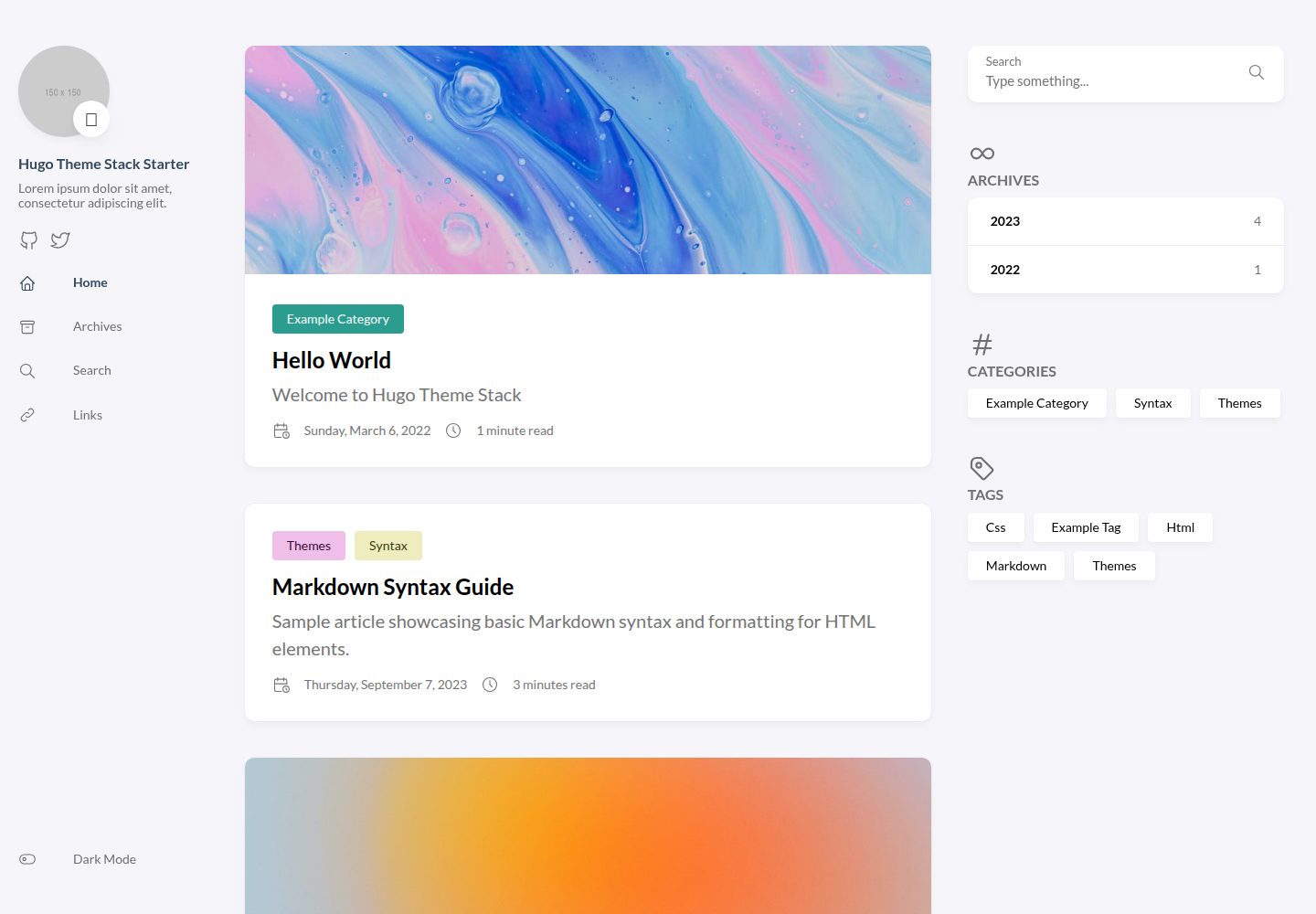
hugo-theme-stack-starter
A Hugo blog quickstart template that loads hugo-theme-stack through Hugo Modules, with configuration centralized in the config directory and GitHub Actions preconfigured for automatic deployment to GitHub Pages.
Hugo · Blog