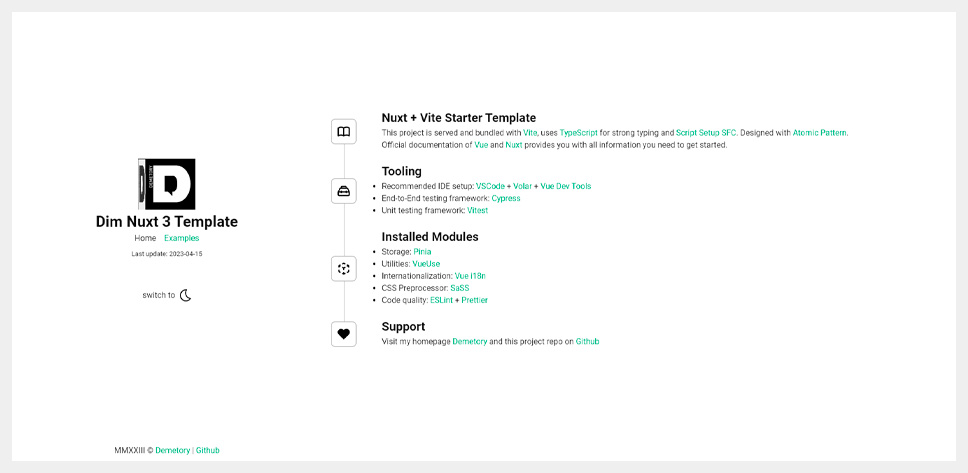
Uses Nuxt Content 2 as the content layer with Vite for building, suitable for Markdown-driven blogs
NuxtVueBlogStarter
dim-nuxt-content-blog — Nuxt Blog Template
By Demetory
A minimal blog starter template based on Nuxt 3 and Nuxt Content 2, using TypeScript and atomic design, with built-in i18n, Pinia, VueUse, ESLint, Prettier, Cypress, and Vitest.
Explore the design
Compare the page layouts and mobile experience. Open any screenshot for a closer look.
Author preview
Author-provided preview
Preview provided in the project README.
One original preview is available. Open the full image to inspect the design.
Screenshots show visual appearance; interactive behavior may differ.
Recorded 2026-10-02View source
What stands out
A quick read of the recorded project description.
Written in TypeScript and Script Setup SFC, with components organized by atomic design
Includes common modules such as Pinia, VueUse, Nuxt i18n, and SASS, with localization examples
Configures ESLint, Prettier, Cypress, and Vitest, covering code checking, formatting, and testing
Preconfigures public directory contents (icons, robots.txt, htaccess, humans.txt) and CSS normalization with SCSS Mixins/Maps
README states no complex or heavyweight dependencies are introduced, and provides simple code examples
Template Details
This is a Nuxt starter template for blog scenarios. The core content layer uses Nuxt Content 2, the build tool is Vite, code is written in TypeScript and Script Setup SFC, and components are organized according to atomic design. The README states its positioning as a minimal starting point: it does not introduce complex or heavyweight dependencies, while providing public directory configurations (icons, robots.txt, htaccess, humans.txt, etc.), CSS normalization, and SCSS Mixins and Maps.
The template includes a fairly complete engineering setup: Pinia for state storage, VueUse for composable utilities, Nuxt i18n for internationalization with localization examples, SASS as the CSS preprocessor, ESLint and Prettier for code checking and formatting, Cypress for end-to-end testing, and Vitest for unit testing. The README also mentions simple code examples and includes a Google Lighthouse report screenshot.
Before use, note: environment requirements are Node.js >= 16.17.0 and npm >= 9.2.0; after installing dependencies, postinstall must be run; the development server runs on port 3000 by default; production builds offer both build and generate methods. The repository uses the MIT license, allowing free use, modification, commercial use, and distribution, but third-party assets such as demo images, fonts, and icons must be checked separately under their respective licenses; external services like domains and hosting may incur additional charges.
NuxtVueBlogStarter
Is it right for your project?
Use Cases
- Building a personal or team blog driven by Markdown content
- Needing a Nuxt content site starting point with internationalization examples already configured
- Using an engineering template that includes ESLint, Prettier, Cypress, and Vitest in a Nuxt project
- Projects that want to organize Vue components by atomic design and reuse SCSS Mixins and Maps
Suitable For
- Developers familiar with Nuxt and Vue who want to quickly start a content-focused blog
- Frontend projects that need TypeScript and Script Setup as a starting point
- Nuxt sites that require built-in internationalization, state management, and testing toolchain
- Users who accept the MIT license and will independently verify third-party asset licensing
Getting started & customization
Use these recorded setup notes alongside the repository instructions for your chosen version.
- 1
Environment requirements: Node.js >= 16.17.0, npm >= 9.2.0
- 2
Run npm install, then npm run postinstall; use npm run update to update dependencies if needed
- 3
Start the development server with npm run dev, default address http://localhost:3000
- 4
For production builds, use npm run build or npm run generate; refer to the official Nuxt deployment documentation for deployment
- 5
Use npm run lint and npm run lint:fix for code checking; VSCode with Volar and Vue Dev Tools is recommended
License & source material
Usage conditions & limitations
Free to use · keep license noticeThis entry covers the free version under the MIT license in the public repository; the free scope is the code of this version and does not imply that external services or third-party assets are free.
Must comply with when using
- Free use, modification, commercial use, and distribution of this version's code are permitted.
- When distributing copies or substantial portions of the code, retain the original author's copyright notice and the full MIT license notice.
- The code is provided as is; warranties and limitations of liability are governed by the original license and applicable law.
Additional costs & items to verify
- Using this template requires Node.js 16.17.0 or higher installed locally; lower versions cannot run it.
- npm 9.2.0 or higher is required to install dependencies; lower versions may cause installation or build failures.
- After installing dependencies, npm run postinstall must be executed, otherwise the template may not initialize properly.
- Demo images, fonts, icons, and other third-party assets must be checked under their respective licenses; they cannot be judged solely by the code's MIT license.
- External services such as domains, hosting, databases, payments, or AI may incur additional charges.
View Original Text Basis
Permission is hereby granted, free of charge
Original License Text
Node.js](https://nodejs.org/en/): >= 16.17.0
Original README
npm](https://www.npmjs.com/): >= 9.2.0
Original README
https://github.com/Demetory/dim-nuxt-content-blog/blob/main/LICENSEhttps://github.com/Demetory/dim-nuxt-content-blog/blob/main/README.mdRun AFTER the package is installed
Original README
Compiled by DeepSeek based on repository license and README ·2026-10-02. Results only cover the materials read; dependencies, images, fonts, and subsequent term changes are subject to their respective original texts.
Project checks & description sources
Template Information
- Source platforms
- GitHub
- Documentation and maintenance reference score
- Partly documented · 73 / 100
- Technologies
- Nuxt · Vue
- Website type
- Blog · Starter
How this score is calculated
Our heuristic uses license records (up to 30), a demo link (12), a preview (10), stars (15), recorded maintenance (15), description completeness (8), feature records (5) and classification data (5). It is not a code, security or performance test, or a Google score. A link does not establish tested functionality.
What to verify for this project
- Repository update recorded
- 2023-06-21
- Screenshot last checked
- 2026-10-02
A demo link is listed. Check it with your own content and viewport sizes; its presence does not confirm that forms, authentication or payments work.
The catalog identifies Nuxt as the primary stack. Check the actual dependency manifest and lockfile for versions and hosting requirements. These notes use recorded metadata, not a code audit or a deployment test.
Use a selection guide →How this description was prepared
AI-assisted description based on catalog records and repository material. Repository authors are not automatically the reviewers of this description.
Automatically checked against source and license rules; no manual editorial review.
Inspect the recorded source material
SHA-256: d3bfc558961e47ccb43db3758e1ce5c5ceb33820a1603eebd9521e56f97fa8e0
2026-10-02T21:25:59.335Z
Source file / repository# Vite + Nuxt Content Starter Template - [Nuxt Content 2](https://content.nuxtjs.org/) + [Vite 4](https://vitejs.dev/) Minimalistic Starter Template - Built with [TypeScript 5](https://www.typescriptlang.org/) and [Script Setup SFC](https://vuejs.org/api/sfc-script-setup.html) - Designed with [Atomic Pattern](https://vuefront.com/develop/) ## Features - No complex || heavy dependencies - Google Lighthouse Reports are 100% in green zone - Atomic Design Pattern - Configured public folder (icons, robots.txt, htaccess, humans.txt, etc) - CSS normalization + SCSS Mixins & Maps - Contains simple code examples - [ESLint 8](https://eslint.org/) + [Prettier 2](https://prettier.io/) for better code quality - Cypress + Vitest for testing - Localization example ## Preview [Live Demo](https://nuxt-content-template.demetrey.ru/)   ## Requirements - [Node.js](https://nodejs.org/en/): >= 16.17.0 - [npm](https://www.npmjs.com/): >= 9.2.0 ## Recommended IDE - [VSCode](https://code.visualstudio.com/) + [Volar](https://marketplace.visualstudio.com/items?itemName=Vue.volar) + [Vue Dev Tools](https://github.com/vuejs/devtools) <br/><br/> ## Installed Modules - [Pinia](https://pinia.vuejs.org/) → Storage - [VueUse](https://vueuse.org/) → Best Collection of Vue Composition Utilities - [Nuxt i18n](https://v8.i18n.nuxtjs.org/) → Internationalization framework - [SASS](https://sass-lang.com/) → CSS Preprocessor - [ESLint](https://eslint.org/) + [Prettier](https://prettier.io/) → linting and code formatting - [Cypress](https://www.cypress.io/) → End-to-End (e2e) testing framework - [Vitest](https://vitest.dev/) → Unit testing framework ## Setup ### Install the dependencies ```bash npm install ``` ### Update deps if needed ```bash npm run update ``` ### Run AFTER the package is installed ```bash npm run postinstall ``` ### Development Start the development server on http://localhost:3000 ```bash npm run dev ``` ### Production Build the application for production: ```bash npm run build ``` ```bash npm run generate ``` Checkout the [deployment documentation](https://nuxt.com/docs/getting-started/deployment). ### Linting Run code quality tools ```bash npm run lint ``` ```bash npm run lint:fix ``` ## License MIT [@demetory](https://demetrey.ru)
Explore similar templates
Compare previews and descriptions within the same stack and category.

laravel-nuxt
A Laravel + Nuxt decoupled starter kit with built-in login, registration, email verification, password reset, and Socialite third-party login (GitHub example), switchable between SPA and SSR.
Nuxt · Starter

canvas
Canvas is a Nuxt-based portfolio template that uses Nuxt Content for content management and Nuxt UI with Tailwind CSS for pages.
Nuxt · Portfolio
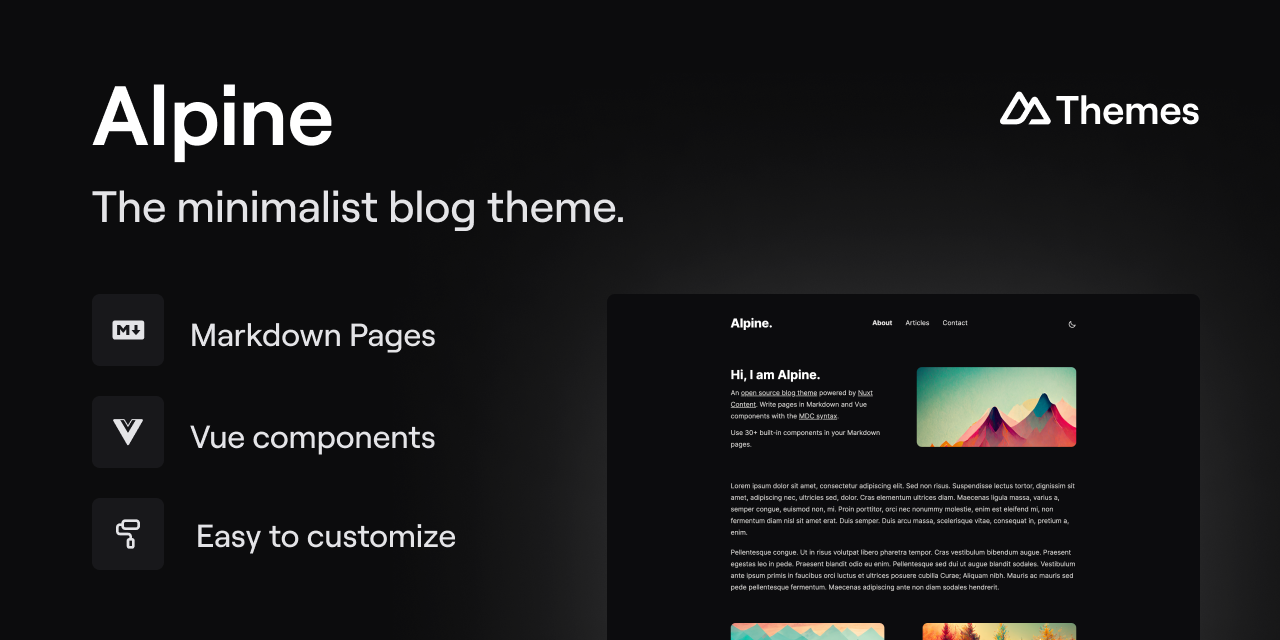
alpine-theme
Alpine is a minimalist blog theme built on Nuxt and Nuxt Content, supporting Markdown and MDC syntax with over 30 components from Nuxt Elements.
Nuxt · Blog
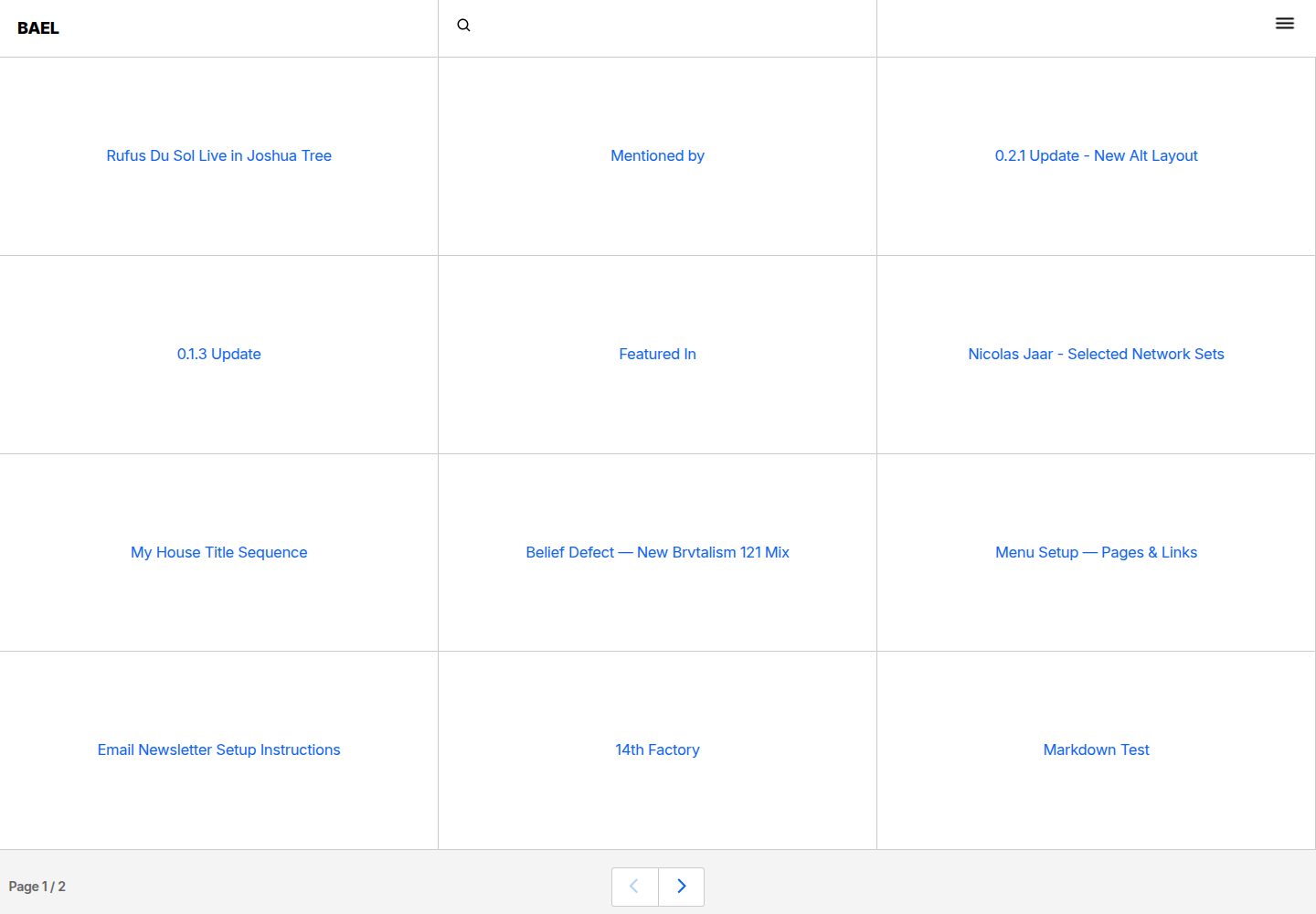
bael-template
Bael is a brutalist-style blog template built with Nuxt.js and Vue.js, using Netlify CMS for content management and deploying to Netlify. Content is stored as files in a Git repository and edited through the /admin path.
Nuxt · Blog

nuxt3-starter
A Nuxt 3 starter template generated by nuxi, preconfigured with UnoCSS, unplugin-icons, Pinia, and VueUse. It suits developers who need a quick Nuxt 3 project skeleton with atomic CSS and auto-import workflows, and is available under the MIT license.
Nuxt · Starter

starter
The official Nuxt starter template for Nuxt UI, based on Nuxt and Vue. It provides a runnable project skeleton, an online demo, and Nuxt UI installation documentation, with README commands for creating, installing, developing, building, and previewing.
Nuxt · Starter