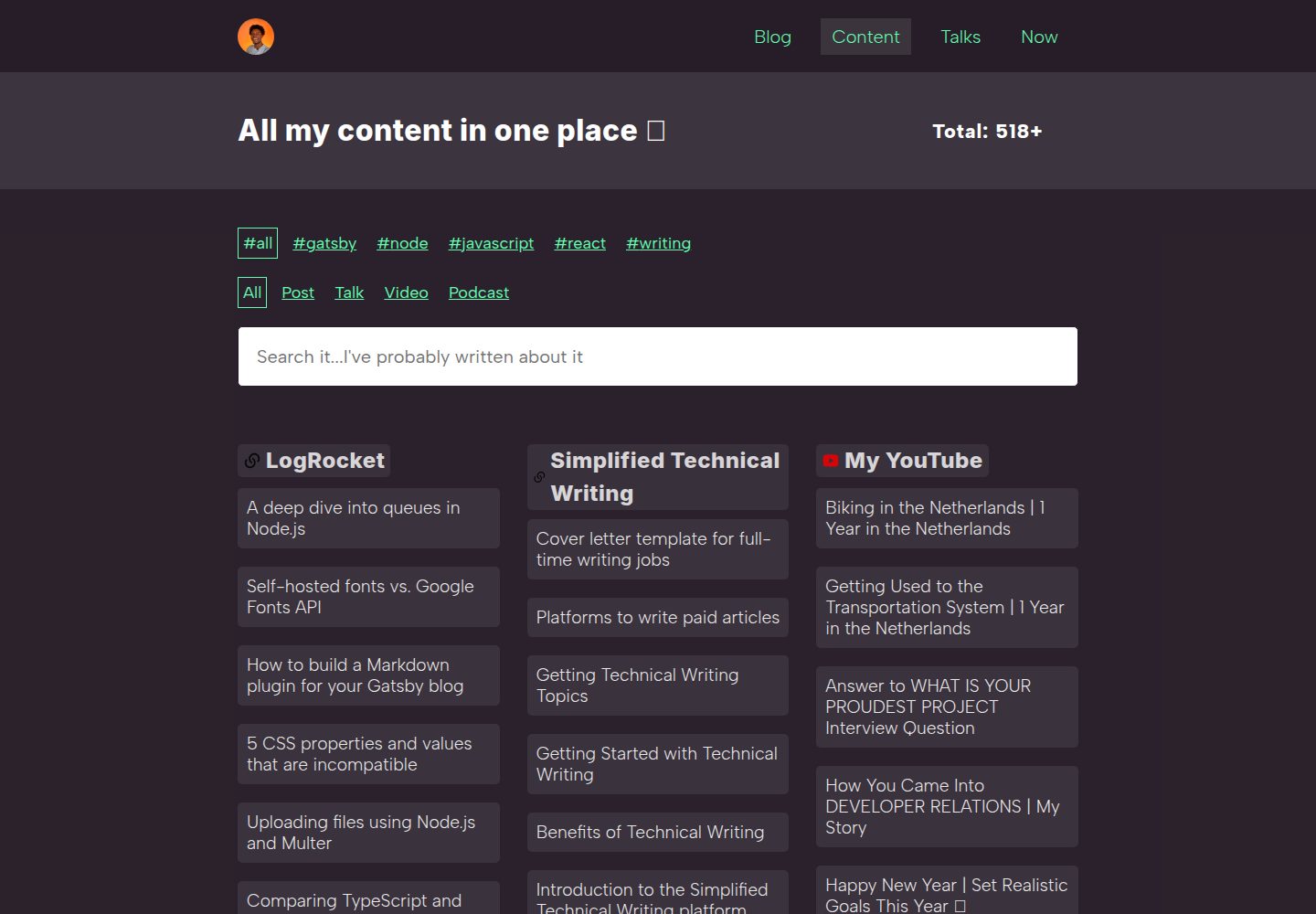
Gathers writing from multiple platforms onto a single content page
GatsbyReactStarter
gatsby-starter-all-content — Gatsby Starter Template
By dillionmegida
A Gatsby starter that gathers writing published across multiple platforms onto a single content page while keeping an on-site blog page.
Explore the design
Compare the page layouts and mobile experience. Open any screenshot for a closer look.
Desktop homepage1 / 3
Desktop captureTop of page
Actual screenshot captured by the server browser.
All pages & views 3
Screenshots show visual appearance; interactive behavior may differ.
Recorded 2026-10-02View source
What stands out
A quick read of the recorded project description.
Content data and blog data are stored in separate directories: data/content and data/blog
Platform content is maintained in .yml files named after the platform, with entries containing title, link, and tags
Adding a platform requires adding a yml file, a GraphQL query, and registering it in the allContent array
Uses react-masonry-css for a masonry grid and use-media to adjust the number of columns by screen width
Template Details
This template comes from the content page of dillionmegida's personal website. Its goal is to collect content you have written on different platforms (such as Hashnode) and display it on one page. The repository includes both a blog page and a content page, and the initial data for both is demo content.
Content data lives in two directories: data/blog stores on-site blog posts, and data/content stores content from other platforms. The latter is named by platform and saved with the .yml extension. Each file contains the platform name, platform link, and an array of entries made up of title, link, and tags. Adding a new platform requires three steps: add the corresponding yml file, add the corresponding GraphQL query in src/pages/content, and add that query result to the allContent array in the Content component; the order of the array determines the display order of platforms in the content grid.
For layout, the content grid uses react-masonry-css for a masonry layout and use-media to adjust the number of columns based on screen width. The README also provides a link to an accompanying video walkthrough.
GatsbyStarter
Is it right for your project?
Use Cases
- A personal site needs a page that centrally displays writing from various platforms
- Displaying articles from platforms such as Hashnode grouped by platform with tags
- Maintaining both an on-site blog and an index of external platform content in a Gatsby site
Suitable For
- Developers building a personal website with Gatsby who want to aggregate content from multiple platforms
- People willing to maintain a content list by editing YAML files and GraphQL queries
- Personal sites that need to display content links grouped by platform in a grid
Getting started & customization
Use these recorded setup notes alongside the repository instructions for your chosen version.
- 1
Create the project with gatsby new YOUR-WEBSITE https://github.com/dillionmegida/gatsby-starter-all-content, then run gatsby develop to start the local server
- 2
The initial blog page and content page are demo data; replace the content in data/blog and data/content
- 3
When adding a platform, add a yml file with the same name in data/content, and add the corresponding GraphQL query and allContent array item in src/pages/content
- 4
The display order of platforms in the content grid is determined by the order of the allContent array
License & source material
Usage conditions & limitations
Free to use · keep license noticeThis listing covers the free version in a public repository under the MIT license; the free scope is the code for that version and does not mean external services or third-party assets are free.
Must comply with when using
- You may use, modify, commercialize, and distribute the code of this version for free.
- When distributing copies or substantial portions of the code, retain the original author's copyright notice and the full MIT license notice.
- The code is provided as is; warranties and limitations of liability are governed by the original license and applicable law.
Additional costs & items to verify
- Demo images, fonts, icons, and other third-party assets must be checked against their respective licenses and cannot be judged solely by the code's MIT license.
- External services such as domains, hosting, databases, payments, or AI may incur separate charges.
View Original Text Basis
Compiled by DeepSeek based on repository license and README ·2026-10-02. Results only cover the materials read; dependencies, images, fonts, and subsequent term changes are subject to their respective original texts.
Project checks & description sources
Template Information
- Source platforms
- GitHub
- Documentation and maintenance reference score
- Partly documented · 68 / 100
- Technologies
- Gatsby · React
- Website type
- Starter
How this score is calculated
Our heuristic uses license records (up to 30), a demo link (12), a preview (10), stars (15), recorded maintenance (15), description completeness (8), feature records (5) and classification data (5). It is not a code, security or performance test, or a Google score. A link does not establish tested functionality.
What to verify for this project
- Repository update recorded
- 2022-04-28
- Screenshot last checked
- 2026-10-02
A demo link is listed. Check it with your own content and viewport sizes; its presence does not confirm that forms, authentication or payments work.
The catalog identifies Gatsby as the primary stack. Check the actual dependency manifest and lockfile for versions and hosting requirements. These notes use recorded metadata, not a code audit or a deployment test.
Use a selection guide →How this description was prepared
AI-assisted description based on catalog records and repository material. Repository authors are not automatically the reviewers of this description.
Automatically checked against source and license rules; no manual editorial review.
Inspect the recorded source material
SHA-256: e49ad2ea0d29ee0634087213f63442faf9d3af5eb0125613650df34b8dee9d40
2026-10-02T11:21:08.363Z
Source file / repository# gatsby-starter-all-content
This is a template for the [content page of my website](https://dillionmegida.com/content):

Anyone interested in having something--where all content you've written on different platforms can be stored in one place--you're free to use this template.
Watch [this video](https://www.youtube.com/watch?v=_TXC20_UdF8) where I explain how to use the starter or read the text instructions below.
## Installation
You can use this starter with these commands:
```bash
gatsby new YOUR-WEBSITE https://github.com/dillionmegida/gatsby-starter-all-content
# goto your website directory
cd YOUR-WEBSITE
# start server
gatsby develop
```
On `localhost:8000`, you'll find two pages: the blog and content pages. The content page looks similar to this:

These are all demo content.
The content page is a compilation of all your content, including the blog posts on your website.
Read the following section to learn how to add your own content.
## Usage
All content live in the two directories: `data/blog` and `data/content`. The former is for blog posts on your website, and the latter is for all content you've written on different platforms.
For the latter, files are named by their platform with the `.yml` extension. For example, hashnode's content are stored in `data/content/hashnode.yml`. The structure of the file is as follows:
```yaml
- platform: Hashnode
link: [link to your hashnode profile, or null]
content:
- item:
title: [title1 of your content]
link: [link to your content]
tags: [helpful tags for your content]
- item:
title: [title2 of your content]
link: [link to your content]
tags: [helpful tags for your content]
- ...and so on
```
You can add as many content in the `content` array.
### Adding new platforms
The first step is adding the file as described above to add a new platform.
Then you'd need to do a few more things:
In `src/pages/content`, create a new graphql query in the exported query object below the file. Say your platform is Hashnode, you'd need to add the following query:
```graphql
hashnode: allHashnodeYaml {
edges {
node {
id
platform
link
content {
title
link
tags
}
}
}
}
```
Next, add this platform to the `allContent` array in the `Content` component in the same file:
```js
//
const {
// previous content here
// ..,
hashnode,
} = data
const allContent = [
// add previous content to the array
// ..,
hashnode,
]
//
```
And that's all. On your content page, you can see the content of your new platform.
Also, note that the order of the platforms in the `allContent` array determines how they are displayed on the content grid.
## Helpful Notes
- [react-mansory-css](https://www.npmjs.com/package/react-masonry-css) is the library used to display the mansory grid layout. Thank you, Paul.
- [use-media](https://www.npmjs.com/package/use-media) is the library used to change the number of columns based on the screen side. Thank you streamich.
## Contributing
Highly recommended. Please create a pull request if you have contributions.
Explore similar templates
Compare previews and descriptions within the same stack and category.

gatsby-starter-gcn
A Gatsby starter for building static blogs with Contentful and Netlify.
Gatsby · Blog

gatsby-starter-morning-dew
A Gatsby and React blog starter/theme that uses Markdown or MDX for posts, supports multilingual content, dark mode, tag grouping, PWA, and Disqus comments, and is MIT licensed.
Gatsby · Blog

starter-gatsby-blog
A community-maintained Gatsby blog starter for Contentful, with a simple content model, npm run setup import, Sync API support, and gatsby-plugin-image. Suitable for quickly building a CMS-driven static blog or learning Gatsby and Headless CMS integration.
Gatsby · 社区

automatic-gatsbyjs-app-landing-page
A GatsbyJS template for iOS app landing pages, ported from Emil Baehr's Automatic App Landing Page. Configure content in site-config.js without writing HTML or CSS, upload video previews or screenshots, and deploy via Netlify or build for GitHub Pages.
Gatsby · Tool Site
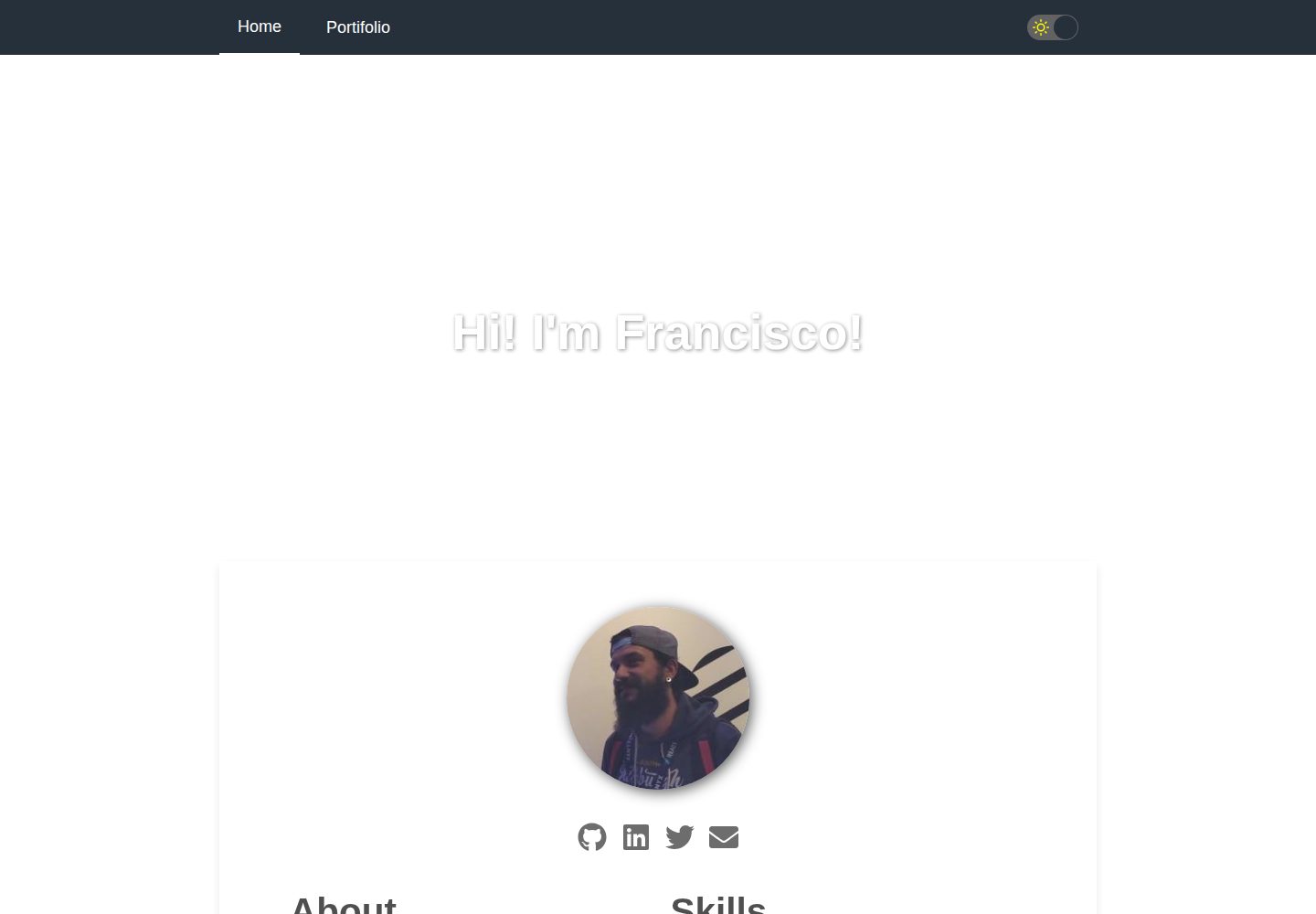
gatsby-starter-cv
A Gatsby and React starter for building a responsive personal digital resume. It includes sections for About, Skills, Job experiences, GitHub repositories, and Portfolio, with all personal data configured in data/siteConfig.js.
Gatsby · Starter

clay-theme
Clay is an image-centric Gatsby theme for publishers, portfolios, and photography blogs. It includes PWA support, a preconfigured Netlify/Decap CMS, PurgeCSS, Netlify deployment settings, and Netlify Forms.
Gatsby · Portfolio