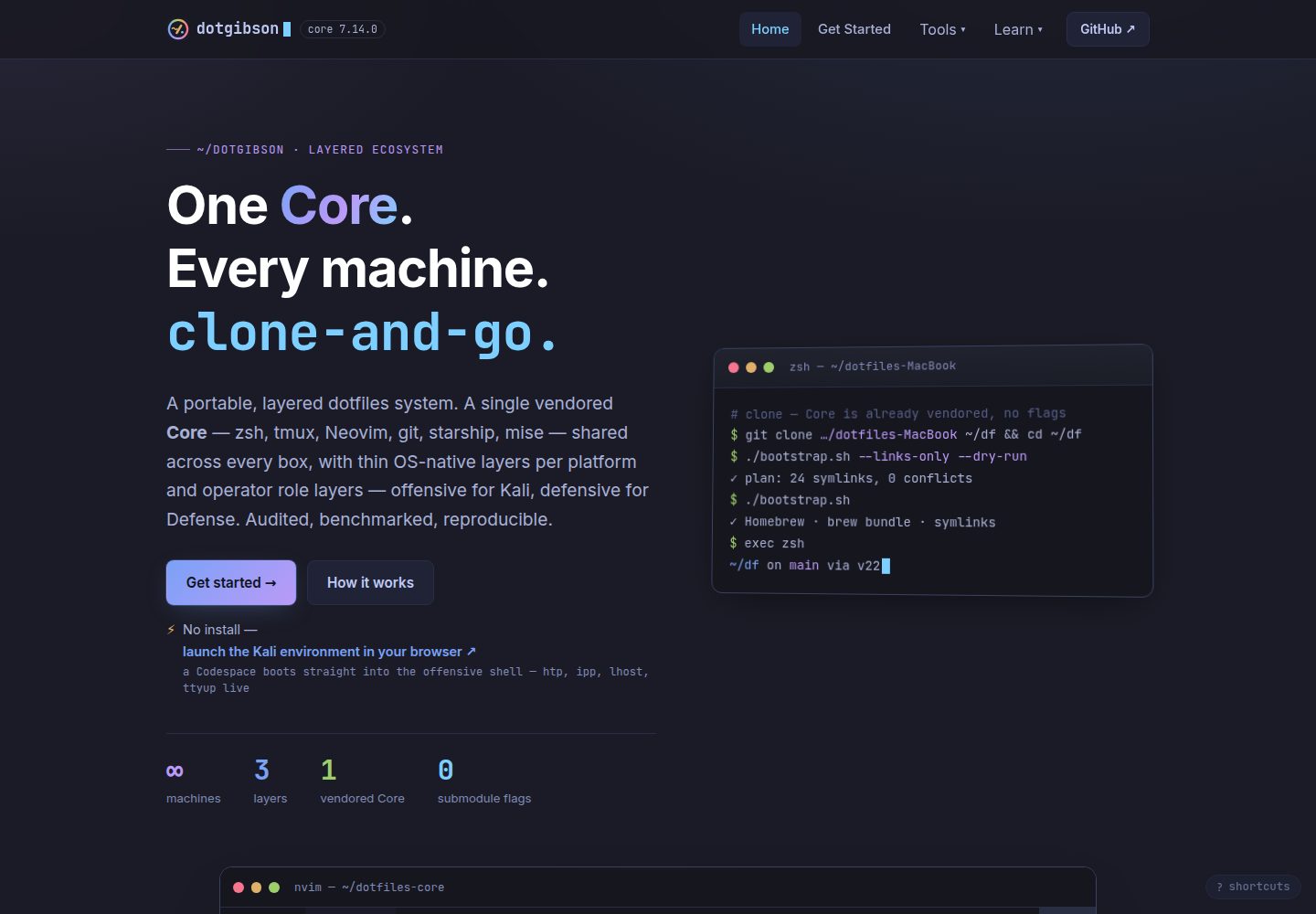
Documentation and showcase site built with Astro, themed with Tokyo Night, deployed on GitHub Pages
AstroDocumentation
dotfiles-web — Astro Documentation Template
By dotgibson
The public showcase and documentation site for the dotgibson dotfiles system, built with Astro, themed with Tokyo Night, and deployed on GitHub Pages.
Explore the design
Compare the page layouts and mobile experience. Open any screenshot for a closer look.
Desktop homepage1 / 2
Desktop captureTop of page
Actual screenshot captured by the server browser.
All pages & views 2
Screenshots show visual appearance; interactive behavior may differ.
Recorded 2026-09-30View source
What stands out
A quick read of the recorded project description.
Data-driven content: showcase cards, per-repository documentation pages, numeric stat bars, and changelog generated from src/data/* and adjacent repositories
Four collection scripts generate metrics, snippets, corpus, and coverage data files from adjacent repositories
npm run data is the strict release path and fails immediately if a repository is missing or uncommitted; lenient mode still writes and marks the data source as unclean
The pre-commit hook and CI check jointly validate the provenance flag of generated data, with CI covering every PR
Provides pages such as landing page, getting started guide, architecture explanation, documentation hub, and changelog
Template Details
dotfiles-web is the public showcase and documentation hub for the dotgibson dotfiles system. The system consists of twelve repositories organized into three layers of terminal environments: Core, OS-native, and Role; dotfiles-web itself only documents and presents this system and does not belong to any of these three layers.
The site includes pages such as a landing page, getting started guide, architecture explanation, documentation hub, and changelog. The landing page presents the three-layer model, repository map, and installation instructions; the getting started guide provides platform-specific installation steps; the architecture page explains the layered model, subtree trade-offs, and loaders; the documentation hub contains concepts, guides, references, and per-repository generated pages; the changelog mirrors each repository's CHANGELOG.md.
Content is primarily data-driven: showcase cards, per-repository documentation pages, numeric stat bars, and the changelog come from src/data/* and adjacent repositories. Four collection scripts under scripts/ generate generated.json, snippets.json, corpus.json, and coverage.json from adjacent repositories. npm run data is the strict release path and fails if a repository is missing or in an uncommitted state; npm run data:lenient is a lenient mode that retains committed files when a repository is missing, but still writes and marks generatedFrom.clean: false when a repository is dirty. The pre-commit hook and the committed-data-provenance check in CI both read this flag; the former covers only a single machine, while the latter covers every PR.
The site is built with Astro and Node.js, themed with Tokyo Night, and published via GitHub Pages. Pushing to main triggers the deployment workflow; source repositories can trigger rebuilds via repository_dispatch, with authentication described in docs/WEBHOOK-SETUP.md. The code is MIT licensed.
AstroDocumentation
Is it right for your project?
Use Cases
- Building a public introduction and documentation site for a cross-platform dotfiles system
- Scenarios requiring aggregation of metadata, code snippets, and changelogs from multiple repositories into a unified site
- Documentation projects that want to drive page content with data files to avoid documentation drifting from code
- Static documentation sites built with Astro and deployed to GitHub Pages
Suitable For
- Individuals or teams needing to showcase and document a multi-repository dotfiles system
- Maintainers who want documentation content generated from source repository data rather than maintained manually
- Static site projects using Astro and GitHub Pages
Getting started & customization
Use these recorded setup notes alongside the repository instructions for your chosen version.
- 1
Requires Node.js and npm; after cloning the repository, run npm install, then start the local development server with npm run dev
- 2
Common scripts: npm run build generates dist/, npm run preview previews the production build, npm run check runs type and content collection checks
- 3
Before generating data, check out the adjacent dotfiles repositories next to this repository, then run npm run data; lenient mode is npm run data:lenient
- 4
npm run data is the strict release path and fails if a repository is missing or has uncommitted changes; lenient mode still writes when a repository is dirty
- 5
Pushing to main triggers the deployment workflow; source repositories can trigger rebuilds via repository_dispatch, with authentication configuration described in docs/WEBHOOK-SETUP.md
License & source material
Usage conditions & limitations
Free to use · keep license noticeThis entry covers the free version in the public repository under the MIT license; the free scope is the code of this version and does not imply that external services or third-party assets are free.
Must comply with when using
- Free use, modification, commercial use, and distribution of this version's code are permitted.
- When distributing copies or substantial portions of the code, retain the original author's copyright notice and the full MIT license notice.
- The code is provided as is; warranties and limitations of liability are governed by the original license and applicable law.
Additional costs & items to verify
- Before generating site data, the adjacent dotfiles repositories must be checked out next to this repository, otherwise the collection scripts cannot run.
- Lenient mode still writes data and marks generatedFrom.clean: false when a repository is dirty, making it unsuitable as a release path.
- Triggering rebuilds from source repositories requires repository_dispatch and authentication with a GitHub App token; configuration is described in docs/WEBHOOK-SETUP.md.
- Demo images, fonts, icons, and other third-party assets must be checked against their respective licenses and cannot be judged solely by the code's MIT license.
- External services such as domains, hosting, databases, payments, or AI may incur additional charges.
View Original Text Basis
Permission is hereby granted, free of charge
Original License Text
npm run data # checkout the sibling repos next to this one first
Original README
npm run data:lenient # warn instead of failing — read the caveat below first
Original README
https://github.com/dotgibson/dotfiles-web/blob/main/LICENSEhttps://github.com/dotgibson/dotfiles-web/blob/main/README.mdA source repo can ping a rebuild via `repository_dispatch`; how that dispatch authenticates (a short-lived GitHub App token — the old `WEBHOOK_SECRET` PAT is retired) is in [`docs/WEBHOOK-SETUP.md`](docs/WEBHOOK-SETUP.md).
Original README
Compiled by DeepSeek based on repository license and README ·2026-10-01. Results only cover the materials read; dependencies, images, fonts, and subsequent term changes are subject to their respective original texts.
Project checks & description sources
Template Information
- Source platforms
- GitHub
- Documentation and maintenance reference score
- More documented · 80 / 100
- Technologies
- Astro
- Website type
- Documentation
How this score is calculated
Our heuristic uses license records (up to 30), a demo link (12), a preview (10), stars (15), recorded maintenance (15), description completeness (8), feature records (5) and classification data (5). It is not a code, security or performance test, or a Google score. A link does not establish tested functionality.
What to verify for this project
- Repository update recorded
- 2026-09-30
- Screenshot last checked
- 2026-10-01
A demo link is listed. Check it with your own content and viewport sizes; its presence does not confirm that forms, authentication or payments work.
The catalog identifies Astro as the primary stack. Check the actual dependency manifest and lockfile for versions and hosting requirements. These notes use recorded metadata, not a code audit or a deployment test.
Use a selection guide →How this description was prepared
AI-assisted description based on catalog records and repository material. Repository authors are not automatically the reviewers of this description.
Automatically checked against source and license rules; no manual editorial review.
Inspect the recorded source material
SHA-256: 8b30ae63d7c82cedad2b2f1270cbd38df6afd055474fee055bfbcd4e59a8e82a
2026-10-01T13:32:05.302Z
Source file / repository<!-- Back to top link -->
<a id="readme-top"></a>
<!-- Project Shields -->
<div align="center"><nobr>
[![dotgibson][dotgibson-shield]][dotgibson-url]<!--
-->[![CI][ci-shield]][ci-url]<!--
-->![Last Commit][lastcommit-shield]<!--
-->[![Contributors][contributors-shield]][contributors-url]<!--
-->[![Forks][forks-shield]][forks-url]<!--
-->[![Stargazers][stars-shield]][stars-url]<!--
-->[![Issues][issues-shield]][issues-url]<!--
-->[![MIT License][license-shield]][license-url]
</nobr></div>
<!-- PROJECT LOGO -->
<br />
<div align="center">
<a href="https://github.com/dotgibson/">
<img src="https://raw.githubusercontent.com/dotgibson/.github/main/profile/logo.png" alt="Logo" width="80" height="80">
</a>
<h3 align="center">🌐 dotfiles-web</h3>
<p align="center">
The public showcase and documentation hub for the whole system — Astro, Tokyo Night, GitHub Pages.
<br />
<a href="https://dotgibson.github.io/dotfiles-web/docs"><strong>Explore the docs »</strong></a>
<br />
<br />
<a href="https://dotgibson.github.io/dotfiles-web/">View Demo</a>
·
<a href="https://github.com/dotgibson/dotfiles-web/issues/new?labels=bug">Report Bug</a>
·
<a href="https://github.com/dotgibson/dotfiles-web/issues/new?labels=enhancement">Request Feature</a>
</p>
</div>
<!-- TABLE OF CONTENTS -->
<details>
<summary>Table of Contents</summary>
<ol>
<li>
<a href="#about-the-project">About The Project</a>
<ul>
<li><a href="#languages">Languages</a></li>
<li><a href="#tools">Tools</a></li>
</ul>
</li>
<li><a href="#getting-started">Getting Started</a></li>
<li><a href="#developing">Developing</a></li>
<li><a href="#contributing">Contributing</a></li>
<li><a href="#license">License</a></li>
<li><a href="#contact">Contact</a></li>
</ol>
</details>
<!-- ABOUT THE PROJECT -->
## About The Project
**`dotfiles-web` is the public showcase + documentation hub** for the
[dotgibson](https://github.com/dotgibson/) dotfiles system — a twelve-repo,
three-layer terminal environment (Core → OS-native → Role). It **documents** the
system rather than configuring a machine, so it is **not** itself one of the three
layers. Built with [Astro](https://astro.build), themed in **Tokyo Night**, and
deployed to **GitHub Pages** at
[dotgibson.github.io/dotfiles-web](https://dotgibson.github.io/dotfiles-web/).
The site is data-driven and largely source-derived: the showcase cards, the
per-repo docs pages, the "by the numbers" strip, and the changelog are generated
from `src/data/*` and from the sibling repos — so the docs can't silently drift
from the code they describe.
| Page | Path | Purpose |
| --- | --- | --- |
| Landing | `/` | Hero, the three-layer model, the repo map, install |
| Getting started | `/getting-started` | Per-platform install guide |
| Architecture | `/architecture` | The layer model, subtree rationale, the loader, deep dives |
| Docs hub | `/docs` | Concepts, guides, reference, and a generated page per repo |
| Changelog | `/changelog` | A mirror of each repo's `CHANGELOG.md` |
### Languages
- [![TypeScript][typescript-shield]][typescript-url]
- [![Astro][astro-shield]][astro-url]
- [![JavaScript][javascript-shield]][javascript-url]
### Tools
- [![Astro][astro-shield]][astro-url]
- [![Node.js][node-shield]][node-url]
- [![GitHub Pages][pages-shield]][pages-url]
<p align="right">(<a href="#readme-top">back to top</a>)</p>
<!-- GETTING STARTED -->
## Getting Started
### Prerequisites
**Node.js** (with `npm`). The site is a standard Astro project — no global tooling
beyond that.
### Installation
```bash
git clone https://github.com/dotgibson/dotfiles-web ~/dotfiles-web
cd ~/dotfiles-web
npm install
npm run dev # local dev server at http://localhost:4321/dotfiles-web
```
<p align="right">(<a href="#readme-top">back to top</a>)</p>
<!-- DEVELOPING -->
## Developing
```bash
npm run dev # local dev server
npm run build # production build into dist/
npm run preview # preview the production build
npm run check # astro check (types + content collections)
```
Content is data-driven — edit these and the site updates:
- `src/data/site.ts` — site name, owner, nav, GitHub links
- `src/data/repos.ts` — the repository map / per-repo pages (prose + status)
- `src/data/install.ts` — per-platform install steps
- `src/content/docs/**/*.md` — the documentation hub pages
The "by the numbers" strip, per-card package counts, the changelog, the Config
explorer's baked files, and the Purple page's corpus + detection-coverage tables
(the `/purple` route on this site — not a Claude routine like `/doc-audit`) are
**not** hand-typed — four collectors under `scripts/` derive them from the sibling
repos into `src/data/`:
| file | collector | source repo |
| --- | --- | --- |
| `generated.json` | `collect-metrics.mjs` | the twelve dotfiles repos |
| `snippets.json` | `collect-snippets.mjs` | eight curated files across six of them |
| `corpus.json` | `collect-corpus.mjs` | `htpx` |
| `coverage.json` | `collect-coverage.mjs` | `dotfiles-Defense` |
Regenerate and commit whenever a source repo changes — run all four, not just one, or
the untouched files quietly fall behind:
```bash
npm run data # checkout the sibling repos next to this one first
npm run data:lenient # warn instead of failing — read the caveat below first
```
`npm run data` is the **publish** path, so it is strict: a missing repo, and a sibling
that is parked on a feature branch or carrying uncommitted edits in a file the
collectors read, both fail the run instead of being absorbed into the committed data.
That second check exists because it happened — a `dotfiles-core` checked out on a
feature branch published a changelog entry that was on no branch of Core's `main`.
Each individual collector (`npm run metrics`, `corpus`, `coverage`) stays lenient for
exploratory runs, and `npm run data:lenient` is the whole pipeline in that mode. Note
that "lenient" means two different things depending on which check trips, and only one
of them is harmless:
- **source repo absent** — the committed file is left alone and the run exits 0, so a
fleet-less runner can't zero the data. Nothing is published that wasn't already there.
- **fleet present but unclean** — the run warns and **still writes**, absorbing the
unmerged work. The snapshot is stamped `generatedFrom.clean: false`, which is what the
two guards below key on, but the contaminated file is on disk either way.
So the lenient path is fine for looking, and is not a publish path. `fleet-sync.yml` runs all four weekly and opens a PR when the
output drifts; `data-freshness.yml` fails CI when **any** of the four committed files no
longer matches its source — it clones the fleet, re-runs all four collectors and diffs the
result — and additionally when `generated.json`'s Core version is behind the latest
`dotfiles-core` release. The second check is not redundant: it asks whether the data names
the latest *release*, while the regeneration asks whether it matches the fleet's *current*
state, and it keeps working when the clones fail.
Because the lenient path still *writes* (with a warning), the thing that actually
publishes — the commit — is guarded in two places, both reading the
`generatedFrom.clean` verdict that `collect-metrics.mjs` and `collect-snippets.mjs`
stamp into their files. They cover the same two files, but not the same ground:
| guard | scope | files | installed by |
| --- | --- | --- | --- |
| `pre-commit` hook | one machine | `generated.json` + `snippets.json` | `npm install` (or `npm run hooks:install`) |
| `committed-data-provenance` | every PR, every machine | `generated.json` + `snippets.json` | `data-freshness.yml` |
The difference is *scope*, and it is the whole point: the hook lives in `.git/hooks`, is
untracked, is skipped when `core.hooksPath` is set, and is one `--no-verify` away from
irrelevant, so it protects exactly one machine. The CI job is the durable half.
Both matter most for `snippets.json`, because `collect-snippets.mjs` only *warns* on an
unclean fleet and writes anyway — unlike `collect-metrics.mjs`, which refuses outright.
That asymmetry also changes the advice: for `generated.json`, re-running the collector
fixes things; for `snippets.json`, re-running against a still-dirty tree just reproduces
the problem, so the repos have to be settled first. Until #160 the hook did not stage
`snippets.json` at all, and CI was the only thing standing between an absorbed local edit
and its publication on `/config` as a repo's real configuration.
The hook follows the same rules as `dotfiles-core`'s core guard: it never clobbers an
existing `pre-commit`, and it *skips* — loudly — when `core.hooksPath` is set, since
writing into an ignored `.git/hooks` would be false protection rather than protection.
Bypass a single commit with `DOTFILES_ALLOW_DIRTY_DATA=1 git commit …` or
`--no-verify`; the CI job is the one that can't be bypassed.
Pushing to `main` triggers `.github/workflows/deploy.yml` (Astro build → GitHub
Pages). A source repo can ping a rebuild via `repository_dispatch`; how that dispatch
authenticates (a short-lived GitHub App token — the old `WEBHOOK_SECRET` PAT is
retired) is in [`docs/WEBHOOK-SETUP.md`](docs/WEBHOOK-SETUP.md).
<p align="right">(<a href="#readme-top">back to top</a>)</p>
<!-- CONTRIBUTING -->
## Contributing
Because this site restates facts that live elsewhere — the repo count, the
three-layer model, per-platform install commands — it is the easiest place for
documentation to **drift** from reality.
1. **Treat the source-of-truth repos as canonical** and keep the site in step; the
`/doc-audit` routine in `dotfiles-core` checks exactly this cross-repo
consistency.
2. **Keep content in the data files** (`src/data/*`, `src/content/docs/*`) rather
than hard-coding it into pages.
3. **Green the gate.** `npm run check` (0 errors) and `npm run build` before you
push.
Bugs and ideas: open an
[issue](https://github.com/dotgibson/dotfiles-web/issues).
<p align="right">(<a href="#readme-top">back to top</a>)</p>
<!-- LICENSE -->
## License
Distributed under the MIT License. See [`LICENSE`](LICENSE) for more information.
<p align="right">(<a href="#readme-top">back to top</a>)</p>
<!-- CONTACT -->
## Contact
Garrett Allen - [@gerrrrt](https://x.com/gerrrrt) - <[email protected]> - [LinkedIn](https://linkedin.com/in/garrettallen2)
Project Link: [dotgibson](https://github.com/dotgibson/)
<p align="right">(<a href="#readme-top">back to top</a>)</p>
<!-- Markdown Links & Images -->
[dotgibson-shield]: https://img.shields.io/github/v/release/dotgibson/dotfiles-core?style=plastic&label=dotgibson&labelColor=181717&logo=data:image/png;base64,iVBORw0KGgoAAAANSUhEUgAAACAAAAAgCAIAAAD8GO2jAAAF1klEQVR4nLSWbUxT7RnHr9PT09MXSltaoC9QXkqR16Iwhb0Iw8VYYE7jPri5aBaZzpmFZbpolpn4QeMyM%2BM%2B7MVt0Q9LNJIlxCzqxGWS6aKAig51vBQKIi3QltpCS0%2Fbc879pD1N3%2Bnz4fG5Pl2977v%2F331d131f5%2BZrddWQZAgAgy9uCRlefICzT6GeIsP%2FXF15kahmu9JglGmLRQoRQdIQWgu77BuWGe%2Fo%2BOqym8odApaWomTT1%2Bl2HqirahaTuJ9kQMggkgYhDRGfRiQDZBi9fuf52%2BD7l1b3ZhRcmq%2FMnBHmibuO7fvWoTalVoDjQRwL8RGgEOtzB0MbtBDnkRjGR0AgTK%2BQfNukr1LKXlhXKZpJSxTKGoFSq9vf16tQ8%2FiEh094Vu0L449mLGMup20DRWuFYVCiFm%2BvU36nTbOlMB%2BnCDxIOBzhvv6nFpc3TS0dUKDRHzh1Jk9O8wlPYN326Oa%2FJobnN8shAOxqKjrdXa8WSnGKWPewR%2FuHLG5P8oKUFJHi%2FH19F6UKEQ%2BnbJap27%2B%2BtWR15VAHgLkV%2F%2F0xW6OuQCfNE4PgmyX6f0xZKYbJDuj43lmtoYqHU%2FaZdwNXr4eoUG51zqgw%2B%2FCtrbm0UCeRynBhqVj2YC4RNC%2FuqStbKkydAODzeO7%2B6QYTpnOIYgB729R729RY9DAGafb0wDOHLwAA5vKK1mJNFoCpsxeLLn%2Fy91uU359719%2FfVXL%2BSM35IzU9rcXciCcQujz0imOfbGhOB0jkGo2hFQBW7Quzr0Zzq6vyBT%2FuKY%2BHErfBmQWLK1Lhr6l1OkleCqC0poPb%2FuTwv3OrA8DPDhgkokgLmLX77o86kqcGJmaj5xjr1JWlAAr1Js75MDEGAAI%2B1mvWX%2F1JY29XmYDPS5ZoNsrM24si1xSh3%2FRbGBYlz%2F73g41ztqliqYv1onyVHgDocMjjXASAKycavlqnZBHa2ajcasjv%2B8MbAPhRV9nI5MezB41crIPPHWOW9Gtl9XhDDCMCokIqSwGQ4shvyucFhEQCnqlSdm9k%2BdKt6XM%2FqO7aof7t8YbIIW5SHdpVIhUTAOAP0L8bmM3MHgJwByidQCgnhSmAqOEYnQ8AgRBr%2FuUzKsgggIs3pyVCfkeTCgAmFtaNOgm39C%2F3511r2W8JYvIAJbIaAwQ3vKAEoVgRaTQIBYKxqxgMs6euvdUXiQDgeHd5rV7K1fb2kC2rOgaYghQBMJ5grI3HUGuuhQiNIOWq8sy%2FLTgCKplgT0ZtCyprWw7%2FvKCyNr6yQqYg8cim59a9KQDnwv84R1%2F99UwAzsMya4vxeOYLN7YePGG%2BcAPjxXS%2BoavknFfOlRTAh8nHKNqLa1v2ZwK6dxQZtHk5ahu3%2FcYmLsoh%2B%2FsUgN%2BztDQzEvkYFBurGnan%2FS1%2B1P98L1FbxLIPzh193X%2FtwbmjiGUBYHd5nVFRCABPlxdtfh%2B3LHGKxof%2Bqo90C6yj58yi9Tm1kWjr94ZXsGhTuDuynAx2z0245yY4X06Kf9HWFd0N%2BuPbsUR64%2B3a57Erig2qIoOIlJSUNE69GWTZRFufXvRNL%2Fo2ywyJE1fMP6xWqHBEP5yfvP7%2FbAAAsFufG01mkVCqkGvLyrbNTD2mw9kfDckmE0oudx9rUZfhiF5Zd%2F%2F00QDF0NkBTJhanB3e0riHJIRKhXarqWfdu%2Bx0WnOot1ftuNR90lhQzEO0L7B2YvCm3b%2BWNI%2ByffSLq757%2BPcquYaIvBtgdcXycuzO9MzTFdccd9IwDNMVlDaXbzPXtxsVhQRDEQzl8i6d%2Buf12Y%2BONDVMo6vOfHWJxHLz3l811u8WAEZABCNAAHSI8n8k2HABKRJjLJ8JECxFMAE%2BHXhiGb7yn35vcCNDKVsEcSuv%2BEpn%2B7Etla0CwAQIOBLBhrkt85kAnwm8mX95e%2FTOa9vUZiIxQI43r0Kura9uN5SYNMoyuVDGZ2nK73C65iy28Rezo44152bSKYAvz3ifVA1lDn0WAAD%2F%2F%2FWvXexgMwqgAAAAAElFTkSuQmCC
[dotgibson-url]: https://github.com/dotgibson/dotfiles-core/releases/latest
[ci-shield]: https://img.shields.io/github/check-runs/dotgibson/dotfiles-web/main?style=plastic&logo=githubactions&logoColor=white&label=CI
[ci-url]: https://github.com/dotgibson/dotfiles-web/actions/workflows/deploy.yml
[lastcommit-shield]: https://img.shields.io/github/last-commit/dotgibson/dotfiles-web?branch=main&style=plastic&logo=git&logoColor=white
[contributors-shield]: https://img.shields.io/github/contributors/dotgibson/dotfiles-web.svg?style=plastic&logo=github
[contributors-url]: https://github.com/dotgibson/dotfiles-web/graphs/contributors
[forks-shield]: https://img.shields.io/github/forks/dotgibson/dotfiles-web.svg?style=plastic&logo=github
[forks-url]: https://github.com/dotgibson/dotfiles-web/network/members
[stars-shield]: https://img.shields.io/github/stars/dotgibson/dotfiles-web.svg?style=plastic&logo=github
[stars-url]: https://github.com/dotgibson/dotfiles-web/stargazers
[issues-shield]: https://img.shields.io/github/issues/dotgibson/dotfiles-web?style=plastic&logo=github
[issues-url]: https://github.com/dotgibson/dotfiles-web/issues
[license-shield]: https://img.shields.io/github/license/dotgibson/dotfiles-web.svg?style=plastic
[license-url]: https://github.com/dotgibson/dotfiles-web/blob/main/LICENSE
[typescript-shield]: https://img.shields.io/github/v/release/microsoft/TypeScript?style=plastic&logo=typescript&logoColor=white&label=TypeScript&labelColor=3178C6&color=3D59A1
[typescript-url]: https://github.com/microsoft/TypeScript
[astro-shield]: https://img.shields.io/npm/v/astro?style=plastic&logo=astro&logoColor=white&label=Astro&labelColor=BC52EE&color=3D59A1
[astro-url]: https://github.com/withastro/astro
[javascript-shield]: https://img.shields.io/badge/JavaScript-F7DF1E?style=plastic&logo=javascript&logoColor=black
[javascript-url]: https://developer.mozilla.org/docs/Web/JavaScript
[node-shield]: https://img.shields.io/github/v/release/nodejs/node?style=plastic&logo=nodedotjs&logoColor=white&label=Node.js&labelColor=5FA04E&color=3D59A1
[node-url]: https://github.com/nodejs/node
[pages-shield]: https://img.shields.io/badge/GitHub_Pages-222222?style=plastic&logo=githubpages&logoColor=white
[pages-url]: https://pages.github.com
Explore similar templates
Compare previews and descriptions within the same stack and category.
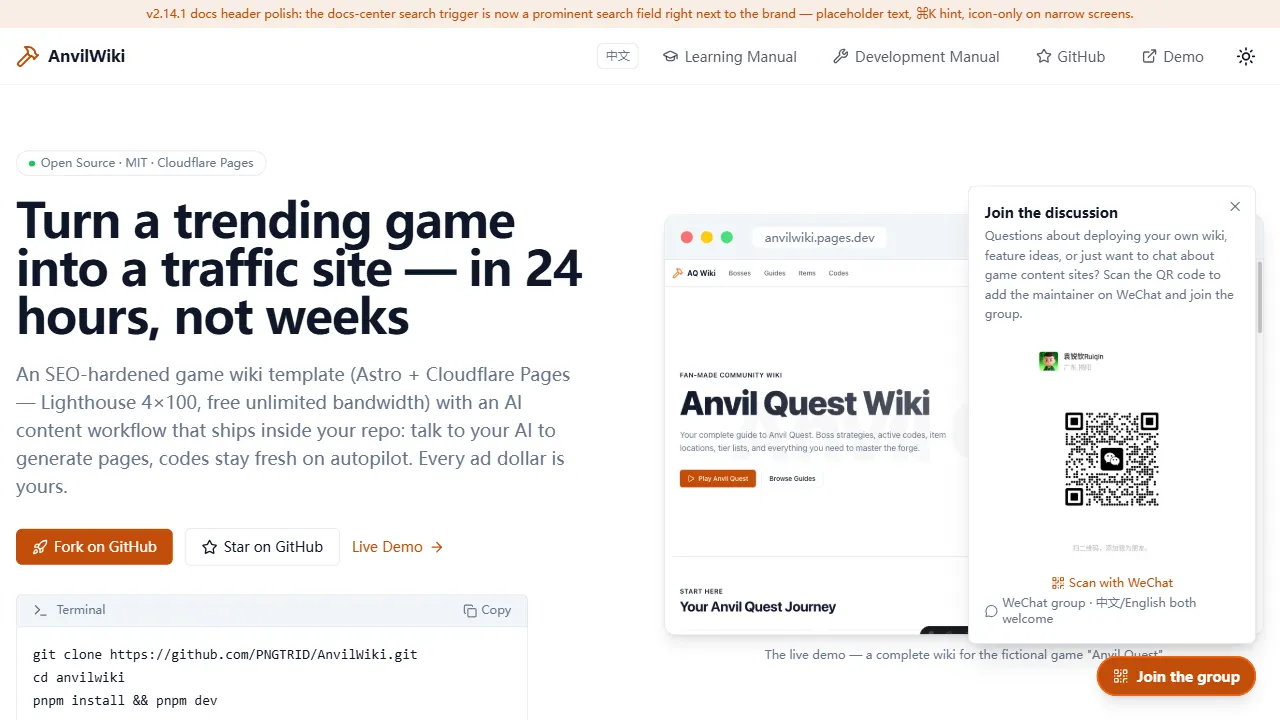
AnvilWiki
AnvilWiki is an Astro static Wiki template for game guide and compendium sites, with a built-in AI content workflow and monetization components. It outputs static pages by default and deploys on Cloudflare Pages, emphasizing zero server cost and out-of-the-box performance.
Astro · Game Site
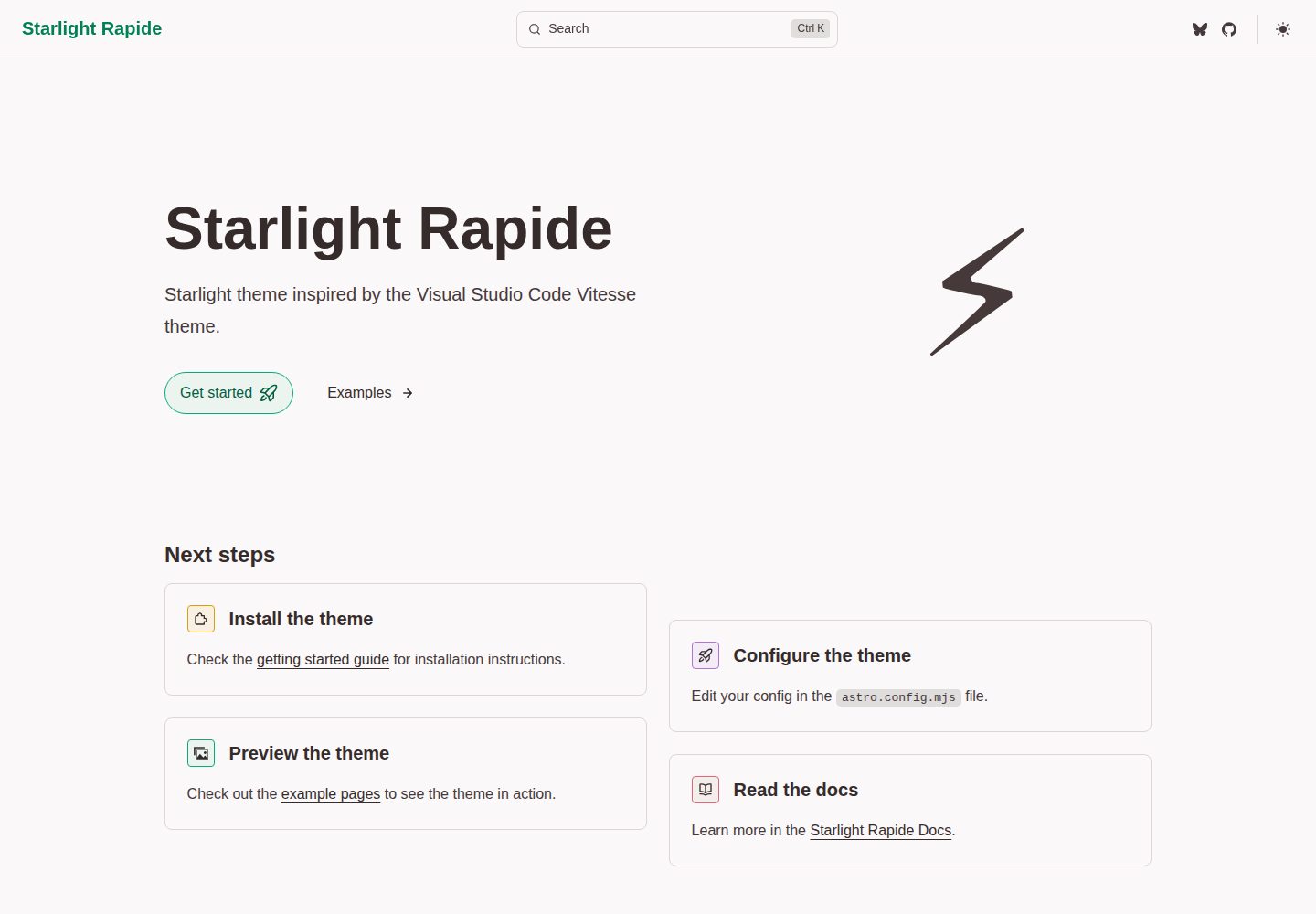
starlight-theme-rapide
starlight-theme-rapide is an Astro Starlight documentation site theme inspired by the Visual Studio Code Vitesse theme, offering dark and light modes and released under the MIT license.
Astro · Documentation
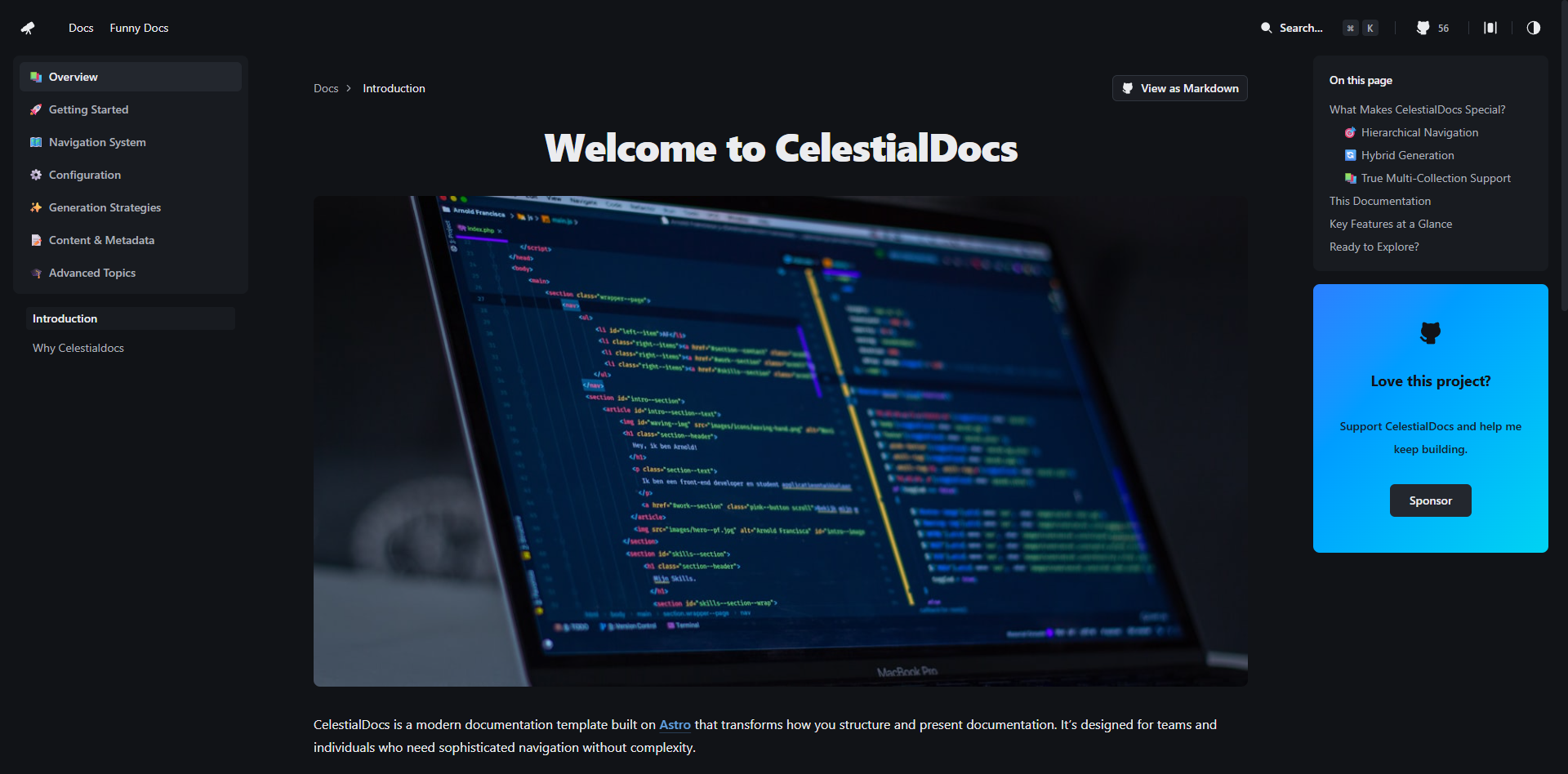
CelestialDocs
CelestialDocs is an Astro-based documentation platform template that maintains documentation, blog, and product pages in a single repository through a multi-collection architecture.
Astro · Documentation
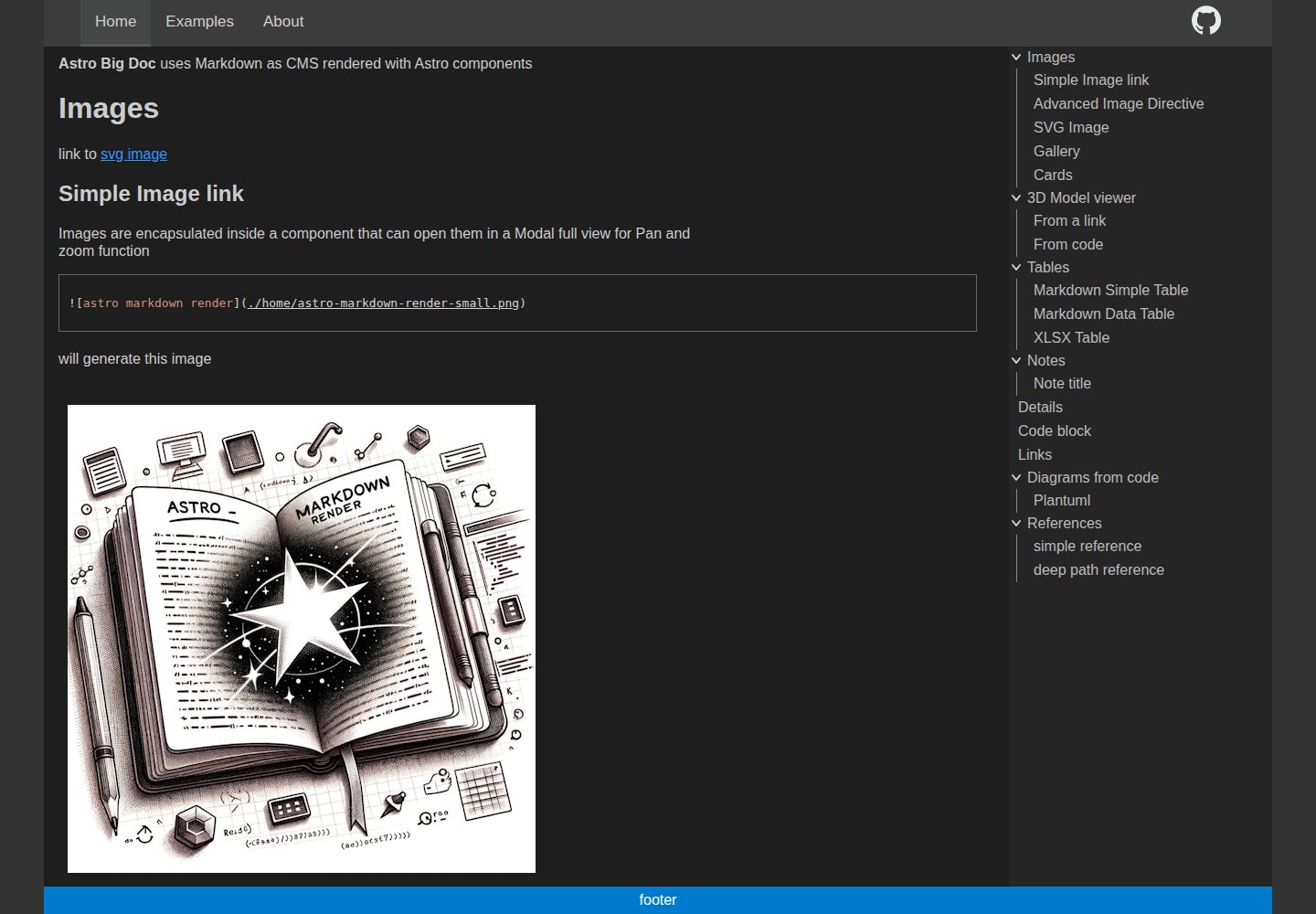
astro-big-doc
astro-big-doc is an Astro-based documentation site theme that renders standard Markdown and automatically generates a hierarchical menu and table of contents from the file directory structure with zero configuration.
Astro · Documentation
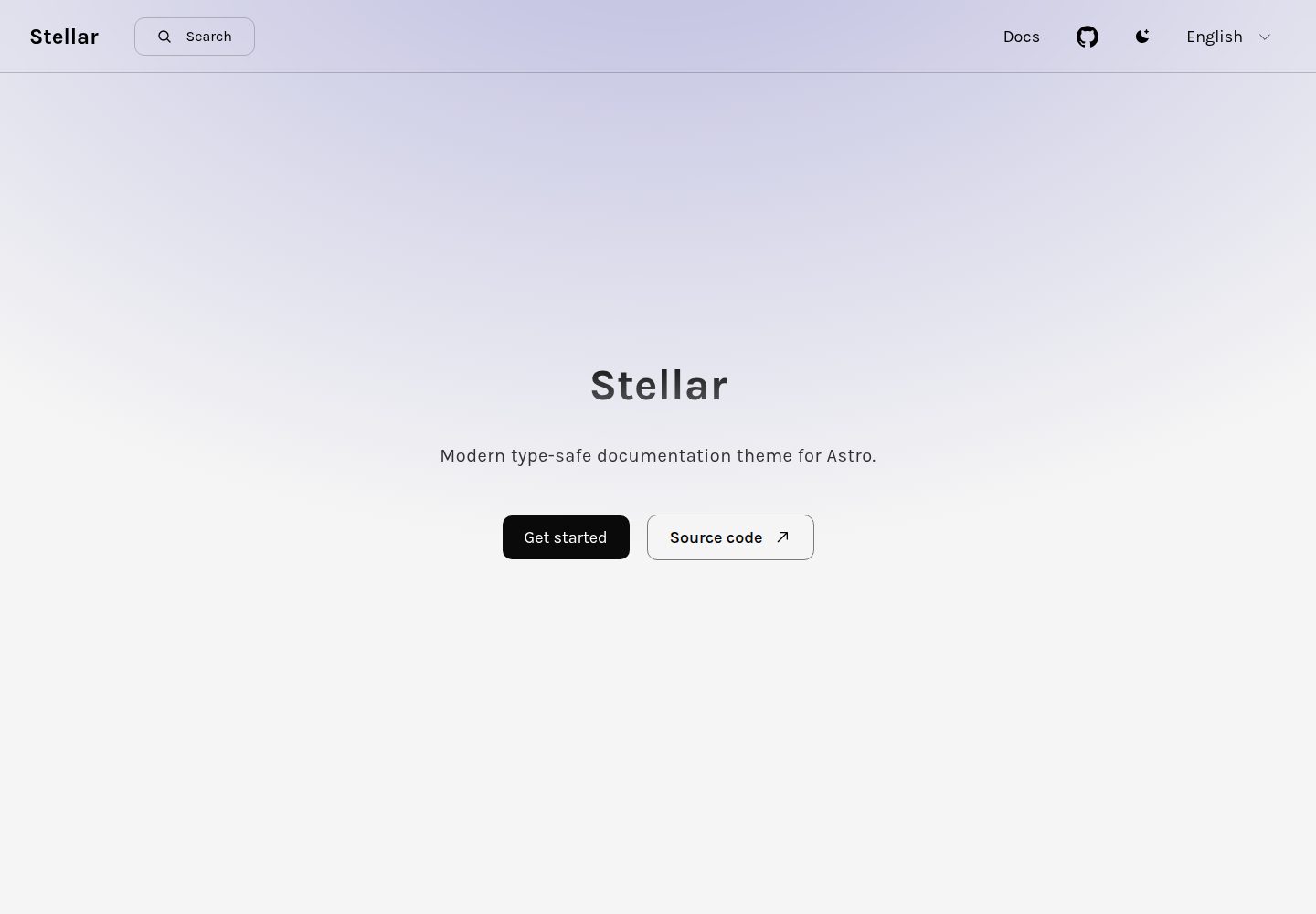
stellar
Stellar is a modern, type-safe documentation theme for Astro, suited for technical documentation sites written in Markdown or MDX. It offers dark mode, type-safe i18n, fuse.js local search, Tailwind styling, the View Transitions API, Shiki code highlighting, and custom import paths.
Astro · Documentation
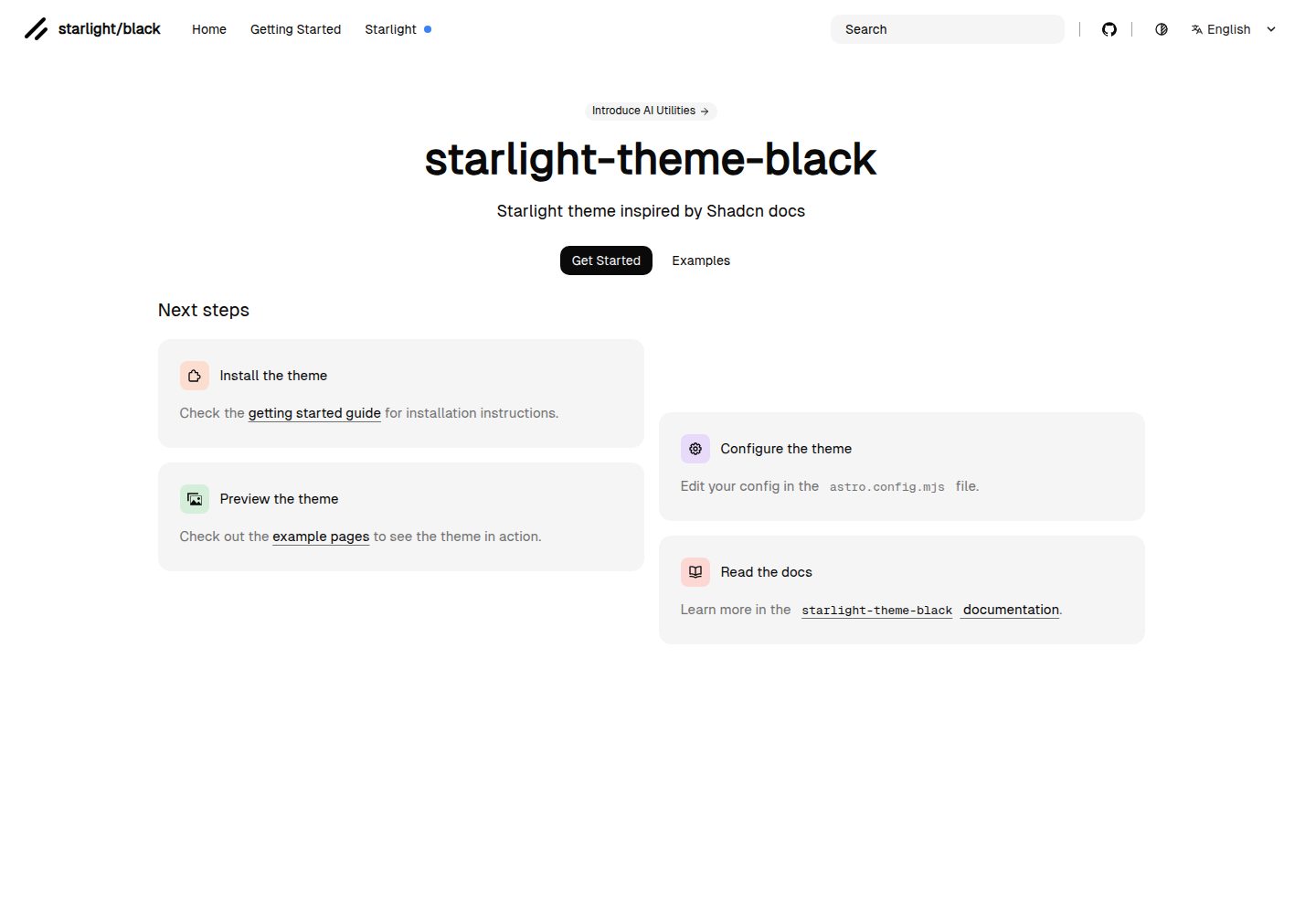
starlight-theme-black
starlight-theme-black is an Astro Starlight theme by adrian-ub that replaces the default look with a black palette, green accent (#22c55e), and editorial layout inspired by shadcn documentation.
Astro · Documentation