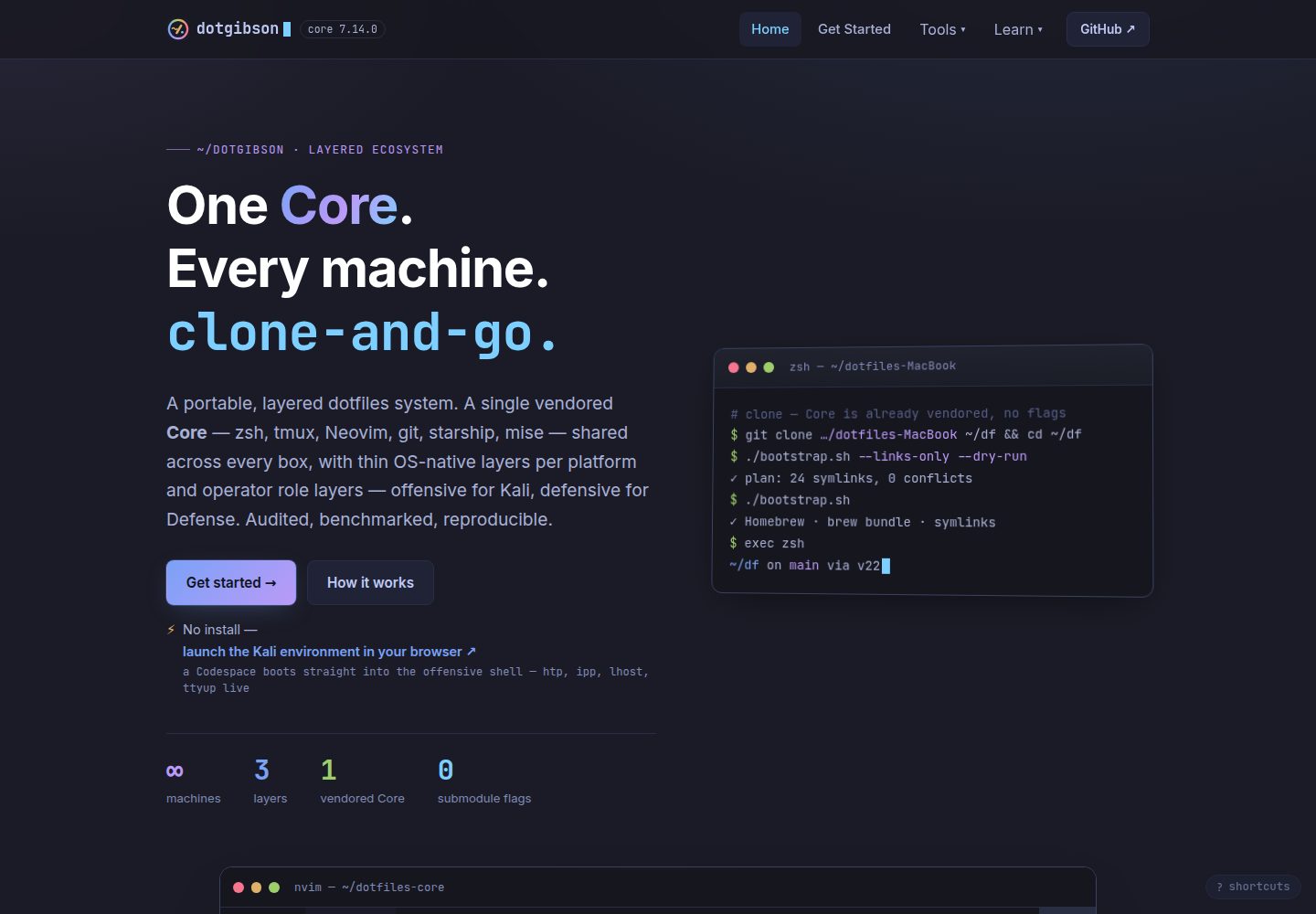
Astro 构建的文档与展示站点,主题为 Tokyo Night,部署在 GitHub Pages
Astro文档
dotfiles-web — Astro 文档模板
作者 dotgibson
dotgibson dotfiles 系统的公开展示与文档站点,使用 Astro 构建,Tokyo Night 主题,部署于 GitHub Pages。
看看你的网站会是什么样
浏览真实页面截图,比较内容排版与手机效果。点击下方缩略图切换,放大查看整页细节。
全部页面与视图 2
截图用于了解视觉与布局,交互效果请以实际项目为准。
采集于 2026-09-30查看来源
值得关注的模板亮点
从已有项目资料中,快速了解它的特点。
内容数据驱动:展示卡片、按仓库文档页、数字统计条与变更日志由 src/data/* 与相邻仓库生成
四个采集脚本从相邻仓库生成 metrics、snippets、corpus、coverage 数据文件
npm run data 为严格发布路径,仓库缺失或未提交时直接失败;宽松模式仍会写入并标记数据来源不干净
pre-commit 钩子与 CI 检查共同校验生成数据的来源标记,CI 覆盖每个 PR
提供落地页、入门指南、架构说明、文档中心与变更日志等页面
模板详细介绍
dotfiles-web 是 dotgibson dotfiles 系统的公开展示与文档中心。该系统由十二个仓库组成,分为 Core、OS-native、Role 三层终端环境;dotfiles-web 本身只负责记录和展示这套系统,不属于这三层中的任何一层。
站点包含落地页、入门指南、架构说明、文档中心与变更日志等页面。落地页呈现三层模型、仓库地图与安装说明;入门指南按平台给出安装步骤;架构页解释分层模型、subtree 取舍与加载器;文档中心包含概念、指南、参考以及按仓库生成的页面;变更日志镜像各仓库的 CHANGELOG.md。
内容以数据驱动为主:展示卡片、按仓库的文档页、数字统计条与变更日志来自 src/data/* 及相邻仓库。scripts/ 下的四个采集脚本分别从相邻仓库生成 generated.json、snippets.json、corpus.json 与 coverage.json。npm run data 是严格发布路径,缺少仓库或仓库处于未提交状态时会失败;npm run data:lenient 为宽松模式,仓库缺失时保留已提交文件,但仓库不干净时仍会写入并标记 generatedFrom.clean: false。pre-commit 钩子与 CI 中的 committed-data-provenance 检查共同读取该标记,前者仅覆盖单机,后者覆盖每个 PR。
站点使用 Astro 与 Node.js 构建,主题为 Tokyo Night,通过 GitHub Pages 发布。推送到 main 会触发部署工作流;源仓库可通过 repository_dispatch 触发重建,认证方式见 docs/WEBHOOK-SETUP.md。代码采用 MIT 许可。
Astro文档
适合你的项目吗?
适用场景
- 为跨平台 dotfiles 系统搭建公开介绍与文档站点
- 需要将多个仓库的元数据、代码片段与变更日志汇总到统一站点的场景
- 希望用数据文件驱动页面内容、避免文档与代码脱节的文档项目
- 使用 Astro 构建并部署到 GitHub Pages 的静态文档站点
适合人群
- 需要展示并记录多仓库 dotfiles 系统的个人或团队
- 希望文档内容由源仓库数据生成、而非手工维护的维护者
- 使用 Astro 与 GitHub Pages 的静态站点项目
上手与定制指南
结合仓库当前版本的说明,按下面的资料检查内容、配置与运行要求。
- 1
需要 Node.js 与 npm;克隆仓库后执行 npm install,再用 npm run dev 启动本地开发服务器
- 2
常用脚本:npm run build 生成 dist/,npm run preview 预览生产构建,npm run check 执行类型与内容集合检查
- 3
生成数据前需将相邻的 dotfiles 仓库检出到本仓库旁边,再运行 npm run data;宽松模式为 npm run data:lenient
- 4
npm run data 为严格发布路径,仓库缺失或存在未提交改动时会失败;宽松模式在仓库不干净时仍会写入
- 5
推送到 main 触发部署工作流;源仓库可通过 repository_dispatch 触发重建,认证配置见 docs/WEBHOOK-SETUP.md
授权与来源资料
使用条件与限制
免费使用 · 保留许可声明本次收录的是公开仓库中采用 MIT 许可的免费版本;免费范围为该版本代码,不代表外部服务或第三方素材免费。
使用时需要遵守
- 允许免费使用、修改、商用和分发该版本代码。
- 分发代码副本或实质性部分时,保留原作者版权声明和完整 MIT 许可声明。
- 代码按现状提供;担保与责任限制以原许可证及适用法律为准。
额外费用与待核对事项
- 生成站点数据前,必须先将相邻的 dotfiles 仓库检出到本仓库旁边,否则采集脚本无法运行。
- 宽松模式在仓库不干净时仍会写入数据并标记 generatedFrom.clean: false,不适合作为发布路径使用。
- 源仓库触发重建需通过 repository_dispatch,并使用 GitHub App 令牌认证,配置方式见 docs/WEBHOOK-SETUP.md。
- 演示图片、字体、图标及其他第三方素材需按各自许可核对,不能仅凭代码的 MIT 许可判断。
- 域名、托管、数据库、支付或 AI 等外部服务可能另外收费。
查看原文依据
Permission is hereby granted, free of charge
许可证原文
npm run data # checkout the sibling repos next to this one first
README 原文
npm run data:lenient # warn instead of failing — read the caveat below first
README 原文
https://github.com/dotgibson/dotfiles-web/blob/main/LICENSEhttps://github.com/dotgibson/dotfiles-web/blob/main/README.mdA source repo can ping a rebuild via `repository_dispatch`; how that dispatch authenticates (a short-lived GitHub App token — the old `WEBHOOK_SECRET` PAT is retired) is in [`docs/WEBHOOK-SETUP.md`](docs/WEBHOOK-SETUP.md).
README 原文
DeepSeek 根据仓库许可证和 README 整理 ·2026-10-01。结果仅覆盖已读取资料,依赖、图片、字体及后续条款变更以各自原文为准。
项目核对记录与介绍依据
模板资料
- 来源平台
- GitHub
- 资料与维护参考分
- 资料较完整 · 80 / 100
- 技术栈
- Astro
- 网站类型
- 文档
这个分数如何计算
本站按许可资料(最高30分)、演示链接(12分)、预览图(10分)、Star数(15分)、记录的维护时间(15分)、描述完整度(8分)、功能记录(5分)和分类资料(5分)计算。它不是代码、安全或性能测试,也不是 Google 评分;有链接不代表已实测可用。
这个项目需要核对什么
- 记录的仓库更新时间
- 2026-09-30
- 截图检查日期
- 2026-10-01
已收录演示链接。请用你的内容与屏幕尺寸检查;有演示不代表表单、认证或支付已经可用。
目录记录的主要技术栈是 Astro。请通过依赖清单和锁文件核对实际版本与托管要求。这些说明基于收录资料,不代表代码审计或部署实测。
查看具体选型方法 →介绍的制作与核对状态
介绍由 AI 辅助整理目录与仓库资料。仓库作者不等于这篇介绍的审核者。
已完成服务器许可规则与 AI 来源核对;未经过人工编辑审核。
查看当时使用的来源资料
SHA-256: 8b30ae63d7c82cedad2b2f1270cbd38df6afd055474fee055bfbcd4e59a8e82a
2026-10-01T13:32:05.302Z
来源文件 / 仓库<!-- Back to top link -->
<a id="readme-top"></a>
<!-- Project Shields -->
<div align="center"><nobr>
[![dotgibson][dotgibson-shield]][dotgibson-url]<!--
-->[![CI][ci-shield]][ci-url]<!--
-->![Last Commit][lastcommit-shield]<!--
-->[![Contributors][contributors-shield]][contributors-url]<!--
-->[![Forks][forks-shield]][forks-url]<!--
-->[![Stargazers][stars-shield]][stars-url]<!--
-->[![Issues][issues-shield]][issues-url]<!--
-->[![MIT License][license-shield]][license-url]
</nobr></div>
<!-- PROJECT LOGO -->
<br />
<div align="center">
<a href="https://github.com/dotgibson/">
<img src="https://raw.githubusercontent.com/dotgibson/.github/main/profile/logo.png" alt="Logo" width="80" height="80">
</a>
<h3 align="center">🌐 dotfiles-web</h3>
<p align="center">
The public showcase and documentation hub for the whole system — Astro, Tokyo Night, GitHub Pages.
<br />
<a href="https://dotgibson.github.io/dotfiles-web/docs"><strong>Explore the docs »</strong></a>
<br />
<br />
<a href="https://dotgibson.github.io/dotfiles-web/">View Demo</a>
·
<a href="https://github.com/dotgibson/dotfiles-web/issues/new?labels=bug">Report Bug</a>
·
<a href="https://github.com/dotgibson/dotfiles-web/issues/new?labels=enhancement">Request Feature</a>
</p>
</div>
<!-- TABLE OF CONTENTS -->
<details>
<summary>Table of Contents</summary>
<ol>
<li>
<a href="#about-the-project">About The Project</a>
<ul>
<li><a href="#languages">Languages</a></li>
<li><a href="#tools">Tools</a></li>
</ul>
</li>
<li><a href="#getting-started">Getting Started</a></li>
<li><a href="#developing">Developing</a></li>
<li><a href="#contributing">Contributing</a></li>
<li><a href="#license">License</a></li>
<li><a href="#contact">Contact</a></li>
</ol>
</details>
<!-- ABOUT THE PROJECT -->
## About The Project
**`dotfiles-web` is the public showcase + documentation hub** for the
[dotgibson](https://github.com/dotgibson/) dotfiles system — a twelve-repo,
three-layer terminal environment (Core → OS-native → Role). It **documents** the
system rather than configuring a machine, so it is **not** itself one of the three
layers. Built with [Astro](https://astro.build), themed in **Tokyo Night**, and
deployed to **GitHub Pages** at
[dotgibson.github.io/dotfiles-web](https://dotgibson.github.io/dotfiles-web/).
The site is data-driven and largely source-derived: the showcase cards, the
per-repo docs pages, the "by the numbers" strip, and the changelog are generated
from `src/data/*` and from the sibling repos — so the docs can't silently drift
from the code they describe.
| Page | Path | Purpose |
| --- | --- | --- |
| Landing | `/` | Hero, the three-layer model, the repo map, install |
| Getting started | `/getting-started` | Per-platform install guide |
| Architecture | `/architecture` | The layer model, subtree rationale, the loader, deep dives |
| Docs hub | `/docs` | Concepts, guides, reference, and a generated page per repo |
| Changelog | `/changelog` | A mirror of each repo's `CHANGELOG.md` |
### Languages
- [![TypeScript][typescript-shield]][typescript-url]
- [![Astro][astro-shield]][astro-url]
- [![JavaScript][javascript-shield]][javascript-url]
### Tools
- [![Astro][astro-shield]][astro-url]
- [![Node.js][node-shield]][node-url]
- [![GitHub Pages][pages-shield]][pages-url]
<p align="right">(<a href="#readme-top">back to top</a>)</p>
<!-- GETTING STARTED -->
## Getting Started
### Prerequisites
**Node.js** (with `npm`). The site is a standard Astro project — no global tooling
beyond that.
### Installation
```bash
git clone https://github.com/dotgibson/dotfiles-web ~/dotfiles-web
cd ~/dotfiles-web
npm install
npm run dev # local dev server at http://localhost:4321/dotfiles-web
```
<p align="right">(<a href="#readme-top">back to top</a>)</p>
<!-- DEVELOPING -->
## Developing
```bash
npm run dev # local dev server
npm run build # production build into dist/
npm run preview # preview the production build
npm run check # astro check (types + content collections)
```
Content is data-driven — edit these and the site updates:
- `src/data/site.ts` — site name, owner, nav, GitHub links
- `src/data/repos.ts` — the repository map / per-repo pages (prose + status)
- `src/data/install.ts` — per-platform install steps
- `src/content/docs/**/*.md` — the documentation hub pages
The "by the numbers" strip, per-card package counts, the changelog, the Config
explorer's baked files, and the Purple page's corpus + detection-coverage tables
(the `/purple` route on this site — not a Claude routine like `/doc-audit`) are
**not** hand-typed — four collectors under `scripts/` derive them from the sibling
repos into `src/data/`:
| file | collector | source repo |
| --- | --- | --- |
| `generated.json` | `collect-metrics.mjs` | the twelve dotfiles repos |
| `snippets.json` | `collect-snippets.mjs` | eight curated files across six of them |
| `corpus.json` | `collect-corpus.mjs` | `htpx` |
| `coverage.json` | `collect-coverage.mjs` | `dotfiles-Defense` |
Regenerate and commit whenever a source repo changes — run all four, not just one, or
the untouched files quietly fall behind:
```bash
npm run data # checkout the sibling repos next to this one first
npm run data:lenient # warn instead of failing — read the caveat below first
```
`npm run data` is the **publish** path, so it is strict: a missing repo, and a sibling
that is parked on a feature branch or carrying uncommitted edits in a file the
collectors read, both fail the run instead of being absorbed into the committed data.
That second check exists because it happened — a `dotfiles-core` checked out on a
feature branch published a changelog entry that was on no branch of Core's `main`.
Each individual collector (`npm run metrics`, `corpus`, `coverage`) stays lenient for
exploratory runs, and `npm run data:lenient` is the whole pipeline in that mode. Note
that "lenient" means two different things depending on which check trips, and only one
of them is harmless:
- **source repo absent** — the committed file is left alone and the run exits 0, so a
fleet-less runner can't zero the data. Nothing is published that wasn't already there.
- **fleet present but unclean** — the run warns and **still writes**, absorbing the
unmerged work. The snapshot is stamped `generatedFrom.clean: false`, which is what the
two guards below key on, but the contaminated file is on disk either way.
So the lenient path is fine for looking, and is not a publish path. `fleet-sync.yml` runs all four weekly and opens a PR when the
output drifts; `data-freshness.yml` fails CI when **any** of the four committed files no
longer matches its source — it clones the fleet, re-runs all four collectors and diffs the
result — and additionally when `generated.json`'s Core version is behind the latest
`dotfiles-core` release. The second check is not redundant: it asks whether the data names
the latest *release*, while the regeneration asks whether it matches the fleet's *current*
state, and it keeps working when the clones fail.
Because the lenient path still *writes* (with a warning), the thing that actually
publishes — the commit — is guarded in two places, both reading the
`generatedFrom.clean` verdict that `collect-metrics.mjs` and `collect-snippets.mjs`
stamp into their files. They cover the same two files, but not the same ground:
| guard | scope | files | installed by |
| --- | --- | --- | --- |
| `pre-commit` hook | one machine | `generated.json` + `snippets.json` | `npm install` (or `npm run hooks:install`) |
| `committed-data-provenance` | every PR, every machine | `generated.json` + `snippets.json` | `data-freshness.yml` |
The difference is *scope*, and it is the whole point: the hook lives in `.git/hooks`, is
untracked, is skipped when `core.hooksPath` is set, and is one `--no-verify` away from
irrelevant, so it protects exactly one machine. The CI job is the durable half.
Both matter most for `snippets.json`, because `collect-snippets.mjs` only *warns* on an
unclean fleet and writes anyway — unlike `collect-metrics.mjs`, which refuses outright.
That asymmetry also changes the advice: for `generated.json`, re-running the collector
fixes things; for `snippets.json`, re-running against a still-dirty tree just reproduces
the problem, so the repos have to be settled first. Until #160 the hook did not stage
`snippets.json` at all, and CI was the only thing standing between an absorbed local edit
and its publication on `/config` as a repo's real configuration.
The hook follows the same rules as `dotfiles-core`'s core guard: it never clobbers an
existing `pre-commit`, and it *skips* — loudly — when `core.hooksPath` is set, since
writing into an ignored `.git/hooks` would be false protection rather than protection.
Bypass a single commit with `DOTFILES_ALLOW_DIRTY_DATA=1 git commit …` or
`--no-verify`; the CI job is the one that can't be bypassed.
Pushing to `main` triggers `.github/workflows/deploy.yml` (Astro build → GitHub
Pages). A source repo can ping a rebuild via `repository_dispatch`; how that dispatch
authenticates (a short-lived GitHub App token — the old `WEBHOOK_SECRET` PAT is
retired) is in [`docs/WEBHOOK-SETUP.md`](docs/WEBHOOK-SETUP.md).
<p align="right">(<a href="#readme-top">back to top</a>)</p>
<!-- CONTRIBUTING -->
## Contributing
Because this site restates facts that live elsewhere — the repo count, the
three-layer model, per-platform install commands — it is the easiest place for
documentation to **drift** from reality.
1. **Treat the source-of-truth repos as canonical** and keep the site in step; the
`/doc-audit` routine in `dotfiles-core` checks exactly this cross-repo
consistency.
2. **Keep content in the data files** (`src/data/*`, `src/content/docs/*`) rather
than hard-coding it into pages.
3. **Green the gate.** `npm run check` (0 errors) and `npm run build` before you
push.
Bugs and ideas: open an
[issue](https://github.com/dotgibson/dotfiles-web/issues).
<p align="right">(<a href="#readme-top">back to top</a>)</p>
<!-- LICENSE -->
## License
Distributed under the MIT License. See [`LICENSE`](LICENSE) for more information.
<p align="right">(<a href="#readme-top">back to top</a>)</p>
<!-- CONTACT -->
## Contact
Garrett Allen - [@gerrrrt](https://x.com/gerrrrt) - <[email protected]> - [LinkedIn](https://linkedin.com/in/garrettallen2)
Project Link: [dotgibson](https://github.com/dotgibson/)
<p align="right">(<a href="#readme-top">back to top</a>)</p>
<!-- Markdown Links & Images -->
[dotgibson-shield]: https://img.shields.io/github/v/release/dotgibson/dotfiles-core?style=plastic&label=dotgibson&labelColor=181717&logo=data:image/png;base64,iVBORw0KGgoAAAANSUhEUgAAACAAAAAgCAIAAAD8GO2jAAAF1klEQVR4nLSWbUxT7RnHr9PT09MXSltaoC9QXkqR16Iwhb0Iw8VYYE7jPri5aBaZzpmFZbpolpn4QeMyM%2BM%2B7MVt0Q9LNJIlxCzqxGWS6aKAig51vBQKIi3QltpCS0%2Fbc879pD1N3%2Bnz4fG5Pl2977v%2F331d131f5%2BZrddWQZAgAgy9uCRlefICzT6GeIsP%2FXF15kahmu9JglGmLRQoRQdIQWgu77BuWGe%2Fo%2BOqym8odApaWomTT1%2Bl2HqirahaTuJ9kQMggkgYhDRGfRiQDZBi9fuf52%2BD7l1b3ZhRcmq%2FMnBHmibuO7fvWoTalVoDjQRwL8RGgEOtzB0MbtBDnkRjGR0AgTK%2BQfNukr1LKXlhXKZpJSxTKGoFSq9vf16tQ8%2FiEh094Vu0L449mLGMup20DRWuFYVCiFm%2BvU36nTbOlMB%2BnCDxIOBzhvv6nFpc3TS0dUKDRHzh1Jk9O8wlPYN326Oa%2FJobnN8shAOxqKjrdXa8WSnGKWPewR%2FuHLG5P8oKUFJHi%2FH19F6UKEQ%2BnbJap27%2B%2BtWR15VAHgLkV%2F%2F0xW6OuQCfNE4PgmyX6f0xZKYbJDuj43lmtoYqHU%2FaZdwNXr4eoUG51zqgw%2B%2FCtrbm0UCeRynBhqVj2YC4RNC%2FuqStbKkydAODzeO7%2B6QYTpnOIYgB729R729RY9DAGafb0wDOHLwAA5vKK1mJNFoCpsxeLLn%2Fy91uU359719%2FfVXL%2BSM35IzU9rcXciCcQujz0imOfbGhOB0jkGo2hFQBW7Quzr0Zzq6vyBT%2FuKY%2BHErfBmQWLK1Lhr6l1OkleCqC0poPb%2FuTwv3OrA8DPDhgkokgLmLX77o86kqcGJmaj5xjr1JWlAAr1Js75MDEGAAI%2B1mvWX%2F1JY29XmYDPS5ZoNsrM24si1xSh3%2FRbGBYlz%2F73g41ztqliqYv1onyVHgDocMjjXASAKycavlqnZBHa2ajcasjv%2B8MbAPhRV9nI5MezB41crIPPHWOW9Gtl9XhDDCMCokIqSwGQ4shvyucFhEQCnqlSdm9k%2BdKt6XM%2FqO7aof7t8YbIIW5SHdpVIhUTAOAP0L8bmM3MHgJwByidQCgnhSmAqOEYnQ8AgRBr%2FuUzKsgggIs3pyVCfkeTCgAmFtaNOgm39C%2F3511r2W8JYvIAJbIaAwQ3vKAEoVgRaTQIBYKxqxgMs6euvdUXiQDgeHd5rV7K1fb2kC2rOgaYghQBMJ5grI3HUGuuhQiNIOWq8sy%2FLTgCKplgT0ZtCyprWw7%2FvKCyNr6yQqYg8cim59a9KQDnwv84R1%2F99UwAzsMya4vxeOYLN7YePGG%2BcAPjxXS%2BoavknFfOlRTAh8nHKNqLa1v2ZwK6dxQZtHk5ahu3%2FcYmLsoh%2B%2FsUgN%2BztDQzEvkYFBurGnan%2FS1%2B1P98L1FbxLIPzh193X%2FtwbmjiGUBYHd5nVFRCABPlxdtfh%2B3LHGKxof%2Bqo90C6yj58yi9Tm1kWjr94ZXsGhTuDuynAx2z0245yY4X06Kf9HWFd0N%2BuPbsUR64%2B3a57Erig2qIoOIlJSUNE69GWTZRFufXvRNL%2Fo2ywyJE1fMP6xWqHBEP5yfvP7%2FbAAAsFufG01mkVCqkGvLyrbNTD2mw9kfDckmE0oudx9rUZfhiF5Zd%2F%2F00QDF0NkBTJhanB3e0riHJIRKhXarqWfdu%2Bx0WnOot1ftuNR90lhQzEO0L7B2YvCm3b%2BWNI%2ByffSLq757%2BPcquYaIvBtgdcXycuzO9MzTFdccd9IwDNMVlDaXbzPXtxsVhQRDEQzl8i6d%2Buf12Y%2BONDVMo6vOfHWJxHLz3l811u8WAEZABCNAAHSI8n8k2HABKRJjLJ8JECxFMAE%2BHXhiGb7yn35vcCNDKVsEcSuv%2BEpn%2B7Etla0CwAQIOBLBhrkt85kAnwm8mX95e%2FTOa9vUZiIxQI43r0Kura9uN5SYNMoyuVDGZ2nK73C65iy28Rezo44152bSKYAvz3ifVA1lDn0WAAD%2F%2F%2FWvXexgMwqgAAAAAElFTkSuQmCC
[dotgibson-url]: https://github.com/dotgibson/dotfiles-core/releases/latest
[ci-shield]: https://img.shields.io/github/check-runs/dotgibson/dotfiles-web/main?style=plastic&logo=githubactions&logoColor=white&label=CI
[ci-url]: https://github.com/dotgibson/dotfiles-web/actions/workflows/deploy.yml
[lastcommit-shield]: https://img.shields.io/github/last-commit/dotgibson/dotfiles-web?branch=main&style=plastic&logo=git&logoColor=white
[contributors-shield]: https://img.shields.io/github/contributors/dotgibson/dotfiles-web.svg?style=plastic&logo=github
[contributors-url]: https://github.com/dotgibson/dotfiles-web/graphs/contributors
[forks-shield]: https://img.shields.io/github/forks/dotgibson/dotfiles-web.svg?style=plastic&logo=github
[forks-url]: https://github.com/dotgibson/dotfiles-web/network/members
[stars-shield]: https://img.shields.io/github/stars/dotgibson/dotfiles-web.svg?style=plastic&logo=github
[stars-url]: https://github.com/dotgibson/dotfiles-web/stargazers
[issues-shield]: https://img.shields.io/github/issues/dotgibson/dotfiles-web?style=plastic&logo=github
[issues-url]: https://github.com/dotgibson/dotfiles-web/issues
[license-shield]: https://img.shields.io/github/license/dotgibson/dotfiles-web.svg?style=plastic
[license-url]: https://github.com/dotgibson/dotfiles-web/blob/main/LICENSE
[typescript-shield]: https://img.shields.io/github/v/release/microsoft/TypeScript?style=plastic&logo=typescript&logoColor=white&label=TypeScript&labelColor=3178C6&color=3D59A1
[typescript-url]: https://github.com/microsoft/TypeScript
[astro-shield]: https://img.shields.io/npm/v/astro?style=plastic&logo=astro&logoColor=white&label=Astro&labelColor=BC52EE&color=3D59A1
[astro-url]: https://github.com/withastro/astro
[javascript-shield]: https://img.shields.io/badge/JavaScript-F7DF1E?style=plastic&logo=javascript&logoColor=black
[javascript-url]: https://developer.mozilla.org/docs/Web/JavaScript
[node-shield]: https://img.shields.io/github/v/release/nodejs/node?style=plastic&logo=nodedotjs&logoColor=white&label=Node.js&labelColor=5FA04E&color=3D59A1
[node-url]: https://github.com/nodejs/node
[pages-shield]: https://img.shields.io/badge/GitHub_Pages-222222?style=plastic&logo=githubpages&logoColor=white
[pages-url]: https://pages.github.com
看看同类模板
对比同技术栈与用途的模板,找到更适合的视觉与内容结构。
AnvilWiki
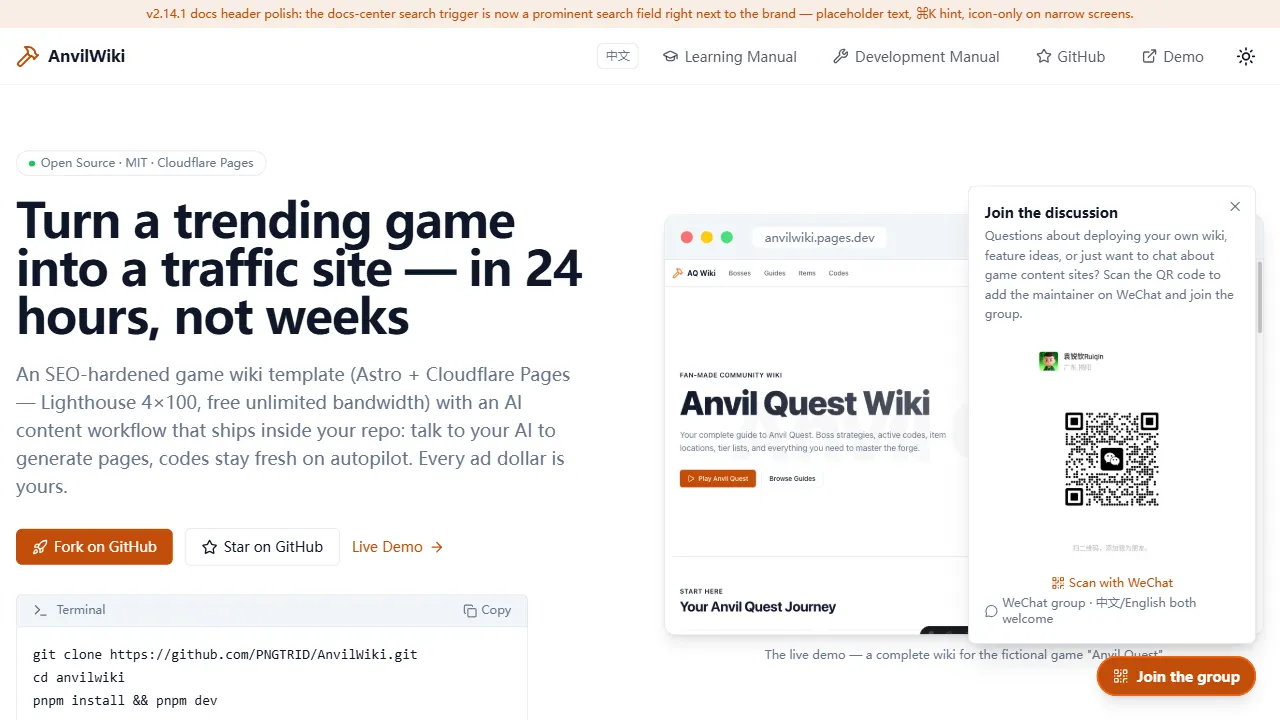
AnvilWiki 是一个围绕游戏攻略站场景设计的 Astro 静态模板,目标用户是希望快速搭建游戏内容站、通过 SEO 获取流量并利用广告变现的创作者。
Astro · 游戏站
starlight-theme-rapide
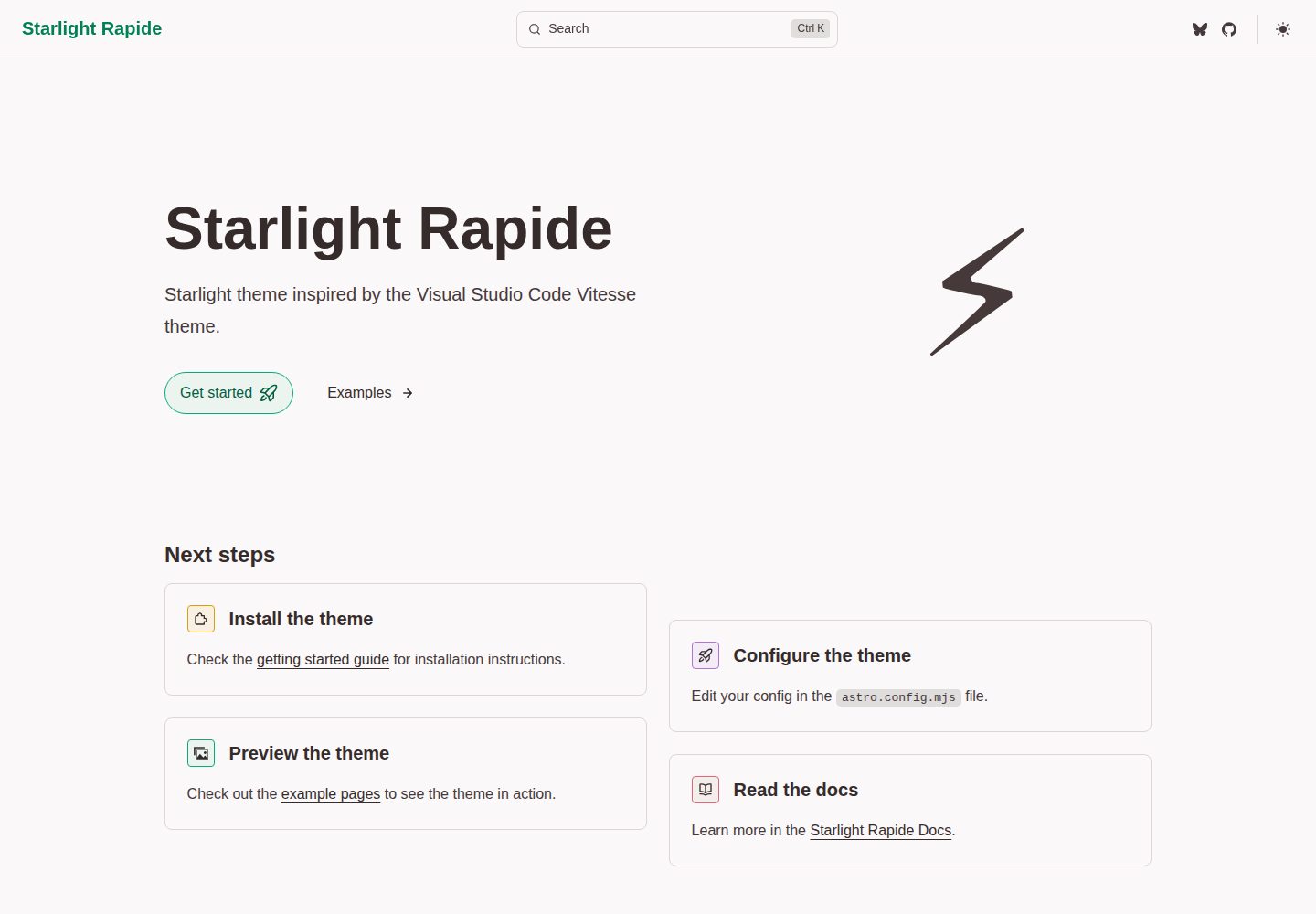
Starlight theme inspired by the Visual Studio Code Vitesse theme
Astro · 文档
CelestialDocs
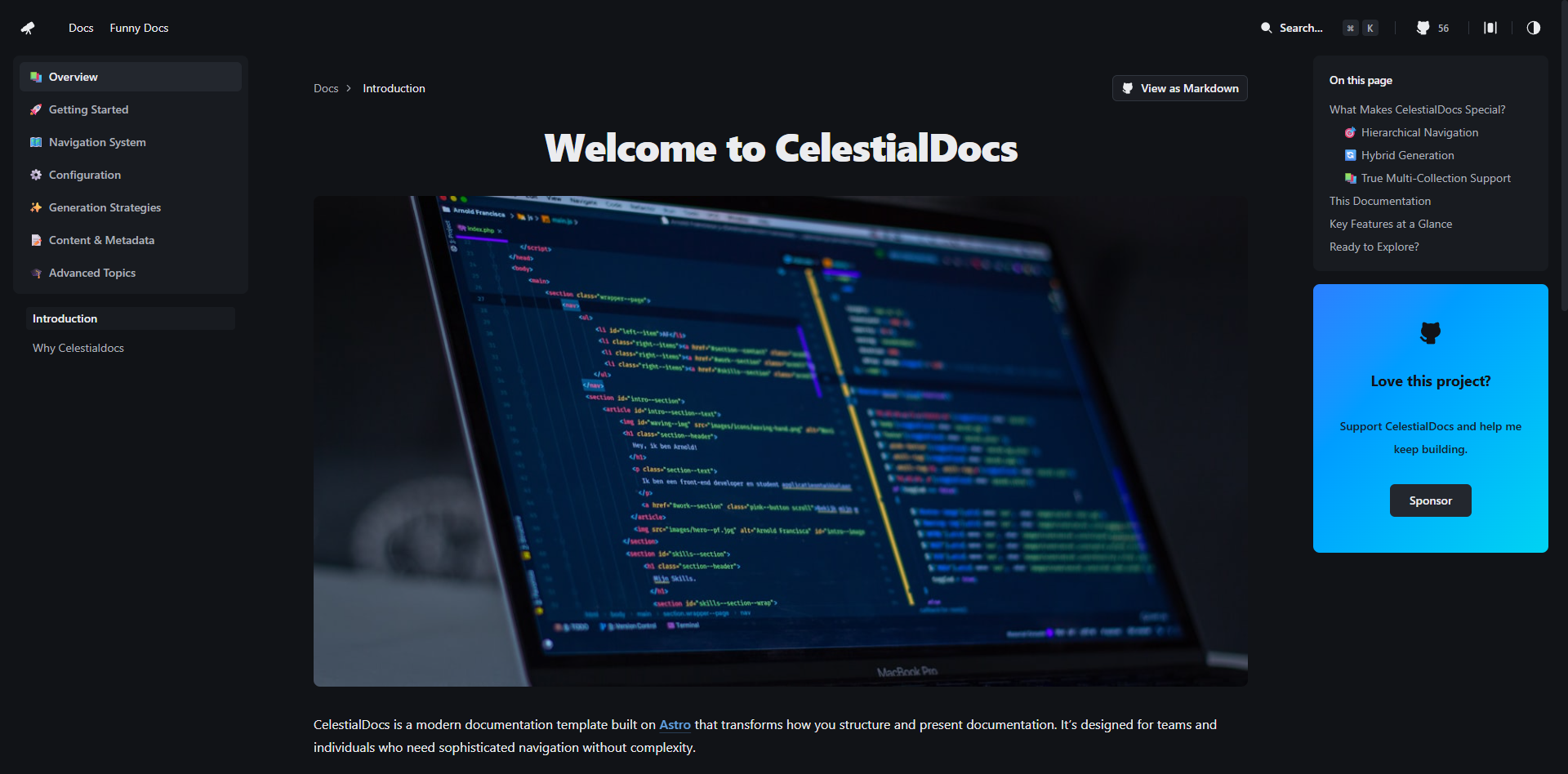
CelestialDocs 是一个基于 Astro 的文档平台模板,定位是让团队在一个仓库里同时维护文档、博客和产品页面。
Astro · 文档
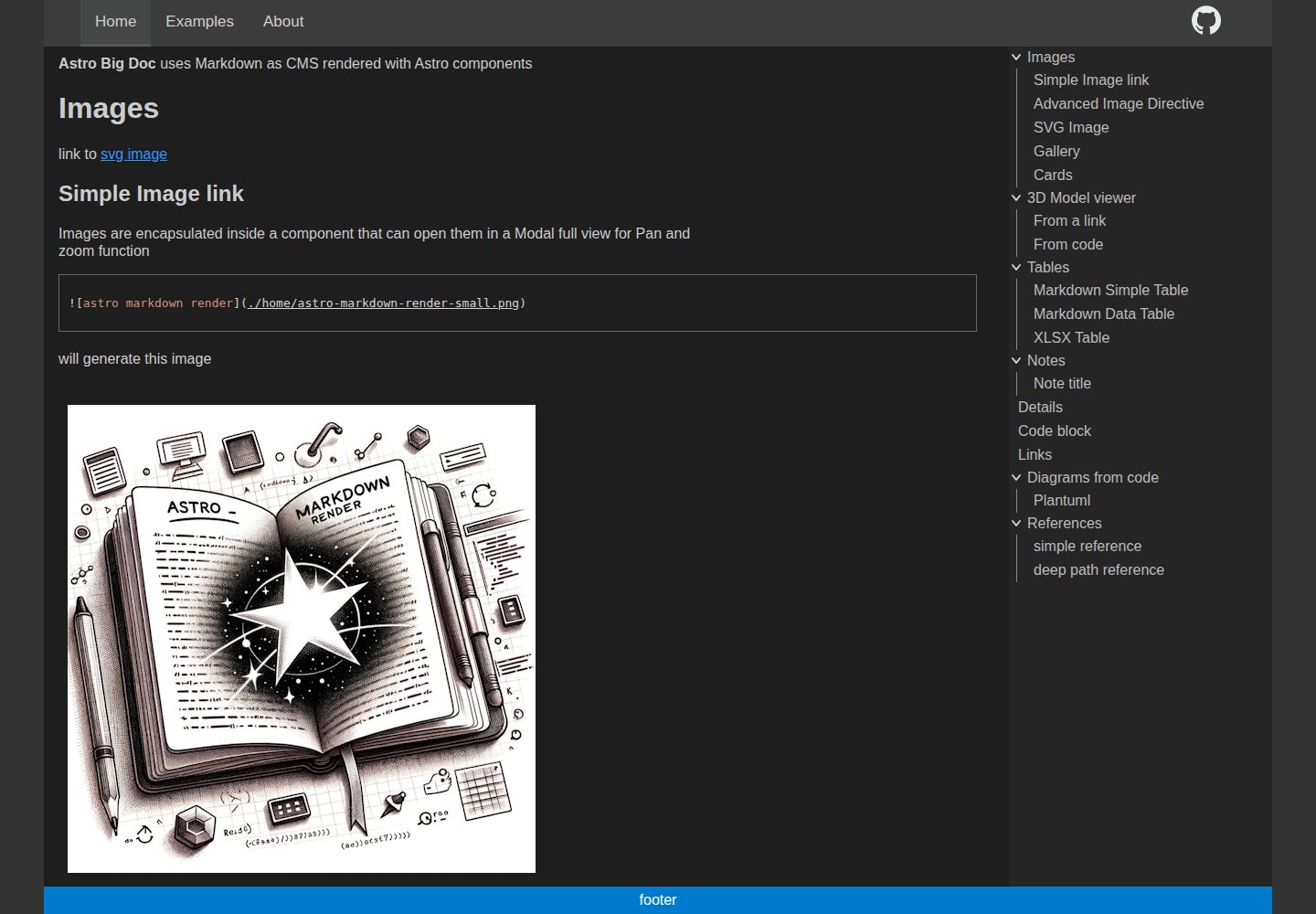
astro-big-doc
Astro Theme with zero config hierarchical menu and table of content, render pure standard Markdown .md with cu…
Astro · 文档
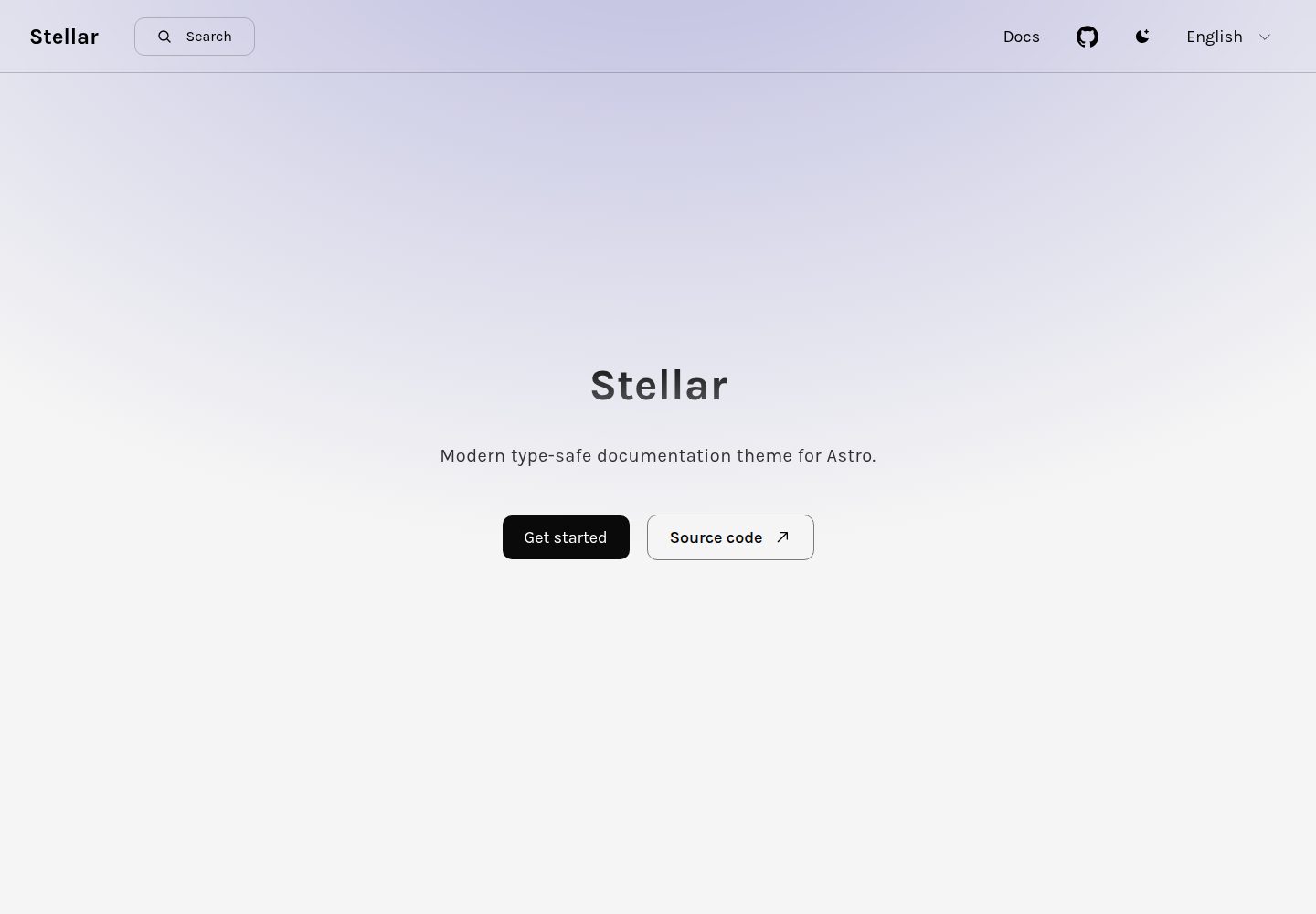
stellar
Modern type-safe documentation theme for Astro.
Astro · 文档
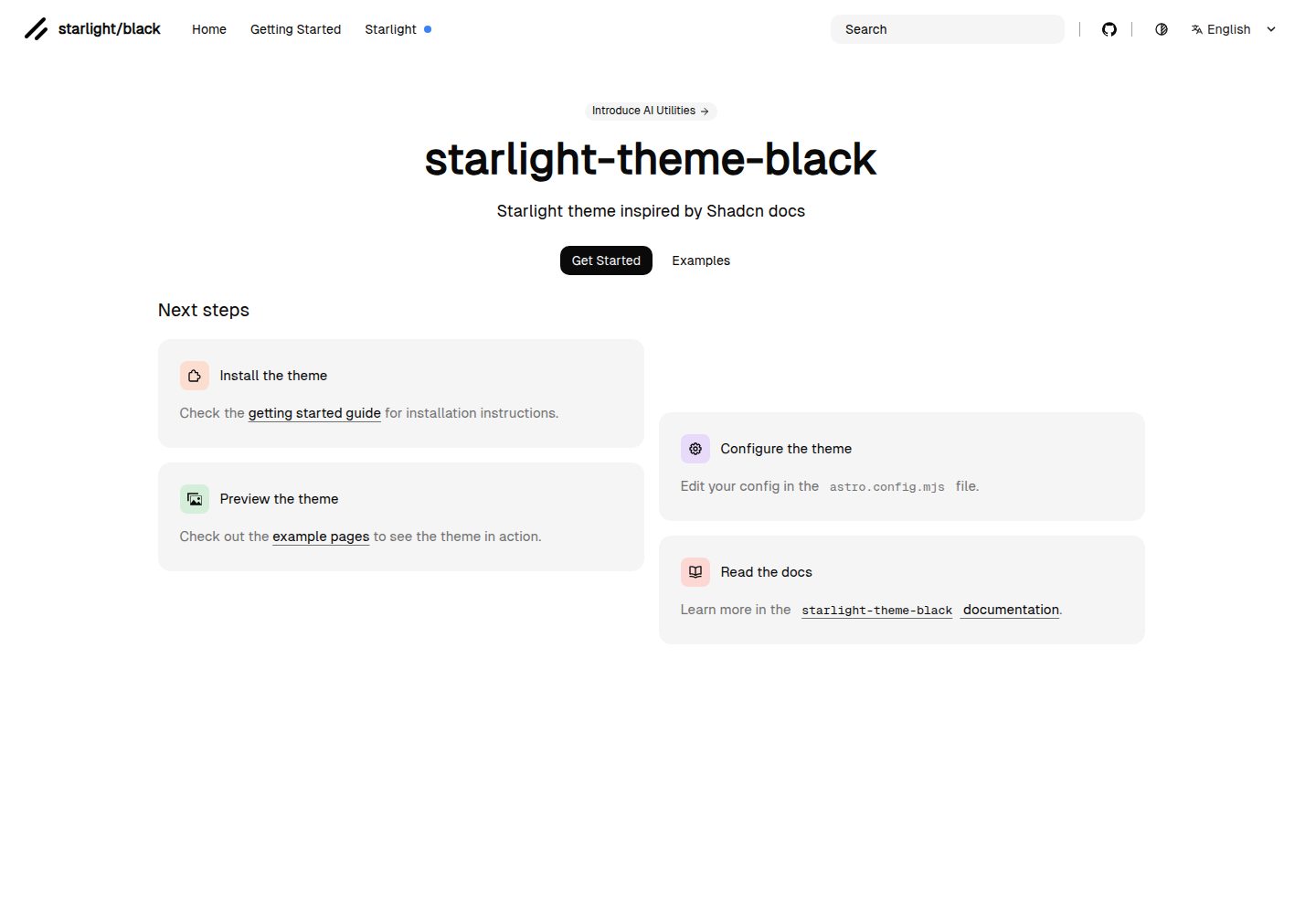
starlight-theme-black
Starlight theme inspired by @shadcn docs
Astro · 文档