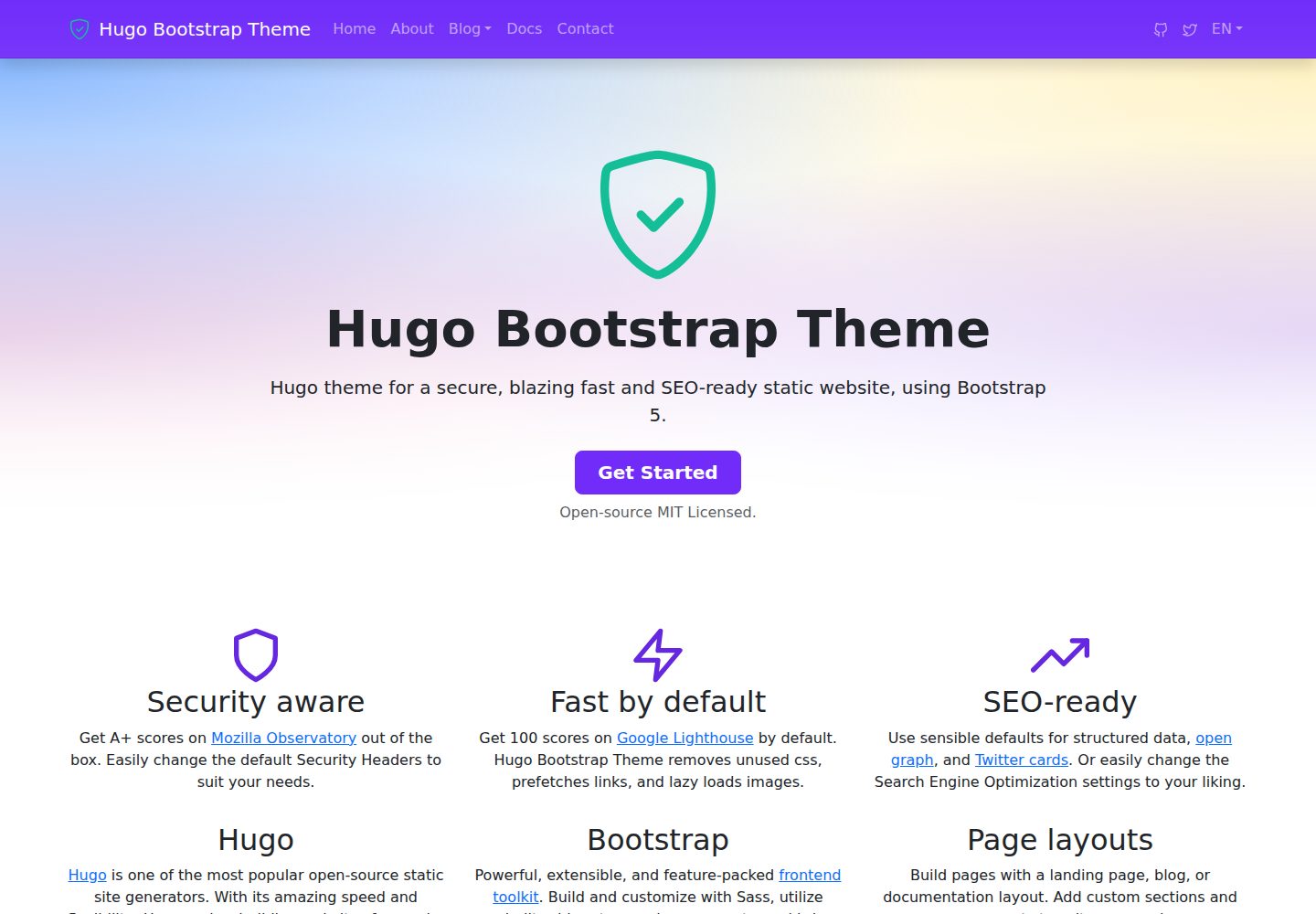
Outputs a Content Security Policy meta tag on every page and provides a `_headers` file for hosts that support custom response headers
HugoHTMLTool Site
hugo-bootstrap-theme — Hugo Tool Template
By filipecarneiro
A static site theme built on Hugo and Bootstrap 5, with built-in Content Security Policy, structured data, and SEO metadata, suitable for blogs or documentation sites.
Explore the design
Compare the page layouts and mobile experience. Open any screenshot for a closer look.
Desktop homepage1 / 3
Desktop captureTop of page
Actual screenshot captured by the server browser.
All pages & views 3
Screenshots show visual appearance; interactive behavior may differ.
Recorded 2026-10-02View source
What stands out
A quick read of the recorded project description.
Outputs structured data, Open Graph, and Twitter Cards by default, with support for JSON-LD such as BreadcrumbList, ProfilePage/Person, and DefinedTermSet
Installed via NPM, with the theme directory pointing to node_modules for easier dependency management
Supports main, footer, and social menus; favicon is automatically linked by conventional filename
Google tag is cookieless by default; gtag.js is only output when explicitly configured
Template Details
hugo-bootstrap-theme is a Hugo theme that uses Bootstrap 5 to build static websites or blogs. The theme outputs a Content Security Policy meta tag on every page and provides a `_headers` file for hosts that support custom response headers; GitHub Pages cannot send custom response headers, so only the meta CSP takes effect when publishing there.
The theme outputs structured data, Open Graph, and Twitter Cards by default, and supports generating JSON-LD such as BreadcrumbList, ProfilePage/Person, and DefinedTermSet based on page type. Structured data for author pages, glossaries, and breadcrumbs can be controlled via front matter or configuration parameters. Some features (such as Google tag) are not output by default and require explicit configuration.
The theme requires Hugo 0.158.0 or higher and the extended version. Starting with 2.0.0, the postinstall hook that installed the Hugo binary was removed, so Hugo must be installed separately. Installation is via an NPM package, with the site configuration setting `theme` and `themesdir` to point to node_modules.
HugoHTMLTool Site
Is it right for your project?
Use Cases
- Building a blog or content site with Hugo and Bootstrap 5
- Projects that need to add CSP and security response headers to a static site
- Sites that want automatic generation of structured data (breadcrumbs, author pages, glossaries)
- Hugo projects that manage theme dependencies via NPM
Suitable For
- Developers familiar with Hugo and Bootstrap
- Teams that need basic SEO and security header configuration for static sites
- Sites focused on blogs, documentation, or content display
Getting started & customization
Use these recorded setup notes alongside the repository instructions for your chosen version.
- 1
Requires Hugo 0.158.0 or higher, and the extended version is mandatory
- 2
Install via `npm install @filipecarneiro/hugo-bootstrap-theme`, and set `theme` and `themesdir` in the configuration to point to node_modules
- 3
Starting with 2.0.0, the Hugo binary is no longer downloaded automatically; Hugo must be installed separately
- 4
To output `_headers`, add the HEADERS output format for home in the configuration
- 5
Google tag is cookieless by default; enabling cookies requires implementing a consent banner yourself
License & source material
Usage conditions & limitations
Free to use · keep license noticeThis entry covers the free version under the MIT license in the public repository; the free scope applies to that version's code and does not imply that external services or third-party assets are free.
Must comply with when using
- Free use, modification, commercial use, and distribution of this version's code are permitted.
- When distributing copies or substantial portions of the code, retain the original author's copyright notice and the full MIT license notice.
- The code is provided as is; warranties and limitations of liability are governed by the original license and applicable law.
Additional costs & items to verify
- Demo images, fonts, icons, and other third-party assets must be checked against their respective licenses; the code's MIT license alone cannot be used to judge them.
- External services such as domains, hosting, databases, payments, or AI may incur separate charges.
- Using this theme requires Hugo 0.158.0 or higher; builds fail on lower versions.
- The extended version of Hugo is mandatory; the standard version cannot build properly.
- Starting with 2.0.0, the Hugo binary is no longer downloaded automatically; users must install Hugo themselves.
- When publishing on GitHub Pages, custom response headers cannot be sent, so only the meta CSP takes effect and other security headers are unavailable.
- When enabling Google tag, the site CSP must allow googletagmanager.com in both script-src and img-src, otherwise the tag is blocked by the browser.
- After setting cookies to true, the consent banner must be implemented by the site itself.
- To output the _headers file, you must explicitly add the HEADERS output format for home in the site configuration; the theme does not merge outputs automatically.
- Enabling includeSubDomains and preload covers all subdomains under the domain, and exiting preload takes months; confirm that all subdomains support HTTPS before configuring.
- After enabling crossOriginEmbedderPolicy=require-corp, cross-origin resources that have not opted in fail to load silently, with no indication on the page.
View Original Text Basis
Permission is hereby granted, free of charge
Original License Text
**Version 2.0.0 requires Hugo 0.158.0 or later.**
Original README
IMPORTANT: make sure you pick the extended version, Hugo_extended_0.xxx.x_…
Original README
Version 2.0.0 also removes the `postinstall` hook that downloaded a Hugo binary into `bin/`. Install Hugo yourself
Original README
Note that GitHub Pages cannot serve custom headers at all, so a site published there is graded on the meta CSP alone.
Original README
A site with a CSP must allow `googletagmanager.com` in **both** `script-src` and `img-src`
Original README
**`cookies = true` opts out**, and a consent banner becomes the site's responsibility.
Original README
Hugo merges `mediaTypes` and `outputFormats` from a theme but **not** `outputs`, so the home page still has to opt in.
Original README
`includeSubDomains` claims **every** name under the domain, and `preload` puts that claim in a list that ships inside the browser, which takes months to leave.
Original README
https://github.com/filipecarneiro/hugo-bootstrap-theme/blob/main/LICENSEhttps://github.com/filipecarneiro/hugo-bootstrap-theme/blob/main/README.mdUnder `require-corp` a cross-origin subresource that has not opted in does not load and the visitor sees nothing at all, no gap and no error.
Original README
Compiled by DeepSeek based on repository license and README ·2026-10-04. Results only cover the materials read; dependencies, images, fonts, and subsequent term changes are subject to their respective original texts.
Project checks & description sources
Template Information
- Source platforms
- GitHub
- Documentation and maintenance reference score
- More documented · 96 / 100
- Technologies
- Hugo · HTML
- Website type
- Tool Site
How this score is calculated
Our heuristic uses license records (up to 30), a demo link (12), a preview (10), stars (15), recorded maintenance (15), description completeness (8), feature records (5) and classification data (5). It is not a code, security or performance test, or a Google score. A link does not establish tested functionality.
What to verify for this project
- Repository update recorded
- 2026-09-12
- Screenshot last checked
- 2026-10-04
A demo link is listed. Check it with your own content and viewport sizes; its presence does not confirm that forms, authentication or payments work.
The catalog identifies Hugo as the primary stack. Check the actual dependency manifest and lockfile for versions and hosting requirements. These notes use recorded metadata, not a code audit or a deployment test.
Use a selection guide →How this description was prepared
AI-assisted description based on catalog records and repository material. Repository authors are not automatically the reviewers of this description.
Review declaration: [email protected] · 2026-10-04
Inspect the recorded source material
SHA-256: cf11029a604cbdaccfe2412c6dd2c13922b5438dab0dbe9d13a26295330d78db
2026-10-04T08:39:35.420Z
Source file / repository# Hugo Bootstrap Theme
[](https://github.com/filipecarneiro/hugo-bootstrap-theme/actions/workflows/gh-pages.yml) [](https://github.com/filipecarneiro/hugo-bootstrap-theme/actions/workflows/pages/pages-build-deployment)
Theme for a blazing fast static website and/or blog using bootstrap 5.

## Demo
- [https://filipecarneiro.github.io/hugo-bootstrap-theme/](https://filipecarneiro.github.io/hugo-bootstrap-theme/)
## Features
- 🛡️ Security aware
Every page carries a Content Security Policy, and a `_headers` file of sensible defaults is available for hosts that serve custom response headers — see [Security headers](#security-headers). Note that GitHub Pages cannot serve custom headers at all, so a site published there is graded on the meta CSP alone.
- ⚡Fast by default
Get 100 scores on Google Lighthouse by default. Hugo Bootstrap Theme removes unused css, prefetches links, and lazy loads images.
- 📈 SEO-ready
Use sensible defaults for structured data, open graph, and Twitter cards. Or easily change the Search Engine Optimization settings to your liking.
## Framework
### Hugo
Hugo is the **world’s fastest static website engine**. It’s written in Go (aka Golang).
- [Hugo Documentation](https://gohugo.io/documentation/)
- [Go template documentation](https://golang.org/pkg/text/template/#hdr-Functions)
### Bootstrap
Get started with Bootstrap
- [Bootstrap 5.3](https://getbootstrap.com/docs/5.3/getting-started/introduction/)
- [Install Bootstrap in your Node.js powered apps with the npm package](https://getbootstrap.com/docs/5.3/getting-started/download/#npm)
### Upgrading from 1.x
**Version 2.0.0 requires Hugo 0.158.0 or later.** The templates use `.Language.Locale` and `.Language.Label`, which replaced the deprecated `.LanguageCode` and `.LanguageName` in Hugo 0.158.0. On older Hugo the build fails with `can't evaluate field Locale in type *langs.Language`.
Upgrade your Hugo before moving to 2.x. You do **not** need to change your site configuration — `locale`/`label` are read from the older `languageCode`/`languageName` config keys as well.
Version 2.0.0 also removes the `postinstall` hook that downloaded a Hugo binary into `bin/`. Install Hugo yourself (see Requirements below); if your site relied on that hook, add [`hugo-installer`](https://www.npmjs.com/package/hugo-installer) to your own project.
### Requirements
The tools used are cross-platform and should work on Windows, MacOS and Linux. You will need the following tools to be downloaded and installed:
- [Hugo static site builder](https://github.com/goHugoio/Hugo/releases) - **version 0.158.0 or later**. IMPORTANT: make sure you pick the extended version, Hugo_extended_0.xxx.x_…
- [Node & NPM](https://nodejs.org/) - We use this to maintain project dependencies
- [Git](https://git-scm.com/downloads) - This is optional, but highly recommended for version control and remote backups.
## Usage
### Test the theme locally on your computer
Clone this repo:
```
git clone https://github.com/filipecarneiro/hugo-bootstrap-theme.git
```
Test if the site is working:
```
hugo server -D --disableFastRender --source exampleSite
```
This launches Hugo development server and you can see the example site by opening http://localhost:1313/hugo-bootstrap-theme/.
### Install on an existing Hugo site
#### Step 1: Install via NPM
```
npm install @filipecarneiro/hugo-bootstrap-theme
```
Hugo bootstrap theme package will also add bootstrap and feather-icons to node modules.
#### Step 2: Add to Config
Then add the theme `hugo-bootstrap-theme` to your sites [configuration file](https://gohugo.io/getting-started/configuration/#configuration-file) `config.toml`, `config.yaml` or `config.json`:
```toml
theme = "hugo-bootstrap-theme"
themesdir = "node_modules/@filipecarneiro"
```
The new themes directory (themesdir) is needed to get the new theme from the `node_modules` folder.
#### Step 3: Test your site
```
hugo server -D --disableFastRender
```
#### Step 4: Check your parameters
Check your `copyright` variable, your menus (the theme supports `main`, `footer` and `social` menus), etc.
Have a look on exampleSite for inspiration :)
### Favicons
Drop a standard icon set in `static/` and the theme links whatever it finds. There is
nothing to configure: each name below is emitted only if the file exists.
`favicon.svg`, `favicon.png`, `favicon-96x96.png`, `favicon.ico`,
`apple-touch-icon.png`, `site.webmanifest`
Those are the names favicon generators produce, so a set from something like
[RealFaviconGenerator](https://realfavicongenerator.net) works untouched. A top-level
`themeColor` param, if set, adds `<meta name="theme-color">`. The theme warns at build
time if the home page ends up with no icon at all.
Full details, including Google's favicon requirements, why these files are deliberately
not fingerprinted, and the `Cache-Control` consequence that follows for your site:
[`head/favicons.html`](layouts/partials/head/favicons.html).
### Breadcrumb structured data
Every page except the home page emits a `BreadcrumbList` JSON-LD block, built from
`.Ancestors`, so there is nothing to configure. Google renders it in the result snippet
in place of the raw URL and does **not** require a matching visible breadcrumb, so it
works independently of `options.breadCrumb`.
```toml
[params.options]
breadCrumbSchema = false # suppress the schema
```
Crumb names come from `.LinkTitle`, so a section whose title is an SEO title should set
`linkTitle` in its front matter to keep the crumb short.
Full details, including which pages are skipped, why the home crumb differs from the
visual trail, and the limits of a URL-derived path:
[`head/schema-breadcrumb.html`](layouts/partials/head/schema-breadcrumb.html).
### Author pages
An author's own page is described as a person rather than as a piece of writing: it gets
`ProfilePage` structured data wrapping a `Person`, plus `og:type: profile`, and is excluded
from the `Article` schema. Both shapes the theme supports are recognised, a content section
of leaf bundles and a taxonomy of terms.
```toml
[params]
authorSection = "autores" # defaults to "authors"
```
The `Person` is built from the author page's own front matter, the same keys
`head/schema-article.html` reads when it names an article's author, so both schemas describe
one person identically:
```yaml
---
title: "Ada Lovelace"
description: "Engineer, writes about analytical engines."
jobTitle: "Engineer"
image: "photo.jpg" # in the author's own bundle, or in assets/
sameAs: ["https://www.linkedin.com/in/ada/"]
---
```
Everything except the title is optional and simply omitted when absent.
Full details, including which page kinds are excluded and why the two schemas are mutually
exclusive: [`head/schema-profile-page.html`](layouts/partials/head/schema-profile-page.html)
and [`head/is-author-page.html`](layouts/partials/head/is-author-page.html).
### Glossary structured data
A page that declares a `definedTermSet` block emits a `DefinedTermSet` JSON-LD block, with
one `DefinedTerm` per entry. Like the `Product` and `FAQPage` blocks, it emits structured
data and nothing visible: the glossary itself is written in the page body, and the anchors
the schema publishes have to match the headings there.
```yaml
---
definedTermSet:
title: "Theme Glossary" # defaults to the page title
description: "The words this theme uses in a particular way."
items:
- term: "Front Matter"
description: "The metadata block at the top of a content file."
alternateName: "Frontmatter" # a string or a list
sameAs: "https://gohugo.io/content-management/front-matter/"
- term: "Structured Data"
anchor: "structured-data" # defaults to `anchorize` of the term
termCode: "SD"
description: |
Markdown, so an entry can link, emphasise and run to more than one paragraph.
items: # sub-terms, folded into the same set
- term: "JSON-LD"
sameAs:
- "https://en.wikipedia.org/wiki/JSON-LD"
- "https://www.wikidata.org/wiki/Q6108942"
---
```
Only `term` is required; everything else is omitted when absent. Each entry is identified
by `#<anchor>` on the page, derived from the term with `anchorize`, which is the rule Hugo
applies to markdown headings, so a heading that reads the same as the term needs no
`anchor`. `alternateName`, `sameAs` and `termCode` carry the names schema.org gives them.
`sameAs` is the one worth filling in: it ties the entry to the entity it names, on Wikidata
or wherever, so the term stops being a string that exists only on your page.
Full details, including why the set is identified by `#glossary` rather than by the page
URL, and why a description is published whole rather than cut to its first sentence:
[`head/schema-defined-term-set.html`](layouts/partials/head/schema-defined-term-set.html).
### Google tag (Analytics and Ads)
Add a `[googleTag]` block and the theme emits `gtag.js`. Without the block nothing is
emitted at all.
```toml
[params]
[params.googleTag]
measurementId = "G-XXXXXXXXXX" # GA4 measurement ID
googleAds = "AW-XXXXXXXXX" # optional, a second config target
cookies = false # true lets the tag set cookies
```
**The default is cookieless.** Consent Mode defaults deny every storage type before the
tag loads, so it sets no cookies and needs no consent banner. Reporting narrows to match:
aggregate event counts, with no users, sessions or attribution.
**`cookies = true` opts out**, and a consent banner becomes the site's responsibility. The
theme emits a build warning saying so, which a site acknowledges with
`ignoreLogs = ['google-tag-cookies-allowed']` rather than by ignoring it.
A site with a CSP must allow `googletagmanager.com` in **both** `script-src` and
`img-src`; see [Changing the Content Security Policy](#changing-the-content-security-policy).
Full details, including the script ordering requirement, all three build warnings and
what the CSP check can and cannot verify:
[`head/google-tag.html`](layouts/partials/head/google-tag.html).
### Security headers
Every page gets a Content Security Policy as a `<meta>` tag, which works on any
host. The remaining headers — `Referrer-Policy`, `X-Content-Type-Options`,
`X-Frame-Options`, `Permissions-Policy`, `Strict-Transport-Security` — can only
be sent as HTTP response headers, so they depend on where the site is published:
| Host | Custom headers | What applies |
| --- | --- | --- |
| Netlify, Cloudflare Pages | reads `_headers` | meta CSP **and** all headers below |
| GitHub Pages | not supported | meta CSP only |
The theme ships `layouts/index.headers` and declares the `HEADERS` output format
and its media type in its own configuration. Hugo merges `mediaTypes` and
`outputFormats` from a theme but **not** `outputs`, so the home page still has to
opt in. Add this one block to your configuration:
```toml
[outputs]
# HTML and RSS are Hugo's defaults for the home page and must be repeated,
# or declaring HEADERS would replace them and you would lose your feed.
home = ["HTML", "RSS", "HEADERS"]
```
Build and confirm `public/_headers` exists. To change the headers themselves,
copy `layouts/index.headers` into your own `layouts/`.
#### Changing the Content Security Policy
Set it once, in `params` — **do not** override the
`head/content-security-policy.html` partial:
```toml
[params]
contentSecurityPolicy = "script-src 'self'; style-src 'self' 'unsafe-inline'; object-src 'none'; base-uri 'none'"
```
The same value is then used for the meta tag and for the header in `_headers`.
This matters: a browser enforces *every* policy it receives and applies the
intersection, so a permissive meta tag combined with a stricter header blocks
whatever only the meta tag allowed. While the parameter is unset no CSP is
written to `_headers`, precisely so an overridden meta tag cannot be tightened
behind your back.
A site using `[googleTag]` has to allow the hosts the Google tag needs, or the
browser blocks it and only a console error shows why:
| Directive | Add |
| --- | --- |
| `script-src` | `https://www.googletagmanager.com` |
| `img-src` | `https://*.google-analytics.com` and `https://www.googletagmanager.com` |
`googletagmanager.com` is needed in **both**. Why, which requests each directive
covers, and what the theme's build-time check can and cannot verify for you:
[`head/google-tag.html`](layouts/partials/head/google-tag.html).
#### HSTS beyond the default
The default is `max-age=31536000`, one year, and nothing else. That is right for
any site: it protects the hosts this configuration serves and claims nothing
about the rest of the zone.
```toml
[params]
strictTransportSecurity = "max-age=31536000; includeSubDomains; preload"
```
`includeSubDomains` claims **every** name under the domain, and `preload` puts
that claim in a list that ships inside the browser, which takes months to leave.
One subdomain still on plain HTTP becomes unreachable, with no way for a visitor
to click past the error.
Before setting it, check every name the zone answers for, not only the ones you
remember: certificate transparency (`crt.sh`) lists the ones that ever held a
certificate, and the DNS zone lists the rest. Each must redirect HTTP to HTTPS
and serve a certificate that verifies. Then decide whether you accept the same
of every name the zone will ever have, because that is what preload buys.
`https://hstspreload.org/api/v2/preloadable?domain=example.com` answers with the
errors that stand between the site and eligibility.
#### The three isolation headers
Off unless you set them, for the same reason as the CSP: none of the three is a
safe default, and each breaks something different when it is wrong.
```toml
[params]
crossOriginOpenerPolicy = "same-origin"
crossOriginResourcePolicy = "same-origin"
crossOriginEmbedderPolicy = "require-corp"
```
| Parameter | What it does | What it breaks |
| --- | --- | --- |
| `crossOriginOpenerPolicy` | Cuts the window reference between your page and whatever opened it | A popup your page has to talk back to, such as an OAuth or payment window |
| `crossOriginResourcePolicy` | Says who may load your files inside a page of their own | Any logo, badge, font or image another site legitimately embeds from you |
| `crossOriginEmbedderPolicy` | Refuses third-party resources that have not opted in | Any map, video, font or script from another origin, **silently** |
The third one earns its warning. Under `require-corp` a cross-origin subresource
that has not opted in does not load and the visitor sees nothing at all, no gap
and no error. Set it only on a site that loads no third-party resource today,
and check the console after you do, not only the day you ship it but the day
somebody embeds a video.
`crossOriginResourcePolicy` deserves a thought about who else uses your files.
A trust badge or a logo that partners display on their own sites stops working
the moment you send `same-origin`. Hand them the file to host instead, which
also means their page keeps working when yours is down.
### Start from Scratch
#### Step 1: Create a new Hugo site
Follow [Hugo Quick Start](https://gohugo.io/getting-started/quick-start/) to create a new site, add a sample page and change basic settings.
Since you've created an Git repository, let's specify some Hugo files and folders to ignore.
Create a `.gitignore` file on the root of your project with this content:
```txt
public
node_modules
resources
.hugo_build.lock
```
Optionally, add a remote repository and push your code.
#### Step 2: Install and configure Hugo Bootstrap Theme
Update npm to the latest version:
```
npm install -g npm
```
If you don't have npm, [download and install Node.js and npm](https://docs.npmjs.com/downloading-and-installing-node-js-and-npm).
Then, create an npm package for your site:
```
npm init -y
```
If wanted, you can customize your package information, editing the generated `package.json` file.
Now, install Hugo Bootstrap Theme:
```
npm install @filipecarneiro/hugo-bootstrap-theme --save-dev
```
Then add the theme `hugo-bootstrap-theme` to your site configuration file `config.toml`:
```toml
theme = 'hugo-bootstrap-theme'
themesdir = 'node_modules/@filipecarneiro'
```
Change the existing `theme` value from `ananke` to `hugo-bootstrap-theme` and add a new line for `themesdir`, like above.
Add some [configuration](https://gohugo.io/getting-started/configuration/), like `copyright`, `description` and your menus (the theme supports `main`, `footer` and `social` menus).
Have a look on exampleSite for inspiration :)
Explore similar templates
Compare previews and descriptions within the same stack and category.

hugo-coder
hugo-coder is a minimalist Hugo blog theme maintained by luizdepra under the MIT license. It provides a clean, text-focused blog appearance, configuration documentation in the docs directory, and a complete exampleSite with hugo.toml.
Hugo · Blog

doks
Doks is a Hugo documentation theme in the Thulite ecosystem, built for long-form reading with a minimal responsive layout and documentation-optimized typography. It includes FlexSearch-powered configurable search, dark/light mode, code syntax highlighting, i18n, multi-version documentation management, and blog pages.
Hugo · Tool Site

hugo-theme-introduction
Introduction is a minimal Hugo theme that can be configured as a single-page site or a full site with multiple sections. Homepage sections are generated from Markdown files under content/home/, with weight sorting and optional images.
Hugo · Portfolio

lotusdocs
Lotus Docs is a free, MIT-licensed Hugo documentation theme by Colin Wilson, built on Bootstrap 5. It provides responsive documentation layouts, dark mode, i18n, FlexSearch-based static search, Prism.js highlighting, KaTeX, Mermaid, and landing page templates.
Hugo · Documentation

airspace-hugo
Airspace is a multipurpose Hugo theme by Themefisher for portfolio, blog, and business sites.
Hugo · Portfolio
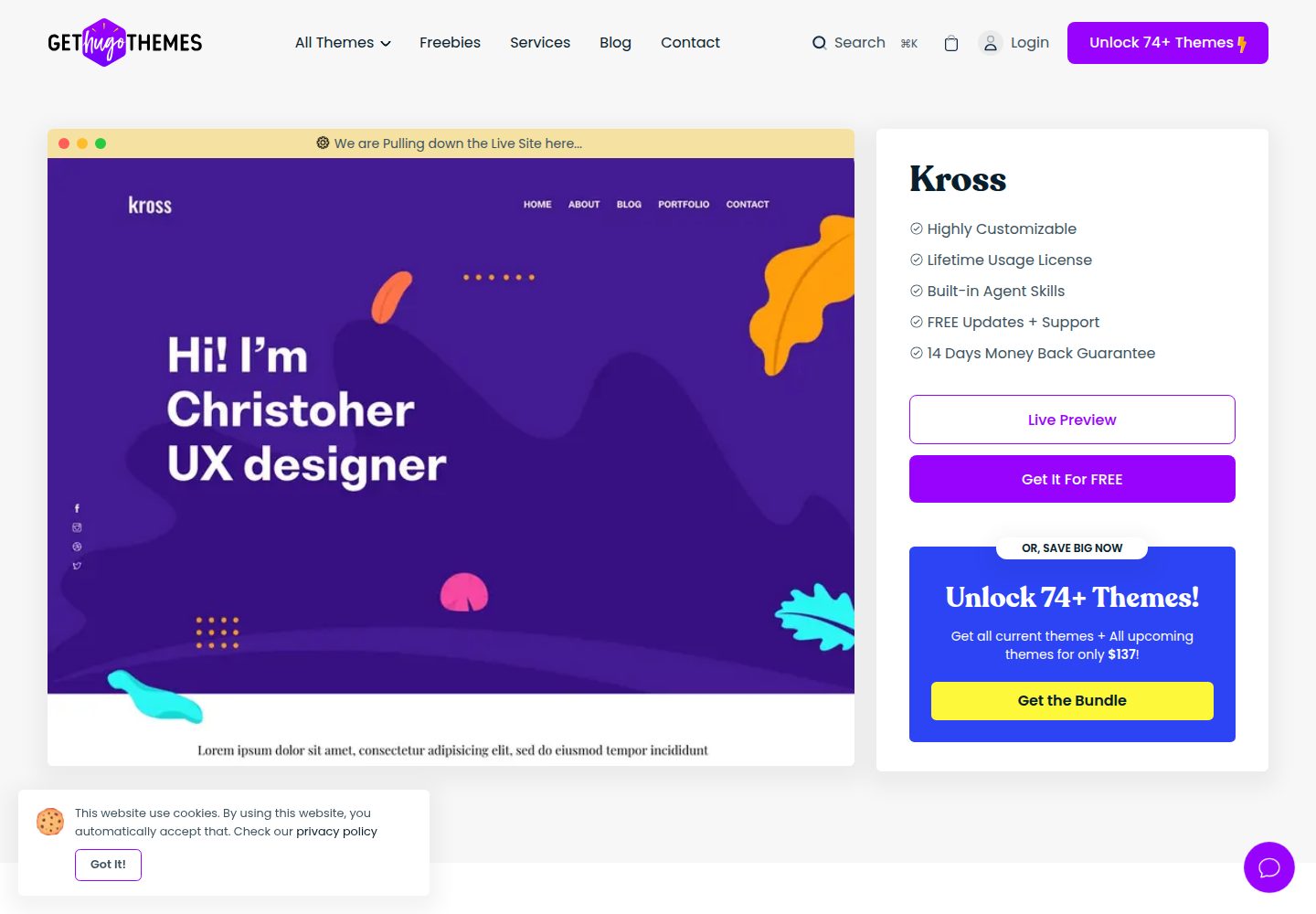
kross-hugo
Kross is a Hugo personal portfolio theme by Themefisher, offering more than 8 pre-built pages including home, about, blog, portfolio, and contact.
Hugo · Portfolio