每页输出 Content Security Policy 的 meta 标签,并提供 `_headers` 文件供支持自定义响应头的主机使用
HugoHTML工具站
hugo-bootstrap-theme — Hugo 工具站模板
作者 filipecarneiro
基于 Hugo 与 Bootstrap 5 的静态网站主题,内置内容安全策略、结构化数据与 SEO 元信息,适合搭建博客或文档类站点。
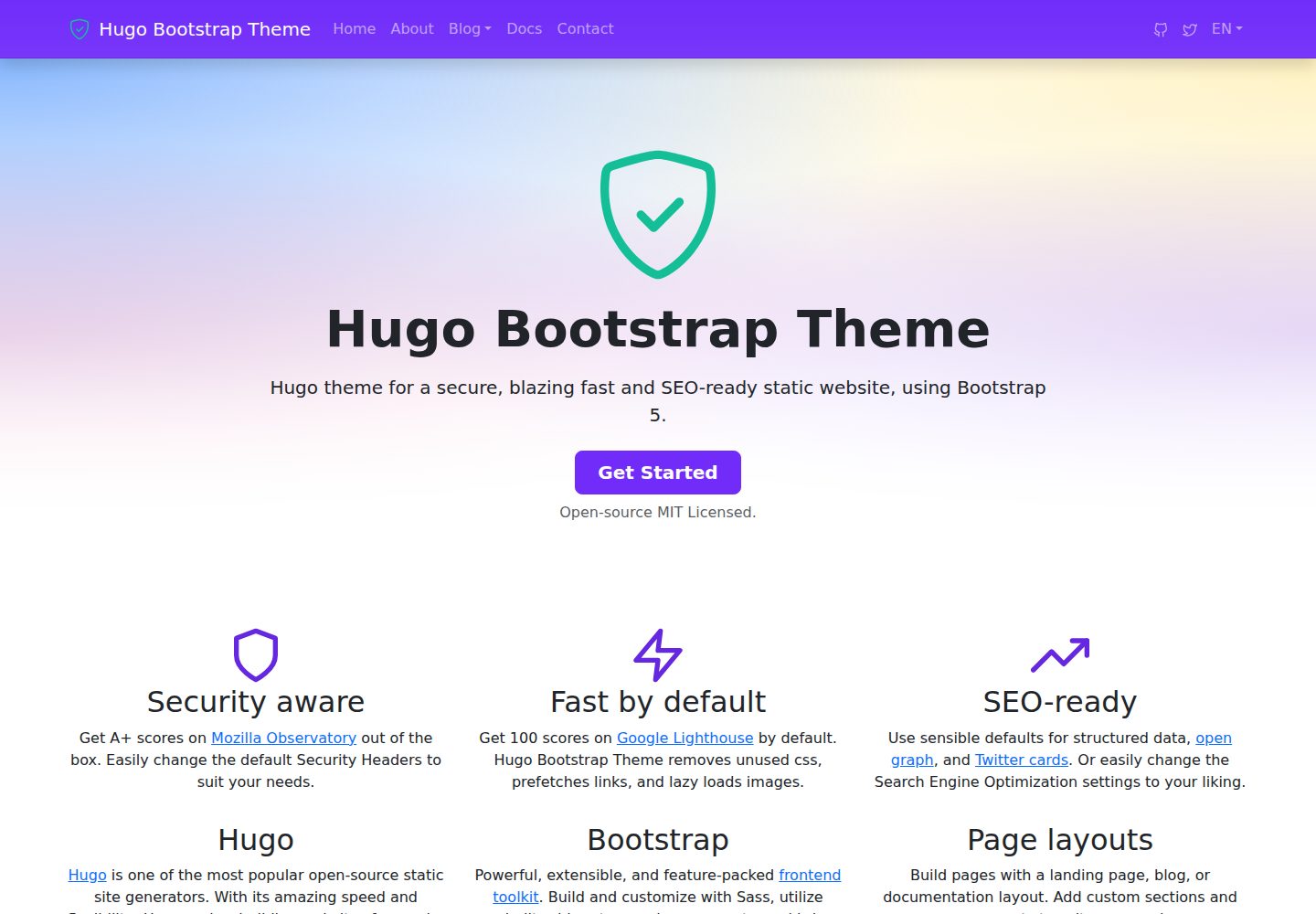
看看你的网站会是什么样
浏览真实页面截图,比较内容排版与手机效果。点击下方缩略图切换,放大查看整页细节。
全部页面与视图 3
截图用于了解视觉与布局,交互效果请以实际项目为准。
采集于 2026-10-02查看来源
值得关注的模板亮点
从已有项目资料中,快速了解它的特点。
默认输出结构化数据、Open Graph 与 Twitter Card,支持 BreadcrumbList、ProfilePage/Person、DefinedTermSet 等 JSON-LD
通过 NPM 安装,主题目录指向 node_modules,便于依赖管理
支持 main、footer、social 菜单,favicon 按约定文件名自动链接
Google tag 默认无 cookie,需显式配置才输出 gtag.js
模板详细介绍
hugo-bootstrap-theme 是一个 Hugo 主题,使用 Bootstrap 5 构建静态网站或博客。主题在每页输出 Content Security Policy 的 meta 标签,并提供 `_headers` 文件供支持自定义响应头的主机使用;GitHub Pages 无法发送自定义响应头,因此在该平台发布时只有 meta CSP 生效。
主题默认输出结构化数据、Open Graph 与 Twitter Card,并支持按页面类型生成 BreadcrumbList、ProfilePage/Person、DefinedTermSet 等 JSON-LD。作者页、术语表、面包屑等结构化数据均可通过 front matter 或配置参数控制,部分功能(如 Google tag)默认不输出,需显式配置。
主题要求 Hugo 0.158.0 或更高版本,并使用 extended 版本。2.0.0 起移除了安装 Hugo 二进制的 postinstall 钩子,需自行安装 Hugo。安装方式为通过 NPM 安装包,并在站点配置中设置 theme 与 themesdir 指向 node_modules。
HugoHTML工具站
适合你的项目吗?
适用场景
- 使用 Hugo 与 Bootstrap 5 搭建博客或内容站点
- 需要为静态站点添加 CSP 与安全响应头的项目
- 希望自动生成结构化数据(面包屑、作者页、术语表)的站点
- 通过 NPM 管理主题依赖的 Hugo 项目
适合人群
- 熟悉 Hugo 与 Bootstrap 的开发者
- 需要静态站点具备基础 SEO 与安全头配置的团队
- 以博客、文档或内容展示为主的站点
上手与定制指南
结合仓库当前版本的说明,按下面的资料检查内容、配置与运行要求。
- 1
需要 Hugo 0.158.0 或更高版本,且必须使用 extended 版本
- 2
通过 `npm install @filipecarneiro/hugo-bootstrap-theme` 安装,并在配置中设置 `theme` 与 `themesdir` 指向 node_modules
- 3
2.0.0 起不再自动下载 Hugo 二进制,需自行安装 Hugo
- 4
若需 `_headers` 输出,需在配置中为 home 添加 HEADERS 输出格式
- 5
Google tag 默认无 cookie,启用 cookie 需自行负责同意横幅
授权与来源资料
使用条件与限制
免费使用 · 保留许可声明本次收录的是公开仓库中采用 MIT 许可的免费版本;免费范围为该版本代码,不代表外部服务或第三方素材免费。
使用时需要遵守
- 允许免费使用、修改、商用和分发该版本代码。
- 分发代码副本或实质性部分时,保留原作者版权声明和完整 MIT 许可声明。
- 代码按现状提供;担保与责任限制以原许可证及适用法律为准。
额外费用与待核对事项
- 演示图片、字体、图标及其他第三方素材需按各自许可核对,不能仅凭代码的 MIT 许可判断。
- 域名、托管、数据库、支付或 AI 等外部服务可能另外收费。
- 使用该主题必须安装 Hugo 0.158.0 或更高版本,低于此版本构建会失败。
- 必须使用 Hugo 的 extended 扩展版本,普通版本无法正常构建。
- 2.0.0 起不再自动下载 Hugo 二进制,需用户自行安装 Hugo。
- 在 GitHub Pages 上发布时无法发送自定义响应头,仅 meta CSP 生效,其余安全头不可用。
- 启用 Google tag 时,站点 CSP 必须在 script-src 与 img-src 中同时允许 googletagmanager.com,否则标签被浏览器拦截。
- 将 cookies 设为 true 后,同意横幅需由站点自行负责实现。
- 要输出 _headers 文件,必须在站点配置中为 home 显式添加 HEADERS 输出格式,主题不会自动合并 outputs。
- 启用 includeSubDomains 与 preload 会覆盖域下所有子域名,且 preload 退出需数月,配置前需确认所有子域均支持 HTTPS。
- 启用 crossOriginEmbedderPolicy=require-corp 后,未选择加入的跨域资源会静默加载失败,页面无任何提示。
查看原文依据
Permission is hereby granted, free of charge
许可证原文
**Version 2.0.0 requires Hugo 0.158.0 or later.**
README 原文
IMPORTANT: make sure you pick the extended version, Hugo_extended_0.xxx.x_…
README 原文
Version 2.0.0 also removes the `postinstall` hook that downloaded a Hugo binary into `bin/`. Install Hugo yourself
README 原文
Note that GitHub Pages cannot serve custom headers at all, so a site published there is graded on the meta CSP alone.
README 原文
A site with a CSP must allow `googletagmanager.com` in **both** `script-src` and `img-src`
README 原文
**`cookies = true` opts out**, and a consent banner becomes the site's responsibility.
README 原文
Hugo merges `mediaTypes` and `outputFormats` from a theme but **not** `outputs`, so the home page still has to opt in.
README 原文
`includeSubDomains` claims **every** name under the domain, and `preload` puts that claim in a list that ships inside the browser, which takes months to leave.
README 原文
https://github.com/filipecarneiro/hugo-bootstrap-theme/blob/main/LICENSEhttps://github.com/filipecarneiro/hugo-bootstrap-theme/blob/main/README.mdUnder `require-corp` a cross-origin subresource that has not opted in does not load and the visitor sees nothing at all, no gap and no error.
README 原文
DeepSeek 根据仓库许可证和 README 整理 ·2026-10-04。结果仅覆盖已读取资料,依赖、图片、字体及后续条款变更以各自原文为准。
项目核对记录与介绍依据
模板资料
- 来源平台
- GitHub
- 资料与维护参考分
- 资料较完整 · 96 / 100
- 技术栈
- Hugo · HTML
- 网站类型
- 工具站
这个分数如何计算
本站按许可资料(最高30分)、演示链接(12分)、预览图(10分)、Star数(15分)、记录的维护时间(15分)、描述完整度(8分)、功能记录(5分)和分类资料(5分)计算。它不是代码、安全或性能测试,也不是 Google 评分;有链接不代表已实测可用。
这个项目需要核对什么
- 记录的仓库更新时间
- 2026-09-12
- 截图检查日期
- 2026-10-04
已收录演示链接。请用你的内容与屏幕尺寸检查;有演示不代表表单、认证或支付已经可用。
目录记录的主要技术栈是 Hugo。请通过依赖清单和锁文件核对实际版本与托管要求。这些说明基于收录资料,不代表代码审计或部署实测。
查看具体选型方法 →介绍的制作与核对状态
介绍由 AI 辅助整理目录与仓库资料。仓库作者不等于这篇介绍的审核者。
审核声明: [email protected] · 2026-10-04
查看当时使用的来源资料
SHA-256: cf11029a604cbdaccfe2412c6dd2c13922b5438dab0dbe9d13a26295330d78db
2026-10-04T08:39:35.420Z
来源文件 / 仓库# Hugo Bootstrap Theme
[](https://github.com/filipecarneiro/hugo-bootstrap-theme/actions/workflows/gh-pages.yml) [](https://github.com/filipecarneiro/hugo-bootstrap-theme/actions/workflows/pages/pages-build-deployment)
Theme for a blazing fast static website and/or blog using bootstrap 5.

## Demo
- [https://filipecarneiro.github.io/hugo-bootstrap-theme/](https://filipecarneiro.github.io/hugo-bootstrap-theme/)
## Features
- 🛡️ Security aware
Every page carries a Content Security Policy, and a `_headers` file of sensible defaults is available for hosts that serve custom response headers — see [Security headers](#security-headers). Note that GitHub Pages cannot serve custom headers at all, so a site published there is graded on the meta CSP alone.
- ⚡Fast by default
Get 100 scores on Google Lighthouse by default. Hugo Bootstrap Theme removes unused css, prefetches links, and lazy loads images.
- 📈 SEO-ready
Use sensible defaults for structured data, open graph, and Twitter cards. Or easily change the Search Engine Optimization settings to your liking.
## Framework
### Hugo
Hugo is the **world’s fastest static website engine**. It’s written in Go (aka Golang).
- [Hugo Documentation](https://gohugo.io/documentation/)
- [Go template documentation](https://golang.org/pkg/text/template/#hdr-Functions)
### Bootstrap
Get started with Bootstrap
- [Bootstrap 5.3](https://getbootstrap.com/docs/5.3/getting-started/introduction/)
- [Install Bootstrap in your Node.js powered apps with the npm package](https://getbootstrap.com/docs/5.3/getting-started/download/#npm)
### Upgrading from 1.x
**Version 2.0.0 requires Hugo 0.158.0 or later.** The templates use `.Language.Locale` and `.Language.Label`, which replaced the deprecated `.LanguageCode` and `.LanguageName` in Hugo 0.158.0. On older Hugo the build fails with `can't evaluate field Locale in type *langs.Language`.
Upgrade your Hugo before moving to 2.x. You do **not** need to change your site configuration — `locale`/`label` are read from the older `languageCode`/`languageName` config keys as well.
Version 2.0.0 also removes the `postinstall` hook that downloaded a Hugo binary into `bin/`. Install Hugo yourself (see Requirements below); if your site relied on that hook, add [`hugo-installer`](https://www.npmjs.com/package/hugo-installer) to your own project.
### Requirements
The tools used are cross-platform and should work on Windows, MacOS and Linux. You will need the following tools to be downloaded and installed:
- [Hugo static site builder](https://github.com/goHugoio/Hugo/releases) - **version 0.158.0 or later**. IMPORTANT: make sure you pick the extended version, Hugo_extended_0.xxx.x_…
- [Node & NPM](https://nodejs.org/) - We use this to maintain project dependencies
- [Git](https://git-scm.com/downloads) - This is optional, but highly recommended for version control and remote backups.
## Usage
### Test the theme locally on your computer
Clone this repo:
```
git clone https://github.com/filipecarneiro/hugo-bootstrap-theme.git
```
Test if the site is working:
```
hugo server -D --disableFastRender --source exampleSite
```
This launches Hugo development server and you can see the example site by opening http://localhost:1313/hugo-bootstrap-theme/.
### Install on an existing Hugo site
#### Step 1: Install via NPM
```
npm install @filipecarneiro/hugo-bootstrap-theme
```
Hugo bootstrap theme package will also add bootstrap and feather-icons to node modules.
#### Step 2: Add to Config
Then add the theme `hugo-bootstrap-theme` to your sites [configuration file](https://gohugo.io/getting-started/configuration/#configuration-file) `config.toml`, `config.yaml` or `config.json`:
```toml
theme = "hugo-bootstrap-theme"
themesdir = "node_modules/@filipecarneiro"
```
The new themes directory (themesdir) is needed to get the new theme from the `node_modules` folder.
#### Step 3: Test your site
```
hugo server -D --disableFastRender
```
#### Step 4: Check your parameters
Check your `copyright` variable, your menus (the theme supports `main`, `footer` and `social` menus), etc.
Have a look on exampleSite for inspiration :)
### Favicons
Drop a standard icon set in `static/` and the theme links whatever it finds. There is
nothing to configure: each name below is emitted only if the file exists.
`favicon.svg`, `favicon.png`, `favicon-96x96.png`, `favicon.ico`,
`apple-touch-icon.png`, `site.webmanifest`
Those are the names favicon generators produce, so a set from something like
[RealFaviconGenerator](https://realfavicongenerator.net) works untouched. A top-level
`themeColor` param, if set, adds `<meta name="theme-color">`. The theme warns at build
time if the home page ends up with no icon at all.
Full details, including Google's favicon requirements, why these files are deliberately
not fingerprinted, and the `Cache-Control` consequence that follows for your site:
[`head/favicons.html`](layouts/partials/head/favicons.html).
### Breadcrumb structured data
Every page except the home page emits a `BreadcrumbList` JSON-LD block, built from
`.Ancestors`, so there is nothing to configure. Google renders it in the result snippet
in place of the raw URL and does **not** require a matching visible breadcrumb, so it
works independently of `options.breadCrumb`.
```toml
[params.options]
breadCrumbSchema = false # suppress the schema
```
Crumb names come from `.LinkTitle`, so a section whose title is an SEO title should set
`linkTitle` in its front matter to keep the crumb short.
Full details, including which pages are skipped, why the home crumb differs from the
visual trail, and the limits of a URL-derived path:
[`head/schema-breadcrumb.html`](layouts/partials/head/schema-breadcrumb.html).
### Author pages
An author's own page is described as a person rather than as a piece of writing: it gets
`ProfilePage` structured data wrapping a `Person`, plus `og:type: profile`, and is excluded
from the `Article` schema. Both shapes the theme supports are recognised, a content section
of leaf bundles and a taxonomy of terms.
```toml
[params]
authorSection = "autores" # defaults to "authors"
```
The `Person` is built from the author page's own front matter, the same keys
`head/schema-article.html` reads when it names an article's author, so both schemas describe
one person identically:
```yaml
---
title: "Ada Lovelace"
description: "Engineer, writes about analytical engines."
jobTitle: "Engineer"
image: "photo.jpg" # in the author's own bundle, or in assets/
sameAs: ["https://www.linkedin.com/in/ada/"]
---
```
Everything except the title is optional and simply omitted when absent.
Full details, including which page kinds are excluded and why the two schemas are mutually
exclusive: [`head/schema-profile-page.html`](layouts/partials/head/schema-profile-page.html)
and [`head/is-author-page.html`](layouts/partials/head/is-author-page.html).
### Glossary structured data
A page that declares a `definedTermSet` block emits a `DefinedTermSet` JSON-LD block, with
one `DefinedTerm` per entry. Like the `Product` and `FAQPage` blocks, it emits structured
data and nothing visible: the glossary itself is written in the page body, and the anchors
the schema publishes have to match the headings there.
```yaml
---
definedTermSet:
title: "Theme Glossary" # defaults to the page title
description: "The words this theme uses in a particular way."
items:
- term: "Front Matter"
description: "The metadata block at the top of a content file."
alternateName: "Frontmatter" # a string or a list
sameAs: "https://gohugo.io/content-management/front-matter/"
- term: "Structured Data"
anchor: "structured-data" # defaults to `anchorize` of the term
termCode: "SD"
description: |
Markdown, so an entry can link, emphasise and run to more than one paragraph.
items: # sub-terms, folded into the same set
- term: "JSON-LD"
sameAs:
- "https://en.wikipedia.org/wiki/JSON-LD"
- "https://www.wikidata.org/wiki/Q6108942"
---
```
Only `term` is required; everything else is omitted when absent. Each entry is identified
by `#<anchor>` on the page, derived from the term with `anchorize`, which is the rule Hugo
applies to markdown headings, so a heading that reads the same as the term needs no
`anchor`. `alternateName`, `sameAs` and `termCode` carry the names schema.org gives them.
`sameAs` is the one worth filling in: it ties the entry to the entity it names, on Wikidata
or wherever, so the term stops being a string that exists only on your page.
Full details, including why the set is identified by `#glossary` rather than by the page
URL, and why a description is published whole rather than cut to its first sentence:
[`head/schema-defined-term-set.html`](layouts/partials/head/schema-defined-term-set.html).
### Google tag (Analytics and Ads)
Add a `[googleTag]` block and the theme emits `gtag.js`. Without the block nothing is
emitted at all.
```toml
[params]
[params.googleTag]
measurementId = "G-XXXXXXXXXX" # GA4 measurement ID
googleAds = "AW-XXXXXXXXX" # optional, a second config target
cookies = false # true lets the tag set cookies
```
**The default is cookieless.** Consent Mode defaults deny every storage type before the
tag loads, so it sets no cookies and needs no consent banner. Reporting narrows to match:
aggregate event counts, with no users, sessions or attribution.
**`cookies = true` opts out**, and a consent banner becomes the site's responsibility. The
theme emits a build warning saying so, which a site acknowledges with
`ignoreLogs = ['google-tag-cookies-allowed']` rather than by ignoring it.
A site with a CSP must allow `googletagmanager.com` in **both** `script-src` and
`img-src`; see [Changing the Content Security Policy](#changing-the-content-security-policy).
Full details, including the script ordering requirement, all three build warnings and
what the CSP check can and cannot verify:
[`head/google-tag.html`](layouts/partials/head/google-tag.html).
### Security headers
Every page gets a Content Security Policy as a `<meta>` tag, which works on any
host. The remaining headers — `Referrer-Policy`, `X-Content-Type-Options`,
`X-Frame-Options`, `Permissions-Policy`, `Strict-Transport-Security` — can only
be sent as HTTP response headers, so they depend on where the site is published:
| Host | Custom headers | What applies |
| --- | --- | --- |
| Netlify, Cloudflare Pages | reads `_headers` | meta CSP **and** all headers below |
| GitHub Pages | not supported | meta CSP only |
The theme ships `layouts/index.headers` and declares the `HEADERS` output format
and its media type in its own configuration. Hugo merges `mediaTypes` and
`outputFormats` from a theme but **not** `outputs`, so the home page still has to
opt in. Add this one block to your configuration:
```toml
[outputs]
# HTML and RSS are Hugo's defaults for the home page and must be repeated,
# or declaring HEADERS would replace them and you would lose your feed.
home = ["HTML", "RSS", "HEADERS"]
```
Build and confirm `public/_headers` exists. To change the headers themselves,
copy `layouts/index.headers` into your own `layouts/`.
#### Changing the Content Security Policy
Set it once, in `params` — **do not** override the
`head/content-security-policy.html` partial:
```toml
[params]
contentSecurityPolicy = "script-src 'self'; style-src 'self' 'unsafe-inline'; object-src 'none'; base-uri 'none'"
```
The same value is then used for the meta tag and for the header in `_headers`.
This matters: a browser enforces *every* policy it receives and applies the
intersection, so a permissive meta tag combined with a stricter header blocks
whatever only the meta tag allowed. While the parameter is unset no CSP is
written to `_headers`, precisely so an overridden meta tag cannot be tightened
behind your back.
A site using `[googleTag]` has to allow the hosts the Google tag needs, or the
browser blocks it and only a console error shows why:
| Directive | Add |
| --- | --- |
| `script-src` | `https://www.googletagmanager.com` |
| `img-src` | `https://*.google-analytics.com` and `https://www.googletagmanager.com` |
`googletagmanager.com` is needed in **both**. Why, which requests each directive
covers, and what the theme's build-time check can and cannot verify for you:
[`head/google-tag.html`](layouts/partials/head/google-tag.html).
#### HSTS beyond the default
The default is `max-age=31536000`, one year, and nothing else. That is right for
any site: it protects the hosts this configuration serves and claims nothing
about the rest of the zone.
```toml
[params]
strictTransportSecurity = "max-age=31536000; includeSubDomains; preload"
```
`includeSubDomains` claims **every** name under the domain, and `preload` puts
that claim in a list that ships inside the browser, which takes months to leave.
One subdomain still on plain HTTP becomes unreachable, with no way for a visitor
to click past the error.
Before setting it, check every name the zone answers for, not only the ones you
remember: certificate transparency (`crt.sh`) lists the ones that ever held a
certificate, and the DNS zone lists the rest. Each must redirect HTTP to HTTPS
and serve a certificate that verifies. Then decide whether you accept the same
of every name the zone will ever have, because that is what preload buys.
`https://hstspreload.org/api/v2/preloadable?domain=example.com` answers with the
errors that stand between the site and eligibility.
#### The three isolation headers
Off unless you set them, for the same reason as the CSP: none of the three is a
safe default, and each breaks something different when it is wrong.
```toml
[params]
crossOriginOpenerPolicy = "same-origin"
crossOriginResourcePolicy = "same-origin"
crossOriginEmbedderPolicy = "require-corp"
```
| Parameter | What it does | What it breaks |
| --- | --- | --- |
| `crossOriginOpenerPolicy` | Cuts the window reference between your page and whatever opened it | A popup your page has to talk back to, such as an OAuth or payment window |
| `crossOriginResourcePolicy` | Says who may load your files inside a page of their own | Any logo, badge, font or image another site legitimately embeds from you |
| `crossOriginEmbedderPolicy` | Refuses third-party resources that have not opted in | Any map, video, font or script from another origin, **silently** |
The third one earns its warning. Under `require-corp` a cross-origin subresource
that has not opted in does not load and the visitor sees nothing at all, no gap
and no error. Set it only on a site that loads no third-party resource today,
and check the console after you do, not only the day you ship it but the day
somebody embeds a video.
`crossOriginResourcePolicy` deserves a thought about who else uses your files.
A trust badge or a logo that partners display on their own sites stops working
the moment you send `same-origin`. Hand them the file to host instead, which
also means their page keeps working when yours is down.
### Start from Scratch
#### Step 1: Create a new Hugo site
Follow [Hugo Quick Start](https://gohugo.io/getting-started/quick-start/) to create a new site, add a sample page and change basic settings.
Since you've created an Git repository, let's specify some Hugo files and folders to ignore.
Create a `.gitignore` file on the root of your project with this content:
```txt
public
node_modules
resources
.hugo_build.lock
```
Optionally, add a remote repository and push your code.
#### Step 2: Install and configure Hugo Bootstrap Theme
Update npm to the latest version:
```
npm install -g npm
```
If you don't have npm, [download and install Node.js and npm](https://docs.npmjs.com/downloading-and-installing-node-js-and-npm).
Then, create an npm package for your site:
```
npm init -y
```
If wanted, you can customize your package information, editing the generated `package.json` file.
Now, install Hugo Bootstrap Theme:
```
npm install @filipecarneiro/hugo-bootstrap-theme --save-dev
```
Then add the theme `hugo-bootstrap-theme` to your site configuration file `config.toml`:
```toml
theme = 'hugo-bootstrap-theme'
themesdir = 'node_modules/@filipecarneiro'
```
Change the existing `theme` value from `ananke` to `hugo-bootstrap-theme` and add a new line for `themesdir`, like above.
Add some [configuration](https://gohugo.io/getting-started/configuration/), like `copyright`, `description` and your menus (the theme supports `main`, `footer` and `social` menus).
Have a look on exampleSite for inspiration :)
看看同类模板
对比同技术栈与用途的模板,找到更适合的视觉与内容结构。

hugo-coder
A minimalist blog theme for hugo.
Hugo · 博客

doks
Doks 是 Thulite 生态下的文档主题,底层是 Hugo 静态站点生成器。 它把重点放在长文阅读体验上:极简且响应式的布局、为文档优化的排版,以及代码块语法高亮,整体更接近技术手册的形态,而不是通用营销页模板。
Hugo · 工具站

hugo-theme-introduction
Minimal, single page, smooth-scrolling theme for Hugo static site generator.
Hugo · 作品集

lotusdocs
📖 A free, lightweight, modern documentation theme for Hugo
Hugo · 文档

airspace-hugo
Airspace Hugo theme for multipurpose use, like Portfolio, Blog, Business.
Hugo · 作品集
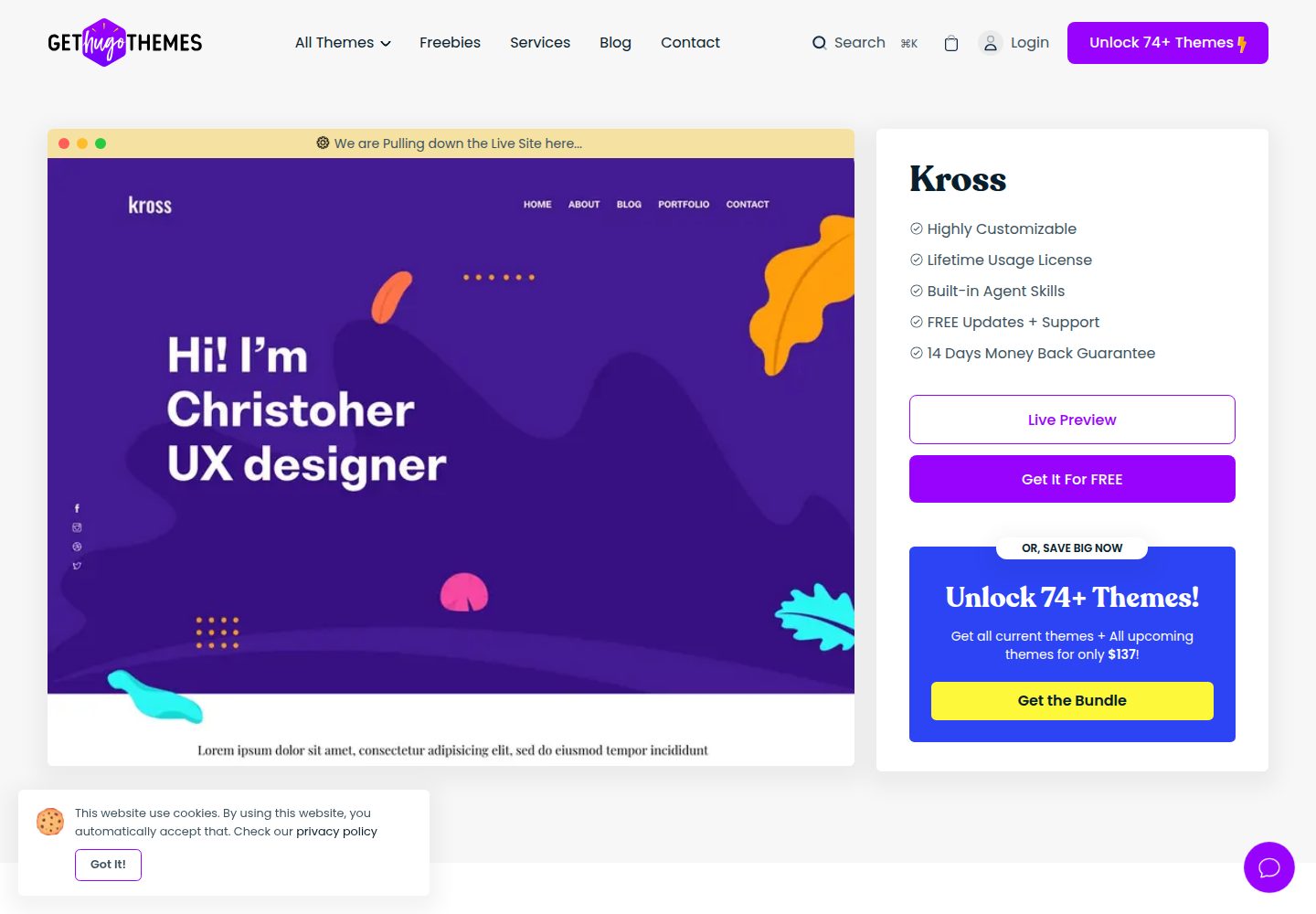
kross-hugo
Kross is a creative, sleek and modern personal portfolio Hugo theme with a gorgeous appearance.
Hugo · 作品集