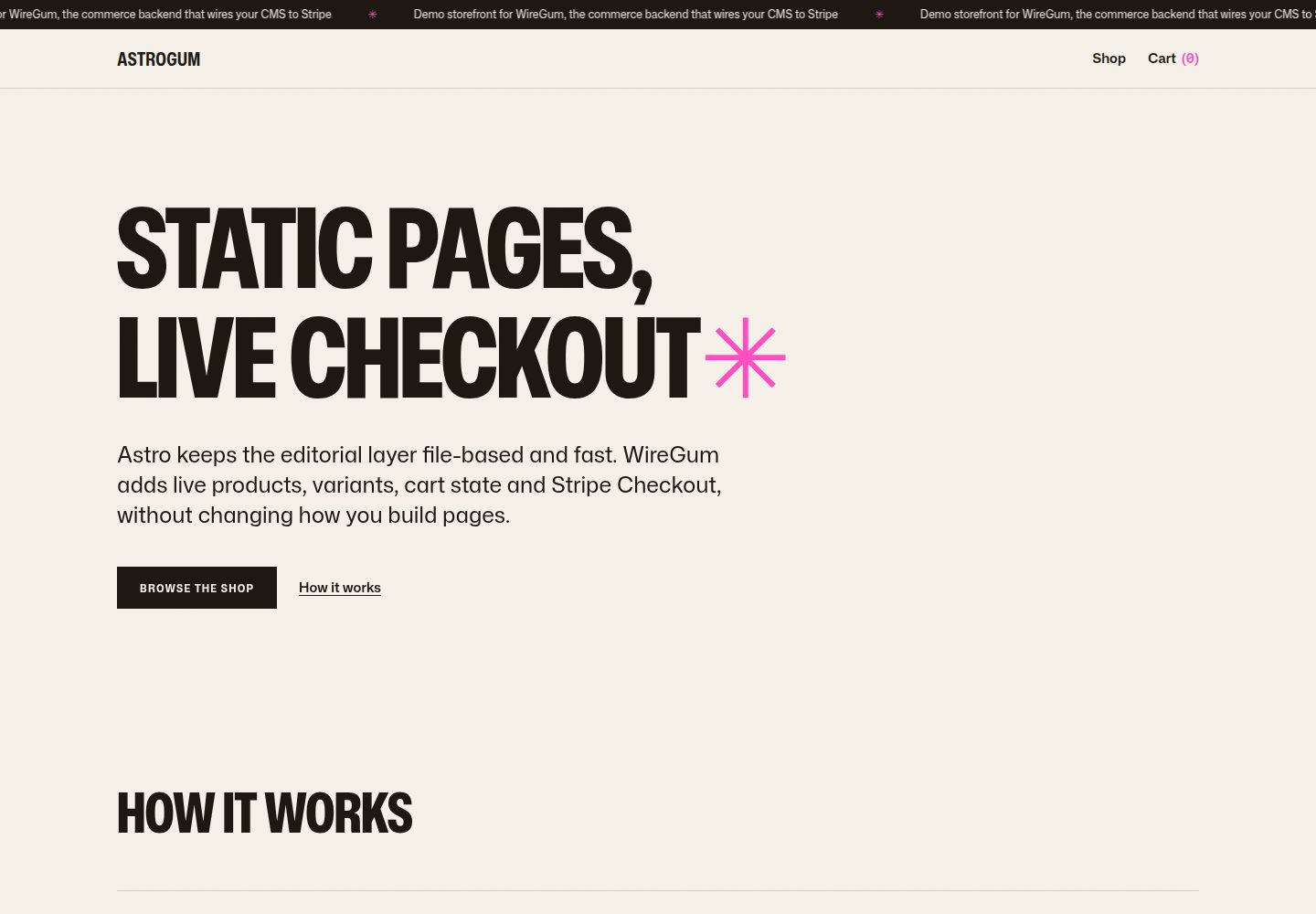
Separation of content and transactions: Markdown content collections handle pages, copy, and product images, generating static HTML at build time; WireGum components handle live pricing, variants, cart, and Stripe Checkout
AstroE-commerceStarter
starter-astro — Astro Ecommerce Template
By getwiregum
An Astro-based e-commerce storefront starter template, with WireGum providing live pricing, variants, cart, and Stripe checkout, while content is managed via Markdown content collections and generated as static pages at build time.
Explore the design
Compare the page layouts and mobile experience. Open any screenshot for a closer look.
Desktop homepage1 / 3
Desktop captureTop of page
Actual screenshot captured by the server browser.
All pages & views 3
Screenshots show visual appearance; interactive behavior may differ.
Recorded 2026-10-02View source
What stands out
A quick read of the recorded project description.
Includes a homepage, shop index, product detail pages, and a themeable cart drawer; product pages support live pricing and variant selectors
Fallback behavior: when the storefront API is unreachable, Astro content and fallback prices remain, only the buy button is disabled, and page content is not overwritten
Ships with four sample products, one of which is a T-shirt with Size and Color variants, pointing to WireGum's public demo workspace
Uses Tailwind CSS v4 with a set of design tokens (Mona Sans, warm paper tones, WireGum pink accent), and component scripts have no additional dependencies
Integration points are concentrated in the data-wiregum-config block in Layout.astro and data-wiregum-* marker attributes, with code comments explaining key areas
Template Details
This is an e-commerce storefront starter template for Astro that separates editorial content from transactional logic: pages, copy, and product images live in Markdown content collections and are rendered to static HTML at build time; live pricing, product variants, cart state, and Stripe Checkout are handled by WireGum's storefront components. The template includes a homepage (hero, how it works, featured products specified in frontmatter), a shop index (with quick add-to-cart), product pages with live pricing and variant selectors, and a themeable cart drawer. It ships with four sample products, one of which is a T-shirt with Size and Color variants, pointing to WireGum's public demo workspace.
The template has a fallback behavior: components check whether the current origin can access the storefront API; if not, Astro's images, copy, and fallback prices remain visible, the buy button is disabled, and content is not overwritten with component errors. Styling uses Tailwind CSS v4 with a small set of design tokens (Mona Sans, warm paper tones, WireGum pink as the sole accent color) and a few dependency-free component scripts.
Before use, Node.js 22.12 or newer is required, along with a WireGum workspace that has authorized a storefront domain. The demo content points to the public demo workspace, which only authorizes the hosted demo site; on other origins (including local development) it enters fallback mode by design, and you must connect your own workspace and authorize the local or production origin to enable add-to-cart and checkout. The wiregumProduct field in product frontmatter must contain a WireGum product reference (public ID or product slug), and you must authorize the origin where the site actually runs in WireGum storefront settings and add at least one shipping rate. The build output is a pure static site under dist/, deployable to any static host, and requires PUBLIC_WIREGUM_* environment variables at build time.
AstroE-commerceStarter
Is it right for your project?
Use Cases
- Building an Astro e-commerce storefront that is primarily static content with transactions handled by an external service
- Stores that need product pages displaying live pricing and multi-attribute variant selectors
- Projects that want cart and checkout handled by Stripe without implementing payment flows themselves
- Content-driven stores that manage product copy and images in Markdown and want static HTML output at build time
Suitable For
- Developers using Astro who want to manage product information with content collections
- Teams already using or planning to use a WireGum workspace and accepting its storefront components
- E-commerce projects that need static deployment with pricing and checkout logic handled by an external service
- Developers who want to retain content preview during local development and enable real transactions on authorized origins
Getting started & customization
Use these recorded setup notes alongside the repository instructions for your chosen version.
- 1
Requires Node.js 22.12 or newer, and a WireGum workspace that has authorized a storefront domain
- 2
Configure PUBLIC_WIREGUM_WIDGET_URL, PUBLIC_WIREGUM_ORGANIZATION, and PUBLIC_WIREGUM_LOCALE in src/lib/wiregum.ts or .env
- 3
In WireGum storefront settings, authorize the origin where the site actually runs (include localhost:4321 for local development) and add at least one shipping rate
- 4
In product frontmatter, set wiregumProduct to a WireGum product reference (public ID or slug), and set the production origin site in astro.config.mjs
- 5
Demo content points to the public demo workspace; other origins enter fallback mode. Before production use, replace sample product IDs and images, and verify third-party asset licenses
License & source material
Usage conditions & limitations
Free to use · keep license noticeThis listing covers the free version under the MIT license in the public repository; the free scope is the code of this version and does not imply that external services or third-party assets are free.
Must comply with when using
- Free use, modification, commercial use, and distribution of this version's code are permitted.
- When distributing copies or substantial portions of the code, retain the original author's copyright notice and the full MIT license notice.
- The code is provided as-is; warranties and limitations of liability are governed by the original license and applicable law.
Additional costs & items to verify
- Using real transaction features requires owning and authorizing a WireGum workspace (including storefront domain authorization); otherwise, only fallback mode content display is possible.
- The public demo workspace only authorizes the hosted demo site; when running locally or on other origins, add-to-cart and checkout are disabled, and you must connect and authorize your own workspace to enable them.
- You must authorize the origin where the site actually runs in WireGum storefront settings and add at least one shipping rate; otherwise, transactions are unavailable.
- Before setting up a production store, you must replace sample product IDs and images; demo content cannot be used directly.
- Payments are handled by Stripe, an external service that may incur additional fees and account requirements.
- Demo images, fonts, icons, and other third-party assets must be checked against their respective licenses; the code's MIT license alone cannot be used to judge them.
- External services such as domains, hosting, databases, payments, or AI may incur additional charges.
View Original Text Basis
Permission is hereby granted, free of charge
Original License Text
A WireGum workspace with the storefront domain authorized
Original README
the demo runs in fallback mode by design: Astro's content and fallback prices stay visible while **Add to cart** and checkout are disabled
Original README
authorize the exact origin your site runs on (including `localhost:4321` for local work) and add at least one shipping rate
Original README
Replace the demo product IDs and imagery before using the starter for a real store
Original README
https://github.com/getwiregum/starter-astro/blob/main/LICENSEhttps://github.com/getwiregum/starter-astro/blob/main/README.mdStripe handles the payments
Original README
Compiled by DeepSeek based on repository license and README ·2026-10-02. Results only cover the materials read; dependencies, images, fonts, and subsequent term changes are subject to their respective original texts.
Project checks & description sources
Template Information
- Source platforms
- GitHub
- Documentation and maintenance reference score
- More documented · 88 / 100
- Technologies
- Astro
- Website type
- E-commerce · Starter
How this score is calculated
Our heuristic uses license records (up to 30), a demo link (12), a preview (10), stars (15), recorded maintenance (15), description completeness (8), feature records (5) and classification data (5). It is not a code, security or performance test, or a Google score. A link does not establish tested functionality.
What to verify for this project
- Repository update recorded
- 2026-08-04
- Screenshot last checked
- 2026-10-02
A demo link is listed. Check it with your own content and viewport sizes; its presence does not confirm that forms, authentication or payments work.
The catalog identifies Astro as the primary stack. Check the actual dependency manifest and lockfile for versions and hosting requirements. These notes use recorded metadata, not a code audit or a deployment test.
Use a selection guide →How this description was prepared
AI-assisted description based on catalog records and repository material. Repository authors are not automatically the reviewers of this description.
Automatically checked against source and license rules; no manual editorial review.
Inspect the recorded source material
SHA-256: b1c7e2399d236a2443c17ec7e88b38962675c61743d683890ecae4cd1d9f1237
2026-10-02T07:35:56.940Z
Source file / repository# WireGum × Astro starter A small, production-minded storefront starter for [Astro](https://astro.build) and [WireGum](https://wiregum.com). Astro owns the editorial layer: pages, copy and product imagery live in Markdown content collections and are rendered to static HTML at build time. WireGum provides live prices, variants, cart state and Stripe Checkout through its storefront widget. Stripe handles the payments. Read the full integration guide at [wiregum.com/docs/astro](https://wiregum.com/docs/astro). ## What is included - A home page with a hero, a "how it works" section and featured products picked in frontmatter - A shop index with quick add-to-cart, and product pages with live prices and variant selectors - An accessible, fully themeable cart drawer - Graceful degradation: the widget checks that the storefront API is reachable from the current origin. If it is not, Astro's images, copy and fallback prices stay visible and the buy buttons are disabled. No widget error replaces your content - Four seeded demo products, including a t-shirt with Size and Color variants, wired to the public WireGum demo workspace - Tailwind CSS v4 with a small token set (Mona Sans, warm paper palette, WireGum pink as the single accent) and a few small dependency-free component scripts ## Requirements - Node.js 22.12 or newer - A WireGum workspace with the storefront domain authorized ## Quick start ```sh npm install npm run dev ``` Open `http://localhost:4321` for the storefront. `npm run build` renders the static site into `dist/`, and `npm run preview` serves that build locally. ### About the demo workspace The seeded content points at the public WireGum demo workspace, which authorizes the hosted demo at `https://starter-astro.wiregum.com`. On any other origin, including local development, the demo runs in fallback mode by design: Astro's content and fallback prices stay visible while **Add to cart** and checkout are disabled. Connect your own workspace and authorize your local or production origin to lift that. ## Connect your own workspace WireGum settings live in [src/lib/wiregum.ts](src/lib/wiregum.ts) and can be overridden per environment with a `.env` file (see [.env.example](.env.example)): | Env var | What it is | | ----------------------------- | ----------------------------------------------------------------------------------------------------- | | `PUBLIC_WIREGUM_WIDGET_URL` | The storefront widget URL for your WireGum instance, e.g. `https://wiregum.com/api/storefront/widget` | | `PUBLIC_WIREGUM_ORGANIZATION` | Your workspace slug, from the WireGum dashboard | | `PUBLIC_WIREGUM_LOCALE` | The storefront locale, e.g. `en` or `it` | Then: 1. In WireGum → Storefront settings, authorize the exact origin your site runs on (including `localhost:4321` for local work) and add at least one shipping rate 2. In each product's frontmatter, set `wiregumProduct` to a reference from WireGum → Products: either the public ID (`wg_…`) or the product slug. The ID survives renames, the slug is easier to read; this starter uses the IDs 3. Set `site` in [astro.config.mjs](astro.config.mjs) to the production origin used for canonical and Open Graph URLs 4. Replace the demo product IDs and imagery before using the starter for a real store ## How the integration works - [src/layouts/Layout.astro](src/layouts/Layout.astro) embeds the WireGum settings as a JSON `data-wiregum-config` block and loads the widget script; no custom JavaScript is needed - The widget reads the config, hydrates the commerce markup, and exposes its lifecycle on `<html data-wiregum-status>` (`loading`, `ready`, `unavailable`) for the CSS skeleton. When the origin is not authorized it keeps the Astro markup intact and disables the buy buttons instead - Templates mark up commerce hooks with `data-wiregum-*` attributes: the product scope ([src/pages/shop/[slug].astro](src/pages/shop/[slug].astro)), prices, the variant selector, quantity and add-to-cart - The cart drawer ([src/components/CartDrawer.astro](src/components/CartDrawer.astro)) contains a hidden `data-wiregum-cart-item` template the widget clones for every line, keeping the markup fully themeable - The widget renders variant selectors automatically for multi-variant products, as shown by the seeded t-shirt The key integration points carry short code comments explaining each pattern. ## Editing content Everything editorial lives in [src/content/products](src/content/products): one Markdown file per product, with title, short description, cover image, fallback price, CTA label and the WireGum reference in frontmatter, and the long description in the body. Home and shop copy live in their page templates. ## Project structure ```text src/styles/global.css Design tokens and WireGum widget styling (Tailwind v4) src/content/products/ Seeded products (Markdown + frontmatter) src/assets/products/ Demo product images, optimized by astro:assets src/lib/ Site identity and WireGum settings src/layouts/Layout.astro Head, WireGum config + widget script, page chrome src/components/ Header, footer, ticker, product card/row, cart drawer src/pages/ Home, shop index, product pages, 404 public/fonts/ Mona Sans variable font (OFL) ``` ## Deploying `npm run build` produces a fully static site in `dist/` — deploy it to any static host (Netlify, Vercel, Cloudflare Pages, GitHub Pages, your own server). Set the `PUBLIC_WIREGUM_*` env vars at build time for the target environment. Remember to authorize the production origin in WireGum. ## Links - [WireGum](https://wiregum.com) · [Astro guide](https://wiregum.com/docs/astro) · [GitHub](https://github.com/getwiregum) - [Astro](https://astro.build) ## License The starter code (templates, components, content, styles and scripts) is [MIT-licensed](LICENSE). [Mona Sans](https://github.com/github/mona-sans) is included under the SIL Open Font License (see [public/fonts/MonaSans-OFL.txt](public/fonts/MonaSans-OFL.txt)).
Explore similar templates
Compare previews and descriptions within the same stack and category.

astrowind
AstroWind is a free, open-source Astro starter theme using Astro and Tailwind CSS, released under the MIT license.
Astro · Blog
accessible-astro-starter
An accessibility-focused Astro 6 starter template with WCAG 2.2 AA practices, Tailwind CSS 4, TypeScript, Prettier, ESLint, form validation, blog and portfolio examples, and preference toggles for dark mode, high contrast, and reduced motion.
Astro · Blog

astro-erudite
astro-erudite is an opinionated, unstyled static blog template built with Astro and native CSS, with no UI or CSS framework and minimal dependencies.
Astro · Portfolio

astro-shopify
A lightweight Shopify headless ecommerce starter template built with Astro and Svelte, integrating the Shopify Storefront API for product and inventory data, with built-in cart state management and basic add-to-cart and checkout flow.
Astro · E-commerce
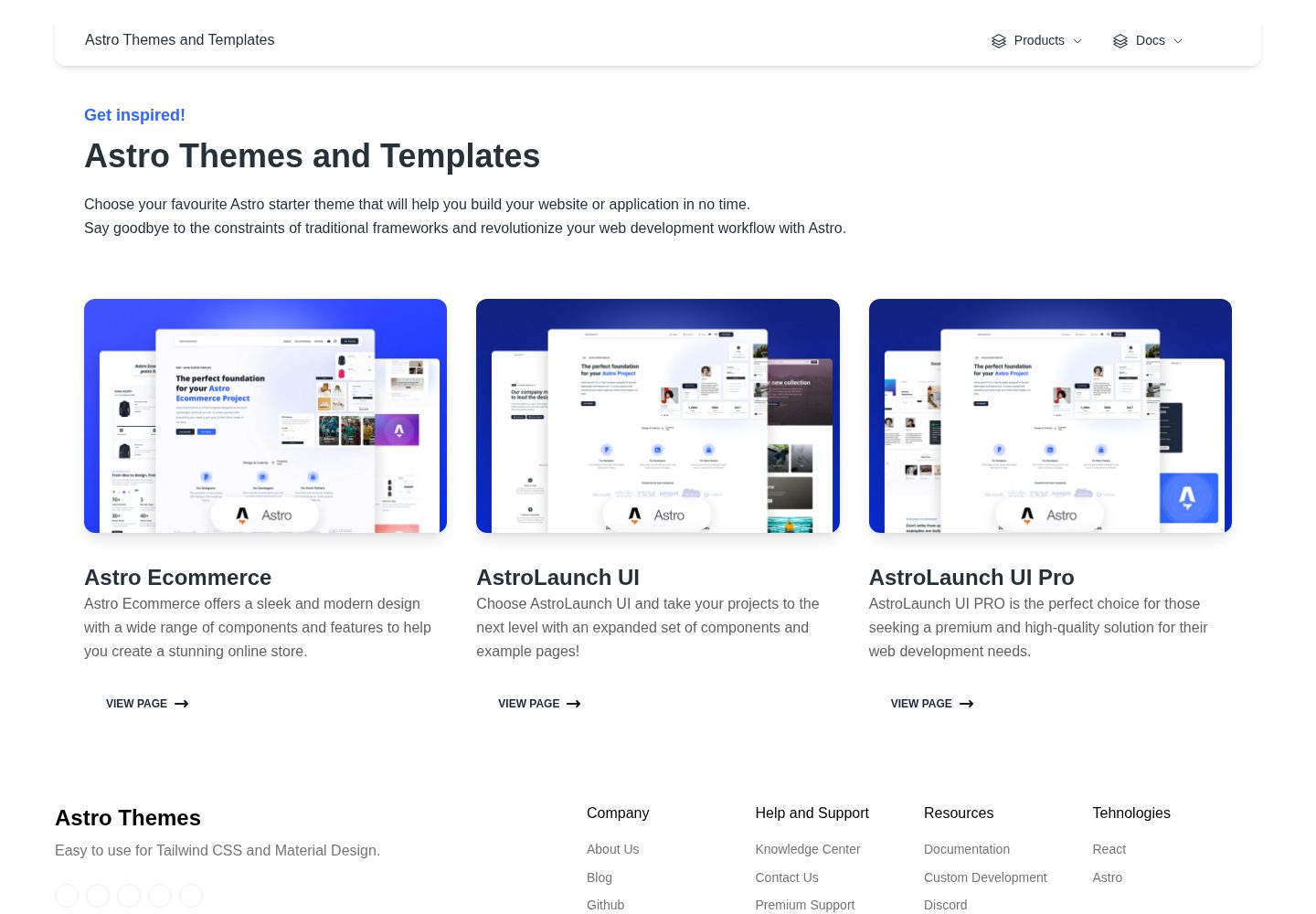
astro-ecommerce
Astro Ecommerce is a Creative Tim e-commerce Astro starter template under the MIT license, with 70+ coded elements, 30+ blocks, and landing, product, and shopping cart example pages.
Astro · E-commerce

brutal
Brutal is a neobrutalism Astro starter theme from ElianCodes, derived from the author's personal site and generalized. It includes a Markdown blog collection, build-time RSS and sitemap, image optimization, Tailwind CSS styling, and Biome checks, with no JavaScript by default.
Astro · Starter