Vite-based build process, providing an npm run dev development server with auto-refresh
ViteStarter
vite-sass-app-template — Vite Starter Template
By goitacademy
GoIT Academy's Vite + SCSS starter template for SASS mini-course exercises, with Autoprefixer, PostCSS media query sorting, reset styles, and automated GitHub Pages deployment.
Explore the design
Compare the page layouts and mobile experience. Open any screenshot for a closer look.
Desktop homepage1 / 2
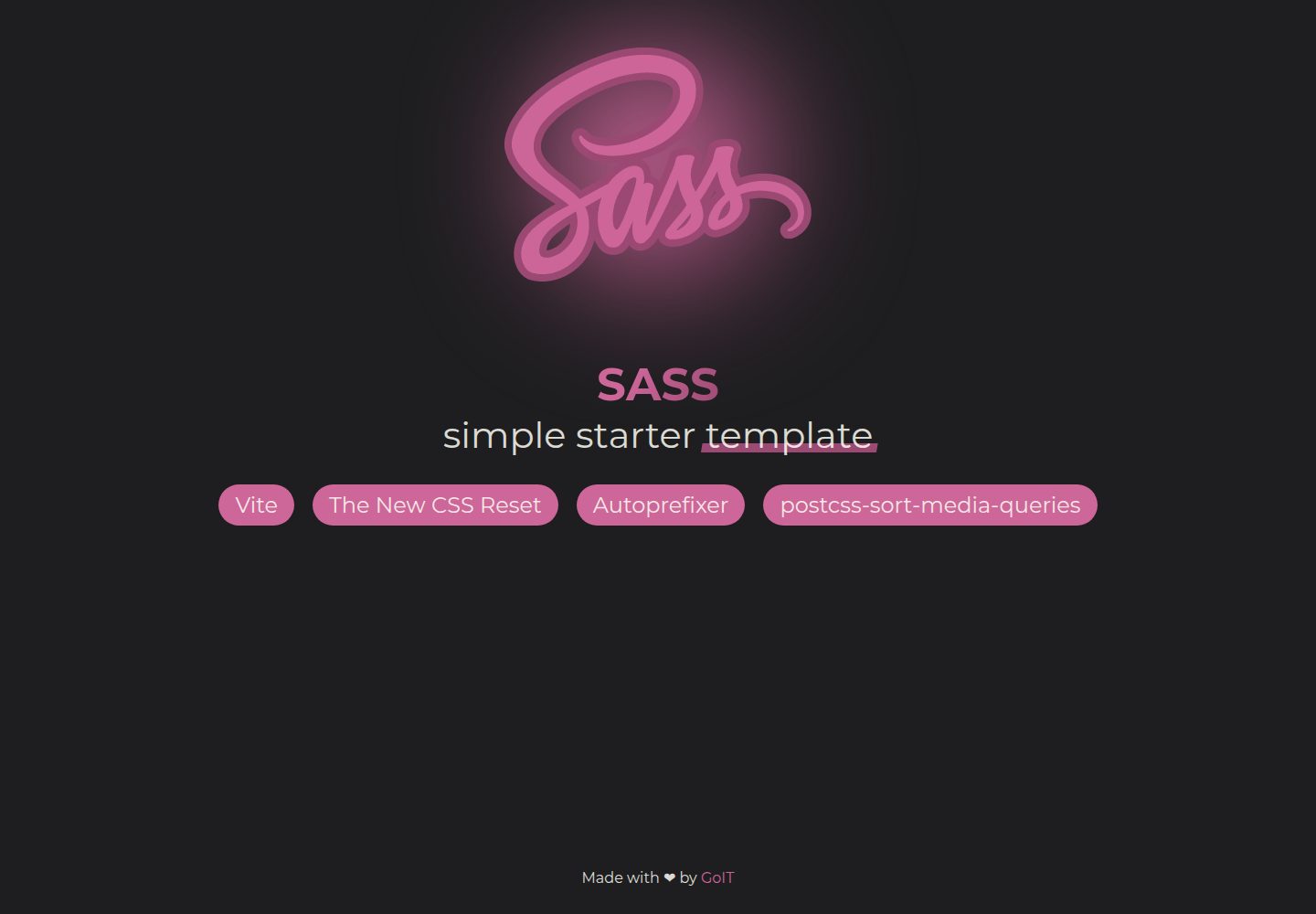
Desktop captureTop of page
Actual screenshot captured by the server browser.
All pages & views 2
Screenshots show visual appearance; interactive behavior may differ.
Recorded 2026-10-03View source
What stands out
A quick read of the recorded project description.
Styling uses SCSS, with a _reset.scss reset file based on The New Reset CSS
Integrates two PostCSS plugins: Autoprefixer and PostCSS Sort Media Queries
Preconfigured directory structure including src/fonts, src/img, src/js, and src/scss for organizing assets by type
Configures GitHub Actions to automatically build and deploy to the gh-pages branch after the main branch is updated
MIT-licensed, and can be forked into your own repository via GitHub's Use this template button
Template Details
This is a starter template for a SASS mini-course, built on Vite with SCSS for styling. The repository is maintained by GoIT Academy, is MIT-licensed, and can be forked into your own project repository via GitHub's Use this template button.
The template's built-in build and styling configuration includes: Vite as the build tool, Autoprefixer and PostCSS Sort Media Queries as PostCSS plugins, SCSS as the styling language, and a _reset.scss reset file based on The New Reset CSS. The project structure separates directories such as src/fonts, src/img, src/js, and src/scss; public is for publicly accessible static files, and dist holds build output.
Before use, install a Node.js LTS version, run npm install to install dependencies, and npm run dev to start the development server (default http://localhost:5173); the page auto-refreshes after saving files. To view the compiled CSS, run npx vite build --watch and check the dist/assets directory.
For deployment, the template configures GitHub Actions: after the main branch is updated, it automatically builds and publishes to the gh-pages branch. Before use, set Workflow permissions to Read and write permissions in the repository's Settings > Actions > General, replace --base=/<REPO>/ in the build command in package.json with your own repository name, and confirm in Settings > Pages that publishing is from the /root directory of the gh-pages branch.
The README also lists post-fork cleanup steps: clear README.md, adjust LICENSE, delete public/sass.svg, demo/, sample content under src/img and src/fonts, and src/scss files other than style.scss and _reset.scss; in style.scss keep only @use "reset.scss";, and in src/js/main.js keep only import '../scss/style.scss';.
ViteStarter
Is it right for your project?
Use Cases
- Completing exercise projects alongside GoIT Academy's SASS mini-course
- Needing a lightweight Vite starter project with SCSS compilation and autoprefixing
- Practicing deployment of static front-end projects using GitHub Pages
- Using as an initial repository structure for coursework or teaching examples
Suitable For
- Learners currently studying SASS/SCSS who need a companion practice environment
- Developers who want to build a pure HTML/CSS/JS project with Vite without introducing a front-end framework
- Individuals or teaching projects that need to automatically publish a static site to GitHub Pages
Getting started & customization
Use these recorded setup notes alongside the repository instructions for your chosen version.
- 1
Install a Node.js LTS version, then run npm install in the project root to install dependencies
- 2
Run npm run dev to start the development server, with the default address http://localhost:5173
- 3
To view the compiled CSS, run npx vite build --watch; output is located in dist/assets
- 4
Before deployment, set Workflow permissions to Read and write permissions in the repository's Settings > Actions > General
- 5
Replace --base=/<REPO>/ in the build command in package.json with your own repository name, and confirm in Settings > Pages that publishing is from the /root directory of the gh-pages branch
License & source material
Usage conditions & limitations
Free to use · keep license noticeThis entry covers the free version under the MIT license in the public repository; the free scope is the code of that version and does not mean external services or third-party assets are free.
Must comply with when using
- Free use, modification, commercial use, and distribution of this version's code are permitted.
- When distributing copies or substantial portions of the code, retain the original author's copyright notice and the complete MIT license notice.
- The code is provided as is; warranties and limitations of liability are governed by the original license and applicable law.
Additional costs & items to verify
- Before deploying to GitHub Pages, you must modify --base=/<REPO>/ in the build command in package.json, replacing <REPO> with your own repository name; otherwise the asset paths in the build output will be incorrect.
- Automated deployment depends on GitHub Actions; you must set Workflow permissions to Read and write permissions in the repository's Settings > Actions > General, otherwise it cannot automatically publish to gh-pages.
- You must manually confirm in the repository's Settings > Pages that publishing is from the /root directory of the gh-pages branch, otherwise the site will not go live correctly.
- Before use, you must install a Node.js LTS version locally and run npm install to install dependencies; this is an external runtime requirement.
- After forking, you must clean up and update README.md, LICENSE, public/sass.svg, demo/, src/img, src/fonts, and sample content in src/scss; otherwise template sample assets will remain.
- Demo images, fonts, icons, and other third-party assets must be checked against their respective licenses; they cannot be judged solely by the code's MIT license.
- External services such as domains, hosting, databases, payments, or AI may incur additional charges.
View Original Text Basis
Permission is hereby granted, free of charge
Original License Text
Для цього необхідно у файлі `package.json` змінити значення прапора `--base=/<REPO>/`, для команди `build`, замінивши `<REPO>` на назву свого репозиторію
Original README
Проскроливши сторінку до самого кінця, в секції `«Workflow permissions»` обери опцію `«Read and write permissions»` і постав галочку в чекбоксі.
Original README
Далі необхідно зайти в налаштування GitHub-репозиторію (`Settings` > `Pages`) та виставити роздачу продакшн версії файлів з папки `/root` гілки `gh-pages`
Original README
Переконайся, що на комп'ютері встановлено LTS-версію Node.js.
Original README
https://github.com/goitacademy/vite-sass-app-template/blob/main/LICENSEhttps://github.com/goitacademy/vite-sass-app-template/blob/main/README.mdПісля клонування шаблону обов’язково очистіть і оновіть наступні файли/папки:
Original README
Compiled by DeepSeek based on repository license and README ·2026-10-03. Results only cover the materials read; dependencies, images, fonts, and subsequent term changes are subject to their respective original texts.
Project checks & description sources
Template Information
- Source platforms
- GitHub
- Documentation and maintenance reference score
- Partly documented · 72 / 100
- Technologies
- Vite
- Website type
- Starter
How this score is calculated
Our heuristic uses license records (up to 30), a demo link (12), a preview (10), stars (15), recorded maintenance (15), description completeness (8), feature records (5) and classification data (5). It is not a code, security or performance test, or a Google score. A link does not establish tested functionality.
What to verify for this project
- Repository update recorded
- 2023-10-21
- Screenshot last checked
- 2026-10-03
A demo link is listed. Check it with your own content and viewport sizes; its presence does not confirm that forms, authentication or payments work.
The catalog identifies Vite as the primary stack. Check the actual dependency manifest and lockfile for versions and hosting requirements. These notes use recorded metadata, not a code audit or a deployment test.
Use a selection guide →How this description was prepared
AI-assisted description based on catalog records and repository material. Repository authors are not automatically the reviewers of this description.
Automatically checked against source and license rules; no manual editorial review.
Inspect the recorded source material
SHA-256: e505293696f5f4bbffd135433c339f6418f488217596b1dc4b4777eb9617550a
2026-10-03T02:49:43.169Z
Source file / repository# Simple starter template for Sass  ## Vanilla App Template Цей проект було створено за допомогою Vite. Для знайомства та налаштування додаткових можливостей [звернись до документації](https://vitejs.dev/). Ключові особливості цього шаблону: **Build Tools:** Vite.js **Plugins:** Autoprefixer, PostCSS Sort Media Queries **Styles:** SCSS **Reset:** \_reset.scss (Based on The New Reset CSS) ## Створення репозиторію за шаблоном Використовуй цей репозиторій організації GoIT як шаблон для створення репозиторію свого проекту. Для цього натисни на кнопку `«Use this template»` і обери опцію `«Create a new repository»`, як показано на зображенні.  На наступному етапі відкриється сторінка створення нового репозиторію. Заповни поле його імені, переконайся, що репозиторій публічний, після чого натисни кнопку `«Create repository from template»`.  Після того, як репозиторій буде створено, необхідно перейти в налаштування створеного репозиторію на вкладку `Settings` > `Actions` > `General` як показано на зображенні.  Проскроливши сторінку до самого кінця, в секції `«Workflow permissions»` обери опцію `«Read and write permissions»` і постав галочку в чекбоксі. Це необхідно для автоматизації процесу деплою проекту.  Тепер у тебе є особистий репозиторій проекту, зі структурою файлів та папок репозиторію-шаблону. Далі працюй з ним, як з будь-яким іншим особистим репозиторієм, клонуй його собі на комп'ютер, пиши код, роби коміти та відправляй їх на GitHub! ## Підготовка до роботи 1. Переконайся, що на комп'ютері встановлено LTS-версію Node.js. [Скачай та встанови](https://nodejs.org/en/) її якщо необхідно. 2. Встанови базові залежності проекту в терміналі командою `npm install`. 3. Запусти режим розробки, виконавши в терміналі команду `npm run dev`. 4. Перейдіть у браузері за адресою [http://localhost:5173](http://localhost:5173). Ця сторінка буде автоматично перезавантажуватись після збереження змін у файли проекту. 5. Для перегляду результуючого СSS файлу виконай команду `npx vite build --watch` та перейди в папку `dist/assets` ## Структура проекту. Файли і папки This is the structure of the project: ```plaintext / ├── demo # Папка для файлів цієї інструкції ├── dist # Результуючий код ├── node_modules # Node.js залежності для проекту ├── public # Файли для публічного доступу та використання ├── src # Вихідний код │ ├── fonts # Папка для ваших шрифтів │ ├── img # Папка для ваших зображень │ ├── js # Файли Javascript вашого проекту │ ├── scss # Стилі SCSS для вашого проекту ├── .gitignore # Перелік файлів та папок, які ігнорує Git ├── index.html # Файл HTML для вашого проекту ├── LICENSE # Файл ліцензії для вашого проекту ├── package-lock.json # Файл з поточними версіями залежностей для вашого проекту ├── package.json # Визначає метадані вашого проекту і його залежності ├── postcss.config.cjs # Конфігурація для PostCSS ├── README.md # Цей файл 😎 ├── vite.config.js # Конфігурація бандлера Vite ``` ## Подальші кроки Після клонування шаблону обов’язково очистіть і оновіть наступні файли/папки: 1. Очистіть файл README.md. 2. Адаптуйте файл LICENSE до свого проекту. 3. Очистіть `public/sass.svg`, папки `demo/`, `src/img/**/*`, `src/fonts/**/*`, а також `src/scss/**.*`, окрім файлів `style.scss` та `_reset.scss`. 4. Видаліть вміст із файлу `src/scss/style.scss`, окрім `@use "reset.scss";`. 5. У файлі `src/js/main.js`, залиште лише цей рядок з імпортом: `import '../scss/style.scss';`. ## Деплой Продакшн версія проекту буде автоматично збиратися та деплоїтись на GitHub Pages, у гілку `gh-pages`, щоразу, коли оновлюється гілка `main`. Наприклад, після прямого пуша або прийнятого пул-реквесту. Для цього необхідно у файлі `package.json` змінити значення прапора `--base=/<REPO>/`, для команди `build`, замінивши `<REPO>` на назву свого репозиторію, та відправити зміни на GitHub. ```json "build": "vite build --base=/<REPO>/", ``` Далі необхідно зайти в налаштування GitHub-репозиторію (`Settings` > `Pages`) та виставити роздачу продакшн версії файлів з папки `/root` гілки `gh-pages`, якщо це не було зроблено автоматично.  ## License Цей шаблон створено під [MIT License](LICENSE). **Thank you and happy coding!** 💻
Explore similar templates
Compare previews and descriptions within the same stack and category.

react-starter-kit
A full-stack SaaS monorepo starter built on Vite and React, with Bun, TypeScript, tRPC, Drizzle ORM, Better Auth, Stripe, and Cloudflare Workers. It includes email OTP, passkey, Google OAuth, organizations, subscription billing, Drizzle migrations, seed scripts, and Terraform infrastructure.
Vite · SaaS

cove
Cove is a minimal TanStack Start starter template maintained by mugnavo, integrating React, TanStack Router/Query, Tailwind CSS, shadcn/ui, Drizzle ORM with PostgreSQL, Better Auth, Vite Plus, and Nitro.
Vite · SaaS

vite-react-boilerplate
A production-ready Vite + React starter template with TypeScript, Tailwind CSS, TanStack Router/Query/Table, Storybook, React Hook Form + Zod, Vitest and Playwright testing, plus Husky/Commitizen/Commitlint commit conventions.
Vite · Starter

react-vite-admin
A backend management starter built on Vite and React, integrating Recoil, React Query, TypeScript, and Axios, with Ant Design-style interface screenshots. Suitable as a starting point for management-side projects, licensed under MIT, with Chinese documentation and common scripts.
Vite · Admin dashboard

typescript-react_best_practices-vite_template
A Vite + React + TypeScript starter template by CodelyTV, preconfigured with Jest and React Testing Library unit tests, Cypress end-to-end tests, ESLint and Prettier using Codely's shared configuration, GitHub Actions workflows, a Makefile, and Sass.
Vite · Starter

cloudflare-starter-kit
A Cloudflare Workers project scaffolding template maintained by kriasoft, using Vite and TypeScript, with three built-in workspaces: api, app, and edge, and preconfigured local testing, multiple environments, and a GitHub Actions deployment workflow.
Vite · Starter