The core theme contains only layouts, content types, i18n, and archetypes, with no CSS or JavaScript
HugoStarter
hugolify-theme — Hugo Starter Template
By Hugolify
The core theme of Hugolify, providing only Hugo layouts, content types, i18n, and archetypes; CSS and JS are supplied by separate styling modules.
Explore the design
Compare the page layouts and mobile experience. Open any screenshot for a closer look.
Desktop homepage1 / 3
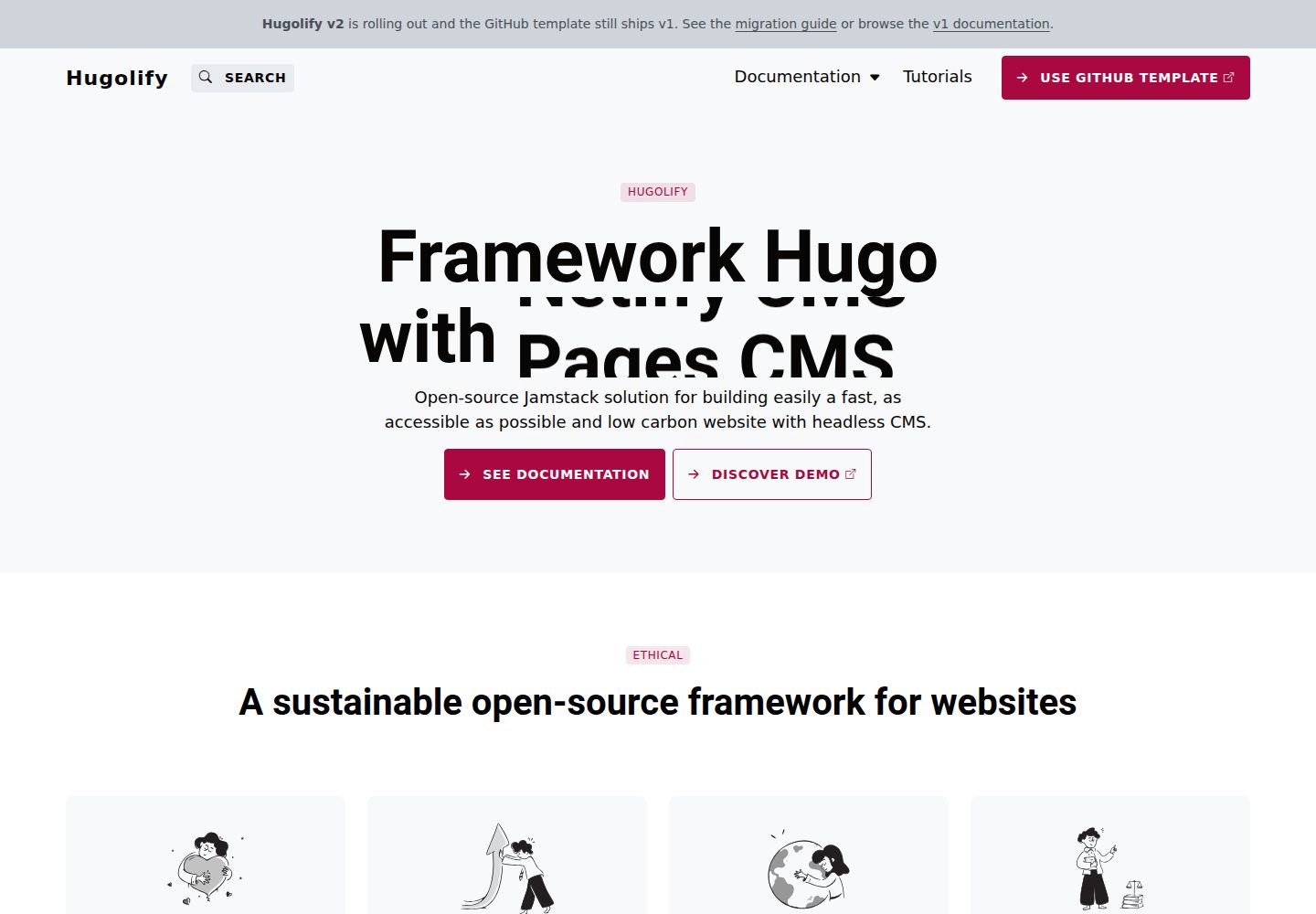
Desktop captureTop of page
Actual screenshot captured by the server browser.
All pages & views 3
Screenshots show visual appearance; interactive behavior may differ.
Recorded 2026-10-03View source
What stands out
A quick read of the recorded project description.
Styling and JS are provided by separate styling modules and can be replaced wholesale in the site configuration
Templates use semantic CSS class names, and JS hooks are uniformly js-* classes, not tied to a specific framework
An official Bootstrap 5 module is provided, along with a design-system module in development
Built-in JS libraries include Chart.js, CookieConsent, LeafletJS, SplideJS, Tobii Lightbox, Pagefind, and Rellax
Multilingual support includes English and French
Template Details
hugolify-theme is the framework-agnostic core theme of the Hugolify project for Hugo. According to the repository description, it contains only layouts, content types, i18n, and archetypes, and includes no CSS or JavaScript; styling and interactions are provided by a styling module declared separately in the site configuration, so the entire CSS/JS layer can be replaced without modifying the theme or templates.
Official modules include hugolify-theme-bootstrap (Bootstrap 5 + SASS, Bootstrap 5 + Vanilla JS) and the still-in-development hugolify-theme-design-system (Vanilla CSS / Design tokens, Vanilla JS). You can also build your own styling layer: publish it as a Hugo module (such as hugolify-theme-tailwind or hugolify-theme-bulma), or write it directly in the site project's assets/sass/ (or assets/scss/, assets/css/) and assets/js/; Hugo merges resources from all sources, with site files taking precedence over modules.
The theme has clear conventions for the styling layer: CSS class names used in templates remain semantic (btn, col-small, modal, badge-primary, etc.) and do not contain framework-specific names; JS hooks use js-* classes rather than data-framework-* attributes; the JS entry point is assets/js/main.js, and the SASS entry point is assets/sass/main.sass (or main.scss, main.css).
The main changes when migrating from v1 to v2 are: v1 bundled Bootstrap's CSS and JS directly inside the theme, while v2 is framework-agnostic and explicitly declares styling modules in configuration; JS hooks changed from data-bs-toggle/target to class="js-*" plus data-target, grid classes changed from col-md-* to col-small, col-medium, col-large, col-xsmall, and badge states changed from text-bg-* to badge-*.
The theme's built-in JS libraries include Chart.js, CookieConsent, LeafletJS OpenStreetMap, SplideJS Carousel, Tobii Lightbox, Pagefind, and Rellax parallax. For multilingual support, English and French are currently supported. There are two installation methods: use Hugolify's starter template, or include it as a Hugo module by declaring both hugolify-theme/v2 and the chosen styling module in the imports of config/_default/module.yaml.
HugoStarter
Is it right for your project?
Use Cases
- Projects that want to build a site with Hugo and decouple the styling layer from theme templates for easier CSS/JS replacement
- Projects that need to include the core theme as a Hugo module and then choose Bootstrap or a custom styling module via site configuration
- Teams planning to write their own assets/sass or assets/js to override module resources and build a custom design system
- Scenarios migrating from hugolify-theme v1 to v2 that need to adjust templates according to the new class names and JS hook conventions
- Hugo sites that need bilingual English and French content structures
Suitable For
- Developers familiar with Hugo modules and site configuration who are willing to provide the styling layer themselves
- Projects that need a framework-agnostic core theme and plan to replace or build their own CSS/JS layer
- Hugo sites starting with Bootstrap 5 as the default styling approach
- Hugo projects that need English and French bilingual support
Getting started & customization
Use these recorded setup notes alongside the repository instructions for your chosen version.
- 1
It is recommended to initialize the project using the Hugolify starter template (hugolify-template)
- 2
When including it as a Hugo module, declare github.com/hugolify/hugolify-theme/v2 and the chosen styling module in the imports of config/_default/module.yaml
- 3
To switch styling modules, simply replace the styling module path in imports, for example from hugolify-theme-bootstrap to hugolify-theme-design-system
- 4
For custom styling, add assets/sass/ (or assets/scss/, assets/css/) and assets/js/ directly in the site project; site resources take precedence over modules
- 5
Conventions must be followed: the JS entry point is assets/js/main.js, the SASS entry point is assets/sass/main.sass (or main.scss, main.css), and JS hooks use js-* classes
License & source material
Usage conditions & limitations
Free to use · keep license noticeThis entry covers the free version under the MIT license in the public repository; the free scope applies to that version's code and does not mean external services or third-party assets are free.
Must comply with when using
- Free use, modification, commercial use, and distribution of this version's code are permitted.
- When distributing copies or substantial portions of the code, retain the original author's copyright notice and the full MIT license notice.
- The code is provided as is; warranties and limitations of liability are governed by the original license and applicable law.
Additional costs & items to verify
- The theme itself contains no CSS or JavaScript and provides only layouts, content types, i18n, and archetypes; a separate styling module (such as hugolify-theme-bootstrap) must be added or assets must be written yourself, otherwise the site will have no styling or interactions.
- Styling and JS are provided by a styling module declared separately in the site configuration; before use, the styling module must be explicitly added to the imports of config/_default/module.yaml, which is an additional configuration dependency.
- The official recommendation is to initialize the project via the Hugolify starter template (hugolify-template) or include it as a Hugo module, requiring familiarity with Hugo modules and site configuration.
- Form functionality depends on Netlify or other external form services and may require third-party accounts or service configuration.
- The built-in LeafletJS OpenStreetMap map library may involve the terms of use and quotas of external services such as OpenStreetMap when map features are actually used.
- Demo images, fonts, icons, and other third-party assets must be checked against their respective licenses; the code's MIT license alone is not sufficient to determine this.
- External services such as domains, hosting, databases, payments, or AI may incur additional charges.
View Original Text Basis
Permission is hereby granted, free of charge
Original License Text
hugolify-theme provides **layouts, content types, i18n and archetypes only** — no CSS, no JavaScript.
Original README
Styling and JS are provided by a separate **styling module**, declared in the site config.
Original README
Use the Hugolify starter template:
Original README
Forms](https://www.hugolify.io/docs/getting-started/form/) (Netlify or other)
Original README
https://github.com/Hugolify/hugolify-theme/blob/main/LICENSEhttps://github.com/Hugolify/hugolify-theme/blob/main/README.mdLeafletJS OpenStreetMap
Original README
Compiled by DeepSeek based on repository license and README ·2026-10-03. Results only cover the materials read; dependencies, images, fonts, and subsequent term changes are subject to their respective original texts.
Project checks & description sources
Template Information
- Source platforms
- Hugo Themes
- Documentation and maintenance reference score
- More documented · 87 / 100
- Technologies
- Hugo
- Website type
- Starter
How this score is calculated
Our heuristic uses license records (up to 30), a demo link (12), a preview (10), stars (15), recorded maintenance (15), description completeness (8), feature records (5) and classification data (5). It is not a code, security or performance test, or a Google score. A link does not establish tested functionality.
What to verify for this project
- Repository update recorded
- 2026-10-01
- Screenshot last checked
- 2026-10-03
A demo link is listed. Check it with your own content and viewport sizes; its presence does not confirm that forms, authentication or payments work.
The catalog identifies Hugo as the primary stack. Check the actual dependency manifest and lockfile for versions and hosting requirements. These notes use recorded metadata, not a code audit or a deployment test.
Use a selection guide →How this description was prepared
AI-assisted description based on catalog records and repository material. Repository authors are not automatically the reviewers of this description.
Automatically checked against source and license rules; no manual editorial review.
Inspect the recorded source material
SHA-256: 5982979eb612decd6e53e5f99b3a248de6285bce457c9abfeca99192de26ad17
2026-10-03T06:44:42.820Z
Source file / repository# Hugolify theme [](https://www.hugolify.io/) ## Performance & SEO * 100/100 Google PageSpeed Insights * Lazy loading and JS defer * PostCSS + [PurgeCSS](https://www.hugolify.io/docs/getting-started/purgecss/) * Responsive images and WebP * SEO friendly ## Content & UX * Accessibility friendly * [Blocks](https://www.hugolify.io/docs/blocks/) * [Forms](https://www.hugolify.io/docs/getting-started/form/) (Netlify or other) * Responsive design * [Search](https://www.hugolify.io/docs/getting-started/search/) * [Shortcodes](https://www.hugolify.io/docs/shortcodes/) ## Architecture hugolify-theme provides **layouts, content types, i18n and archetypes only** — no CSS, no JavaScript. Styling and JS are provided by a separate **styling module**, declared in the site config. This makes it possible to swap the entire CSS/JS layer without touching the theme or templates. ### Official modules | Module | CSS | JS | | --- | --- | --- | | [hugolify-theme-bootstrap](https://github.com/hugolify/hugolify-theme-bootstrap) | Bootstrap 5 + SASS | Bootstrap 5 + Vanilla JS | | hugolify-theme-design-system (wip) | Vanilla CSS / Design tokens | Vanilla JS | ### Custom styling You can build your own styling layer in two ways: * **As a Hugo module** (`hugolify-theme-tailwind`, `hugolify-theme-bulma`…) — sharable, versionable, swappable via the site config. * **Directly in the site** — add `assets/sass/` (or `assets/scss/` or `assets/css/`) and `assets/js/` to your project. Hugo merges assets from all sources, so your files take priority over the module. The contracts to respect in either case: * CSS classes used by templates are semantic (`btn`, `col-small`, `modal`, `badge-primary`…) — no framework-specific names * JS hooks are `js-*` CSS classes — no `data-framework-*` attributes * JS entry point: `assets/js/main.js` * SASS entry point: `assets/sass/main.sass` (or `main.scss` or `main.css`) ## JS libraries * Chart.js * CookieConsent * LeafletJS OpenStreetMap * SplideJS Carousel * Tobii Lightbox * Pagefind * Rellax parallax ## Multilingual Support * English * French ## Install Use the Hugolify starter template: <https://github.com/Hugolify/hugolify-template/> Or add as Hugo modules. Edit `config/_default/module.yaml`: ```yaml imports: - path: github.com/hugolify/hugolify-theme/v2 - path: github.com/hugolify/hugolify-theme-bootstrap ``` To switch styling module, replace the second import: ```yaml imports: - path: github.com/hugolify/hugolify-theme/v2 - path: github.com/hugolify/hugolify-theme-design-system ``` ## Migration from v1 In v1, Bootstrap (CSS and JS) was bundled directly inside `hugolify-theme`. In v2, the theme is framework-agnostic — styling is provided by a separate module declared explicitly in the site config (see Install above). Other breaking changes: * JS hooks: `data-bs-toggle/target` → `class="js-*"` + `data-target` * Grid classes: `col-md-*` → `col-small`, `col-medium`, `col-large`, `col-xsmall` * Badge states: `text-bg-*` → `badge-*` ## Demo <https://demo.hugolify.io/> ## Documentation <https://www.hugolify.io/docs/> ## Licensing Hugolify is free for personal or commercial projects (MIT license)
Explore similar templates
Compare previews and descriptions within the same stack and category.

hugo-xmin
hugo-xmin is an extremely minimal Hugo theme written by Yihui Xie for template beginners. HTML and CSS total about 140 lines, with no external dependencies, and it uses the MIT license.
Hugo · Starter

hugo-theme-gallery
A Hugo Extended photo gallery theme that organizes images with Page Bundles, automatically generating album lists and gallery pages with a Justified layout and PhotoSwipe lightbox.
Hugo · Starter

reveal-hugo
reveal-hugo is a Hugo theme that converts Markdown content into Reveal.js-based HTML presentations. It supports slide separation with `---`, shortcodes for fragments, slides, sections, notes, Markdown, and MathJax, and organizes content as root or section presentations with order controlled by weight.
Hugo · Starter

anatole
Anatole is a minimalistic two-column Hugo theme ported from farbox-theme-Anatole, featuring dark mode, multilingual and RTL support, and optional portfolio, comments, analytics, KaTeX, and Mermaid integrations. It suits personal blogs, portfolios, or documentation sites built with Hugo.
Hugo · Starter

hugo-theme-diary
A Hugo diary-style theme ported from the Hexo theme Journal, with a grid homepage for essays and daily notes. It supports six languages, dark mode, table-of-contents scroll positioning, reading time, code highlighting, and configurable sidebar, fonts, and colors.
Hugo · Starter

risotto
risotto is a minimalist, responsive Hugo theme inspired by terminal ricing aesthetics. It uses semantic HTML and pure CSS with no JavaScript, and its layout relies on CSS Grid for native responsiveness without manual breakpoints.
Hugo · Starter