Built with Next.js and React, styled with Tailwind CSS
Next.jsReactPortfolio
NextJS-Portfolio — Next.js Portfolio Template
By iamshiv007
A personal portfolio website template built with Next.js and React, including sections for home, skills, projects, blog, journey, and apps, with light/dark theme support, mobile responsiveness, Tawk.to live chat, and Nodemailer email sending.
Explore the design
Compare the page layouts and mobile experience. Open any screenshot for a closer look.
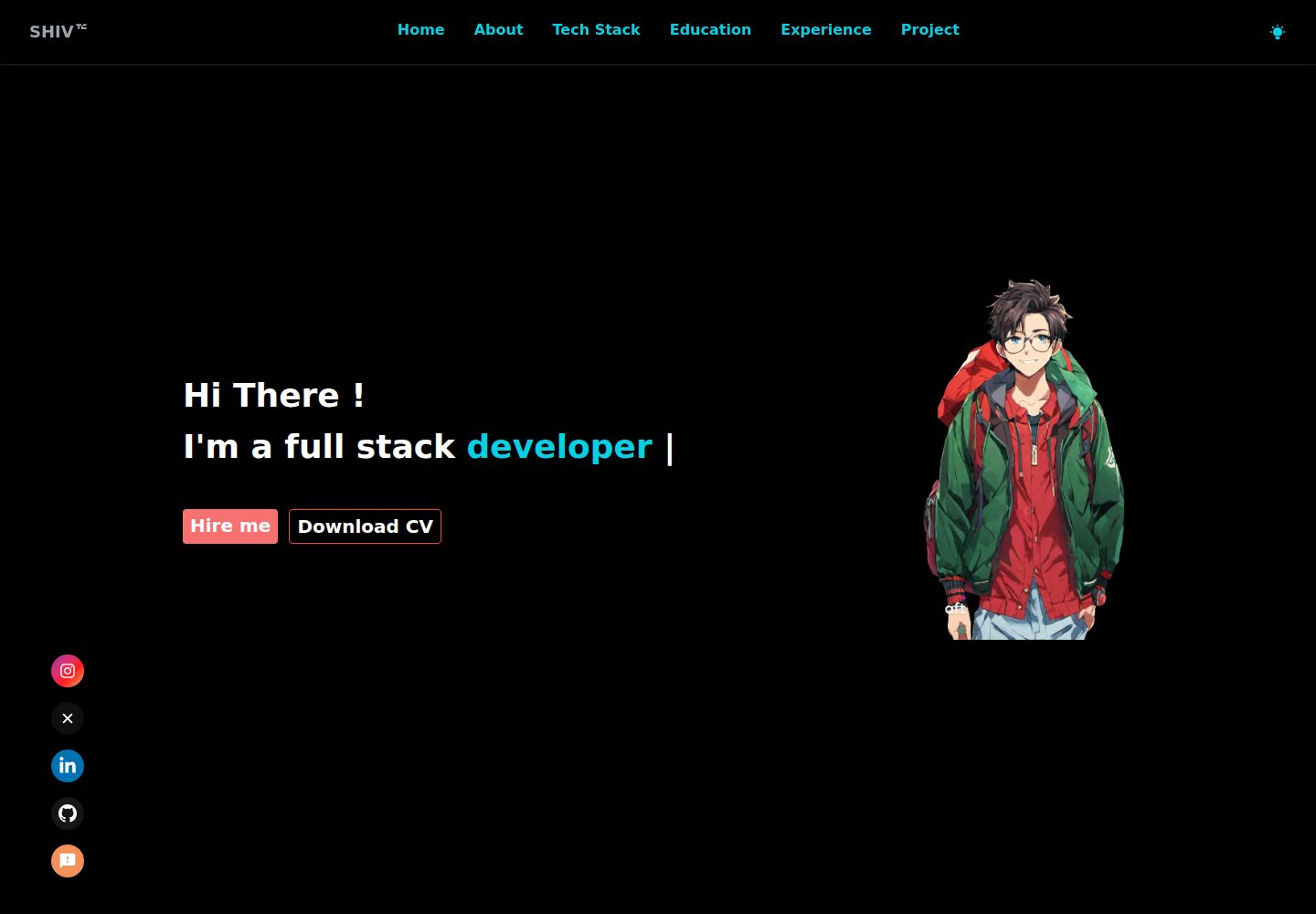
Desktop homepage1 / 3
Desktop captureTop of page
Actual screenshot captured by the server browser.
All pages & views 3
Screenshots show visual appearance; interactive behavior may differ.
Recorded 2026-10-02View source
What stands out
A quick read of the recorded project description.
Includes six single-page sections: home, skills, projects, blog, journey, and apps
Supports dark and light theme switching and is adapted for mobile display
Integrates Tawk.to live chat and Nodemailer email sending
Connects to MongoDB via mongoose and integrates multiple external APIs
README provides beginner-oriented content replacement and local running steps
Template Details
This is a ready-to-run personal portfolio website template. The author, Shivraj Gurjar, built it with Next.js and React, and styled it with Tailwind CSS. The page is organized as a single page with anchor navigation, containing six sections: home introduction, skills, projects, blog, my journey, and apps. It supports dark and light theme switching and is adapted for mobile devices. The template includes a Tawk.to live chat component and Nodemailer-based email sending, uses mongoose to connect to MongoDB, and integrates external APIs such as ChatGPT, Microsoft Translator, Google News, Trivia quiz, and Pexels images.
Before use, you need to apply for the above API keys yourself and create a .env.local file in the project root directory with variables such as RAPID_API_KEY, GOOGLE_NEWS_API_KEY, PEXELS_API_KEY, and MONGODB_CONNECTION_STRING. The README provides beginner-oriented modification guidance: replace the name, profession, and avatar in sections/Intro.jsx, and maintain skills, projects, journey, and apps data in SkillsData.jsx, ProjectsData.js, JourneyData.jsx, and AppsData.jsx under the constants directory, respectively.
The repository uses the MIT license, allowing free use, modification, commercial use, and distribution of the code, but the copyright notice and license notice must be retained. Third-party assets such as demo images, fonts, and icons need to be checked separately under their respective licenses; domains, hosting, databases, and external API services may incur additional costs.
Next.jsReactPortfolio
Is it right for your project?
Use Cases
- Developers quickly set up a personal portfolio website and replace it with their own information
- Front-end beginners learn Next.js project structure by modifying existing components
- Job seekers who need to showcase skills, projects, blog, and journey
- Personal sites that want to integrate live chat, email contact, and external APIs
Suitable For
- Developers with basic React or Next.js experience
- Individuals who want to quickly start a personal portfolio with a ready-made template
- Users willing to apply for and configure external API keys themselves
- Projects that need code freely modifiable and distributable under the MIT license
Getting started & customization
Use these recorded setup notes alongside the repository instructions for your chosen version.
- 1
After cloning the repository, enter the project directory, run npm i to install dependencies, then run npm run dev to start the local development environment
- 2
Create .env.local in the project root directory and fill in RAPID_API_KEY, GOOGLE_NEWS_API_KEY, PEXELS_API_KEY, and MONGODB_CONNECTION_STRING
- 3
Follow the README to modify sections/Intro.jsx and the data files under the constants directory, replacing the name, avatar, skills, projects, journey, and apps content
- 4
For live chat, first register a Tawk.to account and paste the obtained code snippet into the useEffect in Components/ChatSystem.jsx
- 5
Third-party assets such as demo images, fonts, and icons need to be checked under their respective licenses; external APIs and hosting services may charge separately
License & source material
Usage conditions & limitations
Free to use · keep license noticeThis entry covers the free version in a public repository under the MIT license; the free scope is the code of this version and does not mean external services or third-party assets are free.
Must comply with when using
- Free use, modification, commercial use, and distribution of this version's code are allowed.
- When distributing copies or substantial portions of the code, retain the original author's copyright notice and the complete MIT license notice.
- The code is provided as is; warranties and limitations of liability are governed by the original license and applicable law.
Additional costs & items to verify
- Using the live chat feature requires registering a Tawk.to account first and manually pasting the obtained code snippet into the useEffect in Components/ChatSystem.jsx, which is an external service dependency.
- The project requires applying for external API keys such as ChatGPT, Microsoft Translator, Google News, and Pexels yourself, and configuring RAPID_API_KEY, GOOGLE_NEWS_API_KEY, PEXELS_API_KEY, and MONGODB_CONNECTION_STRING before it can run fully.
- You need to provide your own MongoDB connection string; database services may incur additional costs or require self-deployment.
- Demo images, fonts, icons, and other third-party assets need to be checked under their respective licenses and cannot be judged solely by the code's MIT license.
- External services such as domains, hosting, databases, payments, or AI may charge separately.
View Original Text Basis
Permission is hereby granted, free of charge
Original License Text
Sign up on [tawk.to](https://dashboard.tawk.to/signup).
Original README
After obtaining the above mentioned API, create a `.env.local` file and put values and restart your project.
Original README
https://github.com/iamshiv007/NextJS-Portfolio/blob/master/LICENSEhttps://github.com/iamshiv007/NextJS-Portfolio/blob/master/README.mdconst MONGODB_CONNECTION_STRING = VALUE_XXXX
Original README
Compiled by DeepSeek based on repository license and README ·2026-10-02. Results only cover the materials read; dependencies, images, fonts, and subsequent term changes are subject to their respective original texts.
Project checks & description sources
Template Information
- Source platforms
- GitHub
- Documentation and maintenance reference score
- More documented · 77 / 100
- Technologies
- Next.js · React
- Website type
- Portfolio
How this score is calculated
Our heuristic uses license records (up to 30), a demo link (12), a preview (10), stars (15), recorded maintenance (15), description completeness (8), feature records (5) and classification data (5). It is not a code, security or performance test, or a Google score. A link does not establish tested functionality.
What to verify for this project
- Repository update recorded
- 2023-10-12
- Screenshot last checked
- 2026-10-02
A demo link is listed. Check it with your own content and viewport sizes; its presence does not confirm that forms, authentication or payments work.
The catalog identifies Next.js as the primary stack. Check the actual dependency manifest and lockfile for versions and hosting requirements. These notes use recorded metadata, not a code audit or a deployment test.
Use a selection guide →How this description was prepared
AI-assisted description based on catalog records and repository material. Repository authors are not automatically the reviewers of this description.
Automatically checked against source and license rules; no manual editorial review.
Inspect the recorded source material
SHA-256: f7df36b1fe72917d2aa5fb2775559586217c478f6370b7eb3db01b310c05d962
2026-10-02T16:04:30.688Z
Source file / repository# Shiv's Portfolio [Live](https://shiv-s-portfolio.vercel.app) - 👌 Best NextJS Portfolio 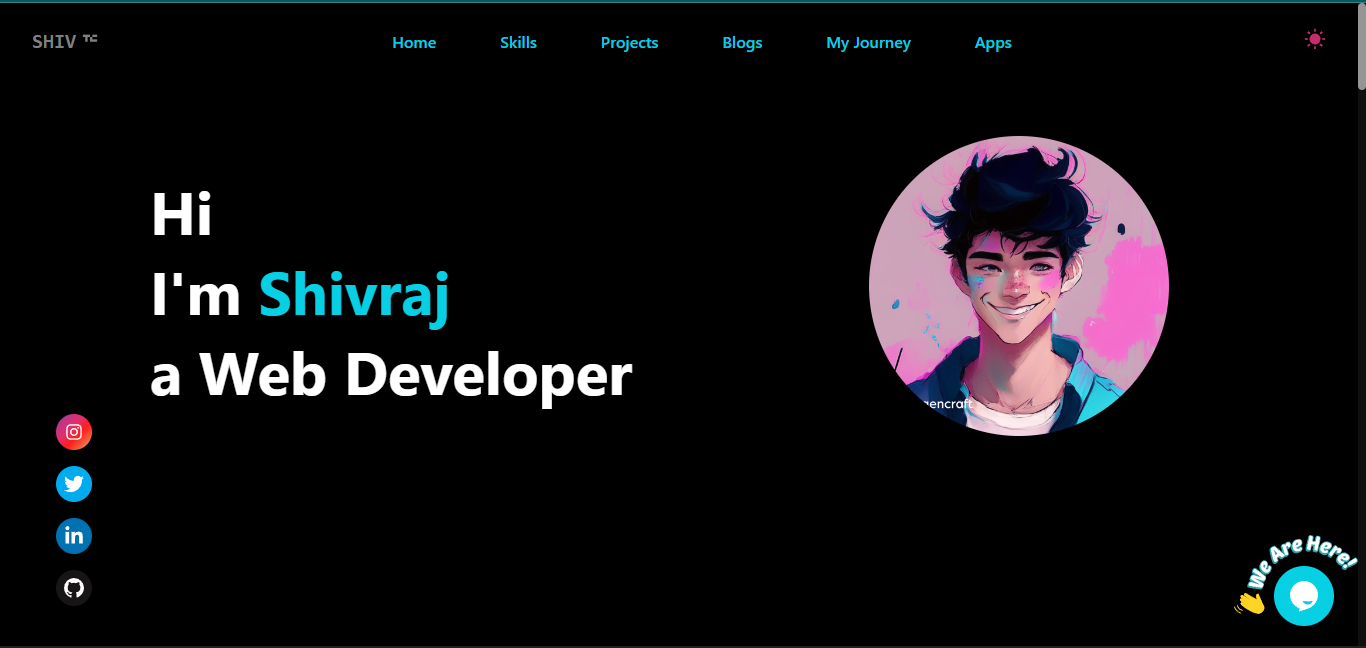 ## Table of content 1. Features 2. Sections 3. Tech Stacks 4. Getting Started 5. How to Edit This Portfolio (Make It Your's) 6. How to Implement a Live Chat System Using [Tawk.to](https://www.tawk.to/) 7. Required APIs for This Project (All Are Free APIs) 8. .env.local - file 9. Contribute ## 1. Features ✅ - Simple and Clean Design - Dark and Light Theme - Mobile Responsiveness - Chat System - [tawk.to](https://www.tawk.to/) - Message by gmail - [nodemailer](https://nodemailer.com/about/) ## 2. Sections 🧱 1. [Home | Intro | Welcome](https://shiv-s-portfolio.vercel.app) 2. [Skills](https://shiv-s-portfolio.vercel.app/#skills) 3. [Projects](https://shiv-s-portfolio.vercel.app/#projects) 4. [Blogs](https://shiv-s-portfolio.vercel.app/#blogs) 5. [My Journey](https://shiv-s-portfolio.vercel.app/#myJourney) 6. [Apps](https://shiv-s-portfolio.vercel.app/#apps) ## 3. Tech Stack 💻 - [Next JS](https://nextjs.org/) - [Tailwind CSS](https://tailwindcss.com/) - Libraries: - [react-icons](https://react-icons.github.io/react-icons/search) - [framer-motion](https://www.framer.com/) - [axios](https://axios-http.com/docs/intro) - [mongoose](https://mongoosejs.com/) - [nodemailer](https://nodemailer.com/about) - [react-responsive-carousel](https://react-responsive-carousel.js.org/) - [react-responsive-masonry](https://www.npmjs.com/package/react-responsive-masonry) - [react-syntax-highlighter](https://react-syntax-highlighter.github.io/react-syntax-highlighter/demo/) ## 4. Getting Started ▶️ Follow these steps to set up and run the project on your local machine. #### 1. Clone the Repository To get a local copy of this repository, run the following command in your terminal: ```sh git clone https://github.com/iamshiv007/Next-Portfolio.git ``` #### 2. Navigate to the Project Change your working directory to the project folder: ```sh cd next-portfolio ``` #### 3. Install Dependencies Install the required packages using npm: ```sh npm i ``` #### 4. Start the Project Run the following command to launch the Next.js project in your local environment: ```sh npm run dev ``` #### 5. Access the Project Open your web browser and go to [http://localhost:3000](http://localhost:3000) to view the project. That's it! You're now ready to explore the project locally. Happy coding! 🚀 ## 5. How to Edit This Portfolio (Make It Your's) *Note :-This is a beginner's guide for those who have never worked on a Next.js project before. If you can understand the project, it's in your hands to make changes and create a portfolio that's 10 times better. You can use its clone for a quick start.* ### 1. Your Name and Photo In the `root` directory, you'll find a `sections` folder. Inside this folder, locate the `Intro.jsx` file. Within the `intro` file, update the following details: - Shivraj - Your Name - Web Developer - Profession - /images/cartoon0.png - Your Photo Remember to have your photo uploaded in the `images` folder located within the `public` directory. ### 2. Skills In the `root` directory, you'll find a `constants` folder. Inside this folder, locate the `SkillsData.jsx` - Add or remove skills according to your preferences. - Use Desire icon from `react-icons` library. - Give desire color to icon. ### 3. Projects Just like with Skills, we have a `ProjectsData.js` file located in the `constants` folder. All you need to do is replace the existing data with your own (name: Your project name, url: Project Live URL, imageUrl: Image URL from the `images` folder in the public `directory`). ### 4. My Journey Similar to Skills and Projects, you only need to customize the data in the `JourneyData.jsx` file according to yourself. ### 5. Apps You don't need to change the app data, but if you want, you can create similar easy apps and replace the data in the `AppsData.jsx` file. Suggetion for apps :- To-do List App, Weather App, Random Quote Generator, Random Jokes Generator, Basic Calculator, Countdown Timer, Recipe Finder etc. > Note :- If you're not able to customize the portfolio or run the project in your local environment, **don't worry**. It's not a journey of just 1 or 2 days, it takes time. For me, I was able to create it after 1 year of consistent learning. If you're not able to use its clone, just leave it and keep learning. You'll create a better portfolio or project one day. <div align="center"> <h4>⭐️ If You want to show your appreciation, please give this repository a star.</h4> </div> ## 6. How to Implement a Live Chat System Using [Tawk.to](https://www.tawk.to/) I'm excited to introduce you to this amazing feature, and the best part is, it's completely free! Follow these steps to set up your live chat system: **Step 1:** Sign up on [tawk.to](https://dashboard.tawk.to/signup). **Step 2:** Complete the simple 4-step process to create your free account. **Step 3:** Once you've completed the process, copy the code snippet provided at the end. **Step 4:** Now, integrate the copied code into your application: Navigate to the `Components` directory, locate the `ChatSystem.jsx` file, and inside the `useEffect` function, paste the copied code. By following these steps, you'll have an efficient live chat system up and running in no time, enhancing your user experience and engagement. ## 7. Required APIs for This Project (All Are Free APIs) 1. **ChatGPT API** from RapidAPI - [Details](https://rapidapi.com/haxednet/api/chatgpt-api8) 2. **Microsoft Translator API** from RapidAPI - [Details](https://rapidapi.com/microsoft-azure-org-microsoft-cognitive-services/api/microsoft-translator-text) 3. **Google News API** from Google - [Details](https://newsapi.org/s/google-news-api) 4. **Quiz API** from Trivia API (No API Key Required) - [Details](https://opentdb.com/api_config.php) 5. **Images API** from Pexels API - [Details](https://www.pexels.com/api/) ## 8. .env.local - file After obtaining the above mentioned API, create a `.env.local` file and put values and restart your project. ```sh const RAPID_API_KEY = VALUE_XXXX const GOOGLE_NEWS_API_KEY = VALUE_XXXX const PEXELS_API_KEY = VALUE_XXXX const MONGODB_CONNECTION_STRING = VALUE_XXXX ``` ## 9. Contribute 🎁 Thank you for checking out my portfolio! I invite you to join in and make it your own. Feel free to contribute by editing the information, images, and name to personalize it according to your skills and achievements. ### How to Contribute: 1. **Fork the Repository:** Start by forking this repository to your GitHub account. This will create a copy of the portfolio project in your account. 2. **Make Your Changes:** Edit the portfolio content, update images, and customize details like your name, skills, projects, and journey. 3. **Preview Your Portfolio:** You can locally preview your changes by following the setup instructions mentioned in the repository's README. 4. **Create a Pull Request:** Once you're satisfied with your changes, submit a pull request back to the original repository. I'll review your contributions and, if everything looks good, merge your changes. ### Why Contribute: - Showcase Your Work: Share your accomplishments and projects with the world through your personalized portfolio. - Learn and Improve: Practice your coding skills while experimenting with HTML, CSS, and JavaScript. - Join the Community: Connect with others who are also building their portfolios, and receive feedback and support. Remember, your portfolio is a reflection of your unique skills and experiences. Personalize it to make it truly yours! Happy coding and designing! 🚀🎨
Explore similar templates
Compare previews and descriptions within the same stack and category.

react-resume-template
A personal resume website template for software developers, built with Next.js, React, and TypeScript and styled with Tailwind CSS. Site content is driven by a single data file at /src/data/data.tsx, with types in dataDef.ts and images in src/images/.
Next.js · Portfolio

nxt-lnk
nxt-lnk is a Next.js-based bio link page template that manages personal information and links via BioData.js and LinksData.js, positioned as a self-hosted alternative to Linktree. It groups links by type, supports enabling/disabling individual links, and offers hexagonal or oval avatars.
Next.js · Portfolio

sylph
Sylph is a minimal portfolio and blog template built on Next.js, supporting MDX/Markdown writing, light/dark themes, and automatic OG image generation. It includes sitemap, robots.txt, metadata, and syntax highlighting, with automatic blog timestamps.
Next.js · Portfolio

sleek-portfolio
A modern, responsive portfolio template built with Next.js 15, TypeScript, Tailwind CSS, and Shadcn UI. It includes an MDX blog, project showcase, work experience timeline, and a contact form that receives messages via Telegram Bot.
Next.js · Portfolio

research-website-template
A React + Next.js template for research personal websites, aimed at PhD students and researchers. It centralizes publications, projects, and other content in src/data as arrays of objects, with optional fields automatically generating UI components.
Next.js · Portfolio

shadcn-portfolio
A developer portfolio template built with Next.js 15, shadcn/ui, Tailwind CSS, and Framer Motion, featuring an MDX blog, light and dark modes, responsive design, and SEO meta tags.
Next.js · Portfolio