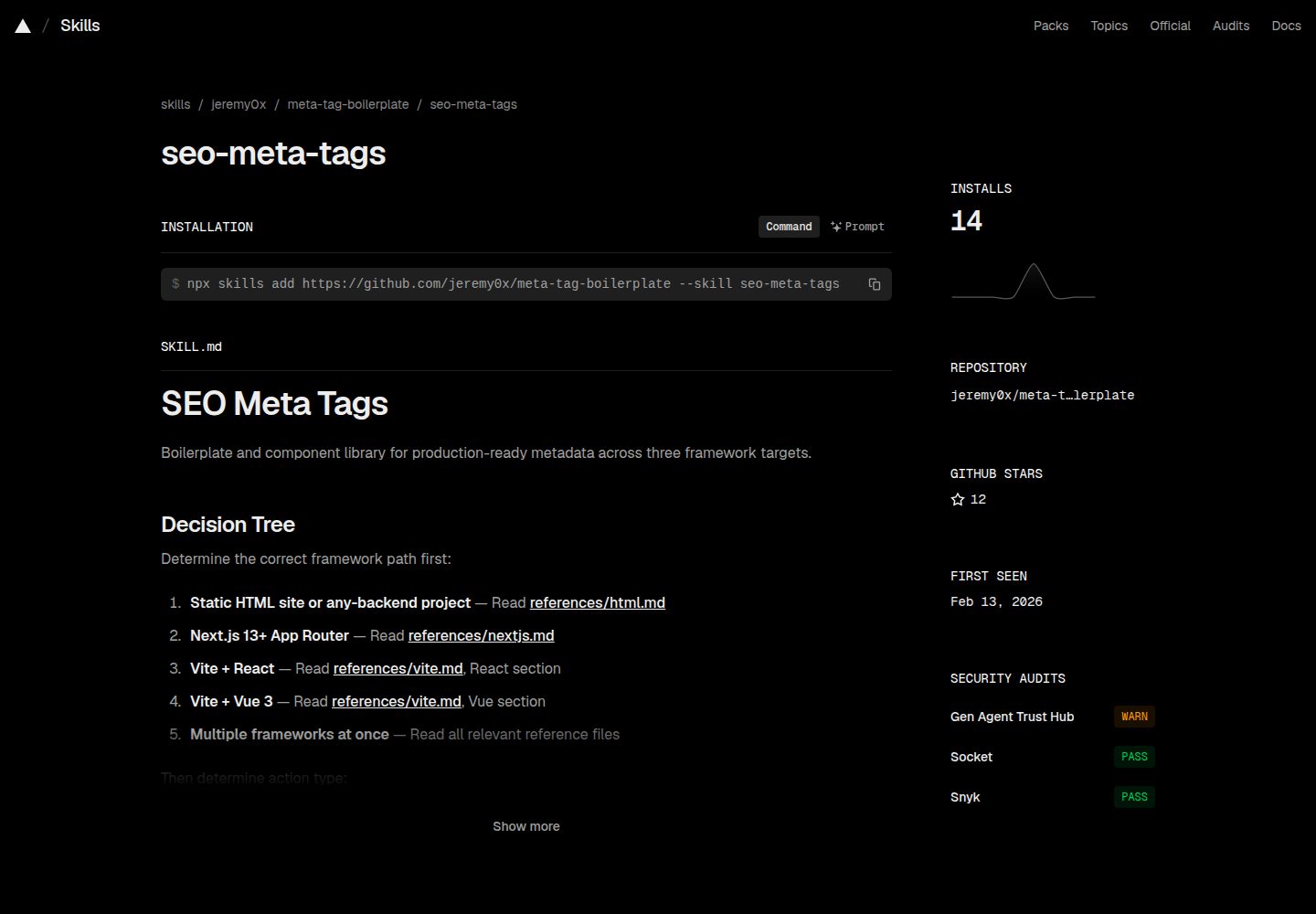
Provides three sets of metadata templates for HTML, Next.js App Router, and Vite (React/Vue)
Next.jsViteHTMLReactStarter
meta-tag-boilerplate — Next.js Starter Template
By jeremy0x
SEO and social metadata templates for HTML, Next.js, and Vite projects, providing copy-ready meta tag configurations, a placeholder registry, and validation scripts.
Explore the design
Compare the page layouts and mobile experience. Open any screenshot for a closer look.
Desktop homepage1 / 3
Desktop captureTop of page
Actual screenshot captured by the server browser.
All pages & views 3
Screenshots show visual appearance; interactive behavior may differ.
Recorded 2026-10-03View source
What stands out
A quick read of the recorded project description.
Uniformly uses {{PLACEHOLDER_NAME}} placeholders, with tokens.json as the canonical placeholder registry
Includes a validate.sh validation script, supporting default checks and --check-templates template integrity checks
Covers common metadata categories such as Open Graph, Twitter Card, JSON-LD, hreflang, and theme-color
Includes an installable seo-meta-tags agent skill that explains metadata conventions and security rules for each framework
Template Details
This repository organizes common SEO and social sharing metadata into three copy-ready templates: traditional HTML head configuration, Next.js App Router Metadata API configuration, and a dynamic metadata approach for Vite projects (including React and Vue components). All template files uniformly use {{PLACEHOLDER_NAME}} placeholders, and a canonical registry is maintained in skills/seo-meta-tags/references/tokens.json, recording each placeholder's name, constraints, whether it is required, and the file it belongs to.
Coverage includes basic tags (charset, viewport, title, description, keywords), SEO-related tags (robots, canonical, author), theme colors (including light and dark modes), Open Graph, Twitter Card, icons and manifest, JSON-LD structured data, and hreflang alternate language links. The repository also includes an installable agent skill (seo-meta-tags) that explains the project's metadata conventions and framework-specific rules to AI coding assistants.
To use it, first select the framework directory, replace placeholders according to that directory's README, then run ./scripts/validate.sh for pre-deployment checks. The validation script's default mode checks for leftover placeholders, image alt text, URL formats, and more; the --check-templates mode verifies that all {{TOKEN}} placeholders match the canonical registry. The 12 quality gates listed in the README cover placeholder cleanup, absolute URLs, image alt text, duplicate tags, title and description length, JSON-LD validity, OG/Twitter consistency, canonical, theme color variants, hreflang, and robots directives.
Limitations: the repository itself is a collection of templates and configurations; it does not include build artifacts or hosting services. Assets such as social images and favicons must be prepared separately; the README suggests 1200x630, 1.91:1, and under 1MB. The README also reminds users to pay attention to escaping and URL validation when metadata values come from user input or a database, and lists external validation tools such as Facebook, Twitter, LinkedIn, and Schema.org for manual review.
Next.jsViteHTMLStarter
Is it right for your project?
Use Cases
- Filling in SEO and social sharing tags in the head of a static HTML site
- Configuring static or dynamic metadata in a Next.js App Router project
- Integrating dynamic metadata components in a Vite React or Vue project
- Using the validation script before deployment to catch leftover placeholders, URL format issues, and duplicate tags
- Enabling AI coding assistants to generate or modify metadata according to project conventions
Suitable For
- Frontend projects that need to quickly set up basic SEO and social metadata configuration
- Teams maintaining multiple frameworks who want a unified metadata approach
- Developers using Next.js App Router who want to manage metadata with the Metadata API
- Developers building React or Vue applications with Vite who need to set metadata dynamically
Getting started & customization
Use these recorded setup notes alongside the repository instructions for your chosen version.
- 1
First choose the corresponding framework from the html, nextjs, and vite directories, then follow that directory's README instructions
- 2
After copying the template, replace all {{PLACEHOLDER}} placeholders; placeholder definitions are based on tokens.json
- 3
After replacement, run ./scripts/validate.sh for pre-deployment checks; use --check-templates to verify template completeness
- 4
Social sharing images are recommended to be JPG or PNG at 1200x630, 1.91:1, and under 1MB, with alt text filled in
- 5
When metadata values come from user input or a database, follow the README's security rules for escaping and URL validation
License & source material
Usage conditions & limitations
Free to use · keep license noticeThis entry covers the free version of a public repository under the MIT license; the free scope is the code of that version and does not mean external services or third-party assets are free.
Must comply with when using
- Free use, modification, commercial use, and distribution of this version's code are permitted.
- When distributing copies or substantial portions of the code, retain the original author's copyright notice and the full MIT license notice.
- The code is provided as is; warranties and limitations of liability are governed by the original license and applicable law.
Additional costs & items to verify
- Demo images, fonts, icons, and other third-party assets must be checked against their respective licenses; the code's MIT license alone cannot be used to judge them.
- External services such as domains, hosting, databases, payments, or AI may incur separate charges.
View Original Text Basis
https://github.com/jeremy0x/meta-tag-boilerplate/blob/main/LICENSEhttps://github.com/jeremy0x/meta-tag-boilerplate/blob/main/README.mdPermission is hereby granted, free of charge
Original License Text
Compiled by DeepSeek based on repository license and README ·2026-10-03. Results only cover the materials read; dependencies, images, fonts, and subsequent term changes are subject to their respective original texts.
Project checks & description sources
Template Information
- Source platforms
- GitHub
- Documentation and maintenance reference score
- More documented · 92 / 100
- Technologies
- Next.js · Vite · HTML · React
- Website type
- Starter
How this score is calculated
Our heuristic uses license records (up to 30), a demo link (12), a preview (10), stars (15), recorded maintenance (15), description completeness (8), feature records (5) and classification data (5). It is not a code, security or performance test, or a Google score. A link does not establish tested functionality.
What to verify for this project
- Repository update recorded
- 2026-06-18
- Screenshot last checked
- 2026-10-03
A demo link is listed. Check it with your own content and viewport sizes; its presence does not confirm that forms, authentication or payments work.
The catalog identifies Next.js as the primary stack. Check the actual dependency manifest and lockfile for versions and hosting requirements. These notes use recorded metadata, not a code audit or a deployment test.
Use a selection guide →How this description was prepared
AI-assisted description based on catalog records and repository material. Repository authors are not automatically the reviewers of this description.
Review declaration: [email protected] · 2026-10-04
Inspect the recorded source material
SHA-256: 65c9fc15a0049fa5f79bd95a19fc5f7c1a3e63dc1cddf8b26b2d83076f1b29de
2026-10-03T18:55:23.549Z
Source file / repository# Meta Tag Boilerplate
Modern, framework-agnostic meta tag boilerplates for SEO and social media optimization. Ready-to-use configurations for HTML, Next.js, and Vite projects.
## Features
- Multiple Frameworks: HTML, Next.js (App Router), and Vite (React/Vue)
- SEO Optimized: Complete meta tags for search engines
- Social Media Ready: Open Graph and Twitter Card support
- Copy-Paste Ready: Easy to integrate into your projects
- TypeScript Support: Fully typed for Next.js and Vite
- Modern Best Practices: Updated for 2024+ standards
- Schema.org Structured Data: JSON-LD support for rich results
- Dark Mode Support: Theme color configuration for light/dark modes
## Quick Navigation
Choose your framework:
### [HTML](./html/)
Traditional HTML setup for static websites or any web project.
- Static meta tags
- Comprehensive head setup
- Works with any backend or static site generator
### [Next.js](./nextjs/)
Modern setup using Next.js 13+ App Router Metadata API.
- Type-safe metadata configuration
- Static and dynamic metadata support
- Built-in SEO
### [Vite](./vite/)
Setup for Vite projects (React, Vue, and other frameworks).
- Static and dynamic meta tags
- React and Vue components included
- Environment variable support
## Quick Start
1. Choose your framework from the options above
2. Navigate to the framework folder
3. Follow the README in that folder for detailed instructions
4. Copy the boilerplate into your project
5. Replace placeholders with your actual values
6. Run the validation script to verify: `./scripts/validate.sh`
## Agent Skill
This repository ships an installable agent skill (`seo-meta-tags`) that teaches AI coding assistants the project's metadata conventions, placeholder tokens, quality checklist, and per-framework rules.
**Install via [skills.sh](https://skills.sh):**
```bash
npx skills add jeremy0x/meta-tag-boilerplate --skill seo-meta-tags
```
**Structure:**
```text
skills/seo-meta-tags/
├── SKILL.md # Core workflow, quality gate, metadata families, security rules
├── references/
│ ├── canonical-model.md # Abstract concept-to-implementation mapping across frameworks
│ ├── html.md # HTML <head> tag reference & ordering
│ ├── nextjs.md # Next.js Metadata API & generateMetadata patterns
│ ├── vite.md # React (react-helmet-async) & Vue (@unhead/vue) components
│ └── tokens.json # Canonical registry of all {{PLACEHOLDER}} tokens
└── scripts/
└── validate.sh # Automated quality gate (CI-ready)
```
## What's Included
### HTML
- `index.html` - Complete HTML boilerplate with modern meta tags
- `README.md` - Detailed documentation and best practices
### Next.js
- `metadata.ts` - Complete metadata configuration for App Router
- `dynamic-metadata-example.tsx` - Example of dynamic metadata generation
- `README.md` - Comprehensive guide with examples
### Vite
- `index.html` - Base HTML template with static meta tags
- `SEO.tsx` - React component for dynamic meta tags
- `SEO.vue` - Vue 3 component for dynamic meta tags
- `README.md` - Setup guide for both React and Vue
## Quality Gate
Run the validation script after replacing placeholders to catch common issues before deployment:
```bash
# Default mode — checks for leftover placeholders, alt text, URL formats, etc.
./scripts/validate.sh
# Template integrity mode — verifies all {{TOKEN}}s match the canonical registry
./scripts/validate.sh --check-templates
```
The 12-point quality gate covers: placeholder cleanup, absolute URLs, image alt text, duplicate tags, title/description length, JSON-LD validity, OG/Twitter parity, canonical URLs, theme color variants, hreflang, and robots directives.
## Placeholder Tokens
All template files use `{{PLACEHOLDER_NAME}}` tokens. The canonical registry at `skills/seo-meta-tags/references/tokens.json` is the single source of truth — every token's name, constraints, required status, and file membership is tracked there. Add new tokens to the registry first, then propagate to framework files.
## Key Meta Tags Included
All boilerplates include:
| Category | Meta Tags |
| --- | --- |
| **Essential** | charset, viewport, title, description, keywords |
| **SEO** | robots, canonical, author, keywords |
| **Theme** | theme-color (with dark/light mode support) |
| **Open Graph** | type, url, title, description, image, site_name |
| **Twitter** | card, title, description, image, site, creator |
| **Icons** | favicon, apple-touch-icon, manifest |
| **Structured Data** | JSON-LD schema markup |
| **i18n** | hreflang alternate links |
## Usage Examples
### HTML Example
```html
<!-- Just copy and paste into your HTML <head> -->
<title>My Awesome Website</title>
<meta name="description" content="Welcome to my website" />
```
### Next.js Example
```typescript
// app/layout.tsx or app/page.tsx
export const metadata: Metadata = {
title: 'My Awesome Website',
description: 'Welcome to my website',
// ... more configuration
}
```
### Vite + React
```tsx
import { SEO } from './components/SEO'
function HomePage() {
return (
<>
<SEO
title="My Awesome Website"
description="Welcome to my website"
/>
<div>Content</div>
</>
)
}
```
### Vite + Vue
```vue
<template>
<SEO
title="My Awesome Website"
description="Welcome to my website"
/>
<div>Content</div>
</template>
```
## Image Recommendations
### Social Media Images (Open Graph / Twitter)
- **Dimensions**: 1200 x 630 pixels
- **Aspect Ratio**: 1.91:1
- **Format**: JPG or PNG
- **File Size**: Under 1MB
- **Alt Text**: Always provide descriptive alt text
### Favicons
Use these tools to generate favicons:
- [favicon.io](https://favicon.io/)
- [RealFaviconGenerator](https://realfavicongenerator.net/)
## Security
When implementing metadata with user-supplied or database-sourced values, follow these rules from the agent skill:
| Context | Risk | Mitigation |
| --- | --- | --- |
| HTML meta tag content | XSS via attribute injection | Escape `"`, `<`, `>`, `&` in all attribute values |
| JSON-LD string fields | Script injection | Use `JSON.stringify()` for all values |
| Dynamic HTML content | XSS via raw HTML | Never use `dangerouslySetInnerHTML` or `v-html` without DOMPurify |
| URL fields | Open redirect, SSRF | Validate URLs start with `https://` |
## Testing Your Metadata
Validate your implementation with these tools:
- **Local** — `./scripts/validate.sh` after placeholder substitution
- Facebook Sharing Debugger: <https://developers.facebook.com/tools/debug/>
- Twitter Card Validator: <https://cards-dev.twitter.com/validator>
- LinkedIn Post Inspector: <https://www.linkedin.com/post-inspector/>
- Schema Markup Validator: <https://validator.schema.org/>
- Open Graph Check: <https://www.opengraph.xyz/>
## Best Practices
1. Title: Keep under 60 characters to avoid truncation
2. Description: 150-160 characters is optimal
3. Images: Always use high-quality images (1200x630px)
4. Canonical URLs: Specify to avoid duplicate content issues
5. Mobile: Test on mobile devices
6. Accessibility: Include alt text for all images
7. Performance: Optimize images and use appropriate formats
## Migration Guide
### From Old HTML Boilerplate
1. Choose your framework (HTML, Next.js, or Vite)
2. Follow the Quick Start guide for that framework
3. Update your placeholder values
### From Other Solutions
- From react-helmet: Use Vite + React setup
- From vue-meta: Use Vite + Vue setup
- From next-seo: Use Next.js setup (built-in metadata API is better)
## Resources
- [Open Graph Protocol](https://ogp.me/)
- [Twitter Cards Documentation](https://developer.twitter.com/en/docs/twitter-for-websites/cards/overview/abouts-cards)
- [Schema.org Documentation](https://schema.org/)
- [Google Search Central](https://developers.google.com/search/docs)
- [Next.js Metadata API](https://nextjs.org/docs/app/building-your-application/optimizing/metadata)
## Contributing
Contributions are welcome! If you have suggestions for improvements or find any issues:
1. Fork the repository
2. Create your feature branch
3. Commit your changes
4. Push to the branch
5. Open a Pull Request
## License
This project is licensed under the MIT License - see the [LICENSE](LICENSE) file for details.
## Acknowledgments
Feel free to use and modify the code for your own projects. If you found this repository helpful, please consider giving it a star!
Explore similar templates
Compare previews and descriptions within the same stack and category.

Next.js SaaS Starter
The official Next.js SaaS starter template, integrating email/password authentication, Stripe Checkout subscriptions, a dashboard with user/team CRUD, basic Owner/Member RBAC, and activity logging.
Next.js · SaaS

Next.js Commerce
Vercel's officially maintained Next.js App Router ecommerce starter with deep Shopify integration, offering a complete product catalog, cart, and checkout flow. Core logic is modular for swapping backends, and community provider versions exist for BigCommerce, Medusa, and Saleor.
Next.js · E-commerce

Next-js-Boilerplate
A developer-first Next.js 16 starter with Tailwind CSS 4 and TypeScript, supporting both App Router and Page Router.
Next.js · Starter

tailwind-nextjs-starter-blog
A Next.js and Tailwind CSS blog starter template using Contentlayer for Markdown/MDX, with built-in SEO, code highlighting, and tags. It targets personal technical blogs and migration from Jekyll/Hugo to React, and supports one-click Vercel deployment.
Next.js · Blog

next-forge
next-forge is a Turborepo-based Next.js template maintained by Vercel, positioned as a starting point for SaaS products.
Next.js · Starter

SaaS-Boilerplate
SaaS-Boilerplate is an open-source SaaS starter template built with Next.js App Router, React 19, TypeScript, Tailwind CSS, and Shadcn UI.
Next.js · SaaS