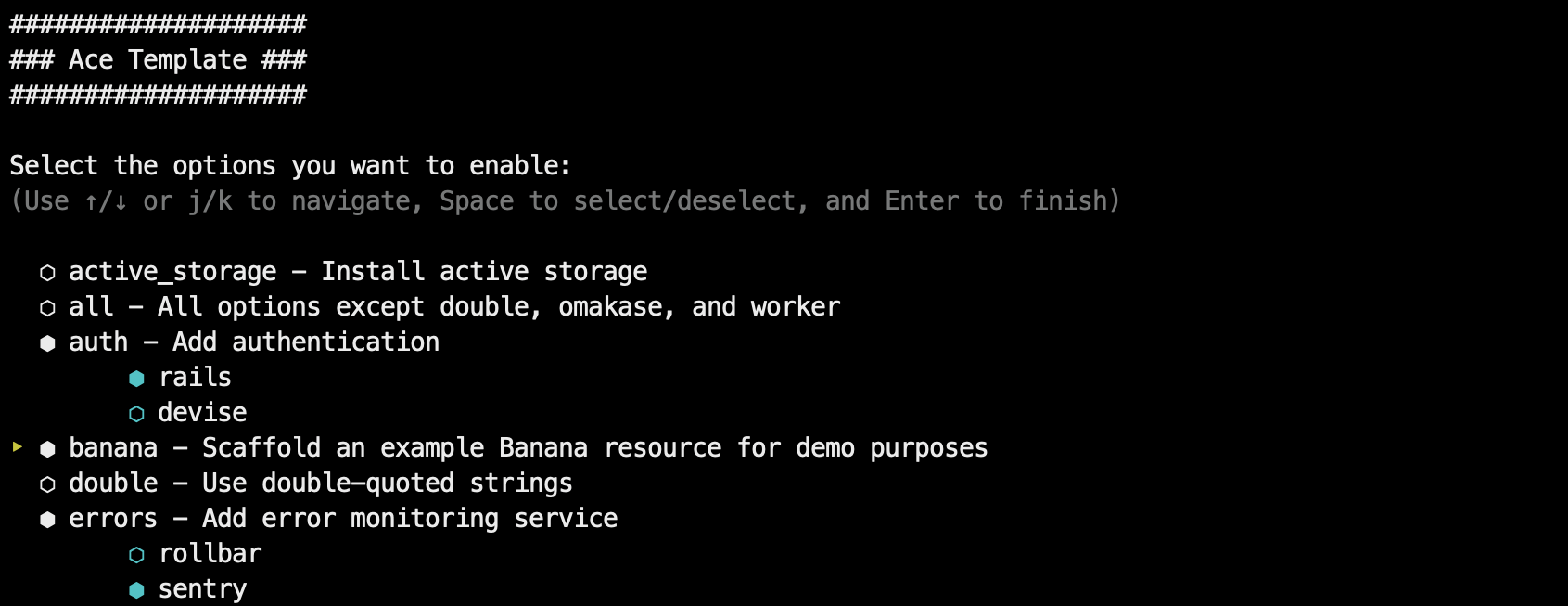
Applied via the -m parameter of rails new, supporting interactive mode and command-line options
RailsStarter
ace-template — Rails Starter Template
By jeromedalbert
Ace Template is a Rails application template applied via rails new, generating a project skeleton with deployment instructions, tests, and common gem configuration through interactive mode or command-line options.
Explore the design
Compare the page layouts and mobile experience. Open any screenshot for a closer look.
Author preview
Author-provided preview
Preview provided in the project README.
One original preview is available. Open the full image to inspect the design.
Screenshots show visual appearance; interactive behavior may differ.
Recorded 2026-10-01View source
What stands out
A quick read of the recorded project description.
Compatible with most rails new arguments, supporting SQLite, Postgres, and MySQL
Provides deployment instructions for Kamal, Fly.io, and Heroku
Each configuration step is committed separately, and generated code comes with corresponding tests
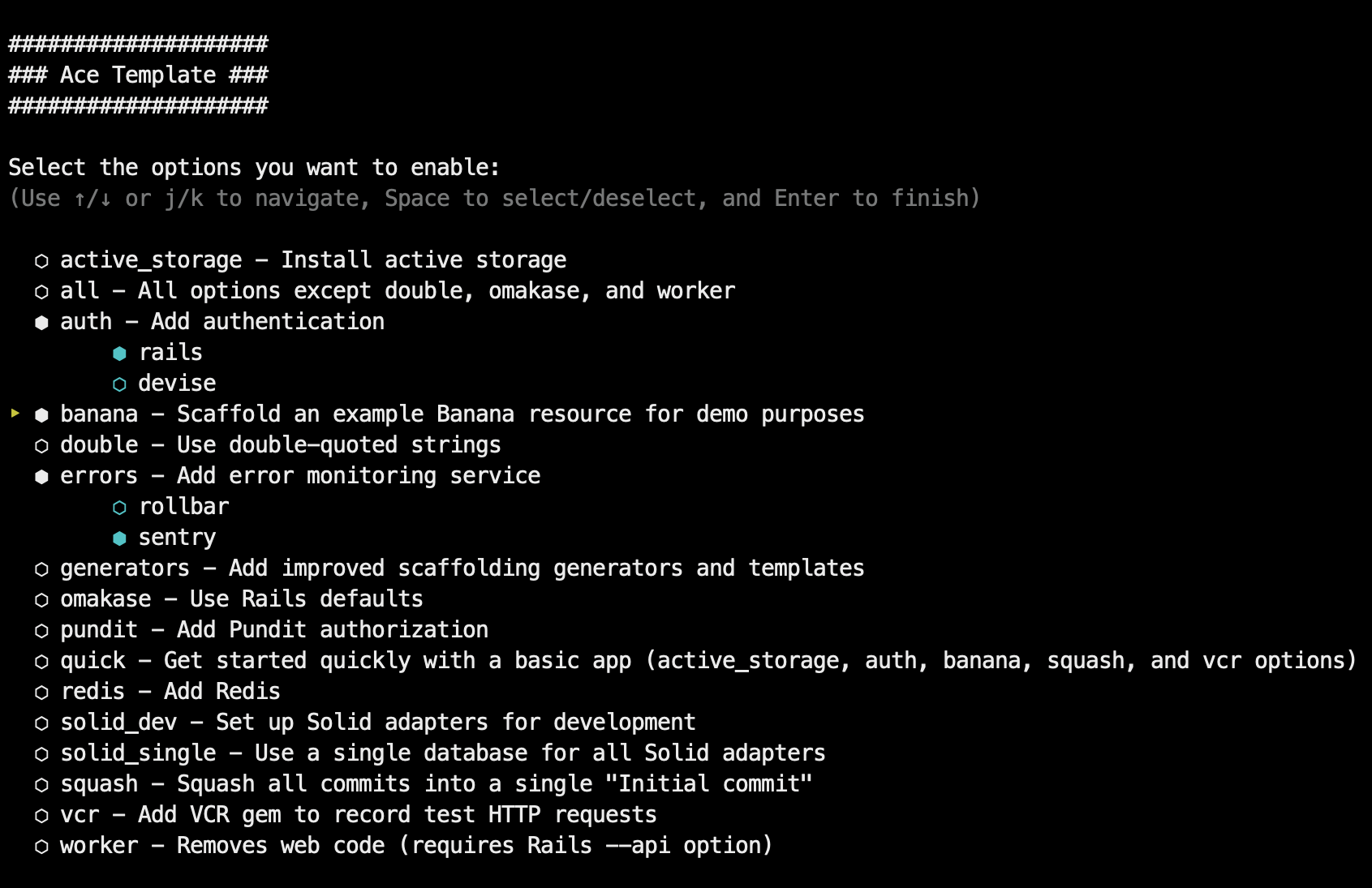
Optional features include authentication, Pundit authorization, error monitoring, Redis, VCR, and more
Uses RSpec, Rubocop, SyntaxTree, Dotenv, FactoryBot, Spring, and Lograge by default, or can switch to Rails omakase defaults
Template Details
Ace Template is a Rails application template applied when creating a new project via `rails new myapp -m <template.rb>`. It supports interactive mode (`-i`) and command-line options (`-o`), and is compatible with most `rails new` arguments (such as `--api`, `--skip-*`, `--main`, `--edge`). The template provides SQLite, Postgres, and MySQL database support, as well as Tailwind or Bootstrap styling and HTML boilerplate; the generated project includes deployment instructions for Kamal, Fly.io, and Heroku, with each configuration step committed separately so the setup process can be reviewed.
The default configuration retains IRB and ruby debug, uses Amazing Print for formatted output, Solid Cable, Solid Cache, and Solid Queue as default components, Rubocop and SyntaxTree for linting and formatting, RSpec for testing by default, Dotenv for secret management, FactoryBot for test data generation, Spring to speed up local commands, and Lograge to simplify production logs. If you prefer Rails' native defaults, you can choose the `omakase` option.
Optional features include: `banana` to generate sample resources, `authentication` to add login and registration (Rails built-in authentication or Devise), `solid-dev` to configure Solid components in the development environment, `worker` to remove web code, `errors` to integrate Rollbar or Sentry, `pundit` to add authorization, `redis` to add Redis, and `vcr` to record test HTTP requests. Options can be combined; for example, when both `banana` and `authentication` are selected, sample resources belong to users.
The template is positioned as a lightweight Rails application template rather than a complete SaaS starter kit. It uses partials internally instead of full files, and runs end-to-end tests against Rails main via scheduled tasks. The repository uses the MIT license; third-party assets such as demo images require separate license verification, and external services such as domains, hosting, and databases may incur additional charges.
RailsStarter
Is it right for your project?
Use Cases
- Quickly generate a Rails application skeleton for demos or interviews
- Learn the structure of modern Rails applications and how to configure deployment
- Choose common components such as authentication, authorization, and error monitoring for a new project
- Create background task or bot applications that do not need a web interface
Suitable For
- Developers using Rails who want to reduce initial configuration work
- A project starting point that needs deployment instructions and a testing foundation
- Teams that want to select modules such as authentication, authorization, and error monitoring as needed
Getting started & customization
Use these recorded setup notes alongside the repository instructions for your chosen version.
- 1
Run `rails new myapp -m https://raw.githubusercontent.com/jeromedalbert/ace-template/stable/template.rb` to create the base application
- 2
Use `-i` to enter interactive mode, or use `-o` to pass template options; see `-o help` for specific options
- 3
rails new arguments can be combined, for example `-o banana --css tailwind`
- 4
The generated project's Readme contains deployment instructions, most of which can be copied and pasted
- 5
Licenses and costs for third-party assets and external services (domains, hosting, databases, etc.) must be confirmed separately
License & source material
Usage conditions & limitations
Free to use · keep license noticeThis entry covers the free version under the MIT license in the public repository; the free scope is the code of this version and does not mean external services or third-party assets are free.
Must comply with when using
- Free use, modification, commercial use, and distribution of this version's code are permitted.
- When distributing copies or substantial portions of the code, retain the original author's copyright notice and the full MIT license notice.
- The code is provided as is; warranties and limitations of liability are governed by the original license and applicable law.
Additional costs & items to verify
- The errors option integrates Rollbar or Sentry error monitoring services, which are third-party external services that usually require account registration and may incur fees.
- Deployment instructions involve external hosting platforms such as Kamal, Fly.io, and Heroku; using these platforms requires registering an account and may incur hosting fees.
- The redis option introduces Redis, which requires self-deployment or an external Redis service and may involve additional costs.
- Demo images, fonts, icons, and other third-party assets must be checked against their respective licenses and cannot be judged solely by the code's MIT license.
- External services such as domains, hosting, databases, payments, or AI may incur additional charges.
View Original Text Basis
Permission is hereby granted, free of charge
Original License Text
adds an error monitoring service (either [Rollbar](https://rollbar.com/) or [Sentry](https://sentry.io/))
Original README
Easy-to-follow instructions to deploy with [Kamal](https://kamal-deploy.org/), [Fly.io](https://fly.io/), or [Heroku](https://www.heroku.com/)
Original README
https://github.com/jeromedalbert/ace-template/blob/main/LICENSE.txthttps://github.com/jeromedalbert/ace-template/blob/main/README.md`redis`: adds Redis.
Original README
Compiled by DeepSeek based on repository license and README ·2026-10-01. Results only cover the materials read; dependencies, images, fonts, and subsequent term changes are subject to their respective original texts.
Project checks & description sources
Template Information
- Source platforms
- GitHub
- Documentation and maintenance reference score
- More documented · 75 / 100
- Technologies
- Rails
- Website type
- Starter
How this score is calculated
Our heuristic uses license records (up to 30), a demo link (12), a preview (10), stars (15), recorded maintenance (15), description completeness (8), feature records (5) and classification data (5). It is not a code, security or performance test, or a Google score. A link does not establish tested functionality.
What to verify for this project
- Repository update recorded
- 2026-09-18
- Screenshot last checked
- 2026-10-01
No demo link is recorded. Use the repository instructions to evaluate the project locally; the screenshot alone cannot establish interactive behavior.
The catalog identifies Rails as the primary stack. Check the actual dependency manifest and lockfile for versions and hosting requirements. These notes use recorded metadata, not a code audit or a deployment test.
Use a selection guide →How this description was prepared
AI-assisted description based on catalog records and repository material. Repository authors are not automatically the reviewers of this description.
Automatically checked against source and license rules; no manual editorial review.
Inspect the recorded source material
SHA-256: 181943daa687073ef13136a2b394b63b348c7ae1004fa4db5fdbf5604261cf39
2026-10-01T02:53:33.386Z
Source file / repository# Ace Template
A Rails application template to generate full-featured web apps fast:
- Go from `rails new` to deployed in **less than 5 minutes**.
Demos: [self-hosted server](https://www.youtube.com/watch?v=kCXugP63Cqc) |
[Fly.io](https://www.youtube.com/watch?v=2PsQQIbSsg0) |
[Heroku](https://www.youtube.com/watch?v=iY_kVYGbbRk).
- Designed to keep up with future versions of Rails. This repo is tested
[daily](.github/workflows/ci.yml#L8) against Rails `main`.
- Automated yet thoughtful. Code diffs are applied in just the right places.
- Use interactive mode or command-line options for extra customization.
- Use carefully curated defaults or the omakase default Rails way.
Ship your idea in record time, or learn how modern Rails 8+ apps are structured
and deployed. See [list of features](#features) and [why I made this](#why-ace-template).
<br>
## Usage
To create a basic app:
```bash
rails new myapp -m https://raw.githubusercontent.com/jeromedalbert/ace-template/stable/template.rb
```
It gets more interesting with options! You can choose template options
interactively with `-i`:
```bash
rails new myapp -i -m https://raw.githubusercontent.com/jeromedalbert/ace-template/stable/template.rb
```
Or you can pass template options manually with `-o` (see [`-o help`](template.rb#L17)
for details). Rails options are also supported. For example, to create an app
with an example "Banana" resource and styled with Tailwind:
```bash
rails new myapp -o banana --css tailwind \
-m https://raw.githubusercontent.com/jeromedalbert/ace-template/stable/template.rb
```
#### Pro-tip
To make commands shorter, you can add this function to your shell config (like
`~/.bashrc` or `~/.zshrc`):
```bash
rn() {
rails new $1 -m https://raw.githubusercontent.com/jeromedalbert/ace-template/stable/template.rb ${@:2}
}
```
The previous example can now be shortened to `rn myapp -o banana --css tailwind`.
## Features
#### General
- Easy-to-follow instructions to deploy with [Kamal](https://kamal-deploy.org/),
[Fly.io](https://fly.io/), or [Heroku](https://www.heroku.com/). Most
instructions are copy-pasteable and can be found in the generated project Readme.
- Supports SQLite, Postgres, and MySQL databases.
- Supports the [Tailwind](https://tailwindcss.com/) and [Bootstrap](https://getbootstrap.com/)
CSS frameworks, with default styles and HTML boilerplate that are ready to go.
- Each configuration step has its own commit, so you can see exactly how
everything is set up.
- All generated code has thoughtful corresponding tests.
- Uses single quotes by default. Double quotes are supported as an option.
- Supports most `rails new` options like `--api`, `--skip-*`, `--main`,
`--edge`, etc.
#### Default gems
- `IRB` and ruby `debug` are kept as defaults for interactive Ruby sessions.
This combo now works just as well as the old Pry gems.
[Amazing Print](https://github.com/amazing-print/amazing_print) is used for
pretty printing and is a modern successor to Awesome Print that works with
ruby `debug` sessions and Rails 8.2+.
- [Solid Cable](https://github.com/rails/solid_cable),
[Solid Cache](https://github.com/rails/solid_cache),
and [Solid Queue](https://github.com/rails/solid_queue) are kept as great
defaults that can get you pretty far.
- [Rubocop](https://github.com/rubocop/rubocop) for linting and
[SyntaxTree](https://github.com/ruby-syntax-tree/syntax_tree) for
auto-formatting that looks good.
[Standard](https://github.com/standardrb/standard) is also used as a
collection of sensible Rubocop defaults that are further customized to fit
Ace Template's own style.
- [RSpec](https://github.com/rspec/rspec-rails) tests by default.
[Rails test cases](https://guides.rubyonrails.org/testing.html#writing-your-first-test)
(backed by [Minitest](https://github.com/minitest/minitest)) are supported as
an option.
- [Dotenv](https://github.com/bkeepers/dotenv) as a simple way to manage
secrets.
[Rails credentials](https://guides.rubyonrails.org/security.html#custom-credentials)
are supported as an option.
- [FactoryBot](https://github.com/thoughtbot/factory_bot) for test data.
[Rails fixtures](https://guides.rubyonrails.org/testing.html#fixtures) are
supported as an option.
- [Spring](https://github.com/rails/spring) to run Rails commands and tests
instantly on your local.
- [Lograge](https://github.com/roidrage/lograge) to make production logs simple
and easy to read.
If you prefer to stick to Rails defaults, use the `omakase` template option.
#### Options
- `banana`: scaffolds an example "Banana" resource for quick demos or as a
starting point.
- `authentication`: adds authentication that is ready to go with login
**and signup** pages, either with
[Rails authentication](https://guides.rubyonrails.org/security.html#authentication)
or [Devise](https://github.com/heartcombo/devise).
- `omakase`: uses Rails [omakase](https://rubyonrails.org/doctrine#omakase)
defaults instead of Ace Template's defaults.
- `solid-dev`: configures [Solid Cable](https://github.com/rails/solid_cable),
[Solid Cache](https://github.com/rails/solid_cache),
and [Solid Queue](https://github.com/rails/solid_queue) to work in development.
- `worker`: removes web code, for apps like bots or scheduled scripts that do
not need to be accessible with a web page.
- `errors`: adds an error monitoring service (either [Rollbar](https://rollbar.com/)
or [Sentry](https://sentry.io/)).
- `pundit`: adds [Pundit](https://github.com/varvet/pundit) authorization.
- `redis`: adds Redis.
- `vcr`: adds the [VCR](https://github.com/vcr/vcr) gem to record test HTTP requests.
See [`-o help`](template.rb#L17) for the full list of options.
Options can **synergize** with each other. For example if both `banana` and
`authentication` are selected, bananas will belong to a user and logged in users
will only have access to their own bananas.
## Why Ace Template?
My goal with this template is to have both quality and speed, where you can
quickly deploy an app for a demo or an interview, while having a solid
foundation with polished internals.
The template runs with `rails new` and it is just plain Rails with some
sprinkles. This is not a heavier SaaS starter kit.
Ace Template is also built to stay up to date. It internally uses partials
instead of whole files. End-to-end tests run on a [cron
schedule](.github/workflows/ci.yml#L8) against Rails `main` with alerts on
failures, so fixes are proactive and require minimal focused effort.
Most other templates are too static and become completely out of date after
5-10 years, needing a full rewrite or significant maintenance effort. Here's
hoping Ace Template still works flawlessly in 15 years (famous last words)!
## Contributing
Bug reports and pull requests are welcome! See [guide to contributing](CONTRIBUTING.md)
for more information.
## License
The project is available as open source under the terms of the
[MIT License](https://opensource.org/licenses/MIT).
## Code of Conduct
Everyone interacting in the Ace Template project's codebases, issue trackers,
chat rooms and mailing lists is expected to follow the
[code of conduct](CODE_OF_CONDUCT.md).
<br><br>
<div align="center">
<a href="#ace-template">
<img src="https://raw.githubusercontent.com/jeromedalbert/files/main/ace-template/cards.png" width="150" alt="Ace Template"/>
</a>
</div>
Explore similar templates
Compare previews and descriptions within the same stack and category.
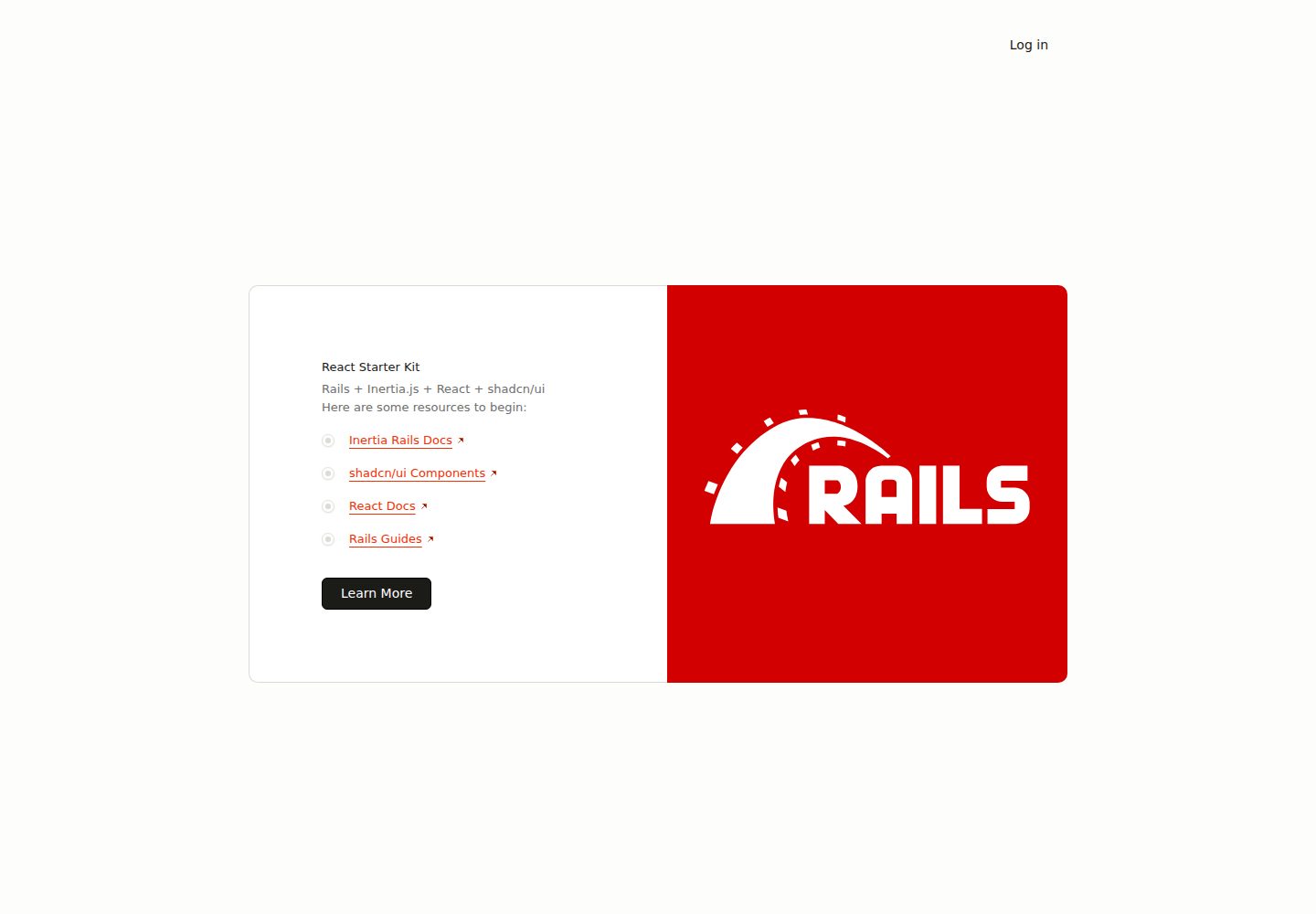
react-starter-kit
A full-stack Inertia.js starter with a Rails backend and React + TypeScript frontend, generated by inertia-rails/generator and automatically synced.
Rails · Starter
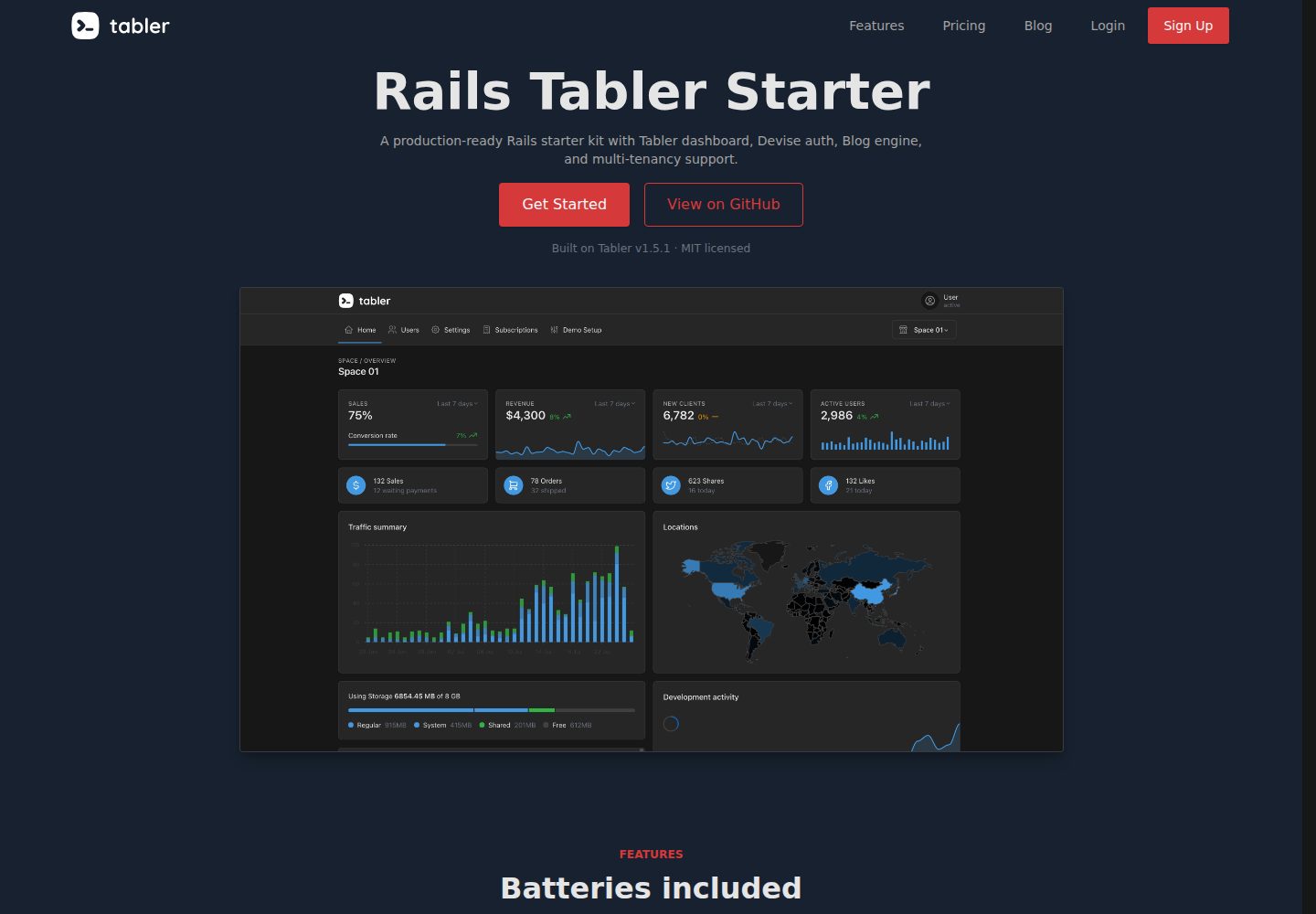
rails-tabler-starter
A free, open-source Ruby on Rails backend starter using Tabler (Bootstrap 5) with Hotwire/Turbo.
Rails · Admin dashboard
plutonium-core
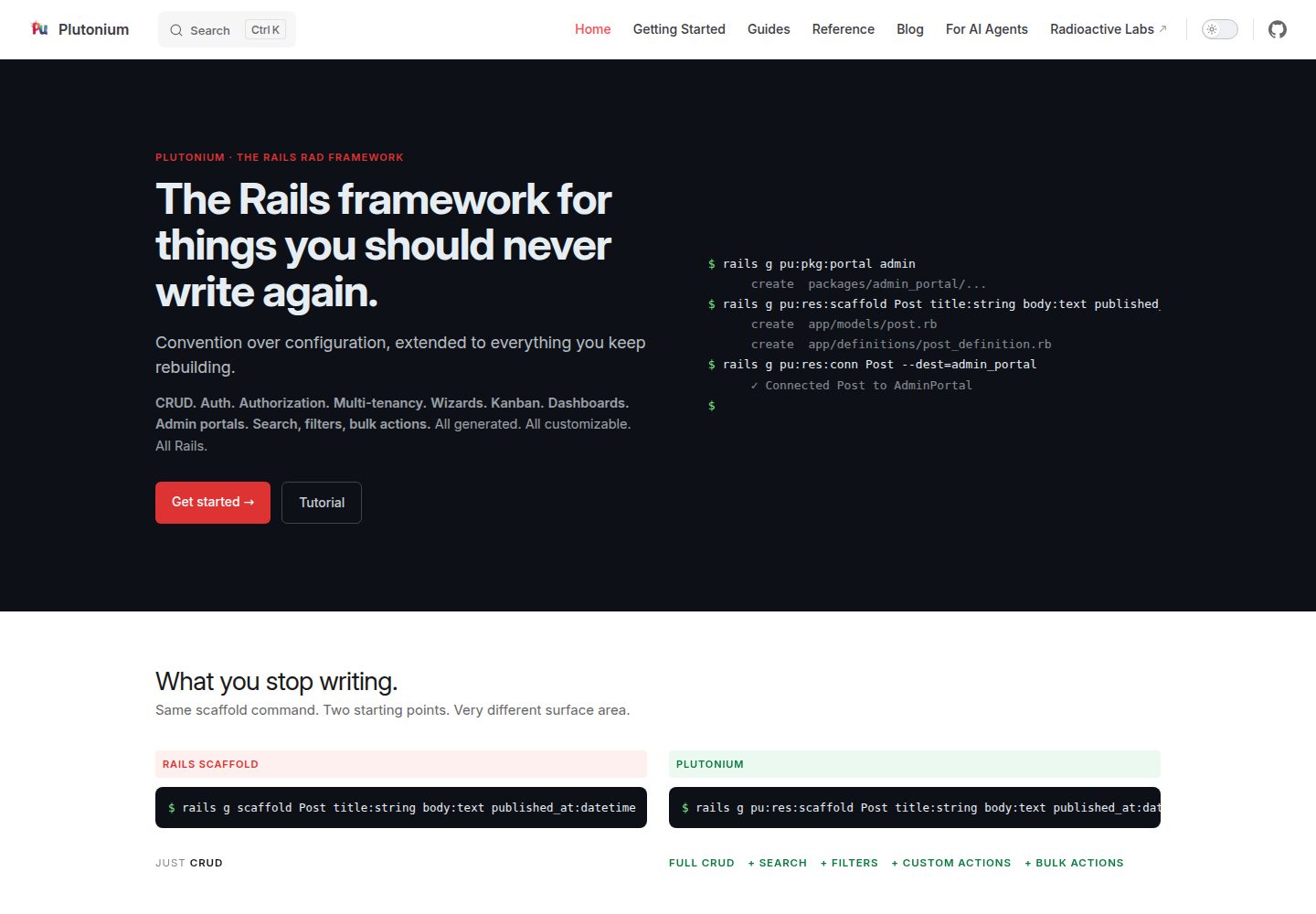
Plutonium is a Rails-based admin and starter template that uses generators to write CRUD, authentication, authorization, multi-tenancy, portals, search and filtering, and bulk actions directly into project code.
Rails · Admin dashboard
kern
Kern is a Rails engine that provides foundational SaaS features: authentication and user settings based on Rails' authentication generator, multi-tenancy via Workspace and Member with multiple Roles, team invitations, Stripe subscription billing configured through plans.yml and credentials, plus a form builder, basic…
Rails · SaaS
rails-react-starter
Rails React Starter is an MIT-licensed starter that pairs a Rails JSON API backend with a React frontend, including TailwindCSS and Docker configuration.
Rails · Starter
SknServices
SknServices is a Rails 5 starter application focused on authentication and authorization, demonstrating content-level permission models through both XML files and a PostgreSQL database.
Rails · Starter