Turborepo monorepo structure with clear separation of apps/web and packages/ui, packages/features
Next.jsReactSaaSStarter
nextjs-saas-starter-kit-lite — Next.js SaaS Template
By josefluis12
A lite version of the Makerkit SaaS Starter Kit based on Next.js and Supabase, including authentication, protected pages, and a basic database schema.
Explore the design
Compare the page layouts and mobile experience. Open any screenshot for a closer look.
Desktop homepage1 / 3
Desktop captureTop of page
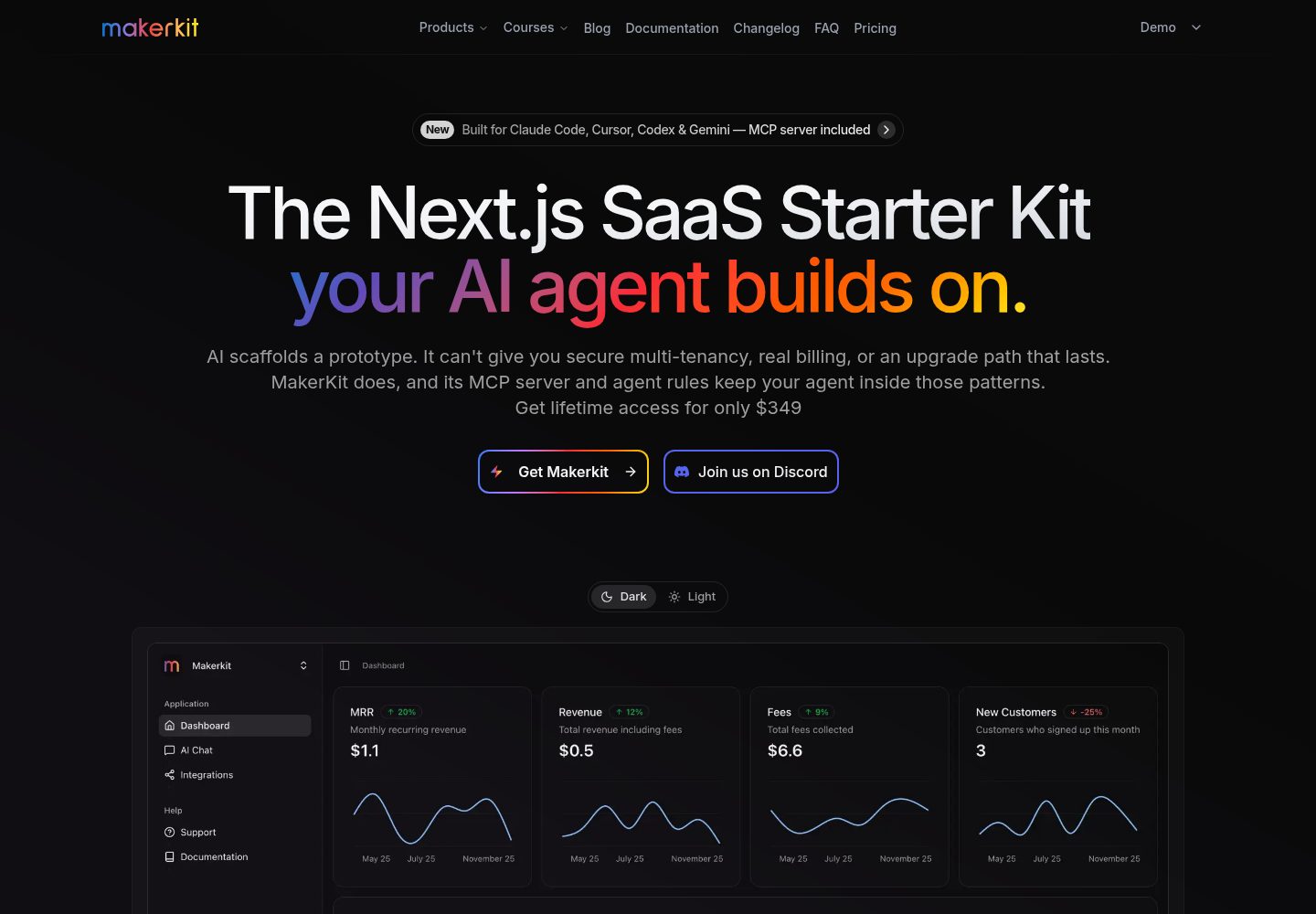
Actual screenshot captured by the server browser.
All pages & views 3
Screenshots show visual appearance; interactive behavior may differ.
Recorded 2026-10-02View source
What stands out
A quick read of the recorded project description.
Supabase provides authentication and basic database, including schema, migrations, and seed data
Built-in user authentication flows, user profile and settings pages, and protected routes
Responsive marketing pages built with Shadcn UI and TailwindCSS
Integrates i18next internationalization, Zod validation, React Query data fetching, and basic Playwright tests
Provides ESLint, Prettier, and strict TypeScript linting scripts
Template Details
This is a lite version of the Makerkit SaaS Starter Kit. The repository states it is based on Next.js and Supabase, intended for evaluating the code architecture and patterns of the full version, or as a foundation for building your own SaaS project. It uses a monorepo structure managed by Turborepo: apps/web is the Next.js application, and packages are split into a ui component package and a features package (such as @kit/auth for authentication logic).
Feature scope covers user authentication flows, user profiles and settings, responsive marketing pages, protected routes, and basic Playwright test configuration. On the technical side, it uses Shadcn UI and TailwindCSS for the interface, i18next for client and server internationalization, Zod for schema validation, React Query for data fetching and caching, and includes ESLint, Prettier, and strict TypeScript linting configuration.
Note that the lite version does not include production features from the full version such as billing and subscriptions, team accounts, email templates, analytics, monitoring, real-time notifications, blog and documentation systems, or a super admin panel. The repository also does not provide technical support or response time guarantees. The README mentions that the kit's documentation is still being updated. The database is located in apps/web/supabase and includes schema, migrations, and seed data. You can create migrations, link projects, and push via the Supabase CLI.
Next.jsSaaSStarter kit
Is it right for your project?
Use Cases
- Evaluating the code architecture and directory organization of the full Makerkit version
- Building a basic SaaS prototype that requires login and protected pages
- Using as a starting codebase for a custom Next.js + Supabase project
- Learning how to split modules like authentication into feature packages in a monorepo
Suitable For
- Developers who want to quickly start a Next.js + Supabase project
- Projects that need authentication and protected routes but do not yet require production features like billing or teams
- Teams that want to evaluate the Makerkit architecture before deciding whether to adopt the full version
Getting started & customization
Use these recorded setup notes alongside the repository instructions for your chosen version.
- 1
Requires Node.js 18.x or higher, Docker, and PNPM; the Docker daemon must be running
- 2
After cloning the repository, run pnpm install to install dependencies
- 3
Start local Supabase with pnpm run supabase:web:start; by default the dashboard is accessible at http://localhost:54323
- 4
Configure site information and Supabase URL, anon key, service role key, and other environment variables via .env.local
- 5
When deploying to Cloudflare, set runtime to edge in apps/web/app/layout.tsx and enable Node.js compatibility in the console
License & source material
Usage conditions & limitations
Free to use · keep license noticeThis entry covers the free version under the MIT license from the public repository; the free scope applies to this version's code and does not imply that external services or third-party assets are free.
Must comply with when using
- You are allowed to use, modify, commercialize, and distribute this version's code for free.
- When distributing copies or substantial portions of the code, retain the original author's copyright notice and the full MIT license notice.
- The code is provided as is; warranties and limitations of liability are governed by the original license and applicable law.
Additional costs & items to verify
- This lite version does not provide technical support: you can submit issues, but the official team does not guarantee response times or that issues will be fixed. For dedicated support, priority fixes, and advanced features, you must switch to the full version.
- Local development depends on Docker: the Docker daemon must be running on your machine for the Supabase CLI to work; otherwise, local Supabase services cannot start.
- Deploying to production requires creating your own Supabase project (an external service) and configuring environment variables such as Supabase URL, anon key, and service role key.
- When deploying to Cloudflare, you must manually set the root layout's runtime to edge and enable Node.js compatibility in the Cloudflare console; otherwise, the configuration will not take effect directly.
- The kit's documentation is still being updated; some instructions may be incomplete, and you should check back later for more details.
- Demo images, fonts, icons, and other third-party assets must be checked against their respective licenses; you cannot judge solely based on the code's MIT license.
- External services such as domains, hosting, databases, payments, or AI may incur additional charges.
View Original Text Basis
Permission is hereby granted, free of charge
Original License Text
No support is provided for this kit. Feel free to open an issue if you have any questions or need help, but there is no guaranteed response time, nor guarantee a fix.
Original README
Please make sure you have a Docker daemon running on your machine. This is required for the Supabase CLI to work.
Original README
To deploy your application to production, you will need to create a Supabase project.
Original README
The configuration should work as is, but you need to set the runtime to `edge` in the root layout file
Original README
https://github.com/josefluis12/nextjs-saas-starter-kit-lite/blob/main/LICENSEhttps://github.com/josefluis12/nextjs-saas-starter-kit-lite/blob/main/README.mdPS: the documentation for this kit is still being updated, so please check back later for more details.
Original README
Compiled by DeepSeek based on repository license and README ·2026-10-02. Results only cover the materials read; dependencies, images, fonts, and subsequent term changes are subject to their respective original texts.
Project checks & description sources
Template Information
- Source platforms
- GitHub
- Documentation and maintenance reference score
- More documented · 79 / 100
- Technologies
- Next.js · React
- Website type
- SaaS · Starter
How this score is calculated
Our heuristic uses license records (up to 30), a demo link (12), a preview (10), stars (15), recorded maintenance (15), description completeness (8), feature records (5) and classification data (5). It is not a code, security or performance test, or a Google score. A link does not establish tested functionality.
What to verify for this project
- Repository update recorded
- 2025-04-28
- Screenshot last checked
- 2026-10-02
A demo link is listed. Check it with your own content and viewport sizes; its presence does not confirm that forms, authentication or payments work.
The catalog identifies Next.js as the primary stack. Check the actual dependency manifest and lockfile for versions and hosting requirements. These notes use recorded metadata, not a code audit or a deployment test.
Use a selection guide →How this description was prepared
AI-assisted description based on catalog records and repository material. Repository authors are not automatically the reviewers of this description.
Automatically checked against source and license rules; no manual editorial review.
Inspect the recorded source material
SHA-256: 8da7058206404622123de9ebb8cc6675e009513e646398699db8e76372099885
2026-10-02T22:10:59.291Z
Source file / repository![Makerkit - Next.js Supabase SaaS Starter Kit \[Lite version\]](apps/web/public/images/makerkit.webp)
# NEW! Next.js Supabase SaaS Starter Kit (Lite)
Start building your SaaS faster with our Next.js 15 + Supabase starter kit.
👉 **Looking for a full-featured SaaS Starter Kit?** [Check out the complete version](https://makerkit.dev)
⭐️ **Why Developers Trust Makerkit:**
- Production-grade architecture decisions
- Comprehensive TypeScript setup
- Modern stack: Next.js 15, Supabase, TailwindCSS v4
- Quality Code tooling: ESLint v9, Prettier, strict TypeScript, etc.
- Regular updates and active maintenance
PS: the documentation for this kit is still being updated, so please check back later for more details.
## What's Included
### Core Architecture
- 🏗️ Next.js 15 + Turborepo monorepo setup
- 🎨 Shadcn UI components with TailwindCSS v4
- 🔐 Supabase authentication & basic DB
- 🌐 i18n translations (client + server)
- ✨ Full TypeScript + ESLint v9 + Prettier configuration
### Key Features
- 👤 User authentication flow
- ⚙️ User profile & settings
- 📱 Responsive marketing pages
- 🔒 Protected routes
- 🎯 Basic test setup with Playwright
### Technologies
This starter kit provides core foundations:
🛠️ **Technology Stack**:
- [Next.js 15](https://nextjs.org/): A React-based framework for server-side rendering and static site generation.
- [Tailwind CSS](https://tailwindcss.com/): A utility-first CSS framework for rapidly building custom designs.
- [Supabase](https://supabase.com/): A realtime database for web and mobile applications.
- [i18next](https://www.i18next.com/): A popular internationalization framework for JavaScript.
- [Turborepo](https://turborepo.org/): A monorepo tool for managing multiple packages and applications.
- [Shadcn UI](https://shadcn.com/): A collection of components built using Tailwind CSS.
- [Zod](https://github.com/colinhacks/zod): A TypeScript-first schema validation library.
- [React Query](https://tanstack.com/query/v4): A powerful data fetching and caching library for React.
- [Prettier](https://prettier.io/): An opinionated code formatter for JavaScript, TypeScript, and CSS.
- [Eslint](https://eslint.org/): A powerful linting tool for JavaScript and TypeScript.
- [Playwright](https://playwright.dev/): A framework for end-to-end testing of web applications.
This kit is a trimmed down version of the [full version of this SaaS Starter Kit](https://makerkit.dev). It is a good way to evaluate small part of the full kit, or to simply use it as a base for your own project.
## Comparing Lite vs Full Version
The lite kit is perfect for:
- Evaluating our code architecture and patterns
- Building basic SaaS prototypes
- Learning our tech stack approach
- Building a basic SaaS tool
The [full version](https://makerkit.dev) adds production features:
- 💳 Complete billing and subscription system
- 👥 Team accounts and management
- 📧 Mailers and Email Templates (Nodemailer, Resend, etc.)
- 📊 Analytics (GA, Posthog, Umami, etc.)
- 🔦 Monitoring providers (Sentry, Baselime, etc.)
- 🔐 Production database schema
- ✅ Comprehensive test suite
- 🔔 Realtime Notifications
- 📝 Blogging system
- 💡 Documentation system
- 💻 Super Admin panel
- 🕒 Daily updates and improvements
- 🐛 Priority bug fixes
- 🤝 Support
- ⭐️ Used by 1000+ developers
- 💪 Active community members
- 🏢 Powers startups to enterprises
[View complete feature comparison →](https://makerkit.dev/#pricing)
## Getting Started
### Prerequisites
- Node.js 18.x or later (preferably the latest LTS version)
- Docker
- PNPM
Please make sure you have a Docker daemon running on your machine. This is required for the Supabase CLI to work.
### Installation
#### 1. Clone this repository
```bash
git clone https://github.com/makerkit/next-supabase-saas-kit-lite.git
```
#### 2. Install dependencies
```bash
pnpm install
```
#### 3. Start Supabase
Please make sure you have a Docker daemon running on your machine.
Then run the following command to start Supabase:
```bash
pnpm run supabase:web:start
```
Once the Supabase server is running, please access the Supabase Dashboard using the port in the output of the previous command. Normally, you find it at [http://localhost:54323](http://localhost:54323).
You will also find all the Supabase services printed in the terminal after the command is executed.
##### Stopping Supabase
To stop the Supabase server, run the following command:
```bash
pnpm run supabase:web:stop
```
##### Resetting Supabase
To reset the Supabase server, run the following command:
```bash
pnpm run supabase:web:reset
```
##### More Supabase Commands
For more Supabase commands, see the [Supabase CLI documentation](https://supabase.com/docs/guides/cli).
```
# Create new migration
pnpm --filter web supabase migration new <name>
# Link to Supabase project
pnpm --filter web supabase db link
# Push migrations
pnpm --filter web supabase db push
```
#### 4. Start the Next.js application
```bash
pnpm run dev
```
The application will be available at http://localhost:3000.
#### 5. Code Health (linting, formatting, etc.)
To format your code, run the following command:
```bash
pnpm run format:fix
```
To lint your code, run the following command:
```bash
pnpm run lint
```
To validate your TypeScript code, run the following command:
```bash
pnpm run typecheck
```
Turborepo will cache the results of these commands, so you can run them as many times as you want without any performance impact.
## Project Structure
The project is organized into the following folders:
```
apps/
├── web/ # Next.js application
│ ├── app/ # App Router pages
│ │ ├── (marketing)/ # Public marketing pages
│ │ ├── auth/ # Authentication pages
│ │ └── home/ # Protected app pages
│ ├── supabase/ # Database & migrations
│ └── config/ # App configuration
│
packages/
├── ui/ # Shared UI components
└── features/ # Core feature packages
├── auth/ # Authentication logic
└── ...
```
For more information about this project structure, see the article [Next.js App Router: Project Structure](https://makerkit.dev/blog/tutorials/nextjs-app-router-project-structure).
### Environment Variables
You can configure the application by setting environment variables in the `.env.local` file.
Here are the available variables:
| Variable Name | Description | Default Value |
| --- | --- | --- |
| `NEXT_PUBLIC_SITE_URL` | The URL of your SaaS application | `http://localhost:3000` |
| `NEXT_PUBLIC_PRODUCT_NAME` | The name of your SaaS product | `Makerkit` |
| `NEXT_PUBLIC_SITE_TITLE` | The title of your SaaS product | `Makerkit - The easiest way to build and manage your SaaS` |
| `NEXT_PUBLIC_SITE_DESCRIPTION` | The description of your SaaS product | `Makerkit is the easiest way to build and manage your SaaS. It provides you with the tools you need to build your SaaS, without the hassle of building it from scratch.` |
| `NEXT_PUBLIC_DEFAULT_THEME_MODE` | The default theme mode of your SaaS product | `light` |
| `NEXT_PUBLIC_THEME_COLOR` | The default theme color of your SaaS product | `#ffffff` |
| `NEXT_PUBLIC_THEME_COLOR_DARK` | The default theme color of your SaaS product in dark mode | `#0a0a0a` |
| `NEXT_PUBLIC_SUPABASE_URL` | The URL of your Supabase project | `http://127.0.0.1:54321` |
| `NEXT_PUBLIC_SUPABASE_ANON_KEY` | The anon key of your Supabase project | ''
| `SUPABASE_SERVICE_ROLE_KEY` | The service role key of your Supabase project | ''
## Architecture
This starter kit uses a monorepo architecture.
1. The `apps/web` directory is the Next.js application.
2. The `packages` directory contains all the packages used by the application.
3. The `packages/features` directory contains all the features of the application.
4. The `packages/ui` directory contains all the UI components.
For more information about the architecture, please refer to the [Makerkit blog post about Next.js Project Structure](https://makerkit.dev/blog/tutorials/nextjs-app-router-project-structure).
### Marketing Pages
Marketing pages are located in the `apps/web/app/(marketing)` directory. These pages are used to showcase the features of the SaaS and provide information about the product.
### Authentication
Authenticated is backed by Supabase. The `apps/web/app/auth` directory contains the authentication pages, however, the logic is into its own package `@kit/auth` located in `packages/features/auth`.
This package can be used across multiple applications.
### Gated Pages
Gated pages are located in the `apps/web/app/home` directory. Here is where you can build your SaaS pages that are gated by authentication.
### Database
The Supabase database is located in the `apps/web/supabase` directory. In this directory you will find the database schema, migrations, and seed data.
#### Creating a new migration
To create a new migration, run the following command:
```bash
pnpm --filter web supabase migration new --name <migration-name>
```
This command will create a new migration file in the `apps/web/supabase/migrations` directory.
#### Applying a migration
Once you have created a migration, you can apply it to the database by running the following command:
```bash
pnpm run supabase:web:reset
```
This command will apply the migration to the database and update the schema. It will also reset the database using the provided seed data.
#### Linking the Supabase database
Linking the local Supabase database to the Supabase project is done by running the following command:
```bash
pnpm --filter web supabase db link
```
This command will link the local Supabase database to the Supabase project.
#### Pushing the migration to the Supabase project
After you have made changes to the migration, you can push the migration to the Supabase project by running the following command:
```bash
pnpm --filter web supabase db push
```
This command will push the migration to the Supabase project. You can now apply the migration to the Supabase database.
## Going to Production
#### 1. Create a Supabase project
To deploy your application to production, you will need to create a Supabase project.
#### 2. Push the migration to the Supabase project
After you have made changes to the migration, you can push the migration to the Supabase project by running the following command:
```bash
pnpm --filter web supabase db push
```
This command will push the migration to the Supabase project.
#### 3. Set the Supabase Callback URL
When working with a remote Supabase project, you will need to set the Supabase Callback URL.
Please set the callback URL in the Supabase project settings to the following URL:
`<url>/auth/callback`
Where `<url>` is the URL of your application.
#### 4. Deploy to Vercel or any other hosting provider
You can deploy your application to any hosting provider that supports Next.js.
#### 5. Deploy to Cloudflare
The configuration should work as is, but you need to set the runtime to `edge` in the root layout file (`apps/web/app/layout.tsx`).
```tsx
export const runtime = 'edge';
```
Remember to enable Node.js compatibility in the Cloudflare dashboard.
## Contributing
Contributions for bug fixed are welcome! However, please open an issue first to discuss your ideas before making a pull request.
## License
This project is licensed under the MIT License. See the [LICENSE](LICENSE) file for more details.
## Support
No support is provided for this kit. Feel free to open an issue if you have any questions or need help, but there is no guaranteed response time, nor guarantee a fix.
For dedicated support, priority fixes, and advanced features, [check out our full version](https://makerkit.dev).
Explore similar templates
Compare previews and descriptions within the same stack and category.

Next.js SaaS Starter
The official Next.js SaaS starter template, integrating email/password authentication, Stripe Checkout subscriptions, a dashboard with user/team CRUD, basic Owner/Member RBAC, and activity logging.
Next.js · SaaS

Next.js Commerce
Vercel's officially maintained Next.js App Router ecommerce starter with deep Shopify integration, offering a complete product catalog, cart, and checkout flow. Core logic is modular for swapping backends, and community provider versions exist for BigCommerce, Medusa, and Saleor.
Next.js · E-commerce

Next-js-Boilerplate
A developer-first Next.js 16 starter with Tailwind CSS 4 and TypeScript, supporting both App Router and Page Router.
Next.js · Starter

tailwind-nextjs-starter-blog
A Next.js and Tailwind CSS blog starter template using Contentlayer for Markdown/MDX, with built-in SEO, code highlighting, and tags. It targets personal technical blogs and migration from Jekyll/Hugo to React, and supports one-click Vercel deployment.
Next.js · Blog

next-forge
next-forge is a Turborepo-based Next.js template maintained by Vercel, positioned as a starting point for SaaS products.
Next.js · Starter

SaaS-Boilerplate
SaaS-Boilerplate is an open-source SaaS starter template built with Next.js App Router, React 19, TypeScript, Tailwind CSS, and Shadcn UI.
Next.js · SaaS