
The frontend is pure HTML, Tailwind CSS, and vanilla JavaScript, with no frontend framework or backend server
AstroHTMLPortfolio
scholar-static — Astro Portfolio Template
By kosuke-satake
ScholarStatic is an academic portfolio static template. The frontend uses HTML, Tailwind CSS, and vanilla JavaScript; content is edited through a local Keystatic CMS. It supports deployment to Cloudflare Pages and can be switched to GitHub mode for online editing.
Explore the design
Compare the page layouts and mobile experience. Open any screenshot for a closer look.
Desktop homepage1 / 2
Desktop captureTop of page
Actual screenshot captured by the server browser.
All pages & views 2
Screenshots show visual appearance; interactive behavior may differ.
Recorded 2026-10-13View source
What stands out
A quick read of the recorded project description.
Uses Keystatic as a local CMS to edit personal profile, publications, and images through a browser dashboard
Content is stored as JSON files in the editor/public/data/ directory and rendered by RENDERERS in js/main.js
Supports configuring Layout & Navigation in Keystatic to control the display, order, navigation labels, and rendering style of page sections
Provides steps for deploying to Cloudflare Pages and can switch Keystatic to GitHub mode for remote editing
Template Details
ScholarStatic is aimed at users who need to showcase personal academic materials. The site frontend is built with pure HTML, CSS (Tailwind), and vanilla JavaScript, with no frontend framework or backend server. Content management uses Keystatic, allowing English and Japanese content to be edited locally through a browser dashboard; after saving, JSON files under editor/public/data/ are updated and then rendered into pages by the RENDERERS object in js/main.js. The README provides complete steps from copying the repository, installing dependencies, local editing, and previewing to deployment, and explains how to switch Keystatic from local mode to GitHub mode for online editing on Cloudflare Pages. The template also includes a "Layout & Navigation" configuration to control the display and order of page sections. The README does not specify the template's browser compatibility range, level of accessibility support, or production performance metrics.
AstroHTMLPortfolio
Is it right for your project?
Use Cases
- Build a personal academic homepage to showcase profile, publications, teaching, and other content
- Maintain bilingual English and Japanese content locally through the Keystatic dashboard
- Deploy the static site to Cloudflare Pages and edit content online through GitHub mode
- Developers customize page structure and rendering logic by modifying index.html, css/style.css, or js/main.js
Suitable For
- Individuals who need a static academic portfolio and do not want to use a frontend framework or backend service
- Users who want to manage content with a visual CMS and avoid editing JSON files directly
- Users planning to host on Cloudflare Pages and needing remote editing capability
- Developers willing to follow the README steps to configure Node.js, Keystatic, and a GitHub App
Getting started & customization
Use these recorded setup notes alongside the repository instructions for your chosen version.
- 1
Create your own repository via GitHub's "Use this template" or Fork, then clone it locally
- 2
Use nvm to switch to the Node version specified in the README, and run npm install --prefix editor to install Keystatic
- 3
Run npm run editor to start Keystatic and edit content at http://localhost:4321/keystatic
- 4
Run npm start to preview the static site at http://localhost:3000
- 5
When deploying to Cloudflare Pages, the build command is npm run build and the output directory is editor/dist; for online editing, configure Keystatic GitHub mode, a GitHub App, and environment variables
License & source material
Usage conditions & limitations
Free to use · keep license noticeThis entry covers the free version under the MIT license in the public repository; the free scope is the code of that version and does not mean external services or third-party assets are free.
Must comply with when using
- You may use, modify, commercialize, and distribute the code of this version for free.
- When distributing copies or substantial portions of the code, retain the original author's copyright notice and the complete MIT license notice.
- The code is provided as is; warranties and limitations of liability are governed by the original license and applicable law.
Additional costs & items to verify
- Demo images, fonts, icons, and other third-party assets must be checked against their respective licenses and cannot be judged solely by the code's MIT license.
- External services such as domains, hosting, databases, payments, or AI may incur separate charges.
- Cloudflare Pages is recommended for hosting; if you need to edit online from any device, you must use Cloudflare Pages and configure its environment variables and compatibility flags.
- When enabling Keystatic GitHub mode for online editing, you must create and install a GitHub App and grant the repository Contents read and write permissions.
- The online editing feature depends on configuring the GitHub App's client ID, client secret, and the KEYSTATIC_SECRET environment variable in Cloudflare Pages.
- Cloudflare Pages requires the nodejs_compat compatibility flag for both production and preview environments; otherwise, Keystatic login session encryption may not work.
- Local development requires using nvm to switch to the Node version specified in the README (v24.14.1); a mismatched version may cause dependency installation or runtime errors.
View Original Text Basis
Permission is hereby granted, free of charge
Original License Text
If you use Cloudflare Pages (highly recommended!), you can host this site for free AND configure it so you can log into the editor from any computer (like an iPad or a library computer) without using your terminal!
Original README
5. **Create a GitHub App for Keystatic:** You must give Keystatic secure permission to read and write to your repository.
Original README
7. **CRITICAL STEP:** You must give Cloudflare the secret passwords from your GitHub App!
Original README
8. **Node Compatibility:** While in Cloudflare Settings, go to **Functions** -> **Compatibility flags** -> Add the flag `nodejs_compat` to both production and preview. (This allows Keystatic to securely encrypt your login session).
Original README
https://github.com/kosuke-satake/scholar-static/blob/main/LICENSEhttps://github.com/kosuke-satake/scholar-static/blob/main/README.md2. Install Node.js dependencies. We use `nvm` (Node Version Manager) to ensure you are using the correct version of Node (`v24.14.1`).
Original README
Compiled by DeepSeek based on repository license and README ·2026-10-13. Results only cover the materials read; dependencies, images, fonts, and subsequent term changes are subject to their respective original texts.
Project checks & description sources
Template Information
- Source platforms
- GitHub
- Documentation and maintenance reference score
- More documented · 85 / 100
- Technologies
- Astro · HTML
- Website type
- Portfolio
How this score is calculated
Our heuristic uses license records (up to 30), a demo link (12), a preview (10), stars (15), recorded maintenance (15), description completeness (8), feature records (5) and classification data (5). It is not a code, security or performance test, or a Google score. A link does not establish tested functionality.
What to verify for this project
- Repository update recorded
- 2026-04-04
- Screenshot last checked
- 2026-10-13
A demo link is listed. Check it with your own content and viewport sizes; its presence does not confirm that forms, authentication or payments work.
The catalog identifies Astro as the primary stack. Check the actual dependency manifest and lockfile for versions and hosting requirements. These notes use recorded metadata, not a code audit or a deployment test.
Use a selection guide →How this description was prepared
AI-assisted description based on catalog records and repository material. Repository authors are not automatically the reviewers of this description.
Review declaration: codex-user-requested-batch-review-20261015 · 2026-10-15
Inspect the recorded source material
SHA-256: 51b617c11c10068d4281979a3ea3e32d086ff14db0ad05dc47ee5dc466e216b9
2026-10-13T16:46:06.430Z
Source file / repository# 🎓 ScholarStatic
Welcome to **ScholarStatic**! This is a lightning-fast, ultra-lightweight academic portfolio template.
It is uniquely designed to give you the **best of both worlds**:
1. **The Live Website:** Pure, blazing-fast HTML, CSS (Tailwind), and vanilla JavaScript. No heavy backend servers, no React overhead on the frontend, and incredibly fast loading times for your visitors.
2. **The Editor (CMS):** A powerful, beautiful local content management system powered by **Keystatic**. You can easily add publications, edit your biography, and upload images without ever touching a line of code or messing up a JSON file.
---
## 🚀 How to Create Your Own Portfolio (The Workflow)
If you found this repository and want to use it to build your own personal portfolio, follow these steps exactly!
### Step 1: Get Your Own Copy (Do not just download!)
You want to keep a link to this original code, but you need your own separate repository to host *your* portfolio.
1. Go to this repository on GitHub.
2. Click the green **"Use this template"** button (or click **"Fork"**).
3. Name your new repository something like `my-portfolio` or `kosuke-satake.github.io`.
4. You now have your very own version of the code that you can freely modify!
### Step 2: Set Up Your Local Environment
To edit the site and preview it on your Mac/PC, you need to download it and install the tools.
1. Open your terminal and clone *your* new repository:
```bash
git clone https://github.com/YOUR_USERNAME/YOUR_REPOSITORY_NAME.git
cd YOUR_REPOSITORY_NAME
```
2. Install Node.js dependencies. We use `nvm` (Node Version Manager) to ensure you are using the correct version of Node (`v24.14.1`).
```bash
nvm use # Tells your terminal to use Node v24
npm install --prefix editor # Installs the Keystatic CMS engine into the editor/ folder
```
### Step 3: Editing Your Content Locally
You don't need to edit code to update your portfolio!
1. Start the Keystatic CMS:
```bash
npm run editor
```
2. Open your browser and go to `http://localhost:4321/keystatic`.
3. You will see a beautiful dashboard with tabs for your English and Japanese content.
4. Edit your bio, add publications, or upload a new profile picture. When you click **Save**, it instantly updates the raw JSON files in `editor/public/data/`.
### Step 4: Previewing the Live Site
To see exactly what your visitors will see:
1. Open a new terminal window in the project folder.
2. Start the local static server:
```bash
npm start
```
3. Open `http://localhost:3000`. You will see your blazing-fast portfolio!
### Step 5: Save Your Changes
Once you are happy with your edits:
```bash
git add .
git commit -m "Update my biography and added a new publication"
git push
```
---
## 🌍 Deploying to the Internet & Editing from Anywhere
If you use Cloudflare Pages (highly recommended!), you can host this site for free AND configure it so you can log into the editor from any computer (like an iPad or a library computer) without using your terminal!
### 1. Deploy to Cloudflare Pages
1. Log into your Cloudflare Dashboard -> **Pages**.
2. Click **Connect to Git** and select your new portfolio repository.
3. Configure the Build Settings:
- **Framework Preset:** `None`
- **Build command:** `npm run build`
- **Build output directory:** `editor/dist`
4. Click **Save and Deploy**. Your site is now live on the internet!
### 2. Enable Keystatic "GitHub Mode" (Edit from Anywhere)
Right now, Keystatic is in "Local Mode" (it saves files to your Mac). To edit from your live Cloudflare URL, we must switch it to "GitHub Mode" so it saves files directly to your GitHub repo.
1. Open `editor/keystatic.config.tsx` in your code editor.
2. Find the `storage:` block at the very bottom of the file.
3. Change the `repo:` string from `'kosuke-satake/scholar-static'` to your actual GitHub info (e.g., `'YOUR_USERNAME/YOUR_REPOSITORY_NAME'`).
4. Save the file, commit it, and push it to GitHub.
5. **Create a GitHub App for Keystatic:** You must give Keystatic secure permission to read and write to your repository.
- Go to **GitHub.com** -> Click your Profile Picture -> **Settings** -> **Developer Settings** (at the bottom left) -> **GitHub Apps** -> **New GitHub App**.
- Fill out the form exactly like this:
- **GitHub App name:** `ScholarStatic Editor` (or any unique name you want)
- **Homepage URL:** `https://YOUR_SITE.pages.dev` (Your live Cloudflare URL)
- **Callback URL:** `https://YOUR_SITE.pages.dev/api/keystatic/github/oauth/callback`
- **Webhook:** Uncheck the "Active" box (You do not need Webhooks).
- **Repository permissions:** Find **Contents** and change it to **Read and write**.
- Click **Create GitHub App**.
- On the next screen, click **Generate a new client secret**. Keep this tab open for the next step!
6. **Install the App:** In the left sidebar of your new GitHub App, click **Install App** and install it on your portfolio repository.
7. **CRITICAL STEP:** You must give Cloudflare the secret passwords from your GitHub App!
- Go to your **Cloudflare Dashboard** -> Pages -> `scholar-static` -> **Settings** -> **Environment variables**.
- Add these three variables to **both Production and Preview**:
- `KEYSTATIC_GITHUB_CLIENT_ID` (Your GitHub App Client ID)
- `KEYSTATIC_GITHUB_CLIENT_SECRET` (Your GitHub App Client Secret)
- `KEYSTATIC_SECRET` (A random string of at least 32 characters, like `my_super_secret_random_string_12345!`)
8. **Node Compatibility:** While in Cloudflare Settings, go to **Functions** -> **Compatibility flags** -> Add the flag `nodejs_compat` to both production and preview. (This allows Keystatic to securely encrypt your login session).
Once you save these settings in Cloudflare, wait a few minutes, visit `https://YOUR_SITE.pages.dev/keystatic`, and click Login with GitHub. It will now successfully authorize you and allow you to edit your site!
---
## 🎨 Customization Guide (For Developers)
ScholarStatic is designed to be fully customizable because nothing is hidden behind a complex framework.
* **HTML Structure:** Open `index.html`. You can add new CSS libraries, change the `<head>` tags, or modify the footer structure directly.
* **Styling (Tailwind CSS):** Open `css/style.css`. We use a compiled Tailwind file. If you want to change core colors or rebuild the CSS, you can install Tailwind CLI and watch the `tailwind.config.js` file.
* **Logic & Rendering:** Open `js/main.js`. This is where the magic happens. The `RENDERERS` object controls exactly how the JSON data is converted into HTML. If you want your "Projects" cards to look different, simply edit the `renderCardGrid` function!
### 🧩 Understanding the "Layout & Navigation" Tab
One of the most powerful features of ScholarStatic is the **Layout & Navigation** tab in Keystatic. This tab controls *what* sections appear on your live site and in *what order*.
Each layout block has four settings (configured as simple dropdowns to prevent typos):
1. **Section ID:** The internal HTML anchor link (e.g., `#teaching`).
2. **Navigation Label:** The actual text shown in your top menu (e.g., "Courses").
3. **Renderer Function:** Which visual style to use (e.g., Timeline, Card Grid, List).
4. **Data Key:** Which Keystatic content tab to pull data from (e.g., `teaching`).
**What happens if I delete a section?**
If you delete "Teaching" from the Layout tab, it will instantly disappear from your live website and your top navigation menu! However, **the "Teaching" tab will still remain in the Keystatic sidebar**. This is intentional! Keystatic acts as a permanent database for *all* your content. The Layout tab simply decides which of that content is currently "published." If you don't need a tab, you can simply ignore it.
Enjoy your lightning-fast, highly-organized academic portfolio!Explore similar templates
Compare previews and descriptions within the same stack and category.

astrofy
Astrofy is a free and open-source personal portfolio website template built with Astro and TailwindCSS, with built-in blog, CV timeline, project showcase, store, and RSS feed modules.
Astro · Portfolio

astro-nano
Astro Nano is a static, minimalist portfolio and blog template built with Astro, Tailwind, and TypeScript without frontend frameworks. It includes light/dark themes, animated UI, automatic sitemap and RSS feed generation, and Markdown/MDX support with component imports.
Astro · Portfolio

astro-erudite
astro-erudite is an opinionated, unstyled static blog template built with Astro and native CSS, with no UI or CSS framework and minimal dependencies.
Astro · Portfolio

astro-sphere
Astro Sphere is a static, minimalist portfolio and blog theme maintained by markhorn-dev, built mainly with Astro, Tailwind, and TypeScript, with a small amount of SolidJS for stateful components.
Astro · Portfolio

astro-micro
Astro Micro is a framework-free blog and portfolio theme for Astro, forked from Astro Nano. It adds Pagefind search and Giscus comments while retaining type safety, sitemap, RSS, Markdown and MDX support, and TailwindCSS with system, light, and dark themes.
Astro · Portfolio
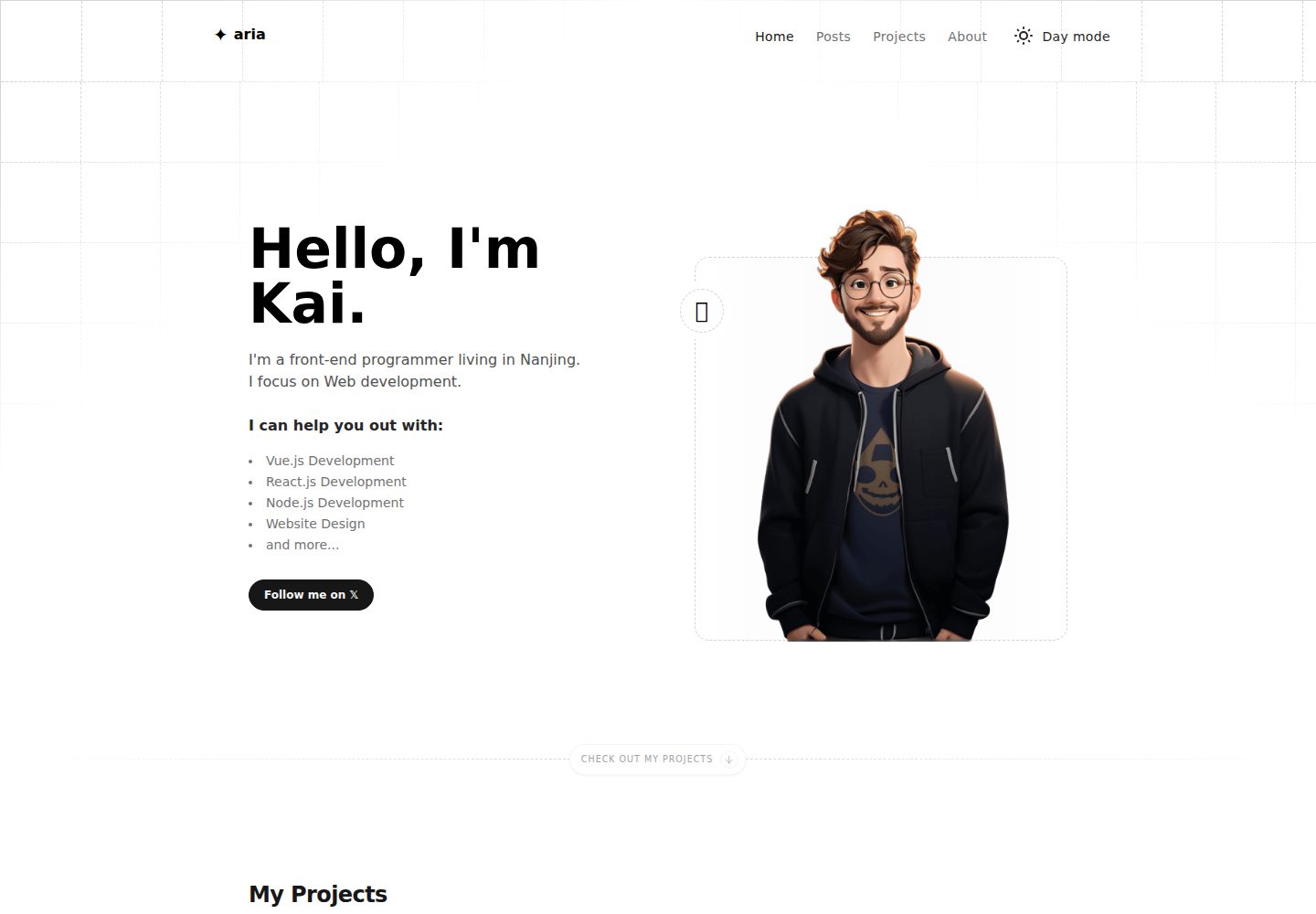
astro-aria
astro-aria is an Astro-based personal blog and portfolio template maintained by miantiao-me, ported from static-templates/aria.
Astro · Portfolio