
前端为纯 HTML、Tailwind CSS 和原生 JavaScript,无前端框架或后端服务器
AstroHTML作品集
scholar-static — Astro 作品集模板
作者 kosuke-satake
ScholarStatic 是一个学术作品集静态模板,前端使用 HTML、Tailwind CSS 和原生 JavaScript,内容通过本地 Keystatic CMS 编辑,支持部署到 Cloudflare Pages 并切换为 GitHub 模式在线编辑。
看看你的网站会是什么样
浏览真实页面截图,比较内容排版与手机效果。点击下方缩略图切换,放大查看整页细节。
全部页面与视图 2
截图用于了解视觉与布局,交互效果请以实际项目为准。
采集于 2026-10-13查看来源
值得关注的模板亮点
从已有项目资料中,快速了解它的特点。
使用 Keystatic 作为本地 CMS,通过浏览器仪表板编辑个人简介、出版物和图片
内容以 JSON 文件保存在 editor/public/data/ 目录,由 js/main.js 中的 RENDERERS 渲染
支持在 Keystatic 中配置 Layout & Navigation,控制页面区块的显示、顺序、导航标签和渲染样式
提供部署到 Cloudflare Pages 的步骤,并可将 Keystatic 切换为 GitHub 模式实现远程编辑
模板详细介绍
ScholarStatic 面向需要展示个人学术资料的用户。站点前端由纯 HTML、CSS(Tailwind)和原生 JavaScript 构成,不依赖前端框架或后端服务器;内容管理使用 Keystatic,可在本地通过浏览器仪表板编辑英文和日文内容,保存后更新 editor/public/data/ 下的 JSON 文件,再由 js/main.js 中的 RENDERERS 对象渲染为页面。README 提供了从复制仓库、安装依赖、本地编辑、预览到部署的完整步骤,并说明如何将 Keystatic 从本地模式切换为 GitHub 模式,以便在 Cloudflare Pages 上在线编辑。模板还包含“Layout & Navigation”配置,用于控制页面区块的显示与顺序。README 未说明模板的浏览器兼容范围、无障碍支持程度或生产环境下的性能指标。
AstroHTML作品集
适合你的项目吗?
适用场景
- 构建个人学术主页,展示简介、出版物、教学等内容
- 在本地通过 Keystatic 仪表板维护英文和日文双语内容
- 将静态站点部署到 Cloudflare Pages,并通过 GitHub 模式在线编辑内容
- 开发者通过修改 index.html、css/style.css 或 js/main.js 自定义页面结构与渲染逻辑
适合人群
- 需要静态学术作品集且不希望使用前端框架或后端服务的个人
- 希望用可视化 CMS 管理内容、避免直接编辑 JSON 文件的用户
- 计划使用 Cloudflare Pages 托管并需要远程编辑能力的用户
- 愿意按 README 步骤配置 Node.js、Keystatic 和 GitHub App 的开发者
上手与定制指南
结合仓库当前版本的说明,按下面的资料检查内容、配置与运行要求。
- 1
通过 GitHub 的“Use this template”或 Fork 创建自己的仓库,再克隆到本地
- 2
使用 nvm 切换到 README 指定的 Node 版本,并运行 npm install --prefix editor 安装 Keystatic
- 3
运行 npm run editor 启动 Keystatic,在 http://localhost:4321/keystatic 编辑内容
- 4
运行 npm start 在 http://localhost:3000 预览静态站点
- 5
部署到 Cloudflare Pages 时,构建命令为 npm run build,输出目录为 editor/dist;如需在线编辑,需配置 Keystatic GitHub 模式、GitHub App 及环境变量
授权与来源资料
使用条件与限制
免费使用 · 保留许可声明本次收录的是公开仓库中采用 MIT 许可的免费版本;免费范围为该版本代码,不代表外部服务或第三方素材免费。
使用时需要遵守
- 允许免费使用、修改、商用和分发该版本代码。
- 分发代码副本或实质性部分时,保留原作者版权声明和完整 MIT 许可声明。
- 代码按现状提供;担保与责任限制以原许可证及适用法律为准。
额外费用与待核对事项
- 演示图片、字体、图标及其他第三方素材需按各自许可核对,不能仅凭代码的 MIT 许可判断。
- 域名、托管、数据库、支付或 AI 等外部服务可能另外收费。
- 推荐使用 Cloudflare Pages 托管;若需从任意设备在线编辑,必须使用 Cloudflare Pages 并配置其环境变量与兼容标志。
- 启用 Keystatic GitHub 模式在线编辑时,必须创建并安装 GitHub App,授予仓库 Contents 读写权限。
- 在线编辑功能依赖在 Cloudflare Pages 中配置 GitHub App 的客户端 ID、客户端密钥及 KEYSTATIC_SECRET 环境变量。
- Cloudflare Pages 需为生产和预览环境添加 nodejs_compat 兼容标志,否则 Keystatic 登录会话加密可能无法工作。
- 本地开发需使用 nvm 切换到 README 指定的 Node 版本(v24.14.1),版本不符可能导致依赖安装或运行异常。
查看原文依据
Permission is hereby granted, free of charge
许可证原文
If you use Cloudflare Pages (highly recommended!), you can host this site for free AND configure it so you can log into the editor from any computer (like an iPad or a library computer) without using your terminal!
README 原文
5. **Create a GitHub App for Keystatic:** You must give Keystatic secure permission to read and write to your repository.
README 原文
7. **CRITICAL STEP:** You must give Cloudflare the secret passwords from your GitHub App!
README 原文
8. **Node Compatibility:** While in Cloudflare Settings, go to **Functions** -> **Compatibility flags** -> Add the flag `nodejs_compat` to both production and preview. (This allows Keystatic to securely encrypt your login session).
README 原文
https://github.com/kosuke-satake/scholar-static/blob/main/LICENSEhttps://github.com/kosuke-satake/scholar-static/blob/main/README.md2. Install Node.js dependencies. We use `nvm` (Node Version Manager) to ensure you are using the correct version of Node (`v24.14.1`).
README 原文
DeepSeek 根据仓库许可证和 README 整理 ·2026-10-13。结果仅覆盖已读取资料,依赖、图片、字体及后续条款变更以各自原文为准。
项目核对记录与介绍依据
模板资料
- 来源平台
- GitHub
- 资料与维护参考分
- 资料较完整 · 85 / 100
- 技术栈
- Astro · HTML
- 网站类型
- 作品集
这个分数如何计算
本站按许可资料(最高30分)、演示链接(12分)、预览图(10分)、Star数(15分)、记录的维护时间(15分)、描述完整度(8分)、功能记录(5分)和分类资料(5分)计算。它不是代码、安全或性能测试,也不是 Google 评分;有链接不代表已实测可用。
这个项目需要核对什么
- 记录的仓库更新时间
- 2026-04-04
- 截图检查日期
- 2026-10-13
已收录演示链接。请用你的内容与屏幕尺寸检查;有演示不代表表单、认证或支付已经可用。
目录记录的主要技术栈是 Astro。请通过依赖清单和锁文件核对实际版本与托管要求。这些说明基于收录资料,不代表代码审计或部署实测。
查看具体选型方法 →介绍的制作与核对状态
介绍由 AI 辅助整理目录与仓库资料。仓库作者不等于这篇介绍的审核者。
审核声明: codex-user-requested-batch-review-20261015 · 2026-10-15
查看当时使用的来源资料
SHA-256: 51b617c11c10068d4281979a3ea3e32d086ff14db0ad05dc47ee5dc466e216b9
2026-10-13T16:46:06.430Z
来源文件 / 仓库# 🎓 ScholarStatic
Welcome to **ScholarStatic**! This is a lightning-fast, ultra-lightweight academic portfolio template.
It is uniquely designed to give you the **best of both worlds**:
1. **The Live Website:** Pure, blazing-fast HTML, CSS (Tailwind), and vanilla JavaScript. No heavy backend servers, no React overhead on the frontend, and incredibly fast loading times for your visitors.
2. **The Editor (CMS):** A powerful, beautiful local content management system powered by **Keystatic**. You can easily add publications, edit your biography, and upload images without ever touching a line of code or messing up a JSON file.
---
## 🚀 How to Create Your Own Portfolio (The Workflow)
If you found this repository and want to use it to build your own personal portfolio, follow these steps exactly!
### Step 1: Get Your Own Copy (Do not just download!)
You want to keep a link to this original code, but you need your own separate repository to host *your* portfolio.
1. Go to this repository on GitHub.
2. Click the green **"Use this template"** button (or click **"Fork"**).
3. Name your new repository something like `my-portfolio` or `kosuke-satake.github.io`.
4. You now have your very own version of the code that you can freely modify!
### Step 2: Set Up Your Local Environment
To edit the site and preview it on your Mac/PC, you need to download it and install the tools.
1. Open your terminal and clone *your* new repository:
```bash
git clone https://github.com/YOUR_USERNAME/YOUR_REPOSITORY_NAME.git
cd YOUR_REPOSITORY_NAME
```
2. Install Node.js dependencies. We use `nvm` (Node Version Manager) to ensure you are using the correct version of Node (`v24.14.1`).
```bash
nvm use # Tells your terminal to use Node v24
npm install --prefix editor # Installs the Keystatic CMS engine into the editor/ folder
```
### Step 3: Editing Your Content Locally
You don't need to edit code to update your portfolio!
1. Start the Keystatic CMS:
```bash
npm run editor
```
2. Open your browser and go to `http://localhost:4321/keystatic`.
3. You will see a beautiful dashboard with tabs for your English and Japanese content.
4. Edit your bio, add publications, or upload a new profile picture. When you click **Save**, it instantly updates the raw JSON files in `editor/public/data/`.
### Step 4: Previewing the Live Site
To see exactly what your visitors will see:
1. Open a new terminal window in the project folder.
2. Start the local static server:
```bash
npm start
```
3. Open `http://localhost:3000`. You will see your blazing-fast portfolio!
### Step 5: Save Your Changes
Once you are happy with your edits:
```bash
git add .
git commit -m "Update my biography and added a new publication"
git push
```
---
## 🌍 Deploying to the Internet & Editing from Anywhere
If you use Cloudflare Pages (highly recommended!), you can host this site for free AND configure it so you can log into the editor from any computer (like an iPad or a library computer) without using your terminal!
### 1. Deploy to Cloudflare Pages
1. Log into your Cloudflare Dashboard -> **Pages**.
2. Click **Connect to Git** and select your new portfolio repository.
3. Configure the Build Settings:
- **Framework Preset:** `None`
- **Build command:** `npm run build`
- **Build output directory:** `editor/dist`
4. Click **Save and Deploy**. Your site is now live on the internet!
### 2. Enable Keystatic "GitHub Mode" (Edit from Anywhere)
Right now, Keystatic is in "Local Mode" (it saves files to your Mac). To edit from your live Cloudflare URL, we must switch it to "GitHub Mode" so it saves files directly to your GitHub repo.
1. Open `editor/keystatic.config.tsx` in your code editor.
2. Find the `storage:` block at the very bottom of the file.
3. Change the `repo:` string from `'kosuke-satake/scholar-static'` to your actual GitHub info (e.g., `'YOUR_USERNAME/YOUR_REPOSITORY_NAME'`).
4. Save the file, commit it, and push it to GitHub.
5. **Create a GitHub App for Keystatic:** You must give Keystatic secure permission to read and write to your repository.
- Go to **GitHub.com** -> Click your Profile Picture -> **Settings** -> **Developer Settings** (at the bottom left) -> **GitHub Apps** -> **New GitHub App**.
- Fill out the form exactly like this:
- **GitHub App name:** `ScholarStatic Editor` (or any unique name you want)
- **Homepage URL:** `https://YOUR_SITE.pages.dev` (Your live Cloudflare URL)
- **Callback URL:** `https://YOUR_SITE.pages.dev/api/keystatic/github/oauth/callback`
- **Webhook:** Uncheck the "Active" box (You do not need Webhooks).
- **Repository permissions:** Find **Contents** and change it to **Read and write**.
- Click **Create GitHub App**.
- On the next screen, click **Generate a new client secret**. Keep this tab open for the next step!
6. **Install the App:** In the left sidebar of your new GitHub App, click **Install App** and install it on your portfolio repository.
7. **CRITICAL STEP:** You must give Cloudflare the secret passwords from your GitHub App!
- Go to your **Cloudflare Dashboard** -> Pages -> `scholar-static` -> **Settings** -> **Environment variables**.
- Add these three variables to **both Production and Preview**:
- `KEYSTATIC_GITHUB_CLIENT_ID` (Your GitHub App Client ID)
- `KEYSTATIC_GITHUB_CLIENT_SECRET` (Your GitHub App Client Secret)
- `KEYSTATIC_SECRET` (A random string of at least 32 characters, like `my_super_secret_random_string_12345!`)
8. **Node Compatibility:** While in Cloudflare Settings, go to **Functions** -> **Compatibility flags** -> Add the flag `nodejs_compat` to both production and preview. (This allows Keystatic to securely encrypt your login session).
Once you save these settings in Cloudflare, wait a few minutes, visit `https://YOUR_SITE.pages.dev/keystatic`, and click Login with GitHub. It will now successfully authorize you and allow you to edit your site!
---
## 🎨 Customization Guide (For Developers)
ScholarStatic is designed to be fully customizable because nothing is hidden behind a complex framework.
* **HTML Structure:** Open `index.html`. You can add new CSS libraries, change the `<head>` tags, or modify the footer structure directly.
* **Styling (Tailwind CSS):** Open `css/style.css`. We use a compiled Tailwind file. If you want to change core colors or rebuild the CSS, you can install Tailwind CLI and watch the `tailwind.config.js` file.
* **Logic & Rendering:** Open `js/main.js`. This is where the magic happens. The `RENDERERS` object controls exactly how the JSON data is converted into HTML. If you want your "Projects" cards to look different, simply edit the `renderCardGrid` function!
### 🧩 Understanding the "Layout & Navigation" Tab
One of the most powerful features of ScholarStatic is the **Layout & Navigation** tab in Keystatic. This tab controls *what* sections appear on your live site and in *what order*.
Each layout block has four settings (configured as simple dropdowns to prevent typos):
1. **Section ID:** The internal HTML anchor link (e.g., `#teaching`).
2. **Navigation Label:** The actual text shown in your top menu (e.g., "Courses").
3. **Renderer Function:** Which visual style to use (e.g., Timeline, Card Grid, List).
4. **Data Key:** Which Keystatic content tab to pull data from (e.g., `teaching`).
**What happens if I delete a section?**
If you delete "Teaching" from the Layout tab, it will instantly disappear from your live website and your top navigation menu! However, **the "Teaching" tab will still remain in the Keystatic sidebar**. This is intentional! Keystatic acts as a permanent database for *all* your content. The Layout tab simply decides which of that content is currently "published." If you don't need a tab, you can simply ignore it.
Enjoy your lightning-fast, highly-organized academic portfolio!看看同类模板
对比同技术栈与用途的模板,找到更适合的视觉与内容结构。

astrofy
Astrofy is a free and open-source template for your Personal Portfolio Website built with Astro and TailwindCS…
Astro · 作品集

astro-nano
Astro Nano is a static, minimalist, lightweight, lightning fast portfolio and blog.
Astro · 作品集

astro-erudite
An opinionated, unstyled static blogging template built with Astro and native CSS.
Astro · 作品集

astro-sphere
Astro Sphere is a static, minimalist, lightweight, lightning fast portfolio and blog.
Astro · 作品集

astro-micro
Blog theme for Astro with search and comments built-in. Zero frameworks.
Astro · 作品集
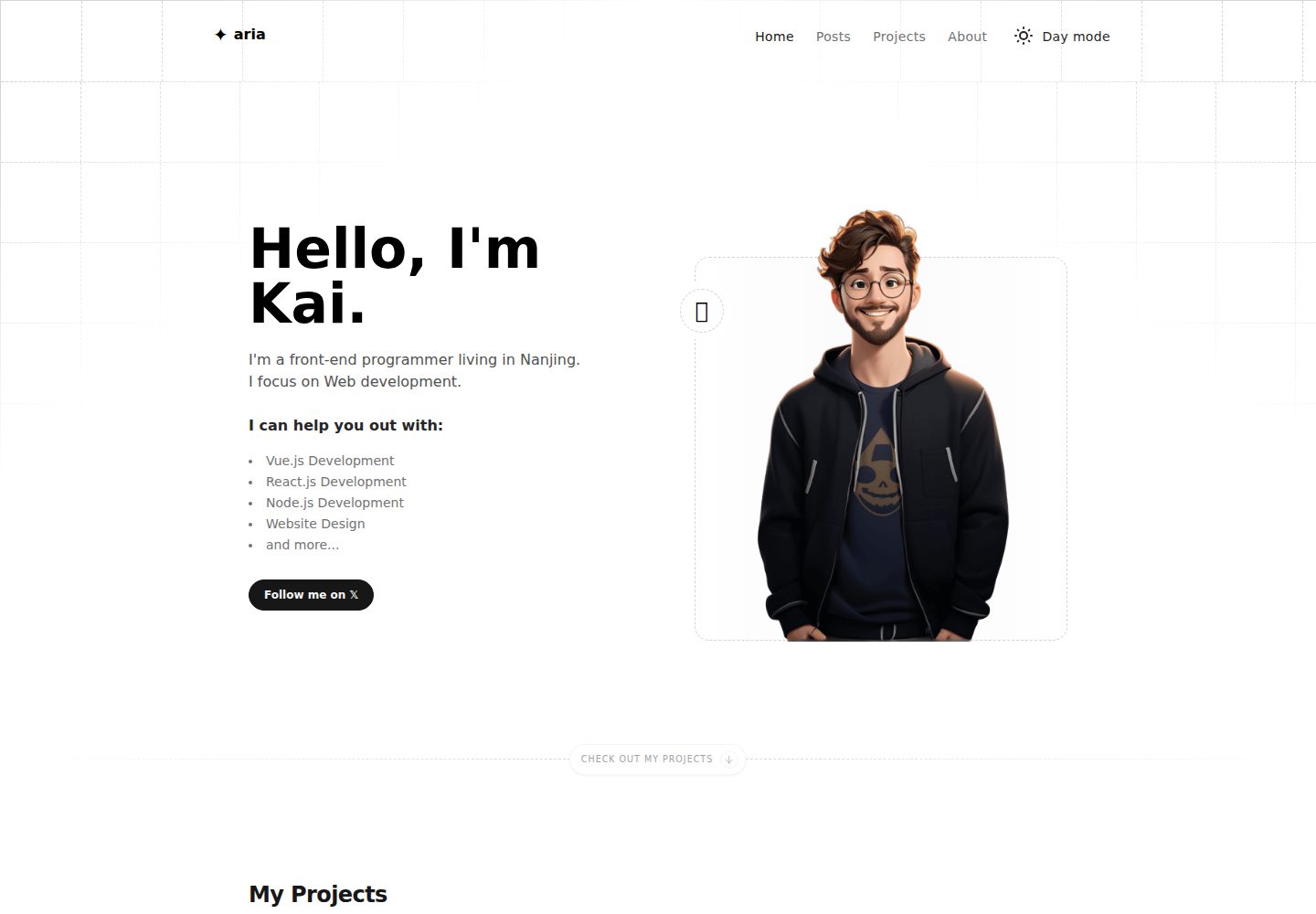
astro-aria
A personal blog, portfolio, or blog template
Astro · 作品集