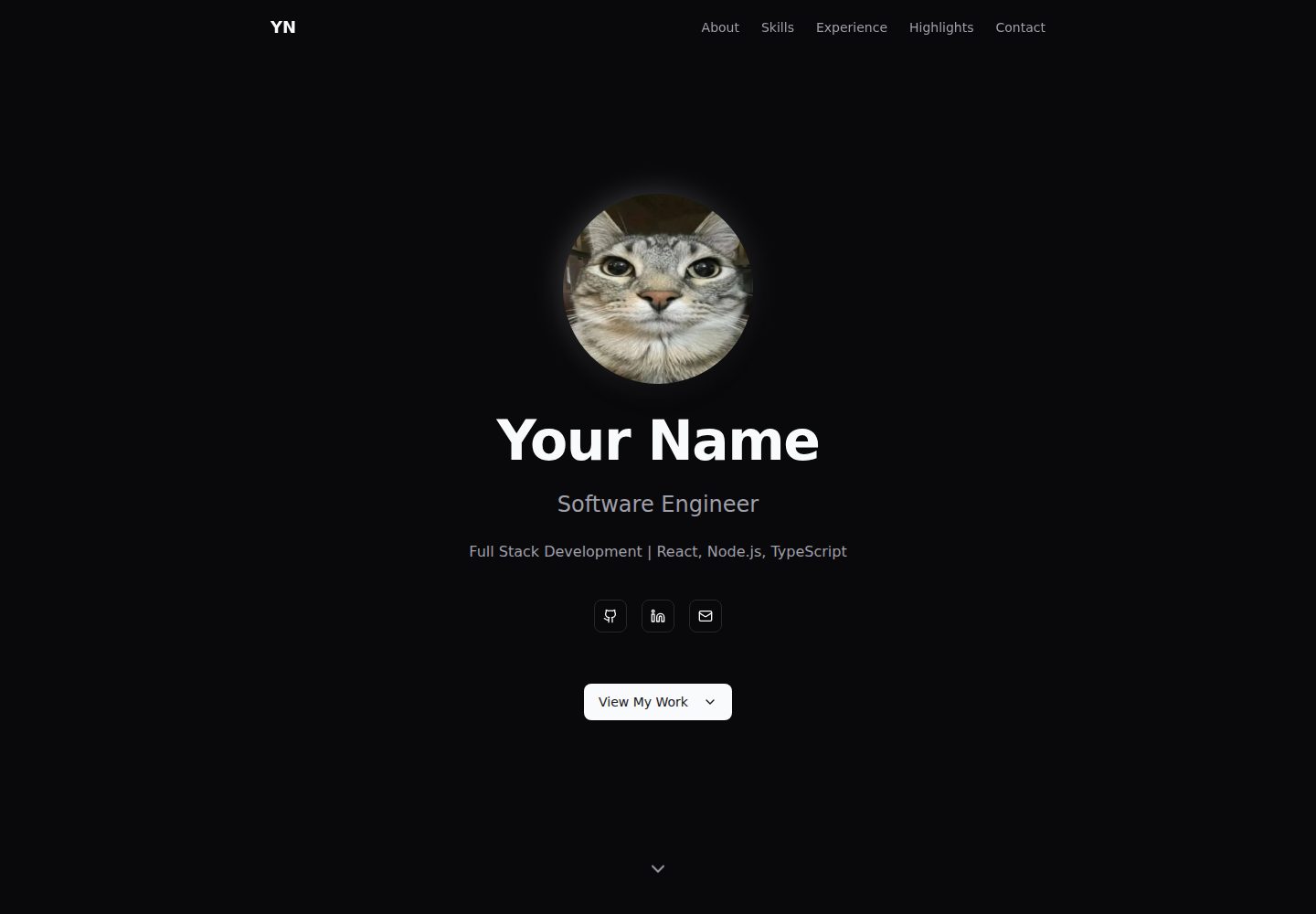
Built with SvelteKit and a static adapter; the build output is static files that can be hosted on any static hosting service
SveltePortfolio
yadr — Svelte Portfolio Template
By Kxpi
YADR is a dark-themed developer resume/portfolio website template built with SvelteKit. Content is managed through TypeScript configuration files, supports static generation, and can be deployed to Cloudflare Pages, GitHub Pages, Vercel, or Netlify.
Explore the design
Compare the page layouts and mobile experience. Open any screenshot for a closer look.
Desktop homepage1 / 2
Desktop captureTop of page
Actual screenshot captured by the server browser.
All pages & views 2
Screenshots show visual appearance; interactive behavior may differ.
Recorded 2026-10-13View source
What stands out
A quick read of the recorded project description.
The dark theme uses Tailwind CSS v4 with shadcn-svelte's zinc color scheme and includes glassmorphism effects
Content is managed centrally in two TypeScript files: src/lib/config.ts and src/lib/data/profile.ts
The contact form integrates Formspree; the README states the free tier allows 50 submissions per month
Includes ESLint, Prettier, svelte-check, and pre-commit checks via Husky and lint-staged
Provides a GitHub Actions workflow that can automatically build and deploy to GitHub Pages
Template Details
YADR (Yet Another Developer Resume) is a resume/portfolio website template aimed at technical professionals such as software engineers, full-stack developers, and DevOps engineers. The README states that it is built with SvelteKit and a static adapter, uses Tailwind CSS v4 and shadcn-svelte components, icons from Lucide Icons, and integrates Formspree for the contact form. The page includes sections such as Hero, About, Skills, Experience, Key Highlights, and Contact. All content is managed through two TypeScript files, src/lib/config.ts and src/lib/data/profile.ts, and the personal photo is placed at static/profile.jpg. The template provides development, build, lint, and format scripts, and configures Husky and lint-staged to run checks before commits. GitHub Actions includes CI and a workflow for deployment to GitHub Pages. The README provides deployment steps for Cloudflare Pages, GitHub Pages, and Vercel/Netlify, and notes that the contact form requires registering with Formspree to obtain a form ID. The README does not specify the template's browser compatibility range, multilingual support, or backend service capabilities, nor does it provide data storage options other than Formspree.
SveltePortfolio
Is it right for your project?
Use Cases
- Technical professionals creating a personal resume or portfolio website who want content separated from page structure for easier maintenance
- Deploying a resume site as static files to Cloudflare Pages, GitHub Pages, Vercel, or Netlify
- Centrally managing personal introduction, skills, work experience, and highlights through TypeScript configuration files
- Providing a contact form based on Formspree in the site while accepting its free-tier limits
Suitable For
- Technical professionals such as software engineers, full-stack developers, and DevOps engineers
- Users familiar with Node.js and npm who can edit TypeScript configuration files
- Developers who want to build a static resume site with SvelteKit and Tailwind CSS
- Users who need to deploy a resume site for free to a static hosting platform
Getting started & customization
Use these recorded setup notes alongside the repository instructions for your chosen version.
- 1
Requires Node.js 18+ and npm; after cloning the repository, run npm install to install dependencies
- 2
Edit src/lib/config.ts to set the site title, description, URL, social links, email, and Formspree form ID
- 3
Edit src/lib/data/profile.ts to fill in personal details, skills, experience, highlights, education, and certifications
- 4
Replace static/profile.jpg with a personal photo; the README recommends a square image between 400x400 and 800x800 pixels
- 5
Run npm run dev to start the development server, and run npm run build to generate static files into the build directory
License & source material
Usage conditions & limitations
Free to use · keep license noticeThis entry covers the free version in the public repository under the MIT license; the free scope is the code of this version and does not mean that external services or third-party assets are free.
Must comply with when using
- Permits free use, modification, commercial use, and distribution of this version's code.
- When distributing copies or substantial portions of the code, retain the original author's copyright notice and the full MIT license notice.
- The code is provided as is; warranties and limitations of liability are governed by the original license and applicable law.
Additional costs & items to verify
- The README mentions the Formspree form service; actual submissions require configuring a service endpoint, and its usage limits and fees must be checked separately.
- Demo images, fonts, icons, and other third-party assets must be checked under their respective licenses and cannot be judged solely by the code's MIT license.
- External services such as domains, hosting, databases, payments, or AI may incur additional charges.
- The contact form relies on the third-party service Formspree; you need to register an account and obtain a form ID to use it.
- You must enter the form ID obtained from Formspree in the configuration, otherwise the contact form will not work.
- Using the contact form feature requires registering for a free account at Formspree.io.
- Formspree's free plan allows only 50 form submissions per month; exceeding this requires a paid upgrade.
- The contact form cannot submit in local development mode (localhost); it only works after deployment.
View Original Text Basis
Permission is hereby granted, free of charge
Original License Text
- 📧 **Contact Form** - Integrated with Formspree (free tier available)
Original README
formspreeId: "YOUR_FORM_ID" // Get from https://formspree.io
Original README
1. Go to [Formspree.io](https://formspree.io) and create a free account
Original README
Free tier includes 50 submissions/month.
Original README
https://github.com/Kxpi/yadr/blob/main/LICENSEhttps://github.com/Kxpi/yadr/blob/main/README.md- Note: Form submissions won't work in development mode (localhost)
Original README
Compiled by DeepSeek based on repository license and README ·2026-10-13. Results only cover the materials read; dependencies, images, fonts, and subsequent term changes are subject to their respective original texts.
Project checks & description sources
Template Information
- Source platforms
- GitHub
- Documentation and maintenance reference score
- More documented · 80 / 100
- Technologies
- Svelte
- Website type
- Portfolio
How this score is calculated
Our heuristic uses license records (up to 30), a demo link (12), a preview (10), stars (15), recorded maintenance (15), description completeness (8), feature records (5) and classification data (5). It is not a code, security or performance test, or a Google score. A link does not establish tested functionality.
What to verify for this project
- Repository update recorded
- 2026-02-06
- Screenshot last checked
- 2026-10-13
A demo link is listed. Check it with your own content and viewport sizes; its presence does not confirm that forms, authentication or payments work.
The catalog identifies Svelte as the primary stack. Check the actual dependency manifest and lockfile for versions and hosting requirements. These notes use recorded metadata, not a code audit or a deployment test.
Use a selection guide →How this description was prepared
AI-assisted description based on catalog records and repository material. Repository authors are not automatically the reviewers of this description.
Review declaration: codex-user-requested-batch-review-20261015 · 2026-10-15
Inspect the recorded source material
SHA-256: a99cca05a34cef87b5f04e412a4325d0dbbedc1d1416804d94e3d0c7b0937c18
2026-10-13T19:59:20.131Z
Source file / repository# YADR - Yet Another Developer Resume A modern, obviously vibe-coded, dark-mode portfolio/resume website template built with SvelteKit. Perfect for software engineers, full-stack developers, DevOps engineers and other technical professionals who want a clean, professional online presence. [](https://kxpi.github.io/yadr/) [](https://kxpi.github.io/yadr/) [](https://kxpi.github.io/yadr/) [](https://kxpi.github.io/yadr/) ## ✨ Features - 🎨 **Modern Dark Theme** - Beautiful zinc-based color scheme with glassmorphism effects - 📱 **Fully Responsive** - Looks great on all devices - ⚡ **Static Site Generation (SSG)** - Fast loading, SEO-friendly, and hostable anywhere - 🎭 **Smooth Animations** - Scroll-reveal transitions using Svelte's built-in transitions - 📧 **Contact Form** - Integrated with Formspree (free tier available) - 🎯 **Easy to Customize** - All content managed through simple TypeScript files - 🚀 **Free Hosting** - Deploy to Cloudflare Pages (or Vercel/Netlify) for free - ♿ **Accessible** - Built with shadcn-svelte components following WCAG guidelines ## 📋 Sections - **Hero** - Profile photo, name, title, and social links - **About** - Professional summary, location, education, and certifications - **Skills** - Tech stack organized by category (customizable) - **Experience** - Work history timeline with highlights - **Key Highlights** - Top 4 achievements or expertise areas - **Contact** - Form + direct email CTA ## 📦 Tech Stack - **Framework**: [SvelteKit](https://kit.svelte.dev/) with static adapter - **Styling**: [Tailwind CSS v4](https://tailwindcss.com/) - **Components**: [shadcn-svelte](https://www.shadcn-svelte.com/) - **Icons**: [Lucide Icons](https://lucide.dev/) - **Forms**: [Formspree](https://formspree.io/) ## 🚀 Quick Start ### Prerequisites - Node.js 18+ - npm (comes with Node.js) ### Installation 1. **Clone this template** ```bash git clone [email protected]:Kxpi/yadr.git my-portfolio cd my-portfolio ``` 2. **Install dependencies** ```bash npm install ``` 3. **Customize your data** - Edit `src/lib/config.ts` - Site-wide settings - Edit `src/lib/data/profile.ts` - Your experience, skills, etc. - Replace `static/profile.jpg` with your photo 4. **Run development server** ```bash npm run dev ``` Open [http://localhost:5173](http://localhost:5173) to see your site. 5. **Build for production** ```bash npm run build ``` Static files will be generated in the `build/` directory. ## ⚙️ Configuration ### Site Configuration (`src/lib/config.ts`) ```typescript export const siteConfig = { title: "Your Name | Software Engineer", description: "Your professional summary", url: "https://yourname.dev", github: "https://github.com/your-username", linkedin: "https://linkedin.com/in/yourusername", email: "[email protected]", formspreeId: "YOUR_FORM_ID" // Get from https://formspree.io }; ``` ### Profile Data (`src/lib/data/profile.ts`) Update these sections: - `profile` - Name, title, tagline, summary - `skills` - Your tech stack (organized by category) - `experience` - Work history - `highlights` - Top 4 achievements - `education` - Degree info - `certifications` - Optional certifications list ### Profile Photo Replace `static/profile.jpg` with your own photo. **Recommended specifications:** - **Size**: 400x400px to 800x800px square - **Format**: WebP (best) or optimized JPEG - **File size**: Under 50KB for best performance **Quick optimization guide:** 1. Go to [Squoosh.app](https://squoosh.app) 2. Upload your photo 3. Select **WebP** format (right panel) 4. Reduce quality until file size is ~30-50KB 5. Resize to 600x600px (covers all display sizes) 6. Download and replace `static/profile.jpg` ### Skill Categories Edit the categories in `src/lib/components/sections/Skills.svelte`: ```typescript const categories = [ { key: "frontend", label: "Frontend" }, { key: "backend", label: "Backend" }, { key: "databases", label: "Databases" }, { key: "tools", label: "Tools & DevOps" } ]; ``` ## 🧪 Development & Code Quality ### Running the Linter The project uses ESLint and Prettier for code quality and formatting: ```bash # Check for linting errors npm run lint # Auto-fix linting errors npm run lint:fix # Check code formatting npm run format:check # Auto-format all files npm run format # Type check with svelte-check npm run check ``` ### Pre-commit Hooks The project uses **Husky** and **lint-staged** to automatically run checks on staged files before each commit: - ✅ Runs ESLint with auto-fix on `.js`, `.ts`, `.svelte` files - ✅ Formats code with Prettier - ✅ Only processes staged files (fast!) **Setup:** ```bash npm install # Installs Husky hooks automatically ``` **Manual checks:** If you want to run all checks manually: ```bash npm run lint && npm run format && npm run check ``` **Skip pre-commit (not recommended):** ```bash git commit --no-verify -m "message" ``` All checks run automatically in GitHub Actions: - **CI Workflow** (`.github/workflows/ci.yml`): - **Code Quality** job: Runs lint, format check, and type check in parallel - **Build** job: Verifies the production build succeeds - **Deploy Workflow** (`.github/workflows/deploy-gh-pages.yml`): - Runs quality checks first, then builds and deploys to GitHub Pages - Only deploys if all quality checks pass ## 🎨 Customization ### Colors The template uses Tailwind CSS v4 with shadcn-svelte's zinc theme. To change colors: Edit `src/app.css` and modify the CSS variables: ```css .dark { --background: oklch(...); --primary: oklch(...); /* etc */ } ``` ### Adding/Removing Sections All sections are in `src/lib/components/sections/`. To remove a section: 1. Delete the section file (e.g., `Highlights.svelte`) 2. Remove the import and component from `src/routes/+page.svelte` 3. Update navigation in `Navigation.svelte` ### Customizing Icons The template uses [Lucide Icons](https://lucide.dev/icons) throughout. To change icons: 1. **Browse available icons** at [https://lucide.dev/icons](https://lucide.dev/icons) 2. **Find the icon** you want (e.g., "rocket") 3. **Import it** in your component: ```typescript import Rocket from "lucide-svelte/icons/rocket"; ``` 4. **Use it** in your template: ```svelte <Rocket class="h-6 w-6" /> ``` **Example - Changing Highlights Icons:** Edit `src/lib/components/sections/Highlights.svelte`: ```typescript // Replace these imports with your preferred icons import Code from "lucide-svelte/icons/code"; import Layers from "lucide-svelte/icons/layers"; import Zap from "lucide-svelte/icons/zap"; import Users from "lucide-svelte/icons/users"; const icons = [Code, Layers, Zap, Users]; ``` The icons array matches the order of highlights in `profile.ts`, so the first icon corresponds to the first highlight, and so on. ### Favicon Replace `static/favicon.svg` with your own icon. ## 📧 Setting Up Contact Form 1. Go to [Formspree.io](https://formspree.io) and create a free account 2. Create a new form 3. Copy your form ID (looks like: `xabcd123`) 4. Update `formspreeId` in `src/lib/config.ts` Free tier includes 50 submissions/month. ## 🌐 Deployment ### Cloudflare Pages 1. **Customize and push to GitHub** 2. **Deploy to Cloudflare Pages** - Go to [Cloudflare Dashboard](https://dash.cloudflare.com/) - Click **Workers & Pages** → **Create application** → **Pages** - Connect to Git and select your repository - Configure build: - **Framework preset**: SvelteKit - **Build command**: `npm run build` - **Build output directory**: `build` - Click **Save and Deploy** 3. **Add Custom Domain** (Optional) - In your project, go to **Custom domains** - Click **Set up a custom domain** - Enter your domain (e.g., `yourname.dev`) - Cloudflare will auto-configure DNS if your domain is on Cloudflare ### GitHub Pages This project is also configured to automatically deploy to GitHub Pages when you push to the `main` branch. 1. **Customize and push to GitHub** 2. **Enable GitHub Pages** - Go to your repository on GitHub - Click **Settings** → **Pages** - Under **Build and deployment**, select: - **Source**: Deploy from a branch - **Branch**: `gh-pages` / `root` - Click **Save** 3. **Access your site** - The workflow will automatically build and deploy to the `gh-pages` branch - Your site will be available at: `https://user.github.io/yadr/` - Initial deployment takes 1-2 minutes - Check the **Actions** tab to see deployment progress ### Alternative: Vercel or Netlify Both work great with SvelteKit. The build settings are the same: - Build command: `npm run build` - Output directory: `build` ## 📝 License MIT License - feel free to use this template for your portfolio! ## 🤝 Contributing Found a bug or have a suggestion? Feel free to open an issue or submit a PR. ## 💡 Tips - **Keep it concise** - Recruiters spend ~6 seconds on first pass - **Focus on impact** - Use numbers and results in your highlights - **Update regularly** - Keep your experience current - **Test on mobile** - Most traffic is mobile these days - **Optimize images** - Use WebP format and compress before uploading ## ⚡ Performance Optimization The template is pre-configured for excellent Lighthouse scores. Additional optimizations: ### Image Optimization **Critical**: Optimize your profile photo for best performance: 1. Use WebP format instead of JPEG/PNG 2. Resize to 600x600px (covers all display sizes) 3. Compress to under 50KB using [Squoosh.app](https://squoosh.app) 4. The image has `fetchpriority="high"` for faster LCP ### CSS & JavaScript Already optimized: - ✅ CSS precompression enabled (`precompress: true`) - ✅ Inline small CSS chunks (`inlineStyleThreshold: 1024`) - ✅ Static site generation (no runtime JS for content) - ✅ Minimal JavaScript bundle (~60KB gzipped) ### Deployment Optimizations **Cloudflare Pages** (recommended): - Automatic Brotli compression - Global CDN - HTTP/3 support - Free SSL **GitHub Pages**: - Enable gzip compression (automatic) - Consider using Cloudflare in front for better performance ## 🆘 Troubleshooting ### Build fails on Cloudflare Pages - Make sure **Framework preset** is set to **SvelteKit** - Check that `build` directory is specified (not `dist`) - Try adding `NODE_VERSION=18` environment variable ### Contact form not working - Verify your Formspree form ID is correct in `src/lib/config.ts` - Check that your form is active in Formspree dashboard - Note: Form submissions won't work in development mode (localhost) ### Images not loading - Make sure images are in the `static/` folder - Reference them with `/filename.jpg` (leading slash) - Check file extensions match exactly (case-sensitive) ---
Explore similar templates
Compare previews and descriptions within the same stack and category.
portfolio-template
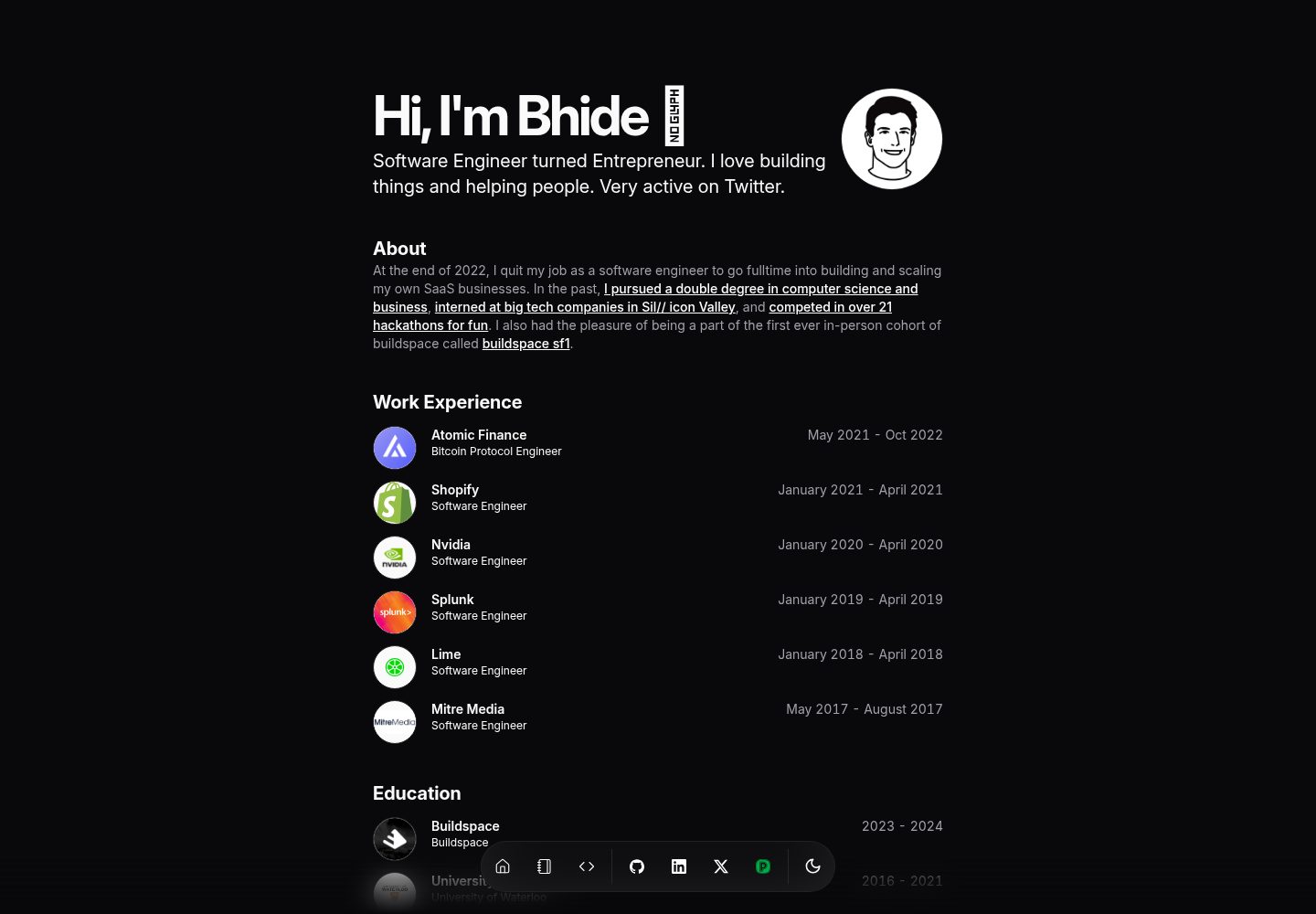
A minimalist developer portfolio template built with SvelteKit, TypeScript, shadcn-svelte, and TailwindCSS, inspired by Magic UI and Dillion Verma. Personal information and experience data are centralized in a single src/lib/data/resume.ts file, so editing that file completes the basic setup.
Svelte · Portfolio
macOS-Themed-Portfolio
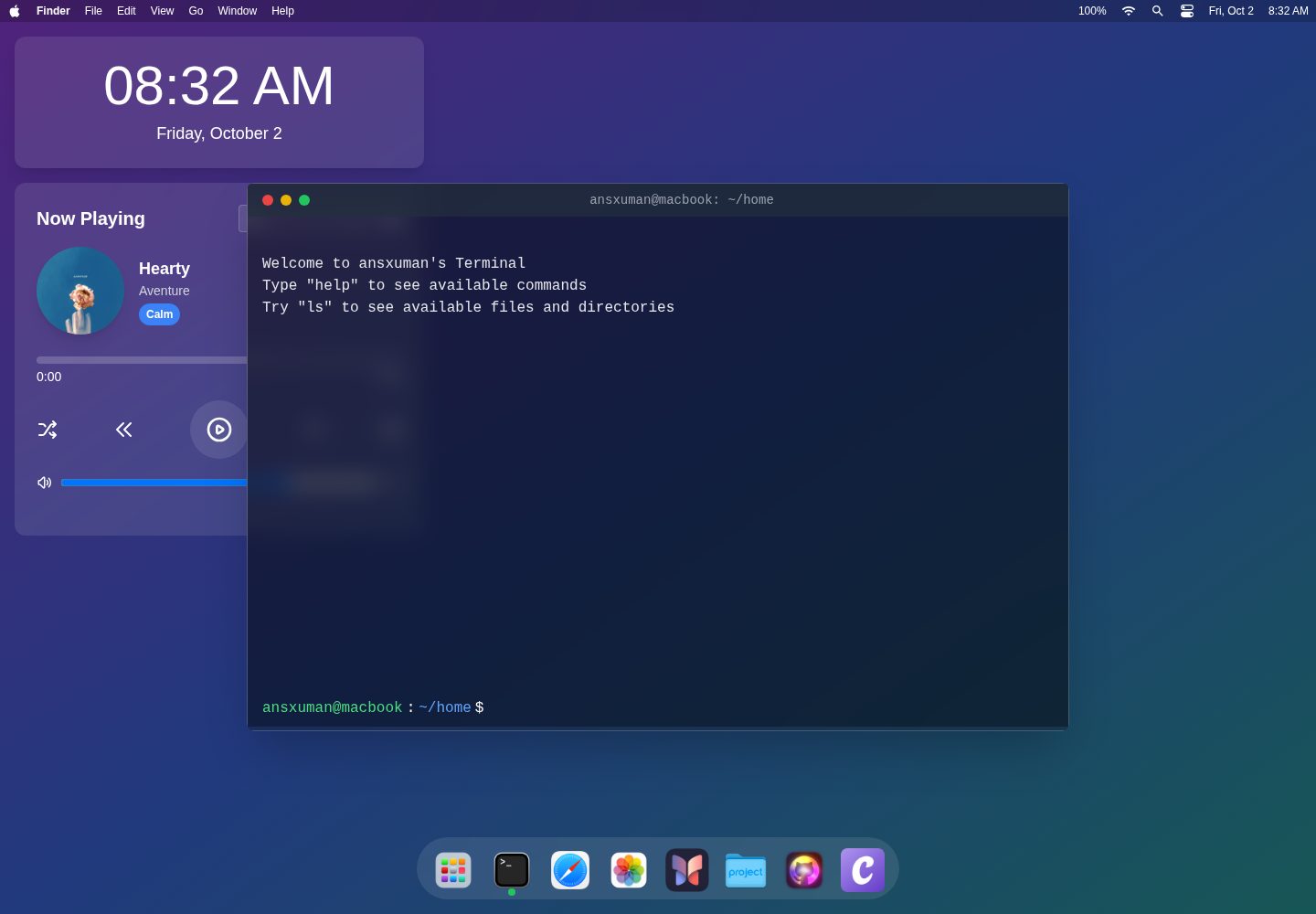
A macOS-style interactive portfolio template built with SvelteKit, TailwindCSS, and TypeScript. It presents content in a desktop environment with a status bar, widgets, and a Dock, and includes draggable, resizable, minimizable, maximizable, and closable windows.
Svelte · Portfolio

sveltekit-mdsvex-blog-template
A SvelteKit and MDsveX blog starter for Markdown writing with embedded Svelte components, Tailwind CSS typography, tags, dark mode, SEO metadata, and Cloudflare Workers deployment configuration. Requires Node.js 22.12+ and pnpm 11.17.0; third-party demo assets need separate license verification.
Svelte · Portfolio
portfolio
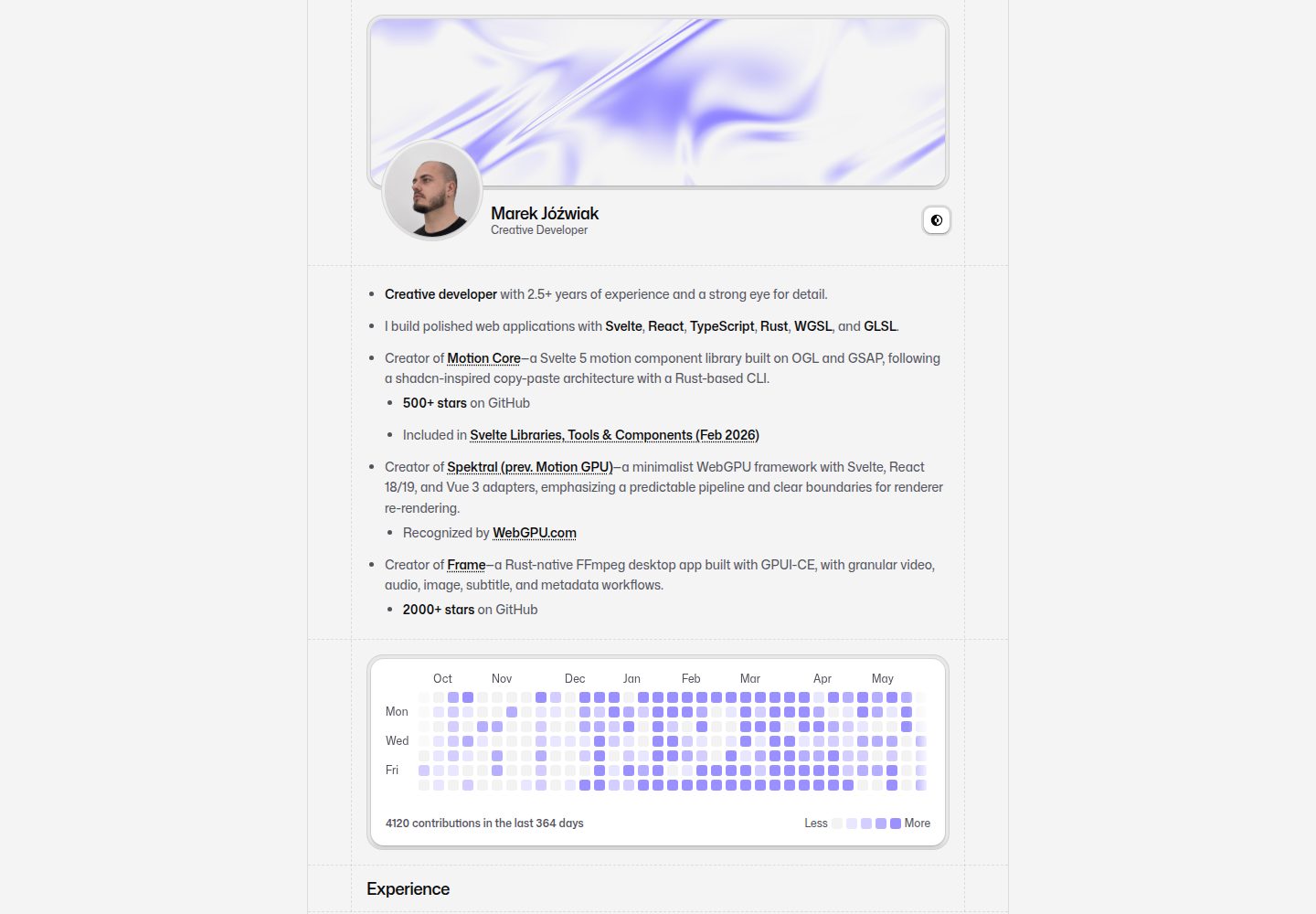
A SvelteKit personal portfolio template using Svelte, shadcn-svelte (Mira), and Tailwind CSS, targeting Cloudflare Workers. It offers a configurable homepage, local .svx articles with pnpm post:new drafts, external publications, a GitHub contribution graph, and a contact form with Resend and Turnstile.
Svelte · Portfolio
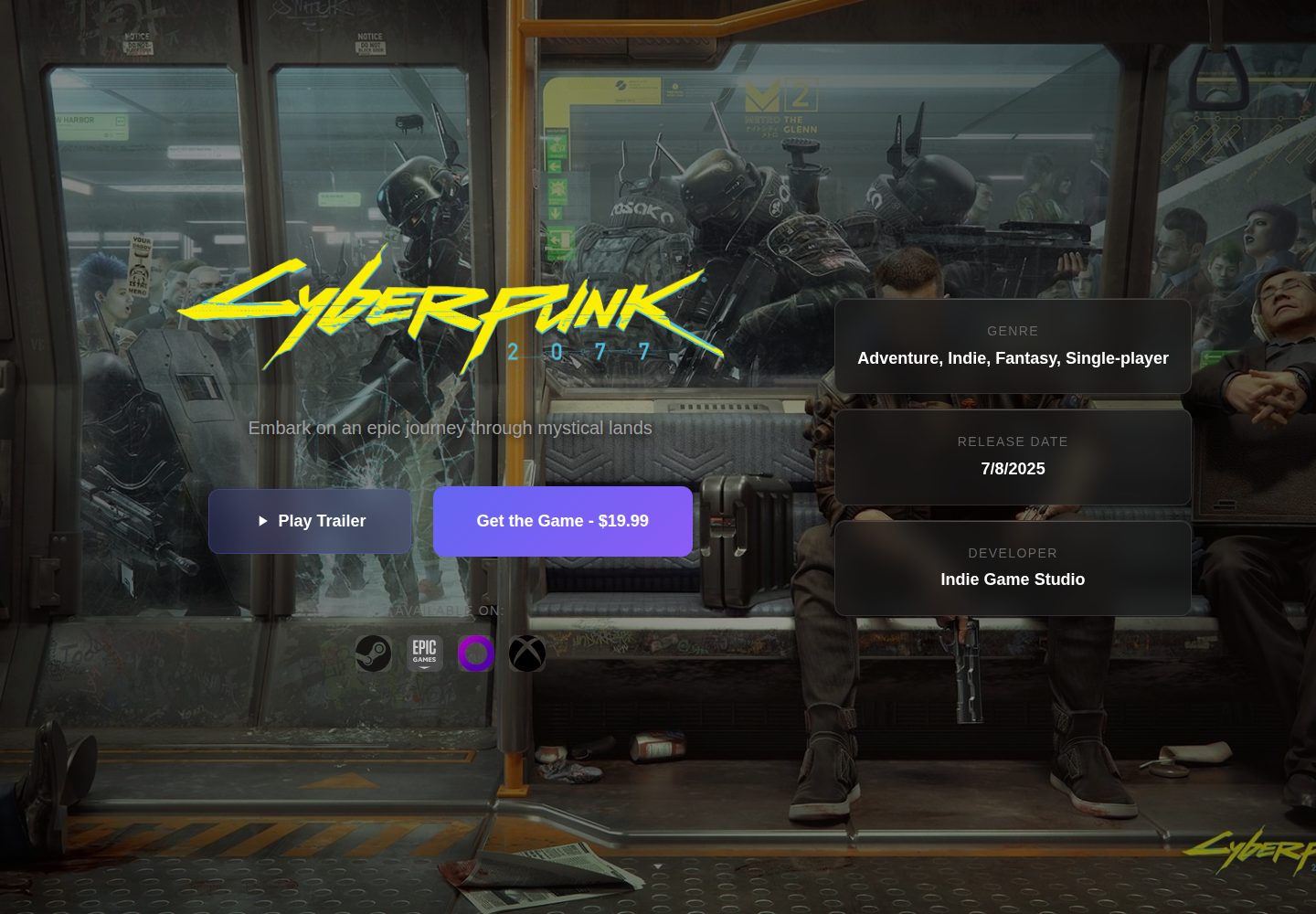
Game-Presskit-Template
A static presskit template for indie game developers, built with Svelte. It manages game information, media, team, reviews, and press materials through multiple JSON files under public/data/, with each file providing an enabled field to control section display.
Svelte · Portfolio
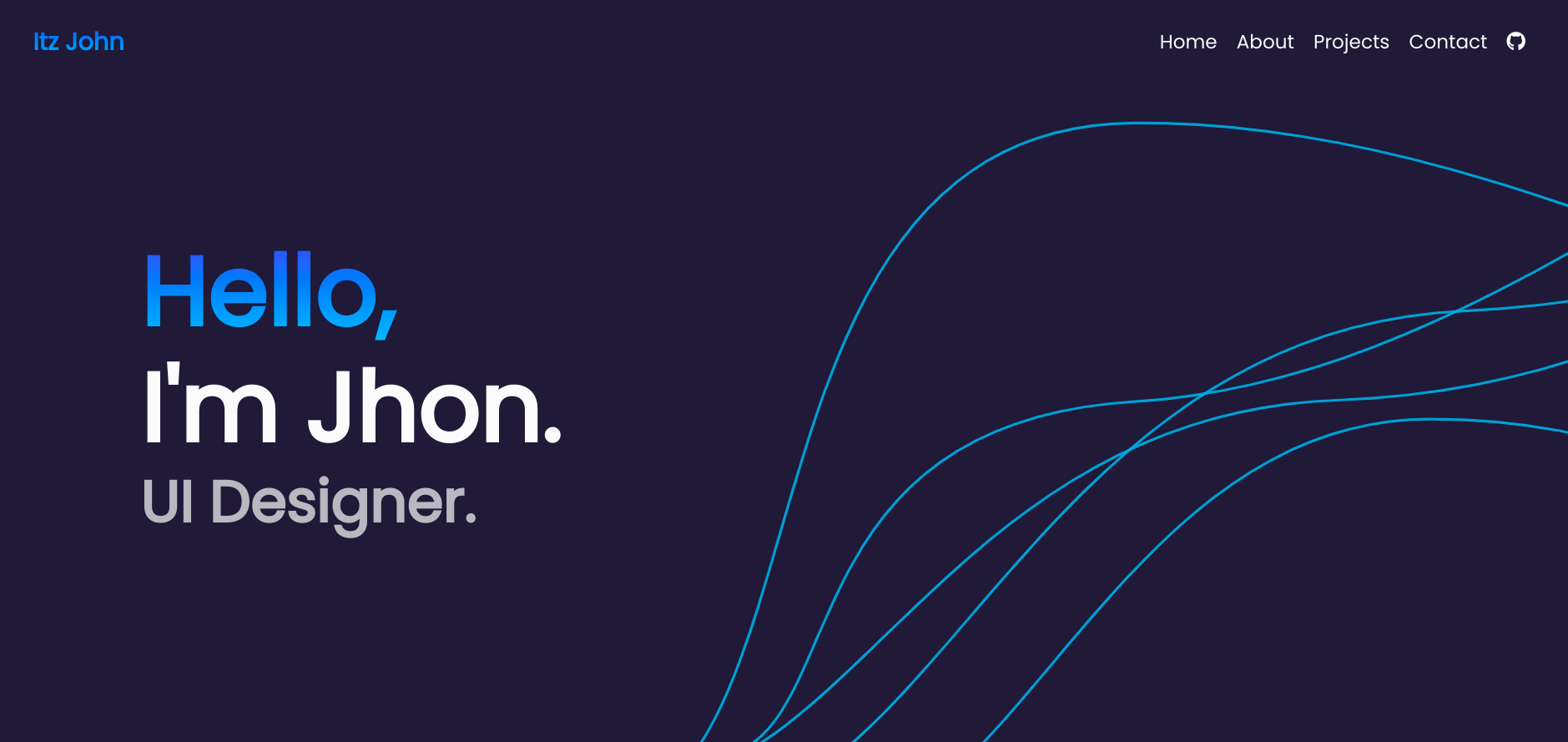
Svelte-Portfolio
A responsive personal portfolio template built with Svelte, offering dark and light modes and simple configuration. The README states it is fully responsive and easy to configure, with an example site and preview screenshots.
Svelte · Portfolio