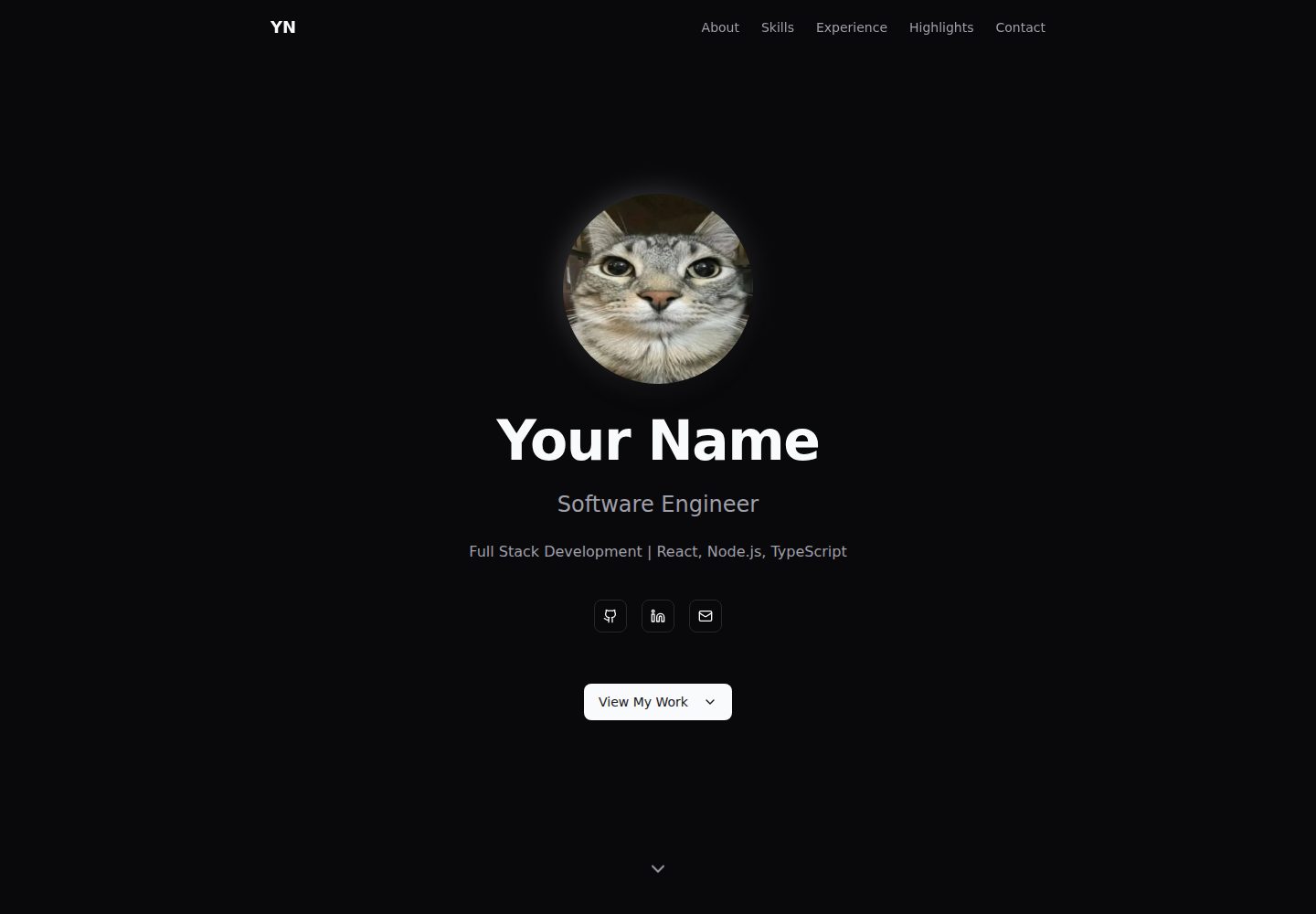
基于 SvelteKit 与静态适配器,构建产物为静态文件,可托管在任意静态托管服务
Svelte作品集
yadr — Svelte 作品集模板
作者 Kxpi
YADR 是一个基于 SvelteKit 的深色主题开发者简历/作品集网站模板,内容通过 TypeScript 配置文件管理,支持静态生成并部署到 Cloudflare Pages、GitHub Pages、Vercel 或 Netlify。
看看你的网站会是什么样
浏览真实页面截图,比较内容排版与手机效果。点击下方缩略图切换,放大查看整页细节。
全部页面与视图 2
截图用于了解视觉与布局,交互效果请以实际项目为准。
采集于 2026-10-13查看来源
值得关注的模板亮点
从已有项目资料中,快速了解它的特点。
深色主题使用 Tailwind CSS v4 与 shadcn-svelte 的 zinc 配色,并包含玻璃拟态效果
内容集中在 src/lib/config.ts 和 src/lib/data/profile.ts 两个 TypeScript 文件中管理
联系表单集成 Formspree,README 说明免费额度为每月 50 次提交
内置 ESLint、Prettier、svelte-check 以及 Husky 和 lint-staged 的提交前检查
提供 GitHub Actions 工作流,可自动构建并部署到 GitHub Pages
模板详细介绍
YADR(Yet Another Developer Resume)是一个面向软件工程师、全栈开发者和 DevOps 工程师等技术人员使用的简历/作品集网站模板。README 说明它使用 SvelteKit 与静态适配器构建,采用 Tailwind CSS v4 和 shadcn-svelte 组件,图标来自 Lucide Icons,联系表单集成 Formspree。页面包含 Hero、About、Skills、Experience、Key Highlights 和 Contact 等区块,所有内容通过 src/lib/config.ts 和 src/lib/data/profile.ts 两个 TypeScript 文件管理,个人照片放在 static/profile.jpg。模板提供开发、构建、代码检查与格式化脚本,并配置了 Husky 和 lint-staged 在提交前运行检查,GitHub Actions 中包含 CI 与部署到 GitHub Pages 的工作流。README 给出了 Cloudflare Pages、GitHub Pages 以及 Vercel/Netlify 的部署步骤,并说明联系表单需要自行注册 Formspree 获取表单 ID。README 未说明模板的浏览器兼容范围、多语言支持或后端服务能力,也未提供除 Formspree 之外的数据存储方案。
Svelte作品集
适合你的项目吗?
适用场景
- 技术人员制作个人简历或作品集网站,并希望内容与页面结构分离便于维护
- 需要将简历站点以静态文件形式部署到 Cloudflare Pages、GitHub Pages、Vercel 或 Netlify
- 希望通过 TypeScript 配置文件集中管理个人简介、技能、工作经历和亮点
- 需要在站点中提供基于 Formspree 的联系表单,并接受其免费额度限制
适合人群
- 软件工程师、全栈开发者、DevOps 工程师等技术人员
- 熟悉 Node.js 与 npm,能够编辑 TypeScript 配置文件的用户
- 希望使用 SvelteKit 和 Tailwind CSS 构建静态简历站点的开发者
- 需要将简历站点免费部署到静态托管平台的用户
上手与定制指南
结合仓库当前版本的说明,按下面的资料检查内容、配置与运行要求。
- 1
需要 Node.js 18+ 和 npm,克隆仓库后运行 npm install 安装依赖
- 2
编辑 src/lib/config.ts 设置站点标题、描述、URL、社交链接、邮箱和 Formspree 表单 ID
- 3
编辑 src/lib/data/profile.ts 填写个人资料、技能、经历、亮点、教育和认证信息
- 4
用个人照片替换 static/profile.jpg,README 建议使用 400x400 至 800x800 像素的方形图片
- 5
运行 npm run dev 启动开发服务器,运行 npm run build 生成静态文件到 build 目录
授权与来源资料
使用条件与限制
免费使用 · 保留许可声明本次收录的是公开仓库中采用 MIT 许可的免费版本;免费范围为该版本代码,不代表外部服务或第三方素材免费。
使用时需要遵守
- 允许免费使用、修改、商用和分发该版本代码。
- 分发代码副本或实质性部分时,保留原作者版权声明和完整 MIT 许可声明。
- 代码按现状提供;担保与责任限制以原许可证及适用法律为准。
额外费用与待核对事项
- README 提及 Formspree 表单服务;真实提交需配置服务端点,其使用额度与费用需单独核对。
- 演示图片、字体、图标及其他第三方素材需按各自许可核对,不能仅凭代码的 MIT 许可判断。
- 域名、托管、数据库、支付或 AI 等外部服务可能另外收费。
- 联系表单依赖第三方服务 Formspree,需要自行注册账号并获取表单 ID 才能使用。
- 必须在配置中填入从 Formspree 获取的表单 ID,否则联系表单无法工作。
- 使用联系表单功能需要前往 Formspree.io 注册免费账号。
- Formspree 免费套餐每月仅限 50 次表单提交,超出需付费升级。
- 联系表单在本地开发模式(localhost)下无法提交,需部署后才能正常工作。
查看原文依据
Permission is hereby granted, free of charge
许可证原文
- 📧 **Contact Form** - Integrated with Formspree (free tier available)
README 原文
formspreeId: "YOUR_FORM_ID" // Get from https://formspree.io
README 原文
1. Go to [Formspree.io](https://formspree.io) and create a free account
README 原文
Free tier includes 50 submissions/month.
README 原文
https://github.com/Kxpi/yadr/blob/main/LICENSEhttps://github.com/Kxpi/yadr/blob/main/README.md- Note: Form submissions won't work in development mode (localhost)
README 原文
DeepSeek 根据仓库许可证和 README 整理 ·2026-10-13。结果仅覆盖已读取资料,依赖、图片、字体及后续条款变更以各自原文为准。
项目核对记录与介绍依据
模板资料
- 来源平台
- GitHub
- 资料与维护参考分
- 资料较完整 · 80 / 100
- 技术栈
- Svelte
- 网站类型
- 作品集
这个分数如何计算
本站按许可资料(最高30分)、演示链接(12分)、预览图(10分)、Star数(15分)、记录的维护时间(15分)、描述完整度(8分)、功能记录(5分)和分类资料(5分)计算。它不是代码、安全或性能测试,也不是 Google 评分;有链接不代表已实测可用。
这个项目需要核对什么
- 记录的仓库更新时间
- 2026-02-06
- 截图检查日期
- 2026-10-13
已收录演示链接。请用你的内容与屏幕尺寸检查;有演示不代表表单、认证或支付已经可用。
目录记录的主要技术栈是 Svelte。请通过依赖清单和锁文件核对实际版本与托管要求。这些说明基于收录资料,不代表代码审计或部署实测。
查看具体选型方法 →介绍的制作与核对状态
介绍由 AI 辅助整理目录与仓库资料。仓库作者不等于这篇介绍的审核者。
审核声明: codex-user-requested-batch-review-20261015 · 2026-10-15
查看当时使用的来源资料
SHA-256: a99cca05a34cef87b5f04e412a4325d0dbbedc1d1416804d94e3d0c7b0937c18
2026-10-13T19:59:20.131Z
来源文件 / 仓库# YADR - Yet Another Developer Resume A modern, obviously vibe-coded, dark-mode portfolio/resume website template built with SvelteKit. Perfect for software engineers, full-stack developers, DevOps engineers and other technical professionals who want a clean, professional online presence. [](https://kxpi.github.io/yadr/) [](https://kxpi.github.io/yadr/) [](https://kxpi.github.io/yadr/) [](https://kxpi.github.io/yadr/) ## ✨ Features - 🎨 **Modern Dark Theme** - Beautiful zinc-based color scheme with glassmorphism effects - 📱 **Fully Responsive** - Looks great on all devices - ⚡ **Static Site Generation (SSG)** - Fast loading, SEO-friendly, and hostable anywhere - 🎭 **Smooth Animations** - Scroll-reveal transitions using Svelte's built-in transitions - 📧 **Contact Form** - Integrated with Formspree (free tier available) - 🎯 **Easy to Customize** - All content managed through simple TypeScript files - 🚀 **Free Hosting** - Deploy to Cloudflare Pages (or Vercel/Netlify) for free - ♿ **Accessible** - Built with shadcn-svelte components following WCAG guidelines ## 📋 Sections - **Hero** - Profile photo, name, title, and social links - **About** - Professional summary, location, education, and certifications - **Skills** - Tech stack organized by category (customizable) - **Experience** - Work history timeline with highlights - **Key Highlights** - Top 4 achievements or expertise areas - **Contact** - Form + direct email CTA ## 📦 Tech Stack - **Framework**: [SvelteKit](https://kit.svelte.dev/) with static adapter - **Styling**: [Tailwind CSS v4](https://tailwindcss.com/) - **Components**: [shadcn-svelte](https://www.shadcn-svelte.com/) - **Icons**: [Lucide Icons](https://lucide.dev/) - **Forms**: [Formspree](https://formspree.io/) ## 🚀 Quick Start ### Prerequisites - Node.js 18+ - npm (comes with Node.js) ### Installation 1. **Clone this template** ```bash git clone [email protected]:Kxpi/yadr.git my-portfolio cd my-portfolio ``` 2. **Install dependencies** ```bash npm install ``` 3. **Customize your data** - Edit `src/lib/config.ts` - Site-wide settings - Edit `src/lib/data/profile.ts` - Your experience, skills, etc. - Replace `static/profile.jpg` with your photo 4. **Run development server** ```bash npm run dev ``` Open [http://localhost:5173](http://localhost:5173) to see your site. 5. **Build for production** ```bash npm run build ``` Static files will be generated in the `build/` directory. ## ⚙️ Configuration ### Site Configuration (`src/lib/config.ts`) ```typescript export const siteConfig = { title: "Your Name | Software Engineer", description: "Your professional summary", url: "https://yourname.dev", github: "https://github.com/your-username", linkedin: "https://linkedin.com/in/yourusername", email: "[email protected]", formspreeId: "YOUR_FORM_ID" // Get from https://formspree.io }; ``` ### Profile Data (`src/lib/data/profile.ts`) Update these sections: - `profile` - Name, title, tagline, summary - `skills` - Your tech stack (organized by category) - `experience` - Work history - `highlights` - Top 4 achievements - `education` - Degree info - `certifications` - Optional certifications list ### Profile Photo Replace `static/profile.jpg` with your own photo. **Recommended specifications:** - **Size**: 400x400px to 800x800px square - **Format**: WebP (best) or optimized JPEG - **File size**: Under 50KB for best performance **Quick optimization guide:** 1. Go to [Squoosh.app](https://squoosh.app) 2. Upload your photo 3. Select **WebP** format (right panel) 4. Reduce quality until file size is ~30-50KB 5. Resize to 600x600px (covers all display sizes) 6. Download and replace `static/profile.jpg` ### Skill Categories Edit the categories in `src/lib/components/sections/Skills.svelte`: ```typescript const categories = [ { key: "frontend", label: "Frontend" }, { key: "backend", label: "Backend" }, { key: "databases", label: "Databases" }, { key: "tools", label: "Tools & DevOps" } ]; ``` ## 🧪 Development & Code Quality ### Running the Linter The project uses ESLint and Prettier for code quality and formatting: ```bash # Check for linting errors npm run lint # Auto-fix linting errors npm run lint:fix # Check code formatting npm run format:check # Auto-format all files npm run format # Type check with svelte-check npm run check ``` ### Pre-commit Hooks The project uses **Husky** and **lint-staged** to automatically run checks on staged files before each commit: - ✅ Runs ESLint with auto-fix on `.js`, `.ts`, `.svelte` files - ✅ Formats code with Prettier - ✅ Only processes staged files (fast!) **Setup:** ```bash npm install # Installs Husky hooks automatically ``` **Manual checks:** If you want to run all checks manually: ```bash npm run lint && npm run format && npm run check ``` **Skip pre-commit (not recommended):** ```bash git commit --no-verify -m "message" ``` All checks run automatically in GitHub Actions: - **CI Workflow** (`.github/workflows/ci.yml`): - **Code Quality** job: Runs lint, format check, and type check in parallel - **Build** job: Verifies the production build succeeds - **Deploy Workflow** (`.github/workflows/deploy-gh-pages.yml`): - Runs quality checks first, then builds and deploys to GitHub Pages - Only deploys if all quality checks pass ## 🎨 Customization ### Colors The template uses Tailwind CSS v4 with shadcn-svelte's zinc theme. To change colors: Edit `src/app.css` and modify the CSS variables: ```css .dark { --background: oklch(...); --primary: oklch(...); /* etc */ } ``` ### Adding/Removing Sections All sections are in `src/lib/components/sections/`. To remove a section: 1. Delete the section file (e.g., `Highlights.svelte`) 2. Remove the import and component from `src/routes/+page.svelte` 3. Update navigation in `Navigation.svelte` ### Customizing Icons The template uses [Lucide Icons](https://lucide.dev/icons) throughout. To change icons: 1. **Browse available icons** at [https://lucide.dev/icons](https://lucide.dev/icons) 2. **Find the icon** you want (e.g., "rocket") 3. **Import it** in your component: ```typescript import Rocket from "lucide-svelte/icons/rocket"; ``` 4. **Use it** in your template: ```svelte <Rocket class="h-6 w-6" /> ``` **Example - Changing Highlights Icons:** Edit `src/lib/components/sections/Highlights.svelte`: ```typescript // Replace these imports with your preferred icons import Code from "lucide-svelte/icons/code"; import Layers from "lucide-svelte/icons/layers"; import Zap from "lucide-svelte/icons/zap"; import Users from "lucide-svelte/icons/users"; const icons = [Code, Layers, Zap, Users]; ``` The icons array matches the order of highlights in `profile.ts`, so the first icon corresponds to the first highlight, and so on. ### Favicon Replace `static/favicon.svg` with your own icon. ## 📧 Setting Up Contact Form 1. Go to [Formspree.io](https://formspree.io) and create a free account 2. Create a new form 3. Copy your form ID (looks like: `xabcd123`) 4. Update `formspreeId` in `src/lib/config.ts` Free tier includes 50 submissions/month. ## 🌐 Deployment ### Cloudflare Pages 1. **Customize and push to GitHub** 2. **Deploy to Cloudflare Pages** - Go to [Cloudflare Dashboard](https://dash.cloudflare.com/) - Click **Workers & Pages** → **Create application** → **Pages** - Connect to Git and select your repository - Configure build: - **Framework preset**: SvelteKit - **Build command**: `npm run build` - **Build output directory**: `build` - Click **Save and Deploy** 3. **Add Custom Domain** (Optional) - In your project, go to **Custom domains** - Click **Set up a custom domain** - Enter your domain (e.g., `yourname.dev`) - Cloudflare will auto-configure DNS if your domain is on Cloudflare ### GitHub Pages This project is also configured to automatically deploy to GitHub Pages when you push to the `main` branch. 1. **Customize and push to GitHub** 2. **Enable GitHub Pages** - Go to your repository on GitHub - Click **Settings** → **Pages** - Under **Build and deployment**, select: - **Source**: Deploy from a branch - **Branch**: `gh-pages` / `root` - Click **Save** 3. **Access your site** - The workflow will automatically build and deploy to the `gh-pages` branch - Your site will be available at: `https://user.github.io/yadr/` - Initial deployment takes 1-2 minutes - Check the **Actions** tab to see deployment progress ### Alternative: Vercel or Netlify Both work great with SvelteKit. The build settings are the same: - Build command: `npm run build` - Output directory: `build` ## 📝 License MIT License - feel free to use this template for your portfolio! ## 🤝 Contributing Found a bug or have a suggestion? Feel free to open an issue or submit a PR. ## 💡 Tips - **Keep it concise** - Recruiters spend ~6 seconds on first pass - **Focus on impact** - Use numbers and results in your highlights - **Update regularly** - Keep your experience current - **Test on mobile** - Most traffic is mobile these days - **Optimize images** - Use WebP format and compress before uploading ## ⚡ Performance Optimization The template is pre-configured for excellent Lighthouse scores. Additional optimizations: ### Image Optimization **Critical**: Optimize your profile photo for best performance: 1. Use WebP format instead of JPEG/PNG 2. Resize to 600x600px (covers all display sizes) 3. Compress to under 50KB using [Squoosh.app](https://squoosh.app) 4. The image has `fetchpriority="high"` for faster LCP ### CSS & JavaScript Already optimized: - ✅ CSS precompression enabled (`precompress: true`) - ✅ Inline small CSS chunks (`inlineStyleThreshold: 1024`) - ✅ Static site generation (no runtime JS for content) - ✅ Minimal JavaScript bundle (~60KB gzipped) ### Deployment Optimizations **Cloudflare Pages** (recommended): - Automatic Brotli compression - Global CDN - HTTP/3 support - Free SSL **GitHub Pages**: - Enable gzip compression (automatic) - Consider using Cloudflare in front for better performance ## 🆘 Troubleshooting ### Build fails on Cloudflare Pages - Make sure **Framework preset** is set to **SvelteKit** - Check that `build` directory is specified (not `dist`) - Try adding `NODE_VERSION=18` environment variable ### Contact form not working - Verify your Formspree form ID is correct in `src/lib/config.ts` - Check that your form is active in Formspree dashboard - Note: Form submissions won't work in development mode (localhost) ### Images not loading - Make sure images are in the `static/` folder - Reference them with `/filename.jpg` (leading slash) - Check file extensions match exactly (case-sensitive) ---
看看同类模板
对比同技术栈与用途的模板,找到更适合的视觉与内容结构。
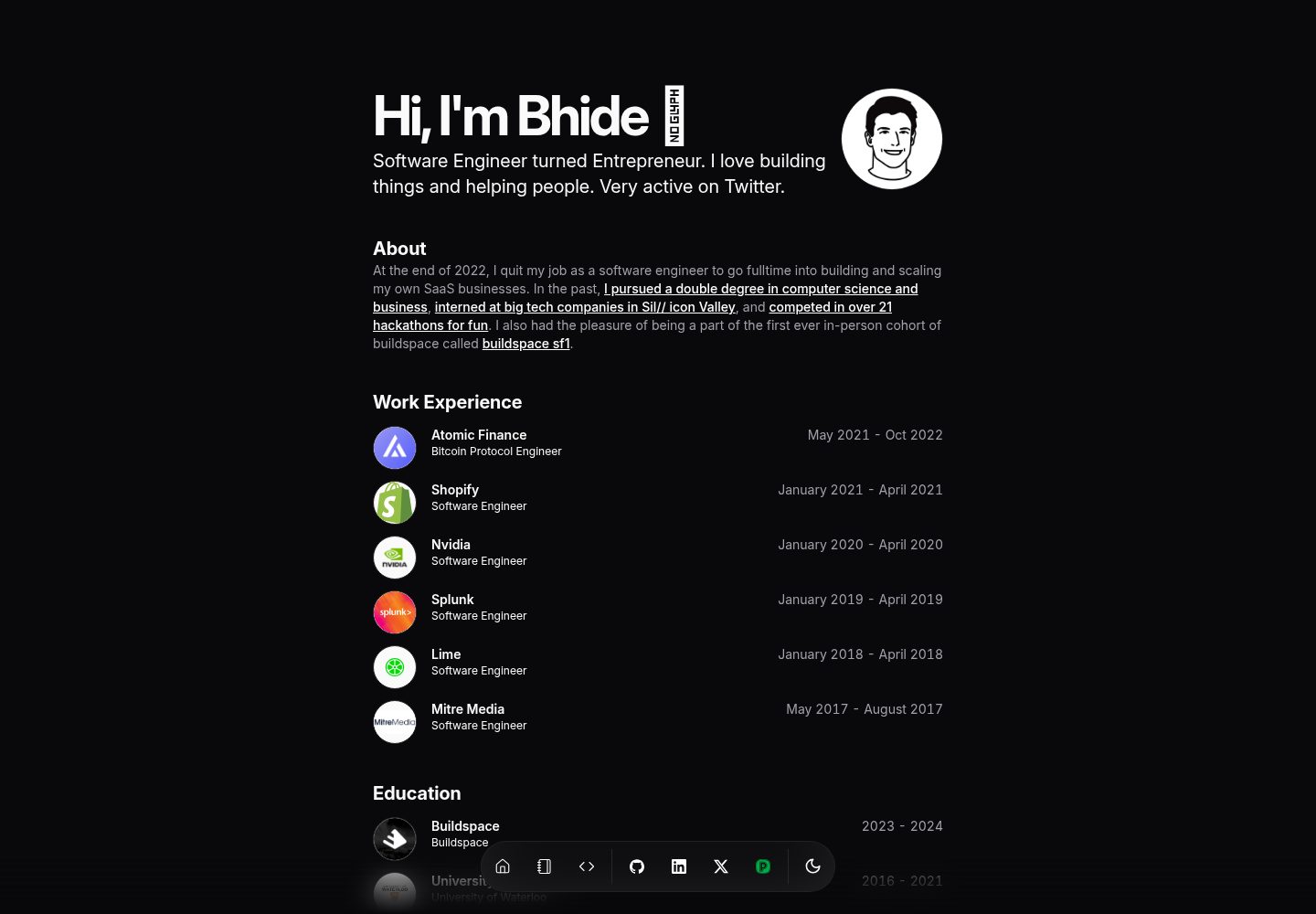
portfolio-template
Minimalist Developer Portfolio Template using Svelte, Inspired from Magic UI
Svelte · 作品集
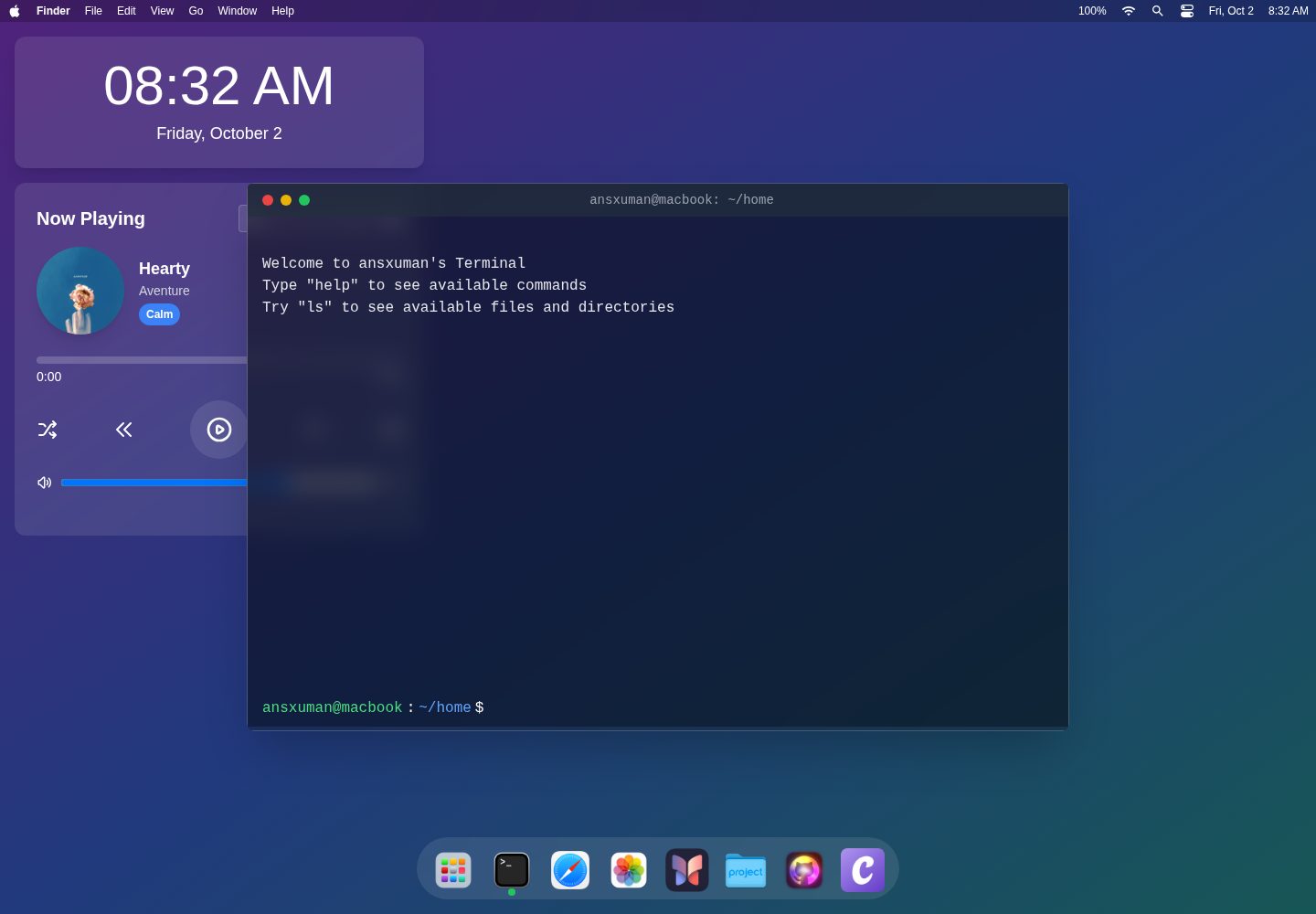
macOS-Themed-Portfolio
An interactive portfolio website inspired by the macOS interface, built with SvelteKit, TailwindCSS, and TypeS…
Svelte · 作品集

sveltekit-mdsvex-blog-template
MDsveX blog starter template built with Sveltekit & Tailwind
Svelte · 作品集
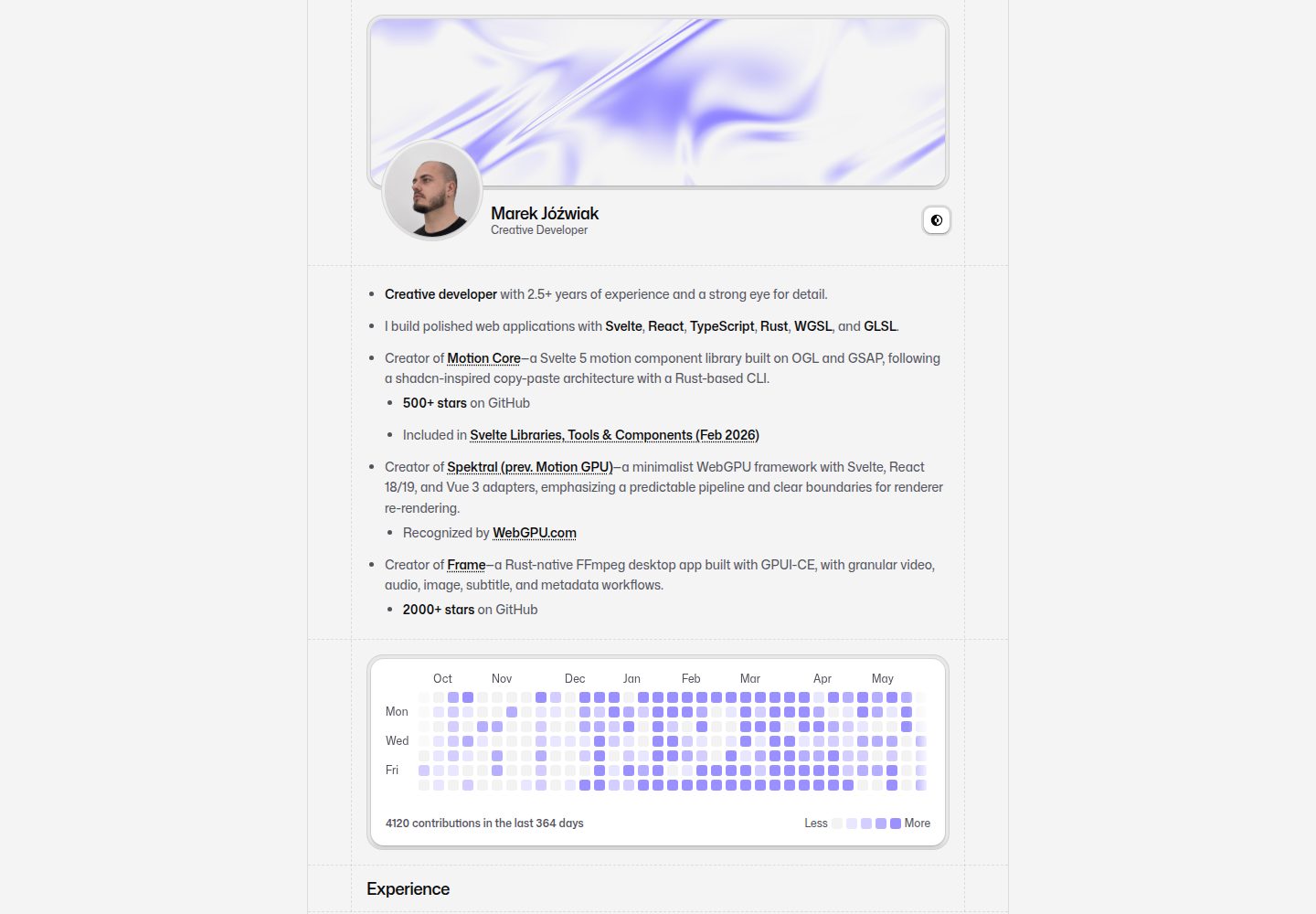
portfolio
portfolio 开源网站模板。
Svelte · 作品集
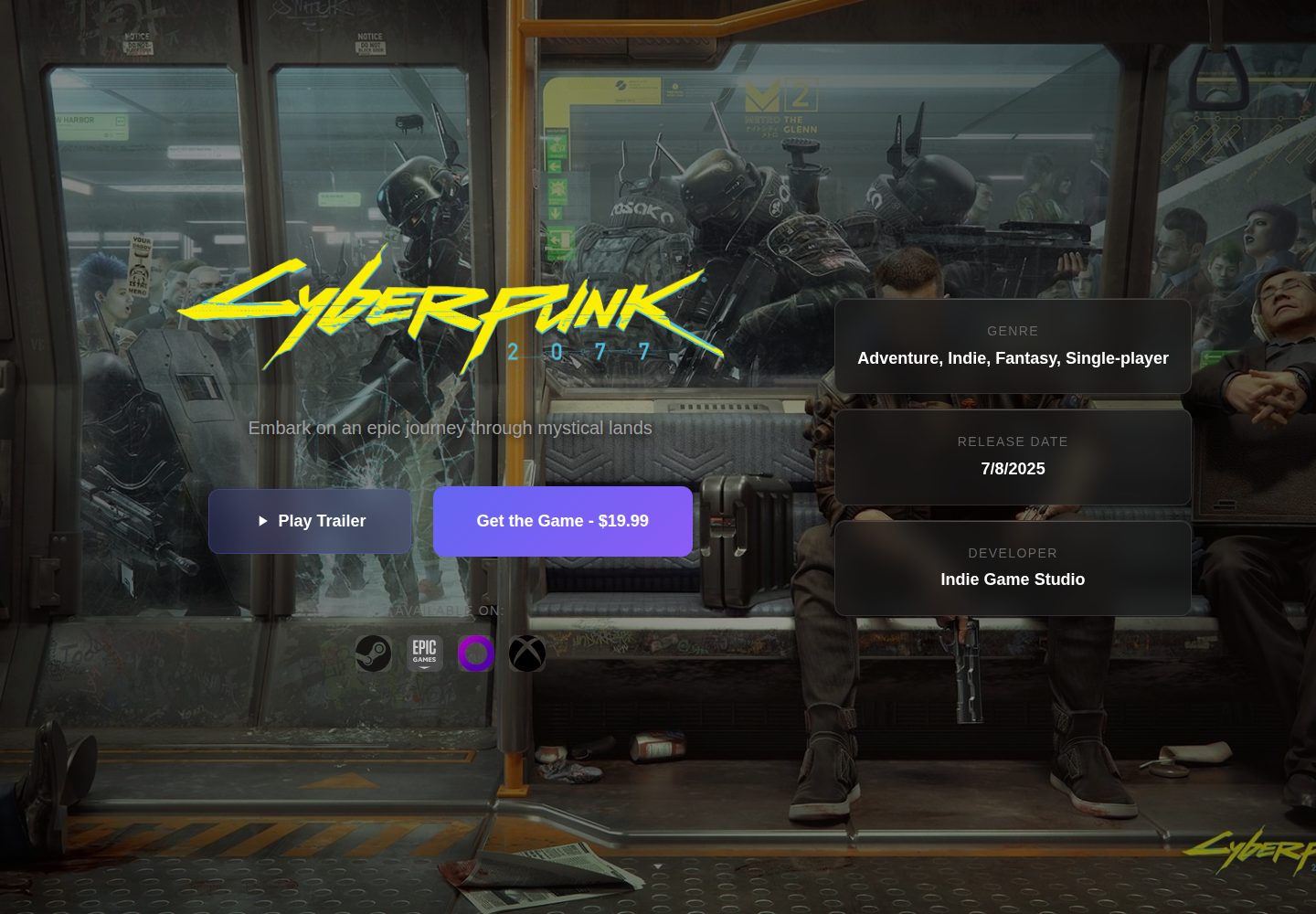
Game-Presskit-Template
A modern, responsive, and highly customizable presskit template for indie game developers. Easily showcase you…
Svelte · 作品集
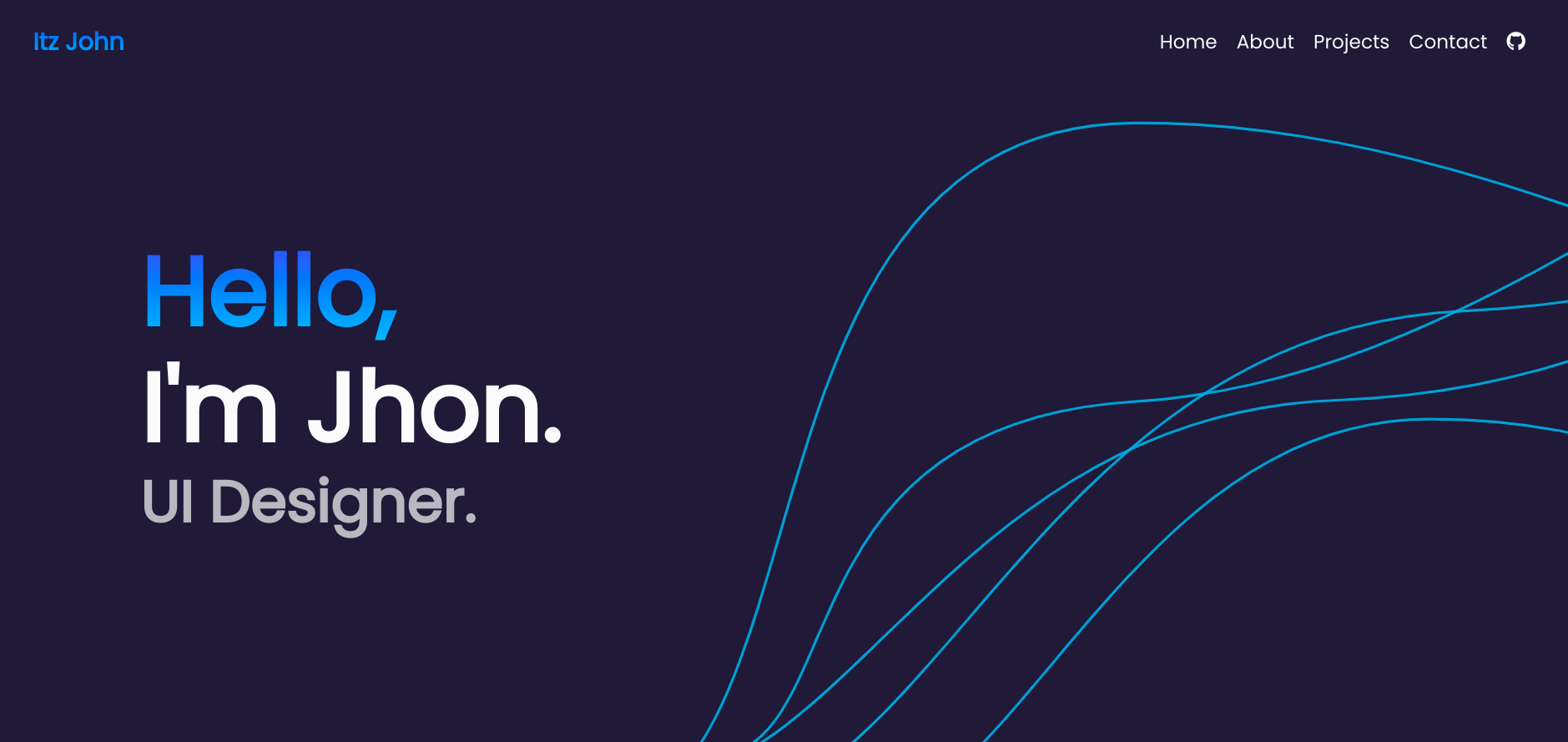
Svelte-Portfolio
Portfolio template using Svelte.
Svelte · 作品集