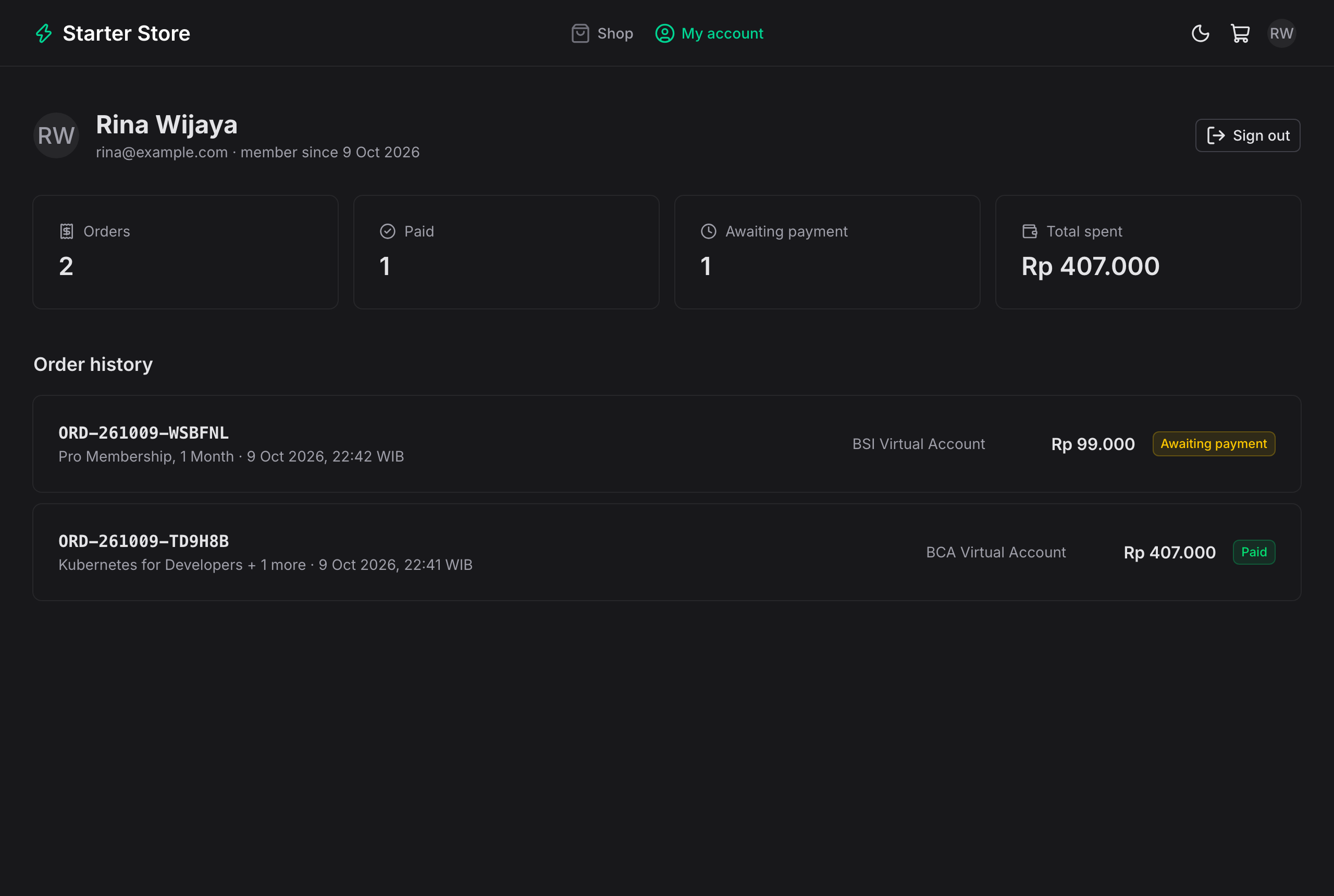
Storefront includes a product catalog, category filters, stock labels, star ratings, and individual product pages
NuxtVueAdmin dashboardE-commerceStarter
payment-gateway-starter-web — Nuxt Admin dashboard Template
By Mauludinegi
A Nuxt-based payment gateway frontend with a customer-facing store, checkout and payment pages, and an admin dashboard, designed to work with a Spring Boot payment API.
Explore the design
Compare the page layouts and mobile experience. Open any screenshot for a closer look.
Author preview
Author-provided previewTop of page
Preview provided in the project README.
One original preview is available. Open the full image to inspect the design.
Screenshots show visual appearance; interactive behavior may differ.
Recorded 2026-10-09View source
What stands out
A quick read of the recorded project description.
Cookie-based cart; checkout requires Google (Firebase) login, and orders are priced by the API
Payment page supports virtual accounts, QRIS, e-wallets, and retail outlets, with automatic order status updates via SSE
Admin dashboard covers revenue overview, orders and payment attempts, webhook records, products, reviews, and user management
Frontend forwards API requests through a server-side proxy, avoiding CORS and hiding the API address
Session token is stored in an http-only cookie and cannot be read by browser JavaScript
Template Details
This is a Nuxt frontend project that provides a storefront and admin dashboard for the payment-gateway-starter Spring Boot API. Customers can browse a product catalog with category filters, stock labels, and star ratings, add items to a cookie-based cart, sign in with Google (Firebase) before checkout, and then choose a payment method from the channels configured in the API, including virtual accounts, QRIS, e-wallets, and retail outlets. The payment page listens for order status via Server-Sent Events, automatically switches to "paid" after receiving the gateway webhook, and displays payment steps and a countdown. The customer account page shows profile, order statistics, and order history; order pages are visible only to the customer who placed the order.
The admin dashboard provides overview, orders, webhooks, products, reviews, and user management. The overview shows revenue, orders, conversion, expired orders, revenue for the last 7 days, and successful payments by payment method; orders can be searched by reference number, name, or email and filtered by status; order details list items, each payment attempt with its gateway reference and corresponding webhook, and provide "Re-check with gateway" to recover missed webhooks. Product management supports creating, editing, uploading images (JPEG, PNG, or WebP, max 2 MB, stored in Supabase Storage by the API), setting stock or unlimited quantity, and unpublishing products. Reviews can be filtered by product or visibility and hidden or shown. User management supports search, filtering by role, viewing each account's orders and spending, and promoting or demoting admins, but you cannot change your own role.
The frontend forwards `/api/**` to the Spring Boot API via `server/api/[...path].ts`; the browser only calls this application, so no CORS configuration is needed and the API does not need to be public, except for `/webhooks/*`, which the gateway calls directly. Customer login uses the Firebase JS SDK to obtain a Google ID token, which this application's server passes to the API for verification; the session token returned by the API is stored in an http-only, same-site lax `session` cookie, and the proxy attaches it as a bearer token to the customer's `/api/**` requests. The admin role is returned by the API's `/api/auth/me`; the frontend does not parse the token and uses it only for display control in menus and route middleware, while the API rechecks the role on every `/api/admin/**` request.
Before use, start the companion API (Java 21+, no keys required, uses the built-in payment simulator), then run this application (Node 22+). Docker Compose can start the API, PostgreSQL, and this application together. The Firebase web configuration is public information; enable the Google sign-in method in the Firebase console and add authorized domains. Gateway keys, admin accounts, sessions and catalog cache (Upstash Redis), product image storage (Supabase Storage), and e-wallet return URLs are all configured on the API side.
NuxtVueAdmin dashboardE-commerceStarter
Is it right for your project?
Use Cases
- Build a companion storefront and admin dashboard for a payment gateway API using Xendit or Midtrans
- Demonstrate the complete customer flow from browsing products and logging in to checkout, choosing a payment method, and waiting for webhook confirmation
- View revenue statistics, order details, each payment attempt with its gateway reference, and webhook records in the admin dashboard
- Manage product information, stock, image uploads, and hiding or showing customer reviews
- Run the API, PostgreSQL, and frontend together locally via Docker Compose for integration testing
Suitable For
- Developers who need a Nuxt frontend for a Spring Boot payment gateway API
- Projects looking for a reference implementation of payment flows, SSE order status updates, and Firebase login
- Payment demo or prototype scenarios that need an integrated storefront and admin dashboard
Getting started & customization
Use these recorded setup notes alongside the repository instructions for your chosen version.
- 1
Start the companion API first (Java 21+, no keys required, uses the built-in payment simulator), then run this application (Node 22+)
- 2
Without Firebase keys, development login accepts any name and email; log in as [email protected] for admin access
- 3
To use Google login, enable the Google sign-in method in the Firebase console and add authorized domains
- 4
Gateway keys, admin accounts, sessions and catalog cache, product image storage, and e-wallet return URLs are all configured on the API side
- 5
If using an nginx-like proxy, disable buffering for the SSE path, otherwise the payment page may not update in real time
License & source material
Usage conditions & limitations
Free to use · keep license noticeThis listing covers the free version of the public repository under the MIT license; the free scope is the code of that version and does not mean external services or third-party assets are free.
Must comply with when using
- You may use, modify, commercialize, and distribute the code of this version for free.
- When distributing copies or substantial portions of the code, retain the original author's copyright notice and the full MIT license notice.
- The code is provided as is; warranties and limitations of liability are governed by the original license and applicable law.
Additional costs & items to verify
- The README mentions Firebase integration; configure it yourself before enabling related dynamic features, and check Firebase quotas and charges.
- Demo images, fonts, icons, and other third-party assets must be checked against their respective licenses; the code's MIT license alone is not sufficient.
- External services such as domains, hosting, databases, payments, or AI may incur separate charges.
- Before use, the companion Spring Boot API (Java 21+) must be started; this frontend cannot run independently, and without keys it relies on the built-in payment simulator.
- Running this frontend requires a Node 22+ environment.
- Without Firebase keys, only development login (any name and email) is available; production Google login requires Firebase configuration.
- Admins using Google login must have their accounts listed in ADMIN_EMAILS on the API side.
- Using Google login requires enabling the Google sign-in method in the Firebase console and adding authorized domains, which depends on the external Firebase service.
- Gateway keys, admin accounts, sessions and catalog cache (Upstash Redis), product image storage (Supabase Storage), and e-wallet return URLs are all configured on the API side, depending on external services.
- If using an nginx-like proxy, disable buffering for the SSE path, otherwise the payment page cannot update in real time.
View Original Text Basis
Permission is hereby granted, free of charge
Original License Text
Start the API first (Java 21+, no keys needed; it uses the built-in payment simulator):
Original README
Then the web app (Node 22+):
Original README
sign in (without Firebase keys, use the dev sign-in with any name and email)
Original README
with Google, list your account in `ADMIN_EMAILS` on the API.
Original README
The Firebase web config is public by design. In the Firebase console, enable **Authentication > Sign-in method > Google** and add your domain under **Authorized domains** (`localhost` is there by default).
Original README
Gateway keys, admin accounts (`ADMIN_EMAILS`), sessions and the catalogue cache (Upstash Redis), product image storage (Supabase Storage), and the e-wallet return URL are set on the API; see its README.
Original README
https://github.com/Mauludinegi/payment-gateway-starter-web/blob/main/LICENSEhttps://github.com/Mauludinegi/payment-gateway-starter-web/blob/main/README.mdif yours buffers anyway, turn buffering off for that path.
Original README
Compiled by DeepSeek based on repository license and README ·2026-10-09. Results only cover the materials read; dependencies, images, fonts, and subsequent term changes are subject to their respective original texts.
Project checks & description sources
Template Information
- Source platforms
- GitHub
- Documentation and maintenance reference score
- More documented · 85 / 100
- Technologies
- Nuxt · Vue
- Website type
- Admin dashboard · E-commerce · Starter
How this score is calculated
Our heuristic uses license records (up to 30), a demo link (12), a preview (10), stars (15), recorded maintenance (15), description completeness (8), feature records (5) and classification data (5). It is not a code, security or performance test, or a Google score. A link does not establish tested functionality.
What to verify for this project
- Repository update recorded
- 2026-10-09
- Screenshot last checked
- 2026-10-09
A demo link is listed. Check it with your own content and viewport sizes; its presence does not confirm that forms, authentication or payments work.
The catalog identifies Nuxt as the primary stack. Check the actual dependency manifest and lockfile for versions and hosting requirements. These notes use recorded metadata, not a code audit or a deployment test.
Use a selection guide →How this description was prepared
AI-assisted description based on catalog records and repository material. Repository authors are not automatically the reviewers of this description.
Review declaration: [email protected] · 2026-10-10
Inspect the recorded source material
SHA-256: 15efa6d613703279185660f29a9376bdbb5cd248e5fe7c0119bc8a1a765702b4
2026-10-09T17:42:39.401Z
Source file / repository# Payment Gateway Starter: Web
Nuxt 4 + Nuxt UI storefront and admin dashboard for the [payment gateway starter API](https://github.com/Mauludinegi/payment-gateway-starter) (Spring Boot, Xendit, Midtrans). Customers buy from a small catalogue and pay with a virtual account, QRIS, an e-wallet, or at a retail outlet; the order page updates on its own when the gateway's webhook arrives. Customers sign in with Google (Firebase) before checking out, get a dashboard of their orders, and can review what they paid for. Admins manage products (images, stock) and reviews, and see revenue, every payment attempt, and every webhook.
<table>
<tr>
<td><img src="docs/01-store.png" alt="Store with product images, ratings, and stock" width="420"></td>
<td><img src="docs/18-product-page.png" alt="Product page with reviews" width="420"></td>
</tr>
<tr>
<td><img src="docs/05-qris.png" alt="QRIS payment page with countdown" width="420"></td>
<td><img src="docs/08-account.png" alt="Customer dashboard with order history" width="420"></td>
</tr>
<tr>
<td><img src="docs/02-login.png" alt="Sign in with Google" width="420"></td>
<td><img src="docs/09-admin-overview.png" alt="Admin overview with revenue and payment methods" width="420"></td>
</tr>
<tr>
<td><img src="docs/06-virtual-account.png" alt="Virtual account instructions" width="420"></td>
<td><img src="docs/11-admin-order-detail.png" alt="Admin order detail with payment attempts and webhooks" width="420"></td>
</tr>
<tr>
<td><img src="docs/16-admin-product-edit.png" alt="Editing a product with an image upload" width="420"></td>
<td><img src="docs/17-admin-reviews.png" alt="Review moderation" width="420"></td>
</tr>
</table>
## Quick start
Start the API first (Java 21+, no keys needed; it uses the built-in payment simulator):
```bash
git clone https://github.com/Mauludinegi/payment-gateway-starter.git
cd payment-gateway-starter && ./mvnw spring-boot:run
```
Then the web app (Node 22+):
```bash
npm install
npm run dev
```
Open http://localhost:3000, add something to the cart, sign in (without Firebase keys, use the dev sign-in with any name and email), check out, pick a method, and press **Mark paid** in the simulator panel. For the admin at http://localhost:3000/admin, dev sign-in as `[email protected]`; with Google, list your account in `ADMIN_EMAILS` on the API.
Everything in Docker (API, PostgreSQL, web), with the API repo cloned next to this one:
```bash
docker compose up --build
```
## What's inside
**Store**
- Catalogue with category filter, product images (or the product's icon), star ratings, and "Only N left" / "Sold out" labels. Each product has its own page with its reviews.
- Cart kept in a cookie (so the server-rendered page shows the right count), and checkout with validation. Browsing and the cart are open; checkout asks the customer to sign in first and comes back to the cart. The browser only sends product IDs and quantities; the API prices the order. Quantities are capped at the stock that is left; if someone else buys it first, the API refuses the order and the cart shows the new stock.
- Reviews: customers with a paid order for a product rate it from 1 to 5 stars with an optional comment, and can edit or delete it. Others see a first name and last initial. If an admin hides a review, its author is told.
- Payment page: choose from the channels the API has configured, then see a grouped VA number with copy, a QRIS code, a retail payment code, or an e-wallet link with a QR for desktop. Each has how-to-pay steps and a countdown.
- The page listens to the order over Server-Sent Events and switches to "Payment received" as soon as the webhook has been processed; a "Live" dot shows the connection. If the stream drops, it polls every 5 seconds until the browser reconnects. Customers can change method; the API cancels the old one, and an old payment that still arrives is counted.
- "My account" (sign-in required) shows the profile, totals (orders, paid, awaiting payment, total spent), and the order history from the API. Order pages are only visible to the customer who placed them.
**Admin**
- Overview: revenue, orders, conversion, expired orders, revenue for the last 7 days, and successful payments by method. Orders paid twice (old method paid after switching) are flagged for refund.
- Orders: search by reference, name, or email; filter by status; paginate.
- Order detail: items, every payment attempt with its gateway reference, and the webhooks for it. **Re-check with gateway** pulls the current status, for when a webhook was missed.
- Webhooks: every verified event with the status the gateway confirmed on re-check and whether it changed anything.
- Products: create and edit products, upload an image (JPEG, PNG, or WebP up to 2 MB; stored in Supabase Storage by the API), set stock or leave it unlimited, and hide products from sale. If an order changes the stock while the form is open, saving asks you to check the new values instead of overwriting them.
- Reviews: filter by product or visibility and hide or show each review.
- Order detail also warns when a payment arrived after the order expired and its stock was sold to someone else.
- Users: search, filter by role, orders and amount spent per account, and promote or demote admins. You cannot change your own role.
## How it talks to the API
The browser only calls this app. `server/api/[...path].ts` forwards `/api/**` to the Spring Boot API (`NUXT_API_BASE`), so there is no CORS setup and the API does not need to be public, except for `/webhooks/*`, which the gateways call directly.
### Customer sign-in
1. `/login` opens the Google popup with the Firebase JS SDK and gets an ID token. Firebase's own session is signed out right away.
2. The token goes to `/auth/google` on this app's server, which passes it to the API. The API verifies it and returns a session token, which the server stores in an **http-only, same-site lax cookie** (`session`); the browser only gets the user.
3. The proxy adds that cookie as a bearer token to customer `/api/**` requests. It refuses `/api/auth/*` sign-in paths, so session tokens never pass through browser JavaScript.
4. A readable `signed_in` flag tells the app to load the user during server rendering; the `auth` route middleware sends signed-out visitors to `/login?redirect=…`. Signing out revokes the session in Redis.
Lax rather than strict, so a customer coming back from an e-wallet app lands on the order page still signed in.
### Admins
Admins sign in like everyone else; the account's role comes from the API (`/api/auth/me`). The app never decodes tokens: the role only decides whether the "Admin dashboard" menu and the `admin` route middleware let you through, and the API checks the role again on every `/api/admin/**` request (`403` for customers). Promoting someone applies on their next request, without signing in again.
### Live payment page
`/api/orders/{id}/events` goes through the same proxy, which streams the response as it arrives, so the browser's `EventSource` gets the session cookie and nothing else changes. The API sends the order once on connect and again on every change, and closes the stream when it is paid or expired. The API marks the stream `X-Accel-Buffering: no` so nginx-style proxies pass it through; if yours buffers anyway, turn buffering off for that path.
## Configuration
| Variable | Default | Purpose |
| --- | --- | --- |
| `NUXT_API_BASE` | `http://localhost:8080` | API URL as seen from the Nuxt server |
| `NUXT_PUBLIC_FIREBASE_API_KEY` | | Firebase web app config, for Google sign-in |
| `NUXT_PUBLIC_FIREBASE_AUTH_DOMAIN` | | e.g. `your-project.firebaseapp.com` |
| `NUXT_PUBLIC_FIREBASE_PROJECT_ID` | | Must match `FIREBASE_PROJECT_ID` on the API |
| `NUXT_PUBLIC_FIREBASE_APP_ID` | | |
The Firebase web config is public by design. In the Firebase console, enable **Authentication > Sign-in method > Google** and add your domain under **Authorized domains** (`localhost` is there by default).
Gateway keys, admin accounts (`ADMIN_EMAILS`), sessions and the catalogue cache (Upstash Redis), product image storage (Supabase Storage), and the e-wallet return URL are set on the API; see its README.
## Stack
Nuxt 4, Nuxt UI 4, Tailwind CSS 4, TypeScript, Zod, Firebase Authentication, `qrcode`. CI runs typecheck, build, and a Docker build.
## License
MIT
Explore similar templates
Compare previews and descriptions within the same stack and category.

laravel-nuxt
A Laravel + Nuxt decoupled starter kit with built-in login, registration, email verification, password reset, and Socialite third-party login (GitHub example), switchable between SPA and SSR.
Nuxt · Starter
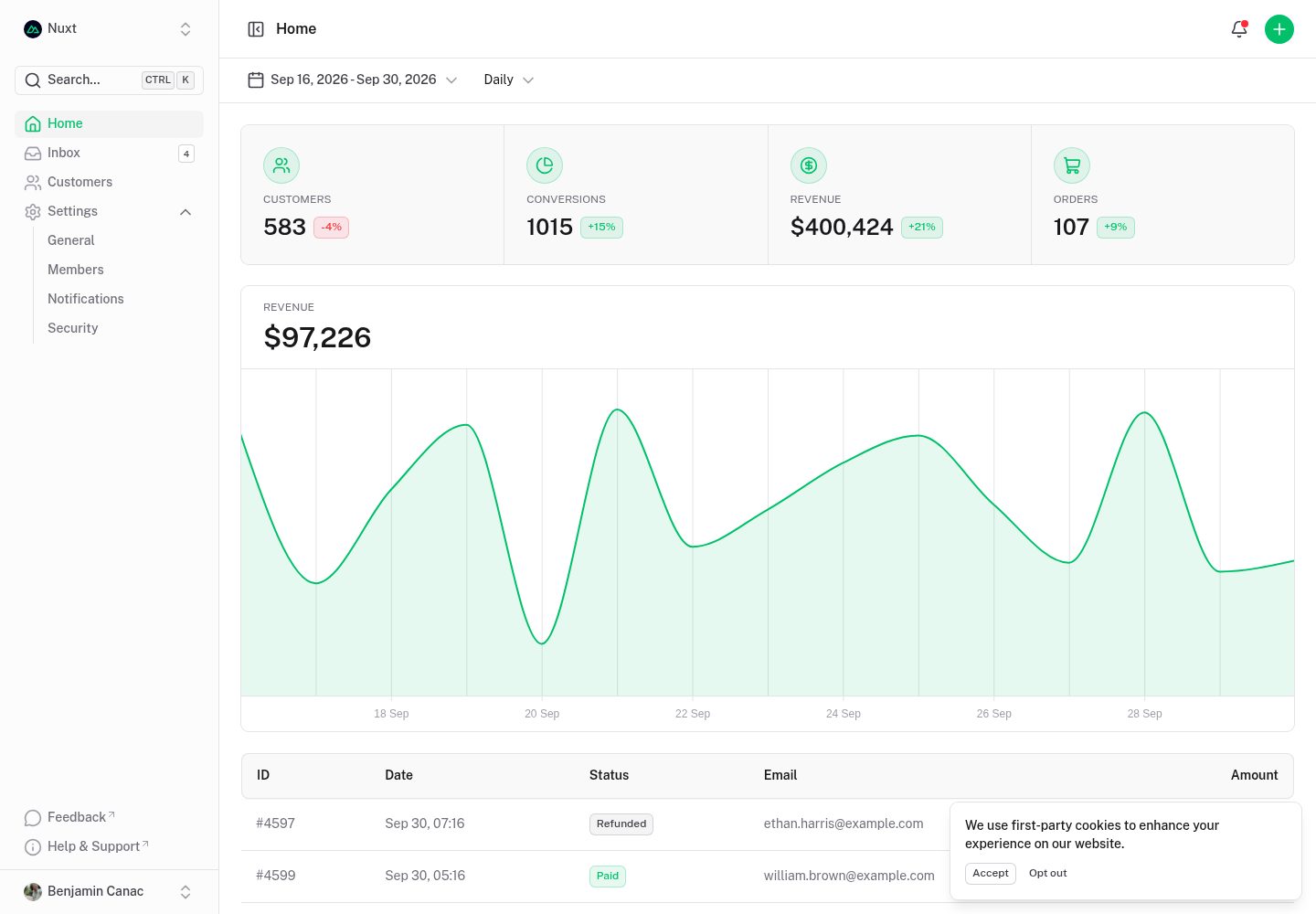
dashboard
A dashboard template built on Nuxt and Nuxt UI, offering multiple pages, a collapsible sidebar, keyboard shortcuts, light and dark modes, and a command palette.
Nuxt · Admin dashboard
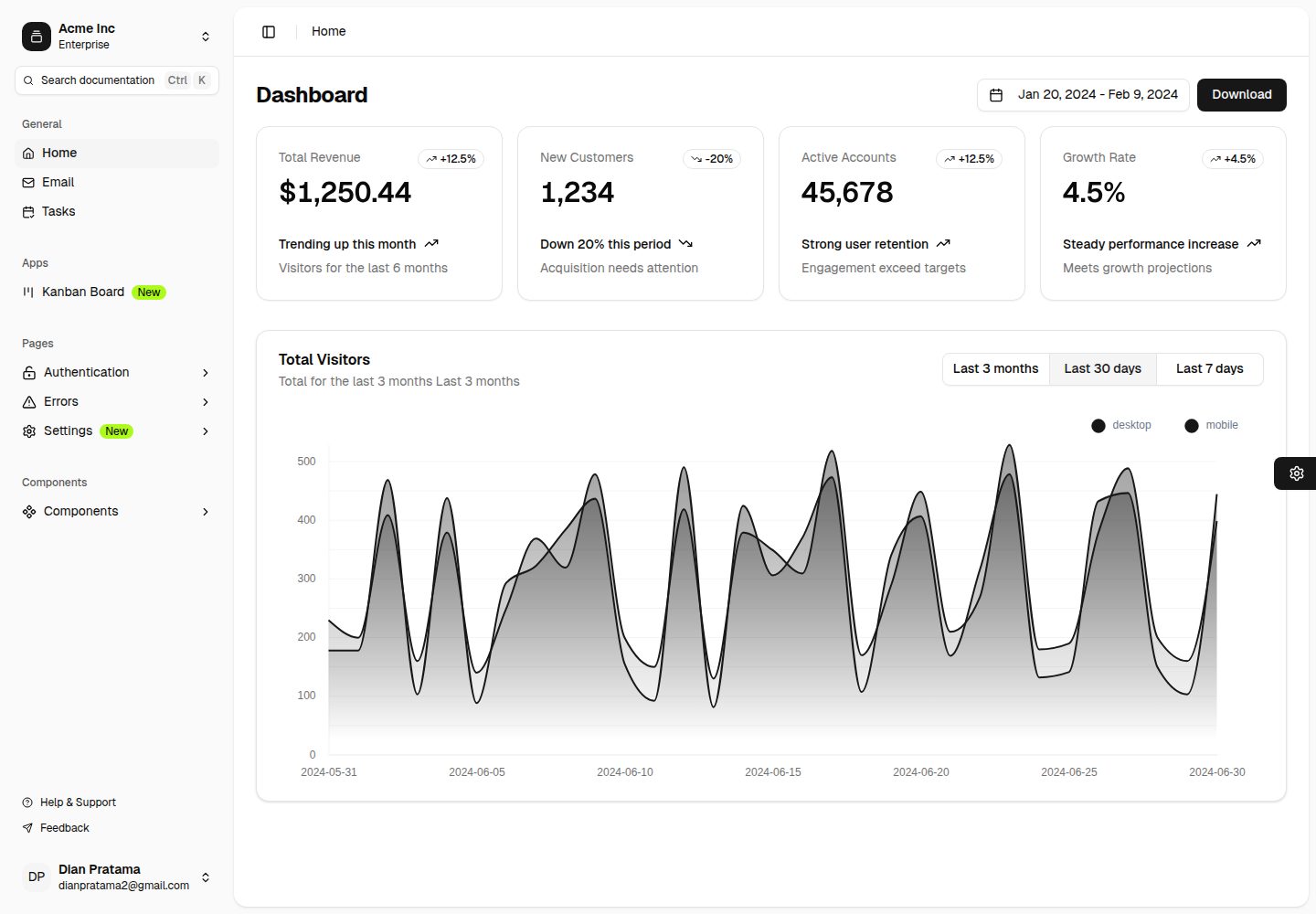
nuxt-shadcn-dashboard
A backend dashboard template built with Nuxt, Shadcn Vue, and TailwindCSS. It offers configurable sidebar collapse modes (offcanvas, icon, none), positions, and styles (sidebar, floating, inset), along with nine theme colors and three theme types.
Nuxt · Admin dashboard

canvas
Canvas is a Nuxt-based portfolio template that uses Nuxt Content for content management and Nuxt UI with Tailwind CSS for pages.
Nuxt · Portfolio
nitrogen
Nitrogen is a Nuxt-based Shopify headless e-commerce template inspired by the Hydrogen starter theme.
Nuxt · E-commerce

nuxt3-starter
A Nuxt 3 starter template generated by nuxi, preconfigured with UnoCSS, unplugin-icons, Pinia, and VueUse. It suits developers who need a quick Nuxt 3 project skeleton with atomic CSS and auto-import workflows, and is available under the MIT license.
Nuxt · Starter