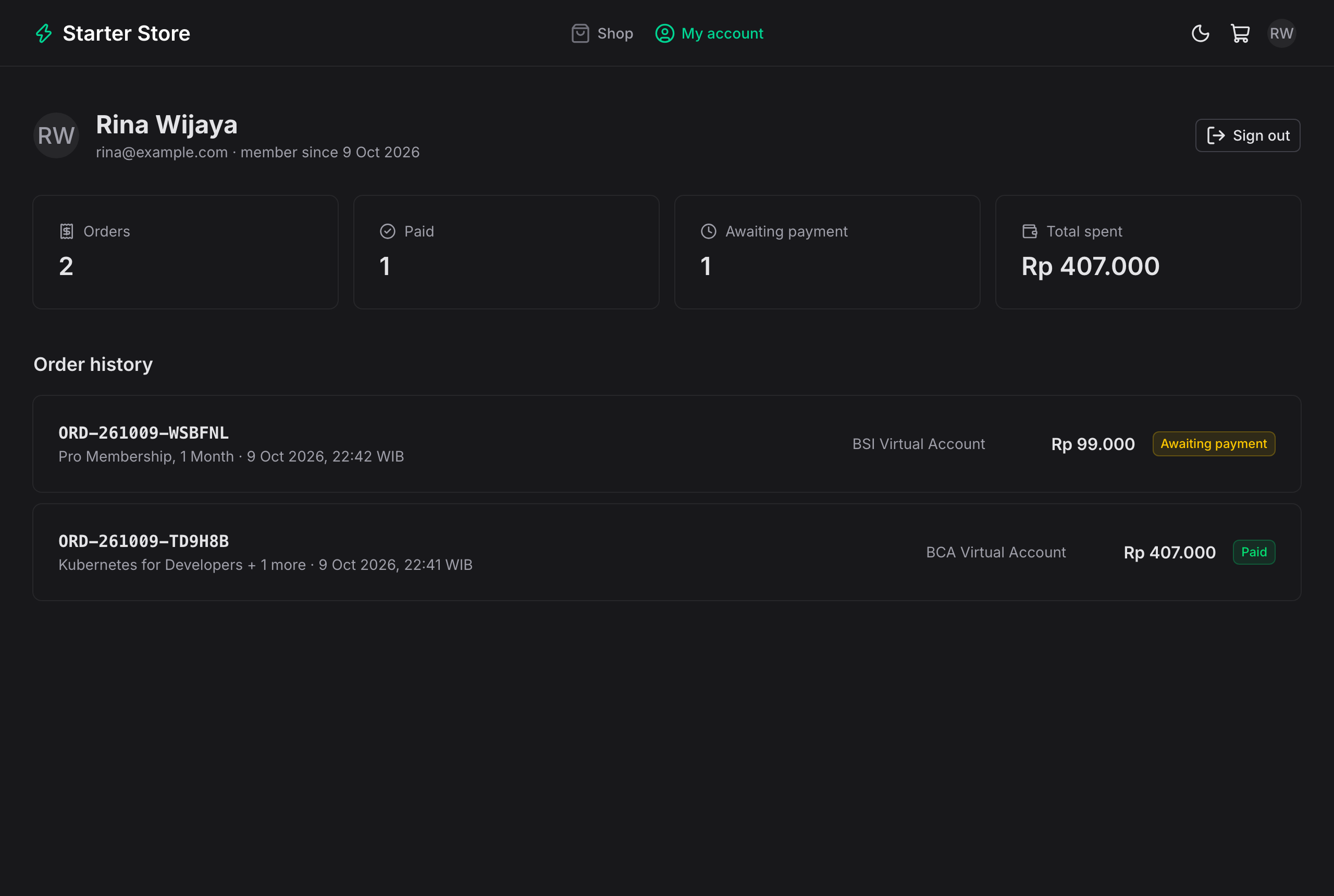
商店前台包含商品目录、分类筛选、库存标签、星级评分和独立商品页
NuxtVue后台电商启动器
payment-gateway-starter-web — Nuxt 后台模板
作者 Mauludinegi
基于 Nuxt 的支付网关前端,包含面向顾客的商店、结算与支付页面,以及管理后台,配套 Spring Boot 支付 API 使用。
看看你的网站会是什么样
浏览真实页面截图,比较内容排版与手机效果。点击下方缩略图切换,放大查看整页细节。
目前有 1 张原始预览,可打开完整图片查看设计细节。
截图用于了解视觉与布局,交互效果请以实际项目为准。
采集于 2026-10-09查看来源
值得关注的模板亮点
从已有项目资料中,快速了解它的特点。
购物车基于 Cookie,结算前要求通过 Google(Firebase)登录,订单由 API 定价
支付页面支持虚拟账户、QRIS、电子钱包和零售网点,通过 SSE 自动更新订单状态
管理后台覆盖收入概览、订单与支付尝试、Webhook 记录、商品、评价和用户管理
前端通过服务端代理转发 API 请求,避免 CORS 并隐藏 API 地址
会话令牌存储在 http-only cookie 中,浏览器 JavaScript 无法读取
模板详细介绍
这是一个 Nuxt 前端项目,为 payment-gateway-starter 的 Spring Boot API 提供商店前台和管理后台。顾客可以浏览带分类筛选、库存标签和星级评分的商品目录,将商品加入基于 Cookie 的购物车,在结算前通过 Google(Firebase)登录,然后从 API 已配置的渠道中选择支付方式,包括虚拟账户、QRIS、电子钱包和零售网点。支付页面通过 Server-Sent Events 监听订单状态,在收到网关 webhook 后自动切换为“已付款”,并显示支付步骤和倒计时。顾客账户页展示个人资料、订单统计和订单历史,订单页面仅对下单顾客可见。
管理后台提供概览、订单、Webhook、商品、评价和用户管理。概览显示收入、订单、转化、过期订单、近 7 天收入以及按支付方式统计的成功付款;订单可按参考号、姓名或邮箱搜索并按状态筛选;订单详情列出商品、每次支付尝试及其网关参考号和对应 webhook,并提供“Re-check with gateway”以补查遗漏的 webhook。商品管理支持创建、编辑、上传图片(JPEG、PNG 或 WebP,最大 2 MB,由 API 存入 Supabase Storage)、设置库存或不限量、下架商品。评价可按商品或可见性筛选并隐藏或显示。用户管理支持搜索、按角色筛选、查看每个账户的订单和消费金额,以及提升或降级管理员,但不能修改自己的角色。
前端通过 `server/api/[...path].ts` 将 `/api/**` 转发到 Spring Boot API,浏览器只调用本应用,因此无需 CORS 配置,API 也无需公开,但 `/webhooks/*` 除外,由网关直接调用。顾客登录使用 Firebase JS SDK 获取 Google ID token,由本应用服务器转交 API 验证,API 返回的会话令牌存储在 http-only、same-site lax 的 `session` cookie 中,代理将其作为 bearer token 附加到顾客的 `/api/**` 请求。管理员角色由 API 的 `/api/auth/me` 返回,前端不解析令牌,仅用于菜单和路由中间件的显示控制,API 会在每个 `/api/admin/**` 请求上再次检查角色。
使用前需要先启动配套 API(Java 21+,无需密钥,使用内置支付模拟器),再运行本应用(Node 22+)。通过 Docker Compose 可以同时启动 API、PostgreSQL 和本应用。Firebase 网页配置为公开信息,需在 Firebase 控制台启用 Google 登录方式并添加授权域。网关密钥、管理员账户、会话和目录缓存(Upstash Redis)、商品图片存储(Supabase Storage)以及电子钱包返回 URL 均在 API 端配置。
NuxtVue后台电商启动器
适合你的项目吗?
适用场景
- 为使用 Xendit 或 Midtrans 的支付网关 API 搭建配套的商店前台和管理后台
- 演示顾客从浏览商品、登录、结算到选择支付方式并等待 webhook 确认的完整流程
- 在管理后台查看收入统计、订单详情、每次支付尝试及其网关参考号和 webhook 记录
- 管理商品信息、库存、图片上传以及顾客评价的隐藏或显示
- 通过 Docker Compose 在本地同时运行 API、PostgreSQL 和前端进行联调
适合人群
- 需要为 Spring Boot 支付网关 API 提供 Nuxt 前端的开发者
- 希望参考支付流程、SSE 订单状态更新和 Firebase 登录实现的项目
- 需要商店前台与管理后台一体化的支付演示或原型场景
上手与定制指南
结合仓库当前版本的说明,按下面的资料检查内容、配置与运行要求。
- 1
先启动配套 API(Java 21+,无需密钥,使用内置支付模拟器),再运行本应用(Node 22+)
- 2
无 Firebase 密钥时,开发登录可使用任意姓名和邮箱;管理员使用 [email protected] 登录
- 3
使用 Google 登录需在 Firebase 控制台启用 Google 登录方式并添加授权域
- 4
网关密钥、管理员账户、会话与目录缓存、商品图片存储及电子钱包返回 URL 均在 API 端配置
- 5
若使用 nginx 类代理,需为 SSE 路径关闭缓冲,否则支付页面可能无法实时更新
授权与来源资料
使用条件与限制
免费使用 · 保留许可声明本次收录的是公开仓库中采用 MIT 许可的免费版本;免费范围为该版本代码,不代表外部服务或第三方素材免费。
使用时需要遵守
- 允许免费使用、修改、商用和分发该版本代码。
- 分发代码副本或实质性部分时,保留原作者版权声明和完整 MIT 许可声明。
- 代码按现状提供;担保与责任限制以原许可证及适用法律为准。
额外费用与待核对事项
- README 提及 Firebase 集成;启用相关动态功能前需自行配置,并核对 Firebase 的额度与收费。
- 演示图片、字体、图标及其他第三方素材需按各自许可核对,不能仅凭代码的 MIT 许可判断。
- 域名、托管、数据库、支付或 AI 等外部服务可能另外收费。
- 使用前必须先启动配套的 Spring Boot API(Java 21+),本前端无法独立运行;无密钥时依赖内置支付模拟器。
- 运行本前端需要 Node 22+ 环境。
- 未配置 Firebase 密钥时只能使用开发登录(任意姓名和邮箱),正式 Google 登录需 Firebase 配置。
- 使用 Google 登录的管理员需在 API 端 ADMIN_EMAILS 中列出其账号。
- 使用 Google 登录需在 Firebase 控制台启用 Google 登录方式并添加授权域,依赖外部 Firebase 服务。
- 网关密钥、管理员账户、会话与目录缓存(Upstash Redis)、商品图片存储(Supabase Storage)及电子钱包返回 URL 均在 API 端配置,依赖外部服务。
- 若使用 nginx 类代理,需为 SSE 路径关闭缓冲,否则支付页面无法实时更新。
查看原文依据
Permission is hereby granted, free of charge
许可证原文
Start the API first (Java 21+, no keys needed; it uses the built-in payment simulator):
README 原文
Then the web app (Node 22+):
README 原文
sign in (without Firebase keys, use the dev sign-in with any name and email)
README 原文
with Google, list your account in `ADMIN_EMAILS` on the API.
README 原文
The Firebase web config is public by design. In the Firebase console, enable **Authentication > Sign-in method > Google** and add your domain under **Authorized domains** (`localhost` is there by default).
README 原文
Gateway keys, admin accounts (`ADMIN_EMAILS`), sessions and the catalogue cache (Upstash Redis), product image storage (Supabase Storage), and the e-wallet return URL are set on the API; see its README.
README 原文
https://github.com/Mauludinegi/payment-gateway-starter-web/blob/main/LICENSEhttps://github.com/Mauludinegi/payment-gateway-starter-web/blob/main/README.mdif yours buffers anyway, turn buffering off for that path.
README 原文
DeepSeek 根据仓库许可证和 README 整理 ·2026-10-09。结果仅覆盖已读取资料,依赖、图片、字体及后续条款变更以各自原文为准。
项目核对记录与介绍依据
模板资料
- 来源平台
- GitHub
- 资料与维护参考分
- 资料较完整 · 85 / 100
- 技术栈
- Nuxt · Vue
- 网站类型
- 后台 · 电商 · 启动器
这个分数如何计算
本站按许可资料(最高30分)、演示链接(12分)、预览图(10分)、Star数(15分)、记录的维护时间(15分)、描述完整度(8分)、功能记录(5分)和分类资料(5分)计算。它不是代码、安全或性能测试,也不是 Google 评分;有链接不代表已实测可用。
这个项目需要核对什么
- 记录的仓库更新时间
- 2026-10-09
- 截图检查日期
- 2026-10-09
已收录演示链接。请用你的内容与屏幕尺寸检查;有演示不代表表单、认证或支付已经可用。
目录记录的主要技术栈是 Nuxt。请通过依赖清单和锁文件核对实际版本与托管要求。这些说明基于收录资料,不代表代码审计或部署实测。
查看具体选型方法 →介绍的制作与核对状态
介绍由 AI 辅助整理目录与仓库资料。仓库作者不等于这篇介绍的审核者。
审核声明: [email protected] · 2026-10-10
查看当时使用的来源资料
SHA-256: 15efa6d613703279185660f29a9376bdbb5cd248e5fe7c0119bc8a1a765702b4
2026-10-09T17:42:39.401Z
来源文件 / 仓库# Payment Gateway Starter: Web
Nuxt 4 + Nuxt UI storefront and admin dashboard for the [payment gateway starter API](https://github.com/Mauludinegi/payment-gateway-starter) (Spring Boot, Xendit, Midtrans). Customers buy from a small catalogue and pay with a virtual account, QRIS, an e-wallet, or at a retail outlet; the order page updates on its own when the gateway's webhook arrives. Customers sign in with Google (Firebase) before checking out, get a dashboard of their orders, and can review what they paid for. Admins manage products (images, stock) and reviews, and see revenue, every payment attempt, and every webhook.
<table>
<tr>
<td><img src="docs/01-store.png" alt="Store with product images, ratings, and stock" width="420"></td>
<td><img src="docs/18-product-page.png" alt="Product page with reviews" width="420"></td>
</tr>
<tr>
<td><img src="docs/05-qris.png" alt="QRIS payment page with countdown" width="420"></td>
<td><img src="docs/08-account.png" alt="Customer dashboard with order history" width="420"></td>
</tr>
<tr>
<td><img src="docs/02-login.png" alt="Sign in with Google" width="420"></td>
<td><img src="docs/09-admin-overview.png" alt="Admin overview with revenue and payment methods" width="420"></td>
</tr>
<tr>
<td><img src="docs/06-virtual-account.png" alt="Virtual account instructions" width="420"></td>
<td><img src="docs/11-admin-order-detail.png" alt="Admin order detail with payment attempts and webhooks" width="420"></td>
</tr>
<tr>
<td><img src="docs/16-admin-product-edit.png" alt="Editing a product with an image upload" width="420"></td>
<td><img src="docs/17-admin-reviews.png" alt="Review moderation" width="420"></td>
</tr>
</table>
## Quick start
Start the API first (Java 21+, no keys needed; it uses the built-in payment simulator):
```bash
git clone https://github.com/Mauludinegi/payment-gateway-starter.git
cd payment-gateway-starter && ./mvnw spring-boot:run
```
Then the web app (Node 22+):
```bash
npm install
npm run dev
```
Open http://localhost:3000, add something to the cart, sign in (without Firebase keys, use the dev sign-in with any name and email), check out, pick a method, and press **Mark paid** in the simulator panel. For the admin at http://localhost:3000/admin, dev sign-in as `[email protected]`; with Google, list your account in `ADMIN_EMAILS` on the API.
Everything in Docker (API, PostgreSQL, web), with the API repo cloned next to this one:
```bash
docker compose up --build
```
## What's inside
**Store**
- Catalogue with category filter, product images (or the product's icon), star ratings, and "Only N left" / "Sold out" labels. Each product has its own page with its reviews.
- Cart kept in a cookie (so the server-rendered page shows the right count), and checkout with validation. Browsing and the cart are open; checkout asks the customer to sign in first and comes back to the cart. The browser only sends product IDs and quantities; the API prices the order. Quantities are capped at the stock that is left; if someone else buys it first, the API refuses the order and the cart shows the new stock.
- Reviews: customers with a paid order for a product rate it from 1 to 5 stars with an optional comment, and can edit or delete it. Others see a first name and last initial. If an admin hides a review, its author is told.
- Payment page: choose from the channels the API has configured, then see a grouped VA number with copy, a QRIS code, a retail payment code, or an e-wallet link with a QR for desktop. Each has how-to-pay steps and a countdown.
- The page listens to the order over Server-Sent Events and switches to "Payment received" as soon as the webhook has been processed; a "Live" dot shows the connection. If the stream drops, it polls every 5 seconds until the browser reconnects. Customers can change method; the API cancels the old one, and an old payment that still arrives is counted.
- "My account" (sign-in required) shows the profile, totals (orders, paid, awaiting payment, total spent), and the order history from the API. Order pages are only visible to the customer who placed them.
**Admin**
- Overview: revenue, orders, conversion, expired orders, revenue for the last 7 days, and successful payments by method. Orders paid twice (old method paid after switching) are flagged for refund.
- Orders: search by reference, name, or email; filter by status; paginate.
- Order detail: items, every payment attempt with its gateway reference, and the webhooks for it. **Re-check with gateway** pulls the current status, for when a webhook was missed.
- Webhooks: every verified event with the status the gateway confirmed on re-check and whether it changed anything.
- Products: create and edit products, upload an image (JPEG, PNG, or WebP up to 2 MB; stored in Supabase Storage by the API), set stock or leave it unlimited, and hide products from sale. If an order changes the stock while the form is open, saving asks you to check the new values instead of overwriting them.
- Reviews: filter by product or visibility and hide or show each review.
- Order detail also warns when a payment arrived after the order expired and its stock was sold to someone else.
- Users: search, filter by role, orders and amount spent per account, and promote or demote admins. You cannot change your own role.
## How it talks to the API
The browser only calls this app. `server/api/[...path].ts` forwards `/api/**` to the Spring Boot API (`NUXT_API_BASE`), so there is no CORS setup and the API does not need to be public, except for `/webhooks/*`, which the gateways call directly.
### Customer sign-in
1. `/login` opens the Google popup with the Firebase JS SDK and gets an ID token. Firebase's own session is signed out right away.
2. The token goes to `/auth/google` on this app's server, which passes it to the API. The API verifies it and returns a session token, which the server stores in an **http-only, same-site lax cookie** (`session`); the browser only gets the user.
3. The proxy adds that cookie as a bearer token to customer `/api/**` requests. It refuses `/api/auth/*` sign-in paths, so session tokens never pass through browser JavaScript.
4. A readable `signed_in` flag tells the app to load the user during server rendering; the `auth` route middleware sends signed-out visitors to `/login?redirect=…`. Signing out revokes the session in Redis.
Lax rather than strict, so a customer coming back from an e-wallet app lands on the order page still signed in.
### Admins
Admins sign in like everyone else; the account's role comes from the API (`/api/auth/me`). The app never decodes tokens: the role only decides whether the "Admin dashboard" menu and the `admin` route middleware let you through, and the API checks the role again on every `/api/admin/**` request (`403` for customers). Promoting someone applies on their next request, without signing in again.
### Live payment page
`/api/orders/{id}/events` goes through the same proxy, which streams the response as it arrives, so the browser's `EventSource` gets the session cookie and nothing else changes. The API sends the order once on connect and again on every change, and closes the stream when it is paid or expired. The API marks the stream `X-Accel-Buffering: no` so nginx-style proxies pass it through; if yours buffers anyway, turn buffering off for that path.
## Configuration
| Variable | Default | Purpose |
| --- | --- | --- |
| `NUXT_API_BASE` | `http://localhost:8080` | API URL as seen from the Nuxt server |
| `NUXT_PUBLIC_FIREBASE_API_KEY` | | Firebase web app config, for Google sign-in |
| `NUXT_PUBLIC_FIREBASE_AUTH_DOMAIN` | | e.g. `your-project.firebaseapp.com` |
| `NUXT_PUBLIC_FIREBASE_PROJECT_ID` | | Must match `FIREBASE_PROJECT_ID` on the API |
| `NUXT_PUBLIC_FIREBASE_APP_ID` | | |
The Firebase web config is public by design. In the Firebase console, enable **Authentication > Sign-in method > Google** and add your domain under **Authorized domains** (`localhost` is there by default).
Gateway keys, admin accounts (`ADMIN_EMAILS`), sessions and the catalogue cache (Upstash Redis), product image storage (Supabase Storage), and the e-wallet return URL are set on the API; see its README.
## Stack
Nuxt 4, Nuxt UI 4, Tailwind CSS 4, TypeScript, Zod, Firebase Authentication, `qrcode`. CI runs typecheck, build, and a Docker build.
## License
MIT
看看同类模板
对比同技术栈与用途的模板,找到更适合的视觉与内容结构。

laravel-nuxt
A Laravel-Nuxt starter kit.
Nuxt · 启动器
dashboard
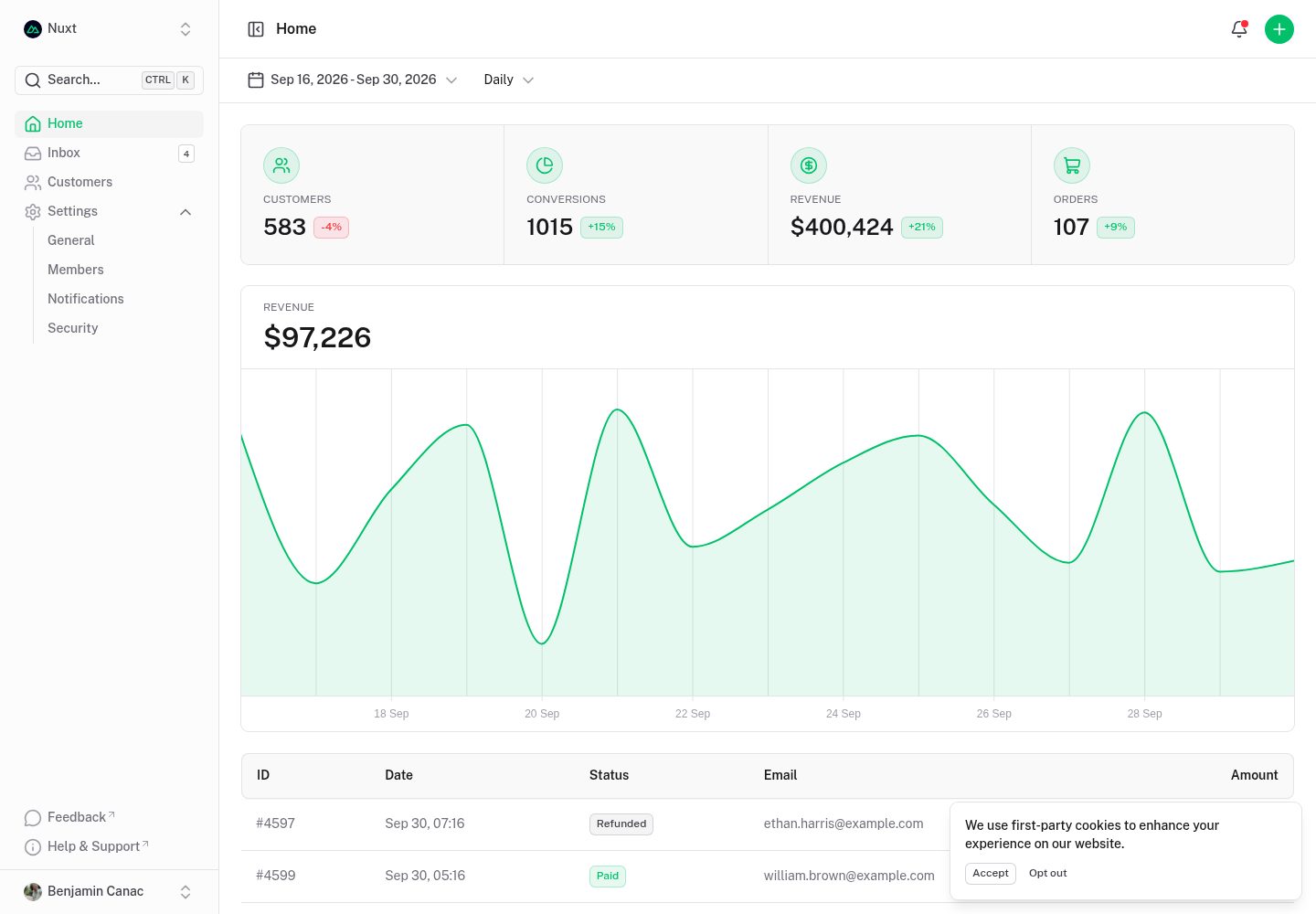
Nuxt Dashboard Template made with Nuxt UI.
Nuxt · 后台
nuxt-shadcn-dashboard
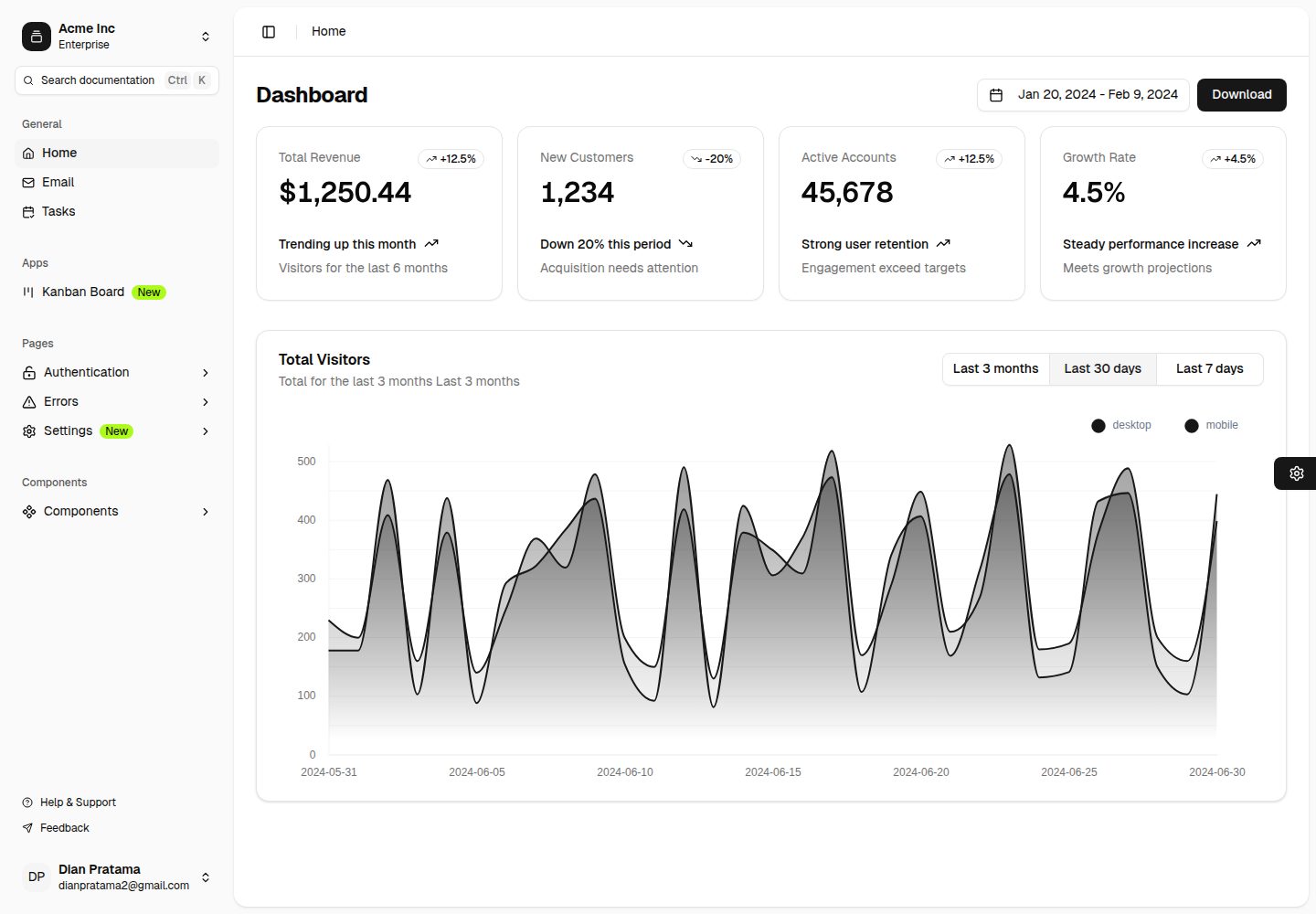
Template Dashboard with Nuxt 4 + Shadcn + TailwindCSS 4
Nuxt · 后台

canvas
Portfolio template made with Nuxt 3, Nuxt Content v3, NuxtUI v3 and TailwindCSS v4
Nuxt · 作品集
nitrogen
⚡️ A Nuxt 4 Shopify template based on Hydrogen
Nuxt · 电商

nuxt3-starter
💚 A Better Nuxt 3 Starter Template,generate by nuxi.
Nuxt · 启动器