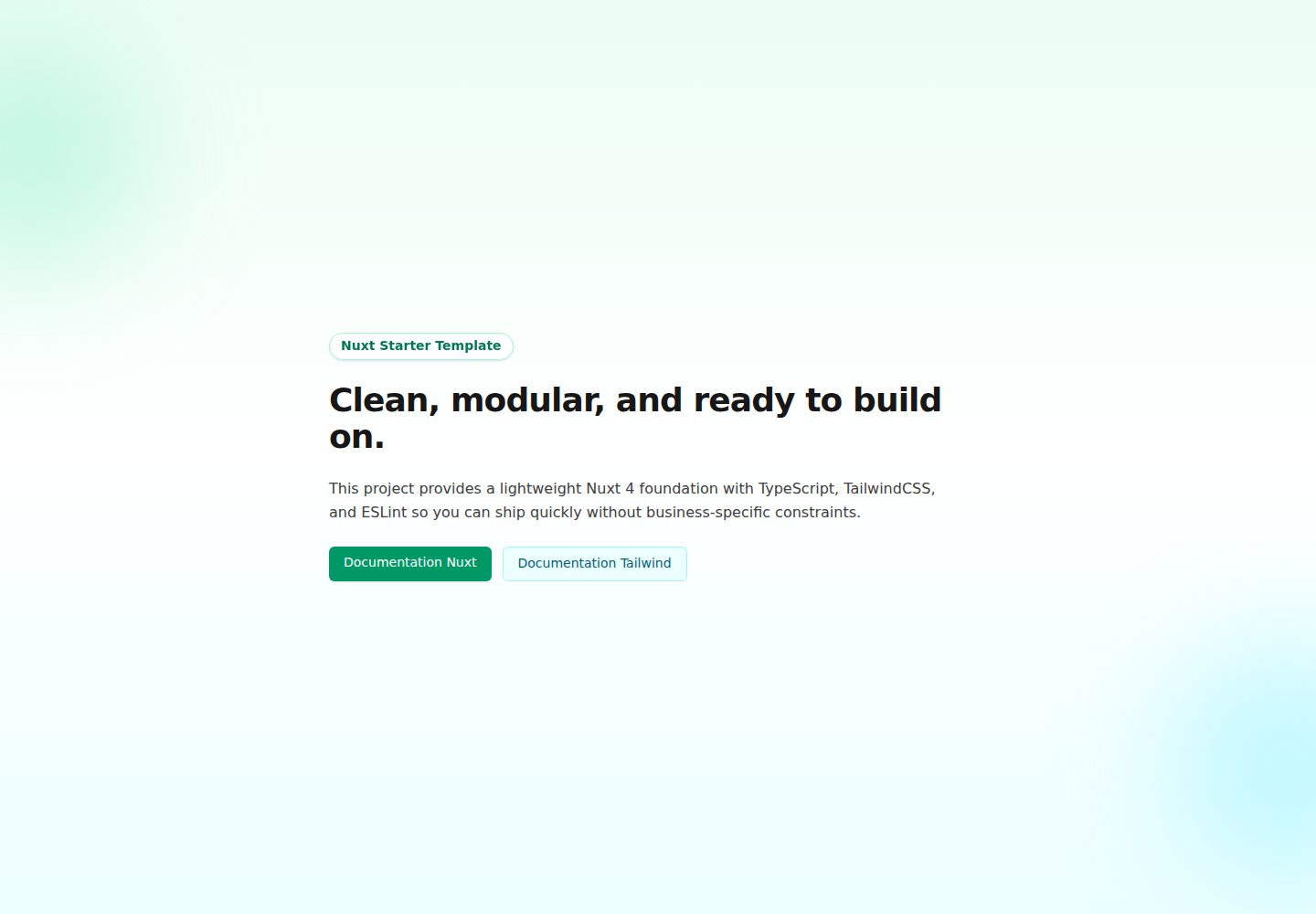
Nuxt 4 project skeleton with app/ directory, layouts, pages, and nuxt.config.ts
NuxtVueStarter
nuxt4-typescript-tailwind-starter — Nuxt Starter Template
By MaximeBignolet
A starter template based on Nuxt 4, TypeScript, and TailwindCSS 4, including ESLint, auto-imports, file-based routing, and an example composable, under the MIT license.
Explore the design
Compare the page layouts and mobile experience. Open any screenshot for a closer look.
Desktop homepage1 / 2
Desktop captureTop of page
Actual screenshot captured by the server browser.
All pages & views 2
Screenshots show visual appearance; interactive behavior may differ.
Recorded 2026-10-02View source
What stands out
A quick read of the recorded project description.
TypeScript strict mode and path alias @ are configured
TailwindCSS 4 is imported via app/assets/css/main.css, and custom tokens can be defined in @theme
ESLint is configured with unified formatting rules for tabs, semicolons, and backtick strings
useApiClient wraps useFetch, unifying JSON headers, credentials, and baseURL, with errors returned via an error ref
Provides .env.example and a Vercel demo site to reference the actual page effect
Template Details
This is a Nuxt 4 starter template that combines Nuxt, TypeScript, and TailwindCSS into an initial project structure, preconfigured with ESLint, Vite, auto-imports, and file-based routing. The repository provides app.vue, app.config.ts, layouts/default.vue, pages/index.vue under the app/ directory, as well as domain-organized composables (such as api-client, env) and the Tailwind entry app/assets/css/main.css, along with .env.example and nuxt.config.ts.
The template defines a convention for API calls: useApiClient<T>(url, options) wraps useFetch, unifies JSON request headers, credentials: include, and takes baseURL from useEnv().apiBaseUrl; errors are exposed via the returned error ref without throwing, and loading state comes from status. The README also explains the naming and directory conventions for composables, and that ESLint enforces tabs, semicolons, and backtick strings.
Note that the authentication module, dashboard example, dark mode, SEO module, i18n, Vitest, and Playwright listed in the README's Roadmap are all marked as "Coming Soon" and are not included in the current code; session management, chart analytics, extended UI component library, etc. mentioned in the paid version are also not part of the free code included here. Third-party assets such as demo screenshots, fonts, and icons need separate license verification, and external services like domain, hosting, and database may incur additional charges.
NuxtVueStarter
Is it right for your project?
Use Cases
- Quickly setting up an initial Nuxt 4 + TypeScript + TailwindCSS project structure
- Integrating ESLint and unified code formatting conventions early in the project
- Needing a set of API call conventions based on useFetch and a composable directory organization
- As a reference project for learning Nuxt 4 directory structure, auto-imports, and file-based routing
Suitable For
- Frontend developers using Nuxt and Vue
- Teams needing TypeScript type safety and a TailwindCSS styling solution
- Individuals or commercial projects wanting to freely modify and distribute code under the MIT license
Getting started & customization
Use these recorded setup notes alongside the repository instructions for your chosen version.
- 1
After cloning the repository, run npm install, then npm run dev; the development server defaults to http://localhost:3000
- 2
Use npm run build and npm run preview for building and previewing respectively
- 3
Copy .env.example to .env and configure environment variables as needed
- 4
It is recommended to use npm or yarn consistently to avoid lockfile conflicts
- 5
Tailwind custom tokens are written in @theme in app/assets/css/main.css, and ESLint rules are adjusted in eslint.config.mjs
License & source material
Usage conditions & limitations
Free to use · keep license noticeThis entry covers the free version under the MIT license in the public repository; the free scope is the code of this version and does not imply that external services or third-party assets are free.
Must comply with when using
- Free use, modification, commercial use, and distribution of this version's code are permitted.
- When distributing copies or substantial portions of the code, retain the original author's copyright notice and the full MIT license notice.
- The code is provided as is; warranties and limitations of liability are governed by the original license and applicable law.
Additional costs & items to verify
- The README lists an optional Premium Version that includes session management authentication, chart analytics dashboard, extended UI component library, persistent dark mode, mobile layout, and CMS integration examples; these features are not part of the free code and require separate payment.
- The README's Roadmap marks the authentication module, dashboard example, dark mode toggle, SEO module, i18n, Vitest, and Playwright as Coming Soon; they are not yet included in the current code and should not be considered available capabilities.
- Before use, copy .env.example to .env and configure environment variables; useApiClient depends on the backend API service pointed to by useEnv().apiBaseUrl, which must be provided separately and may incur additional costs.
- The project materials mention an optional paid version or features; this entry only includes the public free code and does not include paid upgrades.
- Demo images, fonts, icons, and other third-party assets must be checked against their respective licenses and cannot be judged solely by the code's MIT license.
- External services such as domain, hosting, database, payment, or AI may incur additional charges.
View Original Text Basis
Permission is hereby granted, free of charge
Original License Text
### Premium Version (Optional) - 🔐 Auth flow with session management - 📊 Dashboard with charts and analytics - 🎨 Extended UI components library - 🌙 Advanced dark mode with persistence - 📱 Mobile-optimized layouts - 🔌 CMS integration examples
Original README
### Coming Soon - [ ] Authentication module (optional) - [ ] Dashboard layout examples - [ ] Dark mode toggle component - [ ] SEO meta module integration - [ ] i18n configuration example - [ ] Unit testing setup (Vitest) - [ ] E2E testing setup (Playwright)
Original README
https://github.com/MaximeBignolet/nuxt4-typescript-tailwind-starter/blob/main/LICENSEhttps://github.com/MaximeBignolet/nuxt4-typescript-tailwind-starter/blob/main/README.mdCopy `.env.example` to `.env` and configure:
Original README
Compiled by DeepSeek based on repository license and README ·2026-10-02. Results only cover the materials read; dependencies, images, fonts, and subsequent term changes are subject to their respective original texts.
Project checks & description sources
Template Information
- Source platforms
- GitHub
- Documentation and maintenance reference score
- More documented · 92 / 100
- Technologies
- Nuxt · Vue
- Website type
- Starter
How this score is calculated
Our heuristic uses license records (up to 30), a demo link (12), a preview (10), stars (15), recorded maintenance (15), description completeness (8), feature records (5) and classification data (5). It is not a code, security or performance test, or a Google score. A link does not establish tested functionality.
What to verify for this project
- Repository update recorded
- 2026-09-18
- Screenshot last checked
- 2026-10-02
A demo link is listed. Check it with your own content and viewport sizes; its presence does not confirm that forms, authentication or payments work.
The catalog identifies Nuxt as the primary stack. Check the actual dependency manifest and lockfile for versions and hosting requirements. These notes use recorded metadata, not a code audit or a deployment test.
Use a selection guide →How this description was prepared
AI-assisted description based on catalog records and repository material. Repository authors are not automatically the reviewers of this description.
Automatically checked against source and license rules; no manual editorial review.
Inspect the recorded source material
SHA-256: 87bad9a256fd813cac929bcdb353c8394aa4c2f38fa0f043944d7644d4f5a418
2026-10-02T21:22:47.880Z
Source file / repository# ⚡ Nuxt 4 Starter Template
<p align="center">
<strong>Production-ready Nuxt 4 starter with TypeScript, TailwindCSS 4 & ESLint</strong>
</p>
<p align="center">
<a href="https://nuxt-starter-template-seven.vercel.app/">🌐 Live Demo</a> •
<a href="#-quick-start">Quick Start</a> •
<a href="#-features">Features</a> •
<a href="#-tech-stack">Tech Stack</a>
</p>
<p align="center">
<a href="https://nuxt.com"><img src="https://img.shields.io/badge/Nuxt-4-00DC82?logo=nuxt.js&logoColor=white" alt="Nuxt 4"></a>
<a href="https://www.typescriptlang.org"><img src="https://img.shields.io/badge/TypeScript-5-3178C6?logo=typescript&logoColor=white" alt="TypeScript"></a>
<a href="https://tailwindcss.com"><img src="https://img.shields.io/badge/Tailwind-4-38B2AC?logo=tailwind-css&logoColor=white" alt="TailwindCSS"></a>
<a href="/LICENSE"><img src="https://img.shields.io/badge/License-MIT-yellow.svg" alt="License: MIT"></a>
<img src="https://img.shields.io/github/stars/MaximeBignolet/nuxt-starter-template?style=social" alt="GitHub stars">
</p>
---
## 🎯 Why This Template?
A clean, modern, and **production-tested** Nuxt 4 starter that saves you hours of initial setup. Built with best practices and the latest versions of your favorite tools.
✅ **Nuxt 4** – Latest stable release with all new features
✅ **TypeScript** – Full type safety configured out of the box
✅ **TailwindCSS 4** – Bleeding-edge styling with modern features
✅ **Zero Config** – ESLint, Vite, and auto-imports ready to go
✅ **Clean Architecture** – Organized folder structure for scalability
✅ **Battle-Tested** – Used in real production projects
---
## 🚀 Quick Start
### [🎯 Use This Template](https://github.com/MaximeBignolet/nuxt-starter-template/generate)
**Get started in 30 seconds** ← Click to create your own repository
### Or clone manually:
```bash
# Clone the repository
git clone https://github.com/MaximeBignolet/nuxt-starter-template.git
cd nuxt-starter-template
# Install dependencies
npm install
# Start development server
npm run dev
```
Server runs on `http://localhost:3000` 🚀
### Build for Production
```bash
# Build the application
npm run build
# Preview production build
npm run preview
```
> 💡 **Tip:** Use either `npm` or `yarn` consistently to avoid lockfile conflicts.
---
## 📦 What's Included
```
nuxt-starter-template/
├─ 🎨 TailwindCSS 4 with optimized config
├─ 🔒 TypeScript strict mode enabled
├─ ⚡ Vite for lightning-fast HMR
├─ 🧹 ESLint + formatting rules configured
├─ 📁 Clean folder structure ready to scale
├─ 🔄 Auto-imports (composables)
├─ 🛣️ File-based routing configured
├─ 📝 Example app config and composables
└─ 🚀 Vercel/Netlify deployment ready
```
---
## 🛠️ Tech Stack
| Technology | Version | Purpose |
|------------|---------|---------|
| [Nuxt 4](https://nuxt.com) | Latest | Hybrid rendering & SSR |
| [TypeScript](https://www.typescriptlang.org) | 5.x | Type safety |
| [TailwindCSS](https://tailwindcss.com) | 4.x | Utility-first styling |
| [Vite](https://vitejs.dev) | Latest | Fast bundling & HMR |
| [ESLint](https://eslint.org) | Latest | Code quality & formatting |
---
## 📁 Project Structure
```
nuxt-starter-template/
├─ app/
│ ├─ app.vue # App shell
│ ├─ app.config.ts # App-level config (SEO/site metadata)
│ ├─ assets/
│ │ └─ css/main.css # Tailwind entrypoint
│ ├─ composables/
│ │ ├─ api-client/ # API client helpers
│ │ └─ env/ # Runtime config accessor
│ ├─ layouts/default.vue # Default layout
│ └─ pages/index.vue # Home page
├─ public/ # Static assets
├─ server/ # Server-side code
├─ .env.example # Environment variables template
├─ nuxt.config.ts # Nuxt configuration
└─ tsconfig.json # TypeScript configuration
```
---
## ✨ Features
### Core Features
- ✅ **Nuxt 4** with latest features and performance improvements
- ✅ **TypeScript** with strict mode for maximum type safety
- ✅ **TailwindCSS 4** with JIT compiler and modern utilities
- ✅ **ESLint** configured for Nuxt, Vue, and TypeScript
- ✅ **Auto-imports** for components, composables, and utilities
- ✅ **Path aliases** using `@` for clean imports
### Developer Experience
- 🔥 **Hot Module Replacement** for instant updates
- 📝 **Code examples** included to get you started
- 🎨 **Responsive design** patterns ready to use
- 🔧 **Extensible** architecture for easy customization
- 📦 **Production-optimized** build configuration
### Deployment Ready
- ☁️ **Vercel** deployment configured
- 🌐 **Netlify** compatible
- 🐳 **Docker** ready (add Dockerfile if needed)
- 🚀 **SSR** and **SSG** modes available
---
## 🆚 Comparison
| Feature | This Template | Official Nuxt Starter | Other Templates |
|---------|---------------|----------------------|-----------------|
| Nuxt 4 | ✅ | ❌ (v3) | ❌ |
| TailwindCSS 4 | ✅ | ❌ | Partial |
| TypeScript Strict | ✅ | Partial | ❌ |
| ESLint Configured | ✅ | ❌ | Partial |
| Production Examples | ✅ | ❌ | ❌ |
| Clean Architecture | ✅ | Basic | Varies |
---
## 🧭 Conventions
Composables are organized by domain: `app/composables/<domain>/use<Domain>s.ts` plus `types/<Domain>.ts`. Cross-cutting helpers (`api-client/`, `env/`) stay at the root.
`useApiClient<T>(url, options)` wraps `useFetch` with JSON headers, `credentials: include` and `baseURL` from `useEnv().apiBaseUrl`. It never throws: errors surface through the returned `error` ref, and only the method, URL and status are logged.
```ts
// Read: give it a key, never wrap it in useAsyncData
const { HEALTH } = useApiEndpoint();
const { data, status, error, refresh } = useApiClient<HealthResponse>(HEALTH, { key: `health` });
// Mutation: lazy, then execute() from a handler
const save = useApiClient(HEALTH, { method: Method.POST, body, immediate: false, watch: false });
await save.execute();
if (save.error.value) {
// toast
}
```
Loading state comes from `status`, never from a manual ref. Formatting is enforced by ESLint: tabs, semicolons, backtick strings.
---
## 🎨 Customization
### Environment Variables
Copy `.env.example` to `.env` and configure:
```bash
cp .env.example .env
```
### TailwindCSS
Tailwind is loaded from `app/assets/css/main.css` and configured through Nuxt/Vite in `nuxt.config.ts`.
Add your custom tokens/utilities directly in `main.css`:
```css
@import "tailwindcss";
@theme {
--color-primary: #00dc82;
}
```
### ESLint
Adjust linting rules in `eslint.config.mjs` to match your preferences.
---
## 🧩 Roadmap
### Coming Soon
- [ ] Authentication module (optional)
- [ ] Dashboard layout examples
- [ ] Dark mode toggle component
- [ ] SEO meta module integration
- [ ] i18n configuration example
- [ ] Unit testing setup (Vitest)
- [ ] E2E testing setup (Playwright)
### Premium Version (Optional)
- 🔐 Auth flow with session management
- 📊 Dashboard with charts and analytics
- 🎨 Extended UI components library
- 🌙 Advanced dark mode with persistence
- 📱 Mobile-optimized layouts
- 🔌 CMS integration examples
---
## 🤝 Contributing
Contributions are welcome! Please read our [Contributing Guide](CONTRIBUTING.md) and [Code of Conduct](CODE_OF_CONDUCT.md).
1. Fork the repository
2. Create your feature branch (`git checkout -b feature/amazing-feature`)
3. Commit your changes (`git commit -m 'Add amazing feature'`)
4. Push to the branch (`git push origin feature/amazing-feature`)
5. Open a Pull Request
---
## 📄 License
This project is licensed under the **MIT License** - see the [LICENSE](LICENSE) file for details.
**Free to use, modify, and distribute.** If you use this commercially, a attribution or link back is appreciated but not required.
---
## 🙏 Acknowledgments
- [Nuxt Team](https://nuxt.com) for the amazing framework
- [TailwindCSS Team](https://tailwindcss.com) for the utility-first CSS
- [TypeScript Team](https://www.typescriptlang.org) for type safety
---
## 👨💻 Author
**Maxime Bignolet**
Front-End Developer – La Rochelle, France
[](https://github.com/MaximeBignolet)
[](https://maximedev.fr)
[](https://www.linkedin.com/in/maxime-bignolet-8228bb219/)
---
<p align="center">
<strong>⭐ If this template helped you, consider giving it a star!</strong>
</p>
<p align="center">
<a href="https://nuxt-starter-template-seven.vercel.app/">🌐 View Live Demo</a>
</p>
Explore similar templates
Compare previews and descriptions within the same stack and category.

laravel-nuxt
A Laravel + Nuxt decoupled starter kit with built-in login, registration, email verification, password reset, and Socialite third-party login (GitHub example), switchable between SPA and SSR.
Nuxt · Starter

canvas
Canvas is a Nuxt-based portfolio template that uses Nuxt Content for content management and Nuxt UI with Tailwind CSS for pages.
Nuxt · Portfolio

nuxt3-starter
A Nuxt 3 starter template generated by nuxi, preconfigured with UnoCSS, unplugin-icons, Pinia, and VueUse. It suits developers who need a quick Nuxt 3 project skeleton with atomic CSS and auto-import workflows, and is available under the MIT license.
Nuxt · Starter

starter
The official Nuxt starter template for Nuxt UI, based on Nuxt and Vue. It provides a runnable project skeleton, an online demo, and Nuxt UI installation documentation, with README commands for creating, installing, developing, building, and previewing.
Nuxt · Starter

bloggrify
Bloggrify is a Nuxt layer that turns Markdown files into a blog site, built on Nuxt Content with preconfigured analytics, newsletter, comments, SEO, RSS, and content components.
Nuxt · Blog
vitify-nuxt
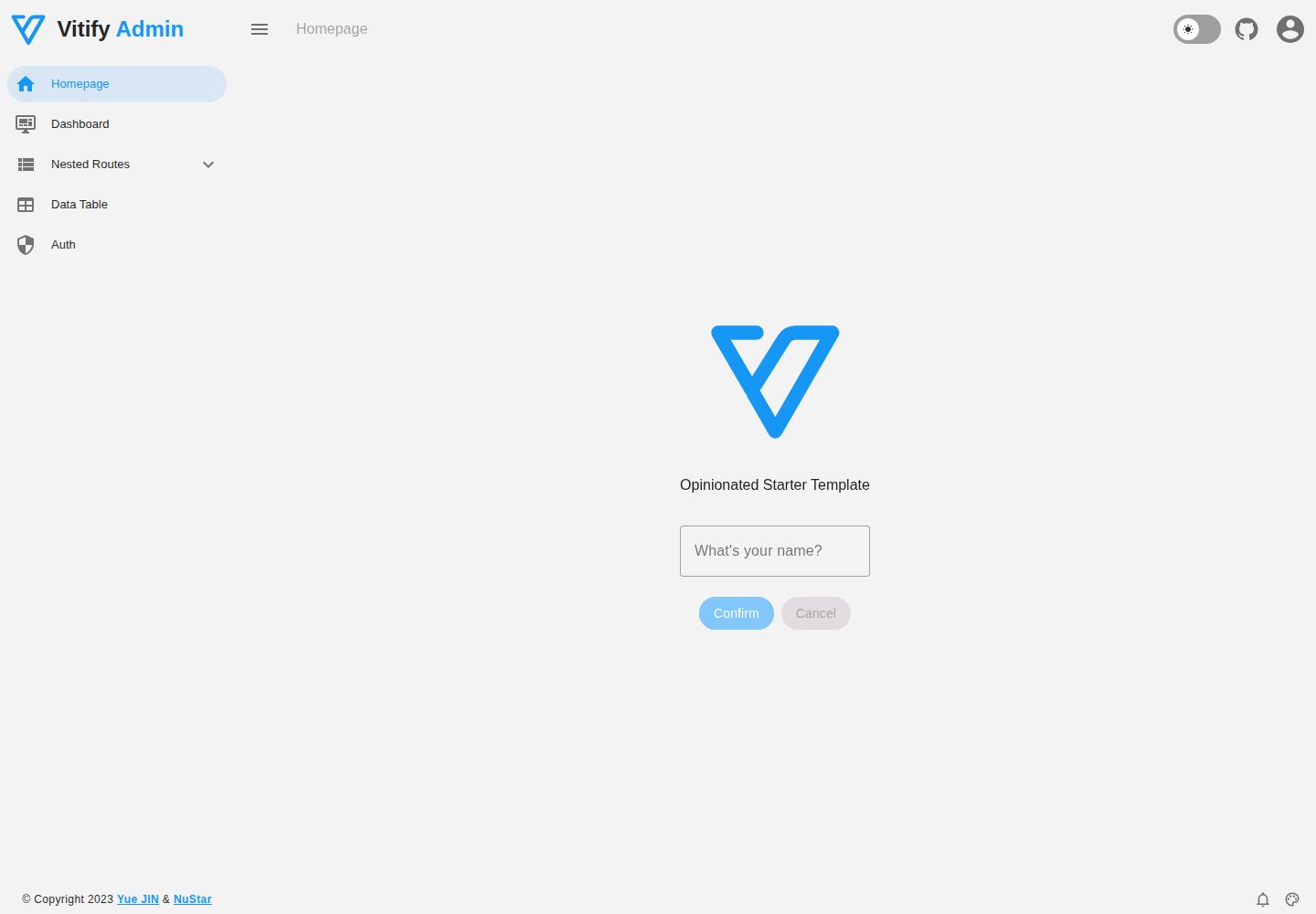
Vitify Nuxt is an admin dashboard starter template built on Nuxt and Vuetify, featuring a drawer layout, automatic navigation and breadcrumbs, notification state, ECharts charts, theming and dark mode, and authentication via nuxt-auth-utils.
Nuxt · Admin dashboard