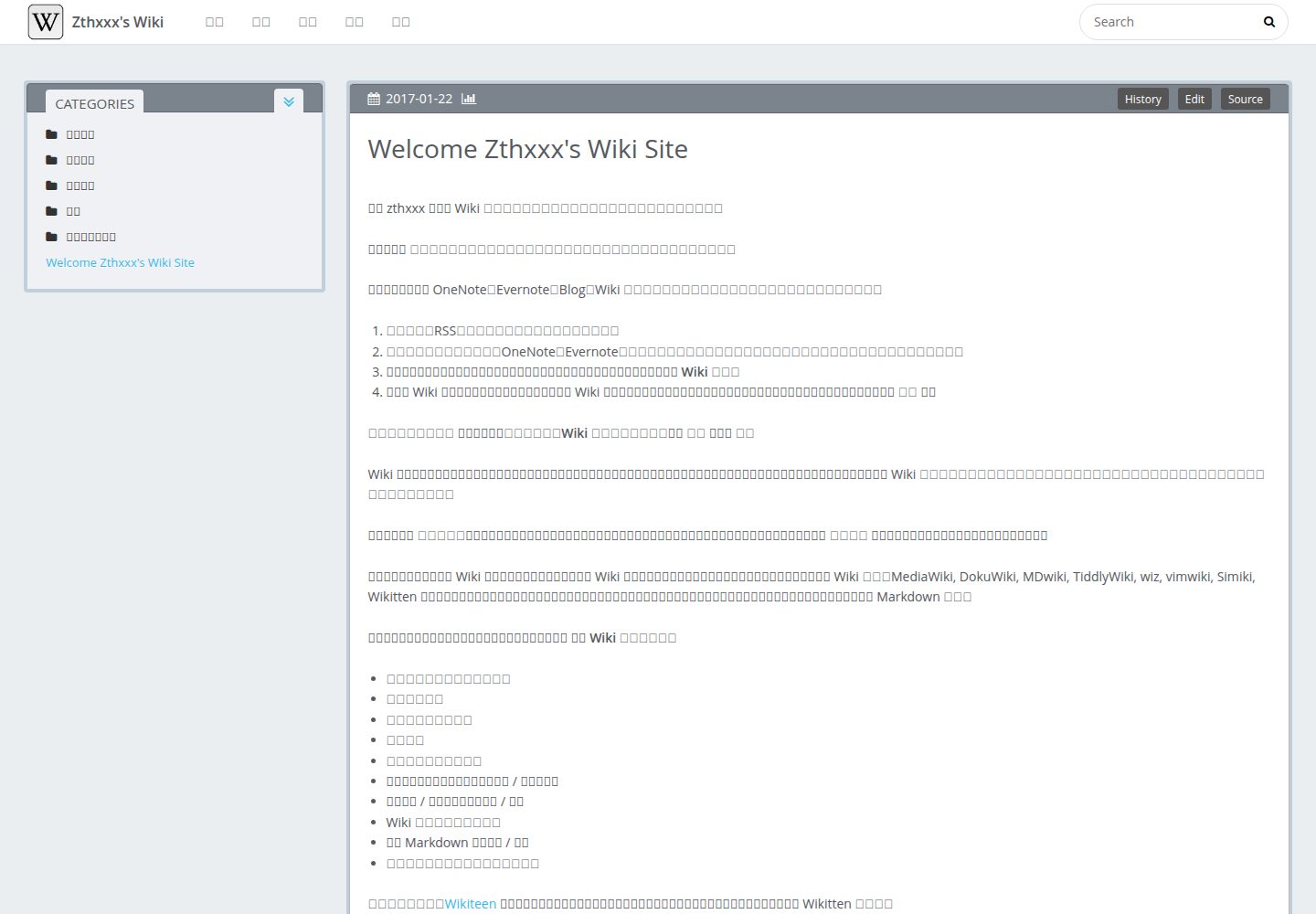
Two-column layout with a sidebar that expands multi-level categories and supports navigation
HexoStarter
microdynamics_website_theme — Hexo Starter Template
By microdynamics
A personal Wiki theme based on Hexo, modified from hexo-theme-Wikitten, featuring a two-column category layout suitable for organizing knowledge entries by file directory.
Explore the design
Compare the page layouts and mobile experience. Open any screenshot for a closer look.
Desktop homepage1 / 3
Desktop captureTop of page
Actual screenshot captured by the server browser.
All pages & views 3
Screenshots show visual appearance; interactive behavior may differ.
Recorded 2026-10-03View source
What stands out
A quick read of the recorded project description.
Automatically categorizes articles based on file directory
Core code is based on the icarus theme, with most configurations following its documentation
Includes plugin configurations for external links in new windows, Feed, JSON search content, and sitemap
Modules such as profile, comments, and sharing are disabled by default
Template Details
This is a Hexo theme for building personal Wiki-style knowledge sites. Its core code is based on the icarus theme, and the interface mimics Wikitten's two-column style: the sidebar displays multi-level categories that can be expanded level by level and navigated, with articles automatically categorized by file directory.
The theme includes several recommended plugin configurations, including opening external links in new windows, generating categories by directory, Feed, JSON content files for site search, and sitemap. During installation, you need to overwrite the theme's _source and _scaffolds into the site directory, and rename _config.yml.example to _config.yml before making modifications.
The documentation states that this theme requires Hexo v3.6 or higher, and that profile, comment, Share, and other configurations are disabled by default. The repository was last updated in 2018, and the demo site is wiki.zthxxx.me.
HexoLauncher
Is it right for your project?
Use Cases
- Building a personal Wiki or knowledge base site
- Organizing and categorizing technical notes by directory structure
- Knowledge-oriented Hexo sites that need multi-level sidebar navigation
Suitable For
- Individual users who use Hexo and want to organize content in a Wiki format
- Writers who are used to managing article categories with file directories
- Static site maintainers who need site search, Feed, and sitemap
Getting started & customization
Use these recorded setup notes alongside the repository instructions for your chosen version.
- 1
Requires Hexo v3.6 or higher
- 2
Clone the theme into themes/Wikitten, and overwrite _source and _scaffolds into the site directory
- 3
Copy _config.yml.example to _config.yml and then modify as needed
- 4
Install the plugins listed in the theme's package.json, such as hexo-directory-category, hexo-generator-json-content, etc.
- 5
Before use, replace personal information such as profile, social_links, history_control, etc., with your own content
License & source material
Usage conditions & limitations
Free to use · keep license noticeThis entry covers the free version under the MIT license in the public repository; the free scope is the code of this version and does not mean that external services or third-party assets are free.
Must comply with when using
- Free use, modification, commercial use, and distribution of this version's code are permitted.
- When distributing copies or substantial portions of the code, retain the original author's copyright notice and the full MIT license notice.
- The code is provided as is; warranties and limitations of liability are governed by the original license and applicable law.
Additional costs & items to verify
- Using this theme requires Hexo v3.6 or higher; lower versions cannot use it properly.
- Before use, you must replace the author's personal information (profile, social_links, history_control, etc.) with your own content; the default configuration cannot be used directly.
- The theme's core code is based on the icarus theme; basic feature documentation must refer to the icarus wiki, and some configurations follow its instructions.
- You need to install the plugins listed in the theme's package.json (such as hexo-directory-category, hexo-generator-json-content, etc.) yourself to obtain the corresponding features.
- Enabling the history version control feature requires configuring an external service link (GitHub recommended) and information such as username, repository name, and branch.
- Demo images, fonts, icons, and other third-party assets must be checked against their respective licenses; they cannot be judged solely by the code's MIT license.
- External services such as domains, hosting, databases, payments, or AI may incur additional charges.
View Original Text Basis
Permission is hereby granted, free of charge
Original License Text
**Note: This theme requires Hexo v3.6 or late.**
Original README
**Before the start, plase first change my personal info to yourself, including options that `profile` `social_links` `history_control` and so on.**
Original README
`hexo-theme-Wikitten` kernel code base on [icarus](https://github.com/ppoffice/hexo-theme-icarus), so you can read base function document with [icarus wiki](https://github.com/ppoffice/hexo-theme-icarus/wiki).
Original README
4. Plugins requires in theme [`package.json`](./package.json) and you need install these.
Original README
https://github.com/microdynamics/microdynamics_website_theme/blob/master/LICENSEhttps://github.com/microdynamics/microdynamics_website_theme/blob/master/README.mdhistory_control: # make you wiki has history version control in page (view source code, edit online, compare historical changes) enable: true server_link: https://github.com # recommend use GitHub - https://github.com
Original README
Compiled by DeepSeek based on repository license and README ·2026-10-03. Results only cover the materials read; dependencies, images, fonts, and subsequent term changes are subject to their respective original texts.
Project checks & description sources
Template Information
- Source platforms
- GitHub
- Documentation and maintenance reference score
- Partly documented · 68 / 100
- Technologies
- Hexo
- Website type
- Starter
How this score is calculated
Our heuristic uses license records (up to 30), a demo link (12), a preview (10), stars (15), recorded maintenance (15), description completeness (8), feature records (5) and classification data (5). It is not a code, security or performance test, or a Google score. A link does not establish tested functionality.
What to verify for this project
- Repository update recorded
- 2018-03-21
- Screenshot last checked
- 2026-10-03
A demo link is listed. Check it with your own content and viewport sizes; its presence does not confirm that forms, authentication or payments work.
The catalog identifies Hexo as the primary stack. Check the actual dependency manifest and lockfile for versions and hosting requirements. These notes use recorded metadata, not a code audit or a deployment test.
Use a selection guide →How this description was prepared
AI-assisted description based on catalog records and repository material. Repository authors are not automatically the reviewers of this description.
Review declaration: [email protected] · 2026-10-04
Inspect the recorded source material
SHA-256: fa01c93a145384d3e49120ac6c074093d0c2eae97ec20051af6fe81375f7b0f5
2026-10-03T16:35:39.903Z
Source file / repository# hexo-theme-Wikitten
[中文版文档](./README_zh-CN.md)
### A personal wiki imitate [Wikitten](https://wikitten.vizuina.com/) style for Hexo. >[Preview](http://wiki.zthxxx.me/)
some features:
- Applicable to personal wiki knowledge management
- Simple, double column, classified management
- The knowledge of multi-level sorting, the side can be expand at all levels of classification, easy to jump
- Categorize article according to file directory #4

 
## Installation
`hexo-theme-Wikitten` kernel code base on [icarus](https://github.com/ppoffice/hexo-theme-icarus), so you can read base function document with [icarus wiki](https://github.com/ppoffice/hexo-theme-icarus/wiki).
### Install
**Note: This theme requires Hexo v3.6 or late.**
1. Go to your hexo folder, then clone this theme `Wikitten` into `themes/`
```bash
$ cd your-hexo-directory
$ git clone https://github.com/zthxxx/hexo-theme-Wikitten.git themes/Wikitten
```
2. Rewrite to cover some default page template in site folder
```bash
$ cp -rf themes/Wikitten/_source/* source/
$ cp -rf themes/Wikitten/_scaffolds/* scaffolds/
```
3. Rename the `_config.yml.example` to `_config.yml` so you can config theme
```bash
$ cp -f themes/Wikitten/_config.yml.example themes/Wikitten/_config.yml
# edit and customize it
$ vim themes/Wikitten/_config.yml
```
most configurations are same as the [icarus](https://github.com/ppoffice/hexo-theme-icarus) theme, you can read with [icarus wiki](https://github.com/ppoffice/hexo-theme-icarus/wiki) at first.
some recommend options setting which you can out of the box, see below [#Configuration](#Configuration).
4. Plugins requires in theme [`package.json`](./package.json) and you need install these.
here is those function and effect:
```json
hexo-autonofollow // automatic make user open external links in new tab
hexo-directory-category // automatic categorize article according to their file directory
hexo-generator-feed // generate Atom 1.0 or RSS 2.0 feed
hexo-generator-json-content // generate a json content file for site search
hexo-generator-sitemap // generate sitemap
```
you can merge these plugins into the **site's** `package.json` file by `npm install ` command install them once,
or in the **site folder**, you can install them with the following command:
```bash
$ npm install --save hexo-autonofollow hexo-directory-category hexo-generator-feed hexo-generator-json-content hexo-generator-sitemap
```
### Enable
Modify `theme` setting in site config file `_config.yml` to **`Wikitten`**.
### Update
```bash
$ cd themes/Wikitten
$ git pull origin master
```
## Configuration
In site config file `_config.yml`, **recommend settings**:
```yaml
# Hexo Configuration
# URL
permalink: wiki/:title/
# Directory
skip_render:
- README.md
- '_posts/**/embed_page/**'
# Writing
new_post_name: :title.md # File name of new posts
## Markdown
## https://github.com/hexojs/hexo-renderer-marked
marked:
gfm: true
## Plugins: https://hexo.io/plugins/
### JsonContent
jsonContent:
meta: false
pages:
title: true
date: true
path: true
text: true
posts:
title: true
date: true
path: true
text: true
tags: true
categories: true
ignore:
- 404.html
### Creat sitemap
sitemap:
path: sitemap.xml
### Adds nofollow attribute to all external links in your hexo blog posts automatically.
nofollow:
enable: true
exclude:
- <your site url domain> # eg: zthxxx.me
```
In **theme** config file `Wikitten/_config.yml`, you can read more detailed commentary for some options.
**Before the start, plase first change my personal info to yourself, including options that `profile` `social_links` `history_control` and so on.**
### `profile`, `comment`, `Share` and `miscellaneous` are **DEFAULT DISABLE**!
(You still can enable them, but not recommend.)
other theme **recommend settings**:
```yaml
# Customize
customize: # modify this information for yourself
sidebar: left # sidebar position, options: left, right
category_perExpand: false # enable article categories list per expanding
default_index_file: index.md # enable this, it will display at site index instead of default index page, or disable that it will display more articles order by time
# Widgets
widgets: # default use category only
- category
# - recent_posts
# - archive
# - tag
# - tagcloud
# - links
# History version
history_control: # make you wiki has history version control in page (view source code, edit online, compare historical changes)
enable: true
server_link: https://github.com # recommend use GitHub - https://github.com
user: <your GitHub name>
repertory: <your repertory name of this wiki source code>
branch: <branch name of this wiki site source code>
```
## License
[MIT LICENSE](./LICENSE)
Explore similar templates
Compare previews and descriptions within the same stack and category.

hugo-theme-diary
A Hugo diary-style theme ported from the Hexo theme Journal, with a grid homepage for essays and daily notes. It supports six languages, dark mode, table-of-contents scroll positioning, reading time, code highlighting, and configurable sidebar, fonts, and colors.
Hugo · Starter
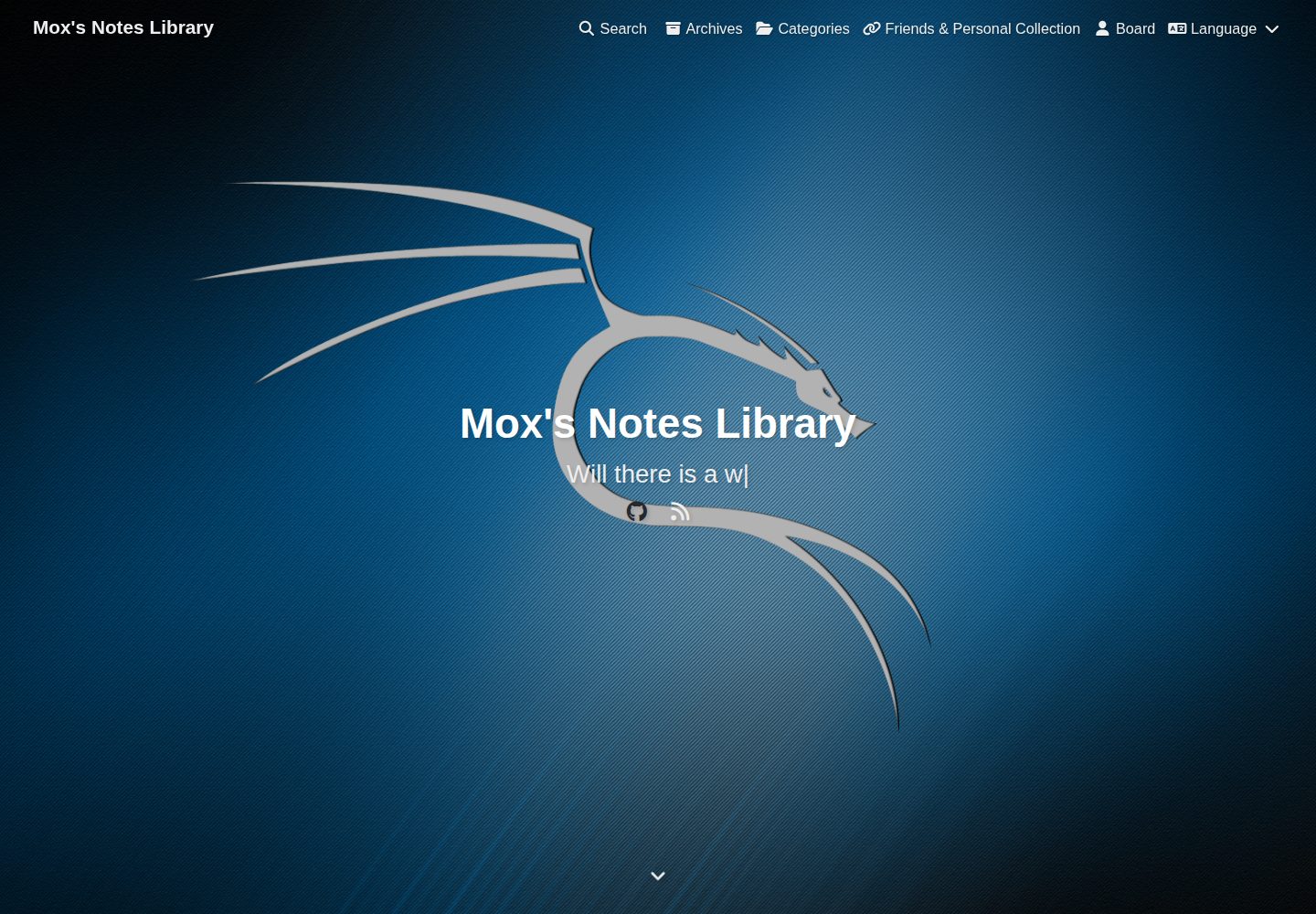
astro-astrofly
Astrofly is an Astro-based static blog theme inspired by hexo-theme-butterfly and HsuBlog, released under the MIT license for this version of the code.
Astro · Starter
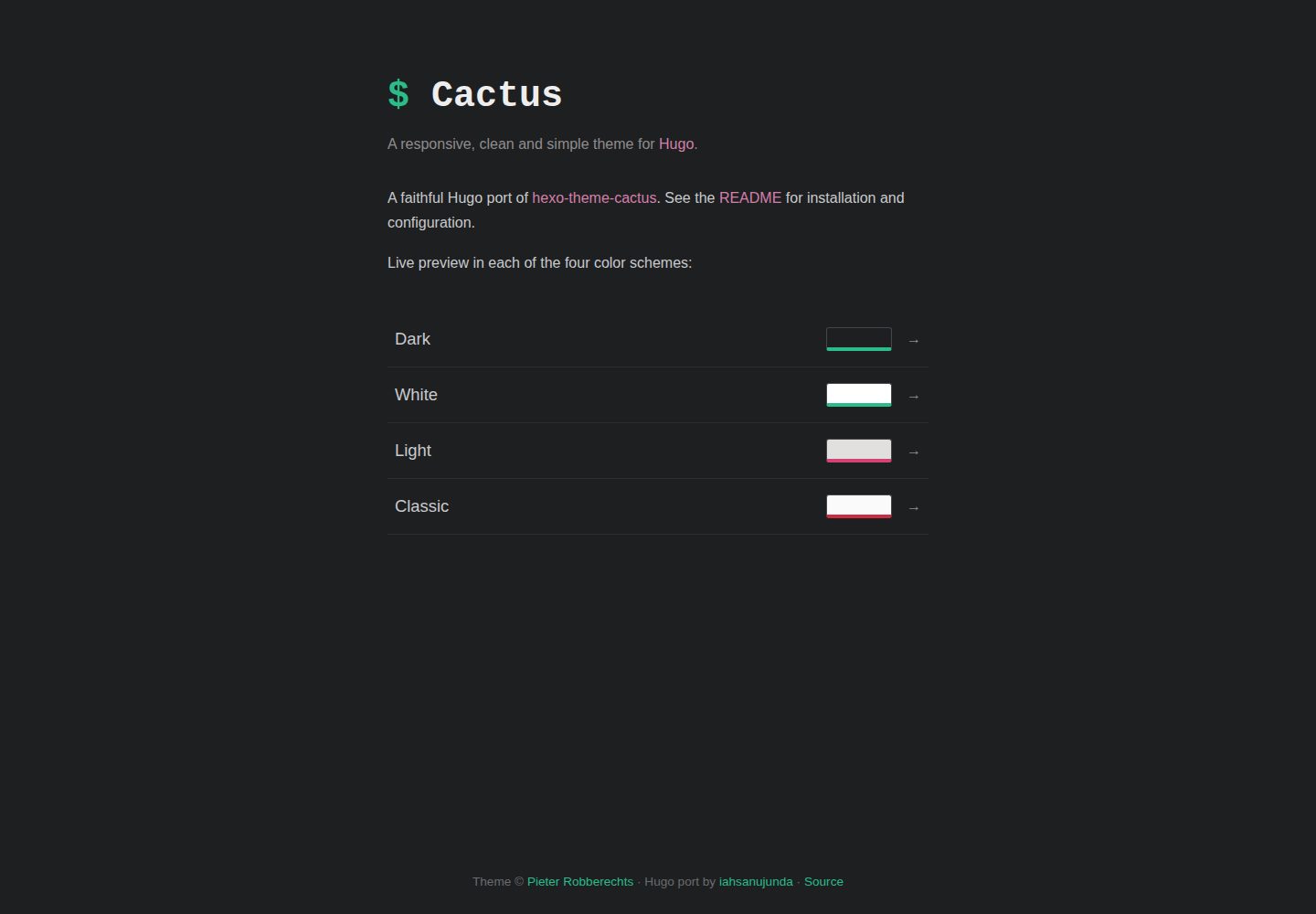
hugo-theme-cactus
A Hugo port of Hexo Theme Cactus for personal blogs and content sites, with four color schemes, responsive layout, tags and categories, archives, client-side search, comments, and analytics.
Hugo · Starter
ant-design-pro
Ant Design Pro is an enterprise-grade React admin scaffold built on React 19, Umi Max 4, and antd 6 with TypeScript.
React · Admin dashboard

react-boilerplate
A production-grade React + Redux starter for experienced developers, integrating Redux, redux-saga, styled-components, and react-router, with offline-first and PWA support, CLI code generation, and built-in testing and CI configuration. Requires Node.js v8.15.1 and npm v5 or higher; not suitable for beginners.
React · Starter

react-starter-kit
A full-stack SaaS monorepo starter built on Vite and React, with Bun, TypeScript, tRPC, Drizzle ORM, Better Auth, Stripe, and Cloudflare Workers. It includes email OTP, passkey, Google OAuth, organizations, subscription billing, Drizzle migrations, seed scripts, and Terraform infrastructure.
Vite · SaaS