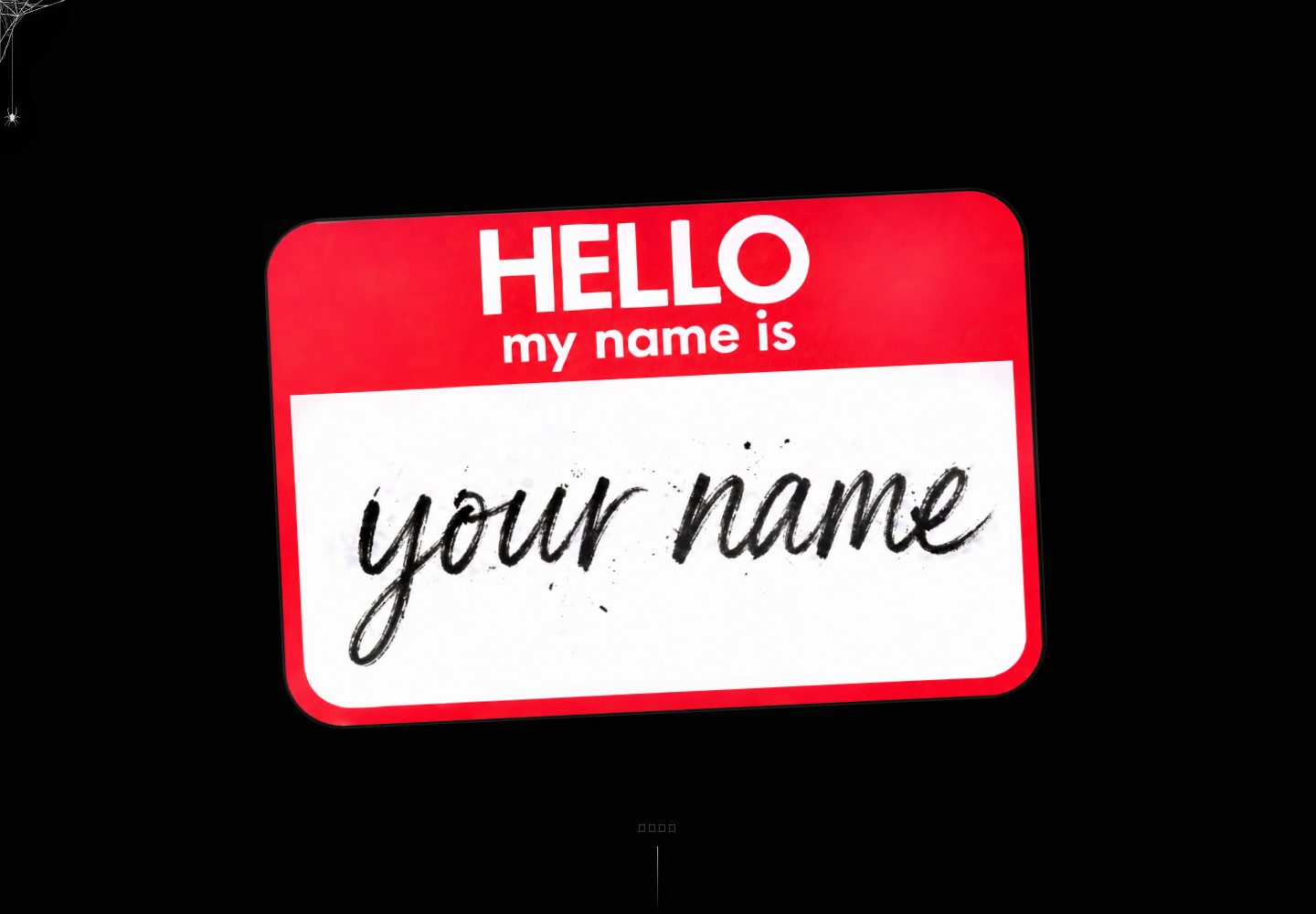
Comic-style homepage with block copy and navigation configured centrally in content/site/home.config.ts
NuxtVueBlog
blogTemplate — Nuxt Blog Template
By Mitch-Coding
A Nuxt 3 portfolio and technical blog template with a comic-style homepage, a Markdown blog powered by @nuxt/content, RSS/sitemap/robots routes, theme switching, and an optional server-side AI assistant endpoint.
Explore the design
Compare the page layouts and mobile experience. Open any screenshot for a closer look.
Desktop homepage1 / 3
Desktop captureTop of page
Actual screenshot captured by the server browser.
All pages & views 3
Screenshots show visual appearance; interactive behavior may differ.
Recorded 2026-10-13View source
What stands out
A quick read of the recorded project description.
Markdown blog powered by @nuxt/content, supporting categories, tags, RSS, sitemap, and canonical URLs
Dark/light theme switching, with homepage copy supporting zh/en language state
Optional AI assistant calls DeepSeek through a Nitro server route, avoiding exposing keys on the frontend
Example CI workflow covering typecheck, build, and Playwright smoke tests
Template Details
This is an open-source portfolio and technical blog template built on Nuxt 3, licensed under MIT. The homepage uses a comic style and includes a Hero section, name breakdown, About, skills, projects, and contact blocks; copy and block content are configured centrally in content/site/home.config.ts. The blog is powered by @nuxt/content, with articles stored as Markdown files in content/blog/, supporting categories, tags, RSS, sitemap, and canonical URLs. The template provides dark/light theme switching, and homepage copy supports zh/en language state. The AI assistant is optional and calls DeepSeek through a server API; real-time replies are unavailable when no key is configured. The project includes an example CI workflow covering typecheck, build, and Playwright smoke tests; there is currently no unit test suite.
NuxtBlog
Is it right for your project?
Use Cases
- Build a personal portfolio and technical blog, write articles in Markdown, and output RSS and sitemap
- Need a site with a comic-style homepage, configurable block copy, and project showcase
- Integrate an AI assistant securely on the server, with the backend holding the API key
- Deploy to platforms supporting Node.js 20+ such as Cloudflare Pages, Vercel, or Netlify
Suitable For
- Developers familiar with Nuxt 3 and Vue 3 who are willing to adjust site content through configuration files
- Individual site authors who need a combination of portfolio and technical blog
- Users who want to manage blog content in Markdown while retaining RSS/sitemap output
- Sites that need theme switching and bilingual Chinese/English homepage copy
Getting started & customization
Use these recorded setup notes alongside the repository instructions for your chosen version.
- 1
Local development: after npm install, run npm run dev; the default address is http://127.0.0.1:3000
- 2
Copy .env.example to .env; do not commit .env. Configure real keys in the deployment platform's Secrets / Environment Variables
- 3
It is recommended to configure NUXT_PUBLIC_SITE_URL for RSS, sitemap, robots, canonical, and Open Graph URLs
- 4
Enabling the AI assistant requires configuring DEEPSEEK_API_KEY; without it, real-time AI replies are unavailable
- 5
Build and validation: npm run lint, npm run typecheck, npm run build, npm run test; the deployment build command is npm run build, with Node.js 20 or higher
License & source material
Usage conditions & limitations
Free to use · keep license noticeThis entry covers the free version in the public repository under the MIT license; the free scope is the code of this version and does not mean external services or third-party assets are free.
Must comply with when using
- Free use, modification, commercial use, and distribution of this version's code are permitted.
- When distributing copies or substantial portions of the code, retain the original author's copyright notice and the full MIT license notice.
- The code is provided as is; warranties and limitations of liability are governed by the original license and applicable law.
Additional costs & items to verify
- Demo images, fonts, icons, and other third-party assets must be checked against their respective licenses; they cannot be judged solely by the code's MIT license.
- External services such as domains, hosting, databases, payments, or AI may incur separate charges.
- The AI assistant is optional; real AI replies are only available after configuring DEEPSEEK_API_KEY, and real-time AI replies are unavailable when it is not configured.
- Using the AI assistant requires providing your own DeepSeek API key, which must be configured in the deployment platform's Secrets/environment variables and must not be written into the code.
- If placing a resume PDF in public/, confirm it is a publicly publishable version to avoid committing a resume containing private information.
- When replacing image assets, do not commit personal ID documents, backend screenshots, QR codes, private domain screenshots, or screenshots containing tokens.
- Before using third-party images, confirm on your own that their licenses permit public use.
- Before making the repository public, run a secret scan to check for leaked keys.
- If the git history contains real keys, private information, or non-public content, first rewrite the history with git filter-repo/BFG and rotate any exposed keys.
View Original Text Basis
Permission is hereby granted, free of charge
Original License Text
如果要启用真实 AI 回复,需要配置: ```text DEEPSEEK_API_KEY=your_deepseek_api_key_here ```
Original README
部署时请把真实 key 放到部署平台的 Secrets / Environment Variables,不要写进代码。
Original README
不要提交包含隐私信息的简历,除非你确认它就是要公开发布的版本。
Original README
不要提交个人身份证件、后台截图、二维码、私有域名截图、含 token 的截图
Original README
第三方图片要确认 license 允许公开使用
Original README
公开仓库前请运行 secret scan。
Original README
https://github.com/Mitch-Coding/blogTemplate/blob/main/LICENSEhttps://github.com/Mitch-Coding/blogTemplate/blob/main/README.md如果历史提交里出现过真实密钥、个人隐私、私有截图或不可公开内容,需要先使用 `git filter-repo`、BFG Repo-Cleaner 等工具重写历史,并轮换已经暴露的密钥。
Original README
Compiled by DeepSeek based on repository license and README ·2026-10-13. Results only cover the materials read; dependencies, images, fonts, and subsequent term changes are subject to their respective original texts.
Project checks & description sources
Template Information
- Source platforms
- GitHub
- Documentation and maintenance reference score
- More documented · 83 / 100
- Technologies
- Nuxt · Vue
- Website type
- Blog
How this score is calculated
Our heuristic uses license records (up to 30), a demo link (12), a preview (10), stars (15), recorded maintenance (15), description completeness (8), feature records (5) and classification data (5). It is not a code, security or performance test, or a Google score. A link does not establish tested functionality.
What to verify for this project
- Repository update recorded
- 2026-04-28
- Screenshot last checked
- 2026-10-13
A demo link is listed. Check it with your own content and viewport sizes; its presence does not confirm that forms, authentication or payments work.
The catalog identifies Nuxt as the primary stack. Check the actual dependency manifest and lockfile for versions and hosting requirements. These notes use recorded metadata, not a code audit or a deployment test.
Use a selection guide →How this description was prepared
AI-assisted description based on catalog records and repository material. Repository authors are not automatically the reviewers of this description.
Review declaration: [email protected] · 2026-10-13
Inspect the recorded source material
SHA-256: 85ca40aaf90c5ffa9c77376031bccb0d18ce83032ce78d5b271310a7b012fb15
2026-10-13T08:52:40.152Z
Source file / repository
[MITCH](https://xiaomaizhi.me/)

模板效果: [example.dev](https://blogtemplate-67j.pages.dev/)

# Nuxt Content Portfolio Blog

一个基于 Nuxt 3 的开源作品集与技术博客模板。项目包含漫画风格首页、`@nuxt/content` 驱动的 Markdown 博客、RSS / sitemap / robots 路由、主题切换、语言状态,以及可选的服务端 AI 助手接口。

## 技术栈

- Nuxt 3
- Vue 3
- TypeScript
- `@nuxt/content`
- SCSS
- Nitro server routes
- Playwright smoke tests
- 可选 DeepSeek API 集成

## 功能特性

- 可配置的作品集首页
- Markdown 博客文章,支持分类、标签、RSS、sitemap 和 canonical URL
- 深色 / 浅色主题切换
- 首页文案支持 zh / en 语言状态
- 可选 AI 助手,通过服务端 API 调用,避免前端暴露密钥
- 示例 CI workflow,覆盖 typecheck、build 和 smoke tests

## 本地开发

```bash
npm install
npm run dev
```

开发服务器默认运行在:

```text
http://127.0.0.1:3000
```

## 环境变量

本地开发时可以复制 `.env.example` 为 `.env`。不要提交 `.env`。

| 变量名 | 是否必需 | 说明 |
| --- | --- | --- |
| `NUXT_PUBLIC_SITE_URL` | 推荐配置 | 站点公开地址,用于 RSS、sitemap、robots、canonical 和 Open Graph URL。 |
| `DEEPSEEK_API_KEY` | 可选 | 启用 AI 助手接口。不配置时实时 AI 回复不可用。 |
| `PORTFOLIO_SYSTEM_PROMPT` | 可选 | 覆盖默认示例 AI 助手提示词。 |

`.env.example` 只应保留安全示例值。真实密钥请配置在部署平台的 Secrets / Environment Variables 中。

## 构建与验证

```bash
npm run lint
npm run typecheck
npm run build
npm run test
```

当前没有单元测试套件。现有 Playwright 测试主要用于 smoke check,覆盖首页、博客页、RSS、sitemap 和 robots 路由。

## 部署说明

生产构建:

```bash
npm run build
```

本地预览生产构建:

```bash
npm run preview
```

部署到 Cloudflare Pages、Vercel、Netlify 等平台时,通常配置:

- Build command:`npm run build`
- Node.js:20 或更高版本
- 环境变量:参考 `.env.example`

## 目录结构

```text
assets/styles/          SCSS 设计令牌、基础样式和功能样式
components/             按功能分组的 Vue 组件
composables/            共享 Vue 组合式逻辑
content/blog/           Markdown 博客文章
content/site/           站点配置和首页配置
layouts/                Nuxt layouts
pages/                  Nuxt 页面和路由
public/                 静态资源
server/                 Nitro API 和 feed 路由
tests/                  Playwright smoke tests
types/                  共享 TypeScript 类型
utils/                  共享常量和工具函数
```

## 自定义站点

这一节按“小白也能改”的方式说明:想改哪里,就去哪个文件改。

### 1. 修改站点基础信息

文件:

```text
content/site/site.config.ts
```

常用字段:

```ts
export const SITE_CONFIG = {
  name: "Portfolio Blog Starter",
  title: "Portfolio Blog Starter",
  author: "Example Author",
  locale: "zh-CN",
  description: "一个基于 Nuxt 3 和 @nuxt/content 的开源作品集与技术博客模板。",
  blogTitle: "Portfolio Blog Starter | Blog",
  blogDescription: "Example technical notes for a Nuxt 3 portfolio blog starter.",
  keywords: [
    "portfolio blog",
    "Java backend",
    "AI application",
    "Nuxt 3",
  ],
}
```

你可以这样改:

- `name`:站点名称
- `title`:首页默认标题
- `author`:作者名
- `locale`:站点语言,例如 `zh-CN` 或 `en`
- `description`:站点描述,会影响 SEO
- `blogTitle`:博客页标题
- `blogDescription`:博客页描述
- `keywords`:SEO 关键词

### 2. 修改首页顶部导航

文件:

```text
content/site/home.config.ts
```

位置:

```ts
topbar: {
  brand: "AUTHOR",
  blogHref: "/blog.html",
  blogLabel: "Writing",
  issuesLabel: "Issues",
  navItems: [
    { href: "#about", label: "About" },
    { href: "#skills", label: "Skill Universe" },
    { href: "#projects", label: "Projects" },
    { href: "#contact", label: "Contact" },
  ],
}
```

可以改:

- `brand`:左上角品牌文字
- `blogLabel`:博客入口文字
- `issuesLabel`:移动端菜单按钮文字
- `navItems`:首页导航项

`href` 对应页面里的区块 id,例如 `#about`、`#skills`、`#projects`、`#contact`。

### 3. 修改 Hero 首页首屏

文件:

```text
content/site/home.config.ts
assets/styles/home/_hero.scss
public/your_name.png
```

文案位置:

```ts
meta: {
  title: "Example Author",
  description: "A comic-inspired portfolio and technical blog starter for a full-stack developer.",
},
hero: {
  stickerAriaLabel: "HELLO my name is Example Author",
  scrollLabel: {
    zh: "向下滑动",
    en: "Scroll Down",
  },
},
```

图片位置:

```text
public/your_name.png
```

Hero 贴纸背景图在这里引用:

```scss
/* assets/styles/home/_hero.scss */
url("/your_name.png");
```

如果你想换成自己的图片:

1. 把图片放到 `public/` 目录下,例如 `public/my-avatar.png`
2. 修改 `assets/styles/home/_hero.scss`

```scss
url("/my-avatar.png");
```

### 4. 修改姓名拆解区域

文件:

```text
content/site/home.config.ts
```

位置:

```ts
name: {
  eyebrow: "Issue 02 / Name Deconstruction",
  headingPrefix: "AUTHOR",
  summary: "FULL-STACK DEVELOPER TEMPLATE. Replace this section with your own positioning, skills, and story.",
  rows: [
    { letter: "A", keyword: "Architecture", translation: "系统架构" },
    { letter: "U", keyword: "Usability", translation: "用户体验" },
  ],
},
```

可以改:

- `eyebrow`:小标题
- `headingPrefix`:用于辅助说明的名称文本
- `summary`:这一栏右侧简介
- `rows`:每个字母对应的关键词和中文解释

如果你的名字不是 6 个字母,也可以增减 `rows`。页面会按 `rows` 渲染。

### 5. 修改 About Me 区域

文件:

```text
content/site/home.config.ts
```

位置:

```ts
about: {
  eyebrow: "Issue 03 / About Me",
  title: "ABOUT ME",
  promptLines: ["ASK ME", "SOMETHING"],
  facts: [
    {
      label: "What I do",
      body: {
        zh: "Java 后端开发与 AI 应用集成,从接口设计到生产部署全链路参与。",
        en: "Java backend development and AI application integration, end-to-end from API design to production deployment.",
      },
    },
  ],
}
```

可以改:

- `title`:区块标题
- `promptLines`:小蜘蛛提示气泡里的文字
- `facts`:个人介绍卡片
- `body.zh` / `body.en`:中英文介绍

### 6. 修改首页 AI 助手预设问题

文件:

```text
content/site/home.config.ts
```

位置:

```ts
about: {
  assistant: {
    defaultAnswer: { ... },
    defaultStatus: { ... },
    placeholder: { ... },
    questions: [
      {
        label: {
          zh: "你做过哪些 AI 应用项目?",
          en: "What AI application projects have you worked on?",
        },
        answer: {
          zh: "这是模板示例回答。",
          en: "This is a sample answer.",
        },
      },
    ],
  },
}
```

可以改:

- `defaultAnswer`:默认显示的回答
- `defaultStatus`:默认状态文字
- `emptyQuestion`:用户没输入问题时的提示
- `loadingStatus`:AI 请求中显示的提示
- `requestError`:请求失败时显示的提示
- `placeholder`:输入框 placeholder
- `questions`:页面上的快捷问题和预设回答

如果要启用真实 AI 回复,需要配置:

```text
DEEPSEEK_API_KEY=your_deepseek_api_key_here
```

部署时请把真实 key 放到部署平台的 Secrets / Environment Variables,不要写进代码。

### 7. 修改技能区标题

文件:

```text
content/site/home.config.ts
```

位置:

```ts
skills: {
  eyebrow: "Issue 04 / Skill Universe",
  title: "SKILL UNIVERSE",
},
```

可以改:

- `eyebrow`:小标题
- `title`:技能区主标题

### 8. 修改技能勋章

文件:

```text
utils/skills.ts
public/skill-icons/
```

当前模板把所有技能勋章统一轮为 3 个示例图标:

```ts
const OPEN_SOURCE_SKILL_ICONS = [
  "/skill-icons/git.svg",
  "/skill-icons/github.svg",
  "/skill-icons/simpleicons.svg",
] as const

const OPEN_SOURCE_SKILL_LABELS = [
  "Git",
  "GitHub",
  "Simple Icons",
] as const
```

如果你想换成自己的技能:

1. 把图标放到 `public/skill-icons/`
2. 修改 `OPEN_SOURCE_SKILL_ICONS`
3. 修改 `OPEN_SOURCE_SKILL_LABELS`

例如:

```ts
const OPEN_SOURCE_SKILL_ICONS = [
  "/skill-icons/vue.svg",
  "/skill-icons/typescript.svg",
  "/skill-icons/nodejs.svg",
] as const

const OPEN_SOURCE_SKILL_LABELS = [
  "Vue",
  "TypeScript",
  "Node.js",
] as const
```

注意:

- 图标路径必须以 `/skill-icons/` 开头
- 文件必须真实存在于 `public/skill-icons/`
- `OPEN_SOURCE_SKILL_ICONS` 和 `OPEN_SOURCE_SKILL_LABELS` 数量建议一致
- 当前勋章数量由 `SKILL_BADGES` 数组决定;一般只改图标和名称就够了

如果你要彻底增减技能数量,可以继续修改 `SKILL_BADGES`,但不建议初学者一开始就改,因为动画顺序和 CSS 定位也依赖 badge 编号。

如果不知道哪里找自己的技能图标,可以访问simple icons,里面又基本所有开发软件的图标
链接 :  [](https://simpleicons.org/)

### 9. 修改项目展示区

文件:

```text
content/site/home.config.ts
```

位置:

```ts
projects: {
  eyebrow: "Issue 05 / Selected Projects",
  title: "SELECTED PROJECTS",
  items: [
    {
      id: "content-starter",
      index: "01",
      title: "Content Starter",
      type: "Nuxt Content Blog",
      summary: "A markdown-powered blog with tags, RSS, sitemap, and SEO defaults.",
      impact: "SHIP",
      href: "https://example.com/projects/content-starter",
      variant: "pow",
    },
  ],
},
```

字段说明:

| 字段 | 说明 |
| --- | --- |
| `id` | 项目唯一标识,建议小写英文加连字符 |
| `index` | 卡片编号,例如 `01` |
| `title` | 项目名称 |
| `type` | 项目类型 |
| `summary` | 项目一句话介绍 |
| `impact` | 卡片上的漫画风格短词,例如 `SHIP`、`LIVE` |
| `href` | 点击卡片跳转地址 |
| `variant` | 卡片视觉样式,可用 `pow`、`bang`、`crash`、`wham` |

### 10. 修改联系区域

文件:

```text
content/site/home.config.ts
```

位置:

```ts
contact: {
  eyebrow: "Issue 06 / Contact",
  titleLines: ["LET’S", "BUILD", "SOMETHING"],
  copy: {
    zh: "这是开源模板的示例联系区域。",
    en: "This is a sample contact area.",
  },
  email: "[email protected]",
  githubUrl: "https://github.com/your-name",
  githubLabel: "github.com/your-name",
  linkedinUrl: "https://www.linkedin.com/in/your-name",
  linkedinLabel: "linkedin.com/in/your-name",
  resumePath: "https://example.com/resume.pdf",
}
```

可以改:

- `titleLines`:联系区大标题,每个字符串是一行
- `copy.zh` / `copy.en`:联系区介绍
- `statusItems`:当前可合作事项
- `statusMeta`:回复时间等补充信息
- `email`:公开邮箱
- `githubUrl` / `githubLabel`:GitHub 链接和展示文字
- `linkedinUrl` / `linkedinLabel`:LinkedIn 链接和展示文字
- `resumePath`:简历链接,可以是站外地址,也可以是 `public/` 下的 PDF

如果你想放本地 PDF:

1. 把 PDF 放到 `public/resume.pdf`
2. 设置:

```ts
resumePath: "/resume.pdf"
```

不要提交包含隐私信息的简历,除非你确认它就是要公开发布的版本。

### 11. 修改首页图片资源

常见图片位置:

```text
public/your_name.png                 Hero 贴纸背景图
public/about-spider-prompt.png       About 区提示图
public/about-spider.svg              About 区蜘蛛图
public/contact-megaphone.jpg         Contact 区装饰图
public/issue4-user-vector.svg        Skills 区背景图
public/skill-icons/                  技能图标
```

替换图片时注意:

- 新图片放到 `public/`
- 引用路径从 `/` 开始,例如 `/your_name.png`
- 不要提交个人身份证件、后台截图、二维码、私有域名截图、含 token 的截图
- 第三方图片要确认 license 允许公开使用

### 12. 修改博客文章

文件夹:

```text
content/blog/
```

每篇文章是一个 Markdown 文件,例如:

```text
content/blog/blog-writing-template.md
```

文章格式说明见:

```text
content/blog/blog-writing-template.md
```

新建文章时,复制里面的 frontmatter 模板即可。

### 13. 修改导航对应页面结构

首页区块对应组件:

```text
components/home/HomeHero.vue              Hero 首屏
components/home/HomeNameSection.vue       姓名拆解
components/home/HomeAboutSection.vue      About 和 AI 助手
components/home/HomeSkillsSection.vue     技能区
components/home/HomeProjectsSection.vue   项目区
components/home/HomeContactSection.vue    联系区
components/home/HomeTopbar.vue            首页导航
```

大多数情况下,只改 `content/site/home.config.ts` 就够了。

如果你想改结构、按钮、布局或交互,再改对应组件。

### 14. 修改样式

首页样式在:

```text
assets/styles/home/
```

常见文件:

```text
_hero.scss       Hero 首屏样式
_name.scss       姓名拆解样式
_about.scss      About 区样式
_skills.scss     技能区样式
_projects.scss   项目区样式
_contact.scss    联系区样式
_responsive.scss 响应式样式
```

全局样式和主题变量:

```text
assets/styles/tokens.scss
assets/styles/base.scss
```

如果只是改文字和链接,不需要动样式文件。

### 15. 修改 SEO 和部署域名

本地 `.env` 或部署平台环境变量:

```text
NUXT_PUBLIC_SITE_URL=https://example.com
```

上线前必须改成你的正式域名,例如:

```text
NUXT_PUBLIC_SITE_URL=https://your-site.com
```

这个值会影响:

- canonical URL
- RSS 链接
- sitemap 链接
- robots.txt
- Open Graph URL

## 博客写作

`content/blog/blog-writing-template.md` 是文章写作模板,说明了每个 frontmatter 字段的含义,以及正文 Markdown 推荐格式。

新增文章时建议检查:

- `slug` 是否唯一
- `date` 是否使用 `YYYY-MM-DD`
- `pinned` 是否为 `true` 或 `false`
- 图片路径是否存在
- 内容是否包含不应公开的个人信息、密钥、私有域名或后台截图

## 安全说明

公开仓库前请运行 secret scan。

普通文件修改不会清理 git 历史。如果历史提交里出现过真实密钥、个人隐私、私有截图或不可公开内容,需要先使用 `git filter-repo`、BFG Repo-Cleaner 等工具重写历史,并轮换已经暴露的密钥。

## License

MIT License。详见 `LICENSE`。
Explore similar templates
Compare previews and descriptions within the same stack and category.
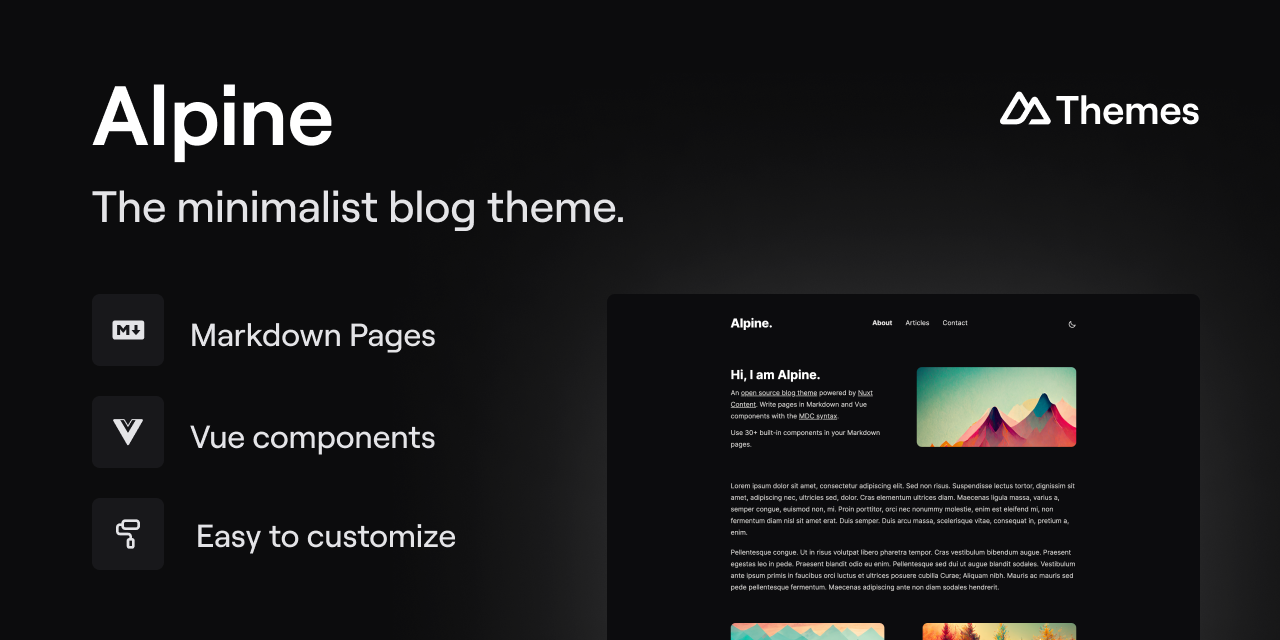
alpine-theme
Alpine is a minimalist blog theme built on Nuxt and Nuxt Content, supporting Markdown and MDC syntax with over 30 components from Nuxt Elements.
Nuxt · Blog
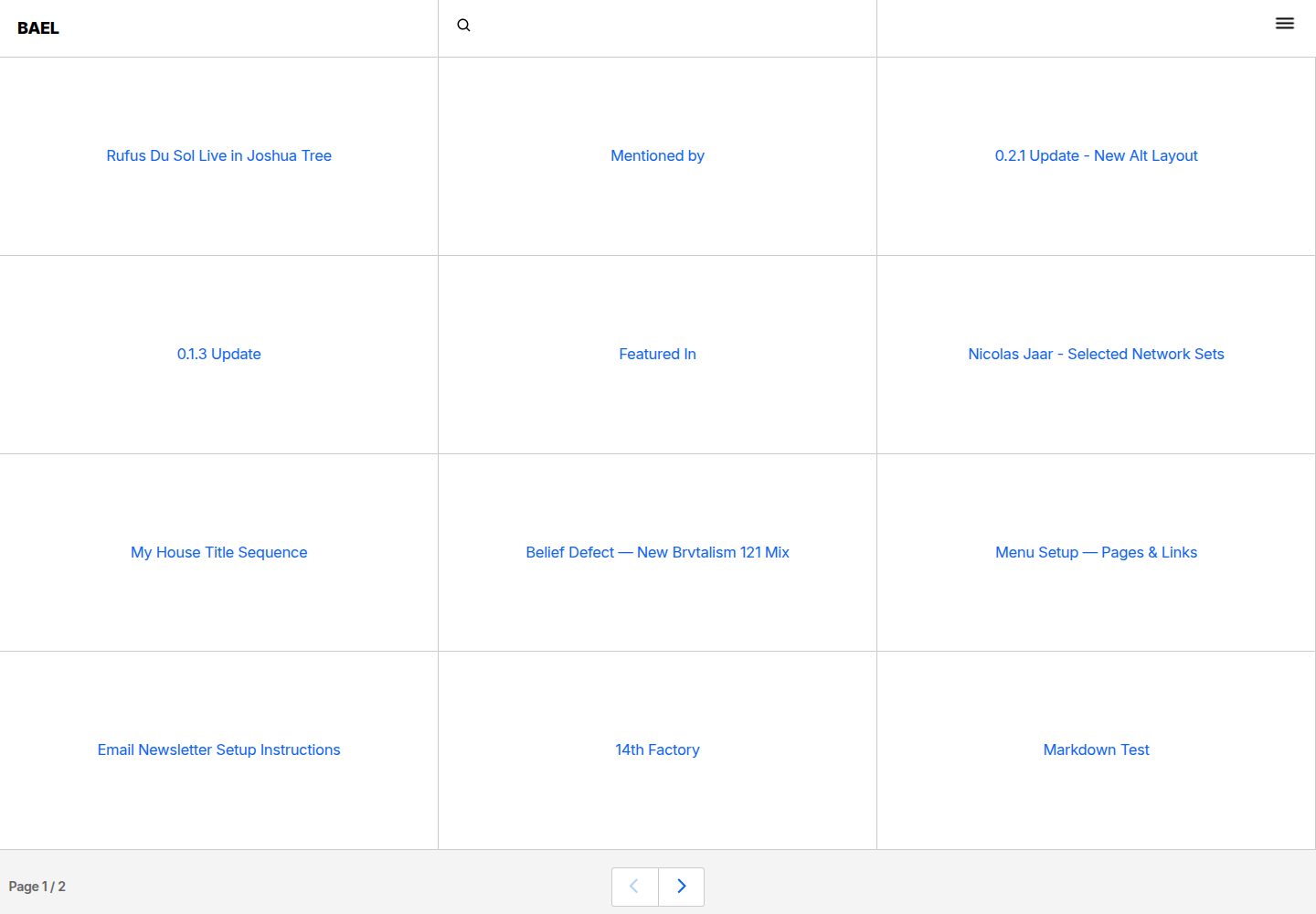
bael-template
Bael is a brutalist-style blog template built with Nuxt.js and Vue.js, using Netlify CMS for content management and deploying to Netlify. Content is stored as files in a Git repository and edited through the /admin path.
Nuxt · Blog

bloggrify
Bloggrify is a Nuxt layer that turns Markdown files into a blog site, built on Nuxt Content with preconfigured analytics, newsletter, comments, SEO, RSS, and content components.
Nuxt · Blog
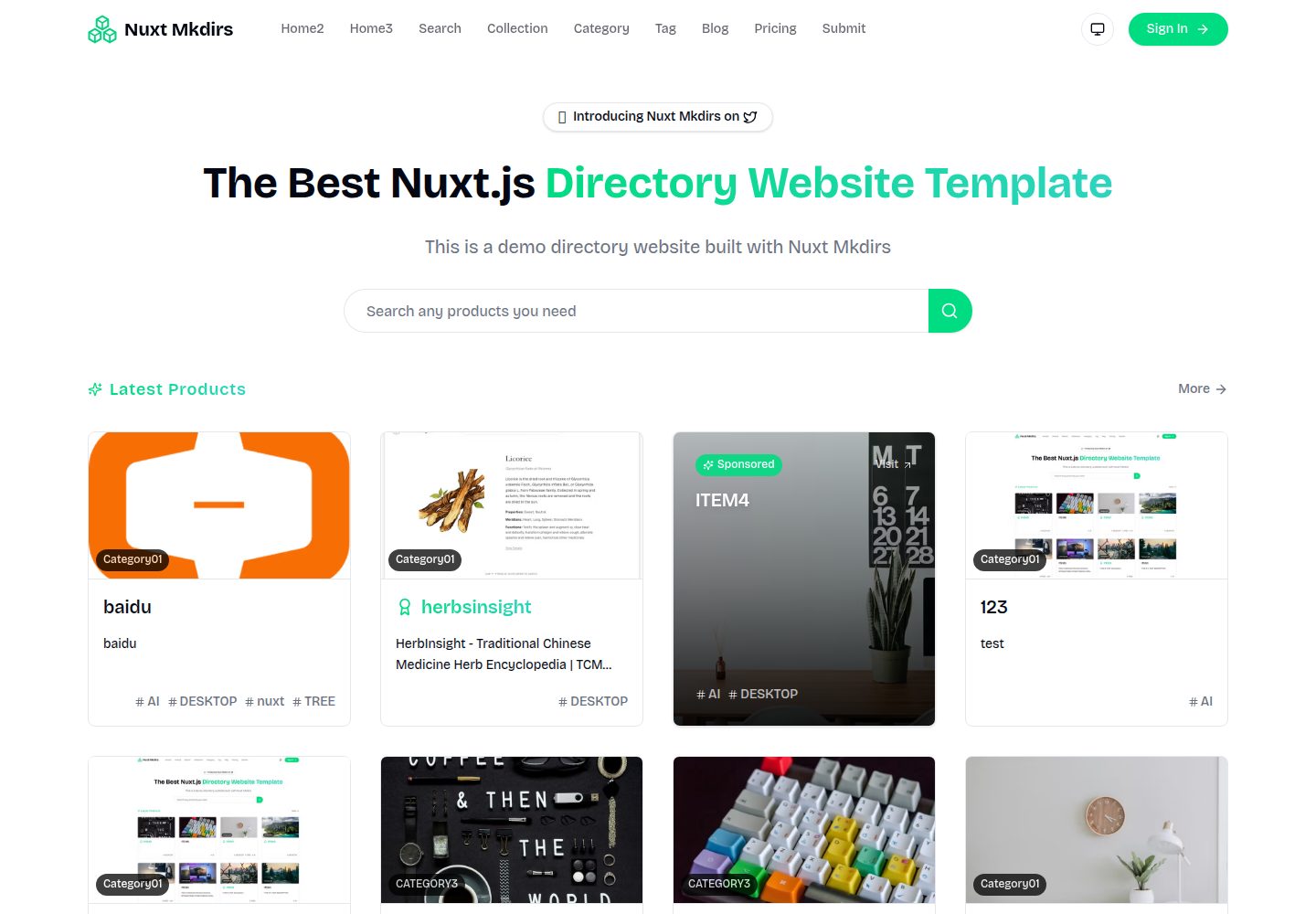
Nuxt_Mkdirs
An open-source directory site template built with Nuxt and Sanity CMS, with three homepage layouts, Google/GitHub OAuth login, Stripe and Creem payment channels, Resend transactional email and newsletter subscriptions, and optional AI auto-fill for submissions.
Nuxt · Blog
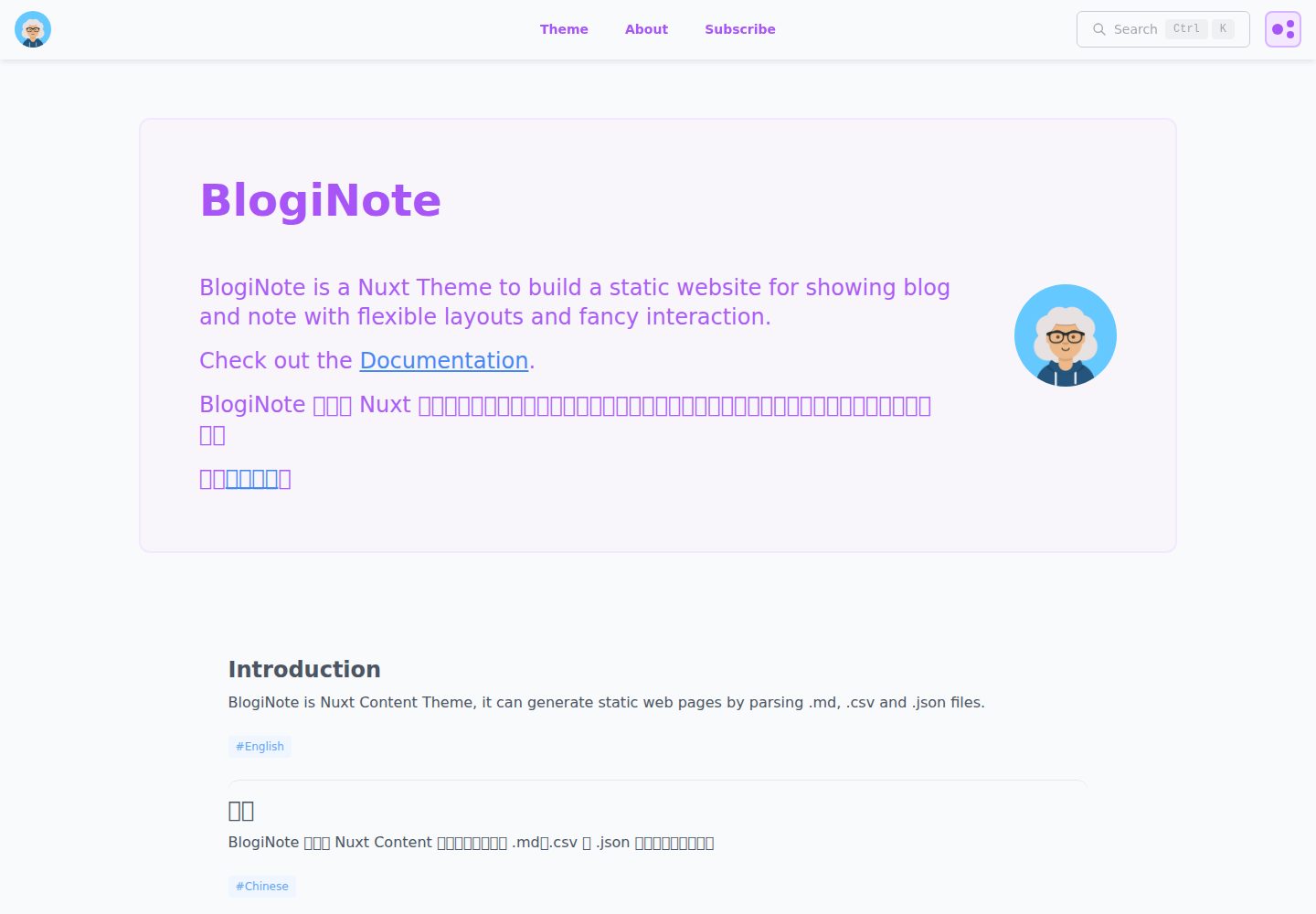
BlogiNote
BlogiNote is a Nuxt Content theme that generates a static blog and notes site from Markdown, JSON, CSV, and other files.
Nuxt · Blog
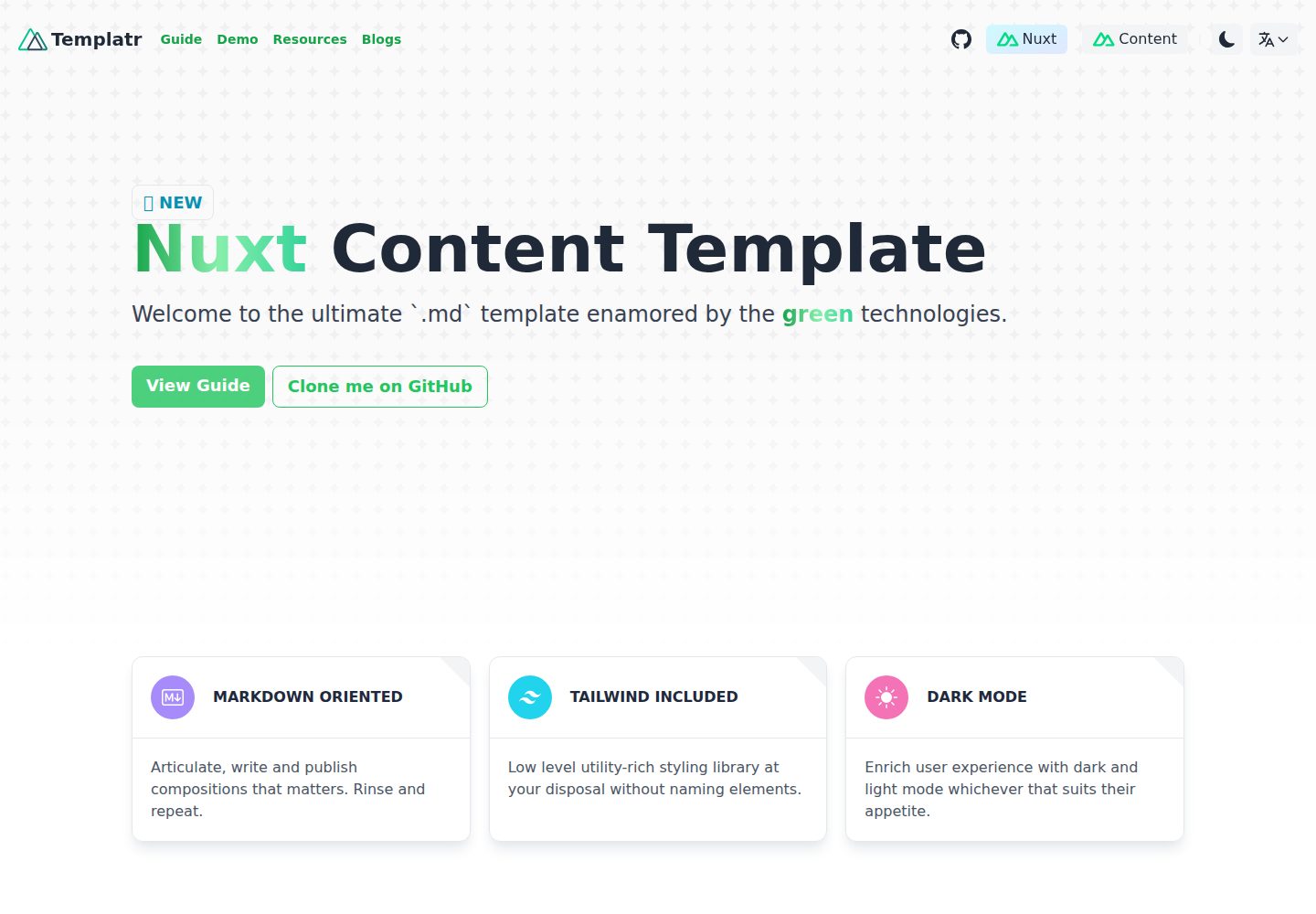
nuxt-content-template
An opinionated Nuxt Content template for Markdown blogs, with i18n, dark mode, TailwindCSS, LaTeX formulas, and static generation.
Nuxt · Blog