Uses Supabase for user management and authentication
Next.jsReactSaaSStarter
nextjs-saas-starter — Next.js SaaS Template
By nozma-knows
A Next.js-based SaaS subscription starter template that integrates Supabase authentication and database, Stripe Checkout and customer portal, and supports syncing pricing plans and subscription status via Stripe webhooks.
Explore the design
Compare the page layouts and mobile experience. Open any screenshot for a closer look.
Desktop homepage1 / 2
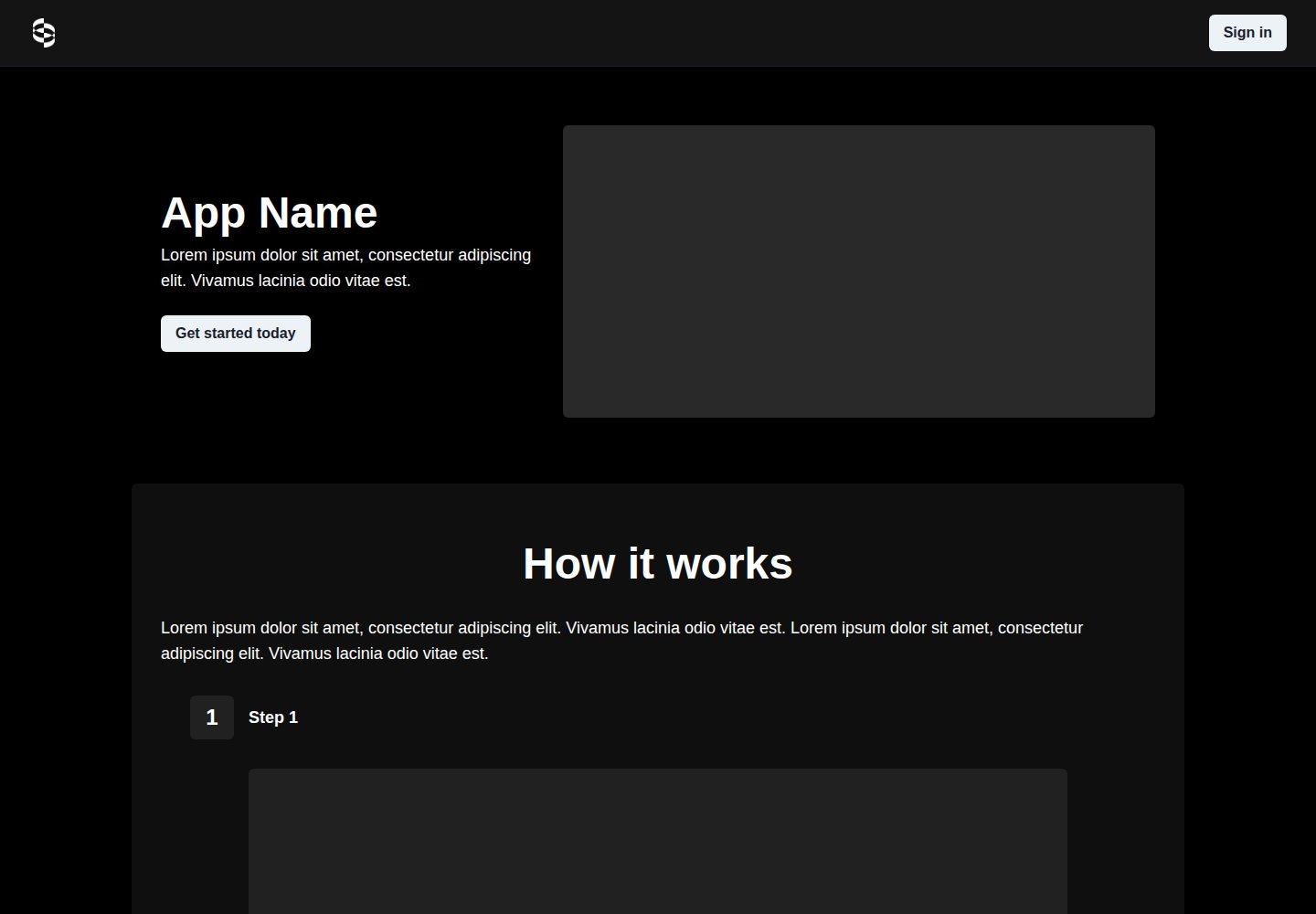
Desktop captureTop of page
Actual screenshot captured by the server browser.
All pages & views 2
Screenshots show visual appearance; interactive behavior may differ.
Recorded 2026-10-02View source
What stands out
A quick read of the recorded project description.
Provides data access and management capabilities based on Supabase's PostgreSQL
Integrates Stripe Checkout and the Stripe customer portal
Automatically syncs pricing plans and subscription status via Stripe webhooks
Provides a Vercel deploy button that automatically creates a repository and guides you through creating a Supabase project
Includes SQL migration files for initializing the database schema
Template Details
This template is used to quickly build SaaS projects with subscription payment capabilities. The tech stack centers on Next.js, paired with Vercel for deployment, Supabase for user authentication and PostgreSQL data access, and Stripe for checkout and subscription management. The project is adapted from Vercel's nextjs-subscription-payments repository, and the README notes its association with Sync Labs.
The feature scope focuses on accounts and billing: user management and authentication are handled by Supabase Auth; data access and management are based on Supabase's PostgreSQL; on the payment side, it integrates Stripe Checkout and the Stripe customer portal, and automatically syncs pricing plans and subscription status to the Supabase database via Stripe webhooks.
Regarding usage limitations, the README states that Stripe Checkout currently only supports pricing that charges a preset amount at a fixed interval; more complex schemes (such as different pricing tiers or per-seat billing) are not yet supported. On reliability, the template mirrors completed Stripe transactions to the Supabase database; if Supabase is unavailable, Stripe transactions will still succeed, but the database will not be updated, and the application will return an error code to Stripe. Stripe will retry by default for up to three days until the database update succeeds. During prolonged outages, you may need to implement your own reconciliation process between the database and Stripe.
Next.jsSaaSStarter
Is it right for your project?
Use Cases
- Starting a SaaS project that needs subscription payment capabilities
- Projects that want to use Supabase to manage user authentication and subscription-related data
- Scenarios that need Stripe Checkout and the customer portal to handle subscriptions and billing
- Projects deployed via Vercel that want automatic Supabase initial configuration
Suitable For
- Developers familiar with Next.js and planning to deploy on Vercel
- Teams willing to use Supabase as the authentication and database backend
- SaaS products that need to charge via Stripe subscription model
- Individuals or small teams that want to quickly validate the subscription flow based on an existing template
Getting started & customization
Use these recorded setup notes alongside the repository instructions for your chosen version.
- 1
Follow the deployment steps in the README in order; the order affects whether the configuration takes effect.
- 2
Using the Vercel deploy button will automatically create a new repository and guide you through creating a Supabase project; the Supabase Vercel integration writes environment variables and runs SQL migrations. If automatic setup fails, you can manually create a Supabase project and select the Stripe Subscriptions template from the SQL editor.
- 3
In Supabase's auth > URL configuration, set the production URL as the site url, and add the Production environment variable NEXT_PUBLIC_SITE_URL in Vercel. Be careful not to check preview and development.
- 4
Create a webhook in Stripe test mode with the endpoint URL being the production deployment address plus /api/webhooks, select to receive all events, and configure the signing secret as STRIPE_WEBHOOK_SECRET. After adding new environment variables, redeploy and do not enable build cache.
- 5
For local development, use the Vercel CLI to pull environment variables and manually set SUPABASE_SERVICE_ROLE_KEY. Also use the Stripe CLI to forward webhooks to localhost:3000/api/webhooks. Webhook forwarding and the development server need to run simultaneously in two terminals.
License & source material
Usage conditions & limitations
Free to use · keep license noticeThis entry covers the free version under the MIT license in the public repository; the free scope is the code of this version and does not mean external services or third-party assets are free.
Must comply with when using
- Free use, modification, commercial use, and distribution of this version's code are permitted.
- When distributing copies or substantial portions of the code, retain the original author's copyright notice and the full MIT license notice.
- The code is provided as is; warranties and limitations of liability are governed by the original license and applicable law.
Additional costs & items to verify
- Stripe Checkout currently only supports pricing that charges a preset amount at a fixed interval; more complex schemes (such as different pricing tiers or per-seat billing) are not yet supported.
- If the Supabase database is unavailable, Stripe transactions will still succeed, but the database will not be updated, and the application will return an error code to Stripe; reliance on Stripe's retry mechanism is required.
- Stripe retries by default for up to three days until the database update succeeds; if the outage exceeds three days, you need to implement your own reconciliation process.
- During prolonged outages, you may need to implement an automatic reconciliation process between the Supabase database and Stripe.
- Local development requires manually setting the SUPABASE_SERVICE_ROLE_KEY environment variable from the Supabase console.
- Using this template requires registering a Stripe account and configuring API keys, webhooks, and the customer portal.
- You need to create a Supabase account and project; if automatic setup fails, manual configuration is required.
- Demo images, fonts, icons, and other third-party assets must be checked against their respective licenses; they cannot be judged solely by the code's MIT license.
- External services such as domains, hosting, databases, payments, or AI may incur additional charges.
View Original Text Basis
Permission is hereby granted, free of charge
Original License Text
Stripe Checkout currently supports pricing that bills a predefined amount at a specific interval. More complex plans (e.g., different pricing tiers or seats) are not yet supported.
Original README
if the Supabase database is unavailable, the Stripe transaction will still succeed, but the Supabase database will not be updated, and the application will pass an error code back to Stripe
Original README
Stripe will retry sending its response to the webhook for up to three days, or until the database update succeeds
Original README
You may want to implement a process to automatically reconcile the Supabase database with Stripe in case of a prolonged outage.
Original README
you will need to set the `SUPABASE_SERVICE_ROLE_KEY` manually from your [Supabase dashboard](https://app.supabase.io/)
Original README
If you don't already have a Stripe account, create one now.
Original README
https://github.com/nozma-knows/nextjs-saas-starter/blob/main/LICENSEhttps://github.com/nozma-knows/nextjs-saas-starter/blob/main/README.mdShould the automatic setup fail, please [create a Supabase account](https://app.supabase.com/projects), and a new project if needed.
Original README
Compiled by DeepSeek based on repository license and README ·2026-10-02. Results only cover the materials read; dependencies, images, fonts, and subsequent term changes are subject to their respective original texts.
Project checks & description sources
Template Information
- Source platforms
- GitHub
- Documentation and maintenance reference score
- Partly documented · 62 / 100
- Technologies
- Next.js · React
- Website type
- SaaS · Starter
How this score is calculated
Our heuristic uses license records (up to 30), a demo link (12), a preview (10), stars (15), recorded maintenance (15), description completeness (8), feature records (5) and classification data (5). It is not a code, security or performance test, or a Google score. A link does not establish tested functionality.
What to verify for this project
- Repository update recorded
- 2023-11-03
- Screenshot last checked
- 2026-10-02
A demo link is listed. Check it with your own content and viewport sizes; its presence does not confirm that forms, authentication or payments work.
The catalog identifies Next.js as the primary stack. Check the actual dependency manifest and lockfile for versions and hosting requirements. These notes use recorded metadata, not a code audit or a deployment test.
Use a selection guide →How this description was prepared
AI-assisted description based on catalog records and repository material. Repository authors are not automatically the reviewers of this description.
Automatically checked against source and license rules; no manual editorial review.
Inspect the recorded source material
SHA-256: f9278b3cfb69fcb70dab709ca365dfecfa357fddc45149a7616a48825cac4e9a
2026-10-02T14:06:16.091Z
Source file / repository# [Sync Labs](https://synclabs.so) - Next.js SaaS Starter Project This is a starter project for quickly releasing Open-Source SaaS projects using: - [Sync Labs](https://synclabs.so) - [Next.js](https://nextjs.org) - [Vercel](https://vercel.com) - [Supabase](https://supabase.io) - [Stripe](https://stripe.com) This project is based off of `Vercel's` [nextjs-subscription-payments](https://github.com/vercel/nextjs-subscription-payments) repo ## Features - User management and authentication with [Supabase](https://supabase.io/docs/guides/auth) - Data access & management tooling on top of PostgreSQL with [Supabase](https://supabase.io/docs/guides/database) - Integration with [Stripe Checkout](https://stripe.com/docs/payments/checkout) and the [Stripe customer portal](https://stripe.com/docs/billing/subscriptions/customer-portal) - Automatic syncing of pricing plans and subscription statuses via [Stripe webhooks](https://stripe.com/docs/webhooks) ## Demo - https://nextjs-saas-starter-ashy.vercel.app/ [](https://subscription-payments.vercel.app/) ## Architecture  ## Step-by-step setup When deploying this template, the sequence of steps is important. Follow the steps below in order to get up and running. ### Initiate Deployment #### Vercel Deploy Button [](https://vercel.com/new/clone?repository-url=https%3A%2F%2Fgithub.com%2Fnozma-knows%2Fnextjs-saas-starter&env=NEXT_PUBLIC_STRIPE_PUBLISHABLE_KEY,STRIPE_SECRET_KEY&envDescription=Enter%20your%20Stripe%20API%20keys&envLink=https%3A%2F%2Fdashboard.stripe.com%2Fapikeys&project-name=nextjs-saas-starter&repository-name=nextjs-saas-starter&integration-ids=oac_VqOgBHqhEoFTPzGkPd7L0iH6&external-id=https%3A%2F%2Fgithub.com%2Fnozma-knows%2Fnextjs-saas-starter%2Ftree%2Fmain) The Vercel Deployment will create a new repository with this template on your GitHub account and guide you through the creation of a new Supabase project. The [Supabase Vercel Deploy Integration](https://vercel.com/integrations/supabase-v2) will set up the necessary Supabase environment variables and run the [SQL migrations](./supabase/migrations/20230530034630_init.sql) to set up the Database schema on your account. You can inspect the created tables in your project's [Table editor](https://app.supabase.com/project/_/editor). Should the automatic setup fail, please [create a Supabase account](https://app.supabase.com/projects), and a new project if needed. In your project, navigate to the [SQL editor](https://app.supabase.com/project/_/sql) and select the "Stripe Subscriptions" starter template from the Quick start section. ### Configure Auth In your Supabase project, navigate to [auth > URL configuration](https://app.supabase.com/project/_/auth/url-configuration) and set your main production URL (e.g. https://your-deployment-url.vercel.app) as the site url. Next, in your Vercel deployment settings, add a new **Production** environment variable called `NEXT_PUBLIC_SITE_URL` and set it to the same URL. Make sure to deselect preview and development environments to make sure that preview branches and local development work correctly. ### Configure Stripe Next, we'll need to configure [Stripe](https://stripe.com/) to handle test payments. If you don't already have a Stripe account, create one now. For the following steps, make sure you have the ["Test Mode" toggle](https://stripe.com/docs/testing) switched on. #### Create a webhook We need to create a webhook in the `Developers` section of Stripe. Pictured in the architecture diagram above, this webhook is the piece that connects Stripe to your Vercel Serverless Functions. 1. Click the "Add Endpoint" button on the [test Endpoints page](https://dashboard.stripe.com/test/webhooks). 1. Enter your production deployment URL followed by `/api/webhooks` for the endpoint URL. (e.g. `https://your-deployment-url.vercel.app/api/webhooks`) 1. Click `Select events` under the `Select events to listen to` heading. 1. Click `Select all events` in the `Select events to send` section. 1. Copy `Signing secret` as we'll need that in the next step. 1. In addition to the `NEXT_PUBLIC_STRIPE_PUBLISHABLE_KEY` and the `STRIPE_SECRET_KEY` we've set earlier during deployment, we need to add the webhook secret as `STRIPE_WEBHOOK_SECRET` env var. #### Redeploy with new env vars For the newly set environment variables to take effect and everything to work together correctly, we need to redeploy our app in Vercel. In your Vercel Dashboard, navigate to deployments, click the overflow menu button and select "Redeploy" (do NOT enable the "Use existing Build Cache" option). Once Vercel has rebuilt and redeployed your app, you're ready to set up your products and prices. #### Create product and pricing information Your application's webhook listens for product updates on Stripe and automatically propagates them to your Supabase database. So with your webhook listener running, you can now create your product and pricing information in the [Stripe Dashboard](https://dashboard.stripe.com/test/products). Stripe Checkout currently supports pricing that bills a predefined amount at a specific interval. More complex plans (e.g., different pricing tiers or seats) are not yet supported. For example, you can create business models with different pricing tiers, e.g.: - Product 1: Starter - Price 1: 10 USD per month - Description: Perfect for individuals or small teams just starting. - Product 2: Creator - Price 1: 20 USD per month - Description: Ideal for content creators and freelancers looking for high-quality results. - Product 3: Developer - Price 1: 40 USD per month - Optimized for professional developers and large teams requiring top-notch quality. **Important:** Make sure that you've configured your Stripe webhook correctly and redeployed with all needed environment variables. #### Configure the Stripe customer portal 1. Set your custom branding in the [settings](https://dashboard.stripe.com/settings/branding) 1. Configure the Customer Portal [settings](https://dashboard.stripe.com/test/settings/billing/portal) 1. Toggle on "Allow customers to update their payment methods" 1. Toggle on "Allow customers to update subscriptions" 1. Toggle on "Allow customers to cancel subscriptions" 1. Add the products and prices that you want 1. Set up the required business information and links ### You're all set! You're now ready to earn recurring revenue from your SaaS product! 🥳 ## Develop locally If you haven't already done so, clone your Github repository to your local machine. Next, use the [Vercel CLI](https://vercel.com/download) to link your project: ```bash vercel login vercel link ``` ### Setting up the env vars locally Use the Vercel CLI to download the development env vars: ```bash vercel env pull .env.local ``` Running this command will create a new `.env.local` file in your project folder. For security purposes, you will need to set the `SUPABASE_SERVICE_ROLE_KEY` manually from your [Supabase dashboard](https://app.supabase.io/) (`Settings > API`). ### Use the Stripe CLI to test webhooks [Install the Stripe CLI](https://stripe.com/docs/stripe-cli) and [link your Stripe account](https://stripe.com/docs/stripe-cli#login-account). Next, start local webhook forwarding: ```bash stripe listen --forward-to=localhost:3000/api/webhooks ``` Running this Stripe command will print a webhook secret (such as, `whsec_***`) to the console. Set `STRIPE_WEBHOOK_SECRET` to this value in your `.env.local` file. ### Install dependencies and run the Next.js client In a separate terminal, run the following commands to install dependencies and start the development server: ```bash yarn yarn dev ``` Note that webhook forwarding and the development server must be running concurrently in two separate terminals for the application to work correctly. Finally, navigate to [http://localhost:3000](http://localhost:3000) in your browser to see the application rendered. ## Going live ### Archive testing products Archive all test mode Stripe products before going live. Before creating your live mode products, make sure to follow the steps below to set up your live mode env vars and webhooks. ### Configure production environment variables To run the project in live mode and process payments with Stripe, switch Stripe from "test mode" to "production mode." Your Stripe API keys will be different in production mode, and you will have to create a separate production mode webhook. Copy these values and paste them into Vercel, replacing the test mode values. ### Redeploy Afterward, you will need to rebuild your production deployment for the changes to take effect. Within your project Dashboard, navigate to the "Deployments" tab, select the most recent deployment, click the overflow menu button (next to the "Visit" button) and select "Redeploy" (do NOT enable the "Use existing Build Cache" option). To verify you are running in production mode, test checking out with the [Stripe test card](https://stripe.com/docs/testing). The test card should not work. ## A note on reliability This template mirrors completed Stripe transactions to the Supabase database. This means that if the Supabase database is unavailable, the Stripe transaction will still succeed, but the Supabase database will not be updated, and the application will pass an error code back to Stripe. [By default](https://stripe.com/docs/webhooks/best-practices), Stripe will retry sending its response to the webhook for up to three days, or until the database update succeeds. This means that the Stripe transaction will eventually be reflected in the Supabase database as long as the database comes back online within three days. You may want to implement a process to automatically reconcile the Supabase database with Stripe in case of a prolonged outage.
Explore similar templates
Compare previews and descriptions within the same stack and category.

Next.js SaaS Starter
The official Next.js SaaS starter template, integrating email/password authentication, Stripe Checkout subscriptions, a dashboard with user/team CRUD, basic Owner/Member RBAC, and activity logging.
Next.js · SaaS

Next.js Commerce
Vercel's officially maintained Next.js App Router ecommerce starter with deep Shopify integration, offering a complete product catalog, cart, and checkout flow. Core logic is modular for swapping backends, and community provider versions exist for BigCommerce, Medusa, and Saleor.
Next.js · E-commerce

Next-js-Boilerplate
A developer-first Next.js 16 starter with Tailwind CSS 4 and TypeScript, supporting both App Router and Page Router.
Next.js · Starter

tailwind-nextjs-starter-blog
A Next.js and Tailwind CSS blog starter template using Contentlayer for Markdown/MDX, with built-in SEO, code highlighting, and tags. It targets personal technical blogs and migration from Jekyll/Hugo to React, and supports one-click Vercel deployment.
Next.js · Blog

next-forge
next-forge is a Turborepo-based Next.js template maintained by Vercel, positioned as a starting point for SaaS products.
Next.js · Starter

SaaS-Boilerplate
SaaS-Boilerplate is an open-source SaaS starter template built with Next.js App Router, React 19, TypeScript, Tailwind CSS, and Shadcn UI.
Next.js · SaaS