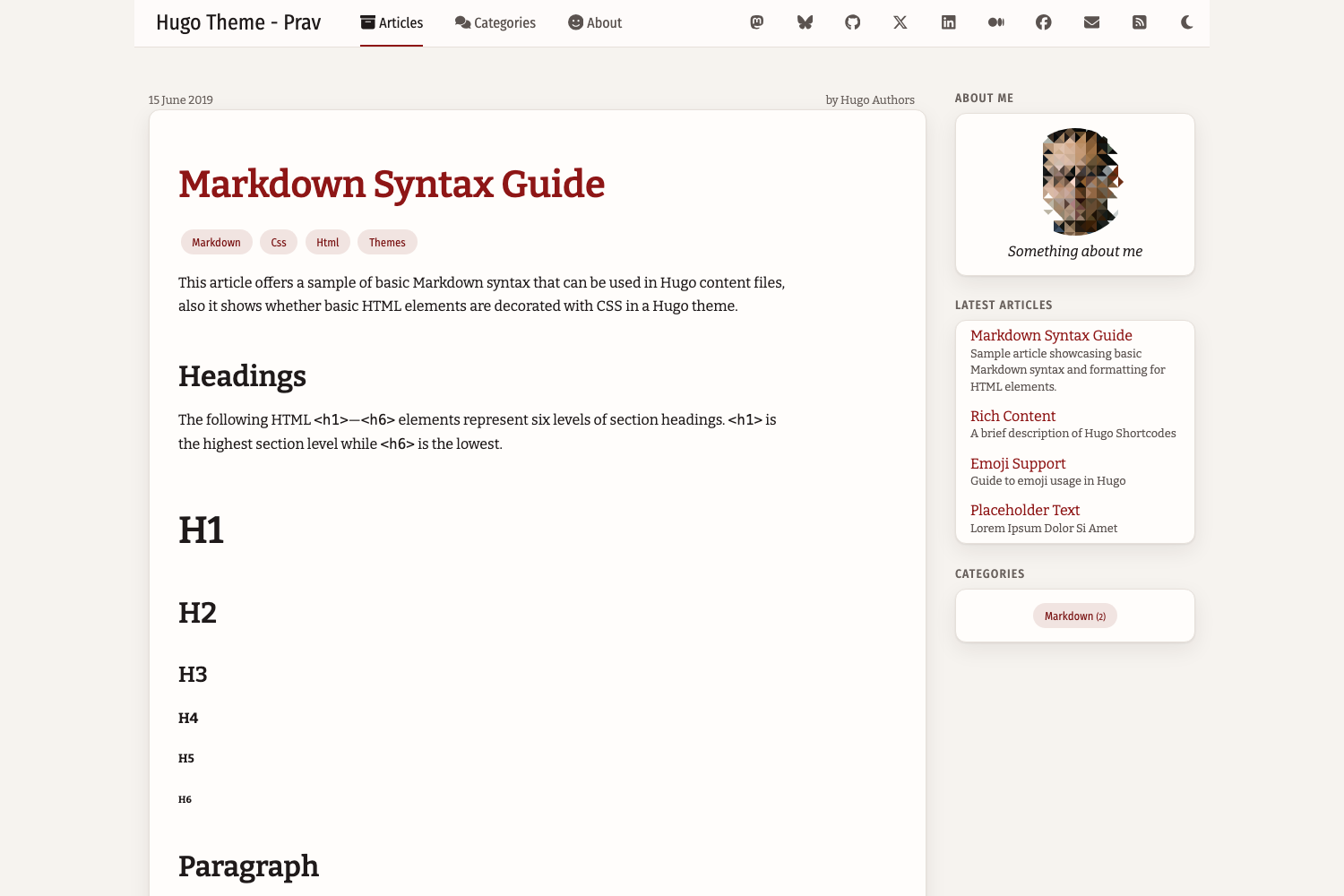
Two-column layout: a fixed top navigation bar plus a right sidebar, with the sidebar moving below the main content on small screens
HugoTool Site
hugo-theme-prav — Hugo Tool Template
By pravin
Hugo Theme Prav is a two-column blog theme for the Hugo static site generator, with top navigation, a right sidebar, light and dark modes, and a responsive layout.
Explore the design
Compare the page layouts and mobile experience. Open any screenshot for a closer look.
Author preview
Author-provided previewTop of page
Preview provided in the project README.
One original preview is available. Open the full image to inspect the design.
Screenshots show visual appearance; interactive behavior may differ.
Recorded 2026-10-06View source
What stands out
A quick read of the recorded project description.
Light and dark modes follow the operating system setting, with a navigation bar button for manual switching that remembers the choice
Post lists are displayed as cards, with optional featured images, dates, and summaries
Code blocks are highlighted by Hugo's built-in Chroma, show the language, and provide a copy button
Uses the purecss style library and inline SVG icons, without loading an icon font
Supports Disqus comments, Google Analytics, social links, and custom headers and footers
Template Details
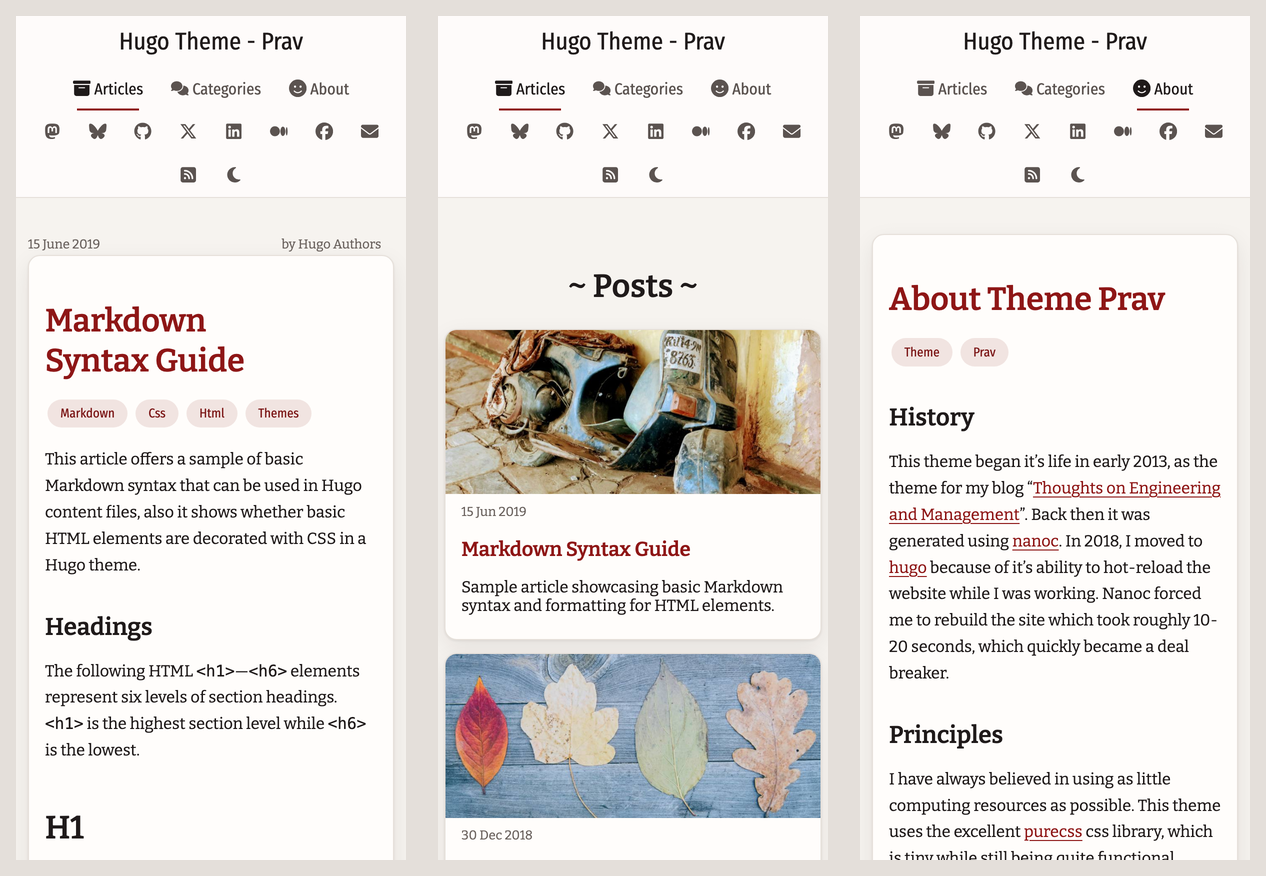
Hugo Theme Prav is a Hugo theme developed and continuously maintained by its author, Pravin Paratey, for his personal blog. It dates back to a 2013 nanoc version and was migrated to Hugo in 2018. It uses a two-column layout: the top navigation bar holds main pages and social links, while the right sidebar contains an about section, the 10 most recent posts, and a site-wide tag list; on small screens the sidebar moves below the main content. The theme uses the purecss style library and provides icons as inline SVG, without loading an icon font.
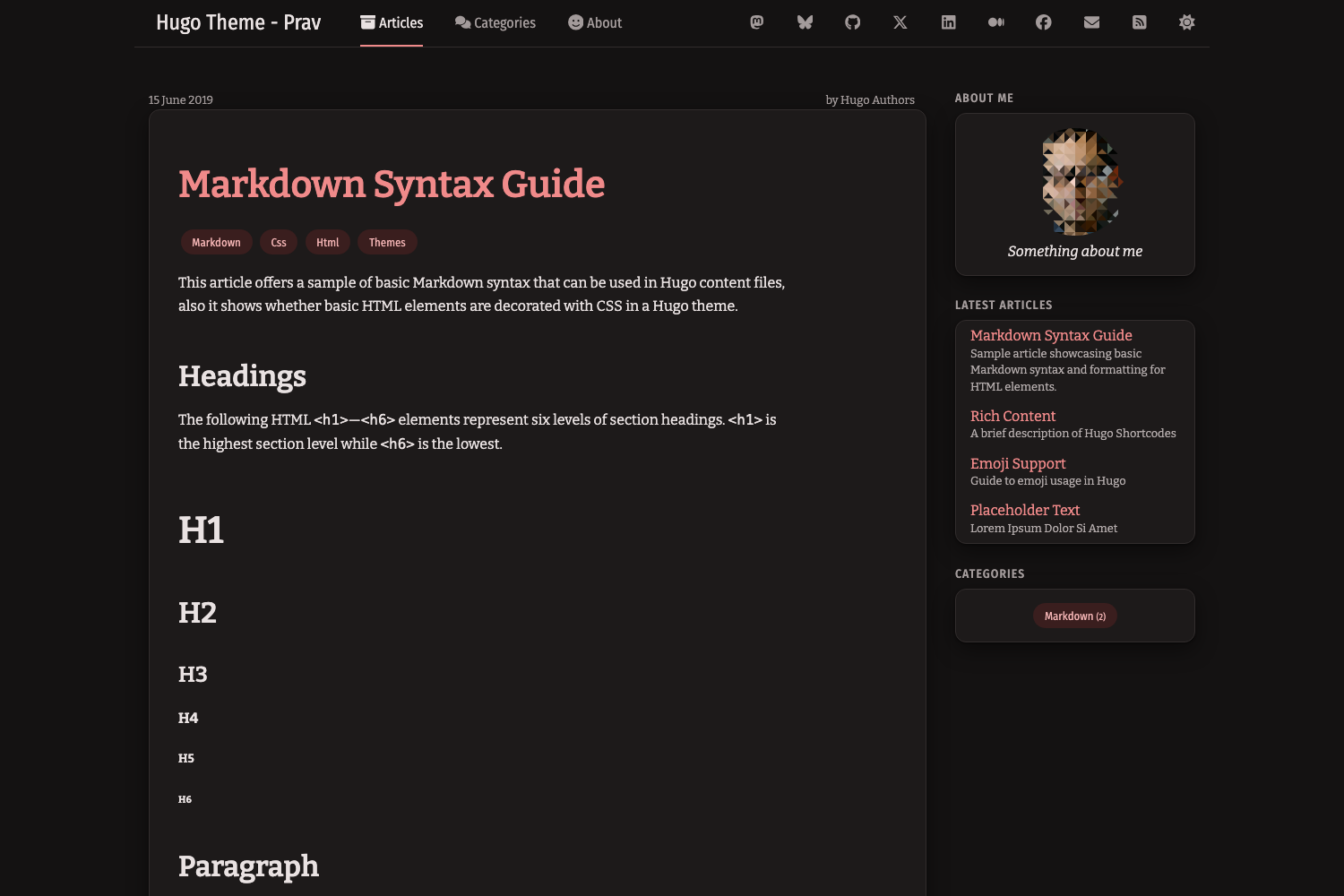
Visually, the theme uses a flat design with warm white and near-black base colors and a single red accent color; body text has a constrained line width, links are underlined, and keyboard focus is always visible. Light and dark modes follow the operating system setting by default, and a sun/moon button in the navigation bar allows manual switching, with the choice saved in the browser. Post lists are displayed as cards and can be configured with featured images, dates, and summaries; tables use purecss styles, and wide tables scroll horizontally on small screens. Code blocks are rendered by Hugo's built-in Chroma highlighter, show the language, and include a copy button; the copy button relies on JavaScript and the Clipboard API.
The theme also supports Disqus comments, Google Analytics (with the tracking code included only in production builds), social links, a main menu, custom header/footer/menu partials, and custom styles via configuration files. The theme requires Hugo v0.146.0 or later and provides migration notes for upgrading from older versions. In the README, the author states that the theme is not a complete finished product and that features will continue to be added.
HugoTool site
Is it right for your project?
Use Cases
- Building a text-focused personal blog or technical writing site
- Hugo sites that need light/dark mode switching and a responsive reading experience
- Blogs that want to enable comments, analytics, and social links through configuration files
- Hugo projects that need custom styles, icons, or header and footer partials
Suitable For
- Developers using Hugo who want a two-column blog appearance quickly
- Personal bloggers who prefer a flat, quiet reading style
- Writing sites that need light/dark mode and mobile adaptation
- Hugo users willing to adjust menus, social links, and comments through configuration files
Getting started & customization
Use these recorded setup notes alongside the repository instructions for your chosen version.
- 1
Requires Hugo v0.146.0 or later
- 2
Set [markup.highlight] noClasses = false in the site configuration so syntax colors follow light and dark modes
- 3
An example configuration is located at exampleSite/hugo.toml; run hugo server in the exampleSite directory to try it
- 4
When upgrading from an older version, move [social] to [params.social] and switch to [services.googleAnalytics] and [services.disqus] configuration
- 5
For custom styles, copy the theme's assets/css/style.css to the site's assets/css/ directory and modify it
License & source material
Usage conditions & limitations
Free to use · keep license noticeThis entry covers the free version under the MIT license in the public repository; the free scope is the code of that version and does not mean external services or third-party assets are free.
Must comply with when using
- The code of this version may be used, modified, used commercially, and distributed free of charge.
- When distributing copies or substantial portions of the code, retain the original author's copyright notice and the complete MIT license notice.
- The code is provided as is; warranties and limitations of liability are governed by the original license and applicable law.
Additional costs & items to verify
- Demo images, fonts, icons, and other third-party assets must be checked against their respective licenses and cannot be judged solely by the code's MIT license.
- External services such as domains, hosting, databases, payments, or AI may incur separate charges.
- Enabling comments requires setting services.disqus.shortname in the site configuration, which depends on the third-party Disqus service and may involve external accounts and network requests.
- Enabling Google Analytics requires configuring services.googleAnalytics.ID and depends on a third-party analytics service; the tracking code is included only in hugo production builds, not in hugo server.
- The code block copy button relies on browser JavaScript and the Clipboard API; if the environment does not support them, the button is unavailable, but the code block itself still displays normally.
- Using this theme requires Hugo v0.146.0 or later; earlier versions cannot use it.
- For syntax highlighting colors to follow light and dark modes, set markup.highlight.noClasses = false in the site configuration; otherwise the highlighting styles will not take effect.
- The theme no longer loads Font Awesome; if custom partials or content use fa icon classes, switch to the icon.html partial or load Font Awesome yourself in custom_header.html.
- The theme's built-in icons come from Font Awesome Free under the CC BY 4.0 license, which differs from the theme code's MIT license, and their attribution requirements must be followed when used.
View Original Text Basis
Permission is hereby granted, free of charge
Original License Text
To enable comments, set `services.disqus.shortname` in your config.
Original README
Set `services.googleAnalytics.ID` in your config. The tracking code is only included in production builds (`hugo`, not `hugo server`).
Original README
The button needs JavaScript and the Clipboard API; without them the block still looks and works normally.
Original README
This theme requires Hugo v0.146.0 or later.
Original README
This needs Chroma to output CSS classes, so add this to your site config,
Original README
Font Awesome is no longer loaded. If your custom partials or content use `<i class="fa ...">` icons, use the `icon.html` partial instead or load Font Awesome yourself in `custom_header.html`.
Original README
https://github.com/pravin/hugo-theme-prav/blob/master/LICENSEhttps://github.com/pravin/hugo-theme-prav/blob/master/README.mdThe theme includes the icons it uses, from [Font Awesome Free](https://fontawesome.com) (CC BY 4.0).
Original README
Compiled by DeepSeek based on repository license and README ·2026-10-06. Results only cover the materials read; dependencies, images, fonts, and subsequent term changes are subject to their respective original texts.
Project checks & description sources
Template Information
- Source platforms
- Hugo Themes
- Documentation and maintenance reference score
- More documented · 75 / 100
- Technologies
- Hugo
- Website type
- Tool Site
How this score is calculated
Our heuristic uses license records (up to 30), a demo link (12), a preview (10), stars (15), recorded maintenance (15), description completeness (8), feature records (5) and classification data (5). It is not a code, security or performance test, or a Google score. A link does not establish tested functionality.
What to verify for this project
- Repository update recorded
- 2026-10-05
- Screenshot last checked
- 2026-10-06
No demo link is recorded. Use the repository instructions to evaluate the project locally; the screenshot alone cannot establish interactive behavior.
The catalog identifies Hugo as the primary stack. Check the actual dependency manifest and lockfile for versions and hosting requirements. These notes use recorded metadata, not a code audit or a deployment test.
Use a selection guide →How this description was prepared
AI-assisted description based on catalog records and repository material. Repository authors are not automatically the reviewers of this description.
Review declaration: [email protected] · 2026-10-06
Inspect the recorded source material
SHA-256: ac2f20a435a7f3f4233fdb2436992512df3bf3dfad21d08fcaaf8511e47e88b8
2026-10-06T09:18:51.491Z
Source file / repository# Hugo Theme Prav
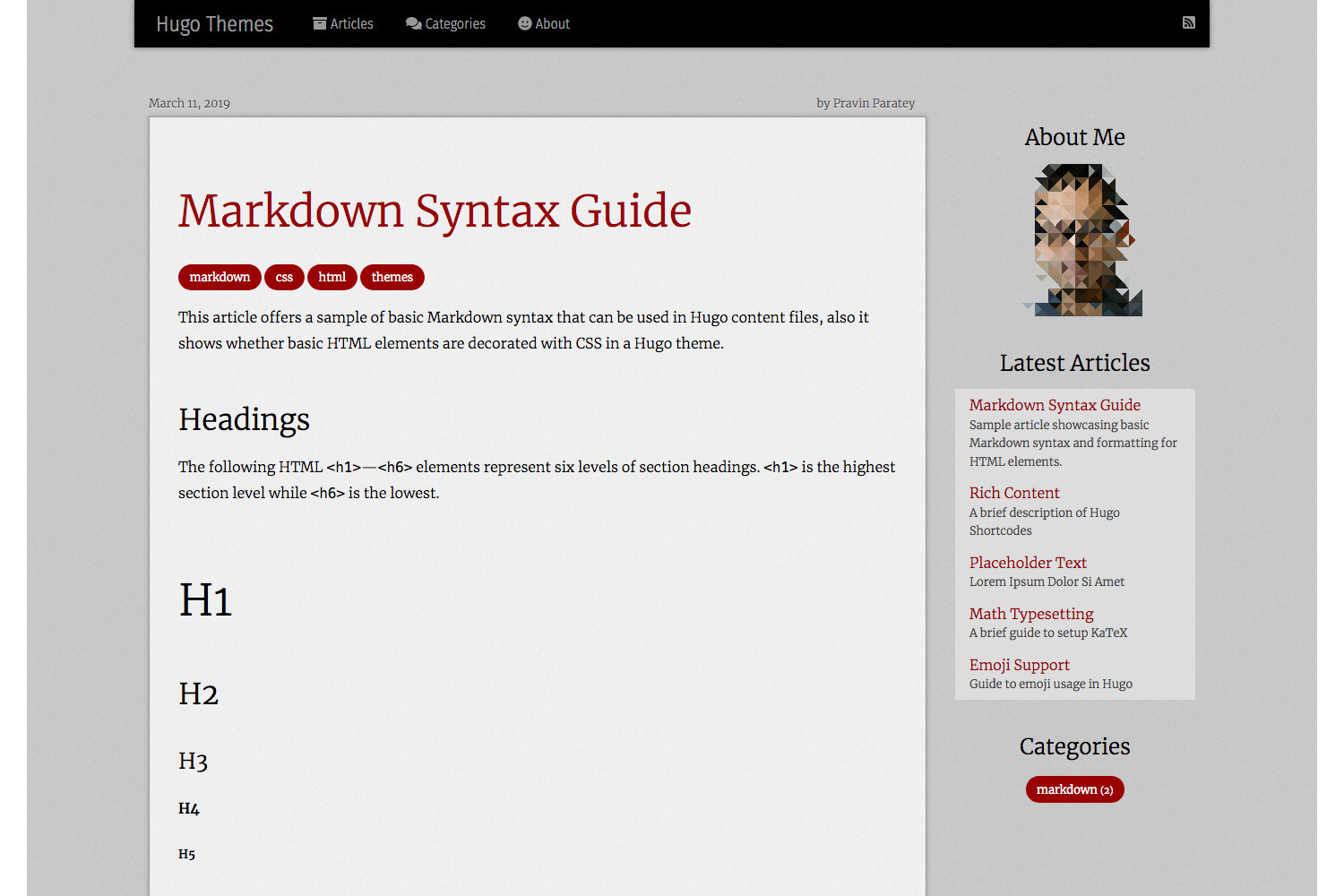
A refined two column theme for Hugo that is easy on the eyes, with light and dark modes and a layout that works on phones.
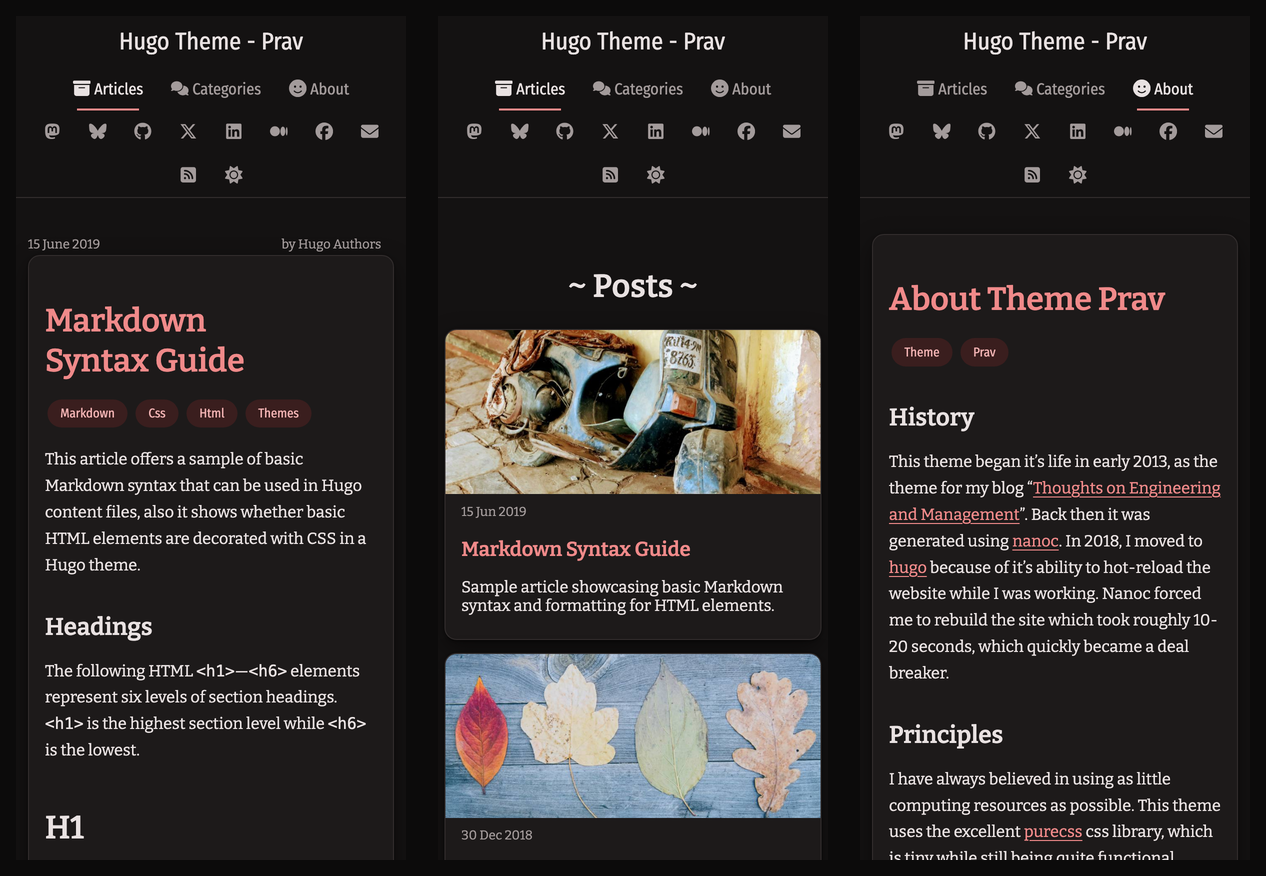
### On a phone
## History
This theme began it's life in early 2013, as the theme for my blog "[Thoughts on Engineering and Management](https://cto.me.uk)". Back then it was generated using [nanoc](https://nanoc.ws/). In 2018, I moved to [hugo](https://gohugo.io/) because of it's ability to hot-reload the website while I was working.
## Principles
I have always believed in using as little computing resources as possible. This theme uses the excellent [purecss](https://purecss.io/) css library, which is tiny while still being quite functional. Icons are inline SVGs, so there is no icon font to download.
The design is flat and quiet. Warm off-white and near-black surfaces, soft shadows and a single red accent keep the focus on your writing. Body text is limited to a comfortable line length, links are underlined, and keyboard focus is always visible. Colours have been chosen to be easy on the eyes, with enough contrast to help with accessibility.
This theme is by no means complete. I have added to it over the last six years and will continue to do so. I hope you and the rest of the community will help in contributing to making this theme even better.
## Features
This is a two column theme with a navbar at the top and a sidebar to the right. The navbar contains links to major pages and links to social networks. It stays at the top of the screen as you scroll (on larger screens) and marks the page you are on. The sidebar contains an about section, a section with the last 10 posts and finally a section which lists tags used across your site. On small screens the sidebar moves below the article.
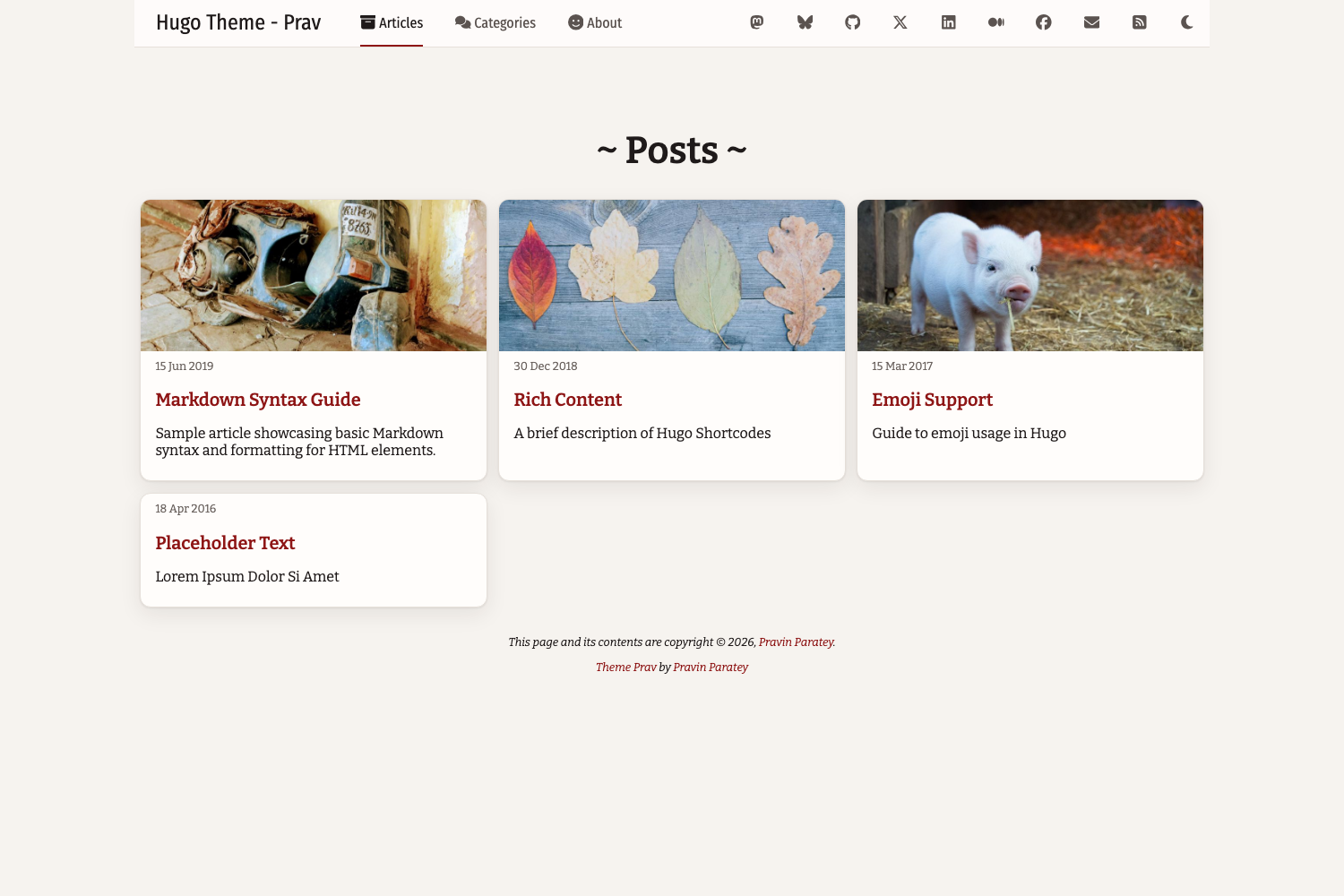
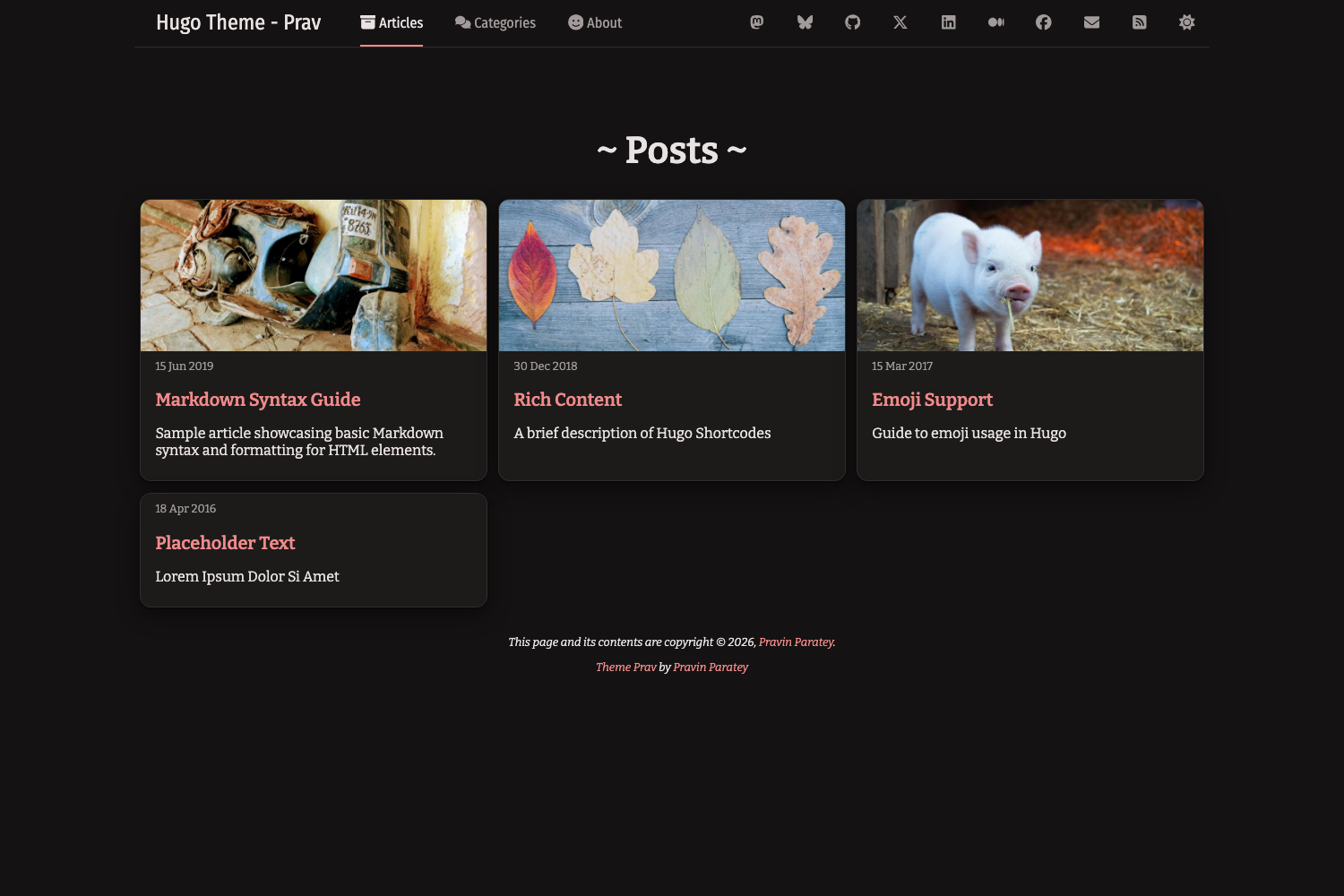
### Article list
Archive pages show posts as cards, with an optional feature image, the date and a short description. See [Feature images in archives](#feature-images-in-archives).
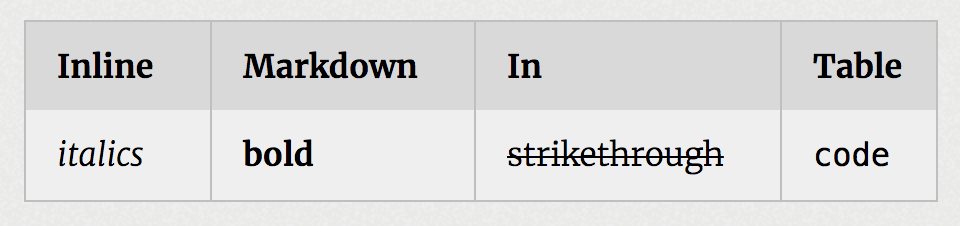
### Beautiful tables and images through purecss
Tables are styled with purecss, with striped rows and borders that follow light and dark mode. Wide tables scroll sideways on small screens instead of breaking the layout.
### Light and dark mode
The theme follows the visitor's operating system setting, and a sun/moon button in the navbar lets them switch. Their choice is remembered in the browser.
```toml
[params]
# "auto" follows the OS setting; "light" or "dark" makes that the default
defaultTheme = "auto"
# Set to false to hide the toggle button
themeToggle = true
```
All colours are CSS variables at the top of `assets/css/style.css`, written as `light-dark(<light>, <dark>)`. To change them, copy that file into your site's `assets/css/` folder (see [Custom styles](#custom-styles)).
### Syntax highlighting
Code is highlighted by Hugo's built-in highlighter (Chroma), with colours that follow light and dark mode (perldoc for light, github-dark for dark). This needs Chroma to output CSS classes, so add this to your site config,
```toml
[markup.highlight]
noClasses = false
```
To use different styles, regenerate `assets/css/syntax.css` in your site with `hugo gen chromastyles --style=<name>`. The header of the theme's copy explains how the dark half is scoped.
Each code block shows its language and has a copy button. The button needs JavaScript and the Clipboard API; without them the block still looks and works normally.
Example highlighted code, in light and dark mode,

### Update the about image
To update the image shown in the sidebar, create a file called `author.png` in your site's `static/img/` folder. Alternatively, set `params.authorImgPath` in your config. It is shown as a centred circle, so a square image works best.
### Feature images in archives
Setting the `image` parameter in the front matter sets a feature image which is displayed at the top of the post's card in the articles list. Images are cropped to a wide banner, so keep the subject near the centre. The image can either be a [page resource](https://gohugo.io/content-management/page-resources/) (e.g. `content/posts/my-post/cover.jpg` in a page bundle) or a file in your site's `static/img/feature/` folder.
```yaml
image: cover.jpg
```
### Menu
By default the navbar shows Articles, Categories and About. To change these, define a `main` menu in your config. Each entry can have an optional icon (see [Icons](#icons)),
```toml
[[menus.main]]
name = "Articles"
pageRef = "/posts"
weight = 10
[menus.main.params]
icon = "box-archive"
```
### Icons
Icons are SVG files in `assets/icons/`, inlined into the page so they take the colour of the text around them. The theme includes the icons it uses, from [Font Awesome Free](https://fontawesome.com) (CC BY 4.0). To add your own, put an SVG in your site's `assets/icons/` folder and refer to it by file name, e.g. `icon = "rocket"` for `assets/icons/rocket.svg`. In templates, use `{{ partial "icon.html" "rocket" }}`.
### Custom header, footer and menu
To add custom code to the `<head>`, the end of the page, or the right side of the navbar, create `custom_header.html`, `custom_footer.html` or `custom_menu.html` in your site's `layouts/_partials/` folder.
### Custom styles
To override the stylesheet, copy `assets/css/style.css` from the theme to `assets/css/style.css` in your site and edit it. It is minified and fingerprinted automatically.
### Comments by disqus
To enable comments, set `services.disqus.shortname` in your config. Comments appear on all single pages, and can be turned off for a page with `disableComments: true` in its front matter.
### Google Analytics
Set `services.googleAnalytics.ID` in your config. The tracking code is only included in production builds (`hugo`, not `hugo server`).
### Social
To show a link to a social network in the navbar (top-right), set its URL under `params.social`. To hide it, comment it out. Supported keys: `mastodon`, `bluesky`, `github`, `twitter`, `linkedin`, `medium`, `facebook` and `email`.

## Configuration
This theme requires Hugo v0.146.0 or later. A complete example lives in [`exampleSite/hugo.toml`](exampleSite/hugo.toml). To try it,
```sh
cd exampleSite
hugo server
```
A minimal `hugo.toml`,
```toml
baseURL = "https://example.com/"
locale = "en-GB"
title = "Hugo Theme - Prav"
theme = "hugo-theme-prav"
[services.disqus]
# shortname = ""
[services.googleAnalytics]
# ID = "G-XXXXXXXXXX"
[params]
title = "Hugo Theme - Prav"
tagline = "Lorem ipsum dolor sit amet, consectetur adipiscing elit."
author = "Pravin Paratey"
authorImgPath = "/img/author.png"
authorBlurb = "Something about me"
mainSections = ["posts"]
[params.social]
email = "mailto:[email protected]"
mastodon = "https://mstdn.social/@example"
github = "https://github.com/example"
[markup]
# Lets syntax colours follow light and dark mode
[markup.highlight]
noClasses = false
# Allows raw HTML in content and in markdownified descriptions
[markup.goldmark.renderer]
unsafe = true
```
## Upgrading from older versions of this theme
* **Hugo v0.146.0 or later is required.**
* Move the `[social]` section to `[params.social]`. Hugo no longer supports a top-level `social` key.
* Replace `googleAnalytics = "..."` with `[services.googleAnalytics] ID = "..."`, and `disqusShortname = "..."` with `[services.disqus] shortname = "..."`.
* Replace `pygmentsCodeFences` / `pygmentsStyle` with `[markup.highlight] noClasses = false`. Syntax colours now come from the theme's stylesheet, so they can follow light and dark mode.
* Font Awesome is no longer loaded. If your custom partials or content use `<i class="fa ...">` icons, use the `icon.html` partial instead or load Font Awesome yourself in `custom_header.html`.
* Replace `paginate = N` with `[pagination] pagerSize = N`.
* If you overrode `static/css/style.css`, move your copy to `assets/css/style.css`.
* Custom partials in `layouts/partials/` still work, but `layouts/_partials/` is the new location.
## In closing
I hope you enjoy this theme as much as I have enjoyed building and using it over the last few years.
-Prav
Explore similar templates
Compare previews and descriptions within the same stack and category.

hugo-coder
hugo-coder is a minimalist Hugo blog theme maintained by luizdepra under the MIT license. It provides a clean, text-focused blog appearance, configuration documentation in the docs directory, and a complete exampleSite with hugo.toml.
Hugo · Blog

doks
Doks is a Hugo documentation theme in the Thulite ecosystem, built for long-form reading with a minimal responsive layout and documentation-optimized typography. It includes FlexSearch-powered configurable search, dark/light mode, code syntax highlighting, i18n, multi-version documentation management, and blog pages.
Hugo · Tool Site

hugo-theme-introduction
Introduction is a minimal Hugo theme that can be configured as a single-page site or a full site with multiple sections. Homepage sections are generated from Markdown files under content/home/, with weight sorting and optional images.
Hugo · Portfolio

lotusdocs
Lotus Docs is a free, MIT-licensed Hugo documentation theme by Colin Wilson, built on Bootstrap 5. It provides responsive documentation layouts, dark mode, i18n, FlexSearch-based static search, Prism.js highlighting, KaTeX, Mermaid, and landing page templates.
Hugo · Documentation
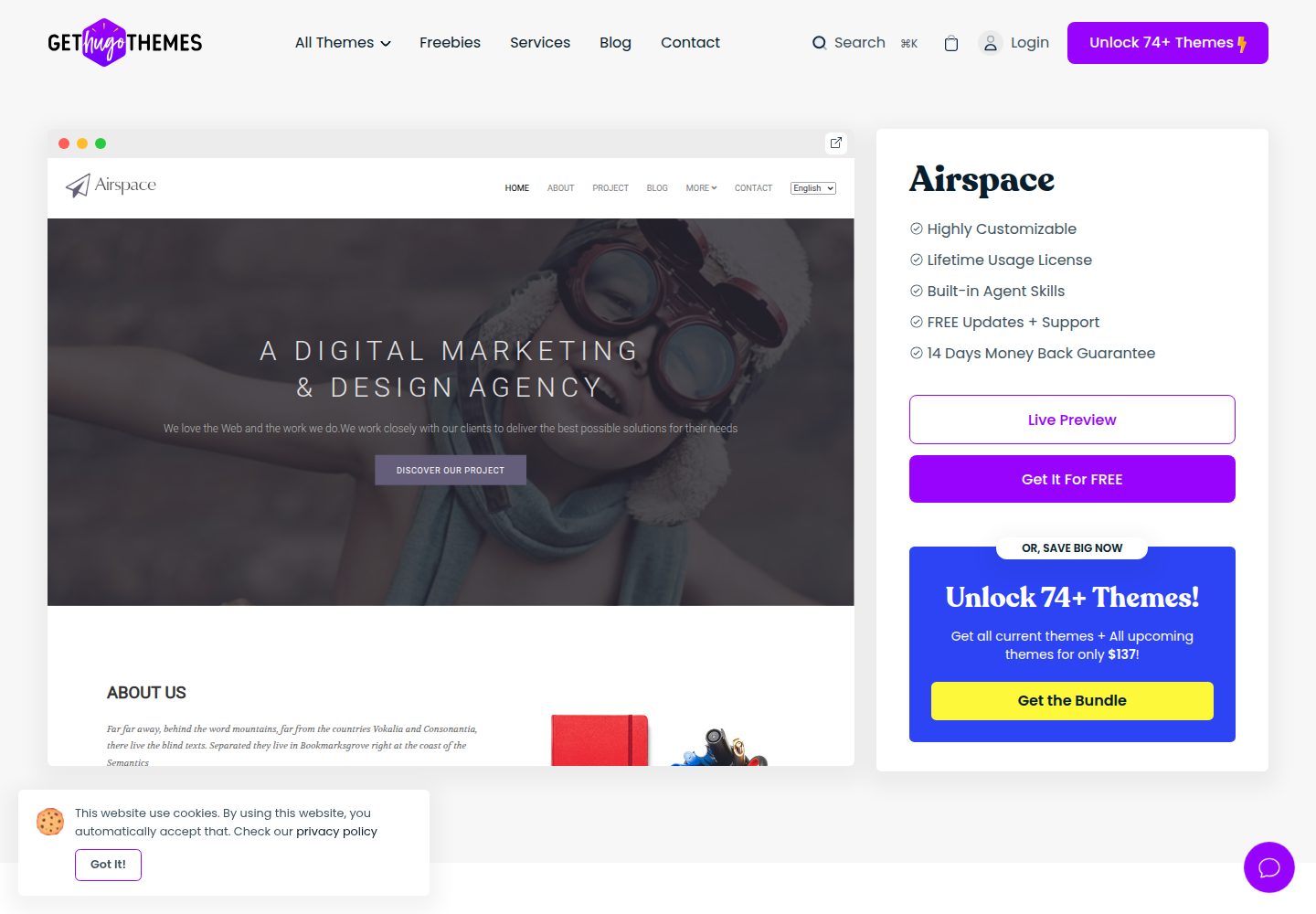
airspace-hugo
Airspace is a multipurpose Hugo theme by Themefisher for portfolio, blog, and business sites.
Hugo · Portfolio
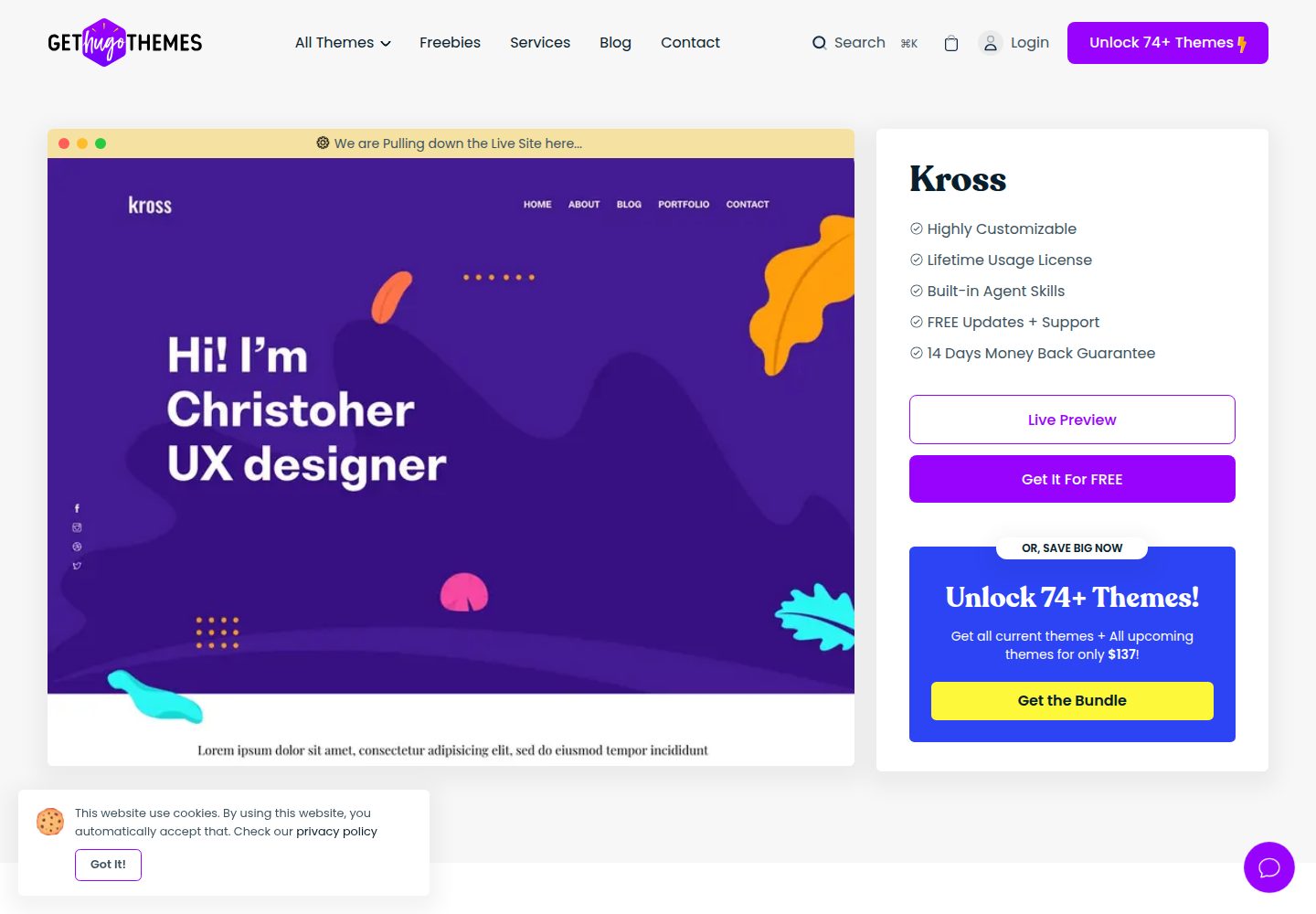
kross-hugo
Kross is a Hugo personal portfolio theme by Themefisher, offering more than 8 pre-built pages including home, about, blog, portfolio, and contact.
Hugo · Portfolio