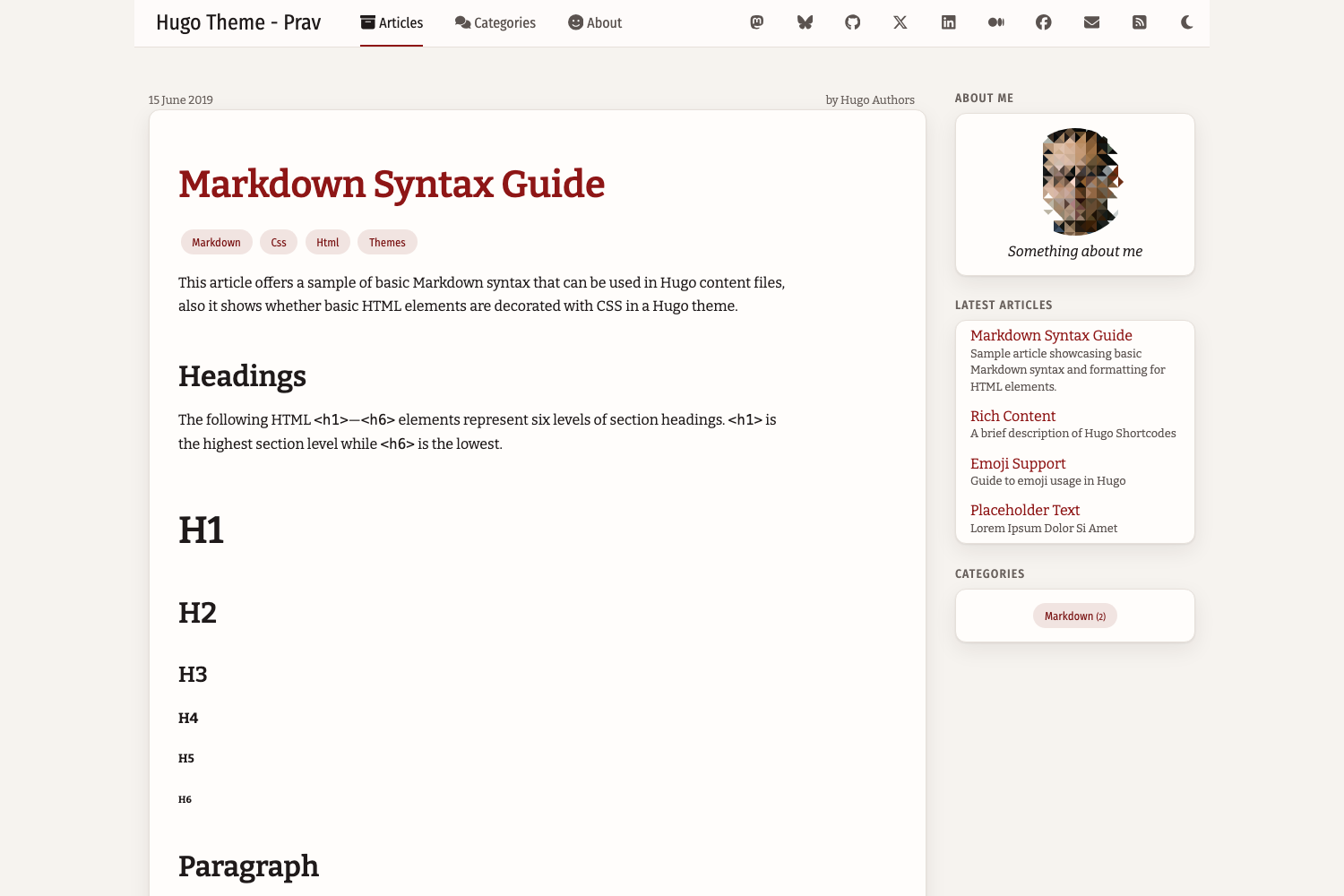
双栏布局:顶部固定导航栏加右侧边栏,小屏幕上侧边栏移至正文下方
Hugo工具站
hugo-theme-prav — Hugo 工具站模板
作者 pravin
Hugo Theme Prav 是一个面向 Hugo 静态站点生成器的双栏博客主题,带顶部导航、右侧边栏、明暗模式与响应式布局。
看看你的网站会是什么样
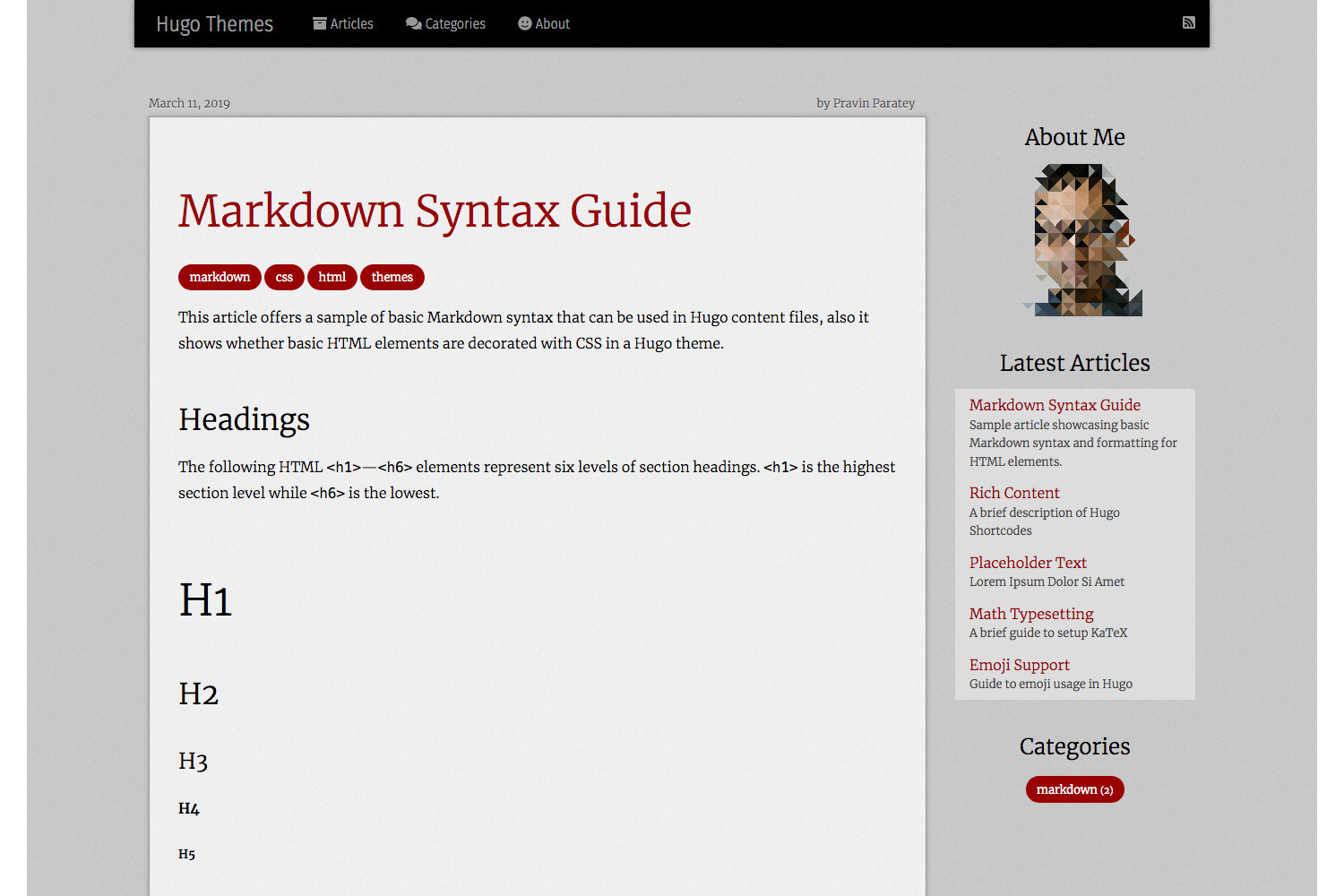
浏览真实页面截图,比较内容排版与手机效果。点击下方缩略图切换,放大查看整页细节。
目前有 1 张原始预览,可打开完整图片查看设计细节。
截图用于了解视觉与布局,交互效果请以实际项目为准。
采集于 2026-10-06查看来源
值得关注的模板亮点
从已有项目资料中,快速了解它的特点。
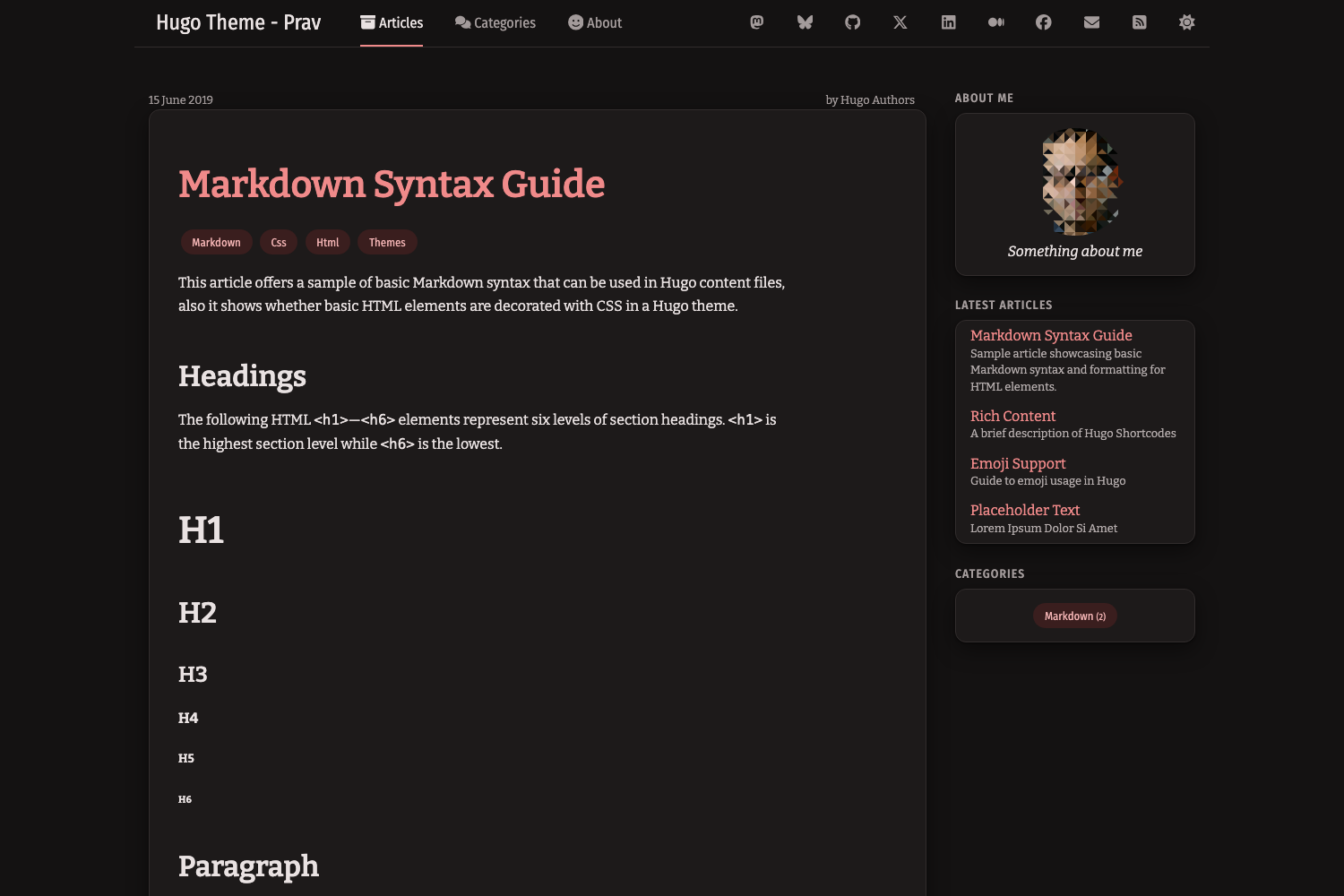
明暗模式跟随操作系统设置,导航栏按钮可手动切换并记住选择
文章列表以卡片展示,支持可选特色图片、日期与摘要
代码块由 Hugo 内置 Chroma 高亮,显示语言并提供复制按钮
使用 purecss 样式库与内联 SVG 图标,不加载图标字体
支持 Disqus 评论、Google Analytics、社交链接与自定义页眉页脚
模板详细介绍
Hugo Theme Prav 是作者 Pravin Paratey 为其个人博客开发并持续维护的 Hugo 主题,最早可追溯到 2013 年的 nanoc 版本,2018 年迁移到 Hugo。它采用双栏布局:顶部导航栏放置主要页面和社交链接,右侧边栏包含关于、最近 10 篇文章和全站标签列表;在小屏幕上侧边栏会移到正文下方。主题使用 purecss 样式库,图标以内联 SVG 形式提供,不加载图标字体。
视觉上主题采用扁平设计,以暖白与近黑色为底色,搭配单一红色强调色;正文限制行宽、链接带下划线、键盘焦点始终可见。明暗模式默认跟随操作系统设置,导航栏中的太阳/月亮按钮可手动切换,选择会保存在浏览器中。文章列表以卡片形式展示,可配置特色图片、日期和摘要;表格使用 purecss 样式,宽表格在小屏幕上横向滚动。代码块由 Hugo 内置的 Chroma 高亮器渲染,显示语言并带复制按钮,复制按钮依赖 JavaScript 和 Clipboard API。
主题还支持通过配置文件设置 Disqus 评论、Google Analytics(仅生产构建包含跟踪代码)、社交链接、主菜单、自定义页眉/页脚/菜单片段以及自定义样式。主题要求 Hugo v0.146.0 或更高版本,并提供从旧版本升级的迁移说明。作者在 README 中说明主题并非完整成品,会继续添加功能。
Hugo工具站
适合你的项目吗?
适用场景
- 搭建以文字为主的个人博客或技术写作站点
- 需要明暗模式切换和响应式阅读体验的 Hugo 站点
- 希望通过配置文件启用评论、统计和社交链接的博客
- 需要自定义样式、图标或页眉页脚片段的 Hugo 项目
适合人群
- 使用 Hugo 并希望快速获得双栏博客外观的开发者
- 偏好扁平、安静阅读风格的个人博主
- 需要明暗模式和移动端适配的写作站点
- 愿意通过配置文件调整菜单、社交与评论的 Hugo 用户
上手与定制指南
结合仓库当前版本的说明,按下面的资料检查内容、配置与运行要求。
- 1
需要 Hugo v0.146.0 或更高版本
- 2
在站点配置中设置 [markup.highlight] noClasses = false,让语法颜色跟随明暗模式
- 3
示例配置位于 exampleSite/hugo.toml,可在 exampleSite 目录运行 hugo server 试用
- 4
从旧版本升级时需将 [social] 移至 [params.social],并改用 [services.googleAnalytics] 和 [services.disqus] 配置
- 5
自定义样式需将主题的 assets/css/style.css 复制到站点的 assets/css/ 目录后修改
授权与来源资料
使用条件与限制
免费使用 · 保留许可声明本次收录的是公开仓库中采用 MIT 许可的免费版本;免费范围为该版本代码,不代表外部服务或第三方素材免费。
使用时需要遵守
- 允许免费使用、修改、商用和分发该版本代码。
- 分发代码副本或实质性部分时,保留原作者版权声明和完整 MIT 许可声明。
- 代码按现状提供;担保与责任限制以原许可证及适用法律为准。
额外费用与待核对事项
- 演示图片、字体、图标及其他第三方素材需按各自许可核对,不能仅凭代码的 MIT 许可判断。
- 域名、托管、数据库、支付或 AI 等外部服务可能另外收费。
- 启用评论需在站点配置中设置 services.disqus.shortname,即依赖第三方 Disqus 服务,可能涉及外部账号与网络请求。
- 启用 Google Analytics 需配置 services.googleAnalytics.ID,依赖第三方统计服务;跟踪代码仅在 hugo 生产构建中包含,hugo server 不包含。
- 代码块复制按钮依赖浏览器 JavaScript 与 Clipboard API;若环境不支持,按钮不可用,但代码块本身仍正常显示。
- 使用该主题要求 Hugo v0.146.0 或更高版本,低于此版本无法使用。
- 语法高亮颜色跟随明暗模式需在站点配置中设置 markup.highlight.noClasses = false,否则高亮样式不生效。
- 主题不再加载 Font Awesome;若自定义片段或内容使用 fa 图标类,需改用 icon.html 片段或自行在 custom_header.html 中加载 Font Awesome。
- 主题内置图标来自 Font Awesome Free,采用 CC BY 4.0 许可,与主题代码的 MIT 许可不同,使用时需遵守其署名要求。
查看原文依据
Permission is hereby granted, free of charge
许可证原文
To enable comments, set `services.disqus.shortname` in your config.
README 原文
Set `services.googleAnalytics.ID` in your config. The tracking code is only included in production builds (`hugo`, not `hugo server`).
README 原文
The button needs JavaScript and the Clipboard API; without them the block still looks and works normally.
README 原文
This theme requires Hugo v0.146.0 or later.
README 原文
This needs Chroma to output CSS classes, so add this to your site config,
README 原文
Font Awesome is no longer loaded. If your custom partials or content use `<i class="fa ...">` icons, use the `icon.html` partial instead or load Font Awesome yourself in `custom_header.html`.
README 原文
https://github.com/pravin/hugo-theme-prav/blob/master/LICENSEhttps://github.com/pravin/hugo-theme-prav/blob/master/README.mdThe theme includes the icons it uses, from [Font Awesome Free](https://fontawesome.com) (CC BY 4.0).
README 原文
DeepSeek 根据仓库许可证和 README 整理 ·2026-10-06。结果仅覆盖已读取资料,依赖、图片、字体及后续条款变更以各自原文为准。
项目核对记录与介绍依据
模板资料
- 来源平台
- Hugo Themes
- 资料与维护参考分
- 资料较完整 · 75 / 100
- 技术栈
- Hugo
- 网站类型
- 工具站
这个分数如何计算
本站按许可资料(最高30分)、演示链接(12分)、预览图(10分)、Star数(15分)、记录的维护时间(15分)、描述完整度(8分)、功能记录(5分)和分类资料(5分)计算。它不是代码、安全或性能测试,也不是 Google 评分;有链接不代表已实测可用。
这个项目需要核对什么
- 记录的仓库更新时间
- 2026-10-05
- 截图检查日期
- 2026-10-06
目前没有记录演示链接。请依据仓库说明在本地评估;仅凭截图无法确认交互行为。
目录记录的主要技术栈是 Hugo。请通过依赖清单和锁文件核对实际版本与托管要求。这些说明基于收录资料,不代表代码审计或部署实测。
查看具体选型方法 →介绍的制作与核对状态
介绍由 AI 辅助整理目录与仓库资料。仓库作者不等于这篇介绍的审核者。
审核声明: [email protected] · 2026-10-06
查看当时使用的来源资料
SHA-256: ac2f20a435a7f3f4233fdb2436992512df3bf3dfad21d08fcaaf8511e47e88b8
2026-10-06T09:18:51.491Z
来源文件 / 仓库# Hugo Theme Prav
A refined two column theme for Hugo that is easy on the eyes, with light and dark modes and a layout that works on phones.
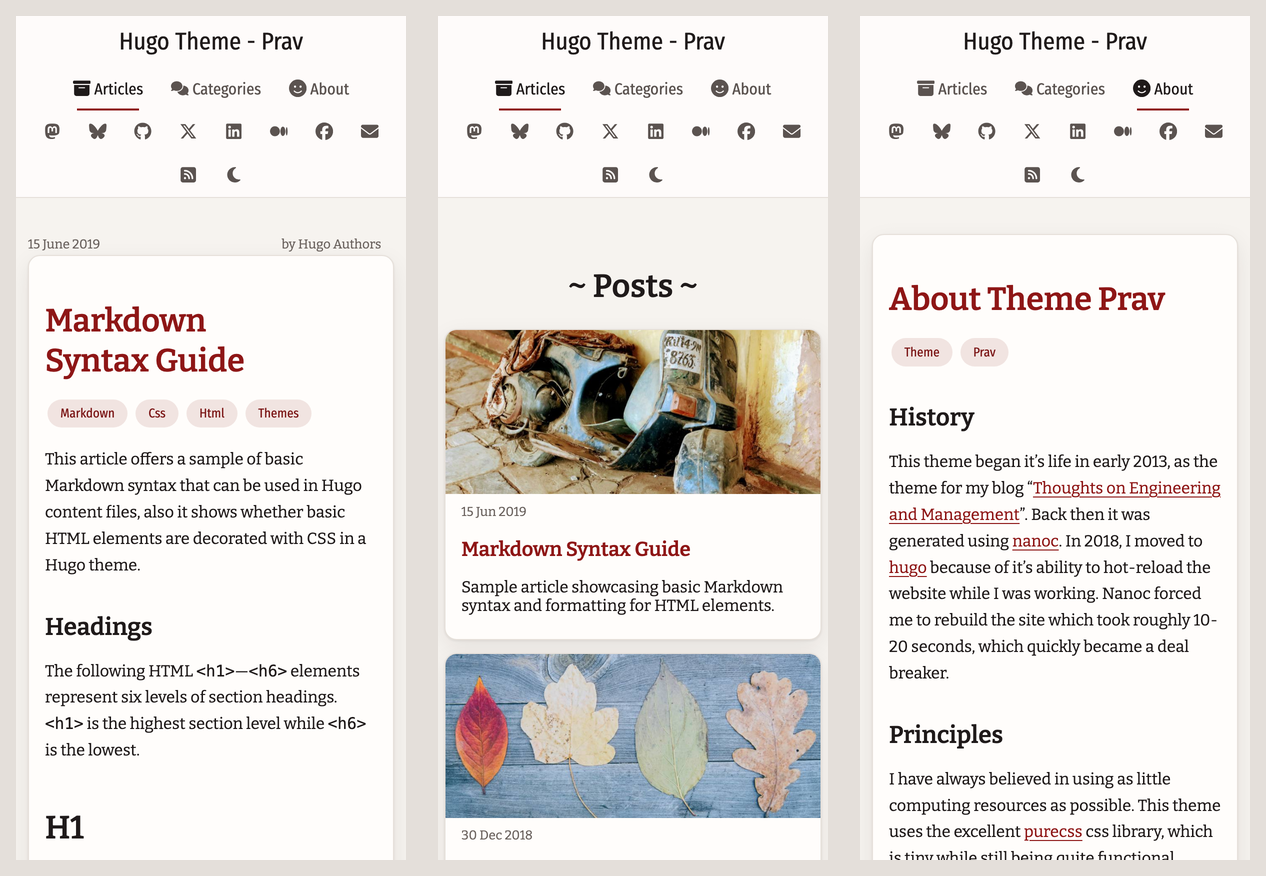
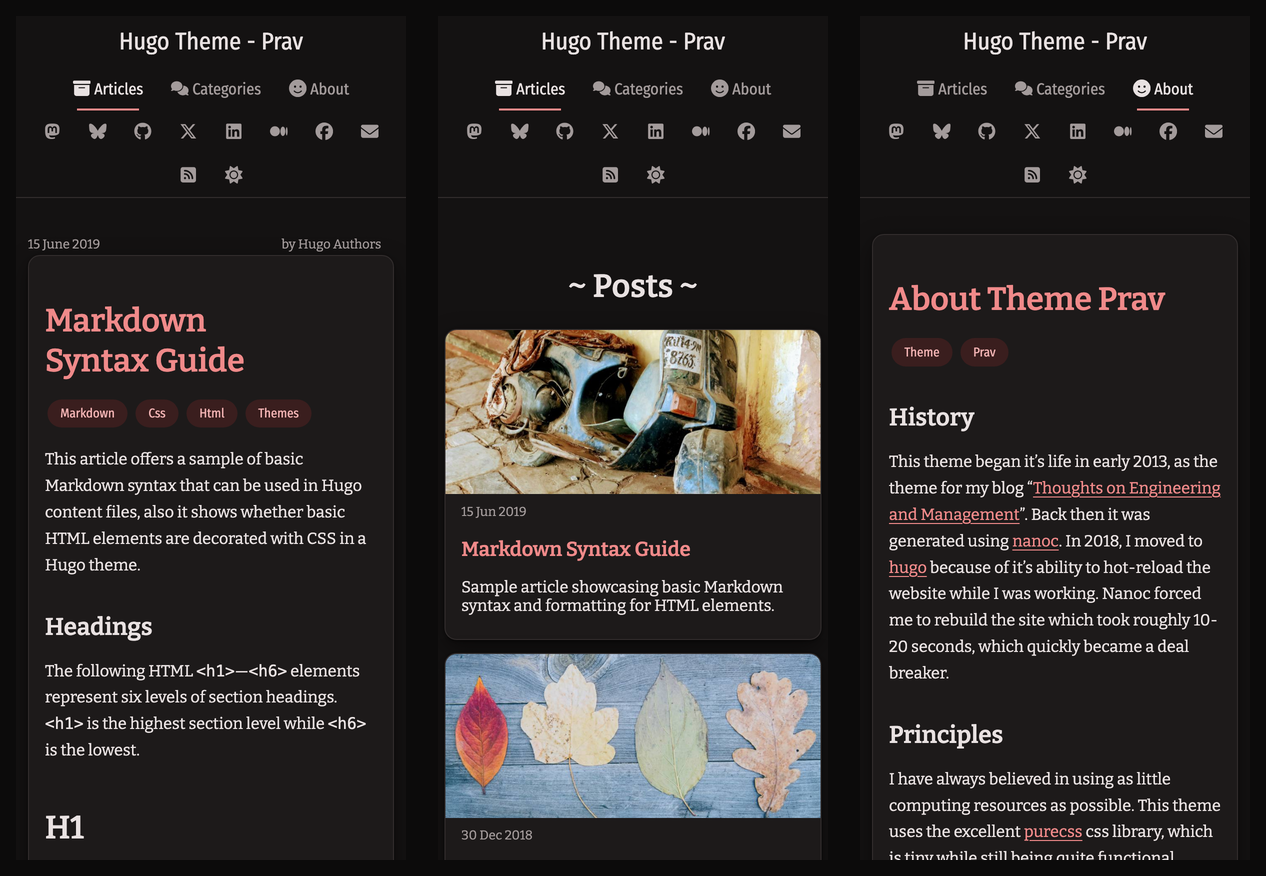
### On a phone
## History
This theme began it's life in early 2013, as the theme for my blog "[Thoughts on Engineering and Management](https://cto.me.uk)". Back then it was generated using [nanoc](https://nanoc.ws/). In 2018, I moved to [hugo](https://gohugo.io/) because of it's ability to hot-reload the website while I was working.
## Principles
I have always believed in using as little computing resources as possible. This theme uses the excellent [purecss](https://purecss.io/) css library, which is tiny while still being quite functional. Icons are inline SVGs, so there is no icon font to download.
The design is flat and quiet. Warm off-white and near-black surfaces, soft shadows and a single red accent keep the focus on your writing. Body text is limited to a comfortable line length, links are underlined, and keyboard focus is always visible. Colours have been chosen to be easy on the eyes, with enough contrast to help with accessibility.
This theme is by no means complete. I have added to it over the last six years and will continue to do so. I hope you and the rest of the community will help in contributing to making this theme even better.
## Features
This is a two column theme with a navbar at the top and a sidebar to the right. The navbar contains links to major pages and links to social networks. It stays at the top of the screen as you scroll (on larger screens) and marks the page you are on. The sidebar contains an about section, a section with the last 10 posts and finally a section which lists tags used across your site. On small screens the sidebar moves below the article.
### Article list
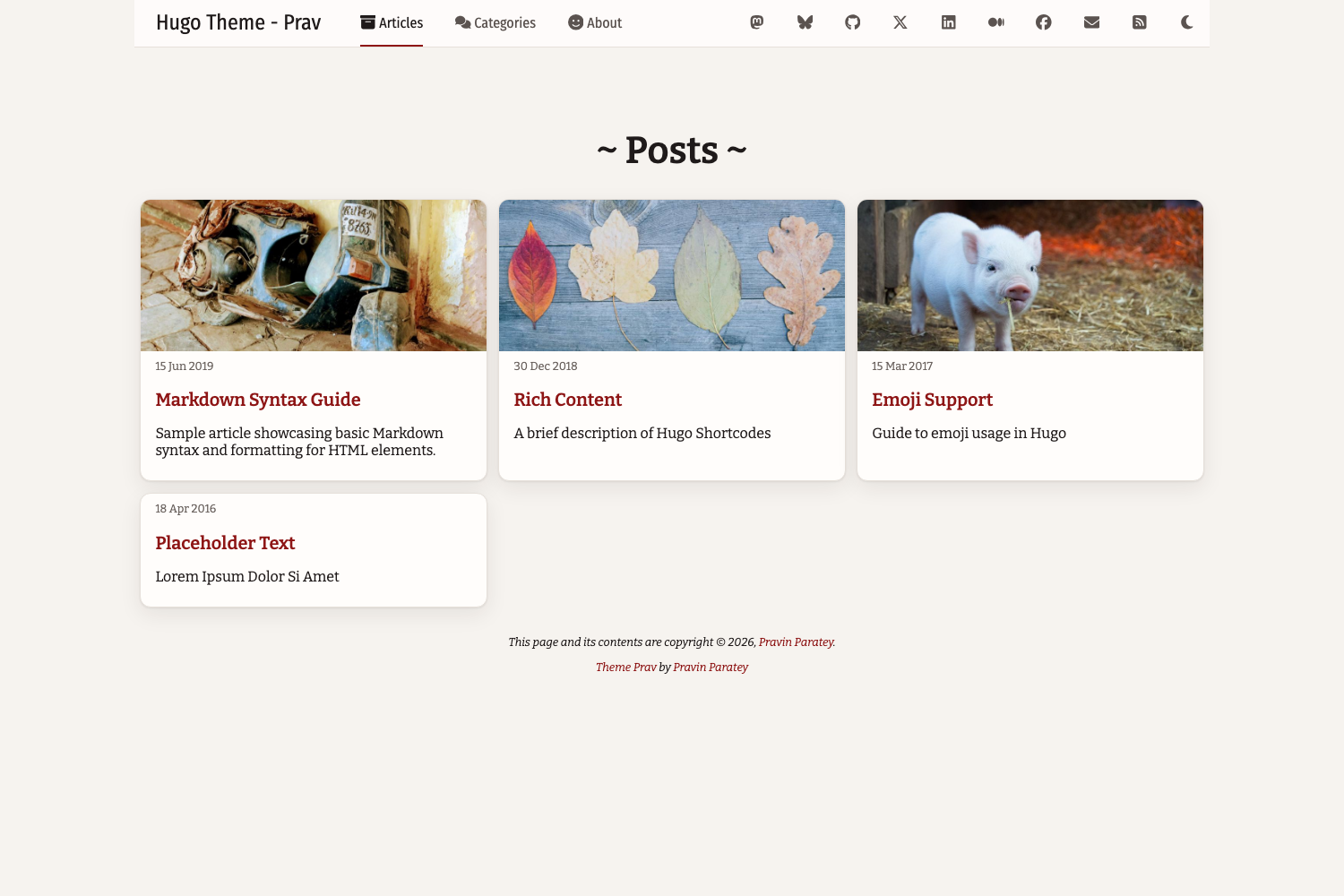
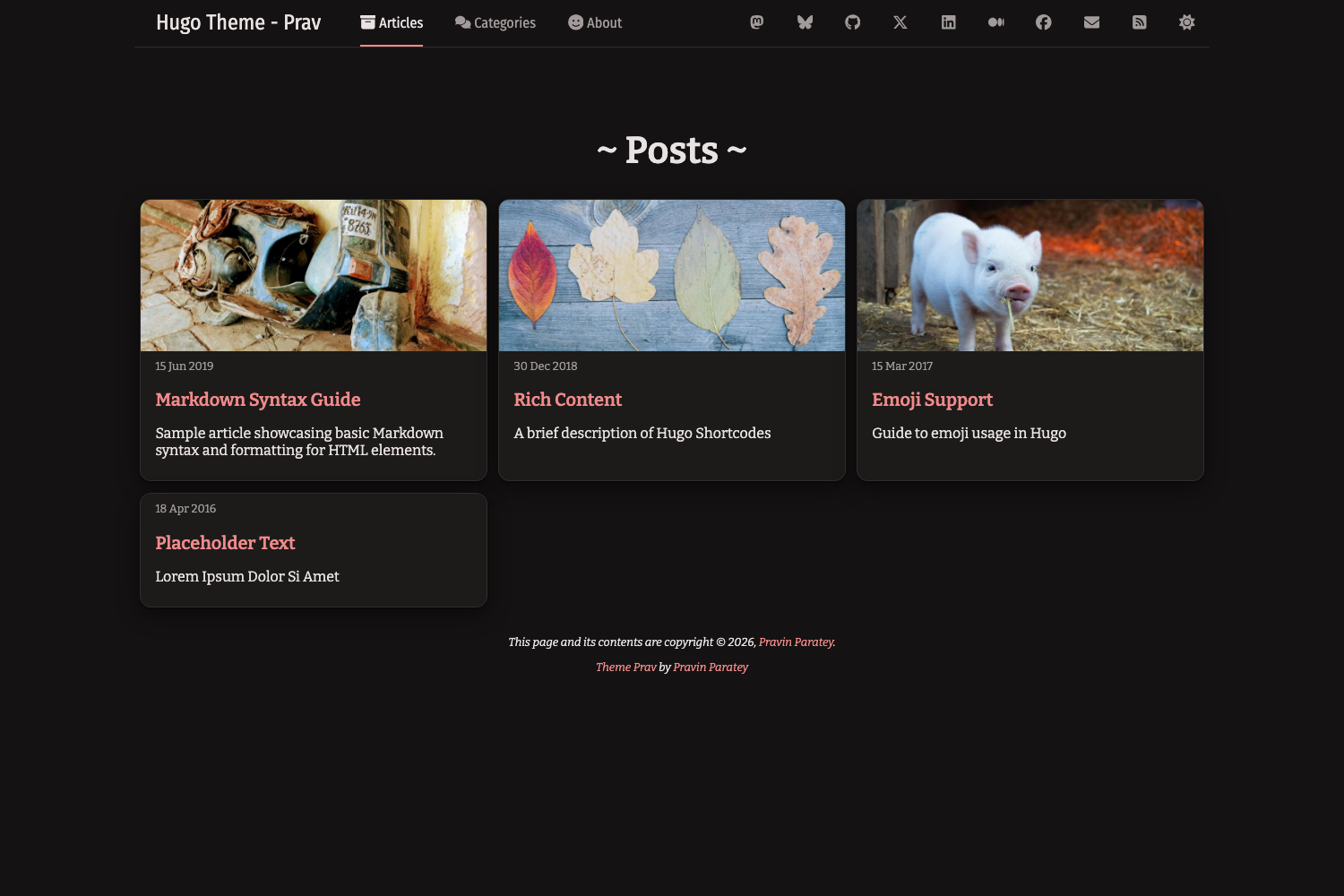
Archive pages show posts as cards, with an optional feature image, the date and a short description. See [Feature images in archives](#feature-images-in-archives).
### Beautiful tables and images through purecss
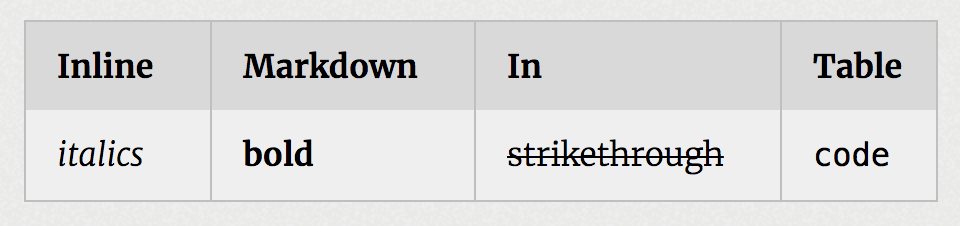
Tables are styled with purecss, with striped rows and borders that follow light and dark mode. Wide tables scroll sideways on small screens instead of breaking the layout.
### Light and dark mode
The theme follows the visitor's operating system setting, and a sun/moon button in the navbar lets them switch. Their choice is remembered in the browser.
```toml
[params]
# "auto" follows the OS setting; "light" or "dark" makes that the default
defaultTheme = "auto"
# Set to false to hide the toggle button
themeToggle = true
```
All colours are CSS variables at the top of `assets/css/style.css`, written as `light-dark(<light>, <dark>)`. To change them, copy that file into your site's `assets/css/` folder (see [Custom styles](#custom-styles)).
### Syntax highlighting
Code is highlighted by Hugo's built-in highlighter (Chroma), with colours that follow light and dark mode (perldoc for light, github-dark for dark). This needs Chroma to output CSS classes, so add this to your site config,
```toml
[markup.highlight]
noClasses = false
```
To use different styles, regenerate `assets/css/syntax.css` in your site with `hugo gen chromastyles --style=<name>`. The header of the theme's copy explains how the dark half is scoped.
Each code block shows its language and has a copy button. The button needs JavaScript and the Clipboard API; without them the block still looks and works normally.
Example highlighted code, in light and dark mode,

### Update the about image
To update the image shown in the sidebar, create a file called `author.png` in your site's `static/img/` folder. Alternatively, set `params.authorImgPath` in your config. It is shown as a centred circle, so a square image works best.
### Feature images in archives
Setting the `image` parameter in the front matter sets a feature image which is displayed at the top of the post's card in the articles list. Images are cropped to a wide banner, so keep the subject near the centre. The image can either be a [page resource](https://gohugo.io/content-management/page-resources/) (e.g. `content/posts/my-post/cover.jpg` in a page bundle) or a file in your site's `static/img/feature/` folder.
```yaml
image: cover.jpg
```
### Menu
By default the navbar shows Articles, Categories and About. To change these, define a `main` menu in your config. Each entry can have an optional icon (see [Icons](#icons)),
```toml
[[menus.main]]
name = "Articles"
pageRef = "/posts"
weight = 10
[menus.main.params]
icon = "box-archive"
```
### Icons
Icons are SVG files in `assets/icons/`, inlined into the page so they take the colour of the text around them. The theme includes the icons it uses, from [Font Awesome Free](https://fontawesome.com) (CC BY 4.0). To add your own, put an SVG in your site's `assets/icons/` folder and refer to it by file name, e.g. `icon = "rocket"` for `assets/icons/rocket.svg`. In templates, use `{{ partial "icon.html" "rocket" }}`.
### Custom header, footer and menu
To add custom code to the `<head>`, the end of the page, or the right side of the navbar, create `custom_header.html`, `custom_footer.html` or `custom_menu.html` in your site's `layouts/_partials/` folder.
### Custom styles
To override the stylesheet, copy `assets/css/style.css` from the theme to `assets/css/style.css` in your site and edit it. It is minified and fingerprinted automatically.
### Comments by disqus
To enable comments, set `services.disqus.shortname` in your config. Comments appear on all single pages, and can be turned off for a page with `disableComments: true` in its front matter.
### Google Analytics
Set `services.googleAnalytics.ID` in your config. The tracking code is only included in production builds (`hugo`, not `hugo server`).
### Social
To show a link to a social network in the navbar (top-right), set its URL under `params.social`. To hide it, comment it out. Supported keys: `mastodon`, `bluesky`, `github`, `twitter`, `linkedin`, `medium`, `facebook` and `email`.

## Configuration
This theme requires Hugo v0.146.0 or later. A complete example lives in [`exampleSite/hugo.toml`](exampleSite/hugo.toml). To try it,
```sh
cd exampleSite
hugo server
```
A minimal `hugo.toml`,
```toml
baseURL = "https://example.com/"
locale = "en-GB"
title = "Hugo Theme - Prav"
theme = "hugo-theme-prav"
[services.disqus]
# shortname = ""
[services.googleAnalytics]
# ID = "G-XXXXXXXXXX"
[params]
title = "Hugo Theme - Prav"
tagline = "Lorem ipsum dolor sit amet, consectetur adipiscing elit."
author = "Pravin Paratey"
authorImgPath = "/img/author.png"
authorBlurb = "Something about me"
mainSections = ["posts"]
[params.social]
email = "mailto:[email protected]"
mastodon = "https://mstdn.social/@example"
github = "https://github.com/example"
[markup]
# Lets syntax colours follow light and dark mode
[markup.highlight]
noClasses = false
# Allows raw HTML in content and in markdownified descriptions
[markup.goldmark.renderer]
unsafe = true
```
## Upgrading from older versions of this theme
* **Hugo v0.146.0 or later is required.**
* Move the `[social]` section to `[params.social]`. Hugo no longer supports a top-level `social` key.
* Replace `googleAnalytics = "..."` with `[services.googleAnalytics] ID = "..."`, and `disqusShortname = "..."` with `[services.disqus] shortname = "..."`.
* Replace `pygmentsCodeFences` / `pygmentsStyle` with `[markup.highlight] noClasses = false`. Syntax colours now come from the theme's stylesheet, so they can follow light and dark mode.
* Font Awesome is no longer loaded. If your custom partials or content use `<i class="fa ...">` icons, use the `icon.html` partial instead or load Font Awesome yourself in `custom_header.html`.
* Replace `paginate = N` with `[pagination] pagerSize = N`.
* If you overrode `static/css/style.css`, move your copy to `assets/css/style.css`.
* Custom partials in `layouts/partials/` still work, but `layouts/_partials/` is the new location.
## In closing
I hope you enjoy this theme as much as I have enjoyed building and using it over the last few years.
-Prav
看看同类模板
对比同技术栈与用途的模板,找到更适合的视觉与内容结构。

hugo-coder
A minimalist blog theme for hugo.
Hugo · 博客

doks
Doks 是 Thulite 生态下的文档主题,底层是 Hugo 静态站点生成器。 它把重点放在长文阅读体验上:极简且响应式的布局、为文档优化的排版,以及代码块语法高亮,整体更接近技术手册的形态,而不是通用营销页模板。
Hugo · 工具站

hugo-theme-introduction
Minimal, single page, smooth-scrolling theme for Hugo static site generator.
Hugo · 作品集

lotusdocs
📖 A free, lightweight, modern documentation theme for Hugo
Hugo · 文档
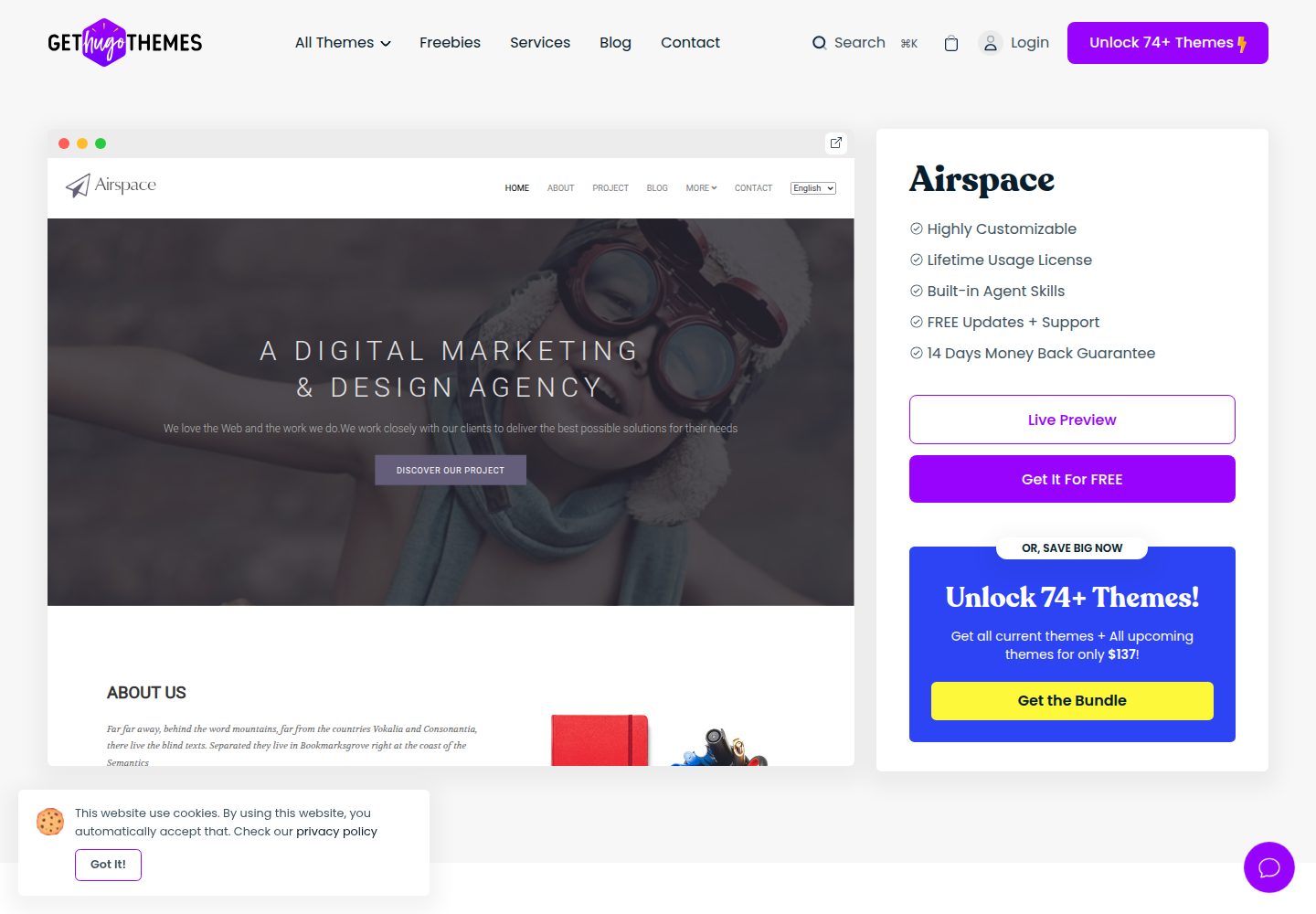
airspace-hugo
Airspace Hugo theme for multipurpose use, like Portfolio, Blog, Business.
Hugo · 作品集
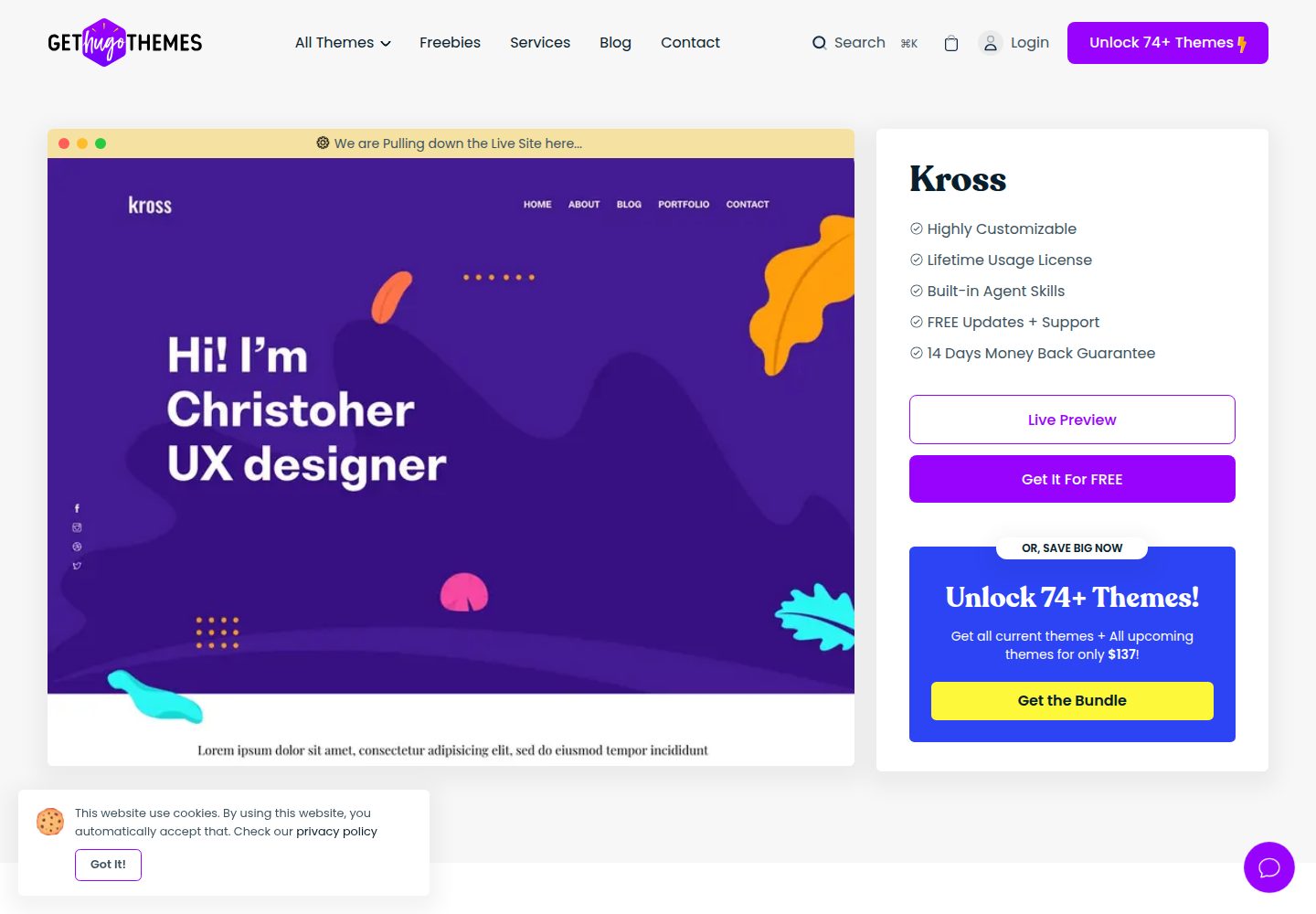
kross-hugo
Kross is a creative, sleek and modern personal portfolio Hugo theme with a gorgeous appearance.
Hugo · 作品集