Anime visual style imitating MiHoYo's official pages
HexoBlog
hexo-theme-MiHoYo — Hexo Blog Template
By redhat123456
hexo-theme-MiHoYo is a Hexo blog theme referencing the official MiHoYo page style, licensed under Apache-2.0, currently offering three page types and supporting Valine comments.
Explore the design
Compare the page layouts and mobile experience. Open any screenshot for a closer look.
Desktop homepage1 / 3
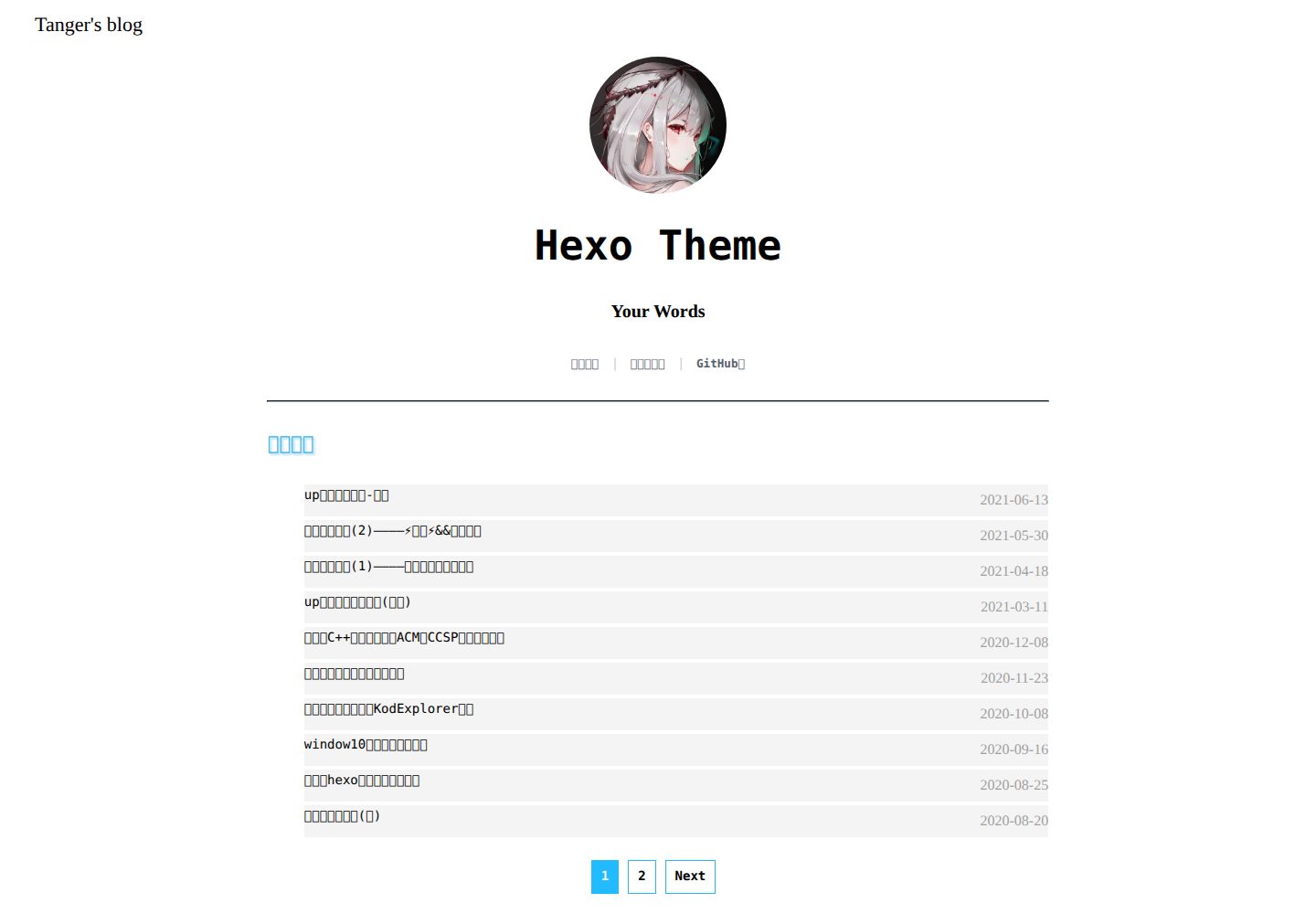
Desktop captureTop of page
Actual screenshot captured by the server browser.
All pages & views 3
Screenshots show visual appearance; interactive behavior may differ.
Recorded 2026-10-01View source
What stands out
A quick read of the recorded project description.
Configure top navigation, info bar, avatar, title, and tagline via the theme directory's _config.yml
Integrates the Valine comment system, requiring app_id and app_key configuration
Repository provides PC and mobile preview screenshots and an online demo site
Licensed under Apache-2.0, allowing free use, modification, commercial use, and distribution
Template Details
hexo-theme-MiHoYo is a theme written by developer Tanger for the Hexo static blog engine, aiming to visually imitate the anime style of MiHoYo's official pages so that MiHoYo players feel familiar when browsing the blog. The theme is enabled by switching in the root _config.yml, and configures the top navigation bar, info bar, site description, keywords, avatar, title, and tagline in the theme's own _config.yml. The comment feature integrates Valine and requires filling in app_id and app_key.
According to the README, this is the first version, containing only three page types; the author states development took about two weeks and explicitly lists "mobile adaptation, adding background images, updating the info card effect" as future plans. The repository provides PC and mobile preview images, with a demo site at mihoyo.tanger.ltd. The theme code is licensed under Apache-2.0, allowing free use, modification, commercial use, and distribution, but third-party assets such as demo images, fonts, and icons require separate license verification.
HexoBlog
Is it right for your project?
Use Cases
- Building a personal blog with Hexo and wanting an anime-style theme
- MiHoYo players choosing a theme for their blog that resembles the official page look
- Hexo static blogs needing Valine comment functionality
- Sites wanting to further modify top navigation and info bar configuration based on an existing theme
Suitable For
- Personal blog authors using Hexo who prefer an anime visual style
- Users wanting to quickly switch themes and adjust basic settings such as navigation, avatar, and tagline
- Static blogs needing Valine comments
- Users accepting the first version's feature scope and willing to follow future updates
Getting started & customization
Use these recorded setup notes alongside the repository instructions for your chosen version.
- 1
Run git clone in the themes folder of the Hexo root directory to download the theme repository
- 2
Edit the root _config.yml and change the theme field to hexo-theme-MiHoYo
- 3
Run hexo g and hexo s in the root directory, then visit http://localhost:4000 to preview
- 4
Configure menuname, author, menu, topmenu, description, keywords, img_src, logo_title, words, etc. in the theme directory's _config.yml
- 5
For comments, fill in app_id and app_key in the valine section of the theme _config.yml
License & source material
Usage conditions & limitations
Free to use · keep license noticeThis entry covers the free version in the public repository under the Apache-2.0 license; the free scope applies to that version's code and does not imply that external services or third-party assets are free.
Must comply with when using
- Free use, modification, commercial use, and distribution are permitted; the Apache-2.0 license must be included when distributing.
- Modified files must carry prominent notices of changes, and relevant copyright, patent, trademark, and attribution notices must be retained.
- If the original project includes a NOTICE file, applicable attribution notices must be retained when distributing derivative works.
- The license includes an applicable contributor patent grant; initiating patent litigation as described in the license terminates that patent grant, and no trademark rights are granted.
- The code is provided as is; warranties and limitations of liability are governed by the original license and applicable law.
Additional costs & items to verify
- The comment feature depends on the third-party Valine service, requiring separate registration and app_id and app_key; this is an external service and account requirement, not a limitation of the theme code itself.
- Email notifications require deploying the third-party Valine-Admin project separately, an optional external service dependency.
- Demo images, fonts, icons, and other third-party assets must be checked under their respective licenses and cannot be judged solely by the code's Apache-2.0 license.
- External services such as domains, hosting, databases, payments, or AI may incur additional charges.
View Original Text Basis
no-charge, royalty-free, irrevocable copyright license
Original License Text
本主题支持[Valine](https://valine.js.org/) 。 请修改主题目录下 `_config.yml` 文件中 `valine:` 的 `app_id:` 与 `app_key:` 。
Original README
https://github.com/redhat123456/hexo-theme-MiHoYo/blob/main/LICENSEhttps://github.com/redhat123456/hexo-theme-MiHoYo/blob/main/README.md开启邮件提醒:[zhaojun1998 / Valine-Admin](https://github.com/zhaojun1998/Valine-Admin)
Original README
Compiled by DeepSeek based on repository license and README ·2026-10-01. Results only cover the materials read; dependencies, images, fonts, and subsequent term changes are subject to their respective original texts.
Project checks & description sources
Template Information
- Source platforms
- GitHub
- Documentation and maintenance reference score
- Partly documented · 73 / 100
- Technologies
- Hexo
- Website type
- Blog
How this score is calculated
Our heuristic uses license records (up to 30), a demo link (12), a preview (10), stars (15), recorded maintenance (15), description completeness (8), feature records (5) and classification data (5). It is not a code, security or performance test, or a Google score. A link does not establish tested functionality.
What to verify for this project
- Repository update recorded
- 2025-06-15
- Screenshot last checked
- 2026-10-01
A demo link is listed. Check it with your own content and viewport sizes; its presence does not confirm that forms, authentication or payments work.
The catalog identifies Hexo as the primary stack. Check the actual dependency manifest and lockfile for versions and hosting requirements. These notes use recorded metadata, not a code audit or a deployment test.
Use a selection guide →How this description was prepared
AI-assisted description based on catalog records and repository material. Repository authors are not automatically the reviewers of this description.
Automatically checked against source and license rules; no manual editorial review.
Inspect the recorded source material
SHA-256: 47be0b3363fa16a5ed214ef6d2334b323eed288010c41229a6571da8f191a624
2026-10-01T03:33:47.907Z
Source file / repository# hexo-theme-MiHoYo ## 初心 hexo 不是我开发的,但是 hexo-theme 可以啊,看多了 hexo-theme 就会有一种想开发的冲动,就像[【编写自己的 Hexo 主题】](https://easyhexo.com/4-High-order-hexo-gamer/4-2-theme-develop/#%E7%BC%96%E5%86%99%E8%87%AA%E5%B7%B1%E7%9A%84-hexo-%E4%B8%BB%E9%A2%98)中讲的那样:“当你看到你用的主题出现在两个以上的博客的时候,那你就要考虑自己写一个了。”,其实这个东西是我两周时间开发出来的,很快也很烂,根本比不上同时期的其他作品,可是人啊,就是想去实现一些梦想,想要一些做不到的东西,开发这段时间让我对自己的前端技术产生了彻头彻尾的反思,因为技术实在是太烂了,我都没想到自己的技术什么时候这么不堪(因为其实好的样式并非看上去那么好做),是的我也在慢慢来,慢慢变强,一切都要慢慢来。。。,现在是第一版只有三种页面,后面我会努力的,加油 🎉 如果想联系不妨用 **issue** 来留言,或者邮箱联系我:[email protected],我会在第一时间回复。🎈 ## 说明 该 hexo 主题是想表达出一股浓浓的二次元风格的 hexo 主题,后面会针对这一风格进行改进,以 MiHoYo 的官方页面作为主要的模仿目标,打造出一种让 MiHoYo 玩家一种亲切的感觉,一种较为浓厚的二次元风格的内容,我现在也在寻找一种合适的样式进行开发。如果你有更好的想法欢迎联系我,让我们一起为能力打造一款合适的二次元风格的 hexo-theme 而努力!!!😁 ## 预览 PC 端: 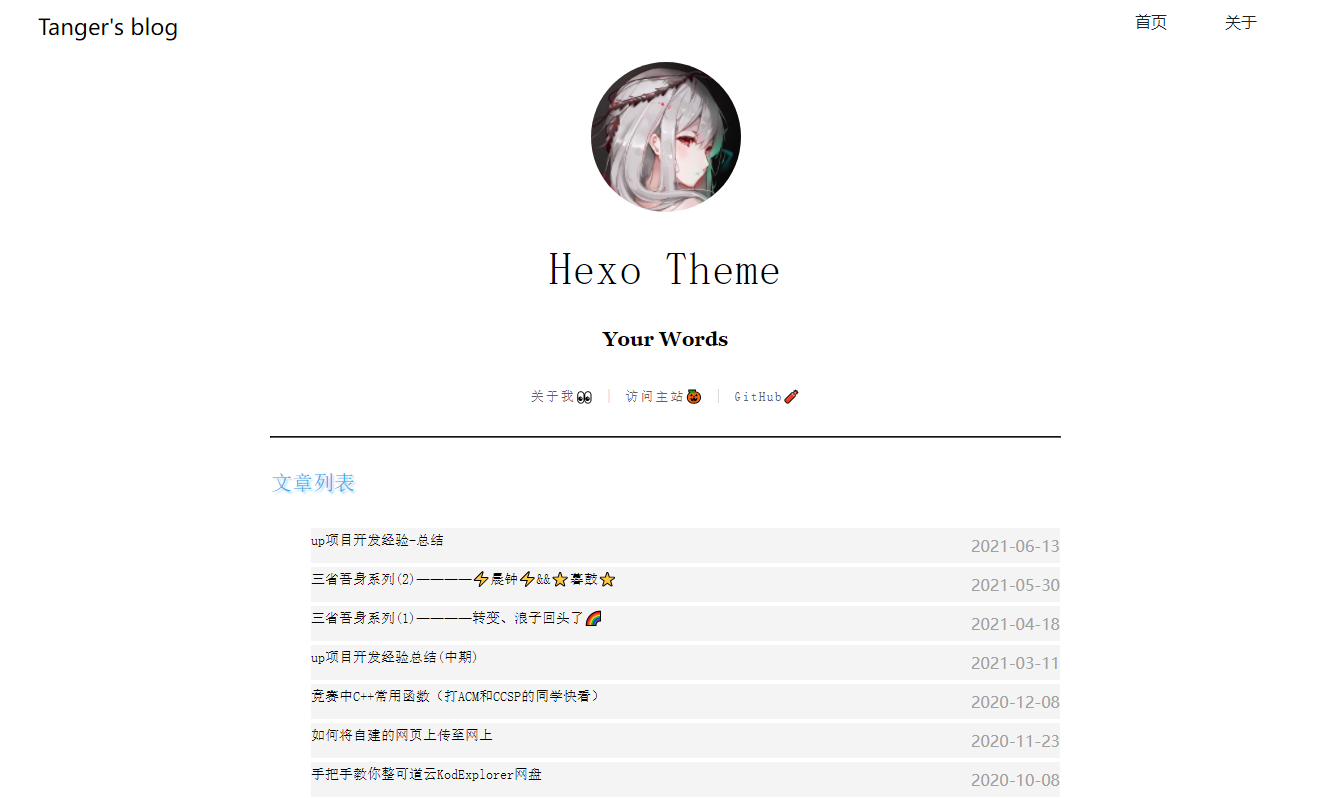 手机端: <p align="center"> <image src="https://github.com/redhat123456/pohots/blob/master/gif/1.gif?raw=true"></image> </p> Tanger: http://mihoyo.tanger.ltd/ 如果您使用了该主题并想展示你的 blog~,欢迎在<a href="https://github.com/redhat123456/hexo-theme-MiHoYo/issues">issue</a>给我留言,我会把你展示出来 🎃 ## 安装 手动安装 请按照以下步骤安装配置该主题 1、下载 hexo-theme-MiHoYo 在选中 `根目录/themes` 该文件后右键选择 `Git Bash Here` 或者 `PowerShell` 都可以(以下统一将这些命令行窗口称为命令行)。 `git clone [email protected]:redhat123456/hexo-theme-MiHoYo.git` or `git clone https://github.com/redhat123456/hexo-theme-MiHoYo.git` 我们就完成了第一步下载主题的扩展包 2、配置`_config.yml`(⚠ 值得注意的是:此处的`_config.yml`文件指的是在根目录下的`_config.yml`) 用编辑器打开该文件,之后在 `theme: XXXX` 这一行中将 theme 后面的`XXXX`去掉改成 `hexo-theme-MiHoYo` 3、部署 hexo 页面以及预览 hexo 页面 在根目录下打开命令行,依次输入`hexo g`和`hexo s`,打开浏览器输入`http://localhost:4000`,预览主题效果。 ## 写作 - 可以参考 [Hexo|写作](https://hexo.io/zh-cn/docs/writing) * 也可以参考 GitHub 的 [markdown 教程](https://guides.github.com/features/mastering-markdown/) * 添加文章标题与分类,更多特性可以参考[Hexo|Front-matter](https://hexo.io/zh-cn/docs/front-matter) ,示例: ```markdown --- title: 'Hello World !' date: 2020-10-23 21:54:02 tags: code category: Example --- ``` ## 修改基础样式 我们可以通过在`theme/hexo-theme-MiHoYo`文件下的`_config.yml`来对主题样式进行修改,主要有如下样式可以修改 ### 顶部导航栏设置 可以在主题页面中的`_config.yml`中对该代码行进行修改如下: ```markdown menuname: Tanger's blog # 你的昵称 | Your Name author: Your Name # main menu navigation menu: 关于我 👀: /about 访问主站 🎃: http://tanger.cloud/ GitHub🧨: https://github.com/redhat123456 ``` #### author blog 作者名字 #### menuname 左侧链接,默认指向 blog 首页 #### menu 右侧顶部导航栏 设置: `:`号前对应的是 标题名 后面代表链接 ,顶部导航栏就是根据该行代码写出自定义的导航栏 ### 信息栏设置 对应的是`_config.yml`中的 ```markdown topmenu: 首页: / 关于: /about ## 网站描述 description: 嘿,我是 Tanger ~这是我的子站,用于展示写的 Hexo 主题:MiHoYo。欢迎访问! ## 网站关键词:用英文逗号分割 keywords: hexo,theme,MiHoYo ## blog 头像 img_src: https://avatars.githubusercontent.com/u/57751257?v=4 # 网站标题 | Title logo_title: Hexo Theme #标语 | Your Slogan words: Your Words ``` 可以根据对应的信息进行修改 ## 评论系统 本主题支持[Valine](https://valine.js.org/) 。 请修改主题目录下 `_config.yml` 文件中 `valine:` 的 `app_id:` 与 `app_key:` 。 参考 [Valine 快速开始](https://valine.js.org/quickstart.html) 开启邮件提醒:[zhaojun1998 / Valine-Admin](https://github.com/zhaojun1998/Valine-Admin) ## 参与开发 ### 开发人员 - [Tanger](https://github.com/redhat123456) - [Yue_plus](https://github.com/Yue-plus) > 欢迎提交 [Issues](https://github.com/redhat123456/hexo-theme-MiHoYo/issues/new) 与 [PR](https://github.com/redhat123456/hexo-theme-MiHoYo/issues/pulls) ### 参与开发可能需要的文档 - [Hexo 官方文档](https://hexo.io/zh-cn/docs/templates) - [ejs 模板引擎中文文档](https://ejs.bootcss.com/) - 另外引用几个大佬的 blog > - <https://easyhexo.com/> > - [让 Hexo 搭建的博客支持 LaTeX](http://cps.ninja/2019/03/16/hexo-with-latex/) > - [Hexo 主题开发 - ﹏猴子请来的救兵 - 博客园](https://www.cnblogs.com/yyhh/p/11058985.html) > - 【墙】[Hexo 主题开发经验杂谈 | MARKSZ の Blog](https://molunerfinn.com/make-a-hexo-theme/) > - 【墙】[Hexo 主题开发指南 | Peak Xin's Blog](https://xinyufeng.net/2019/04/15/hexo-theme-guide/) ## 下一步实现的功能 * 适应移动端 * 加入背景图 * 更新信息卡的效果 ## 支援主题开发 喜欢这个主题的话可以: - 给颗小星星吧 `(/▽\)` > - 给个小目标 50star 做个新主题哦~ - 加入 QQ 群:808985048 > 群内开发为主,吹水晒卡,有什么代码想分享也都欢迎哦~ `d=====( ̄▽ ̄*)b`
Explore similar templates
Compare previews and descriptions within the same stack and category.

hexo-theme-matery
hexo-theme-matery is a Material Design, responsive Hexo blog theme with homepage carousel, waterfall post list, timeline archive, word cloud tags, radar chart categories, and an about page.
Hexo · Blog

hexo-theme-cactus
Cactus is a responsive Hexo theme for personal websites and blogs, maintained by probberechts. It offers four color schemes (dark, light, white, classic), configurable navigation, homepage post lists, project lists, social links, and copyright year ranges.
Hexo · Blog

hexo-theme-volantis
Volantis is a blog theme for Hexo, distributed as the npm package hexo-theme-volantis and enabled by setting theme to volantis in the Hexo site's _config.yml. It requires Hexo 7.3+, hexo-cli 4.3+, Node.js 22.x LTS+, and npm 10.x LTS+.
Hexo · Blog

hexo-theme-aurora
Hexo Theme Aurora is a futuristic Hexo blog theme built around aurora gradients and a magazine-style grid layout.
Hexo · Blog

hexo-theme-Claudia
Claudia is a Hexo blog theme focused on a clean look and easy configuration. It automatically follows the device's dark mode and claims a 90+ Lighthouse score.
Hexo · Blog

hexo-theme-A4
hexo-theme-A4 is a minimalist Hexo blog theme that mimics the texture of A4 paper, emphasizing simplicity, small size, and minimal configuration.
Hexo · Blog