Integrates Tailwind CSS, Headless UI, and unplugin-icons icon components
NuxtVueStarter
nuxt-starter — Nuxt Starter Template
By renatoxm
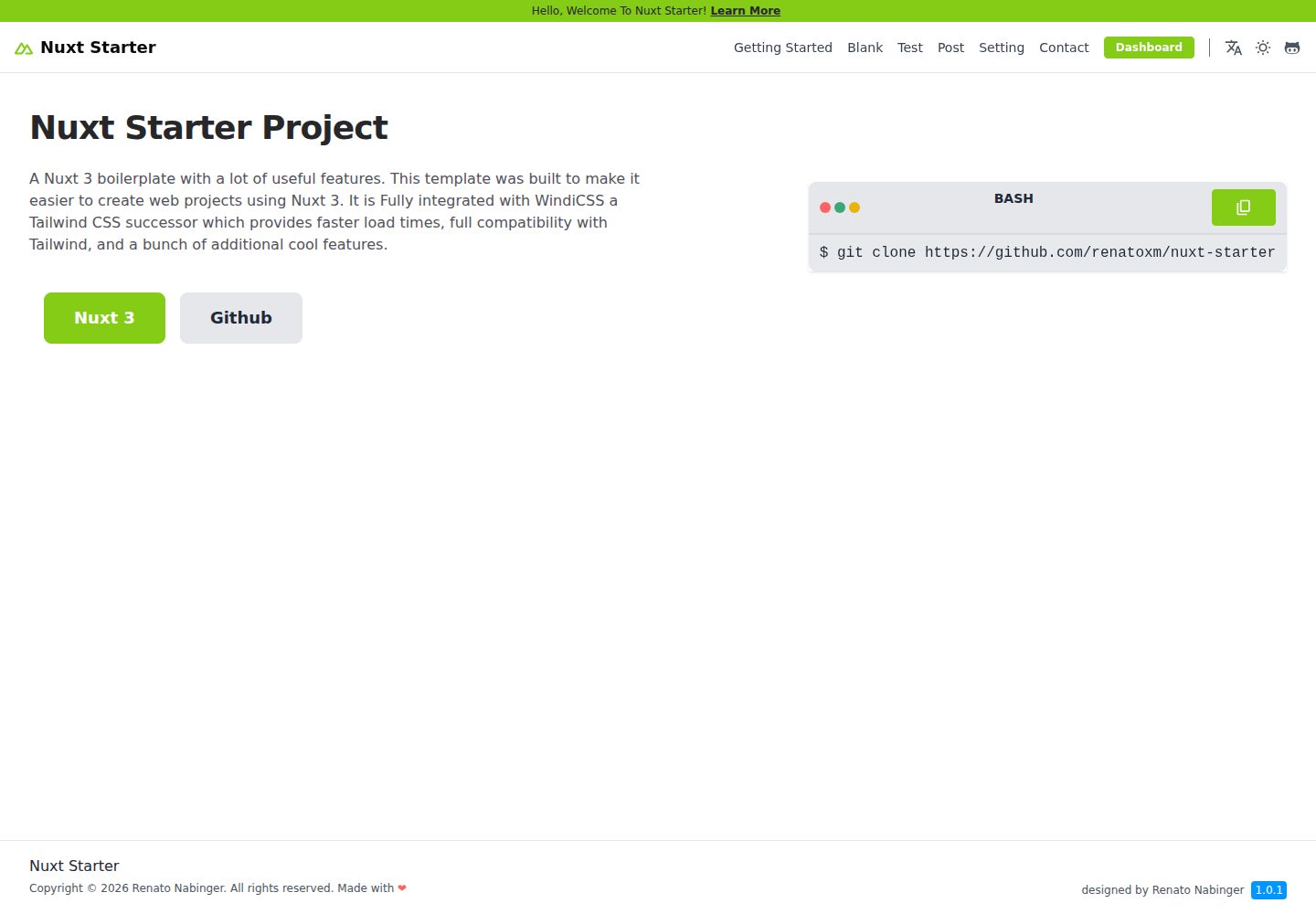
A Nuxt 3 starter template integrating Tailwind CSS, Headless UI, Pinia, i18n, Nuxt Content, and other modules, along with a set of layout and UI components.
Explore the design
Compare the page layouts and mobile experience. Open any screenshot for a closer look.
Desktop homepage1 / 2
Desktop captureTop of page
Actual screenshot captured by the server browser.
All pages & views 2
Screenshots show visual appearance; interactive behavior may differ.
Recorded 2026-10-13View source
What stands out
A quick read of the recorded project description.
Uses Pinia for state management and VueUse for composable utilities
Localization via @intlify i18n with support for automatically generating language files
Built-in UI components such as Navbar, Page Layout, Dashboard Layout, Card, and Alert
Theme switching supports light, dark, system, and realtime modes, with configurable primary color and fonts
Manages content in Markdown with Nuxt Content, but only in SSR mode
Template Details
This is a Nuxt 3 starter template (boilerplate); the repository description is Nuxt 3 + Tailwind CSS + Nuxt Layer. The README lists integrations including Tailwind CSS, Headless UI, unplugin-icons icon components, Pinia state management, @intlify i18n localization, VueUse, Nuxt Content (SSR), theme switching (light/dark/system/realtime), Prettier, Consola, Release It, Vue I18n, a contact form, and configurable themes (primary color and fonts). Among these, Nuxt Layer support is still marked as incomplete in the feature list.
The template includes a set of built-in components: Footer, Button, Anchor, Alert, Card, Action Sheet, theme switcher, Navbar (with Navbar Builder, mobile Drawer, and Options), Page Layout (Wrapper, Header/Title, Body/Section/Section Wrapper/Section Title), Dashboard Layout (Sidebar), and a contact form; Modal is marked as incomplete.
There are several usage limitations: Nuxt Content is only available in SSR mode and is not yet supported in static mode; the contact form relies on the Static Forms service and requires an ACCESS_KEY configured in .env; adding a new language requires modifying nuxt.config.ts, the .yml files in the locales directory, and app.config.ts. The project uses pnpm as the package manager and can be built as a static site via pnpm generate and deployed from the dist/ directory. The repository is MIT licensed, copyright Renato Nabinger.
NuxtVueStarter
Is it right for your project?
Use Cases
- When you need to quickly set up a Nuxt 3 project skeleton with common UI components included
- When the project requires multilingual support and you want to maintain translations in YAML files
- For sites that need light/dark theme switching and configurable primary color and fonts
- For sites that write content in Markdown and render it via SSR
- For dashboard layout pages that require a sidebar
Suitable For
- Front-end developers familiar with Vue and Nuxt
- Projects that need multilingual and theme-switching capabilities
- SSR sites that want to manage content with Markdown
- Teams that need ready-made layouts and basic components to reduce initial setup work
Getting started & customization
Use these recorded setup notes alongside the repository instructions for your chosen version.
- 1
Use pnpm as the package manager; after cloning, run pnpm install --shamefully-hoist to install dependencies
- 2
Run pnpm dev to start the development server, accessible by default at http://localhost:3000
- 3
Run pnpm generate to build a static site and deploy the dist/ directory
- 4
The contact form requires an ACCESS_KEY configured in .env; the key is obtained from Static Forms
- 5
Adding a new language requires modifying the locales in nuxt.config.ts, the .yml files in the locales directory, and app.config.ts
License & source material
Usage conditions & limitations
Free to use · keep license noticeThis entry covers the free version under the MIT license in a public repository; the free scope applies to that version's code and does not imply that external services or third-party assets are free.
Must comply with when using
- Free use, modification, commercial use, and distribution of this version's code are permitted.
- When distributing copies or substantial portions of the code, retain the original author's copyright notice and the full MIT license notice.
- The code is provided as is; warranties and limitations of liability are governed by the original license and applicable law.
Additional costs & items to verify
- Demo images, fonts, icons, and other third-party assets must be checked against their respective licenses; they cannot be judged solely by the code's MIT license.
- External services such as domains, hosting, databases, payments, or AI may incur additional charges.
- Nuxt Content is only available in SSR (server-side rendering) mode; static mode is not yet supported, so if deployed as a static site, Markdown content features based on Nuxt Content cannot be used.
- Before using the contact form component LayoutPageContact, an access key must be configured in the .env file; otherwise, the component will not work.
- The contact form relies on the third-party service Static Forms; you need to visit its website to register and obtain an access key, which is an external service dependency.
- When adding a new language or changing the default language, you must edit nuxt.config.ts and add the corresponding language configuration to the locales array.
- In addition to modifying nuxt.config.ts, you must also add the corresponding .yml language file in the ./locales directory and register the language in app.config.ts.
View Original Text Basis
Permission is hereby granted, free of charge
Original License Text
But this is only available for SSR (Server Side Rendering) mode. Static mode still not working
Original README
In order to use the contact form component `LayoutPageContact`, you need to create a `.env` file and add your key to it.
Original README
To get the access key, visit [Static Forms Website](https://www.staticforms.xyz) and follow the instructions.
Original README
To add a new language, or change default language, you need to edit `nuxt.config.ts` and add a new locale in `locales` array.
Original README
https://github.com/renatoxm/nuxt-starter/blob/main/LICENSE.mdhttps://github.com/renatoxm/nuxt-starter/blob/main/README.mdYou also need to add a locale `.yml` file in `./locales` and also ad them in `app.config.ts`
Original README
Compiled by DeepSeek based on repository license and README ·2026-10-13. Results only cover the materials read; dependencies, images, fonts, and subsequent term changes are subject to their respective original texts.
Project checks & description sources
Template Information
- Source platforms
- GitHub
- Documentation and maintenance reference score
- Partly documented · 73 / 100
- Technologies
- Nuxt · Vue
- Website type
- Starter
How this score is calculated
Our heuristic uses license records (up to 30), a demo link (12), a preview (10), stars (15), recorded maintenance (15), description completeness (8), feature records (5) and classification data (5). It is not a code, security or performance test, or a Google score. A link does not establish tested functionality.
What to verify for this project
- Repository update recorded
- 2024-02-20
- Screenshot last checked
- 2026-10-13
A demo link is listed. Check it with your own content and viewport sizes; its presence does not confirm that forms, authentication or payments work.
The catalog identifies Nuxt as the primary stack. Check the actual dependency manifest and lockfile for versions and hosting requirements. These notes use recorded metadata, not a code audit or a deployment test.
Use a selection guide →How this description was prepared
AI-assisted description based on catalog records and repository material. Repository authors are not automatically the reviewers of this description.
Review declaration: [email protected] · 2026-10-13
Inspect the recorded source material
SHA-256: 4ce928bb219893f8e90ead0e5866db0bbb47107949541f136ecabca9dbb13986
2026-10-13T04:40:58.564Z
Source file / repository# Nuxt Starter
A Nuxt 3 starter template or boilerplate with a lot of useful features. and integrated with TailwindCSS 3.
## Features
- [x] 💨 [Tailwind CSS v3](https://tailwindcss.com/)
- [x] ✨ [Headless UI](https://headlessui.dev/)
- [x] 🔔 [Icon Pack Component (unplugin-icons)](https://icones.js.org/)
- [x] 🛹 [State & Store Management (Pinia)](https://pinia.vuejs.org/)
- [x] 🚩 [Localization (i18n) by @intlify](https://github.com/intlify/nuxt3) & Auto Generate Locales
- [x] 📦 [Vue Composition Collection (Vueuse)](https://vueuse.org/)
- [x] 📚 [Content Management System (Nuxt Content)](https://content.nuxtjs.org/) [SSR]
- [x] 🌙 Switch Theme (light, dark, system, realtime)
- [x] 💅 [Prettier](https://prettier.io/)
- [x] 💻 [Consola](https://github.com/unjs/consola)
- [x] 🚀 [Release It](https://github.com/release-it/)
- [x] 🌎 [Vue I18n Internationalization](https://vue-i18n.intlify.dev/)
- [x] ✉️ Contact form
- [x] Configurable Theme (Easy to change)
- [x] Primary Colors
- [x] Font
- [ ] 📚 [Nuxt Layer Support](https://nuxt.com/docs/getting-started/layers#layers)
## Preview
<table align="center">
<tr>
<td align="center" width="95%" colspan="2">
<img src="https://github.com/renatoxm/nuxt-starter/blob/main/assets/images/Nuxt3StarterScreen.png?raw=true" alt="Preview" title="Preview">
</td>
</tr>
</table>
<p align="center">
<br>
<a href="https://nuxt-starter-renatoxm.vercel.app/" target="_blank">
Live Demo
</a>
<br><br>
<a href="https://codesandbox.io/s/github/renatoxm/nuxt-starter" title="Open In Code Sandbox">
<img src="https://img.shields.io/badge/Open%20in-CodeSandbox-blue?style=flat-square&logo=codesandboxg" alt="Open In Code Sandbox">
</a>
</p>
## Table of Contents
- [Nuxt 3 Starter](#nuxt-starter)
- [Features](#features)
- [Preview](#preview)
- [Table of Contents](#table-of-contents)
- [Quick Start](#quick-start)
- [Start with this template](#start-with-this-template)
- [Deploy as Static Site](#deploy-as-static-site)
- [Built-in Components](#built-in-components)
- [Notes](#notes)
- [Nuxt Content](#nuxt-content)
- [Custom Workspace Snippets](#custom-workspace-snippets)
- [Styles](#styles)
- [Localization](#localization)
- [Contact Form](#contact-form)
- [License](#license)
## Quick Start
For detail information, go here [Getting Started](https://nuxt-starter-renatoxm.vercel.app/)
### Start with this template
- This project using `pnpm` as package manager.
- Clone this project to your computer `git clone https://github.com/renatoxm/nuxt-starter`
- Install dependencies `pnpm install --shamefully-hoist`
- Run `pnpm dev` to start development server and open `http://localhost:3000` in your browser
### Deploy as Static Site
- Run `pnpm generate` to build the project
- Serve `dist/` folder
Checkout the [deployment documentation](https://v3.nuxtjs.org/docs/deployment).
## Built-in Components
- [x] Footer
- [x] Button
- [x] Anchor (link)
- [x] Alert
- [x] Card
- [x] Action Sheet
- [x] Theme Toggle / Switcher
- [x] Navbar
- [x] Navbar Builder
- [x] Drawer (on mobile)
- [x] Options (on mobile)
- [x] Page Layout
- [x] Wrapper
- [x] Header
- [x] Title
- [x] Body
- [x] Section
- [x] Section Wrapper
- [x] Section Title
- [x] Dashboard Layout
- [x] Sidebar
- [x] Contact Form
- [ ] Modal
## Notes
### Nuxt Content
With Nuxt Content, you can just create markdown file (recommended) inside `content` folder.
But this is only available for SSR (Server Side Rendering) mode. Static mode still not working, you can see the issue https://github.com/nuxt/content/issues/1202
For now, you can follow
### Custom Workspace Snippets
This workspace including custom snippets for VSCode.
- **n3:content**
content template with markdown
- **n3:page**
page template
### Styles
Tailwindcss import managed by windicss.
and you can add custom styles in :
```css
/path/to/assets/sass/app.scss
```
### Localization
This project uses [nuxt/i18n](https://i18n.nuxtjs.org/) to translate links and content.
To add a new language, or change default language, you need to edit `nuxt.config.ts` and add a new locale in `locales` array.
```ts
// module::i18n
i18n: {
strategy: 'no_prefix',
defaultLocale: 'en',
langDir: 'locales',
detectBrowserLanguage: {
useCookie: true,
fallbackLocale: 'en',
redirectOn: 'root',
},
locales: [
{
code: 'en',
iso: 'en-US',
name: 'English',
file: 'en.yml',
flag: '🇺🇸',
},
... add other languages here!
],
},
```
You also need to add a locale `.yml` file in `./locales` and also ad them in `app.config.ts`
```ts
locales: {
en: {
name: 'English',
iso: 'en',
flag: '🇺🇸',
},
... add other locales
```
### Contact Form
In order to use the contact form component `LayoutPageContact`, you need to create a `.env` file and add your key to it. To get the access key, visit [Static Forms Website](https://www.staticforms.xyz) and follow the instructions. Then paste it in place of `YOR_ACCESS_KEY` like bellow.
```bash
# Contact form component your access key. Get yours here https://www.staticforms.xyz
ACCESS_KEY=YOUR_ACCESS_KEY
```
## License
This project is licensed under the MIT license, Copyright (c) 2023 Renato Nabinger. For more information see the [LICENSE](LICENSE.md) file.
Explore similar templates
Compare previews and descriptions within the same stack and category.

laravel-nuxt
A Laravel + Nuxt decoupled starter kit with built-in login, registration, email verification, password reset, and Socialite third-party login (GitHub example), switchable between SPA and SSR.
Nuxt · Starter

canvas
Canvas is a Nuxt-based portfolio template that uses Nuxt Content for content management and Nuxt UI with Tailwind CSS for pages.
Nuxt · Portfolio

nuxt3-starter
A Nuxt 3 starter template generated by nuxi, preconfigured with UnoCSS, unplugin-icons, Pinia, and VueUse. It suits developers who need a quick Nuxt 3 project skeleton with atomic CSS and auto-import workflows, and is available under the MIT license.
Nuxt · Starter

starter
The official Nuxt starter template for Nuxt UI, based on Nuxt and Vue. It provides a runnable project skeleton, an online demo, and Nuxt UI installation documentation, with README commands for creating, installing, developing, building, and previewing.
Nuxt · Starter

bloggrify
Bloggrify is a Nuxt layer that turns Markdown files into a blog site, built on Nuxt Content with preconfigured analytics, newsletter, comments, SEO, RSS, and content components.
Nuxt · Blog
vitify-nuxt
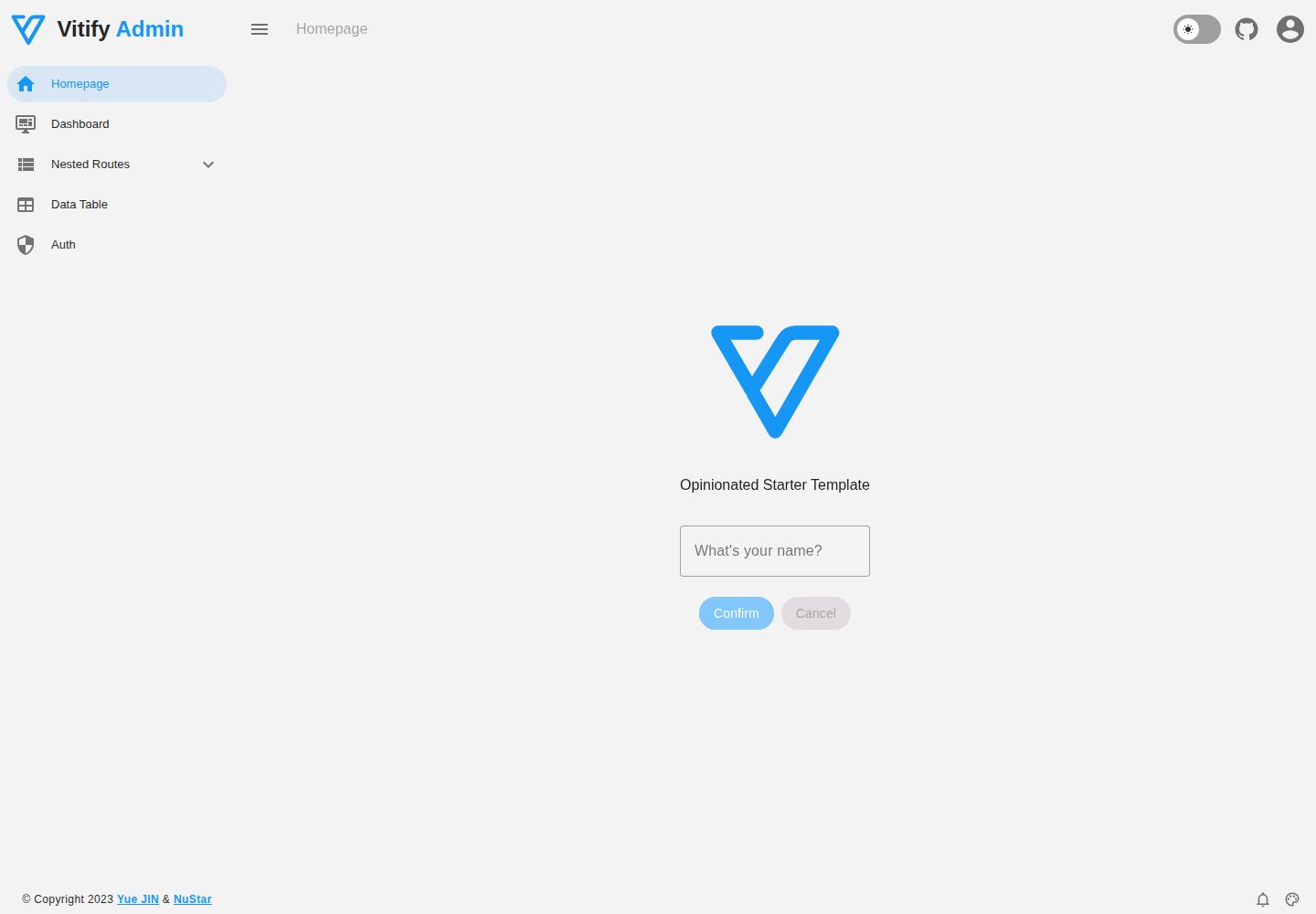
Vitify Nuxt is an admin dashboard starter template built on Nuxt and Vuetify, featuring a drawer layout, automatic navigation and breadcrumbs, notification state, ECharts charts, theming and dark mode, and authentication via nuxt-auth-utils.
Nuxt · Admin dashboard