Hugo theme with a custom Bulma implementation as a starting point
HugoTool Site
eon — Hugo Tool Template
By ryanburnette
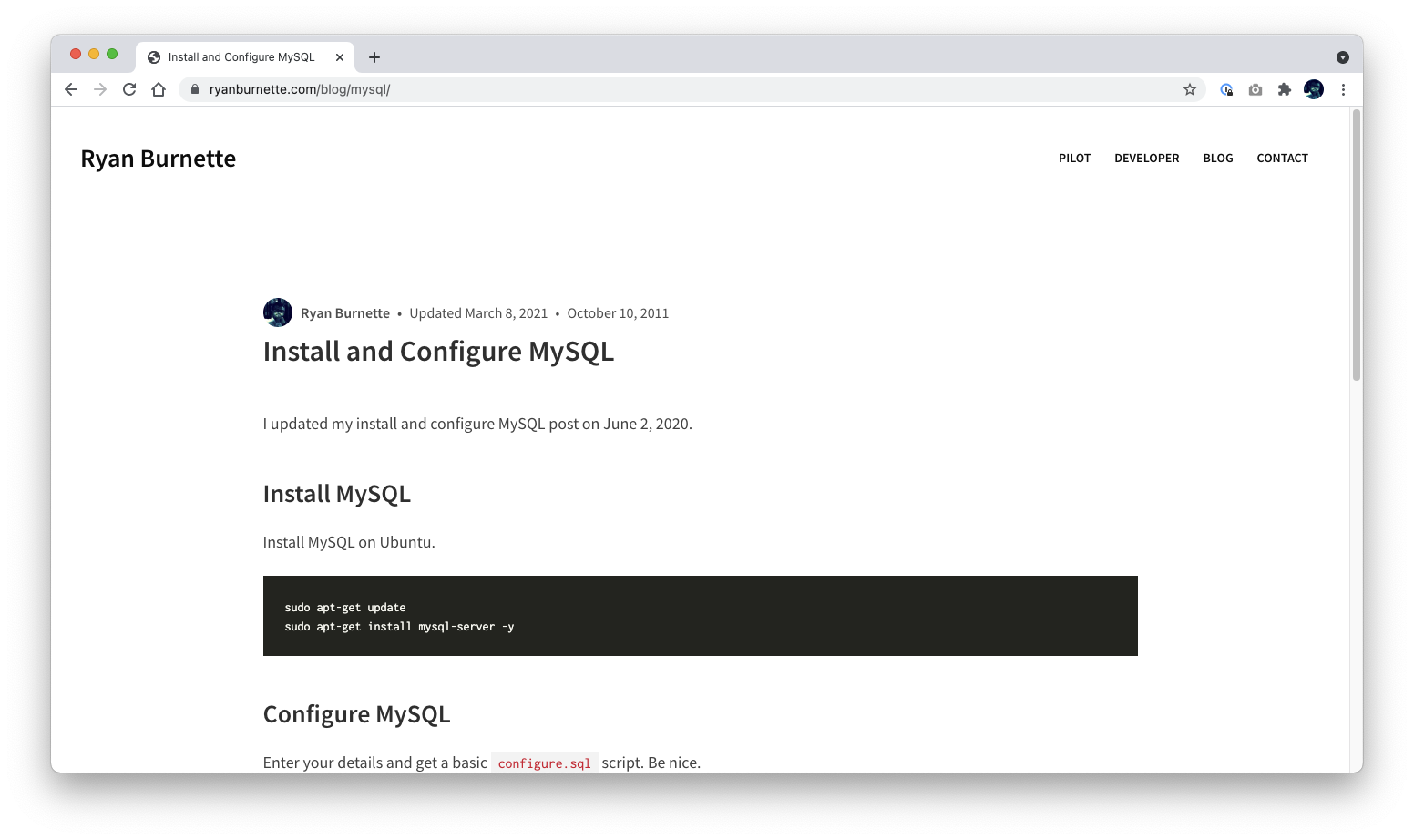
eon is a Hugo theme with a custom Bulma implementation for building websites. The repository also provides front-end asset build and output processing scripts.
Explore the design
Compare the page layouts and mobile experience. Open any screenshot for a closer look.
Author preview
Author-provided preview
Preview provided in the project README.
One original preview is available. Open the full image to inspect the design.
Screenshots show visual appearance; interactive behavior may differ.
Recorded 2026-10-02View source
What stands out
A quick read of the recorded project description.
Provides configurable options such as redirect, suggest_edit, utterances, and Disqus
Includes Webpack asset build and watch scripts
Provides output processing scripts such as dist-hash, dist-prettier, dist-purgecss, and dist-remove-empty-lines
ISC licensed, allowing free use and modification including commercial
Template Details
eon is a Hugo theme that the author describes as "a pretty good Hugo theme," and it includes a custom Bulma implementation as a starting point. The README lists three example sites using the theme: ryanburnette.com, persyburnette.com (the link points to prayersforpersy.com), and therootcompany.com.
The theme is installed into a Hugo site's themes/eon directory via git submodule, and enabled by setting theme: eon in the configuration file (the example uses config.yaml). The README describes several configurable options: setting the redirect parameter in a page's front matter generates a meta redirect; setting suggest_edit along with git_branch, git_host, and git_repo generates an edit link and outputs git_repo metadata in the head; setting utterances_repo enables utterances comments, with utterances_default controlling the default switch, and individual posts can override with utterances and utterances_term in front matter; setting disqus_url enables Disqus comments, with disqus_default controlling the default switch, and individual posts can override with disqus and disqus_page_url.
The repository includes a set of Node.js-interpreted scripts that must be called from the project directory: assets-build (builds production front-end assets with Webpack), assets-watch (watches and rebuilds development assets), build, dist-hash (runs @ryanburnette/hash-assets on the site), dist-prettier (runs Prettier on dist), dist-purgecss (runs purgecss on dist), dist-remove-empty-lines (runs @ryanburnette/html-remove-empty-lines on dist HTML). The README notes that running dist-purgecss can reduce CSS size by about 95%.
For the development workflow, the README recommends reading the Hugo Quick Start first; Hugo and git are required, and Node 16 is needed to build assets (though the Notes also state it is expected to run on node@18). Running ./themes/eon/scripts/development starts both the webpack and hugo servers, with Hugo typically listening on port 3000. The Hugo cache is set to ./.hugo for easy cleaning and must be added to .gitignore. The README also warns that HTML comments are not allowed in Hugo layouts, so a .prettierignore must be created in the project root to ignore layouts/**/*.html and themes/eon/layouts/**/*.html.
The "Assets" section of the README is marked TODO and does not yet explain the difference between theme assets and project assets; "Rules to live by" are the author's two coding conventions about pairing partial tags and splitting into small chunks. The repository is licensed under ISC, permitting free use, copying, modification, and distribution for any purpose, including commercial, provided the copyright and license notice are retained; third-party materials such as demo images, fonts, and icons must be checked separately under their own licenses.
HugoTool Site
Is it right for your project?
Use Cases
- Building a personal or small site with Hugo and wanting a built-in Bulma style foundation
- Sites that need to configure utterances or Disqus comments for posts
- Wanting to bundle and hash front-end assets with Webpack in the build process
- Projects that need to run Prettier, purgecss, or remove empty lines on published output
Suitable For
- Developers familiar with Hugo and git submodule workflows
- Site maintainers willing to use Node scripts to process front-end asset builds
- Projects that need a custom Bulma implementation as a styling starting point
Getting started & customization
Use these recorded setup notes alongside the repository instructions for your chosen version.
- 1
Hugo and git must be installed first; the README mentions Node 16 is needed to build assets, while the Notes state it is expected to run on node@18
- 2
Add the repository to themes/eon in a Hugo site via git submodule add, and set theme: eon in the configuration
- 3
Run npm ci in themes/eon, then run ./themes/eon/scripts/development to start the development server (Hugo typically on port 3000)
- 4
The Hugo cache is located at ./.hugo and must be added to .gitignore
- 5
HTML comments are not allowed in Hugo layouts; create a .prettierignore in the project root to ignore HTML files under layouts
License & source material
Usage conditions & limitations
Free to use · keep license noticeThis entry covers the free version under the ISC license in the public repository; the free scope is the code of this version and does not imply that external services or third-party materials are free.
Must comply with when using
- Free use, copying, modification, and distribution for any purpose, including commercial, is permitted.
- The original copyright notice and license notice must be retained in all copies.
- The code is provided as is; warranties and limitations of liability are governed by the original license and applicable law.
Additional costs & items to verify
- Enabling utterances comments requires setting utterances_repo in site parameters to point to a GitHub repository; this comment feature depends on a GitHub account and the external utterances service.
- Enabling Disqus comments requires setting disqus_url in site parameters, i.e., the embed.js address from the Disqus installation guide; this feature depends on the external Disqus service and a corresponding account.
- Using the theme requires at least Hugo and git; building front-end assets also requires Node 16 (the Notes also state it is expected to run on node@18).
- Installation is done by adding the repository to a Hugo site's themes/eon directory via git submodule, requiring a git submodule workflow.
- Demo images, fonts, icons, and other third-party materials must be checked under their respective licenses and cannot be judged solely by the code's ISC license.
- External services such as domains, hosting, databases, payments, or AI may incur additional charges.
View Original Text Basis
for any purpose with or without fee is hereby granted
Original License Text
To enable [utterances](https://github.com/utterance/utterances), set `utterances_repo` in your site params.
Original README
To enable [Disqus](https://disqus.com/), set `disqus_url` in your site params.
Original README
You'll need Hugo installed at the very least. You'll need git. You'll need Node 16 if you're going to be building assets.
Original README
https://github.com/ryanburnette/eon/blob/main/LICENSEhttps://github.com/ryanburnette/eon/blob/main/README.mdgit submodule add https://github.com/ryanburnette/eon themes/eon
Original README
Compiled by DeepSeek based on repository license and README ·2026-10-03. Results only cover the materials read; dependencies, images, fonts, and subsequent term changes are subject to their respective original texts.
Project checks & description sources
Template Information
- Source platforms
- GitHub
- Documentation and maintenance reference score
- Partly documented · 65 / 100
- Technologies
- Hugo
- Website type
- Tool Site
How this score is calculated
Our heuristic uses license records (up to 30), a demo link (12), a preview (10), stars (15), recorded maintenance (15), description completeness (8), feature records (5) and classification data (5). It is not a code, security or performance test, or a Google score. A link does not establish tested functionality.
What to verify for this project
- Repository update recorded
- 2025-02-09
- Screenshot last checked
- 2026-10-03
No demo link is recorded. Use the repository instructions to evaluate the project locally; the screenshot alone cannot establish interactive behavior.
The catalog identifies Hugo as the primary stack. Check the actual dependency manifest and lockfile for versions and hosting requirements. These notes use recorded metadata, not a code audit or a deployment test.
Use a selection guide →How this description was prepared
AI-assisted description based on catalog records and repository material. Repository authors are not automatically the reviewers of this description.
Review declaration: [email protected] · 2026-10-04
Inspect the recorded source material
SHA-256: 6dccf77f40b886f26127248a2cebb4bd276539df05b42c8d302f4db93ef2c3fe
2026-10-03T09:16:53.218Z
Source file / repository# [eon](https://github.com/ryanburnette/eon) This is eon, it's a Hugo theme and custom Bulma implementation used for building websites. It looks a little something like this...  Here are some sites that use eon: - [ryanburnette.com](https://ryanburnette.com) - [persyburnette.com](https://prayersforpersy.com) - [therootcompany.com](https://therootcompany.com) ## Features - decent Hugo theme - provides a decent implementation of Bulma to get you started - provides scripts for getting the site built - webpack asset build - hash assets - prettier on the dist - remove empty lines from dist html ## Rules to live by - Partials should never have an unequal number of opening and closing tags. - Break things up into small, easy-to-understand, well-defined pieces. Use what makes sense. ## Install First, have a look at the [Hugo Quick Start](https://gohugo.io/getting-started/quick-start/) if you haven't already familiarized. You'll need Hugo installed at the very least. You'll need git. You'll need Node 16 if you're going to be building assets. See [webi](https://webinstall.dev) for installing environmental dependencies. Create a Hugo site and add the eon theme. ```bash hugo new site example.com cd example.com git init git submodule add https://github.com/ryanburnette/eon themes/eon ``` Get to work. ```bash pushd ./themes/eon/ npm ci popd ./themes/eon/scripts/development ``` **IMPORTANT**: Both `webpack` and `hugo` will be running their servers. Check the output message to be sure, but Hugo will probably be running on port 3000: ```txt http://localhost:3000/ ``` ## Update If you'd like to update your submodule of eon and get the latest version: ```bash pushd ./themes/eon git checkout master git pull popd git add ./themes/eon git commit -m "update eon" git submodule init git submodule update ``` ## Configure For the examples we assume you have a single `config.yaml` file. We're using yaml, but Hugo has other options. ```yaml theme: eon ``` ### Meta Redirect Set the `redirect` param to the new URL in front matter to set a meta redirect on that page. ### Suggest Edit If you like having an edit button on your posts for convenience, set `suggest_edit` to the text you wish to display (you'll also need to set the `git_*` stuff in order to construct the link). ```yaml # config.yaml Params: suggest_edit: 'Suggest Edit' git_branch: main git_host: github git_repo: 'https://github.com/<username>/<project>' ``` If `git_repo`, etc are set, they will also appear in the `<head>` like this: ```html <meta name="git_repo" content="https://github.com/YOUR_USER/YOUR_REPO" /> ``` ### Utterances To enable [utterances](https://github.com/utterance/utterances), set `utterances_repo` in your site params. Utterances comments will be enabled on all posts by default, but you can specify boolean value `utterances_default` in your site params. ```yaml # config.yaml Params: utterances_repo: '[github_username]/[repo]' utterances_default: [true*|false] ``` You can override whether utterances will be displayed by default in a post's front matter by setting a boolean value on `utterances` there. You can also override a post's `utterances_term` by setting it in the post's front matter. ```yaml utterances: [true|false] utterances_term: [term] ``` ### Disqus To enable [Disqus](https://disqus.com/), set `disqus_url` in your site params. The `disqus_url` is the `embed.js` URL found in your Disqus code in your installation guide. Disqus comments will be enabled on all posts by default, but you can specify boolean value `disqus_default` in your site params. ```yaml # config.yaml Params: disqus_url: 'https://[site_name].disqus.com/embed.js' disqus_default: [true*|false] ``` You can override whether Disqus will be displayed by default in a post's front matter by setting a boolean value on `disqus` there. You can override a post's Disqus url by setting `disqus_page_url` by setting it in the post's front matter. ```yaml disqus: [true|false] disqus_page_url: [url] ``` ## Assets TODO write about theme assets vs project assets ### Rebuild Assets If you change the styles and want to rebuild the css files, here's how: ```bash npm install pushd themes/eon/ npm install popd # this script runs all the build steps, take a look at the source to customize bash themes/eon/scripts/build ``` Running `./themes/eon/scripts/dist-purgecss` will reduce the CSS size by about 95%. ## Scripts The scripts that are included with eon are: - interpreted by Node.js - intended to be called from the project directory, ie. `themes/eon/scripts/build` ... this may cause the relative paths of the output to seem strange when you're running scripts, just remember that they are running from the theme directory ### `assets-build` Builds front-end assets with Webpack for production. ### `assets-watch` Watch front-end assets and rebuild for development. ### `build` ### `dist-hash` Run [@ryanburnette/hash-assets](https://github.com/ryanburnette/hash-assets) on the site. ### `dist-prettier` Run prettier on the site. It might seem weird to run Prettier on your dist, but I like doing so. - It allows me to keep partials organized and indented in their own context. - It makes the dist HTML more readable. - It helps me find errors in the dist HTML. ### `dist-purgecss` Run purgecss on the dist. ### `dist-remove-empty-lines` Run [@ryanburnette/html-remove-empty-lines](https://github.com/ryanburnette/html-remove-empty-lines) on the dist HTML. ## Notes ### Node Version expected to run on node@18 ### Hugo Cache The hugo cache is set to `./.hugo` for easier clearing. ```bash rm -rf .hugo ``` Make sure `.hugo/` is in the project's `.gitignore`. ### Hugo Gotcha You can't have HTML comments in Hugo layouts, so you won't want Prettier running on those files. You must create a `.prettierignore` in the root of your project and ignore any layout files. ``` # .prettierignore layouts/**/*.html themes/eon/layouts/**/*.html ```
Explore similar templates
Compare previews and descriptions within the same stack and category.

hugo-coder
hugo-coder is a minimalist Hugo blog theme maintained by luizdepra under the MIT license. It provides a clean, text-focused blog appearance, configuration documentation in the docs directory, and a complete exampleSite with hugo.toml.
Hugo · Blog

doks
Doks is a Hugo documentation theme in the Thulite ecosystem, built for long-form reading with a minimal responsive layout and documentation-optimized typography. It includes FlexSearch-powered configurable search, dark/light mode, code syntax highlighting, i18n, multi-version documentation management, and blog pages.
Hugo · Tool Site

hugo-theme-introduction
Introduction is a minimal Hugo theme that can be configured as a single-page site or a full site with multiple sections. Homepage sections are generated from Markdown files under content/home/, with weight sorting and optional images.
Hugo · Portfolio

lotusdocs
Lotus Docs is a free, MIT-licensed Hugo documentation theme by Colin Wilson, built on Bootstrap 5. It provides responsive documentation layouts, dark mode, i18n, FlexSearch-based static search, Prism.js highlighting, KaTeX, Mermaid, and landing page templates.
Hugo · Documentation

airspace-hugo
Airspace is a multipurpose Hugo theme by Themefisher for portfolio, blog, and business sites.
Hugo · Portfolio
kross-hugo
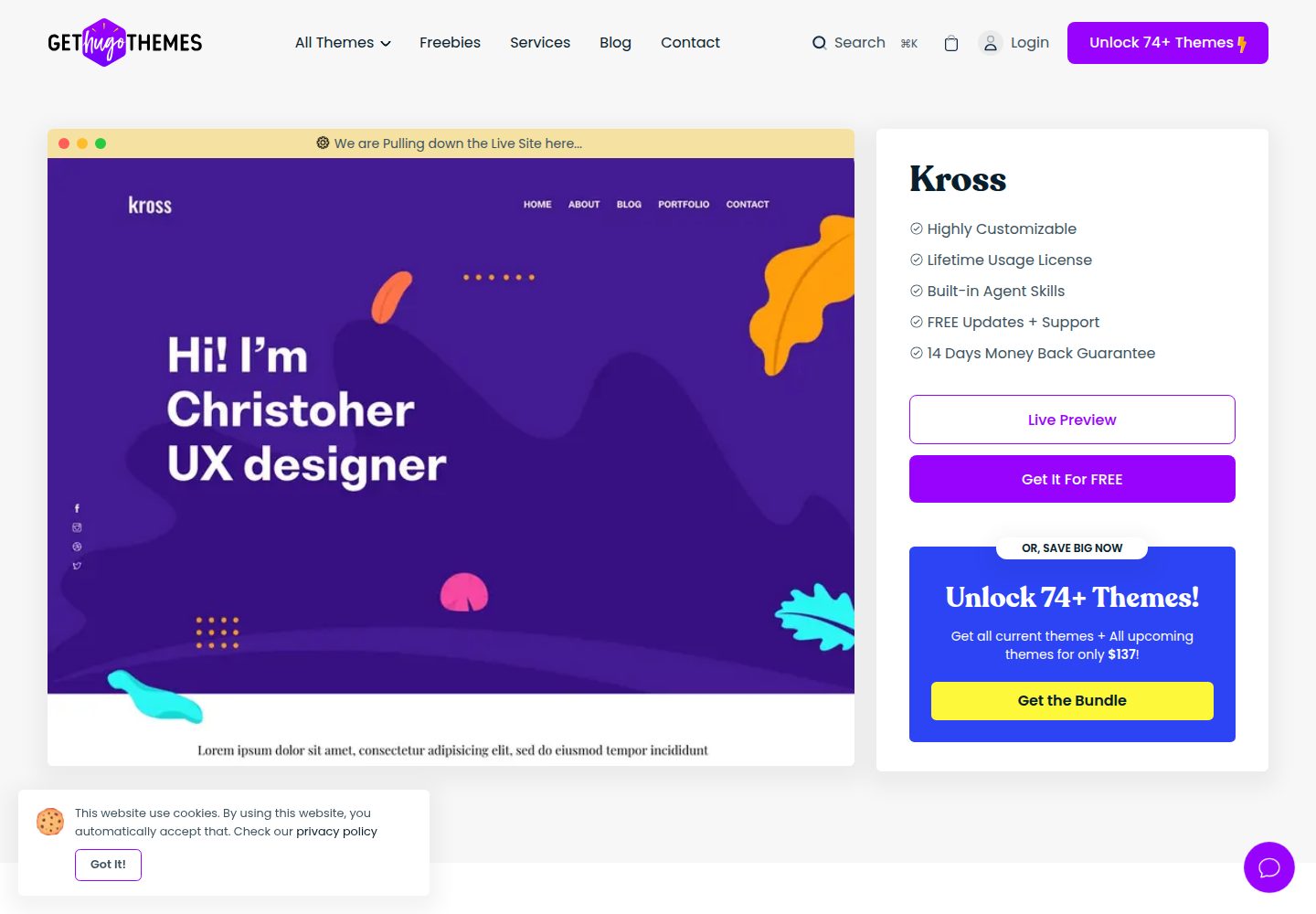
Kross is a Hugo personal portfolio theme by Themefisher, offering more than 8 pre-built pages including home, about, blog, portfolio, and contact.
Hugo · Portfolio