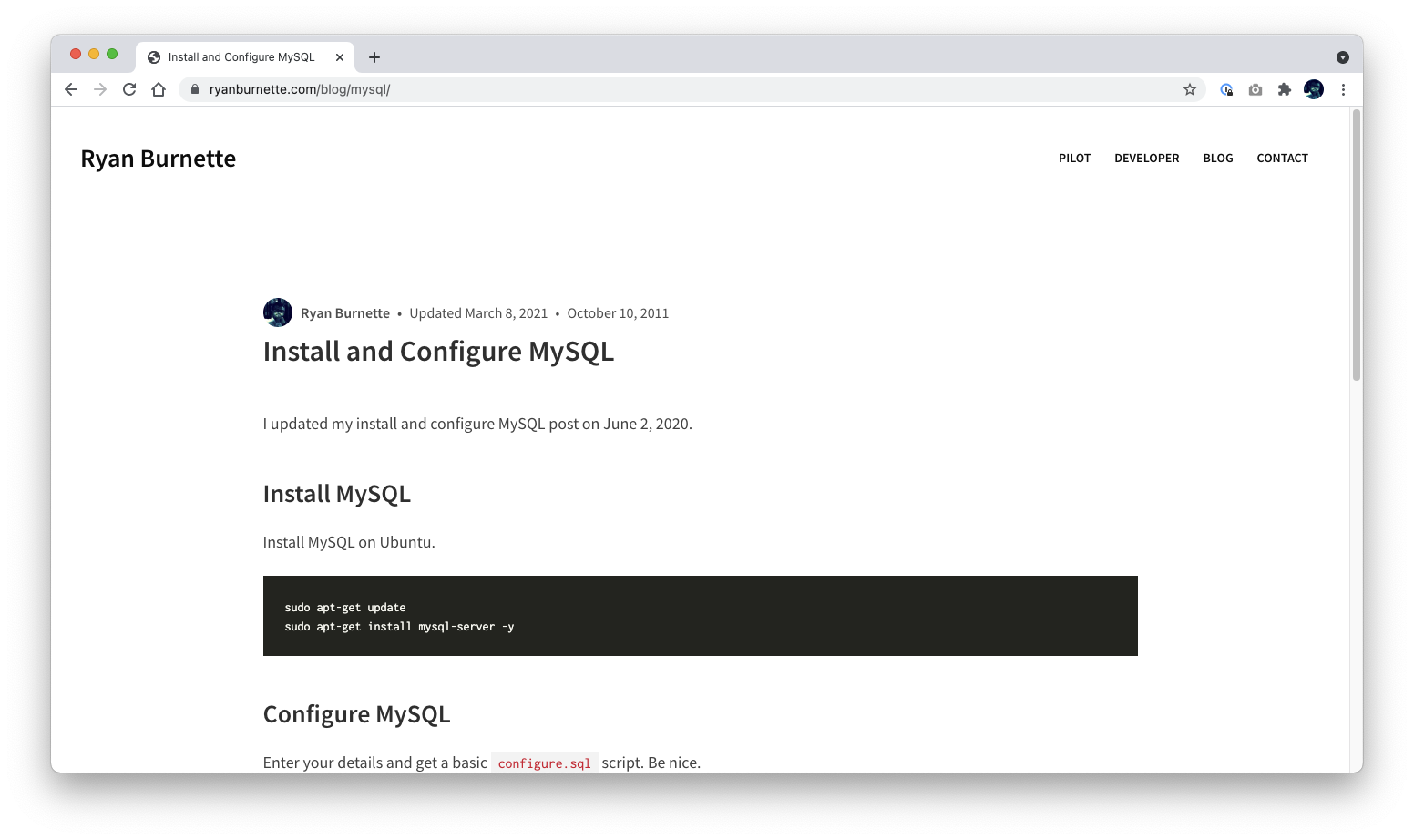
Hugo 主题,附带一套自定义 Bulma 实现作为起点
Hugo工具站
eon — Hugo 工具站模板
作者 ryanburnette
eon 是一个基于 Hugo 的主题,并附带一套自定义 Bulma 实现,用于搭建网站。仓库同时提供前端资源构建与产物处理脚本。
看看你的网站会是什么样
浏览真实页面截图,比较内容排版与手机效果。点击下方缩略图切换,放大查看整页细节。
目前有 1 张原始预览,可打开完整图片查看设计细节。
截图用于了解视觉与布局,交互效果请以实际项目为准。
采集于 2026-10-02查看来源
值得关注的模板亮点
从已有项目资料中,快速了解它的特点。
提供 redirect、suggest_edit、utterances、Disqus 等可配置项
包含 Webpack 资源构建与监听脚本
提供 dist-hash、dist-prettier、dist-purgecss、dist-remove-empty-lines 等产物处理脚本
采用 ISC 许可,允许包括商用在内的免费使用与修改
模板详细介绍
eon 是一个 Hugo 主题,作者将其描述为「一个还不错的 Hugo 主题」,并附带一套自定义 Bulma 实现作为起点。README 列出了三个使用该主题的站点示例:ryanburnette.com、persyburnette.com(链接指向 prayersforpersy.com)和 therootcompany.com。
主题通过 git submodule 方式安装到 Hugo 站点的 themes/eon 目录,配置文件(示例使用 config.yaml)中设置 theme: eon 即可启用。README 说明了若干可配置项:在页面 front matter 中设置 redirect 参数可生成 meta 跳转;设置 suggest_edit 以及 git_branch、git_host、git_repo 可生成编辑链接,并在 head 中输出 git_repo 元信息;设置 utterances_repo 启用 utterances 评论,utterances_default 控制默认开关,单篇文章可在 front matter 中用 utterances 和 utterances_term 覆盖;设置 disqus_url 启用 Disqus 评论,disqus_default 控制默认开关,单篇文章可用 disqus 和 disqus_page_url 覆盖。
仓库包含一组由 Node.js 解释、需从项目目录调用的脚本:assets-build(用 Webpack 构建生产前端资源)、assets-watch(监听并重建开发资源)、build、dist-hash(对站点运行 @ryanburnette/hash-assets)、dist-prettier(对 dist 运行 Prettier)、dist-purgecss(对 dist 运行 purgecss)、dist-remove-empty-lines(对 dist HTML 运行 @ryanburnette/html-remove-empty-lines)。README 提到运行 dist-purgecss 可将 CSS 体积减少约 95%。
开发流程方面,README 建议先阅读 Hugo Quick Start,需要安装 Hugo、git,构建资源时需要 Node 16(Notes 中又写明预期运行在 node@18)。运行 ./themes/eon/scripts/development 会同时启动 webpack 与 hugo 服务器,Hugo 通常监听 3000 端口。Hugo 缓存被设置为 ./.hugo 以便清理,并需加入 .gitignore。README 还提醒 Hugo 布局中不能有 HTML 注释,因此需在项目根目录创建 .prettierignore 忽略 layouts/**/*.html 与 themes/eon/layouts/**/*.html。
README 中「Assets」一节标注为 TODO,尚未说明主题资源与项目资源的区别;「Rules to live by」是作者对 partial 标签配对与拆分成小块的两条编码约定。仓库的许可为 ISC,允许为任何目的免费使用、复制、修改和分发,包括商用,但需保留版权与许可声明;演示图片、字体、图标等第三方素材需按各自许可单独核对。
Hugo工具站
适合你的项目吗?
适用场景
- 用 Hugo 搭建个人或小型站点并希望自带 Bulma 样式基础
- 需要为文章配置 utterances 或 Disqus 评论的站点
- 希望在构建流程中对前端资源做 Webpack 打包与哈希处理
- 需要在发布产物上运行 Prettier、purgecss 或去除空行的项目
适合人群
- 熟悉 Hugo 与 git submodule 工作流的开发者
- 愿意使用 Node 脚本处理前端资源构建的站点维护者
- 需要 Bulma 自定义实现作为样式起点的项目
上手与定制指南
结合仓库当前版本的说明,按下面的资料检查内容、配置与运行要求。
- 1
需先安装 Hugo 与 git;构建资源时 README 提到需要 Node 16,Notes 中写明预期运行在 node@18
- 2
在 Hugo 站点中通过 git submodule add 将仓库加入 themes/eon,并在配置中设置 theme: eon
- 3
进入 themes/eon 执行 npm ci,再运行 ./themes/eon/scripts/development 启动开发服务器(Hugo 通常在 3000 端口)
- 4
Hugo 缓存位于 ./.hugo,需将其加入 .gitignore
- 5
Hugo 布局中不能有 HTML 注释,需在项目根目录创建 .prettierignore 忽略 layouts 下的 HTML 文件
授权与来源资料
使用条件与限制
免费使用 · 保留许可声明本次收录的是公开仓库中采用 ISC 许可的免费版本;免费范围为该版本代码,不代表外部服务或第三方素材免费。
使用时需要遵守
- 允许为任何目的免费使用、复制、修改和分发,包括商用。
- 所有副本均需保留原版权声明和许可声明。
- 代码按现状提供;担保与责任限制以原许可证及适用法律为准。
额外费用与待核对事项
- 启用 utterances 评论需在站点参数中设置 utterances_repo,指向 GitHub 仓库;该评论功能依赖 GitHub 账号与 utterances 外部服务。
- 启用 Disqus 评论需在站点参数中设置 disqus_url,即 Disqus 安装指南中的 embed.js 地址;该功能依赖 Disqus 外部服务与相应账号。
- 使用该主题至少需安装 Hugo 与 git;若要构建前端资源,还需安装 Node 16(Notes 中另写明预期运行于 node@18)。
- 安装方式为通过 git submodule 将仓库加入 Hugo 站点的 themes/eon 目录,需使用 git 子模块工作流。
- 演示图片、字体、图标及其他第三方素材需按各自许可核对,不能仅凭代码的 ISC 许可判断。
- 域名、托管、数据库、支付或 AI 等外部服务可能另外收费。
查看原文依据
for any purpose with or without fee is hereby granted
许可证原文
To enable [utterances](https://github.com/utterance/utterances), set `utterances_repo` in your site params.
README 原文
To enable [Disqus](https://disqus.com/), set `disqus_url` in your site params.
README 原文
You'll need Hugo installed at the very least. You'll need git. You'll need Node 16 if you're going to be building assets.
README 原文
https://github.com/ryanburnette/eon/blob/main/LICENSEhttps://github.com/ryanburnette/eon/blob/main/README.mdgit submodule add https://github.com/ryanburnette/eon themes/eon
README 原文
DeepSeek 根据仓库许可证和 README 整理 ·2026-10-03。结果仅覆盖已读取资料,依赖、图片、字体及后续条款变更以各自原文为准。
项目核对记录与介绍依据
模板资料
- 来源平台
- GitHub
- 资料与维护参考分
- 资料一般 · 65 / 100
- 技术栈
- Hugo
- 网站类型
- 工具站
这个分数如何计算
本站按许可资料(最高30分)、演示链接(12分)、预览图(10分)、Star数(15分)、记录的维护时间(15分)、描述完整度(8分)、功能记录(5分)和分类资料(5分)计算。它不是代码、安全或性能测试,也不是 Google 评分;有链接不代表已实测可用。
这个项目需要核对什么
- 记录的仓库更新时间
- 2025-02-09
- 截图检查日期
- 2026-10-03
目前没有记录演示链接。请依据仓库说明在本地评估;仅凭截图无法确认交互行为。
目录记录的主要技术栈是 Hugo。请通过依赖清单和锁文件核对实际版本与托管要求。这些说明基于收录资料,不代表代码审计或部署实测。
查看具体选型方法 →介绍的制作与核对状态
介绍由 AI 辅助整理目录与仓库资料。仓库作者不等于这篇介绍的审核者。
审核声明: [email protected] · 2026-10-04
查看当时使用的来源资料
SHA-256: 6dccf77f40b886f26127248a2cebb4bd276539df05b42c8d302f4db93ef2c3fe
2026-10-03T09:16:53.218Z
来源文件 / 仓库# [eon](https://github.com/ryanburnette/eon) This is eon, it's a Hugo theme and custom Bulma implementation used for building websites. It looks a little something like this...  Here are some sites that use eon: - [ryanburnette.com](https://ryanburnette.com) - [persyburnette.com](https://prayersforpersy.com) - [therootcompany.com](https://therootcompany.com) ## Features - decent Hugo theme - provides a decent implementation of Bulma to get you started - provides scripts for getting the site built - webpack asset build - hash assets - prettier on the dist - remove empty lines from dist html ## Rules to live by - Partials should never have an unequal number of opening and closing tags. - Break things up into small, easy-to-understand, well-defined pieces. Use what makes sense. ## Install First, have a look at the [Hugo Quick Start](https://gohugo.io/getting-started/quick-start/) if you haven't already familiarized. You'll need Hugo installed at the very least. You'll need git. You'll need Node 16 if you're going to be building assets. See [webi](https://webinstall.dev) for installing environmental dependencies. Create a Hugo site and add the eon theme. ```bash hugo new site example.com cd example.com git init git submodule add https://github.com/ryanburnette/eon themes/eon ``` Get to work. ```bash pushd ./themes/eon/ npm ci popd ./themes/eon/scripts/development ``` **IMPORTANT**: Both `webpack` and `hugo` will be running their servers. Check the output message to be sure, but Hugo will probably be running on port 3000: ```txt http://localhost:3000/ ``` ## Update If you'd like to update your submodule of eon and get the latest version: ```bash pushd ./themes/eon git checkout master git pull popd git add ./themes/eon git commit -m "update eon" git submodule init git submodule update ``` ## Configure For the examples we assume you have a single `config.yaml` file. We're using yaml, but Hugo has other options. ```yaml theme: eon ``` ### Meta Redirect Set the `redirect` param to the new URL in front matter to set a meta redirect on that page. ### Suggest Edit If you like having an edit button on your posts for convenience, set `suggest_edit` to the text you wish to display (you'll also need to set the `git_*` stuff in order to construct the link). ```yaml # config.yaml Params: suggest_edit: 'Suggest Edit' git_branch: main git_host: github git_repo: 'https://github.com/<username>/<project>' ``` If `git_repo`, etc are set, they will also appear in the `<head>` like this: ```html <meta name="git_repo" content="https://github.com/YOUR_USER/YOUR_REPO" /> ``` ### Utterances To enable [utterances](https://github.com/utterance/utterances), set `utterances_repo` in your site params. Utterances comments will be enabled on all posts by default, but you can specify boolean value `utterances_default` in your site params. ```yaml # config.yaml Params: utterances_repo: '[github_username]/[repo]' utterances_default: [true*|false] ``` You can override whether utterances will be displayed by default in a post's front matter by setting a boolean value on `utterances` there. You can also override a post's `utterances_term` by setting it in the post's front matter. ```yaml utterances: [true|false] utterances_term: [term] ``` ### Disqus To enable [Disqus](https://disqus.com/), set `disqus_url` in your site params. The `disqus_url` is the `embed.js` URL found in your Disqus code in your installation guide. Disqus comments will be enabled on all posts by default, but you can specify boolean value `disqus_default` in your site params. ```yaml # config.yaml Params: disqus_url: 'https://[site_name].disqus.com/embed.js' disqus_default: [true*|false] ``` You can override whether Disqus will be displayed by default in a post's front matter by setting a boolean value on `disqus` there. You can override a post's Disqus url by setting `disqus_page_url` by setting it in the post's front matter. ```yaml disqus: [true|false] disqus_page_url: [url] ``` ## Assets TODO write about theme assets vs project assets ### Rebuild Assets If you change the styles and want to rebuild the css files, here's how: ```bash npm install pushd themes/eon/ npm install popd # this script runs all the build steps, take a look at the source to customize bash themes/eon/scripts/build ``` Running `./themes/eon/scripts/dist-purgecss` will reduce the CSS size by about 95%. ## Scripts The scripts that are included with eon are: - interpreted by Node.js - intended to be called from the project directory, ie. `themes/eon/scripts/build` ... this may cause the relative paths of the output to seem strange when you're running scripts, just remember that they are running from the theme directory ### `assets-build` Builds front-end assets with Webpack for production. ### `assets-watch` Watch front-end assets and rebuild for development. ### `build` ### `dist-hash` Run [@ryanburnette/hash-assets](https://github.com/ryanburnette/hash-assets) on the site. ### `dist-prettier` Run prettier on the site. It might seem weird to run Prettier on your dist, but I like doing so. - It allows me to keep partials organized and indented in their own context. - It makes the dist HTML more readable. - It helps me find errors in the dist HTML. ### `dist-purgecss` Run purgecss on the dist. ### `dist-remove-empty-lines` Run [@ryanburnette/html-remove-empty-lines](https://github.com/ryanburnette/html-remove-empty-lines) on the dist HTML. ## Notes ### Node Version expected to run on node@18 ### Hugo Cache The hugo cache is set to `./.hugo` for easier clearing. ```bash rm -rf .hugo ``` Make sure `.hugo/` is in the project's `.gitignore`. ### Hugo Gotcha You can't have HTML comments in Hugo layouts, so you won't want Prettier running on those files. You must create a `.prettierignore` in the root of your project and ignore any layout files. ``` # .prettierignore layouts/**/*.html themes/eon/layouts/**/*.html ```
看看同类模板
对比同技术栈与用途的模板,找到更适合的视觉与内容结构。

hugo-coder
A minimalist blog theme for hugo.
Hugo · 博客

doks
Doks 是 Thulite 生态下的文档主题,底层是 Hugo 静态站点生成器。 它把重点放在长文阅读体验上:极简且响应式的布局、为文档优化的排版,以及代码块语法高亮,整体更接近技术手册的形态,而不是通用营销页模板。
Hugo · 工具站

hugo-theme-introduction
Minimal, single page, smooth-scrolling theme for Hugo static site generator.
Hugo · 作品集

lotusdocs
📖 A free, lightweight, modern documentation theme for Hugo
Hugo · 文档

airspace-hugo
Airspace Hugo theme for multipurpose use, like Portfolio, Blog, Business.
Hugo · 作品集
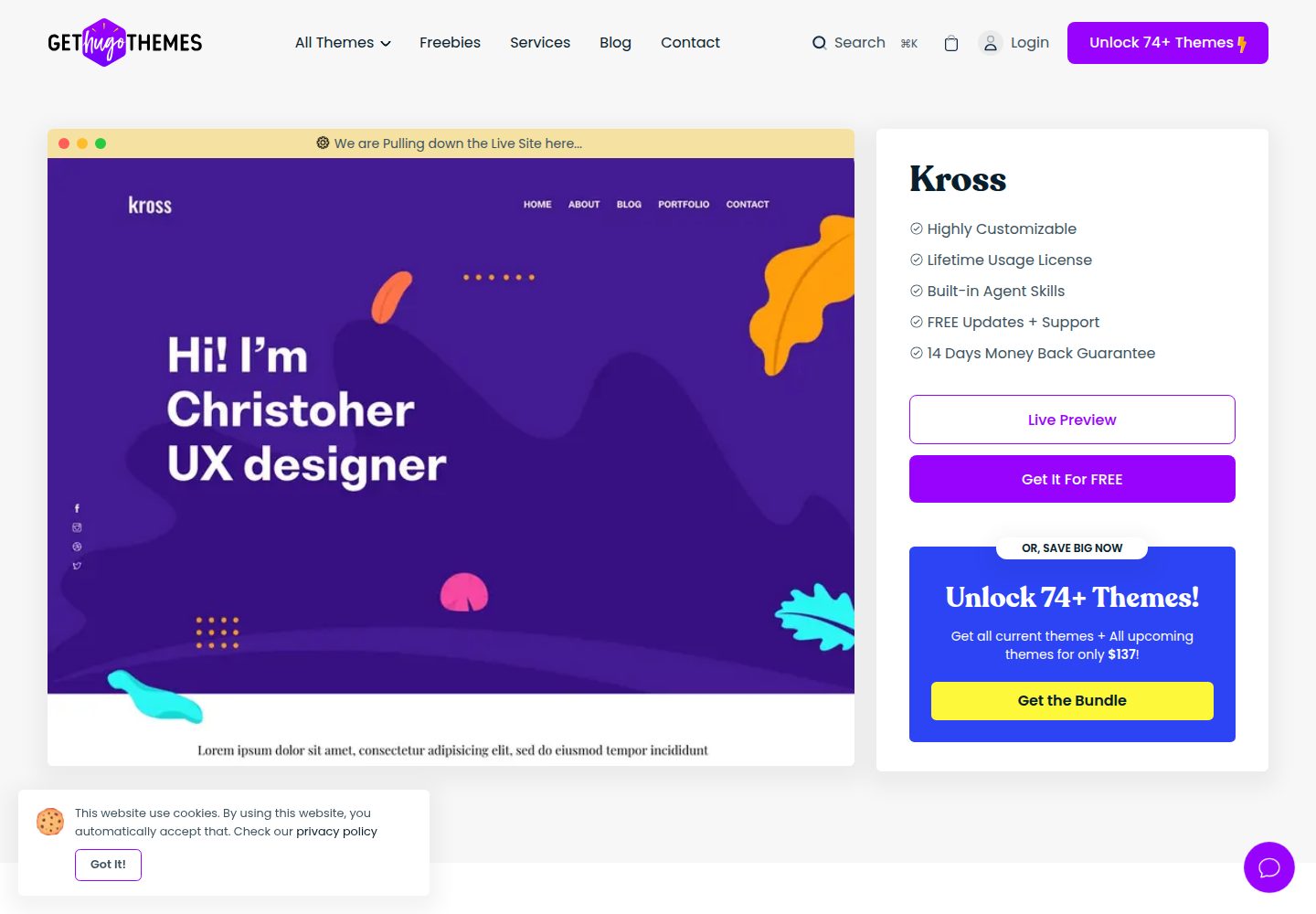
kross-hugo
Kross is a creative, sleek and modern personal portfolio Hugo theme with a gorgeous appearance.
Hugo · 作品集