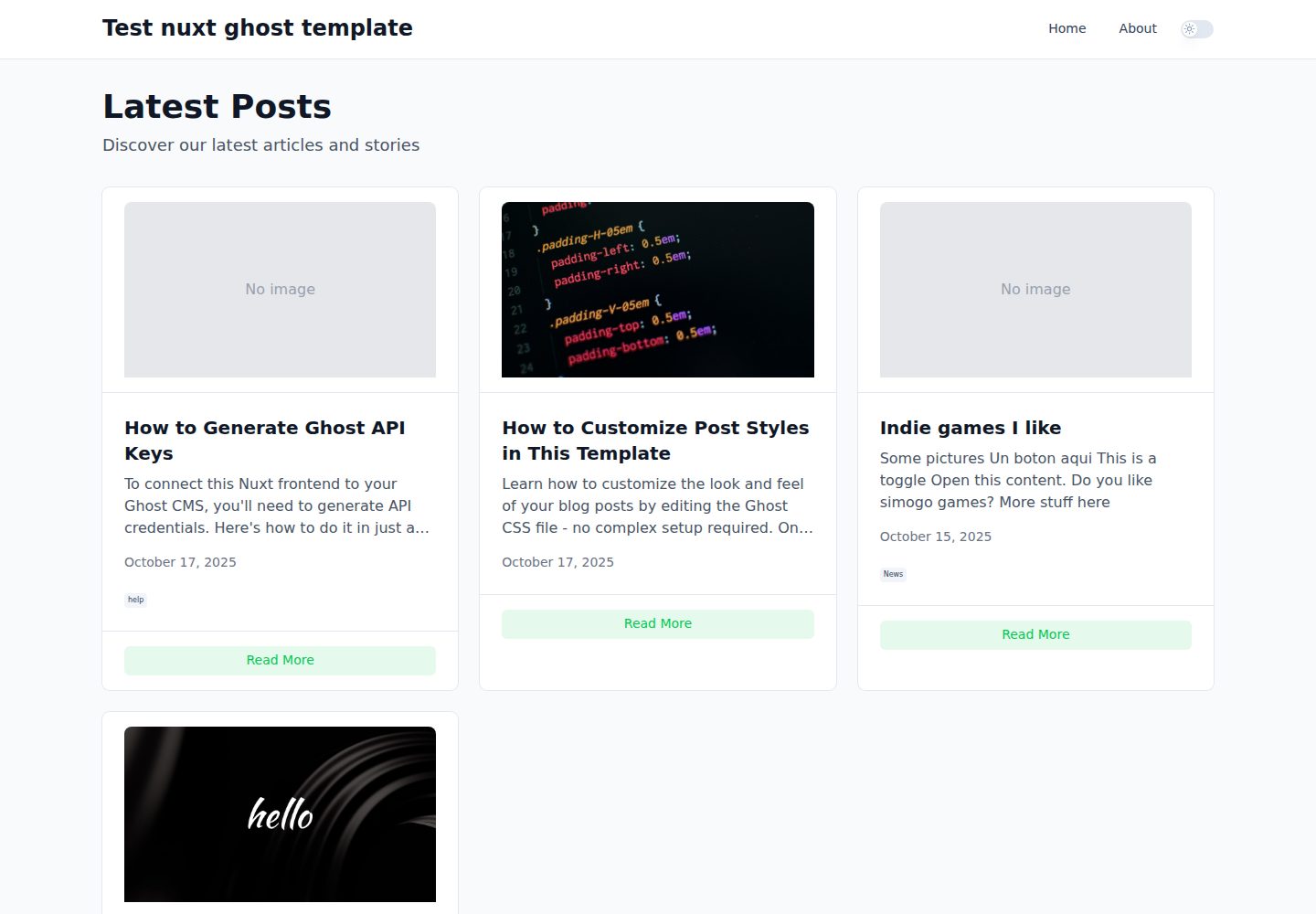
Uses Ghost as a headless CMS, retrieving posts, pages, and tags via the Content API
NuxtVueStarter
nuxt-template-ghost — Nuxt Starter Template
By serman
A Nuxt-based blog starter template that uses Ghost as a headless CMS, pulls posts, pages, and tags via the Content API, and statically generates the site.
Explore the design
Compare the page layouts and mobile experience. Open any screenshot for a closer look.
Desktop homepage1 / 3
Desktop captureTop of page
Actual screenshot captured by the server browser.
All pages & views 3
Screenshots show visual appearance; interactive behavior may differ.
Recorded 2026-10-13View source
What stands out
A quick read of the recorded project description.
Provides page structures including homepage, post detail, Ghost static pages, tag pages, and sitemap.xml
Supports static generation: pnpm generate produces a static site, pnpm preview previews locally
Post body styles are centralized in app/assets/css/ghost.css for easy unified adjustment of typography and card appearance
Optimizes images through Nuxt Image; image domains must be configured in nuxt.config.ts
Template Details
This is a Nuxt blog template that treats Ghost as a headless CMS. It retrieves content through the Ghost Content API and provides a homepage post list, post detail pages (/posts/[slug]), Ghost static pages (/[slug]), tag pages (/tag/[slug]), and an automatically generated sitemap.xml. The build method is static generation (pnpm generate followed by pnpm preview), making it suitable for publishing Ghost content as a static site.
Before use, you need to create a .env file in the root directory, fill in the GHOST_URL and GHOST_CONTENT_API_KEY variables, and then run pnpm dev to preview locally on port 3000. The template uses Nuxt UI components and Tailwind CSS, supports dark mode, and handles images through Nuxt Image: you need to add the domain where the images are hosted to image.domains in nuxt.config.ts. There is preprocessing logic in useGhostContent.ts that replaces the src of img tags with Nuxt Image optimized URLs, so images are downloaded and optimized at build time.
The README explicitly states that many CSS classes output by Ghost are not Tailwind classes, and that Ghost's dynamic cards only have partial styling implemented, so the presentation of post body content requires custom CSS adjustments. All post content styles are centralized in app/assets/css/ghost.css, including typography, card styles, light and dark mode variables, and responsive breakpoints; the layout is in app/layouts/default.vue, and components are under app/components/. The README also mentions that Cursor AI was heavily used during development, with the author reviewing and making modifications.
NuxtStarter
Is it right for your project?
Use Cases
- You already have a Ghost site and want to statically publish its content with a Nuxt frontend
- You need a blog skeleton that includes post lists, detail pages, tags, and static pages
- You want to customize Ghost post body and card styles via a centralized CSS file
Suitable For
- Developers using Ghost as a content source who want to statically generate a blog
- Teams familiar with Nuxt and Tailwind CSS who are willing to adjust styles themselves
- Projects that need basic blog pages such as post detail, tag pages, and sitemap
Getting started & customization
Use these recorded setup notes alongside the repository instructions for your chosen version.
- 1
Create a .env file in the root directory and set GHOST_URL and GHOST_CONTENT_API_KEY
- 2
Run pnpm dev to start the development server, accessible by default at http://localhost:3000
- 3
Use pnpm generate to build the static site, then pnpm preview to preview it
- 4
Add the domains of the images you use to image.domains in nuxt.config.ts
- 5
Ghost's CSS classes and dynamic card styles are not fully covered; supplement them as needed in app/assets/css/ghost.css
License & source material
Usage conditions & limitations
Free to use · keep license noticeThis entry covers the free version under the MIT license in the public repository; the free scope is the code of that version and does not mean external services or third-party assets are free.
Must comply with when using
- You are allowed to use, modify, commercialize, and distribute the code of this version for free.
- When distributing copies or substantial portions of the code, retain the original author's copyright notice and the full MIT license notice.
- The code is provided as is; warranties and limitations of liability are governed by the original license and applicable law.
Additional costs & items to verify
- Demo images, fonts, icons, and other third-party assets must be checked against their respective licenses; the code's MIT license alone cannot be used to judge them.
- External services such as domains, hosting, databases, payments, or AI may incur additional charges.
- Before use, you must create a .env file in the root directory and configure Ghost credentials, otherwise content cannot be retrieved.
- You must provide your own Ghost instance URL and Content API Key, meaning it depends on an external Ghost service and account.
- Many CSS classes output by Ghost are not Tailwind classes, so custom CSS is required for correct presentation.
- Ghost dynamic card styles are only partially implemented and do not cover all cards; you need to supplement them yourself.
- When using Nuxt Image to optimize images, you must add the domains where the images are hosted to the image.domains array in nuxt.config.ts.
View Original Text Basis
Permission is hereby granted, free of charge
Original License Text
Create a `.env` file in the root directory:
Original README
GHOST_URL=https://your-ghost-instance.com GHOST_CONTENT_API_KEY=your-content-api-key-here
Original README
Note: Ghost uses many CSS classes that are not Tailwind CSS classes, so you may need to customize the CSS to fit your needs.
Original README
Also Ghost have many dynamic cards https://ghost.org/help/cards/. I have implemented some of the styles in the css file, but not all of them.
Original README
https://github.com/serman/nuxt-template-ghost/blob/main/LICENSE.mdhttps://github.com/serman/nuxt-template-ghost/blob/main/README.mdAdd the domains of your images to the `image.domains` array.
Original README
Compiled by DeepSeek based on repository license and README ·2026-10-13. Results only cover the materials read; dependencies, images, fonts, and subsequent term changes are subject to their respective original texts.
Project checks & description sources
Template Information
- Source platforms
- GitHub
- Documentation and maintenance reference score
- More documented · 83 / 100
- Technologies
- Nuxt · Vue
- Website type
- Starter
How this score is calculated
Our heuristic uses license records (up to 30), a demo link (12), a preview (10), stars (15), recorded maintenance (15), description completeness (8), feature records (5) and classification data (5). It is not a code, security or performance test, or a Google score. A link does not establish tested functionality.
What to verify for this project
- Repository update recorded
- 2025-11-28
- Screenshot last checked
- 2026-10-13
A demo link is listed. Check it with your own content and viewport sizes; its presence does not confirm that forms, authentication or payments work.
The catalog identifies Nuxt as the primary stack. Check the actual dependency manifest and lockfile for versions and hosting requirements. These notes use recorded metadata, not a code audit or a deployment test.
Use a selection guide →How this description was prepared
AI-assisted description based on catalog records and repository material. Repository authors are not automatically the reviewers of this description.
Review declaration: [email protected] · 2026-10-13
Inspect the recorded source material
SHA-256: cd0bc1c68a23a117a04b506f211bdac30f17d796d08a6a445b8057cee55aee87
2026-10-13T08:49:26.419Z
Source file / repository# Ghost Blog with Nuxt 4
A modern, SSR-enabled blog using Ghost as a headless CMS, built with Nuxt 4 and Nuxt UI.
**🚀 [Live Demo](https://nuxt-static-template-ghost.netlify.app/)**
The development has been heavly assited by Cursor AI and I have reviewed the code and made some changes to fit my needs.
## Quick Start
1. **Set up your Ghost credentials**:
Create a `.env` file in the root directory:
```bash
GHOST_URL=https://your-ghost-instance.com
GHOST_CONTENT_API_KEY=your-content-api-key-here
```
2. **Run the development server**:
```bash
pnpm dev
```
3. **Open your browser**:
Navigate to [http://localhost:3000](http://localhost:3000)
## Features
This is a simple blog template that uses Ghost as a headless CMS and Nuxt 4 as a frontend framework.
✅ Server-Side Rendering (SSR) for optimal performance and SEO
✅ Responsive design with Nuxt UI components
✅ Dark mode support
✅ Optimized images with Nuxt Image
✅ Type-safe Ghost API integration
✅ SEO meta tags and Open Graph support
✅ Clean, modern UI with Tailwind CSS
But it can be customized to fit your needs.
Note: Ghost uses many CSS classes that are not Tailwind CSS classes, so you may need to customize the CSS to fit your needs.
Also Ghost have many dynamic cards https://ghost.org/help/cards/. I have implemented some of the styles in the css file, but not all of them.
## Pages
- **Homepage** (`/`) - List of latest posts with images, excerpts, and metadata
- **Post Detail** (`/posts/[slug]`) - Full post content with author info and tags
- **Static Pages** (`/[slug]`) - Ghost pages (About, Contact, etc.)
- **Tag Pages** (`/tag/[slug]`) - Posts filtered by tag
- **Sitemap** (`/sitemap.xml`) - Auto-generated XML sitemap for SEO
## Tech Stack
- **Framework**: Nuxt 4
- **UI Library**: Nuxt UI 4
- **CMS**: Ghost (Headless)
- **Styling**: Tailwind CSS
- **TypeScript**: Full type safety
- **Image Optimization**: Nuxt Image
```
## Building for Production
```bash
pnpm generate
pnpm preview
```
## Customization
### Styling Posts
All Ghost post content styling is centralized in a single CSS file for easy customization:
**File**: `app/assets/css/ghost.css`
This file contains:
- **Typography styles** - Headings, paragraphs, links, lists, blockquotes, code blocks
- **Ghost card styles** - Image cards, galleries, bookmarks, toggles, callouts, videos, audio, etc.
- **CSS variables** - Colors and theme settings for both light and dark modes
- **Responsive design** - Mobile-friendly breakpoints
#### Quick Customization Examples:
**Change base font size:**
```css
/* In ghost.css, find: */
.ghost-post {
font-size: 1.8rem; /* Change this value */
}
```
**Customize colors:**
```css
/* In ghost.css, find: */
:root {
--color-primary-text: var(--color-darker-gray);
--color-secondary-text: rgb(0 0 0 / 0.55);
--ghost-accent-color: #15171a; /* Your brand color */
}
```
**Adjust content width:**
The content is wrapped in a container with `max-w-4xl` class in the post template. Edit `app/pages/posts/[slug].vue` to change the maximum width.
**Modify card styles:**
Ghost cards (like image galleries, callouts, toggles) each have their own section in `ghost.css`. Search for the card name (e.g., `.kg-image-card`, `.kg-gallery-card`) to customize.
### Other Customization Options
- **Layout**: Edit `app/layouts/default.vue` for header/footer changes
- **Components**: Modify `app/components/` for reusable elements
- **SEO**: Update meta tags in page components
### image optimization and static images
Nuxt Image is used to optimize images. It is configured in `nuxt.config.ts`.
Add the domains of your images to the `image.domains` array.
I have implemented a simple image optimization in the `useGhostContent.ts` file. It is a pre-processing step that replaces the src attribute of the img tag with the optimized URL using nuxtImage, so it is downloaded and optimized at build time.
## License
MIT
Explore similar templates
Compare previews and descriptions within the same stack and category.

laravel-nuxt
A Laravel + Nuxt decoupled starter kit with built-in login, registration, email verification, password reset, and Socialite third-party login (GitHub example), switchable between SPA and SSR.
Nuxt · Starter

canvas
Canvas is a Nuxt-based portfolio template that uses Nuxt Content for content management and Nuxt UI with Tailwind CSS for pages.
Nuxt · Portfolio

nuxt3-starter
A Nuxt 3 starter template generated by nuxi, preconfigured with UnoCSS, unplugin-icons, Pinia, and VueUse. It suits developers who need a quick Nuxt 3 project skeleton with atomic CSS and auto-import workflows, and is available under the MIT license.
Nuxt · Starter

starter
The official Nuxt starter template for Nuxt UI, based on Nuxt and Vue. It provides a runnable project skeleton, an online demo, and Nuxt UI installation documentation, with README commands for creating, installing, developing, building, and previewing.
Nuxt · Starter

bloggrify
Bloggrify is a Nuxt layer that turns Markdown files into a blog site, built on Nuxt Content with preconfigured analytics, newsletter, comments, SEO, RSS, and content components.
Nuxt · Blog
vitify-nuxt
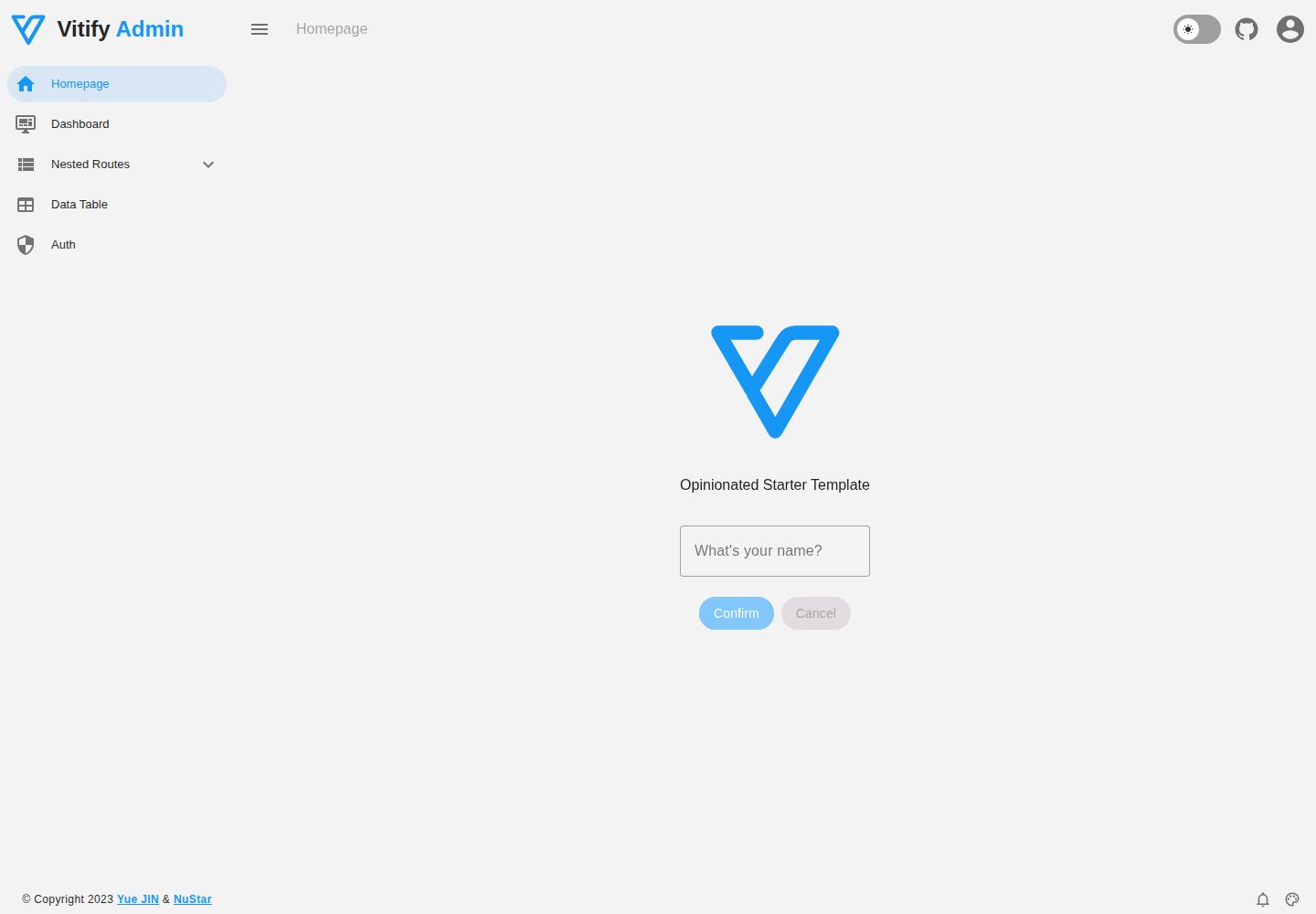
Vitify Nuxt is an admin dashboard starter template built on Nuxt and Vuetify, featuring a drawer layout, automatic navigation and breadcrumbs, notification state, ECharts charts, theming and dark mode, and authentication via nuxt-auth-utils.
Nuxt · Admin dashboard