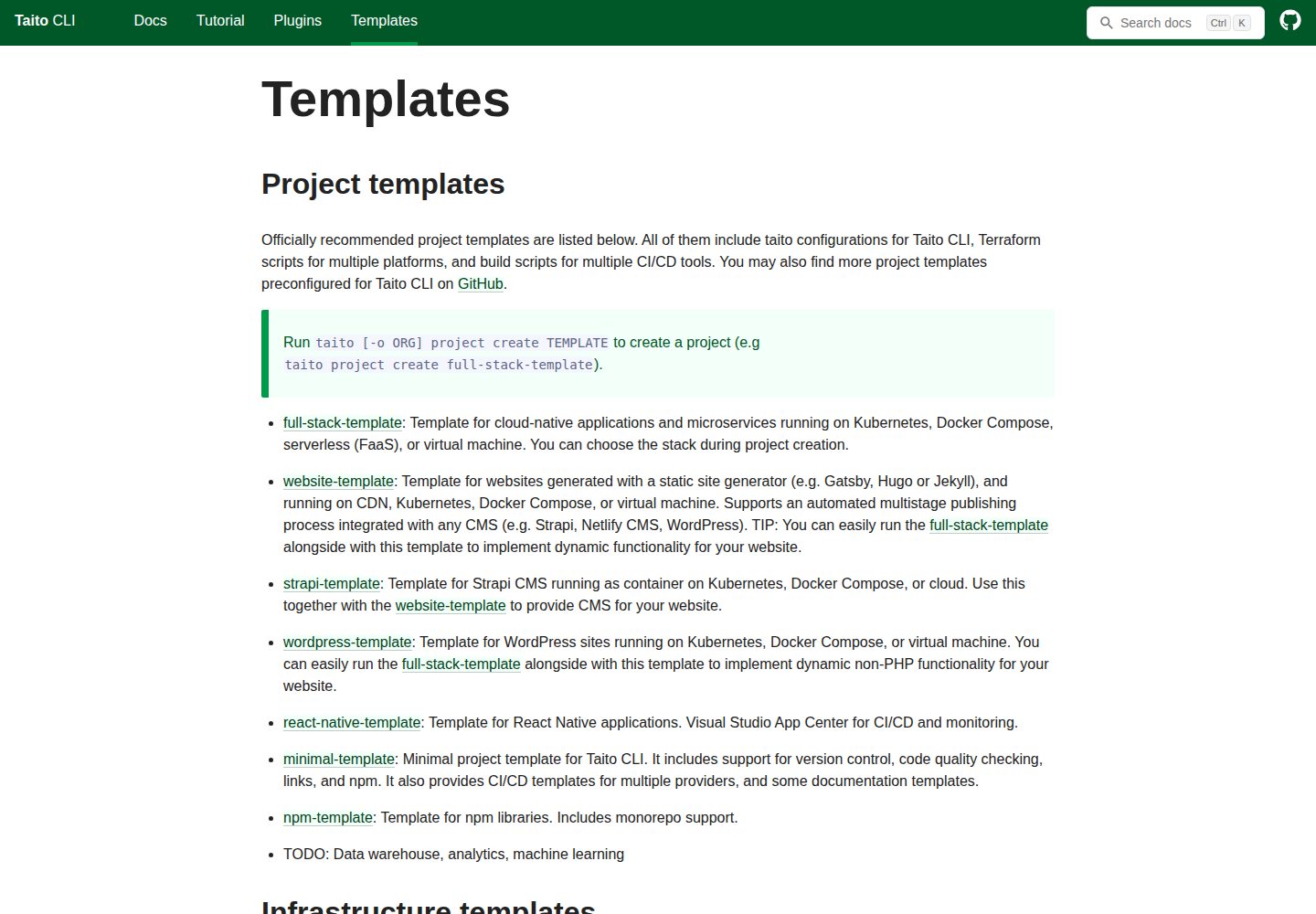
Supports static site generators such as Hugo, Jekyll, and Gatsby, chosen by the user
HugoJekyllGatsbyReactTool Site
website-template — Hugo Tool Template
By TaitoUnited
TaitoUnited's website-template is a static website project template that supports static site generators such as Hugo, Jekyll, and Gatsby, and can be deployed to Kubernetes or object storage CDN via Taito CLI.
Explore the design
Compare the page layouts and mobile experience. Open any screenshot for a closer look.
Desktop homepage1 / 2
Desktop captureTop of page
Actual screenshot captured by the server browser.
All pages & views 2
Screenshots show visual appearance; interactive behavior may differ.
Recorded 2026-10-13View source
What stands out
A quick read of the recorded project description.
Projects can be created and upgraded to new template versions via Taito CLI
Deployment targets include Kubernetes and S3-compatible object storage with CDN
Provides a multi-stage automated release process and optional Netlify CMS integration for content editing
The README gives steps for adding and modifying blog posts and images in the GitHub Web GUI
Is a subset of full-stack-template and covers only static website scenarios
Template Details
This template targets static website projects, allowing you to choose your own static site generator (the README gives Gatsby, Hugo, and Jekyll as examples) and to create and upgrade projects via Taito CLI. Deployment targets include Kubernetes and S3-compatible object storage with CDN; in the README, GitHub Pages, Netlify, and object storage CDN are all marked as TODO, indicating that these paths are not yet completed in the documentation. The template provides a multi-stage release process and optionally uses Netlify CMS to edit site content.
The template is a subset of full-stack-template and covers only static website scenarios; if you need capabilities beyond a static website, the README recommends switching to full-stack-template. Projects are created with `taito project create website-template` and upgraded with `taito project upgrade`; to ensure smooth upgrades, you should not modify content marked do-not-modify in files, but instead improve the template's original files and then upgrade.
The README also includes GitHub Web GUI instructions for content editors: create or modify Markdown files under www/site/content/blog, upload images, and commit with a feat: or fix: prefix; then preview on the development site and publish by merging a Pull Request from dev to master. These are example workflows provided by the template, and the README explicitly notes that they need to be adapted to the actual site, and suggests creating new content on the stag branch when multiple people collaborate and the dev branch is under active development.
HugoJekyllGatsbyUtility site
Is it right for your project?
Use Cases
- Building a content-focused website with a static site generator of your choice
- Deploying a static site to Kubernetes or object storage with CDN
- Having non-developers maintain blog posts and images through the GitHub Web GUI
- Projects that need a multi-stage release process and optionally use Netlify CMS
Suitable For
- Teams that need a static website template and are willing to use Taito CLI
- Projects that want to choose Hugo, Jekyll, or Gatsby themselves
- Scenarios that need to deploy a static site to Kubernetes or object storage CDN
- Websites whose content is maintained as Markdown files and may be edited by non-developers
Getting started & customization
Use these recorded setup notes alongside the repository instructions for your chosen version.
- 1
Create a new project from the template with `taito project create website-template`
- 2
Upgrade to the latest template version with `taito project upgrade`
- 3
Do not modify content marked do-not-modify in files; improve the template's original files and then upgrade
- 4
GitHub Pages, Netlify, and object storage CDN deployments are marked as TODO in the README; confirm actual support before use
- 5
The editing and publishing instructions in the README are examples and need to be adjusted for the actual site; when multiple people collaborate, consider creating new content on the stag branch
License & source material
Usage conditions & limitations
Free to use · keep license noticeThis entry covers the free version under the MIT license in the public repository; the free scope is the code of that version and does not mean that external services or third-party assets are free.
Must comply with when using
- You may use, modify, commercialize, and distribute the code of this version for free.
- When distributing copies or substantial portions of the code, retain the original author's copyright notice and the full MIT license notice.
- The code is provided as is; warranties and limitations of liability are governed by the original license and applicable law.
Additional costs & items to verify
- Demo images, fonts, icons, and other third-party assets must be checked against their respective licenses and cannot be judged solely by the code's MIT license.
- External services such as domains, hosting, databases, payments, or AI may incur additional charges.
- To ensure smooth template upgrades, do not modify content marked do-not-modify in files; if adjustments are needed, improve the template's original files and then upgrade.
- This template covers only static website scenarios and is a subset of full-stack-template; if you need capabilities beyond a static website, switch to full-stack-template.
- In the README, GitHub Pages, Netlify, and object storage CDN deployment paths are all marked as TODO; confirm actual support before use.
- The editing and publishing instructions in the README are examples provided by the template and need to be modified for the actual site before use.
- When multiple people collaborate and the dev branch is under active development, it is recommended to configure the project to create new content on the stag branch rather than the dev branch.
View Original Text Basis
Permission is hereby granted, free of charge
Original License Text
To ensure flawless upgrade, do not modify files that have a **do-not-modify** note in them as they are designed to be reusable and easily configurable for various needs.
Original README
NOTE: This template is a subset of [full-stack-template](https://github.com/TaitoUnited/full-stack-template/). Use the full-stack-template instead, if you need more than just a static website.
Original README
Deploy the website to Kubernetes, GitHub Pages (TODO), Netlify (TODO), or any S3-compatible object storage with CDN support (TODO).
Original README
NOTE: These are example instructions provided by the WEBSITE-TEMPLATE. Modify these so that they apply to your site.
Original README
https://github.com/TaitoUnited/website-template/blob/dev/LICENSEhttps://github.com/TaitoUnited/website-template/blob/dev/README.mdIf there are multiple people working on the website, and dev branch is being actively developed, it is recommended to configure the project so that new content is created to stag branch instead of dev.
Original README
Compiled by DeepSeek based on repository license and README ·2026-10-13. Results only cover the materials read; dependencies, images, fonts, and subsequent term changes are subject to their respective original texts.
Project checks & description sources
Template Information
- Source platforms
- GitHub
- Documentation and maintenance reference score
- More documented · 79 / 100
- Technologies
- Hugo · Jekyll · Gatsby · React
- Website type
- Tool Site
How this score is calculated
Our heuristic uses license records (up to 30), a demo link (12), a preview (10), stars (15), recorded maintenance (15), description completeness (8), feature records (5) and classification data (5). It is not a code, security or performance test, or a Google score. A link does not establish tested functionality.
What to verify for this project
- Repository update recorded
- 2025-02-27
- Screenshot last checked
- 2026-10-13
A demo link is listed. Check it with your own content and viewport sizes; its presence does not confirm that forms, authentication or payments work.
The catalog identifies Hugo as the primary stack. Check the actual dependency manifest and lockfile for versions and hosting requirements. These notes use recorded metadata, not a code audit or a deployment test.
Use a selection guide →How this description was prepared
AI-assisted description based on catalog records and repository material. Repository authors are not automatically the reviewers of this description.
Review declaration: [email protected] · 2026-10-13
Inspect the recorded source material
SHA-256: b9fdc6db738d976891ef7146b4a33733575beef7ae867af8f7bee79e2f5e6620
2026-10-13T03:01:44.299Z
Source file / repository> This page contains a short summary of the project itself. See [DEVELOPMENT.md](scripts/taito/DEVELOPMENT.md) and [CONFIGURATION.md](scripts/taito/CONFIGURATION.md) for development and configuration instructions. [//]: # "TEMPLATE NOTE START" # website-template Implement a website with a static site generator of your choice (e.g. Gatsby, Hugo or Jekyll). Deploy the website to Kubernetes, GitHub Pages (TODO), Netlify (TODO), or any S3-compatible object storage with CDN support (TODO). Setup an automated multistage publishing process for the website. Optionally use the Netlify CMS to edit your site. You can create a new project from this template by running `taito project create website-template`. Later you can upgrade your project to the latest version of the template by running `taito project upgrade`. To ensure flawless upgrade, do not modify files that have a **do-not-modify** note in them as they are designed to be reusable and easily configurable for various needs. In such case, improve the original files of the template instead, and then upgrade. NOTE: This template is a subset of [full-stack-template](https://github.com/TaitoUnited/full-stack-template/). Use the full-stack-template instead, if you need more than just a static website. [//]: # "TEMPLATE NOTE END" # Project title Short description of the website. Table of contents: - [Links](#links) - [Editing the website](#links) - [Contacts](#contacts) - [Responsibilities](#responsibilities) - [Miscellaneous notes](#miscellaneous-notes) - [Conventions](#conventions) ## Links Basic auth credentials for non-production environments: `USERNAME` / `PASSWORD` [//]: # "GENERATED LINKS START" LINKS WILL BE GENERATED HERE [//]: # "GENERATED LINKS END" > You can update this section by configuring links in `scripts/taito/project.sh` and running `taito project generate`. ## Editing the website You can edit the website also directly on GitHub web GUI. Instructions are below. > NOTE: These are example instructions provided by the WEBSITE-TEMPLATE. Modify these so that they apply to your site. If there are multiple people working on the website, and dev branch is being actively developed, it is recommended to configure the project so that new content is created to stag branch instead of dev. ### Create a new blog post 1. Open the [blog folder](www/site/content/blog) on a new tab. 2. Press the **Create new file** button on top of the page. 3. Enter blog name followed with /index.md, for example: `happy-days/index.md`. 4. Enter blog content in [Markdown syntax](https://help.github.com/en/articles/basic-writing-and-formatting-syntax). See the example below. Use the preview tab to preview your changes. ``` --- title: Happy Days date: "2019-05-01T15:12:03.284Z" --- Todays was a happy day.  ``` 5. Commit your changes by pressing the **Commit new file** button on bottom of the page. On your commit messages, use `feat:` prefix for new articles and images (see [version control](scripts/taito/DEVELOPMENT.md#version-control) for more information). 6. If required, upload images for you blog post by pressing the **Upload files** button on top of the page. Remember to commit your images by pressing the **Commit changes** button on bottom of the page, and use the `feat:` prefix on your commit message. ### Update a blog post 1. Open the [blog folder](www/site/content/blog) on a new tab. 2. Browse to a file that you would like edit. 3. Enter edit mode by pressing the **Pen** icon. 4. Enter blog content in [Markdown syntax](https://help.github.com/en/articles/basic-writing-and-formatting-syntax). Use the preview tab to preview your changes. 5. Commit your changes by pressing the **Commit changes** button on bottom of the page. On your commit messages, use `fix:` prefix for fixes (see [version control](scripts/taito/DEVELOPMENT.md#version-control) for more information). 6. If required, upload images for you blog post by pressing the **Upload files** button on top of the page. Remember to commit your images by pressing the **Commit changes** button on bottom of the page, and use the `fix:` prefix on your commit message. ### Preview and release changes 1. Open the [development site](https://my-project-dev.mydomain.com) on a new tab. If you don't see your changes, open it in incognito mode (on Chrome: click the link with right mouse button and select _Open Link in Incognito Window_). 2. Check that your changes look ok on the development site. 3. Create a new pull request on GitHub: - Press the `New pull request button`. - Select: `base: master` < `compare:dev` on top of the page. - Enter some title for the pull request and press the `Create pull request` button. 4. Merge the pull request by pressing the **Merge pull request** button. TIP: If you want to keep environment branch commits in sync, use either Taito CLI (`taito env merge:dev prod`) or Git to make a fast-forward merge. 5. The [site](https://my-project.mydomain.com) will be updated automatically after a few minutes. > NOTE: If you want to use the **Merge pull request** feature on GitHub web GUI, set `ci_exec_build=true` on `scripts/taito/project.sh` to enable container image build for all environments. ## Contacts - Project Manager: John Doe, Company co. - Designer: Jane Doe, Company co. > NOTE: It is recommended to use a shared address book or CRM for keeping the contact details like email and phone number up-to-date. ## Responsibilities Hosting, billing and control of 3rd party services, SSL/TLS certificates, etc. ## Miscellaneous notes Misc notes. ## Conventions Project specific conventions.
Explore similar templates
Compare previews and descriptions within the same stack and category.

hugo-coder
hugo-coder is a minimalist Hugo blog theme maintained by luizdepra under the MIT license. It provides a clean, text-focused blog appearance, configuration documentation in the docs directory, and a complete exampleSite with hugo.toml.
Hugo · Blog

doks
Doks is a Hugo documentation theme in the Thulite ecosystem, built for long-form reading with a minimal responsive layout and documentation-optimized typography. It includes FlexSearch-powered configurable search, dark/light mode, code syntax highlighting, i18n, multi-version documentation management, and blog pages.
Hugo · Tool Site

hugo-theme-introduction
Introduction is a minimal Hugo theme that can be configured as a single-page site or a full site with multiple sections. Homepage sections are generated from Markdown files under content/home/, with weight sorting and optional images.
Hugo · Portfolio

lotusdocs
Lotus Docs is a free, MIT-licensed Hugo documentation theme by Colin Wilson, built on Bootstrap 5. It provides responsive documentation layouts, dark mode, i18n, FlexSearch-based static search, Prism.js highlighting, KaTeX, Mermaid, and landing page templates.
Hugo · Documentation

airspace-hugo
Airspace is a multipurpose Hugo theme by Themefisher for portfolio, blog, and business sites.
Hugo · Portfolio
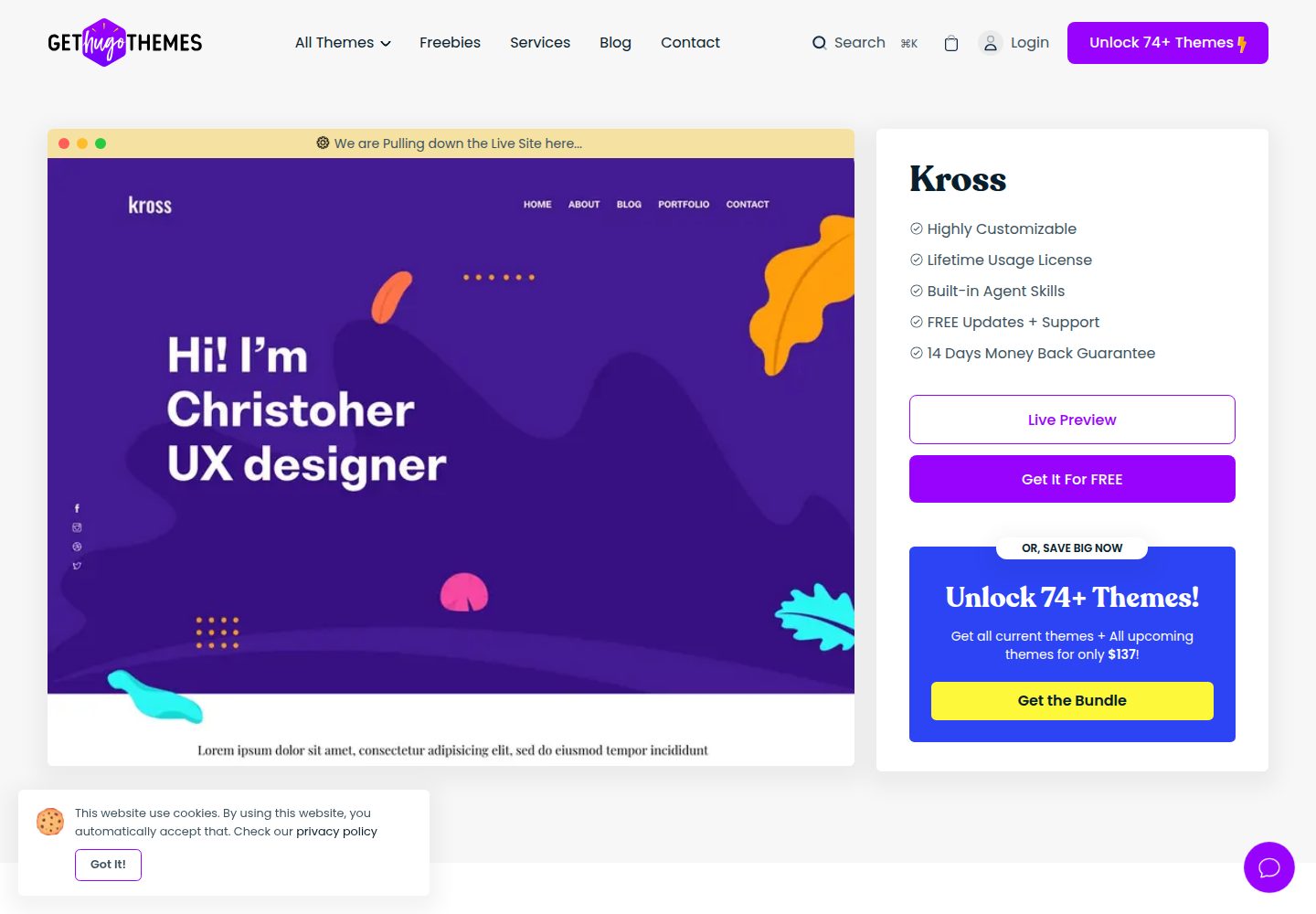
kross-hugo
Kross is a Hugo personal portfolio theme by Themefisher, offering more than 8 pre-built pages including home, about, blog, portfolio, and contact.
Hugo · Portfolio