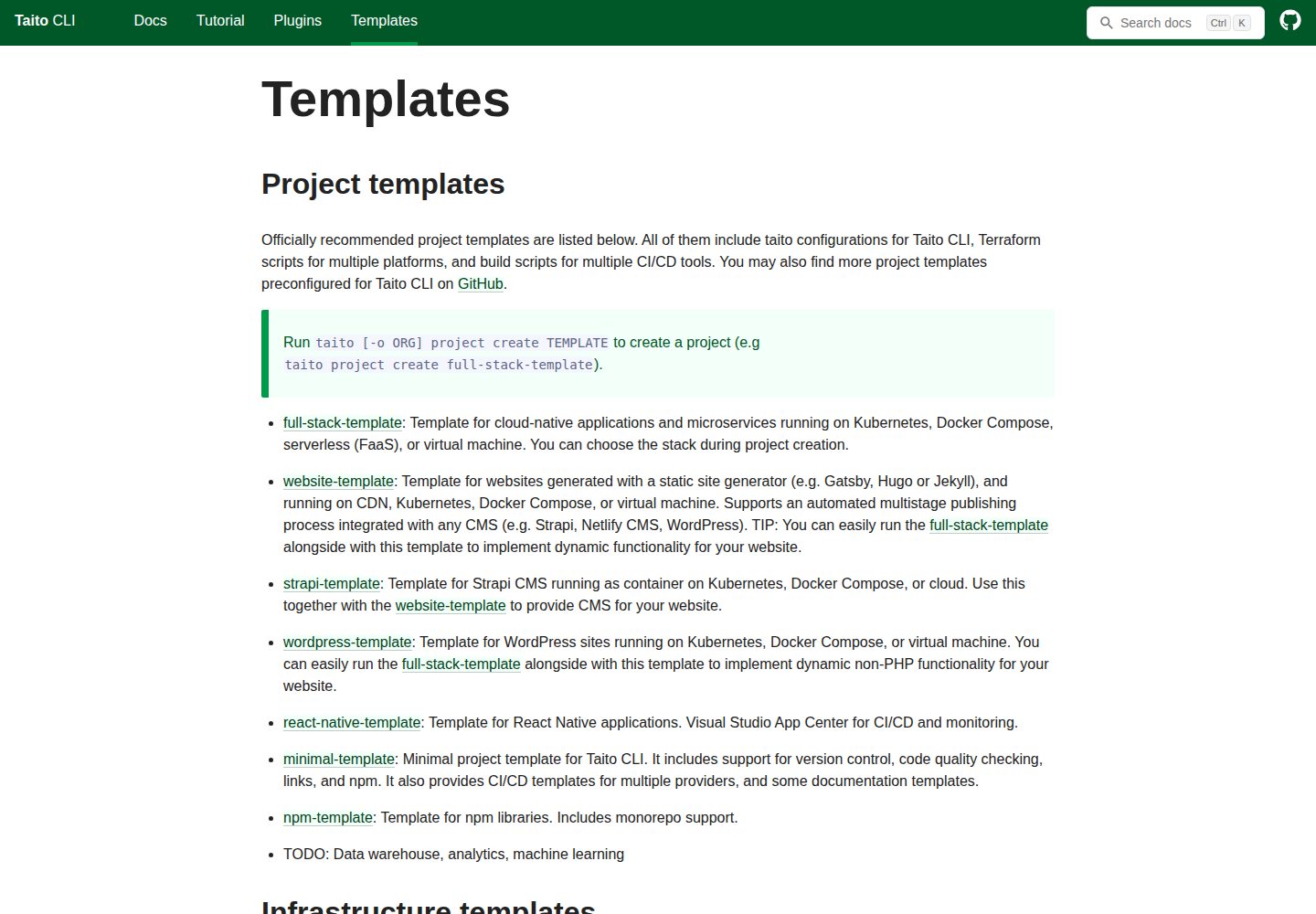
支持 Hugo、Jekyll、Gatsby 等静态站点生成器,由使用者自行选择
HugoJekyllGatsbyReact工具站
website-template — Hugo 工具站模板
作者 TaitoUnited
TaitoUnited 的 website-template 是一个静态网站项目模板,支持 Hugo、Jekyll、Gatsby 等静态站点生成器,并可通过 Taito CLI 部署到 Kubernetes 或对象存储 CDN。
看看你的网站会是什么样
浏览真实页面截图,比较内容排版与手机效果。点击下方缩略图切换,放大查看整页细节。
全部页面与视图 2
截图用于了解视觉与布局,交互效果请以实际项目为准。
采集于 2026-10-13查看来源
值得关注的模板亮点
从已有项目资料中,快速了解它的特点。
可通过 Taito CLI 创建项目并升级到模板新版本
部署目标包括 Kubernetes 和带 CDN 的 S3 兼容对象存储
提供多阶段自动发布流程,并可选接入 Netlify CMS 编辑内容
README 给出在 GitHub Web GUI 中新增、修改博客文章和图片的步骤
是 full-stack-template 的子集,仅覆盖静态网站场景
模板详细介绍
该模板面向静态网站项目,允许你自行选择静态站点生成器(README 举例 Gatsby、Hugo、Jekyll),并通过 Taito CLI 创建和升级项目。部署目标包括 Kubernetes,以及带 CDN 的 S3 兼容对象存储;README 中 GitHub Pages、Netlify 和对象存储 CDN 均标注为 TODO,说明这些路径在文档中尚未完成。模板提供多阶段发布流程,并可选使用 Netlify CMS 编辑站点内容。
模板是 full-stack-template 的子集,只覆盖静态网站场景;如果需要静态网站之外的能力,README 建议改用 full-stack-template。项目通过 `taito project create website-template` 创建,通过 `taito project upgrade` 升级;为保证升级顺利,不应修改文件中标注 do-not-modify 的内容,而应改进模板原始文件后再升级。
README 还包含面向内容编辑的 GitHub Web GUI 操作说明:在 www/site/content/blog 下新建或修改 Markdown 文件、上传图片,并使用 feat: 或 fix: 前缀提交;随后在开发站点预览,再通过 dev 到 master 的 Pull Request 合并发布。这些是模板提供的示例流程,README 明确提示需要按实际站点修改,并建议在多人协作、dev 分支活跃开发时,将新内容创建到 stag 分支。
HugoJekyllGatsby工具站
适合你的项目吗?
适用场景
- 用自选静态站点生成器搭建以内容为主的网站
- 把静态站点部署到 Kubernetes 或带 CDN 的对象存储
- 通过 GitHub Web GUI 由非开发人员维护博客文章和图片
- 需要多阶段发布流程并可选使用 Netlify CMS 的项目
适合人群
- 需要静态网站模板并愿意使用 Taito CLI 的团队
- 希望自行选择 Hugo、Jekyll 或 Gatsby 的项目
- 需要把静态站点部署到 Kubernetes 或对象存储 CDN 的场景
- 内容由 Markdown 文件维护、可能由非开发人员编辑的网站
上手与定制指南
结合仓库当前版本的说明,按下面的资料检查内容、配置与运行要求。
- 1
通过 `taito project create website-template` 从模板创建新项目
- 2
通过 `taito project upgrade` 升级到模板最新版本
- 3
不要修改文件中标注 do-not-modify 的内容,应改进模板原始文件后再升级
- 4
README 中 GitHub Pages、Netlify 和对象存储 CDN 部署标注为 TODO,使用前需确认实际支持情况
- 5
README 中的编辑与发布说明是示例,需要按实际站点调整;多人协作时可考虑把新内容创建到 stag 分支
授权与来源资料
使用条件与限制
免费使用 · 保留许可声明本次收录的是公开仓库中采用 MIT 许可的免费版本;免费范围为该版本代码,不代表外部服务或第三方素材免费。
使用时需要遵守
- 允许免费使用、修改、商用和分发该版本代码。
- 分发代码副本或实质性部分时,保留原作者版权声明和完整 MIT 许可声明。
- 代码按现状提供;担保与责任限制以原许可证及适用法律为准。
额外费用与待核对事项
- 演示图片、字体、图标及其他第三方素材需按各自许可核对,不能仅凭代码的 MIT 许可判断。
- 域名、托管、数据库、支付或 AI 等外部服务可能另外收费。
- 为保证模板升级顺利,不应修改文件中标注 do-not-modify 的内容;如需调整应改进模板原始文件后再升级。
- 该模板仅覆盖静态网站场景,是 full-stack-template 的子集;若需要静态网站之外的能力,应改用 full-stack-template。
- README 中 GitHub Pages、Netlify 和对象存储 CDN 部署路径均标注为 TODO,使用前需确认实际支持情况。
- README 中的编辑与发布说明是模板提供的示例,需要按实际站点修改后才能使用。
- 多人协作且 dev 分支活跃开发时,建议配置项目将新内容创建到 stag 分支而非 dev 分支。
查看原文依据
Permission is hereby granted, free of charge
许可证原文
To ensure flawless upgrade, do not modify files that have a **do-not-modify** note in them as they are designed to be reusable and easily configurable for various needs.
README 原文
NOTE: This template is a subset of [full-stack-template](https://github.com/TaitoUnited/full-stack-template/). Use the full-stack-template instead, if you need more than just a static website.
README 原文
Deploy the website to Kubernetes, GitHub Pages (TODO), Netlify (TODO), or any S3-compatible object storage with CDN support (TODO).
README 原文
NOTE: These are example instructions provided by the WEBSITE-TEMPLATE. Modify these so that they apply to your site.
README 原文
https://github.com/TaitoUnited/website-template/blob/dev/LICENSEhttps://github.com/TaitoUnited/website-template/blob/dev/README.mdIf there are multiple people working on the website, and dev branch is being actively developed, it is recommended to configure the project so that new content is created to stag branch instead of dev.
README 原文
DeepSeek 根据仓库许可证和 README 整理 ·2026-10-13。结果仅覆盖已读取资料,依赖、图片、字体及后续条款变更以各自原文为准。
项目核对记录与介绍依据
模板资料
- 来源平台
- GitHub
- 资料与维护参考分
- 资料较完整 · 79 / 100
- 技术栈
- Hugo · Jekyll · Gatsby · React
- 网站类型
- 工具站
这个分数如何计算
本站按许可资料(最高30分)、演示链接(12分)、预览图(10分)、Star数(15分)、记录的维护时间(15分)、描述完整度(8分)、功能记录(5分)和分类资料(5分)计算。它不是代码、安全或性能测试,也不是 Google 评分;有链接不代表已实测可用。
这个项目需要核对什么
- 记录的仓库更新时间
- 2025-02-27
- 截图检查日期
- 2026-10-13
已收录演示链接。请用你的内容与屏幕尺寸检查;有演示不代表表单、认证或支付已经可用。
目录记录的主要技术栈是 Hugo。请通过依赖清单和锁文件核对实际版本与托管要求。这些说明基于收录资料,不代表代码审计或部署实测。
查看具体选型方法 →介绍的制作与核对状态
介绍由 AI 辅助整理目录与仓库资料。仓库作者不等于这篇介绍的审核者。
审核声明: [email protected] · 2026-10-13
查看当时使用的来源资料
SHA-256: b9fdc6db738d976891ef7146b4a33733575beef7ae867af8f7bee79e2f5e6620
2026-10-13T03:01:44.299Z
来源文件 / 仓库> This page contains a short summary of the project itself. See [DEVELOPMENT.md](scripts/taito/DEVELOPMENT.md) and [CONFIGURATION.md](scripts/taito/CONFIGURATION.md) for development and configuration instructions. [//]: # "TEMPLATE NOTE START" # website-template Implement a website with a static site generator of your choice (e.g. Gatsby, Hugo or Jekyll). Deploy the website to Kubernetes, GitHub Pages (TODO), Netlify (TODO), or any S3-compatible object storage with CDN support (TODO). Setup an automated multistage publishing process for the website. Optionally use the Netlify CMS to edit your site. You can create a new project from this template by running `taito project create website-template`. Later you can upgrade your project to the latest version of the template by running `taito project upgrade`. To ensure flawless upgrade, do not modify files that have a **do-not-modify** note in them as they are designed to be reusable and easily configurable for various needs. In such case, improve the original files of the template instead, and then upgrade. NOTE: This template is a subset of [full-stack-template](https://github.com/TaitoUnited/full-stack-template/). Use the full-stack-template instead, if you need more than just a static website. [//]: # "TEMPLATE NOTE END" # Project title Short description of the website. Table of contents: - [Links](#links) - [Editing the website](#links) - [Contacts](#contacts) - [Responsibilities](#responsibilities) - [Miscellaneous notes](#miscellaneous-notes) - [Conventions](#conventions) ## Links Basic auth credentials for non-production environments: `USERNAME` / `PASSWORD` [//]: # "GENERATED LINKS START" LINKS WILL BE GENERATED HERE [//]: # "GENERATED LINKS END" > You can update this section by configuring links in `scripts/taito/project.sh` and running `taito project generate`. ## Editing the website You can edit the website also directly on GitHub web GUI. Instructions are below. > NOTE: These are example instructions provided by the WEBSITE-TEMPLATE. Modify these so that they apply to your site. If there are multiple people working on the website, and dev branch is being actively developed, it is recommended to configure the project so that new content is created to stag branch instead of dev. ### Create a new blog post 1. Open the [blog folder](www/site/content/blog) on a new tab. 2. Press the **Create new file** button on top of the page. 3. Enter blog name followed with /index.md, for example: `happy-days/index.md`. 4. Enter blog content in [Markdown syntax](https://help.github.com/en/articles/basic-writing-and-formatting-syntax). See the example below. Use the preview tab to preview your changes. ``` --- title: Happy Days date: "2019-05-01T15:12:03.284Z" --- Todays was a happy day.  ``` 5. Commit your changes by pressing the **Commit new file** button on bottom of the page. On your commit messages, use `feat:` prefix for new articles and images (see [version control](scripts/taito/DEVELOPMENT.md#version-control) for more information). 6. If required, upload images for you blog post by pressing the **Upload files** button on top of the page. Remember to commit your images by pressing the **Commit changes** button on bottom of the page, and use the `feat:` prefix on your commit message. ### Update a blog post 1. Open the [blog folder](www/site/content/blog) on a new tab. 2. Browse to a file that you would like edit. 3. Enter edit mode by pressing the **Pen** icon. 4. Enter blog content in [Markdown syntax](https://help.github.com/en/articles/basic-writing-and-formatting-syntax). Use the preview tab to preview your changes. 5. Commit your changes by pressing the **Commit changes** button on bottom of the page. On your commit messages, use `fix:` prefix for fixes (see [version control](scripts/taito/DEVELOPMENT.md#version-control) for more information). 6. If required, upload images for you blog post by pressing the **Upload files** button on top of the page. Remember to commit your images by pressing the **Commit changes** button on bottom of the page, and use the `fix:` prefix on your commit message. ### Preview and release changes 1. Open the [development site](https://my-project-dev.mydomain.com) on a new tab. If you don't see your changes, open it in incognito mode (on Chrome: click the link with right mouse button and select _Open Link in Incognito Window_). 2. Check that your changes look ok on the development site. 3. Create a new pull request on GitHub: - Press the `New pull request button`. - Select: `base: master` < `compare:dev` on top of the page. - Enter some title for the pull request and press the `Create pull request` button. 4. Merge the pull request by pressing the **Merge pull request** button. TIP: If you want to keep environment branch commits in sync, use either Taito CLI (`taito env merge:dev prod`) or Git to make a fast-forward merge. 5. The [site](https://my-project.mydomain.com) will be updated automatically after a few minutes. > NOTE: If you want to use the **Merge pull request** feature on GitHub web GUI, set `ci_exec_build=true` on `scripts/taito/project.sh` to enable container image build for all environments. ## Contacts - Project Manager: John Doe, Company co. - Designer: Jane Doe, Company co. > NOTE: It is recommended to use a shared address book or CRM for keeping the contact details like email and phone number up-to-date. ## Responsibilities Hosting, billing and control of 3rd party services, SSL/TLS certificates, etc. ## Miscellaneous notes Misc notes. ## Conventions Project specific conventions.
看看同类模板
对比同技术栈与用途的模板,找到更适合的视觉与内容结构。

hugo-coder
A minimalist blog theme for hugo.
Hugo · 博客

doks
Doks 是 Thulite 生态下的文档主题,底层是 Hugo 静态站点生成器。 它把重点放在长文阅读体验上:极简且响应式的布局、为文档优化的排版,以及代码块语法高亮,整体更接近技术手册的形态,而不是通用营销页模板。
Hugo · 工具站

hugo-theme-introduction
Minimal, single page, smooth-scrolling theme for Hugo static site generator.
Hugo · 作品集

lotusdocs
📖 A free, lightweight, modern documentation theme for Hugo
Hugo · 文档

airspace-hugo
Airspace Hugo theme for multipurpose use, like Portfolio, Blog, Business.
Hugo · 作品集
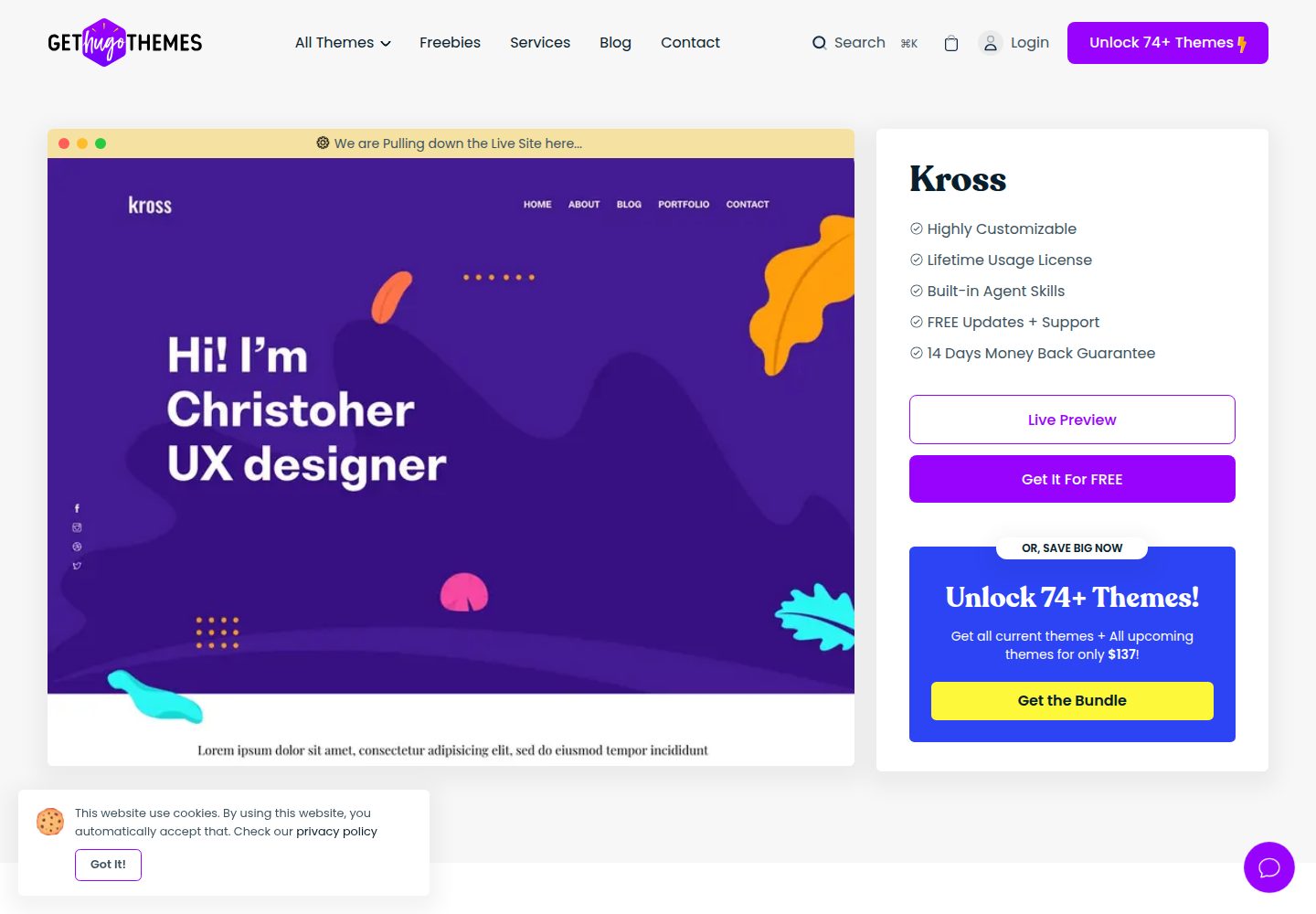
kross-hugo
Kross is a creative, sleek and modern personal portfolio Hugo theme with a gorgeous appearance.
Hugo · 作品集