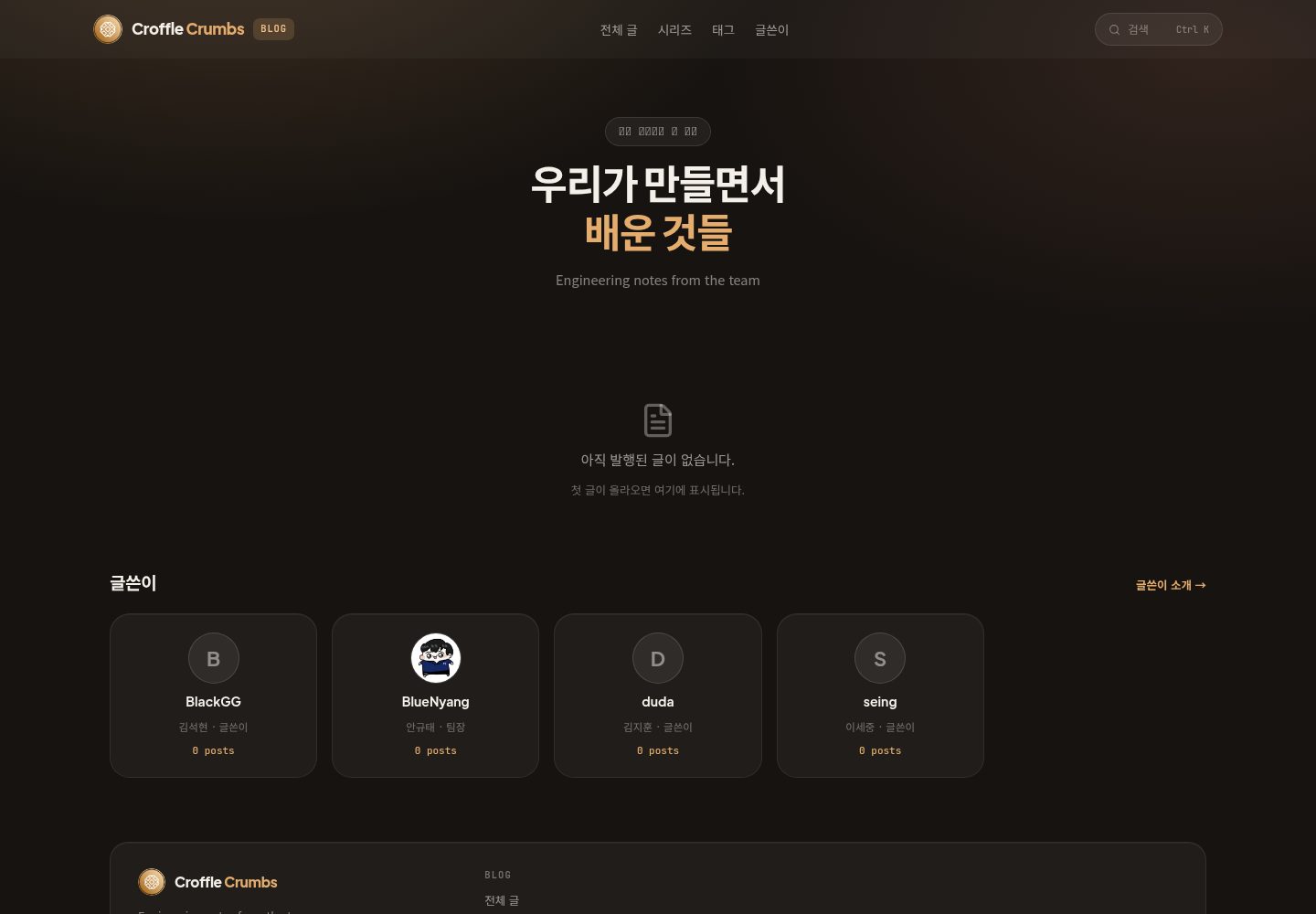
The monorepo is divided into apps (croffle-blog, template-blog) and packages (directus-blog-core, nuxt-directus-blog, create-croffle-blog)
NuxtVueBlogStarter
blogs — Nuxt Blog Template
By team-croffle
A team blog monorepo built on Directus GraphQL and Nuxt, containing publishable core packages, a Nuxt Layer, and the create-croffle-blog scaffold CLI.
Explore the design
Compare the page layouts and mobile experience. Open any screenshot for a closer look.
Desktop homepage1 / 2
Desktop captureTop of page
Actual screenshot captured by the server browser.
All pages & views 2
Screenshots show visual appearance; interactive behavior may differ.
Recorded 2026-10-13View source
What stands out
A quick read of the recorded project description.
directus-blog-core provides GraphQL query, mapper, and types; nuxt-directus-blog is a Nuxt Layer containing API and composables
Provides the create-croffle-blog CLI, which can generate a new blog via pnpm create croffle-blog or npx create-croffle-blog
The tech stack includes pnpm workspaces, Changesets, oxlint/oxfmt, husky + lint-staged, Directus (GraphQL), and Nuxt 4
GitHub Actions covers CI, Release (Changesets or OIDC npm publish), TruffleHog secret scanning, and path-based automatic PR labeling
Template Details
This repository is the monorepo for the Croffle Directus blog. Its goal is to quickly build team blogs using the same CMS schema, so it separates core packages from template applications. The repository structure is divided into apps and packages: under apps there is the operations blog croffle-blog (private, deployed to Cloudflare Workers) and the Nuxt scaffold template-blog for team members (private, the CLI template source); under packages there is directus-blog-core (GraphQL query, mapper, types, published), nuxt-directus-blog (Nuxt Layer, API and composables, published), and create-croffle-blog (scaffold CLI, published). For the tech stack, the README lists pnpm workspaces, Changesets, oxlint/oxfmt (OXC), husky + lint-staged, Directus (GraphQL), and Nuxt 4.
For usage, the README gives local startup steps: enable corepack, pnpm install, copy apps/template-blog/.env.example to .env, then run pnpm dev; you can also generate a new blog via pnpm create croffle-blog my-blog or npx create-croffle-blog my-blog. Common scripts include lint, format, typecheck, changeset, version-packages, and release.
The repository also defines four GitHub Actions workflows: CI, Release, Secret Scan, and Labeler, and explains that the first release must be completed locally before associating a Trusted Publisher with release.yml in the npm package settings. The environment variable list covers BLOG_URL, BLOG_SLUG, DIRECTUS_URL, EMAIL_ADDRESS, HOMEPAGE_URL, BLOG_TITLE, BLOG_DESCRIPTION, BLOG_AUTHOR, PROFILE_IMAGE_URL, and GITHUB_URL. The README does not provide information on page features, theme customization scope, performance, or production readiness.
NuxtVueBlogStarter
Is it right for your project?
Use Cases
- A team wants to quickly build an engineering blog based on the same Directus schema
- Needs to extract the blog's data query and type logic into publishable standalone packages for reuse
- Wants to share Nitro API and composables through a Nuxt Layer
- Uses the scaffold CLI to initialize a new blog project and connect it to the existing CI process
Suitable For
- Teams using Directus as a CMS and adopting Nuxt
- Projects that need a monorepo and a Changesets version release process
- Multi-blog maintainers who want to reuse the core package and Nuxt Layer
Getting started & customization
Use these recorded setup notes alongside the repository instructions for your chosen version.
- 1
Run corepack enable and pnpm install to install dependencies
- 2
Copy apps/template-blog/.env.example to apps/template-blog/.env and fill in the environment variables
- 3
Run pnpm dev to start development; you can create a new blog with pnpm create croffle-blog my-blog or npx create-croffle-blog my-blog
- 4
For the first npm publish, complete it locally first, then associate a Trusted Publisher with release.yml in the npm package settings
- 5
Do not write secrets into code or commit them; inject them via .env or runtimeConfig. Secret Scan scans PRs and performs a weekly full scan of history
License & source material
Usage conditions & limitations
Free to use · keep license noticeThis entry covers the free version under the MIT license in the public repository; the free scope is the code of that version and does not mean external services or third-party assets are free.
Must comply with when using
- Free use, modification, commercial use, and distribution of that version's code are allowed.
- When distributing copies or substantial portions of the code, retain the original author's copyright notice and the full MIT license notice.
- The code is provided as is; warranties and limitations of liability are governed by the original license and applicable law.
Additional costs & items to verify
- Demo images, fonts, icons, and other third-party assets must be checked against their respective licenses and cannot be judged solely by the code's MIT license.
- External services such as domains, hosting, databases, payments, or AI may incur separate charges.
- The operations blog croffle-blog is private and not public with the repository; the available public template is the template-blog scaffold.
- template-blog is private and serves only as the CLI template source; it is not a public application that can be independently deployed directly.
- The project depends on Directus (GraphQL) as the CMS, and you need to deploy or connect to a Directus service yourself.
- The application framework is Nuxt 4; confirm compatibility with your own toolchain before use.
- Before starting, copy apps/template-blog/.env.example to .env and fill in the environment variables.
- The first npm publish must be completed locally first, and a Trusted Publisher must be associated with release.yml in the npm package settings.
- DIRECTUS_URL must be configured to point to your own Directus instance.
- Secrets must not be written into code or committed; they must be injected via .env or runtimeConfig.
- The Secret Scan workflow scans PRs and performs a weekly full scan of commit history.
View Original Text Basis
Permission is hereby granted, free of charge
Original License Text
croffle-blog/ # 운영 블로그 (private, Cloudflare Workers 배포)
Original README
template-blog/ # 팀원용 Nuxt 스캐폴드 (private, CLI 템플릿 원본)
Original README
| CMS | Directus (GraphQL) |
Original README
| 앱 프레임워크 | Nuxt 4 |
Original README
cp apps/template-blog/.env.example apps/template-blog/.env
Original README
- 최초 publish는 로컬에서 한 뒤, npm 패키지 설정에서 Trusted Publisher에 workflow `release.yml`을 연결하세요.
Original README
DIRECTUS_URL=https://your-directus.example
Original README
> 비밀값은 코드나 커밋에 넣지 말고 `.env` / `runtimeConfig`로 주입하세요.
Original README
https://github.com/team-croffle/blogs/blob/master/LICENSEhttps://github.com/team-croffle/blogs/blob/master/README.md> `Secret Scan` 워크플로가 PR과 매주 전체 히스토리를 훑습니다.
Original README
Compiled by DeepSeek based on repository license and README ·2026-10-13. Results only cover the materials read; dependencies, images, fonts, and subsequent term changes are subject to their respective original texts.
Project checks & description sources
Template Information
- Source platforms
- GitHub
- Documentation and maintenance reference score
- More documented · 85 / 100
- Technologies
- Nuxt · Vue
- Website type
- Blog · Starter
How this score is calculated
Our heuristic uses license records (up to 30), a demo link (12), a preview (10), stars (15), recorded maintenance (15), description completeness (8), feature records (5) and classification data (5). It is not a code, security or performance test, or a Google score. A link does not establish tested functionality.
What to verify for this project
- Repository update recorded
- 2026-08-28
- Screenshot last checked
- 2026-10-13
A demo link is listed. Check it with your own content and viewport sizes; its presence does not confirm that forms, authentication or payments work.
The catalog identifies Nuxt as the primary stack. Check the actual dependency manifest and lockfile for versions and hosting requirements. These notes use recorded metadata, not a code audit or a deployment test.
Use a selection guide →How this description was prepared
AI-assisted description based on catalog records and repository material. Repository authors are not automatically the reviewers of this description.
Review declaration: codex-user-requested-batch-review-20261015 · 2026-10-15
Inspect the recorded source material
SHA-256: 1fc92de42a0fede8035adf5e047a6cb79eea09f5d492e8fb5aed54dfc7937358
2026-10-13T13:45:28.843Z
Source file / repository# @croffledev/blogs Croffle Directus 블로그 모노레포입니다. 같은 CMS 스키마로 팀 블로그를 빠르게 만들 수 있도록, 코어 패키지와 템플릿 앱을 분리합니다. ## 구조 ``` apps/ croffle-blog/ # 운영 블로그 (private, Cloudflare Workers 배포) template-blog/ # 팀원용 Nuxt 스캐폴드 (private, CLI 템플릿 원본) packages/ directus-blog-core/ # GraphQL query · mapper · types (publish) nuxt-directus-blog/ # Nuxt Layer — API + composables (publish) create-croffle-blog/ # 스캐폴딩 CLI (publish) ``` ## 스택 | 구분 | 기술 | | ------------- | -------------------- | | 패키지 매니저 | pnpm workspaces | | 버전 관리 | Changesets | | 린트 / 포맷 | oxlint · oxfmt (OXC) | | Git hooks | husky + lint-staged | | CMS | Directus (GraphQL) | | 앱 프레임워크 | Nuxt 4 | ## 시작 ```bash corepack enable pnpm install cp apps/template-blog/.env.example apps/template-blog/.env pnpm dev ``` ## CLI로 새 블로그 만들기 ```bash pnpm create croffle-blog my-blog # 또는 npx create-croffle-blog my-blog ``` ```bash pnpm lint pnpm format pnpm typecheck pnpm changeset # 패키지 변경 기록 pnpm version-packages # 버전 bump pnpm release # build + npm publish ``` ## GitHub Actions | 워크플로 | 트리거 | 하는 일 | | ------------- | ------------------------------ | --------------------------------------------- | | `CI` | PR · push | lint · core build · typecheck · build | | `Release` | master push | Changesets Version PR 또는 npm publish (OIDC) | | `Secret Scan` | PR · push · 매주 월요일 · 수동 | TruffleHog 시크릿 스캔 (주간은 전체 히스토리) | | `Labeler` | PR | 변경 경로 기반 자동 라벨링 | - 최초 publish는 로컬에서 한 뒤, npm 패키지 설정에서 Trusted Publisher에 workflow `release.yml`을 연결하세요. - 라벨 규칙은 [.github/labeler.yml](.github/labeler.yml), 리뷰어 자동 지정은 [.github/CODEOWNERS](.github/CODEOWNERS)에 있습니다. 저장소에 없는 라벨은 `Labeler` 워크플로가 자동으로 만듭니다 (색·설명은 기본값이니 나중에 손보세요). ## 환경 변수 (앱) ```env BLOG_URL=https://blog.example.com BLOG_SLUG=your-slug DIRECTUS_URL=https://your-directus.example [email protected] HOMEPAGE_URL=https://www.example.com BLOG_TITLE=Example Blog BLOG_DESCRIPTION=Team engineering notes BLOG_AUTHOR=Example PROFILE_IMAGE_URL= GITHUB_URL= ``` > 비밀값은 코드나 커밋에 넣지 말고 `.env` / `runtimeConfig`로 주입하세요. > `Secret Scan` 워크플로가 PR과 매주 전체 히스토리를 훑습니다. ## 로드맵 1. ~~`my-blog`의 `server/features` · `shared/types`를 `directus-blog-core`로 이전~~ 2. ~~Nitro API · composable을 `nuxt-directus-blog` Layer로 이전~~ 3. ~~`template-blog` Nuxt 앱 + `create-croffle-blog` CLI~~ 4. Changesets로 코어 패키지 버전 배포 ## 기여 작업 절차와 검증 순서는 [CONTRIBUTING.md](CONTRIBUTING.md), 코드 스타일·네이밍·린트 규약은 [AGENTS.md](AGENTS.md)에 있습니다. ## 라이선스 [MIT](LICENSE) © team-croffle
Explore similar templates
Compare previews and descriptions within the same stack and category.

laravel-nuxt
A Laravel + Nuxt decoupled starter kit with built-in login, registration, email verification, password reset, and Socialite third-party login (GitHub example), switchable between SPA and SSR.
Nuxt · Starter

canvas
Canvas is a Nuxt-based portfolio template that uses Nuxt Content for content management and Nuxt UI with Tailwind CSS for pages.
Nuxt · Portfolio
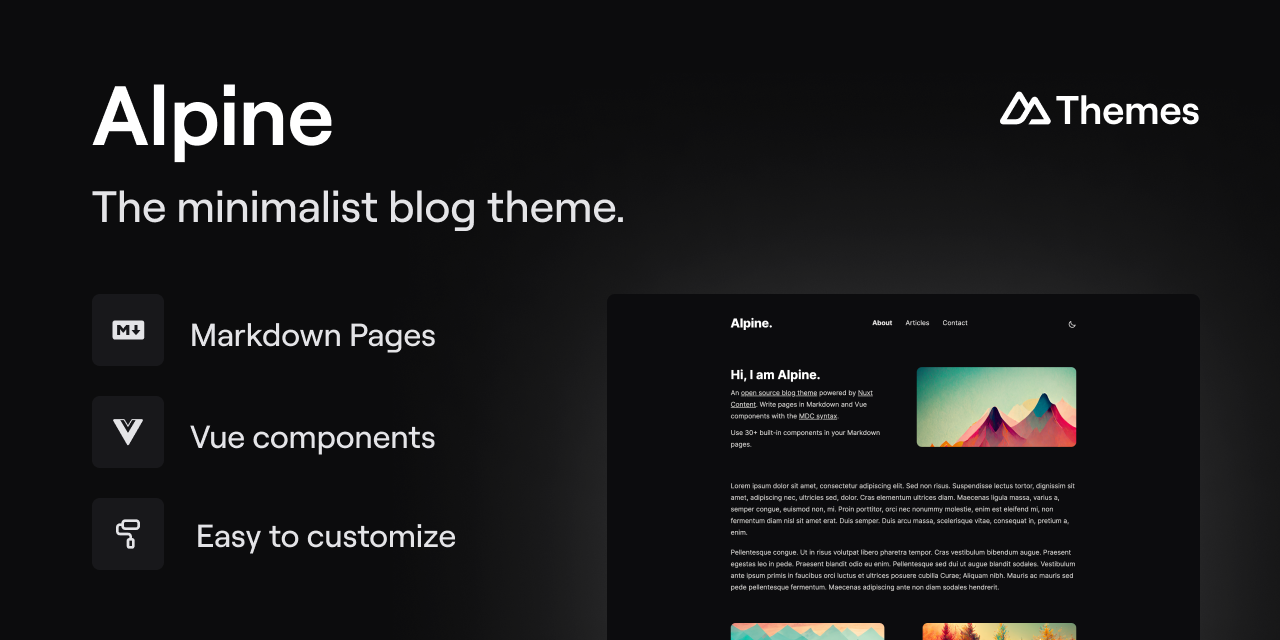
alpine-theme
Alpine is a minimalist blog theme built on Nuxt and Nuxt Content, supporting Markdown and MDC syntax with over 30 components from Nuxt Elements.
Nuxt · Blog
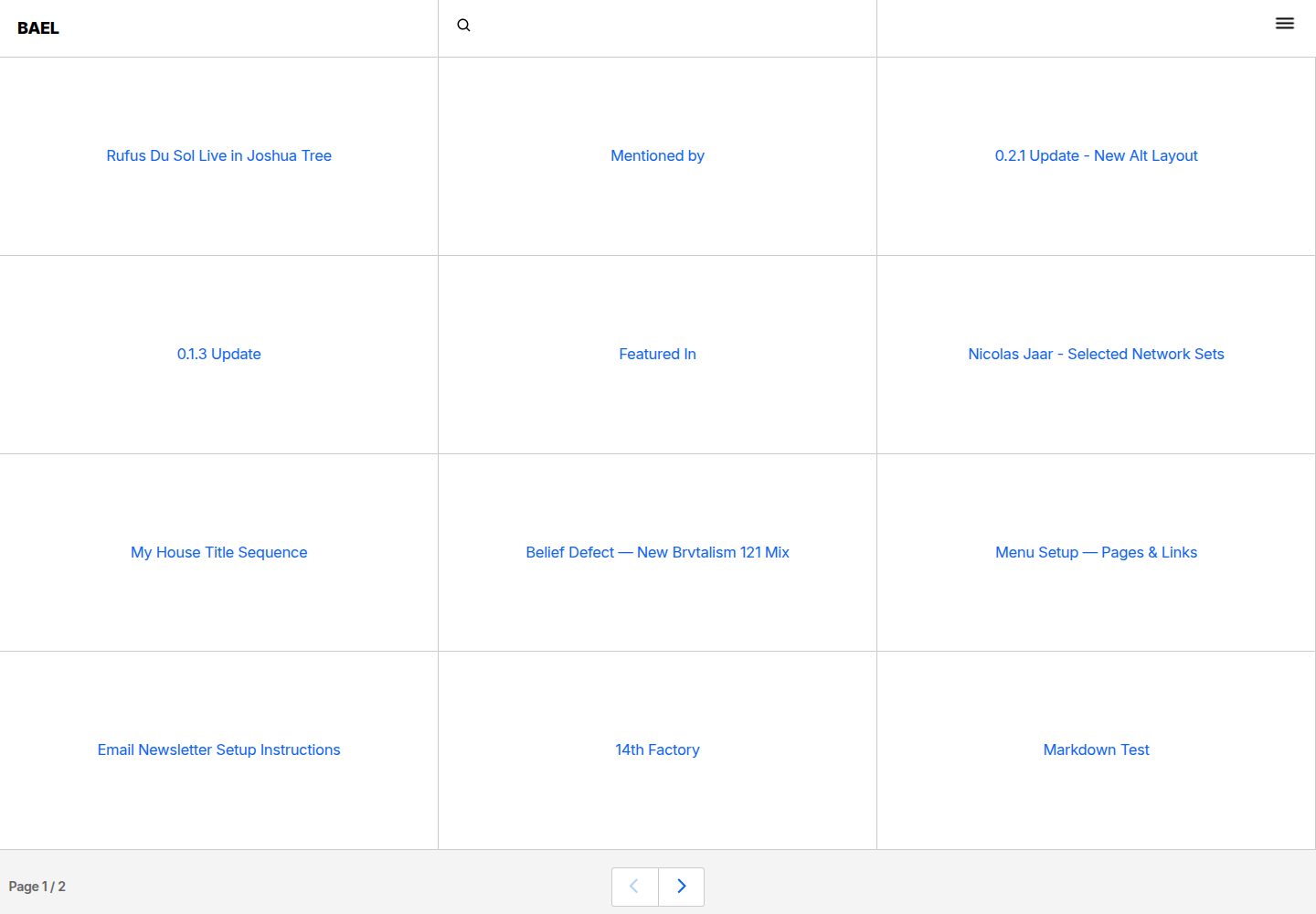
bael-template
Bael is a brutalist-style blog template built with Nuxt.js and Vue.js, using Netlify CMS for content management and deploying to Netlify. Content is stored as files in a Git repository and edited through the /admin path.
Nuxt · Blog

nuxt3-starter
A Nuxt 3 starter template generated by nuxi, preconfigured with UnoCSS, unplugin-icons, Pinia, and VueUse. It suits developers who need a quick Nuxt 3 project skeleton with atomic CSS and auto-import workflows, and is available under the MIT license.
Nuxt · Starter

starter
The official Nuxt starter template for Nuxt UI, based on Nuxt and Vue. It provides a runnable project skeleton, an online demo, and Nuxt UI installation documentation, with README commands for creating, installing, developing, building, and previewing.
Nuxt · Starter