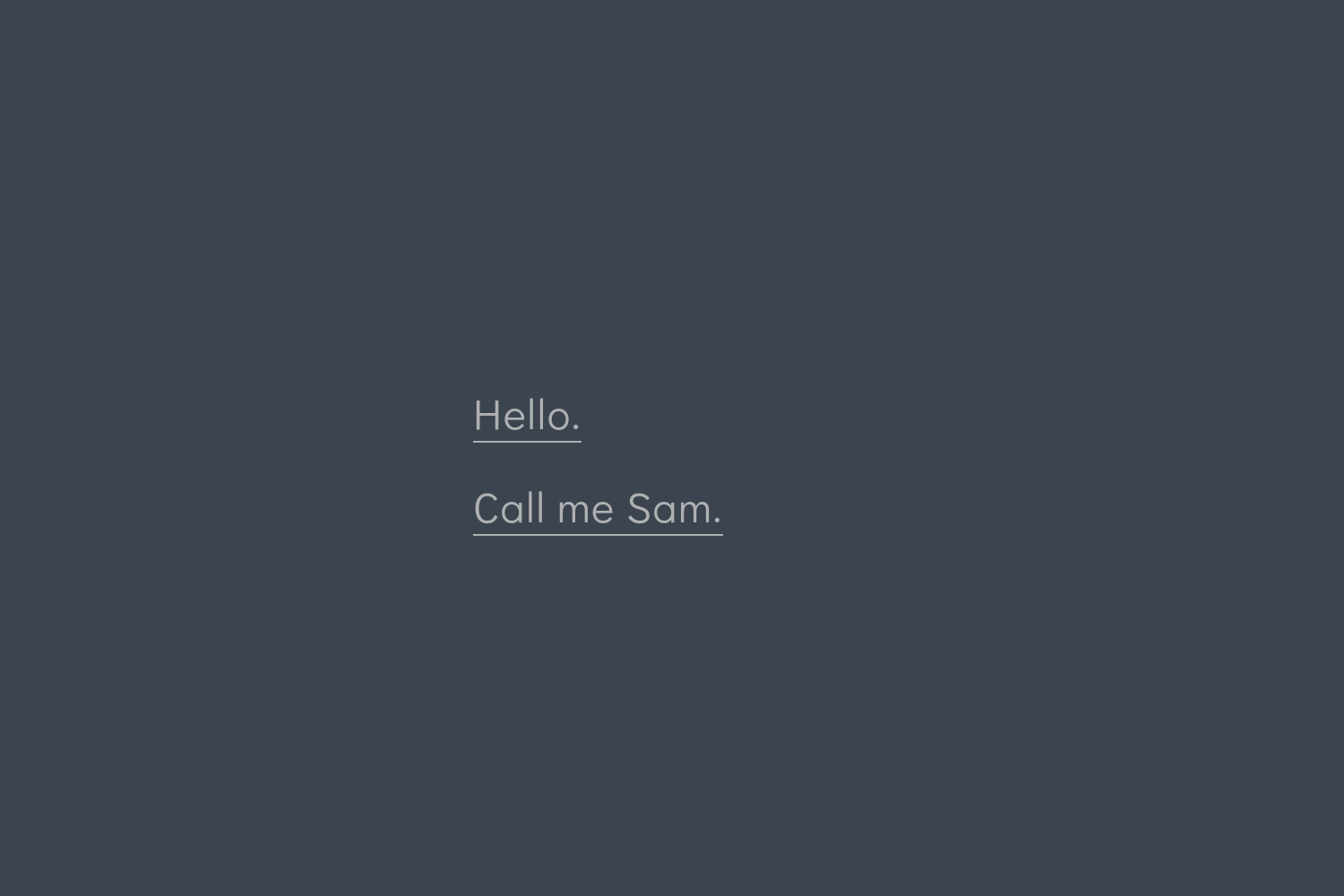
The homepage consists of [[params.mainMenu]] navigation entries in config.toml; the number and targets (including external links) can be freely set
HugoStarter
hugo-theme-sam — Hugo Starter Template
By victoriadrake
hugo-theme-sam is a minimalist theme for Hugo centered on typography and content presentation. It configures the navigation menu, footer text, and homepage background video via config.toml, and provides a responsive image gallery based on Page Bundles.
Explore the design
Compare the page layouts and mobile experience. Open any screenshot for a closer look.
Author preview
Author-provided previewTop of page
Preview provided in the project README.
One original preview is available. Open the full image to inspect the design.
Screenshots show visual appearance; interactive behavior may differ.
Recorded 2026-10-02View source
What stands out
A quick read of the recorded project description.
Provides content-oriented templates for list pages, single pages, and articles, plus a responsive CSS Grid gallery page automatically generated from Page Bundle images
The gallery supports front matter options such as maxWidth, clickablePhotos, and keepAspectRatio, and multiple galleries can be created
Clickable galleries support keyboard activation, arrow key navigation, Escape to close, and focus return; without JavaScript, links open the full image directly
The homepage background can be configured as a looping video, with poster image and overlay color, and a pause button is provided
CSS is compiled from Sass via Hugo Pipes; pages include customizable Open Graph and Twitter metadata and support syntax highlighting
Template Details
Sam is a Hugo theme centered on content and typography. Its homepage is essentially a list of navigation links defined in config.toml, so the homepage presentation depends on how you organize these entries; the README provides examples of multiple homepage forms. The theme offers content-oriented templates for list pages, single pages, and articles, as well as a responsive CSS Grid gallery page automatically generated from Page Bundle images.
Configuration is centralized in config.toml: main menu entries ([[params.mainMenu]]) simultaneously form part of the homepage list and the single-page bottom navigation, and can include external links; footer text is customizable; the homepage background can be replaced with a looping video, with support for a poster image and overlay color. For page metadata, a page's own description overrides params.description; social preview images can be page resources, site-relative paths, or external URLs; and GA4 can be configured via [services.googleAnalytics].
The gallery page sets type: "gallery" in the front matter of _index.md, with optional title, url, maxWidth (default "800x"), clickablePhotos, and keepAspectRatio. Clickable galleries support keyboard activation, arrow key navigation, Escape to close, and focus return; without JavaScript, links open the full image directly; reduced motion preferences disable lightbox animations. Image alt text is provided via page resource metadata; SVG images are not raster-scaled and do not enter the lightbox.
Usage limitations: requires the extended version of Hugo, minimum supported version 0.163.0; production build CSS depends on PostCSS and Autoprefixer, which must be installed and committed with dependency manifest and lock file at the site root, and node_modules/.bin must be added to PATH during build; the Hugo development server skips PostCSS, so development preview and production build behavior differ. The PhotoSwipe files used by the gallery are bundled with the theme and do not require separate installation. The theme is released under the Apache-2.0 license; third-party assets such as demo images, fonts, and icons require separate verification of their respective licenses.
HugoStarter
Is it right for your project?
Use Cases
- Building a personal site or writing site focused on text content with the homepage as a navigation entry point
- Quickly generating grid galleries for photography or portfolios using images in Page Bundles
- Setting a looping background video for the homepage and controlling the overlay and pause behavior
- Hugo sites that need Open Graph and Twitter sharing metadata, syntax highlighting, and Sass-customized styles
Suitable For
- Users using Hugo extended 0.163.0 or above who are willing to maintain Node build dependencies at the site root
- Creators who prefer minimalist typography and want the homepage and navigation uniformly controlled by configuration files
- Sites that need to automatically generate responsive galleries from local image directories with lightbox browsing support
- Developers who wish to use it under the Apache-2.0 license and verify third-party asset licenses themselves
Getting started & customization
Use these recorded setup notes alongside the repository instructions for your chosen version.
- 1
Requires the extended version of Hugo, minimum supported version 0.163.0; the demo deployment pins 0.165.0, and CI tests the minimum and latest versions
- 2
Install and lock postcss, postcss-cli, and autoprefixer at the site root; for subsequent builds use npm ci --ignore-scripts
- 3
For production builds, add node_modules/.bin to PATH before calling hugo --minify; the Hugo development server skips PostCSS
- 4
Can be included as a Hugo Module via hugo mod get, or git clone / git submodule into themes/sam, and set the corresponding theme value in config.toml
- 5
If changes to Sass are not reflected in the build, rebuild with --ignoreCache to avoid Hugo using cached Sass files
License & source material
Usage conditions & limitations
Free to use · keep license noticeThis entry covers the free version under the Apache-2.0 license in the public repository; the free scope is the code of this version and does not imply that external services or third-party assets are free.
Must comply with when using
- Free use, modification, commercial use, and distribution are permitted; the Apache-2.0 license must be included when distributing.
- Modified files must carry prominent notices of changes, and relevant copyright, patent, trademark, and attribution notices must be retained.
- If the original project includes a NOTICE file, applicable attribution notices must be retained when distributing derivative works.
- The license includes applicable contributor patent grants; initiating patent litigation as described in the license terminates that patent grant, and no trademark use rights are granted.
- The code is provided as-is; warranties and limitations of liability are governed by the original license and applicable law.
Additional costs & items to verify
- The extended version of Hugo is required, with a minimum supported version of 0.163.0; standard Hugo cannot use this theme.
- Production build CSS depends on PostCSS and Autoprefixer; these Node build dependencies must be installed and locked at the site root, otherwise production builds cannot generate styles.
- The Hugo development server skips PostCSS, so local preview and production build behavior differ; production builds must provide the above dependencies.
- Running tests requires Python 3.9+ and an installed Google Chrome browser.
- For GA4 analytics, [services.googleAnalytics] and an ID must be configured; the old top-level googleAnalytics setting no longer takes effect.
- Before using the repository's Pages deployment workflow, the Pages source must be changed to GitHub Actions in the repository settings, replacing the old master/docs source.
- Demo images, fonts, icons, and other third-party assets must be verified under their respective licenses; they cannot be judged solely by the code's Apache-2.0 license.
- External services such as domains, hosting, databases, payments, or AI may incur additional charges.
View Original Text Basis
no-charge, royalty-free, irrevocable copyright license
Original License Text
Use the **extended** edition of [Hugo](https://gohugo.io/installation/). The supported minimum is **0.163.0**.
Original README
Production CSS uses PostCSS and Autoprefixer. This repository pins its build and test dependencies in `package-lock.json`; use `npm ci --ignore-scripts` for repeatable installs.
Original README
Hugo's development server skips PostCSS, but production builds require these dependencies.
Original README
Tests use Python 3.9+ and an installed Google Chrome browser; both are available on the GitHub-hosted Ubuntu runner.
Original README
Set GA4 analytics with `[services.googleAnalytics]` and `ID = "G-XXXXXXXXXX"`; the old top-level `googleAnalytics` setting is no longer used.
Original README
https://github.com/victoriadrake/hugo-theme-sam/blob/master/LICENSEhttps://github.com/victoriadrake/hugo-theme-sam/blob/master/README.mdbefore publishing the new workflow, set **Settings → Pages → Build and deployment → Source** to **GitHub Actions**, replacing the old `master`/`docs` source.
Original README
Compiled by DeepSeek based on repository license and README ·2026-10-02. Results only cover the materials read; dependencies, images, fonts, and subsequent term changes are subject to their respective original texts.
Project checks & description sources
Template Information
- Source platforms
- Hugo Themes
- Documentation and maintenance reference score
- More documented · 91 / 100
- Technologies
- Hugo
- Website type
- Starter
How this score is calculated
Our heuristic uses license records (up to 30), a demo link (12), a preview (10), stars (15), recorded maintenance (15), description completeness (8), feature records (5) and classification data (5). It is not a code, security or performance test, or a Google score. A link does not establish tested functionality.
What to verify for this project
- Repository update recorded
- 2026-09-08
- Screenshot last checked
- 2026-10-02
A demo link is listed. Check it with your own content and viewport sizes; its presence does not confirm that forms, authentication or payments work.
The catalog identifies Hugo as the primary stack. Check the actual dependency manifest and lockfile for versions and hosting requirements. These notes use recorded metadata, not a code audit or a deployment test.
Use a selection guide →How this description was prepared
AI-assisted description based on catalog records and repository material. Repository authors are not automatically the reviewers of this description.
Automatically checked against source and license rules; no manual editorial review.
Inspect the recorded source material
SHA-256: 3f02aedf67397d659a02e7c15d6d1db436061aa8c3be5f54cc7966e9a577e1e5
2026-10-02T15:31:10.614Z
Source file / repository# [Call me Sam: a theme for Hugo](https://victoria.dev/hugo-theme-sam/)    Sam is a Simple and Minimalist theme for Hugo. It lets you categorize and showcase your content the way you want to. Focused on content and typography, the stylized index page is really just a list of navigation links that you can set in your `config.toml`. This versatile design is limited only by your imagination, as you can make it say anything you like. Here are some ideas.  ## Features - Showcase content - Content-focused page templates for list pages, single pages, and posts - A responsive CSS grid gallery page that renders from images in your [Page Bundle](https://gohugo.io/content-management/organization/#page-bundles) - Customize - Custom navigation menu set via `config.toml` - Custom footer text - Custom background video via `config.toml` - Developer-approved - Syntax highlighting - Share-ready pages with [Open Graph](https://gohugo.io/templates/internal/#open-graph) and [Twitter](https://gohugo.io/templates/internal/#twitter-cards) metadata you can customize in `config.toml` and page front-matter - Effortless use of Hugo Pipes to generate CSS from Sass files - Tested with Hugo Extended `0.163.0` and the latest release ## Quick start Preview the example site with Hugo Extended **0.163.0 or newer** and Node.js **22.12 or newer** (Node 24 recommended): ```sh git clone https://github.com/victoriadrake/hugo-theme-sam.git cd hugo-theme-sam npm ci --ignore-scripts npm run dev ``` Open the localhost address printed by Hugo. `npm run build` creates the production demo in `public/`; `npm run check:html` checks the generated pages and their local assets. ## Requirements Use the **extended** edition of [Hugo](https://gohugo.io/installation/). The supported minimum is **0.163.0**. The demo deployment pins **0.165.0**, while CI tests the minimum and latest releases. Production CSS uses PostCSS and Autoprefixer. This repository pins its build and test dependencies in `package-lock.json`; use `npm ci --ignore-scripts` for repeatable installs. No global packages are required. The gallery's PhotoSwipe 5.4.4 files are vendored, so theme users do not need to install PhotoSwipe. For your own Hugo site, install these build dependencies **in your site root** and commit the resulting package manifest and lockfile: ```sh npm install --save-dev --save-exact --ignore-scripts [email protected] [email protected] [email protected] ``` On subsequent builds, use `npm ci --ignore-scripts`. Ensure the local tools are available when invoking Hugo: ```sh PATH="$PWD/node_modules/.bin:$PATH" hugo --minify ``` Hugo's development server skips PostCSS, but production builds require these dependencies. ## 1. Get the theme ### Use the theme as hugo module 1. Ensure that Go is installed. Download the Go installer [here](https://go.dev/dl/). 2. Turn your new or existing site into a hugo module by issuing this command from site root: ```sh hugo mod init github.com/me/my-sam-based-site ``` 3. Declare the `sam` theme module as a dependency of your site: ```sh hugo mod get github.com/victoriadrake/hugo-theme-sam ``` ### Use the theme locally with git clone or as a submodule Run from the root of your Hugo site: ```sh git clone https://github.com/victoriadrake/hugo-theme-sam.git themes/sam ``` Alternatively you can include this repository as a [git submodule](https://git-scm.com/book/de/v1/Git-Tools-Submodule). This makes it easier to update this theme if you have your Hugo site in git as well. For this you need to run: ```sh git submodule add https://github.com/victoriadrake/hugo-theme-sam.git themes/sam ``` ### 2. Configure your site From the exampleSite, copy `config.toml` to the root folder of your Hugo site. Inside this file, identify the `theme = ...` line. #### To configure as a Hugo module Make sure the following line is uncommented in order to activate your theme as hugo module: ```toml theme = "github.com/victoriadrake/hugo-theme-sam" ``` #### To configure a local theme Make sure the following line is uncommented: ```toml theme = "sam" ``` Afterwards, adapt the configuration parameters inside `config.toml` as you like. There are helpful hints in the file. ### 3. Create pages Run: ```sh hugo new page.md ``` Where `page` can be anything you like. A contact page, a bio, dates for your upcoming world tour... Anything! ### 4. Design your main menu and index page In `config.toml`, customize the entries for `[[params.mainMenu]]` however you like. You can have as many or as few entries as you like. You can even include external links. This list comprises the index page and part of the navigation menu at the bottom of single content pages. Here's an example: ```toml [[params.mainMenu]] link = "/photography" text = "photography" [[params.mainMenu]] link = "/posts" text = "writing" [[params.mainMenu]] link = "/about" text = "who dis?" ``` ## Preview your site locally Use Hugo's built-in server to see your site in action as you make changes. ```sh hugo serve -t sam ``` Visit `localhost:1313` in your browser to see a live preview of your site. ## Posts To create a new post, run: ```sh hugo new posts/your-post-title.md ``` ## Image gallery To create an image gallery, place all the files you want included in your [Page Bundle](https://gohugo.io/content-management/organization/#page-bundles). The directory structure might then look like this: ```sh content/ └── gallery/ ├── _index.md ├── file_1.jpg ├── file_2.jpg └── file_3.jpg ``` To automagically generate a gallery from the images, set `type: "gallery"` in the front-matter of `_index.md`. You can also set other options for the gallery: - The gallery `title` - The page link with `url` - The `maxWidth` of the resized images (defaults to `"800x"`; use a positive width followed by `x`) - Whether you want the images to link to the full size files, with `clickablePhotos` - You can keep the original aspect ratio of the images in the grid with `keepAspectRatio` Here is an example of a gallery's `_index.md`: ```yaml --- title: "Portraits" type: "gallery" url: "/portrait-gallery" maxWidth: "800x" clickablePhotos: true keepAspectRatio: false --- ``` In order to create more than one gallery, create multiple Page Bundles with images and `type: "gallery"` defined in the `_index.md` front matter. For example: ```text content/ ├── gallery/ | ├── _index.md | ├── file_1.jpg | ├── file_2.jpg | └── file_3.jpg | └── portfolio/ ├── _index.md ├── file_1.jpg ├── file_2.jpg └── file_3.jpg ``` That's it! Sam's gallery layout template will automagically build the page from your images. Clickable galleries support keyboard activation, arrow navigation, Escape to close, and focus return. Without JavaScript, links open the full image. Reduced-motion preferences disable lightbox animations. Photo links use the image filename, so they remain valid when the gallery is reshuffled between builds. Legacy `gid=1&pid=1` links still use one-based positions in the current build. PhotoSwipe 5 replaces the old v4 lightbox; the old social-sharing and fullscreen buttons are no longer included. Copy the address while an image is open to share that image. You can provide meaningful image alt text through page resource metadata: ```yaml resources: - src: "tokyo.jpg" params: alt: "A lantern-lit street in Tokyo at night" ``` SVG images are displayed without raster resizing or a lightbox. ## Custom video background To change the default home page background to a looping video, you need to set a list of video sources and optionally an overlay color (default: `rgba(0, 0, 0, 0.4)`). Here is an example configuration of `config.toml`: ```toml [[params.videoBackground.sources]] source = "/background.mp4" # Your video file type = "video/mp4" [params.videoBackground] poster = "/background.jpg" # The image to show when the video is not playing overlay = "rgba(0, 0, 0, 0.4)" # optional ``` The poster belongs to the video configuration, rather than each source. The former per-source `poster` setting remains supported as a fallback. Site-relative media paths work under a project subdirectory such as `/hugo-theme-sam/`. A playback button lets visitors pause the video; reduced-motion preferences keep it paused initially. And here is a screenshot of what that might look like:  ## Editing the theme This theme uses [Hugo Pipes](https://gohugo.io/hugo-pipes/introduction/) to compile, autoprefix, and minify its CSS styles from the included Sass files. To make changes to the CSS, edit the Sass files located in `assets/sass/`, then build your site using extended Hugo, which you can obtain from [Hugo Releases](https://github.com/gohugoio/hugo/releases). If when building you do not see the changes you have done, make sure to build your website with the `--ignoreCache` flag, otherwise Hugo will attempt to use its own cached Sass files. You can run the built-in server to preview the site as you make changes to the Sass files! ## Validation and demo deployment Run the build and browser regression checks before submitting changes. Tests use Python 3.9+ and an installed Google Chrome browser; both are available on the GitHub-hosted Ubuntu runner. ```sh npm ci --ignore-scripts npm test npm run build npm run check:html ``` The build helper can run from any working directory. `HUGO_BASEURL` overrides the demo URL; `HUGO_DESTINATION` overrides the output directory. Hugo cleans the selected output directory, so use a dedicated generated-output directory. Generated output, caches, and downloaded installers are excluded from source control. The demo is published by the **Deploy demo to Pages** GitHub Actions workflow. It tests and builds the site, validates the generated HTML, and uploads a Pages artifact; it never commits or force-pushes generated files. Production deployment is serialized and uses a pinned Hugo release. **Migration for this repository:** before publishing the new workflow, set **Settings → Pages → Build and deployment → Source** to **GitHub Actions**, replacing the old `master`/`docs` source. Keep the existing `victoria.dev/hugo-theme-sam/` project URL. This setting is on the Sam repository, not the main victoria.dev repository. ## Metadata Each page's `description` overrides `params.description`. Social-preview images may be page resources, site-relative paths, or external URLs. Site-relative URLs retain the configured `baseURL` path. Set GA4 analytics with `[services.googleAnalytics]` and `ID = "G-XXXXXXXXXX"`; the old top-level `googleAnalytics` setting is no longer used. ## Issues If you have a question or get stuck, please [open an issue](https://github.com/victoriadrake/hugo-theme-sam/issues) for help and to help those who come after you. The more information you can provide, the better! ## Contributing Pull requests for bug fixes and enhancements are welcome! Please ensure you first read about [contributing](CONTRIBUTING.md) to this project. Open source themes like this one would not be possible without some amazing **[contributors](https://github.com/victoriadrake/hugo-theme-sam/graphs/contributors).** Thank you! ## License Copyright (C) 2017-2026 [Victoria Drake](https://victoria.dev/) Licensed under the [Apache License, Version 2.0](https://github.com/victoriadrake/hugo-theme-sam/blob/master/LICENSE) (the "License"); you may not use this file except in compliance with the License. You may obtain a copy of the License at [http://www.apache.org/licenses/LICENSE-2.0](http://www.apache.org/licenses/LICENSE-2.0). Unless required by applicable law or agreed to in writing, software distributed under the License is distributed on an "AS IS" BASIS, WITHOUT WARRANTIES OR CONDITIONS OF ANY KIND, either express or implied. See the License for the specific language governing permissions and limitations under the License.
Explore similar templates
Compare previews and descriptions within the same stack and category.

hugo-xmin
hugo-xmin is an extremely minimal Hugo theme written by Yihui Xie for template beginners. HTML and CSS total about 140 lines, with no external dependencies, and it uses the MIT license.
Hugo · Starter

hugo-theme-gallery
A Hugo Extended photo gallery theme that organizes images with Page Bundles, automatically generating album lists and gallery pages with a Justified layout and PhotoSwipe lightbox.
Hugo · Starter

reveal-hugo
reveal-hugo is a Hugo theme that converts Markdown content into Reveal.js-based HTML presentations. It supports slide separation with `---`, shortcodes for fragments, slides, sections, notes, Markdown, and MathJax, and organizes content as root or section presentations with order controlled by weight.
Hugo · Starter

anatole
Anatole is a minimalistic two-column Hugo theme ported from farbox-theme-Anatole, featuring dark mode, multilingual and RTL support, and optional portfolio, comments, analytics, KaTeX, and Mermaid integrations. It suits personal blogs, portfolios, or documentation sites built with Hugo.
Hugo · Starter

hugo-theme-diary
A Hugo diary-style theme ported from the Hexo theme Journal, with a grid homepage for essays and daily notes. It supports six languages, dark mode, table-of-contents scroll positioning, reading time, code highlighting, and configurable sidebar, fonts, and colors.
Hugo · Starter

risotto
risotto is a minimalist, responsive Hugo theme inspired by terminal ricing aesthetics. It uses semantic HTML and pure CSS with no JavaScript, and its layout relies on CSS Grid for native responsiveness without manual breakpoints.
Hugo · Starter