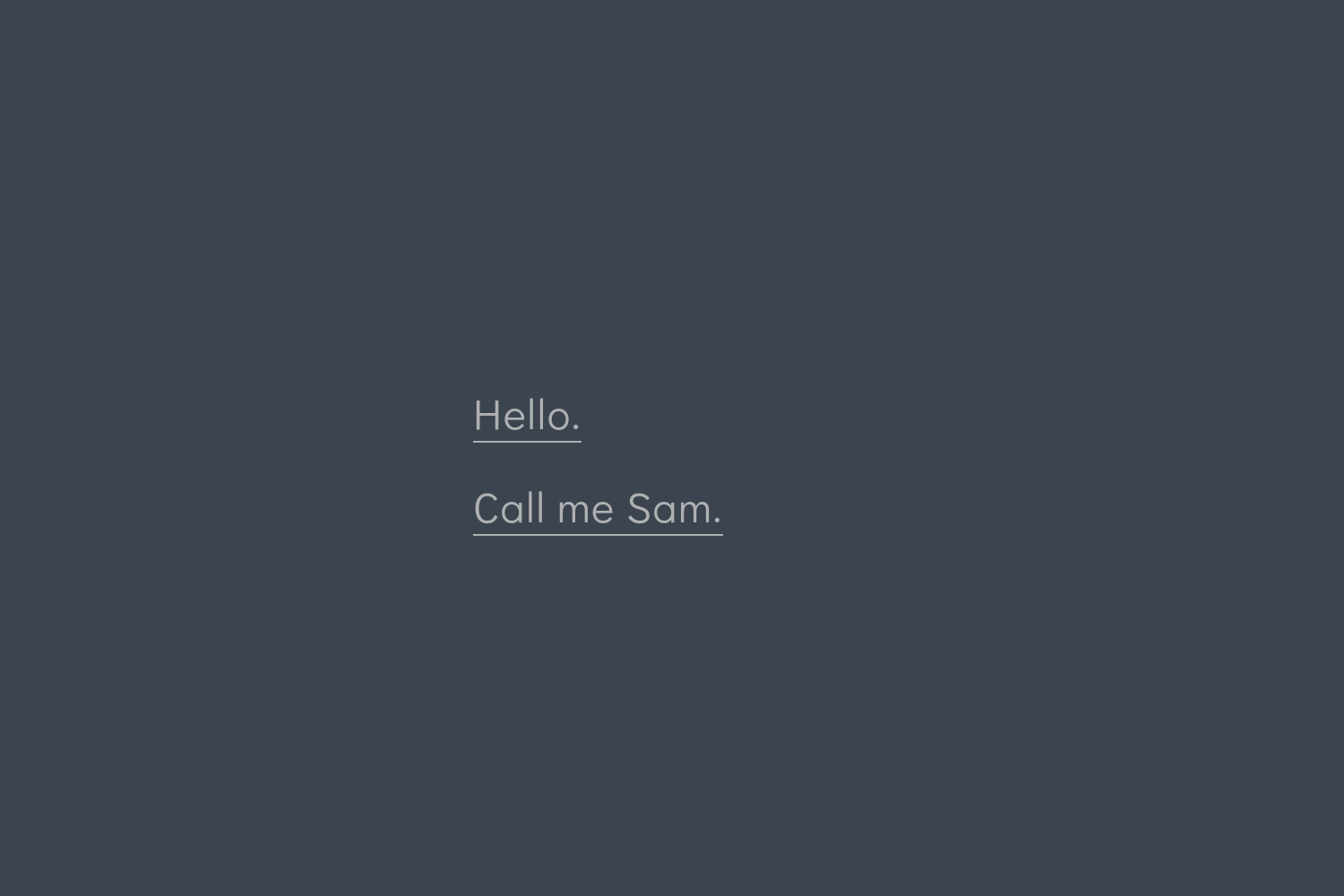
首页由 config.toml 中的 [[params.mainMenu]] 导航条目构成,条目数量与指向(含外部链接)可自由设置
Hugo启动器
hugo-theme-sam — Hugo 启动器模板
作者 victoriadrake
hugo-theme-sam 是一个面向 Hugo 的极简主题,以排版和内容展示为核心,通过 config.toml 配置导航菜单、页脚文字与首页背景视频,并提供基于 Page Bundle 的响应式图片画廊。
看看你的网站会是什么样
浏览真实页面截图,比较内容排版与手机效果。点击下方缩略图切换,放大查看整页细节。
目前有 1 张原始预览,可打开完整图片查看设计细节。
截图用于了解视觉与布局,交互效果请以实际项目为准。
采集于 2026-10-02查看来源
值得关注的模板亮点
从已有项目资料中,快速了解它的特点。
提供列表页、单页和文章的内容型模板,以及从 Page Bundle 图片自动生成的响应式 CSS Grid 画廊页
画廊支持 maxWidth、clickablePhotos、keepAspectRatio 等 front matter 选项,可创建多个画廊
可点击画廊支持键盘激活、方向键导航、Escape 关闭与焦点返回,无 JavaScript 时链接直接打开大图
首页背景可配置为循环视频,含 poster 图与叠加颜色,并提供暂停按钮
CSS 由 Sass 经 Hugo Pipes 编译,页面带可自定义的 Open Graph 与 Twitter 元数据,并支持语法高亮
模板详细介绍
Sam 是一个以内容与排版为中心的 Hugo 主题。它的首页本质上是一组可在 config.toml 中定义的导航链接列表,因此首页呈现方式取决于你如何组织这些条目,README 中给出了多种首页形态的示例。主题提供列表页、单页和文章的内容型模板,以及一个从 Page Bundle 图片自动生成的响应式 CSS Grid 画廊页。
配置集中在 config.toml:主菜单条目([[params.mainMenu]])同时构成首页列表和单页底部导航的一部分,可包含外部链接;页脚文字可自定义;首页背景可替换为循环播放的视频,并支持 poster 图与叠加颜色。页面元数据方面,页面自身的 description 会覆盖 params.description,社交预览图可以是页面资源、站点相对路径或外部 URL,并可通过 [services.googleAnalytics] 配置 GA4。
画廊页在 _index.md 的 front matter 中设置 type: "gallery",并可选 title、url、maxWidth(默认 "800x")、clickablePhotos、keepAspectRatio。可点击画廊支持键盘激活、方向键导航、Escape 关闭和焦点返回;无 JavaScript 时链接直接打开大图;减少动态效果偏好会关闭灯箱动画。图片 alt 文本通过页面资源元数据提供,SVG 图片不做栅格缩放也不进入灯箱。
使用限制:需要 Hugo 的 extended 版本,最低支持 0.163.0;生产构建的 CSS 依赖 PostCSS 与 Autoprefixer,需要在站点根目录安装并提交依赖清单与锁文件,构建时把 node_modules/.bin 加入 PATH;Hugo 开发服务器会跳过 PostCSS,因此开发预览与生产构建行为不同。画廊使用的 PhotoSwipe 文件已随主题内置,无需单独安装。主题以 Apache-2.0 许可发布,演示图片、字体、图标等第三方素材需另行核对各自许可。
Hugo启动器
适合你的项目吗?
适用场景
- 搭建以文字内容为主、首页作为导航入口的个人站点或写作站点
- 用 Page Bundle 中的图片快速生成摄影、作品集类网格画廊
- 为首页设置循环播放的背景视频并控制叠加层与暂停行为
- 需要 Open Graph 与 Twitter 分享元数据、语法高亮和 Sass 定制样式的 Hugo 站点
适合人群
- 使用 Hugo extended 0.163.0 及以上版本、愿意在站点根目录维护 Node 构建依赖的用户
- 偏好极简排版、希望首页与导航由配置文件统一控制的创作者
- 需要从本地图片目录自动生成响应式画廊并支持灯箱浏览的站点
- 希望以 Apache-2.0 许可使用并自行核对第三方素材许可的开发者
上手与定制指南
结合仓库当前版本的说明,按下面的资料检查内容、配置与运行要求。
- 1
需使用 Hugo 的 extended 版本,最低支持 0.163.0;演示部署固定 0.165.0,CI 测试最低版与最新版
- 2
在站点根目录安装并锁定 postcss、postcss-cli、autoprefixer,后续构建用 npm ci --ignore-scripts
- 3
生产构建时把 node_modules/.bin 加入 PATH 后再调用 hugo --minify;Hugo 开发服务器会跳过 PostCSS
- 4
可通过 hugo mod get 以 Hugo Module 方式引入,或 git clone / git submodule 到 themes/sam,并在 config.toml 中设置对应的 theme 值
- 5
修改 Sass 后若构建未见变化,使用 --ignoreCache 重新构建以避免 Hugo 使用缓存的 Sass 文件
授权与来源资料
使用条件与限制
免费使用 · 保留许可声明本次收录的是公开仓库中采用 Apache-2.0 许可的免费版本;免费范围为该版本代码,不代表外部服务或第三方素材免费。
使用时需要遵守
- 允许免费使用、修改、商用和分发;分发时需随附 Apache-2.0 许可证。
- 修改过的文件需显著标明改动,并保留相关版权、专利、商标及归属声明。
- 若原项目附有 NOTICE 文件,分发衍生作品时需保留其中适用的归属声明。
- 许可包含适用的贡献者专利授权;发起许可所述专利诉讼会终止该专利授权,且不授予商标使用权。
- 代码按现状提供;担保与责任限制以原许可证及适用法律为准。
额外费用与待核对事项
- 必须使用 Hugo 的 extended 版本,最低支持 0.163.0;标准版 Hugo 无法使用该主题。
- 生产构建的 CSS 依赖 PostCSS 与 Autoprefixer,需在站点根目录安装并锁定这些 Node 构建依赖,否则生产构建无法生成样式。
- Hugo 开发服务器会跳过 PostCSS,因此本地预览与生产构建行为不同,生产构建必须提供上述依赖。
- 运行测试需要 Python 3.9+ 以及已安装的 Google Chrome 浏览器。
- 如需 GA4 统计,必须配置 [services.googleAnalytics] 与 ID;旧的顶层 googleAnalytics 设置已不再生效。
- 使用仓库自带的 Pages 部署工作流前,需在仓库设置中把 Pages 来源改为 GitHub Actions,替换旧的 master/docs 来源。
- 演示图片、字体、图标及其他第三方素材需按各自许可核对,不能仅凭代码的 Apache-2.0 许可判断。
- 域名、托管、数据库、支付或 AI 等外部服务可能另外收费。
查看原文依据
no-charge, royalty-free, irrevocable copyright license
许可证原文
Use the **extended** edition of [Hugo](https://gohugo.io/installation/). The supported minimum is **0.163.0**.
README 原文
Production CSS uses PostCSS and Autoprefixer. This repository pins its build and test dependencies in `package-lock.json`; use `npm ci --ignore-scripts` for repeatable installs.
README 原文
Hugo's development server skips PostCSS, but production builds require these dependencies.
README 原文
Tests use Python 3.9+ and an installed Google Chrome browser; both are available on the GitHub-hosted Ubuntu runner.
README 原文
Set GA4 analytics with `[services.googleAnalytics]` and `ID = "G-XXXXXXXXXX"`; the old top-level `googleAnalytics` setting is no longer used.
README 原文
https://github.com/victoriadrake/hugo-theme-sam/blob/master/LICENSEhttps://github.com/victoriadrake/hugo-theme-sam/blob/master/README.mdbefore publishing the new workflow, set **Settings → Pages → Build and deployment → Source** to **GitHub Actions**, replacing the old `master`/`docs` source.
README 原文
DeepSeek 根据仓库许可证和 README 整理 ·2026-10-02。结果仅覆盖已读取资料,依赖、图片、字体及后续条款变更以各自原文为准。
项目核对记录与介绍依据
模板资料
- 来源平台
- Hugo Themes
- 资料与维护参考分
- 资料较完整 · 91 / 100
- 技术栈
- Hugo
- 网站类型
- 启动器
这个分数如何计算
本站按许可资料(最高30分)、演示链接(12分)、预览图(10分)、Star数(15分)、记录的维护时间(15分)、描述完整度(8分)、功能记录(5分)和分类资料(5分)计算。它不是代码、安全或性能测试,也不是 Google 评分;有链接不代表已实测可用。
这个项目需要核对什么
- 记录的仓库更新时间
- 2026-09-08
- 截图检查日期
- 2026-10-02
已收录演示链接。请用你的内容与屏幕尺寸检查;有演示不代表表单、认证或支付已经可用。
目录记录的主要技术栈是 Hugo。请通过依赖清单和锁文件核对实际版本与托管要求。这些说明基于收录资料,不代表代码审计或部署实测。
查看具体选型方法 →介绍的制作与核对状态
介绍由 AI 辅助整理目录与仓库资料。仓库作者不等于这篇介绍的审核者。
已完成服务器许可规则与 AI 来源核对;未经过人工编辑审核。
查看当时使用的来源资料
SHA-256: 3f02aedf67397d659a02e7c15d6d1db436061aa8c3be5f54cc7966e9a577e1e5
2026-10-02T15:31:10.614Z
来源文件 / 仓库# [Call me Sam: a theme for Hugo](https://victoria.dev/hugo-theme-sam/)    Sam is a Simple and Minimalist theme for Hugo. It lets you categorize and showcase your content the way you want to. Focused on content and typography, the stylized index page is really just a list of navigation links that you can set in your `config.toml`. This versatile design is limited only by your imagination, as you can make it say anything you like. Here are some ideas.  ## Features - Showcase content - Content-focused page templates for list pages, single pages, and posts - A responsive CSS grid gallery page that renders from images in your [Page Bundle](https://gohugo.io/content-management/organization/#page-bundles) - Customize - Custom navigation menu set via `config.toml` - Custom footer text - Custom background video via `config.toml` - Developer-approved - Syntax highlighting - Share-ready pages with [Open Graph](https://gohugo.io/templates/internal/#open-graph) and [Twitter](https://gohugo.io/templates/internal/#twitter-cards) metadata you can customize in `config.toml` and page front-matter - Effortless use of Hugo Pipes to generate CSS from Sass files - Tested with Hugo Extended `0.163.0` and the latest release ## Quick start Preview the example site with Hugo Extended **0.163.0 or newer** and Node.js **22.12 or newer** (Node 24 recommended): ```sh git clone https://github.com/victoriadrake/hugo-theme-sam.git cd hugo-theme-sam npm ci --ignore-scripts npm run dev ``` Open the localhost address printed by Hugo. `npm run build` creates the production demo in `public/`; `npm run check:html` checks the generated pages and their local assets. ## Requirements Use the **extended** edition of [Hugo](https://gohugo.io/installation/). The supported minimum is **0.163.0**. The demo deployment pins **0.165.0**, while CI tests the minimum and latest releases. Production CSS uses PostCSS and Autoprefixer. This repository pins its build and test dependencies in `package-lock.json`; use `npm ci --ignore-scripts` for repeatable installs. No global packages are required. The gallery's PhotoSwipe 5.4.4 files are vendored, so theme users do not need to install PhotoSwipe. For your own Hugo site, install these build dependencies **in your site root** and commit the resulting package manifest and lockfile: ```sh npm install --save-dev --save-exact --ignore-scripts [email protected] [email protected] [email protected] ``` On subsequent builds, use `npm ci --ignore-scripts`. Ensure the local tools are available when invoking Hugo: ```sh PATH="$PWD/node_modules/.bin:$PATH" hugo --minify ``` Hugo's development server skips PostCSS, but production builds require these dependencies. ## 1. Get the theme ### Use the theme as hugo module 1. Ensure that Go is installed. Download the Go installer [here](https://go.dev/dl/). 2. Turn your new or existing site into a hugo module by issuing this command from site root: ```sh hugo mod init github.com/me/my-sam-based-site ``` 3. Declare the `sam` theme module as a dependency of your site: ```sh hugo mod get github.com/victoriadrake/hugo-theme-sam ``` ### Use the theme locally with git clone or as a submodule Run from the root of your Hugo site: ```sh git clone https://github.com/victoriadrake/hugo-theme-sam.git themes/sam ``` Alternatively you can include this repository as a [git submodule](https://git-scm.com/book/de/v1/Git-Tools-Submodule). This makes it easier to update this theme if you have your Hugo site in git as well. For this you need to run: ```sh git submodule add https://github.com/victoriadrake/hugo-theme-sam.git themes/sam ``` ### 2. Configure your site From the exampleSite, copy `config.toml` to the root folder of your Hugo site. Inside this file, identify the `theme = ...` line. #### To configure as a Hugo module Make sure the following line is uncommented in order to activate your theme as hugo module: ```toml theme = "github.com/victoriadrake/hugo-theme-sam" ``` #### To configure a local theme Make sure the following line is uncommented: ```toml theme = "sam" ``` Afterwards, adapt the configuration parameters inside `config.toml` as you like. There are helpful hints in the file. ### 3. Create pages Run: ```sh hugo new page.md ``` Where `page` can be anything you like. A contact page, a bio, dates for your upcoming world tour... Anything! ### 4. Design your main menu and index page In `config.toml`, customize the entries for `[[params.mainMenu]]` however you like. You can have as many or as few entries as you like. You can even include external links. This list comprises the index page and part of the navigation menu at the bottom of single content pages. Here's an example: ```toml [[params.mainMenu]] link = "/photography" text = "photography" [[params.mainMenu]] link = "/posts" text = "writing" [[params.mainMenu]] link = "/about" text = "who dis?" ``` ## Preview your site locally Use Hugo's built-in server to see your site in action as you make changes. ```sh hugo serve -t sam ``` Visit `localhost:1313` in your browser to see a live preview of your site. ## Posts To create a new post, run: ```sh hugo new posts/your-post-title.md ``` ## Image gallery To create an image gallery, place all the files you want included in your [Page Bundle](https://gohugo.io/content-management/organization/#page-bundles). The directory structure might then look like this: ```sh content/ └── gallery/ ├── _index.md ├── file_1.jpg ├── file_2.jpg └── file_3.jpg ``` To automagically generate a gallery from the images, set `type: "gallery"` in the front-matter of `_index.md`. You can also set other options for the gallery: - The gallery `title` - The page link with `url` - The `maxWidth` of the resized images (defaults to `"800x"`; use a positive width followed by `x`) - Whether you want the images to link to the full size files, with `clickablePhotos` - You can keep the original aspect ratio of the images in the grid with `keepAspectRatio` Here is an example of a gallery's `_index.md`: ```yaml --- title: "Portraits" type: "gallery" url: "/portrait-gallery" maxWidth: "800x" clickablePhotos: true keepAspectRatio: false --- ``` In order to create more than one gallery, create multiple Page Bundles with images and `type: "gallery"` defined in the `_index.md` front matter. For example: ```text content/ ├── gallery/ | ├── _index.md | ├── file_1.jpg | ├── file_2.jpg | └── file_3.jpg | └── portfolio/ ├── _index.md ├── file_1.jpg ├── file_2.jpg └── file_3.jpg ``` That's it! Sam's gallery layout template will automagically build the page from your images. Clickable galleries support keyboard activation, arrow navigation, Escape to close, and focus return. Without JavaScript, links open the full image. Reduced-motion preferences disable lightbox animations. Photo links use the image filename, so they remain valid when the gallery is reshuffled between builds. Legacy `gid=1&pid=1` links still use one-based positions in the current build. PhotoSwipe 5 replaces the old v4 lightbox; the old social-sharing and fullscreen buttons are no longer included. Copy the address while an image is open to share that image. You can provide meaningful image alt text through page resource metadata: ```yaml resources: - src: "tokyo.jpg" params: alt: "A lantern-lit street in Tokyo at night" ``` SVG images are displayed without raster resizing or a lightbox. ## Custom video background To change the default home page background to a looping video, you need to set a list of video sources and optionally an overlay color (default: `rgba(0, 0, 0, 0.4)`). Here is an example configuration of `config.toml`: ```toml [[params.videoBackground.sources]] source = "/background.mp4" # Your video file type = "video/mp4" [params.videoBackground] poster = "/background.jpg" # The image to show when the video is not playing overlay = "rgba(0, 0, 0, 0.4)" # optional ``` The poster belongs to the video configuration, rather than each source. The former per-source `poster` setting remains supported as a fallback. Site-relative media paths work under a project subdirectory such as `/hugo-theme-sam/`. A playback button lets visitors pause the video; reduced-motion preferences keep it paused initially. And here is a screenshot of what that might look like:  ## Editing the theme This theme uses [Hugo Pipes](https://gohugo.io/hugo-pipes/introduction/) to compile, autoprefix, and minify its CSS styles from the included Sass files. To make changes to the CSS, edit the Sass files located in `assets/sass/`, then build your site using extended Hugo, which you can obtain from [Hugo Releases](https://github.com/gohugoio/hugo/releases). If when building you do not see the changes you have done, make sure to build your website with the `--ignoreCache` flag, otherwise Hugo will attempt to use its own cached Sass files. You can run the built-in server to preview the site as you make changes to the Sass files! ## Validation and demo deployment Run the build and browser regression checks before submitting changes. Tests use Python 3.9+ and an installed Google Chrome browser; both are available on the GitHub-hosted Ubuntu runner. ```sh npm ci --ignore-scripts npm test npm run build npm run check:html ``` The build helper can run from any working directory. `HUGO_BASEURL` overrides the demo URL; `HUGO_DESTINATION` overrides the output directory. Hugo cleans the selected output directory, so use a dedicated generated-output directory. Generated output, caches, and downloaded installers are excluded from source control. The demo is published by the **Deploy demo to Pages** GitHub Actions workflow. It tests and builds the site, validates the generated HTML, and uploads a Pages artifact; it never commits or force-pushes generated files. Production deployment is serialized and uses a pinned Hugo release. **Migration for this repository:** before publishing the new workflow, set **Settings → Pages → Build and deployment → Source** to **GitHub Actions**, replacing the old `master`/`docs` source. Keep the existing `victoria.dev/hugo-theme-sam/` project URL. This setting is on the Sam repository, not the main victoria.dev repository. ## Metadata Each page's `description` overrides `params.description`. Social-preview images may be page resources, site-relative paths, or external URLs. Site-relative URLs retain the configured `baseURL` path. Set GA4 analytics with `[services.googleAnalytics]` and `ID = "G-XXXXXXXXXX"`; the old top-level `googleAnalytics` setting is no longer used. ## Issues If you have a question or get stuck, please [open an issue](https://github.com/victoriadrake/hugo-theme-sam/issues) for help and to help those who come after you. The more information you can provide, the better! ## Contributing Pull requests for bug fixes and enhancements are welcome! Please ensure you first read about [contributing](CONTRIBUTING.md) to this project. Open source themes like this one would not be possible without some amazing **[contributors](https://github.com/victoriadrake/hugo-theme-sam/graphs/contributors).** Thank you! ## License Copyright (C) 2017-2026 [Victoria Drake](https://victoria.dev/) Licensed under the [Apache License, Version 2.0](https://github.com/victoriadrake/hugo-theme-sam/blob/master/LICENSE) (the "License"); you may not use this file except in compliance with the License. You may obtain a copy of the License at [http://www.apache.org/licenses/LICENSE-2.0](http://www.apache.org/licenses/LICENSE-2.0). Unless required by applicable law or agreed to in writing, software distributed under the License is distributed on an "AS IS" BASIS, WITHOUT WARRANTIES OR CONDITIONS OF ANY KIND, either express or implied. See the License for the specific language governing permissions and limitations under the License.
看看同类模板
对比同技术栈与用途的模板,找到更适合的视觉与内容结构。

hugo-xmin
eXtremely Minimal Hugo theme: about 140 lines of code in total, including HTML and CSS (with no dependencies)
Hugo · 启动器

hugo-theme-gallery
Gallery Theme for Hugo
Hugo · 启动器

reveal-hugo
📽️ Create rich HTML-based presentations with Hugo and Reveal.js
Hugo · 启动器

anatole
Anatole is a minimalistic two-column theme for Hugo.
Hugo · 启动器

hugo-theme-diary
Moments piled up. A Hugo theme ported from SumiMakito/hexo-theme-Journal.
Hugo · 启动器

risotto
A minimalist, responsive hugo theme inspired by terminal ricing aesthetics.
Hugo · 启动器