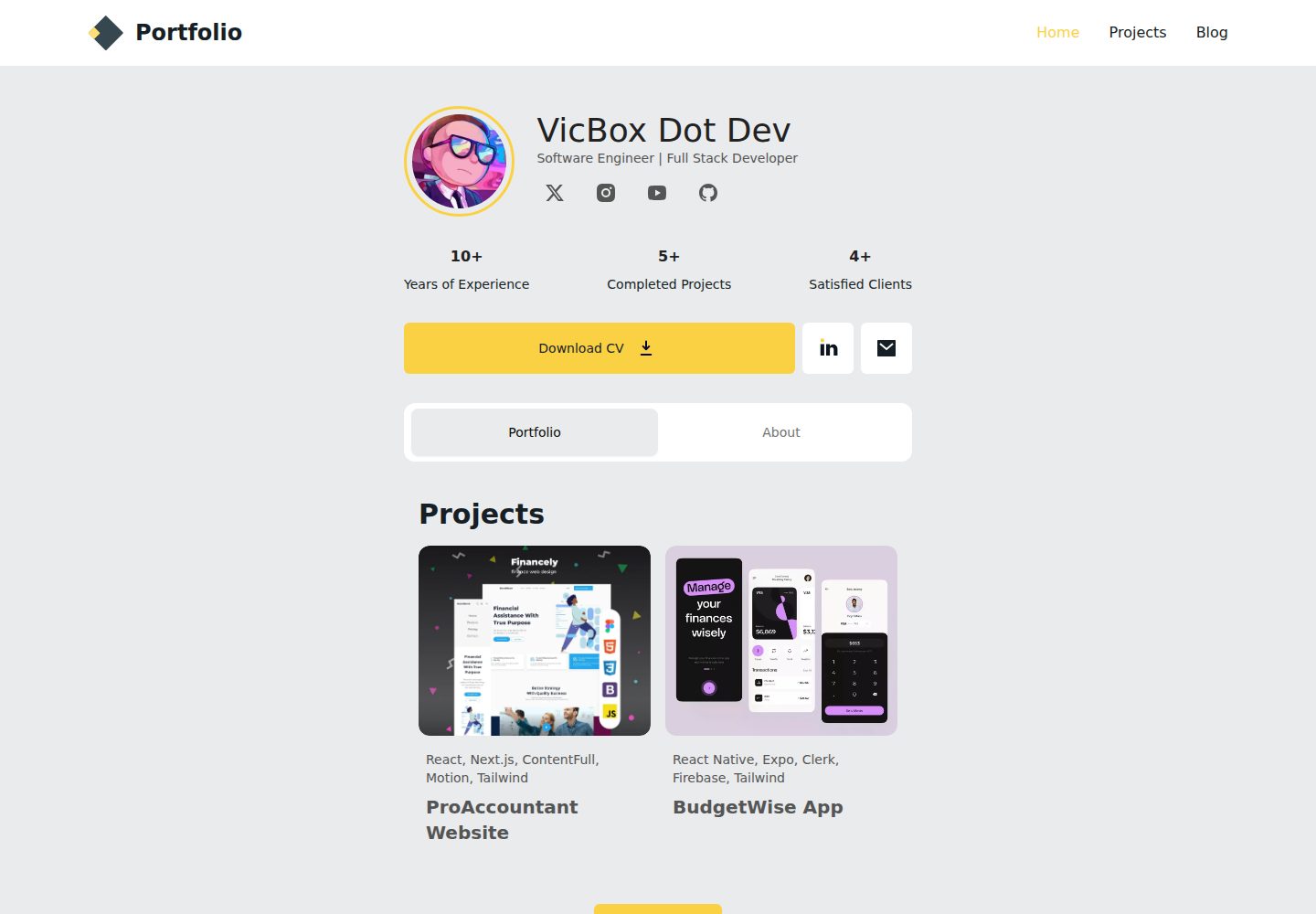
Built as a static site with Astro v5, supporting MDX content
AstroPortfolio
simple-portfolio — Astro Portfolio Template
By vito8916
An open-source personal portfolio template based on Astro v5, using Tailwind CSS, ShadCN, TypeScript, and React components, supporting MDX content, with a Figma design reference.
Explore the design
Compare the page layouts and mobile experience. Open any screenshot for a closer look.
Desktop homepage1 / 3
Desktop captureTop of page
Actual screenshot captured by the server browser.
All pages & views 3
Screenshots show visual appearance; interactive behavior may differ.
Recorded 2026-10-05View source
What stands out
A quick read of the recorded project description.
Integrates Tailwind CSS and ShadCN components
Written in TypeScript, supporting React components
Projects are managed as content collections, with each project as a separate .mdx/.md file
Site information, personal profile, and social links are centrally configured in src/config.ts
Based on the public Figma design Simple Resume Portfolio
Template Details
This is a free and open-source static portfolio website template built with Astro v5, suitable as a starting point for building a personal portfolio site. The template integrates Tailwind CSS for styling, adopts ShadCN components, is written in TypeScript, and supports React components and MDX content. The project is based on a public Figma design (Simple Resume Portfolio).
For content organization, the project is located in the src/content/projects directory, where each project is a separate .mdx or .md file. The frontmatter includes fields such as title, summary, tags, start and end dates, links, cover image, and social share image. Project images are placed under src/content/projects/images/. Work experience, education information, and skills are stored as data files in the src/data directory. Site title, description, personal profile, and social links are configured in src/config.ts, divided into three parts: SITE, ME, and SOCIAL.
The README explains local installation steps (clone the repository, npm install, npm run dev) and mentions a deployment section, but does not elaborate on specific deployment platforms or commands in the provided materials; it also does not state performance, accessibility, or production readiness.
AstroPortfolio
Is it right for your project?
Use Cases
- Building a personal portfolio or resume website
- Showcasing projects, work experience, education background, and skills
- Maintaining project content via Markdown/MDX
- Developers who need a static site and want to use React components
Suitable For
- Developers who want to quickly start a personal portfolio site
- Front-end developers familiar with Astro, React, and TypeScript
- Those who prefer managing content with Markdown/MDX
Getting started & customization
Use these recorded setup notes alongside the repository instructions for your chosen version.
- 1
Requires Node.js 18 or higher and npm
- 2
After cloning the repository, run npm install to install dependencies
- 3
Run npm run dev to start the development server, with the default address at http://localhost:4321
- 4
Configure site information, personal profile, and social links in src/config.ts
- 5
The README mentions a deployment section but does not provide specific deployment steps in the materials
License & source material
Usage conditions & limitations
Free to use · keep license noticeThis entry covers the free version under the MIT license from the public repository; the free scope is the code of this version and does not mean external services or third-party assets are free.
Must comply with when using
- Free use, modification, commercial use, and distribution of this version's code are allowed.
- When distributing copies or substantial portions of the code, retain the original author's copyright notice and the full MIT license notice.
- The code is provided as is; warranties and limitations of liability are governed by the original license and applicable law.
Additional costs & items to verify
- The README mentions Firebase integration; before enabling related dynamic features, you need to configure it yourself and check Firebase's quotas and charges.
- Demo images, fonts, icons, and other third-party assets need to be checked against their respective licenses; they cannot be judged solely by the code's MIT license.
- External services such as domains, hosting, databases, payments, or AI may incur additional charges.
View Original Text Basis
https://github.com/vito8916/simple-portfolio/blob/master/LICENSEhttps://github.com/vito8916/simple-portfolio/blob/master/README.mdPermission is hereby granted, free of charge
Original License Text
Compiled by DeepSeek based on repository license and README ·2026-10-05. Results only cover the materials read; dependencies, images, fonts, and subsequent term changes are subject to their respective original texts.
Project checks & description sources
Template Information
- Source platforms
- Astro Themes
- Documentation and maintenance reference score
- More documented · 81 / 100
- Technologies
- Astro
- Website type
- Portfolio
How this score is calculated
Our heuristic uses license records (up to 30), a demo link (12), a preview (10), stars (15), recorded maintenance (15), description completeness (8), feature records (5) and classification data (5). It is not a code, security or performance test, or a Google score. A link does not establish tested functionality.
What to verify for this project
- Repository update recorded
- 2025-01-09
- Screenshot last checked
- 2026-10-05
A demo link is listed. Check it with your own content and viewport sizes; its presence does not confirm that forms, authentication or payments work.
The catalog identifies Astro as the primary stack. Check the actual dependency manifest and lockfile for versions and hosting requirements. These notes use recorded metadata, not a code audit or a deployment test.
Use a selection guide →How this description was prepared
AI-assisted description based on catalog records and repository material. Repository authors are not automatically the reviewers of this description.
Review declaration: codex-user-requested-batch-review-20261017 · 2026-10-16
Inspect the recorded source material
SHA-256: 9d4ced7664d5ea9c95efd5a045ec85c81f3f51518f698d574a81325f4f0fdd21
2026-10-05T13:09:04.343Z
Source file / repository# Astro Simple Portfolio
Is a free and open-source portfolio template built with Astro. It's a great starting point for building your own
portfolio site.
This project leverages **Astro v5**, incorporating the latest features that Astro has to offer.
<p style="text-align: center;">
<img style="display: block; margin: 0 auto;" alt="Simple Portfolio Cover preview" src="https://firebasestorage.googleapis.com/v0/b/biography-fa3a3.appspot.com/o/Cover2.webp?alt=media&token=1cd30f91-5738-4d51-bd51-c52fb76152ba"/>
</p>
<a href="https://astro.build"><img src="https://astro.badg.es/v2/built-with-astro/tiny.svg" alt="Built with Astro" width="120" height="20"></a>
## 🔥 DEMO
- [VIEW DEMO](https://simple-portfolio.vicbox.dev)
### Features
**Now upgraded to Astro v5**: the latest release of Astro.
- **Astro v5**: Utilizes the latest features of Astro for a fast and optimized static site.
- **Tailwind CSS**: Includes Tailwind CSS for easy and efficient styling.
- **ShadCN**: Implements ShadCN components for a modern and cohesive design system.
- **TypeScript**: Written in TypeScript for type safety and better developer tooling.
- **React Components**: Supports React components to provide a familiar component-based development workflow.
- **MDX Support**: Includes MDX support for writing content with Markdown and JSX.
### Figma Design
This project is based on the following Figma
design: [Simple Resume Portfolio](https://www.figma.com/community/file/1213010685692032886/simple-resume-portfolio).
## Table of Contents
- [Getting Started](#getting-started)
- [Configuration](#configuration)
- [Project Structure](#project-structure)
- [Customization](#customization-and--styling)
- [Deployment](#deployment)
- [Changelog](#changelog)
- [Contributing](#contributing)
- [License](#license)
## Getting Started
Follow these steps to set up the project locally.
### Prerequisites
- [Node.js](https://nodejs.org/) (version 18 or higher recommended)
- npm (usually comes with Node.js)
### Installation
1. **Clone the repository:**
```sh
git clone <repository-url>
cd astro-simple-portfolio
```
2. **Install dependencies:**
```sh
npm install
```
3. **Start the development server:**
```sh
npm run dev
```
This will start the Astro development server. Open a browser and visit `http://localhost:4321` to see the site.
## Project Structure
| File/Folder | Description |
|------------------|------------------------------------------------------------------------------------------------|
| `src/assets` | Contains images and other assets used in the project. |
| `src/components` | Contains React components used in the project. |
| `src/content` | Contains the content for the site, such as projects, experiences, and educational information. |
| `src/data` | Contains data files for the site, such as jobs, education, and skills. |
| `src/icons` | Contains SVG icons used in the project. |
| `src/layouts` | Contains the layout components for the site. |
| `src/pages` | Contains the pages for the site. |
| `src/styles` | Contains global styles for the site. |
| `src/config.ts` | Contains configurations for the site. |
| `src/lib` | Contains utility functions used in the project. |
| `public` | Contains static files such as images, favicons, and other assets. |
## Configuration
To configure the project, you can edit the following files:
### `src/config.ts`
This file contains several configurations for the site such as the site title, description, other metadata and your
personal details. This file has three main sections:
- SITE
- ME
- SOCIAL
Those sections are arrays of objects that contain the following properties:
#### SITE
table explaining the properties of each object:
| Property | Type | Description |
|-------------|--------|--------------------------------------------------------|
| website | string | The URL of your site. |
| title | string | The title of your site. |
| description | string | A brief description of your site. |
| tags | string | Keywords related to your site. |
| ogImage | string | The image used when sharing your site on social media. |
| logo | string | The logo used for your site. |
| logoText | string | The text used for the logo. |
| lang | string | The language of your site. |
| favicon | string | The icon used for your site. |
| repository | string | The URL of the repository for your site. |
| author | string | The author of the site. |
| profile | string | The url of the online profile of the author. |
#### Example:
```typescript
export const SITE = {
website: "https://vicbox.dev/projects/simple-portfolio", // replace this with your deployed domain
title: "Simple Portfolio",
description: "A simple but beautiful portfolio created with Astro",
tags: ["portfolio", "Resume cv", "Astro"],
ogImage: "/og-image.webp",
logo: "logo",
logoText: "SPortfolio",
lang: "en",
favicon: "/favicon.png",
repository: "https://github.com/vito8916/simple-portfolio.git",
author: "Victor Alvarado",
profile: "https://victoralvarado.dev/",
}
````
---
#### ME
table explaining the properties of each object:
| Property | Type | Description |
|--------------|--------|-------------------------------------------------------------------------|
| name | string | Your name. |
| profession | string | Your profession. |
| profileImage | string | The image used for your profile. |
| profileFacts | object | An array of objects with the description and value of the fact. |
| about | string | A brief description about you. |
| contactInfo | object | An array of objects with the email, linkedin, and resumeDoc properties. |
#### Example:
```typescript
export const ME = {
name: "John Doe",
profession: "Software Engineer | Full Stack Developer",
profileImage: "pp.png",
profileFacts: [
{
value: 10,
description: "Years of Experience"
},
{
value: 5,
description: "Completed Projects"
},
{
value: 4,
description: "Satisfied Clients"
}
],
contactInfo: {
email: "[email protected]",
linkedin: "https://www.linkedin.com/in/victor-alvaradohn",
resumeDoc: "resume.pdf",
},
aboutMe: "I am a software engineer with a passion for web development. I have experience in building web " + "applications using modern technologies. I am a self-taught developer who enjoys learning new things and " + "sharing knowledge with others.",
}
````
---
#### SOCIAL
In this section, you can add your social media profiles. Each object should have the following properties:
- `name`: The name of the social media platform.
- `url`: The URL of your profile on that platform.
- `icon`: The icon used for the social media platform. By default, the project already have the most common social media
platforms. If you want to add a new one, you should add the icon in SVG format in the `src/icons` directory.
- `show`: A boolean value to show or hide the social media platform. I recommend to hide the platforms that you don't
have a profile and also have as maximum 4 social media platforms.
If you have configured the project correctly, you should see something like this:
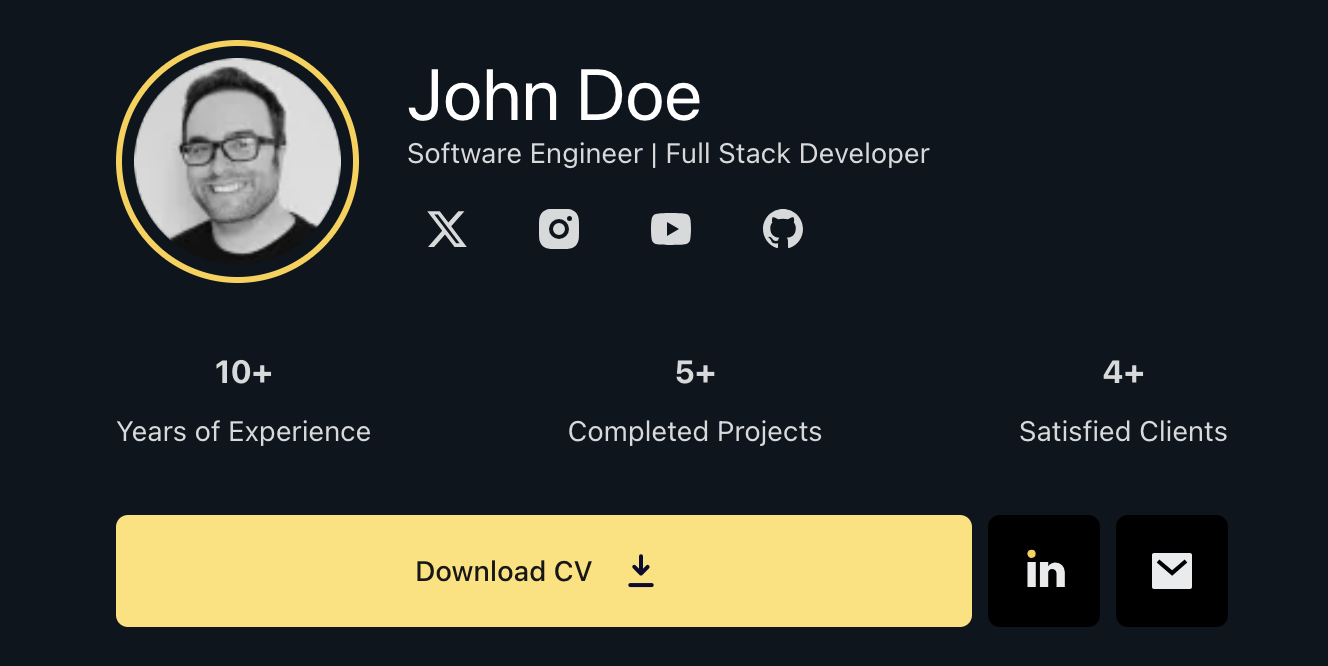
And also the Meta Tags in the Head of the HTML should be working correctly.
---
## Add your projects, experiences, and educational information
### Projects (as a Content Collection)
For projects, we are going to use the `src/content/projects` directory. Each project is a separate `.mdx` or `.md` file in this
directory. The file should have the following structure:
| Property | Type | Description |
|------------|----------|-----------------------------------------------------------------------------------------------|
| title | string | The title of the project. |
| summary | string | A brief description of the project. |
| tags | string[] | An array of tags related to the project. |
| startDate | Date | The start date of the project. |
| endDate | Date | The end date of the project. |
| url | string | The URL of the project to show a demo or more information. |
| cover | string | An image to show in the project card. |
| ogImage | string | An image to show when sharing the project on social media. | |
#### Example frontMatter:
```md
---
title: ProAccountant Website
summary: Professional Accounting Services Website built with Next.js, Tailwind CSS, TypeScript, and ShadCN. The site showcases accounting services, features a contact form, and offers a blog section to establish the accountant as an authority in the field.
tags:
- React
- Next.js
- ContentFull
- Motion
- Tailwind
startDate: 2024-04-07
endDate: 2024-04-09
author: Victor Alvarado
url: https://google.com
cover: './images/pro-accountant/accnt.webp'
ogImage: './images/pro-accountant/accnt.webp'
---
```
If you plan to add images to the project, you should place them in the `src/content/projects/images/` directory.
For a better organization, I recommend creating a separate folder inside `images/` for each project.
---
### Jobs (as array of objects file)
### `/src/data/Jobs.ts`
Contains the work experience you want to showcase. It's an array of objects where each object represents a job you have
held.
table explaining the properties of each object:
| Property | Type | Description |
|-------------|----------|-----------------------------------------------------------------------|
| title | string | The title of the job. |
| startDate | Date | The start date of the job. |
| endDate | Date | The end date of the job. |
| company | string | The name of the company. |
| location | string | The location of the company. |
| description | string | A brief description of the job. |
| goals | string[] | An array of goals or achievements during the job. |
| currentJob | boolean | A boolean value to indicate if you are currently working in this job. |
#### Example:
```typescript
const workExperience: WorkExperience[] = [
{
title: "Frontend Developer",
startDate: "2020-03-10",
endDate: "", // Leave empty if you are currently working here
company: "Google Inc",
location: "United States",
description: "Developed and maintained web applications using React, NextJs, and Tailwind CSS.",
goals: [
"Developed and maintained web applications using React, NodeJs, and MongoDB.",
"Worked with the team to develop and maintain web applications using React, NodeJs, and MongoDB.",
"Created and maintained web applications using React, NodeJs, and MongoDB.",
],
currentJob: true,
},
// Add more jobs as needed
];
export default workExperience;
```
For better results, I highly recommend using Action Verbs to describe your achievements and responsibilities. Here are
some examples:
- "Developed and maintained web applications using React, Node.Js, and MongoDB.",
- "Worked with the team to develop and maintain web applications using React, Node.Js, and MongoDB.",
- "Created and maintained web applications using React, NodeJ.s, and MongoDB."
Read more about Action
Verbs [here](https://www.coursera.org/articles/resume-action-words?utm_content=pmax_promo-q4-2024-latam_65percent_courseraplus-annual&utm_medium=sem&utm_source=gg&utm_campaign=B2C_LATAM_special_coursera_FTCOF_courseraplus_pmax-promo-2024Q4-LATAM&campaignid=21877631985&adgroupid=&device=c&keyword=&matchtype=&network=x&devicemodel=&adposition=&creativeid=&hide_mobile_promo&gad_source=1&gclid=CjwKCAiA9IC6BhA3EiwAsbltOGYQZ5rp2focKXMltxHN6IAI55pqOTu_FP1kdh0A121Kfe05A_ZY5xoCRQ4QAvD_BwE).
---
### Education (as array of objects file)
### `/src/data/education.ts`
Holds the details regarding your educational background.
table explaining the properties of each object:
| Property | Type | Description |
|-------------|---------|---------------------------------------------------------------------------|
| title | string | The title of the degree or course. |
| startDate | Date | The start date of the degree or course. |
| endDate | Date | The end date of the degree or course. |
| school | string | The name of the school or university. |
| location | string | The location of the school or university. |
| description | string | A brief description of the degree or course. |
| currentUni | boolean | A boolean value to indicate if you are currently studying in this school. |
#### Example:
```typescript
const education = [
{
title: "General English",
startDate: "2024-09-01",
endDate: "2025-06-01", // Leave empty if you are currently studying here
school: "UCD ELA",
location: "Ireland",
description: "Studied English as a second language.",
currentUni: false, // Set to true if you are currently studying here
},
// Add more education entries as needed
];
export default education;
```
---
### Hard Skills (as array of objects file)
`/src/data/hardSkills.ts`
Contains a list of skills you possess.
Example structure:
```typescript
const Hardskills = [
{
name: "AstroJs",
description: "My favorite static site generator for building modern websites",
icon: "astro_dark"
}
// Add more hard skills as needed
];
export default skills;
```
---
### Soft Skills (as array of objects file)
`/src/data/softSkills.ts`
Contains a list of skills you possess.
Example structure:
```typescript
const Hardskills = [
{
name: "AstroJs",
icon: "astro_dark"
}
// Add more hard skills as needed
];
export default skills;
```
You can add, edit, or remove entries from these files to customize the content presented on your portfolio. Each file
typically exports an array of objects or strings that are consumed by various components in the project.
---
## Customization and Styling
Styles can be customized in the `tailwind.config.js` file
and add your custom styles in the `src/styles/globals.css`.
To customize the colors, you can edit the theme section in the `tailwind.config.js` file.
```javascript
module.exports = {
theme: {
extend: {
colors: {
// Light mode colors
'light-theme': '#E9EBEC', // Background color for light mode
'primary-light': '#FBD144', // Primary color for light mode
'primary-hover-light': '#FFE071', // Primary hover color for light mode
// Dark mode colors
'dark-theme': '#0C151D', // Background color for dark mode
'primary-dark': '#FFE071', // Primary color for dark mode
'primary-hover-dark': '#FBD144', // Primary hover color for dark mode
'n200': '#d7d9da', // Text color for dark mode
// Neutrals
'n900': '#222222', // this is the color for the Navbar and other elements
'n700': '#171F26', // Text color for light mode
'n500': '#555555', // Text color secundary texts, borders, etc
},
},
},
};
```
---
## Deployment
[](https://app.netlify.com/start/deploy?repository=https://github.com/vito8916/simple-portfolio.git#NODE_VERSION=20)
Or follow the steps below:
1. **Build the project:**
```sh
npm run build
```
This will generate the static files in the `dist` directory.
2. **FTP Deployment:**
Upload the contents of the `dist` directory to your web server using FTP.
3. **Vercel Deployment:**
Follow the steps on the [Vercel website](https://vercel.com/docs) to deploy your Astro project.
4. **GitHub Pages Deployment:**
You can also deploy to GitHub Pages by pushing the `dist` folder to the `gh-pages` branch of your repository.
---
## Changelog
### v1.0.0
- Upgraded from Astro v5 beta to v5 stable.
- Initial release with Astro v5.
### v1.1.0
- Added Blog feature. Now you can add your blog posts in the `src/content/posts` directory.
- Added a changelog section to the README file.
- Refactored Layout component and other pages.
- Added two example blog post that help you how to change some things in this template.
---
## Contributing
[GitHub Repository](https://github.com/vito8916/simple-portfolio.git)
Contributions are welcome! Please submit a pull request or open an issue to discuss changes.
---
## License
This project is licensed under the [MIT License](LICENSE).Explore similar templates
Compare previews and descriptions within the same stack and category.

astrofy
Astrofy is a free and open-source personal portfolio website template built with Astro and TailwindCSS, with built-in blog, CV timeline, project showcase, store, and RSS feed modules.
Astro · Portfolio

astro-nano
Astro Nano is a static, minimalist portfolio and blog template built with Astro, Tailwind, and TypeScript without frontend frameworks. It includes light/dark themes, animated UI, automatic sitemap and RSS feed generation, and Markdown/MDX support with component imports.
Astro · Portfolio

astro-erudite
astro-erudite is an opinionated, unstyled static blog template built with Astro and native CSS, with no UI or CSS framework and minimal dependencies.
Astro · Portfolio

astro-sphere
Astro Sphere is a static, minimalist portfolio and blog theme maintained by markhorn-dev, built mainly with Astro, Tailwind, and TypeScript, with a small amount of SolidJS for stateful components.
Astro · Portfolio

astro-micro
Astro Micro is a framework-free blog and portfolio theme for Astro, forked from Astro Nano. It adds Pagefind search and Giscus comments while retaining type safety, sitemap, RSS, Markdown and MDX support, and TailwindCSS with system, light, and dark themes.
Astro · Portfolio
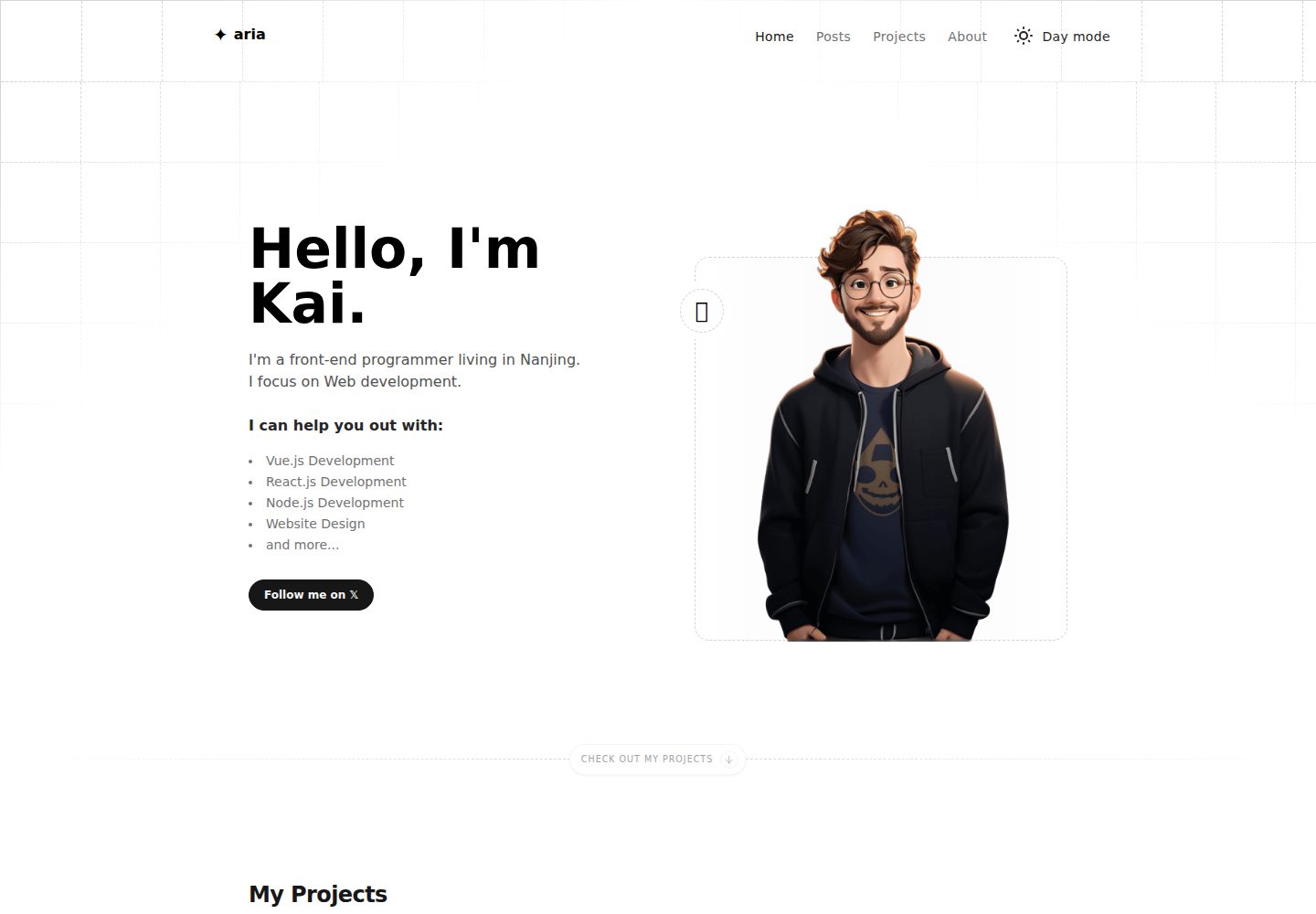
astro-aria
astro-aria is an Astro-based personal blog and portfolio template maintained by miantiao-me, ported from static-templates/aria.
Astro · Portfolio