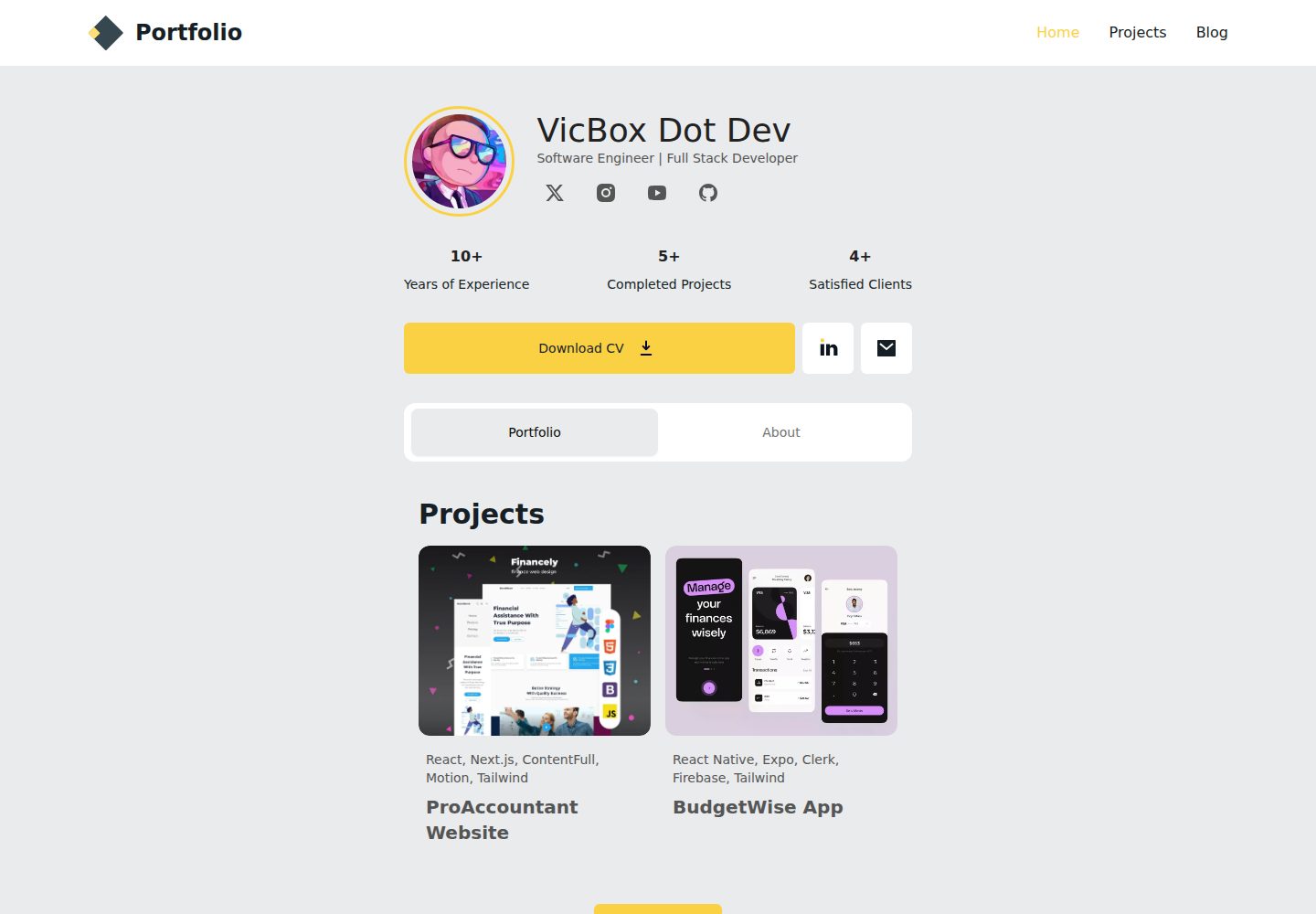
使用 Astro v5 构建静态站点,支持 MDX 内容
Astro作品集
simple-portfolio — Astro 作品集模板
作者 vito8916
基于 Astro v5 的开源个人作品集模板,使用 Tailwind CSS、ShadCN、TypeScript 和 React 组件,支持 MDX 内容,附带 Figma 设计参考。
看看你的网站会是什么样
浏览真实页面截图,比较内容排版与手机效果。点击下方缩略图切换,放大查看整页细节。
全部页面与视图 3
截图用于了解视觉与布局,交互效果请以实际项目为准。
采集于 2026-10-05查看来源
值得关注的模板亮点
从已有项目资料中,快速了解它的特点。
集成 Tailwind CSS 与 ShadCN 组件
使用 TypeScript 编写,支持 React 组件
项目以内容集合形式管理,每个项目为独立 .mdx/.md 文件
站点信息、个人资料和社交链接集中在 src/config.ts 配置
基于公开的 Figma 设计稿 Simple Resume Portfolio
模板详细介绍
这是一个免费开源的静态作品集网站模板,使用 Astro v5 构建,适合作为搭建个人作品集站点的起点。模板集成了 Tailwind CSS 用于样式,采用 ShadCN 组件,使用 TypeScript 编写,并支持 React 组件与 MDX 内容。项目基于一份公开的 Figma 设计稿(Simple Resume Portfolio)。
内容组织上,项目位于 src/content/projects 目录,每个项目是一个独立的 .mdx 或 .md 文件,frontmatter 包含标题、摘要、标签、起止日期、链接、封面图和社交分享图等字段,项目图片放在 src/content/projects/images/ 下。工作经历、教育信息和技能等以数据文件形式存放在 src/data 目录。站点标题、描述、个人资料和社交链接在 src/config.ts 中配置,分为 SITE、ME、SOCIAL 三部分。
README 说明了本地安装步骤(克隆仓库、npm install、npm run dev)和部署章节的存在,但未在提供的资料中展开具体部署平台或命令;也未说明性能、可访问性或生产就绪程度。
Astro作品集
适合你的项目吗?
适用场景
- 搭建个人作品集或简历网站
- 展示项目、工作经历、教育背景和技能
- 以 Markdown/MDX 方式维护项目内容
- 需要静态站点并希望使用 React 组件的开发者
适合人群
- 希望快速起步个人作品集站点的开发者
- 熟悉 Astro、React 和 TypeScript 的前端开发者
- 偏好用 Markdown/MDX 管理内容的人
上手与定制指南
结合仓库当前版本的说明,按下面的资料检查内容、配置与运行要求。
- 1
需要 Node.js 18 或更高版本以及 npm
- 2
克隆仓库后运行 npm install 安装依赖
- 3
运行 npm run dev 启动开发服务器,默认地址为 http://localhost:4321
- 4
在 src/config.ts 中配置站点信息、个人资料和社交链接
- 5
README 提到部署章节但未在资料中给出具体部署步骤
授权与来源资料
使用条件与限制
免费使用 · 保留许可声明本次收录的是公开仓库中采用 MIT 许可的免费版本;免费范围为该版本代码,不代表外部服务或第三方素材免费。
使用时需要遵守
- 允许免费使用、修改、商用和分发该版本代码。
- 分发代码副本或实质性部分时,保留原作者版权声明和完整 MIT 许可声明。
- 代码按现状提供;担保与责任限制以原许可证及适用法律为准。
额外费用与待核对事项
- README 提及 Firebase 集成;启用相关动态功能前需自行配置,并核对 Firebase 的额度与收费。
- 演示图片、字体、图标及其他第三方素材需按各自许可核对,不能仅凭代码的 MIT 许可判断。
- 域名、托管、数据库、支付或 AI 等外部服务可能另外收费。
查看原文依据
https://github.com/vito8916/simple-portfolio/blob/master/LICENSEhttps://github.com/vito8916/simple-portfolio/blob/master/README.mdPermission is hereby granted, free of charge
许可证原文
DeepSeek 根据仓库许可证和 README 整理 ·2026-10-05。结果仅覆盖已读取资料,依赖、图片、字体及后续条款变更以各自原文为准。
项目核对记录与介绍依据
模板资料
- 来源平台
- Astro Themes
- 资料与维护参考分
- 资料较完整 · 81 / 100
- 技术栈
- Astro
- 网站类型
- 作品集
这个分数如何计算
本站按许可资料(最高30分)、演示链接(12分)、预览图(10分)、Star数(15分)、记录的维护时间(15分)、描述完整度(8分)、功能记录(5分)和分类资料(5分)计算。它不是代码、安全或性能测试,也不是 Google 评分;有链接不代表已实测可用。
这个项目需要核对什么
- 记录的仓库更新时间
- 2025-01-09
- 截图检查日期
- 2026-10-05
已收录演示链接。请用你的内容与屏幕尺寸检查;有演示不代表表单、认证或支付已经可用。
目录记录的主要技术栈是 Astro。请通过依赖清单和锁文件核对实际版本与托管要求。这些说明基于收录资料,不代表代码审计或部署实测。
查看具体选型方法 →介绍的制作与核对状态
介绍由 AI 辅助整理目录与仓库资料。仓库作者不等于这篇介绍的审核者。
审核声明: codex-user-requested-batch-review-20261017 · 2026-10-16
查看当时使用的来源资料
SHA-256: 9d4ced7664d5ea9c95efd5a045ec85c81f3f51518f698d574a81325f4f0fdd21
2026-10-05T13:09:04.343Z
来源文件 / 仓库# Astro Simple Portfolio
Is a free and open-source portfolio template built with Astro. It's a great starting point for building your own
portfolio site.
This project leverages **Astro v5**, incorporating the latest features that Astro has to offer.
<p style="text-align: center;">
<img style="display: block; margin: 0 auto;" alt="Simple Portfolio Cover preview" src="https://firebasestorage.googleapis.com/v0/b/biography-fa3a3.appspot.com/o/Cover2.webp?alt=media&token=1cd30f91-5738-4d51-bd51-c52fb76152ba"/>
</p>
<a href="https://astro.build"><img src="https://astro.badg.es/v2/built-with-astro/tiny.svg" alt="Built with Astro" width="120" height="20"></a>
## 🔥 DEMO
- [VIEW DEMO](https://simple-portfolio.vicbox.dev)
### Features
**Now upgraded to Astro v5**: the latest release of Astro.
- **Astro v5**: Utilizes the latest features of Astro for a fast and optimized static site.
- **Tailwind CSS**: Includes Tailwind CSS for easy and efficient styling.
- **ShadCN**: Implements ShadCN components for a modern and cohesive design system.
- **TypeScript**: Written in TypeScript for type safety and better developer tooling.
- **React Components**: Supports React components to provide a familiar component-based development workflow.
- **MDX Support**: Includes MDX support for writing content with Markdown and JSX.
### Figma Design
This project is based on the following Figma
design: [Simple Resume Portfolio](https://www.figma.com/community/file/1213010685692032886/simple-resume-portfolio).
## Table of Contents
- [Getting Started](#getting-started)
- [Configuration](#configuration)
- [Project Structure](#project-structure)
- [Customization](#customization-and--styling)
- [Deployment](#deployment)
- [Changelog](#changelog)
- [Contributing](#contributing)
- [License](#license)
## Getting Started
Follow these steps to set up the project locally.
### Prerequisites
- [Node.js](https://nodejs.org/) (version 18 or higher recommended)
- npm (usually comes with Node.js)
### Installation
1. **Clone the repository:**
```sh
git clone <repository-url>
cd astro-simple-portfolio
```
2. **Install dependencies:**
```sh
npm install
```
3. **Start the development server:**
```sh
npm run dev
```
This will start the Astro development server. Open a browser and visit `http://localhost:4321` to see the site.
## Project Structure
| File/Folder | Description |
|------------------|------------------------------------------------------------------------------------------------|
| `src/assets` | Contains images and other assets used in the project. |
| `src/components` | Contains React components used in the project. |
| `src/content` | Contains the content for the site, such as projects, experiences, and educational information. |
| `src/data` | Contains data files for the site, such as jobs, education, and skills. |
| `src/icons` | Contains SVG icons used in the project. |
| `src/layouts` | Contains the layout components for the site. |
| `src/pages` | Contains the pages for the site. |
| `src/styles` | Contains global styles for the site. |
| `src/config.ts` | Contains configurations for the site. |
| `src/lib` | Contains utility functions used in the project. |
| `public` | Contains static files such as images, favicons, and other assets. |
## Configuration
To configure the project, you can edit the following files:
### `src/config.ts`
This file contains several configurations for the site such as the site title, description, other metadata and your
personal details. This file has three main sections:
- SITE
- ME
- SOCIAL
Those sections are arrays of objects that contain the following properties:
#### SITE
table explaining the properties of each object:
| Property | Type | Description |
|-------------|--------|--------------------------------------------------------|
| website | string | The URL of your site. |
| title | string | The title of your site. |
| description | string | A brief description of your site. |
| tags | string | Keywords related to your site. |
| ogImage | string | The image used when sharing your site on social media. |
| logo | string | The logo used for your site. |
| logoText | string | The text used for the logo. |
| lang | string | The language of your site. |
| favicon | string | The icon used for your site. |
| repository | string | The URL of the repository for your site. |
| author | string | The author of the site. |
| profile | string | The url of the online profile of the author. |
#### Example:
```typescript
export const SITE = {
website: "https://vicbox.dev/projects/simple-portfolio", // replace this with your deployed domain
title: "Simple Portfolio",
description: "A simple but beautiful portfolio created with Astro",
tags: ["portfolio", "Resume cv", "Astro"],
ogImage: "/og-image.webp",
logo: "logo",
logoText: "SPortfolio",
lang: "en",
favicon: "/favicon.png",
repository: "https://github.com/vito8916/simple-portfolio.git",
author: "Victor Alvarado",
profile: "https://victoralvarado.dev/",
}
````
---
#### ME
table explaining the properties of each object:
| Property | Type | Description |
|--------------|--------|-------------------------------------------------------------------------|
| name | string | Your name. |
| profession | string | Your profession. |
| profileImage | string | The image used for your profile. |
| profileFacts | object | An array of objects with the description and value of the fact. |
| about | string | A brief description about you. |
| contactInfo | object | An array of objects with the email, linkedin, and resumeDoc properties. |
#### Example:
```typescript
export const ME = {
name: "John Doe",
profession: "Software Engineer | Full Stack Developer",
profileImage: "pp.png",
profileFacts: [
{
value: 10,
description: "Years of Experience"
},
{
value: 5,
description: "Completed Projects"
},
{
value: 4,
description: "Satisfied Clients"
}
],
contactInfo: {
email: "[email protected]",
linkedin: "https://www.linkedin.com/in/victor-alvaradohn",
resumeDoc: "resume.pdf",
},
aboutMe: "I am a software engineer with a passion for web development. I have experience in building web " + "applications using modern technologies. I am a self-taught developer who enjoys learning new things and " + "sharing knowledge with others.",
}
````
---
#### SOCIAL
In this section, you can add your social media profiles. Each object should have the following properties:
- `name`: The name of the social media platform.
- `url`: The URL of your profile on that platform.
- `icon`: The icon used for the social media platform. By default, the project already have the most common social media
platforms. If you want to add a new one, you should add the icon in SVG format in the `src/icons` directory.
- `show`: A boolean value to show or hide the social media platform. I recommend to hide the platforms that you don't
have a profile and also have as maximum 4 social media platforms.
If you have configured the project correctly, you should see something like this:
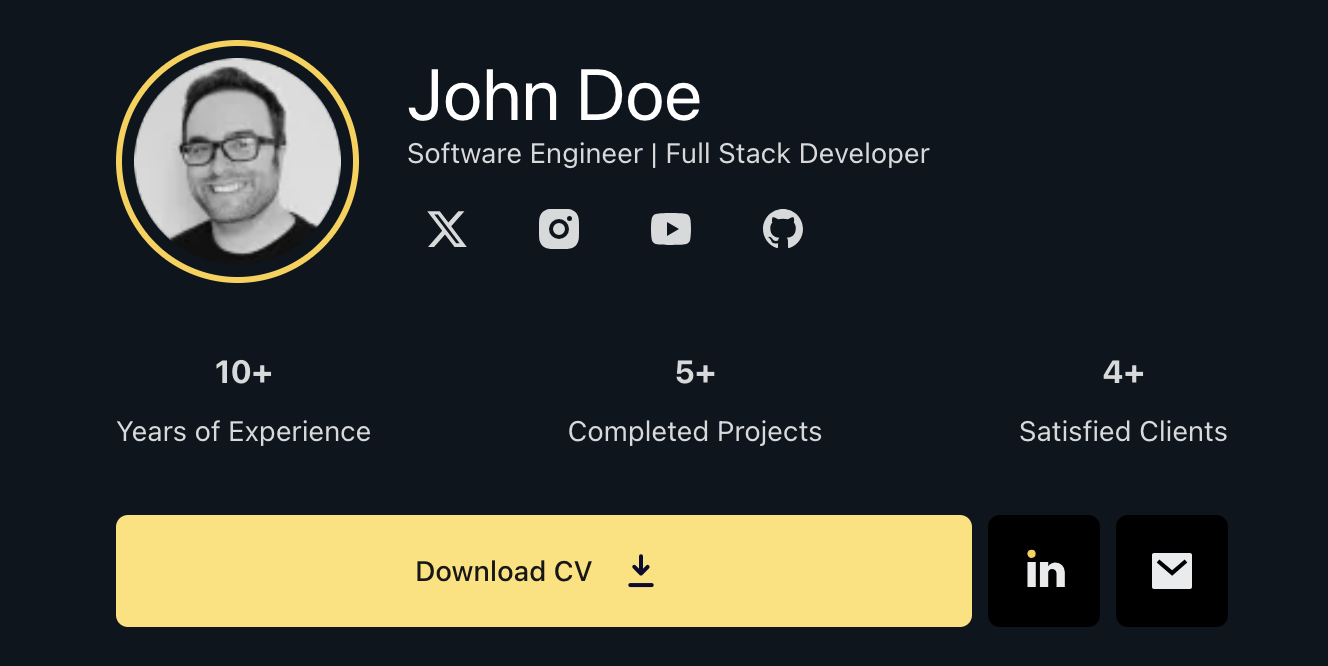
And also the Meta Tags in the Head of the HTML should be working correctly.
---
## Add your projects, experiences, and educational information
### Projects (as a Content Collection)
For projects, we are going to use the `src/content/projects` directory. Each project is a separate `.mdx` or `.md` file in this
directory. The file should have the following structure:
| Property | Type | Description |
|------------|----------|-----------------------------------------------------------------------------------------------|
| title | string | The title of the project. |
| summary | string | A brief description of the project. |
| tags | string[] | An array of tags related to the project. |
| startDate | Date | The start date of the project. |
| endDate | Date | The end date of the project. |
| url | string | The URL of the project to show a demo or more information. |
| cover | string | An image to show in the project card. |
| ogImage | string | An image to show when sharing the project on social media. | |
#### Example frontMatter:
```md
---
title: ProAccountant Website
summary: Professional Accounting Services Website built with Next.js, Tailwind CSS, TypeScript, and ShadCN. The site showcases accounting services, features a contact form, and offers a blog section to establish the accountant as an authority in the field.
tags:
- React
- Next.js
- ContentFull
- Motion
- Tailwind
startDate: 2024-04-07
endDate: 2024-04-09
author: Victor Alvarado
url: https://google.com
cover: './images/pro-accountant/accnt.webp'
ogImage: './images/pro-accountant/accnt.webp'
---
```
If you plan to add images to the project, you should place them in the `src/content/projects/images/` directory.
For a better organization, I recommend creating a separate folder inside `images/` for each project.
---
### Jobs (as array of objects file)
### `/src/data/Jobs.ts`
Contains the work experience you want to showcase. It's an array of objects where each object represents a job you have
held.
table explaining the properties of each object:
| Property | Type | Description |
|-------------|----------|-----------------------------------------------------------------------|
| title | string | The title of the job. |
| startDate | Date | The start date of the job. |
| endDate | Date | The end date of the job. |
| company | string | The name of the company. |
| location | string | The location of the company. |
| description | string | A brief description of the job. |
| goals | string[] | An array of goals or achievements during the job. |
| currentJob | boolean | A boolean value to indicate if you are currently working in this job. |
#### Example:
```typescript
const workExperience: WorkExperience[] = [
{
title: "Frontend Developer",
startDate: "2020-03-10",
endDate: "", // Leave empty if you are currently working here
company: "Google Inc",
location: "United States",
description: "Developed and maintained web applications using React, NextJs, and Tailwind CSS.",
goals: [
"Developed and maintained web applications using React, NodeJs, and MongoDB.",
"Worked with the team to develop and maintain web applications using React, NodeJs, and MongoDB.",
"Created and maintained web applications using React, NodeJs, and MongoDB.",
],
currentJob: true,
},
// Add more jobs as needed
];
export default workExperience;
```
For better results, I highly recommend using Action Verbs to describe your achievements and responsibilities. Here are
some examples:
- "Developed and maintained web applications using React, Node.Js, and MongoDB.",
- "Worked with the team to develop and maintain web applications using React, Node.Js, and MongoDB.",
- "Created and maintained web applications using React, NodeJ.s, and MongoDB."
Read more about Action
Verbs [here](https://www.coursera.org/articles/resume-action-words?utm_content=pmax_promo-q4-2024-latam_65percent_courseraplus-annual&utm_medium=sem&utm_source=gg&utm_campaign=B2C_LATAM_special_coursera_FTCOF_courseraplus_pmax-promo-2024Q4-LATAM&campaignid=21877631985&adgroupid=&device=c&keyword=&matchtype=&network=x&devicemodel=&adposition=&creativeid=&hide_mobile_promo&gad_source=1&gclid=CjwKCAiA9IC6BhA3EiwAsbltOGYQZ5rp2focKXMltxHN6IAI55pqOTu_FP1kdh0A121Kfe05A_ZY5xoCRQ4QAvD_BwE).
---
### Education (as array of objects file)
### `/src/data/education.ts`
Holds the details regarding your educational background.
table explaining the properties of each object:
| Property | Type | Description |
|-------------|---------|---------------------------------------------------------------------------|
| title | string | The title of the degree or course. |
| startDate | Date | The start date of the degree or course. |
| endDate | Date | The end date of the degree or course. |
| school | string | The name of the school or university. |
| location | string | The location of the school or university. |
| description | string | A brief description of the degree or course. |
| currentUni | boolean | A boolean value to indicate if you are currently studying in this school. |
#### Example:
```typescript
const education = [
{
title: "General English",
startDate: "2024-09-01",
endDate: "2025-06-01", // Leave empty if you are currently studying here
school: "UCD ELA",
location: "Ireland",
description: "Studied English as a second language.",
currentUni: false, // Set to true if you are currently studying here
},
// Add more education entries as needed
];
export default education;
```
---
### Hard Skills (as array of objects file)
`/src/data/hardSkills.ts`
Contains a list of skills you possess.
Example structure:
```typescript
const Hardskills = [
{
name: "AstroJs",
description: "My favorite static site generator for building modern websites",
icon: "astro_dark"
}
// Add more hard skills as needed
];
export default skills;
```
---
### Soft Skills (as array of objects file)
`/src/data/softSkills.ts`
Contains a list of skills you possess.
Example structure:
```typescript
const Hardskills = [
{
name: "AstroJs",
icon: "astro_dark"
}
// Add more hard skills as needed
];
export default skills;
```
You can add, edit, or remove entries from these files to customize the content presented on your portfolio. Each file
typically exports an array of objects or strings that are consumed by various components in the project.
---
## Customization and Styling
Styles can be customized in the `tailwind.config.js` file
and add your custom styles in the `src/styles/globals.css`.
To customize the colors, you can edit the theme section in the `tailwind.config.js` file.
```javascript
module.exports = {
theme: {
extend: {
colors: {
// Light mode colors
'light-theme': '#E9EBEC', // Background color for light mode
'primary-light': '#FBD144', // Primary color for light mode
'primary-hover-light': '#FFE071', // Primary hover color for light mode
// Dark mode colors
'dark-theme': '#0C151D', // Background color for dark mode
'primary-dark': '#FFE071', // Primary color for dark mode
'primary-hover-dark': '#FBD144', // Primary hover color for dark mode
'n200': '#d7d9da', // Text color for dark mode
// Neutrals
'n900': '#222222', // this is the color for the Navbar and other elements
'n700': '#171F26', // Text color for light mode
'n500': '#555555', // Text color secundary texts, borders, etc
},
},
},
};
```
---
## Deployment
[](https://app.netlify.com/start/deploy?repository=https://github.com/vito8916/simple-portfolio.git#NODE_VERSION=20)
Or follow the steps below:
1. **Build the project:**
```sh
npm run build
```
This will generate the static files in the `dist` directory.
2. **FTP Deployment:**
Upload the contents of the `dist` directory to your web server using FTP.
3. **Vercel Deployment:**
Follow the steps on the [Vercel website](https://vercel.com/docs) to deploy your Astro project.
4. **GitHub Pages Deployment:**
You can also deploy to GitHub Pages by pushing the `dist` folder to the `gh-pages` branch of your repository.
---
## Changelog
### v1.0.0
- Upgraded from Astro v5 beta to v5 stable.
- Initial release with Astro v5.
### v1.1.0
- Added Blog feature. Now you can add your blog posts in the `src/content/posts` directory.
- Added a changelog section to the README file.
- Refactored Layout component and other pages.
- Added two example blog post that help you how to change some things in this template.
---
## Contributing
[GitHub Repository](https://github.com/vito8916/simple-portfolio.git)
Contributions are welcome! Please submit a pull request or open an issue to discuss changes.
---
## License
This project is licensed under the [MIT License](LICENSE).看看同类模板
对比同技术栈与用途的模板,找到更适合的视觉与内容结构。

astrofy
Astrofy is a free and open-source template for your Personal Portfolio Website built with Astro and TailwindCS…
Astro · 作品集

astro-nano
Astro Nano is a static, minimalist, lightweight, lightning fast portfolio and blog.
Astro · 作品集

astro-erudite
An opinionated, unstyled static blogging template built with Astro and native CSS.
Astro · 作品集

astro-sphere
Astro Sphere is a static, minimalist, lightweight, lightning fast portfolio and blog.
Astro · 作品集

astro-micro
Blog theme for Astro with search and comments built-in. Zero frameworks.
Astro · 作品集
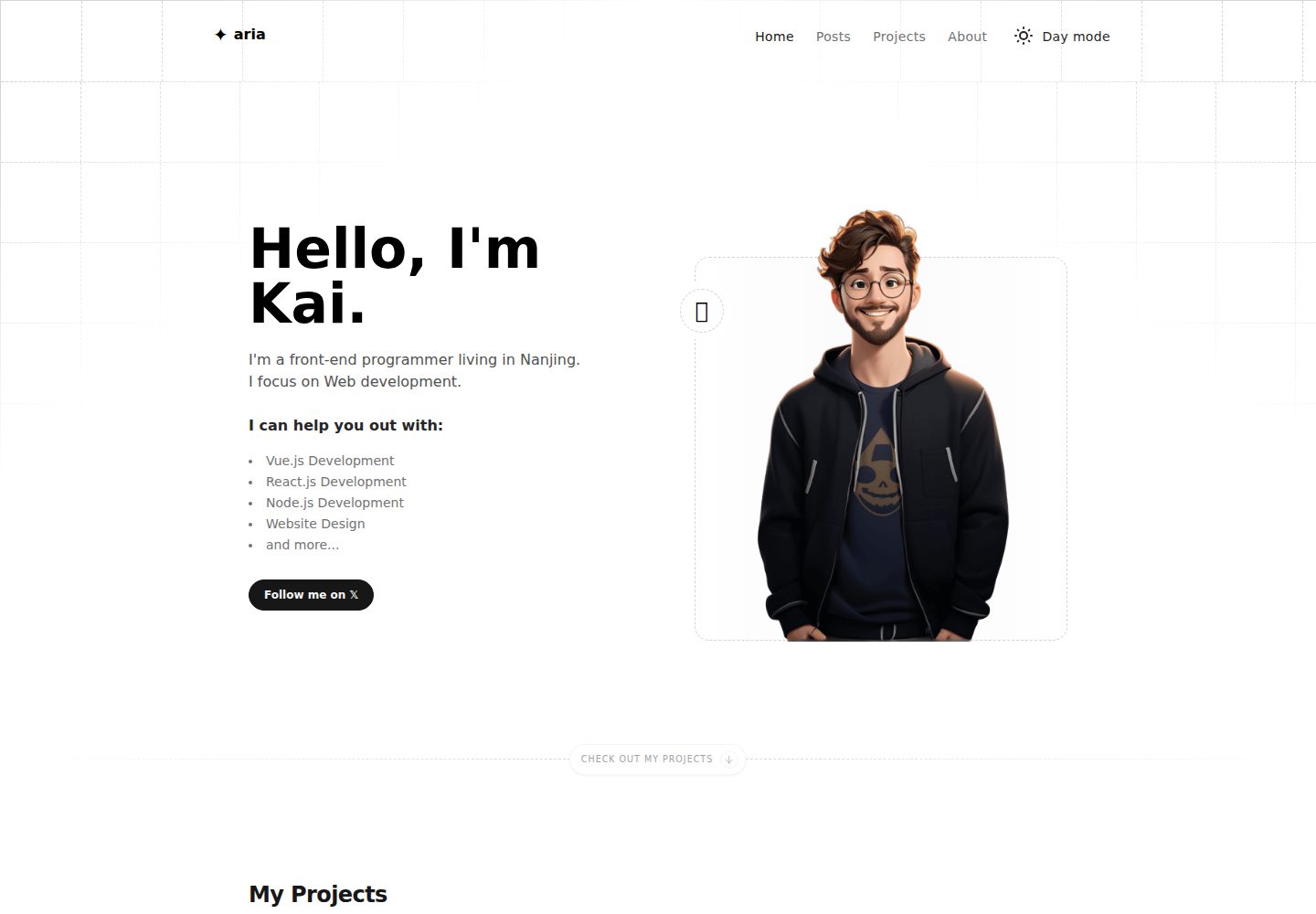
astro-aria
A personal blog, portfolio, or blog template
Astro · 作品集